
 MONA OS 2.0


 Tự động hoá doanh nghiệp
 Cẩm nang SEO
 Digital Marketing
 Kinh nghiệm thiết kế website
 Hạ Tầng Server
 Giáo dục


 VI
VI
 EN
EN









































Message us on
Zalo Official


 Products

 ProductsProducts









 Website designLooks good and wins customers over.
SEO servicesBrings in customers searching for exactly what you sell.
Website designLooks good and wins customers over.
SEO servicesBrings in customers searching for exactly what you sell.
 Tư vấn digital marketingKéo khách từ nhiều kênh, đo bằng số thật.
Corporate video productionVideos introducing your company, factory and team.
Tư vấn digital marketingKéo khách từ nhiều kênh, đo bằng số thật.
Corporate video productionVideos introducing your company, factory and team.
 NewAI video productionCompany story films made with AI.
 Custom software developmentCRM, ERP and HRM built for your business.
 Viết AI Agent theo yêu cầuĐặt riêng một trợ lý AI cho đúng việc của mình.
 Tư vấn chuyển đổi AIĐưa AI vào vận hành của cả công ty.
NewMONA LMSManagement for centers and schools.
MONA SkillHubInternal training for company staff.
Tư vấn chuyển đổi AIĐưa AI vào vận hành của cả công ty.
NewMONA LMSManagement for centers and schools.
MONA SkillHubInternal training for company staff.
 NHTQ systemEnd-to-end China–Vietnam shipping operations.
MONA JMSManagement for gold, diamond and pawn shops.
NHTQ systemEnd-to-end China–Vietnam shipping operations.
MONA JMSManagement for gold, diamond and pawn shops.
 MONA E-LearningA website with every feature you need to sell courses.
 How to sell online courses (course)More than 30 free lessons on selling courses on autopilot.
 MONA Cloudmonacloud.vnServers to get your apps and websites running.
 MONA Basemonabase.vnPostgres database, sign-in and file storage.
 MONA Mailmonamail.vnSend OTP, order and invoice emails from your software.
 MONA Paymonapay.vnAccept bank transfers via VietQR and notify your software when the money arrives.
 MONA eInvoiceComing soonIssue e-invoices that meet tax standards.
Gấu CườiTrả lời khách 24/7 trên web, Fanpage, Zalo và thu lead cho sale.
MONA eInvoiceComing soonIssue e-invoices that meet tax standards.
Gấu CườiTrả lời khách 24/7 trên web, Fanpage, Zalo và thu lead cho sale.
 Gấu TeleSalesGọi điện tư vấn, chăm khách như tổng đài viên thật.
Dê CườiTư vấn và chốt đơn cho shop ngay trong khung chat.
Gấu WebmasterNhắn nhóm Zalo là website được sửa xong.
Gấu TeleSalesGọi điện tư vấn, chăm khách như tổng đài viên thật.
Dê CườiTư vấn và chốt đơn cho shop ngay trong khung chat.
Gấu WebmasterNhắn nhóm Zalo là website được sửa xong.
 Gấu Pháp ChếSoạn hợp đồng, rà điều khoản trong vài phút.
 Gấu Báo GiáLên báo giá đúng mẫu và gửi khách ngay.
 AI chăm sóc khách hàngTheo dõi và giữ chân khách hàng cũ.
 Gấu Tuyển DụngLọc hồ sơ, hẹn lịch, phỏng vấn ứng viên.
 KHA AI 2027
Xây kênh chuyên gia 2 phút mỗi ngày
Quay bằng điện thoại, AI tự edit video, tự đăng lên 16 nền tảng và tự trả lời bình luận, tin nhắn.
288.048lượt xem trên kênh CEO MONA sau 17 ngày
KHA AI 2027
Xây kênh chuyên gia 2 phút mỗi ngày
Quay bằng điện thoại, AI tự edit video, tự đăng lên 16 nền tảng và tự trả lời bình luận, tin nhắn.
288.048lượt xem trên kênh CEO MONA sau 17 ngày
 Anh Khánh HùngCEO MONA đang dùng mỗi ngày
Xem app làm được gì
Anh Khánh HùngCEO MONA đang dùng mỗi ngày
Xem app làm được gì
 AI
Gấu Cười MONA ĐANG TỰ XÀITrả lời khách 24/7 trên website, Zalo OA, Messenger và thu lead về cho sale.
Dê CườiChốt đơn bán lẻ và sàn: Shopee, TikTok Shop, web. Chăm cả khách sỉ, đại lý.
Gấu WebmasterCập nhật nội dung, tối ưu SEO website mỗi ngày.
Gấu TeleSalesGọi điện tư vấn, chăm khách như tổng đài viên thật.
Gấu Tuyển DụngLọc hồ sơ, hẹn lịch, phỏng vấn ứng viên tự động.
AI chăm sóc khách hàngGiữ khách cũ, cứu lead đã rớt cho phòng kinh doanh.
Gấu Pháp ChếSoạn hợp đồng, rà điều khoản trong vài phút.
Gấu Báo GiáLên báo giá đúng mẫu, gửi khách ngay khi có yêu cầu.
AI
Gấu Cười MONA ĐANG TỰ XÀITrả lời khách 24/7 trên website, Zalo OA, Messenger và thu lead về cho sale.
Dê CườiChốt đơn bán lẻ và sàn: Shopee, TikTok Shop, web. Chăm cả khách sỉ, đại lý.
Gấu WebmasterCập nhật nội dung, tối ưu SEO website mỗi ngày.
Gấu TeleSalesGọi điện tư vấn, chăm khách như tổng đài viên thật.
Gấu Tuyển DụngLọc hồ sơ, hẹn lịch, phỏng vấn ứng viên tự động.
AI chăm sóc khách hàngGiữ khách cũ, cứu lead đã rớt cho phòng kinh doanh.
Gấu Pháp ChếSoạn hợp đồng, rà điều khoản trong vài phút.
Gấu Báo GiáLên báo giá đúng mẫu, gửi khách ngay khi có yêu cầu.
 Chuyển đổi AI toàn phầnGiải pháp tổng cho doanh nghiệp, 3 lớp triển khai.
 Viết AI Agent theo yêu cầuĐặt riêng một con AI gánh đúng nghiệp vụ của bạn.
 Custom softwareCRM, ERP and HRM with built-in AI automation.
 SEO & AEO thời đại AIĐược Google lẫn AI trích dẫn, không chỉ xếp hạng.
 Kiến thức AI cho doanh nghiệpBài phân tích, hướng dẫn ứng dụng AI vào vận hành.
 Free AI courses
 AI tools at work
 App mới · KHA AI 2027
Xây kênh 2 phút mỗi ngày
AI tự edit video, tự đăng mọi mạng xã hội
Free consultation, 8am–10pm every day
App mới · KHA AI 2027
Xây kênh 2 phút mỗi ngày
AI tự edit video, tự đăng mọi mạng xã hội
Free consultation, 8am–10pm every day

18 March, 2023

When businesses invest in a website, most want it to look good and also create conversion value. But in practice, if a website isn't properly optimized for SEO, then however impressive the design, it struggles to compete in search rankings. That is why checking your website's SEO regularly is a step you can't skip. In this article, MONA Media will help you understand what an SEO-ready website looks like, how to check one, and the complete solutions that bring your site up to standard.
An SEO-ready website is one designed and optimized to meet the requirements and standards that make SEO work well and stay friendly to search engines such as Google, Bing and Yahoo. The goal is to help the site reach high organic rankings for relevant keywords.
SEO-friendly website design must meet the technical requirements so search engines can read and evaluate it easily, and it must also give users a good experience: fast loading, an easy-to-use interface and quality content.
Criteria for an SEO-ready website:
Easy for search engines to understand and rate highly: A clear structure, clean code, correct use of meta tags and a sitemap.
A good user experience: Fast loading, a friendly interface, and content that is easy to read and easy to find information in.
Meets users' search needs: Content that relates to the target keyword and solves the problem users actually care about.
An SEO-ready website When it goes live on the market, a website must meet all the standards for SEO Onpage, so it delivers the highest practical value.
≫ Read now: A detailed guide to building an SEO-ready website for beginners
Internet users' habits are very clear today: more than 90% look up information and read reviews before deciding to buy. If your website isn't optimized for SEO, you lose not only Google rankings but also the chance to reach customers at the moment they start looking into a product or service.
So what does SEO-ready website design bring?
More organic traffic: SEO-ready web design improves your keyword rankings on Google. This brings in more potential customers without paying for ads.
Better user experience: An SEO-ready website usually loads fast, has a clear layout, a friendly interface and useful content. All of this helps customers find information easily, stay longer and come back more often.
Greater brand awareness and credibility: Appearing at the top of search results means more people see and trust your brand, which builds a professional image in customers' eyes.
Lower promotion costs: Instead of depending on paid ads, full-scope SEO brings steady, lasting traffic and helps your business use its marketing budget well.
Better business strategy: An SEO-ready website lets you track user behavior, so you can use the data to adjust your content and marketing strategy and improve business results.
It is clear that SEO-ready website design is not just a trend. It is an important strategy for a business to survive and grow steadily in the digital age.
Many businesses invest in professional website design but end up with a site that "exists but doesn't work": no traffic, no conversions, only maintenance costs and heavy dependence on ads. That is a sign your website hasn't been properly optimized for SEO.
But don't worry, CLICK the button CONTACT US to get your website optimized quickly. With MONA's Website optimization service , we will optimize all the technical factors at a SEO price list reasonable price, giving you a professional, user-friendly website while keeping your budget under control.
A website needs more than a good design. It also has to meet SEO standards to be found on Google. To check that, you need specific criteria. They are the basis for spotting what is missing and optimizing your site more effectively.

Making sure a website's code meets SEO standards takes deep knowledge of code evaluation criteria and web programming skills across many languages and platforms. A website has SEO-ready code when it meets three basic points:
You can use standard HTML structures such as "<head></head>" to declare the title tag, meta description, CSS libraries and so on, or "<body></body>" in the page content. A sensible hierarchy of heading tags also helps Googlebot read and understand the content of the page.
Today you can use many SEO optimization checkers to evaluate a site's code and structure objectively. These SEO checkers help find technical errors, so developers and marketers can optimize from the very first step of building the foundation.
When checking whether a website is SEO-ready, using a content management system (CMS) with the right features is extremely important. Here are the CMS features that help a website pass an SEO check:
To evaluate a website thoroughly, combine checks directly in the CMS with popular SEO checking tools. This helps you catch hidden errors early and improve the site's overall performance in time.
-> Read more: What you need to know about nofollow and dofollow links
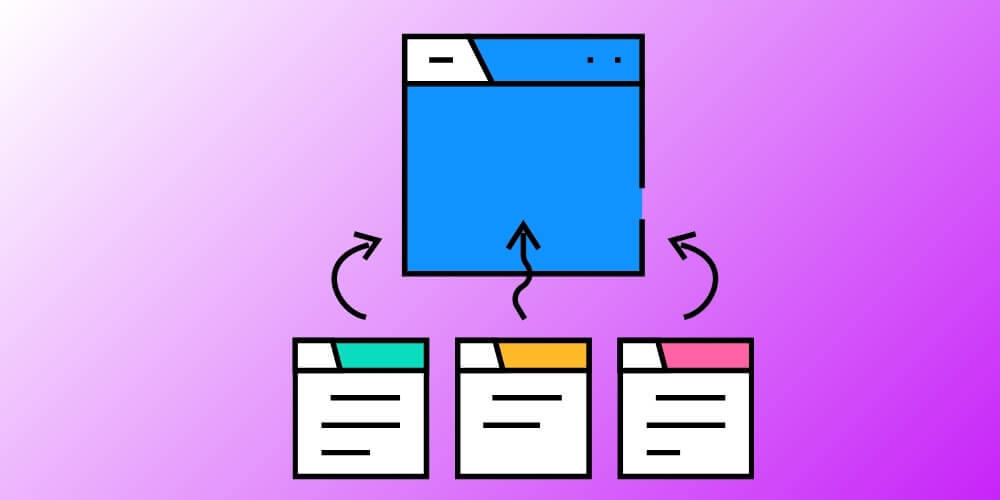
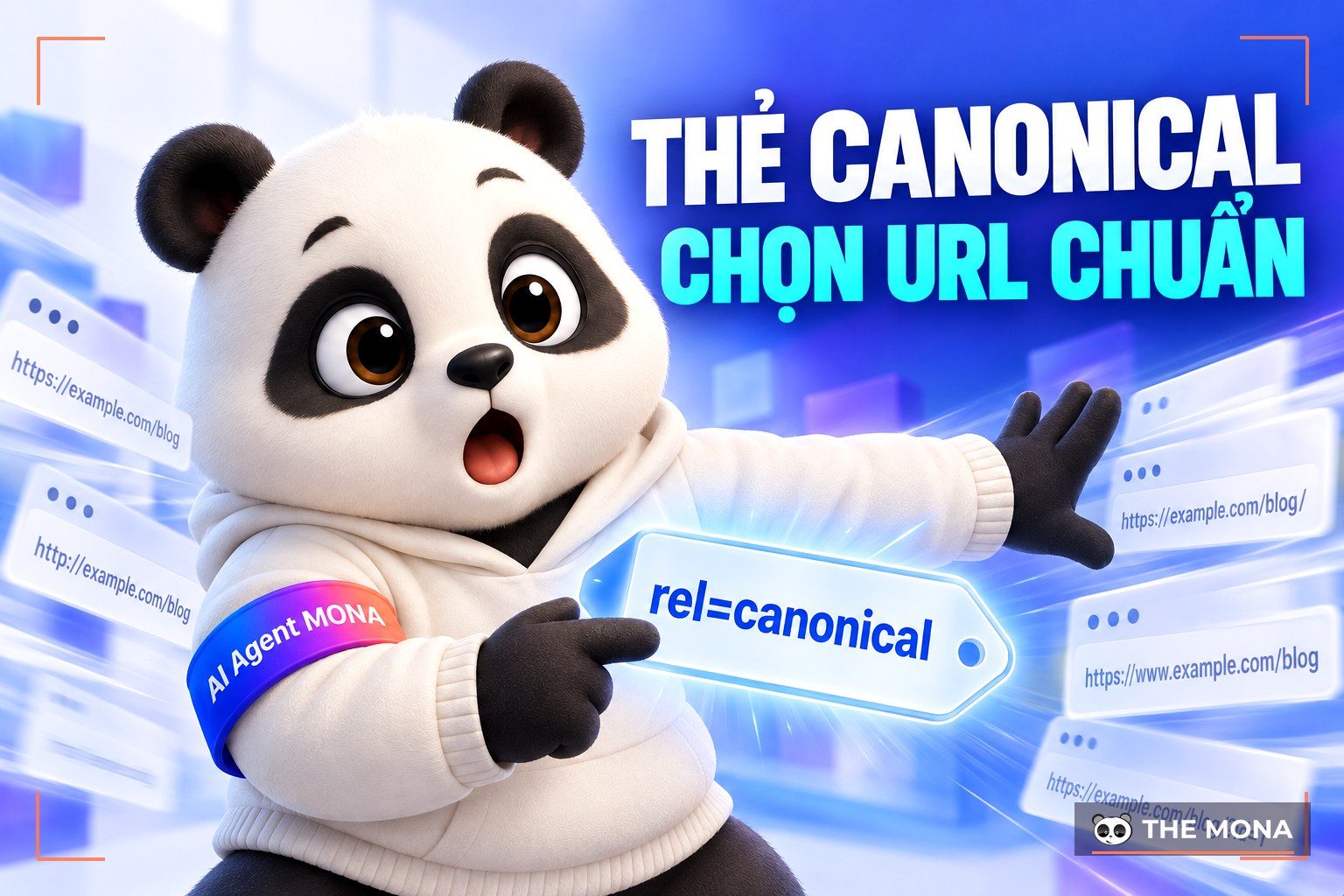
The canonical tag, also known as “rel=canonical” is a way to consolidate URL that have similar content, preventing duplication and making your site clearer to search engines.
As a website grows, having several similar pages is unavoidable. The canonical tag stops search engines from ranking URLs you don't want ranked, and makes sure your SEO is judged on the one correct page. That improves how often your site appears and how well it ranks in search results.
For the canonical tag to work properly, though, it has to meet a few specific criteria:
When you check whether a site is properly optimized, the canonical tag is always one of the first things to be looked at. An on-page SEO checker can help you spot canonical errors, duplicate content and redirect problems, so you can fix them in time and improve your overall SEO.

URL optimization is an important part of checking a website for SEO standards and keeping it high in search results. Some “unwritten rules” commonly used are:
Example: Our article on blocking video downloads completely (stopping visitors from downloading videos on a website with IDM, Coc Coc and browser extensions/add-ons), by MONA Media, has the URL: https://mona.media/chan-download-video/ which meets the requirements above. Together, these factors give you simple, readable URLs that are easy to find, which helps your website's SEO.
Navigation does more than give users flexibility; it also supports search engine optimization. Navigation includes menus, footers, bars, tabs and buttons like CTA, and so on. They form a network of links between pages and make the site structure clear and logical.
To check your website's SEO, follow these requirements:
With a logical, easy-to-use navigation system, you give users a good experience and also help Google and other search engines understand your site's structure and content. That makes your site more likely to appear in search results, improves the user experience and supports a good SEO evaluation.

To check that a website meets SEO standards, pages should load in under 3 seconds. Fast loading doesn't just make a site friendlier to Google, it also gives users a better experience. With a wait of only a few seconds, visitors feel satisfied and think better of your site, which raises your chances of conversion and keeps customers coming back.
There are many ways to improve page speed, including techniques Technical SEO such as lazy loading and optimizing image and video sizes. One particular suggestion is to use a JAMstack website architecture and a single-page app to optimize your site.
To help with optimization, you can use an SEO checking tool such as Google PageSpeed Insights – one of the most popular SEO optimization checkers, which gives a performance score and detailed suggestions for improvement. The score isn't perfectly precise, but it is very useful for quickly identifying the technical problems hurting your speed and SEO performance.
As a rule, aim for a minimum score of 60/100 or above on mobile and 80/100 on desktop. Reaching these thresholds helps your website run reliably and efficiently across platforms and gives visitors a smooth experience.
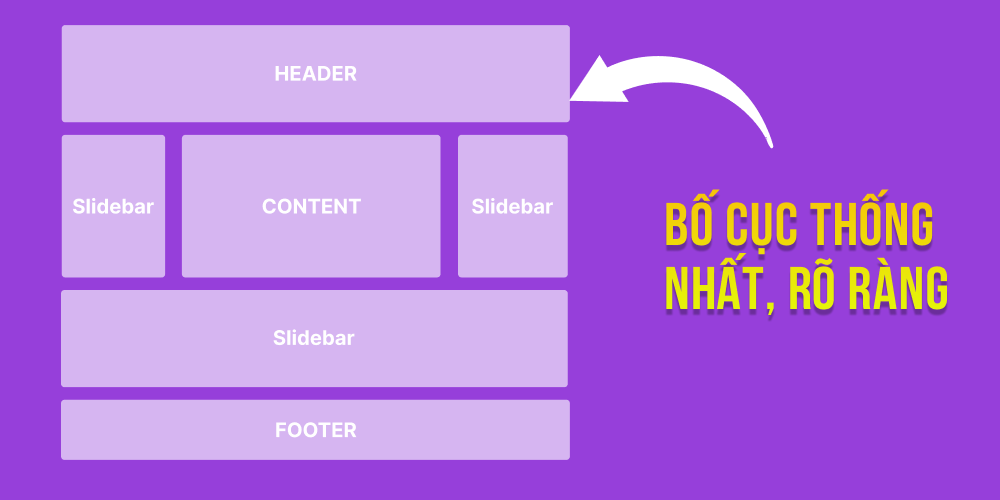
When checking a website's SEO, make sure the layout is consistent and clear. A tight, logical layout makes content easier to find on your site, which improves the user experience and your chances of attracting traffic.
Website design should be consistent from section to section, avoiding repetition and overly dense content, with sensible white space so the page feels tidy and easy on the eye. That gives you a user-friendly site that performs well when it is checked for SEO standards.
A professional UX/UI design Good UX/UI helps users find information easily, keeps them on the page longer and lowers bounce rate – two factors closely tied to SEO performance. A smooth user experience is the foundation for keeping visitors and increasing conversions.
When checking a website's SEO, besides technical factors like page speed or content structure, evaluating UX/UI is a must. A friendly, easy-to-use interface improves metrics such as traffic, time on site and bounce rate, which in turn supports better search rankings.
To do this well, you can use on-page SEO tools that include user-behavior features, such as heatmaps, click-rate analysis or real user experience reports. This data gives a fuller picture of how user-friendly your interface is, so you can adjust the design to real needs.
So when you check a website against SEO standards, it isn't enough to look at technical factors. You also need to review and improve the UX/UI side to give users the best experience and get the most out of SEO.

Your title and meta description are your website's “receptionist”. Optimize them so your site ranks high on Google.
Specifically, pay attention to the following points when optimizing title and meta tags:
Titles:
Meta Descriptions:
When a website provides a Sitemap Google's bot can find new and updated content more easily, which improves how often it appears in search results. With a sitemap you can also specify the important URLs that should be crawled first, helping Google understand the structure of your site and which content matters.
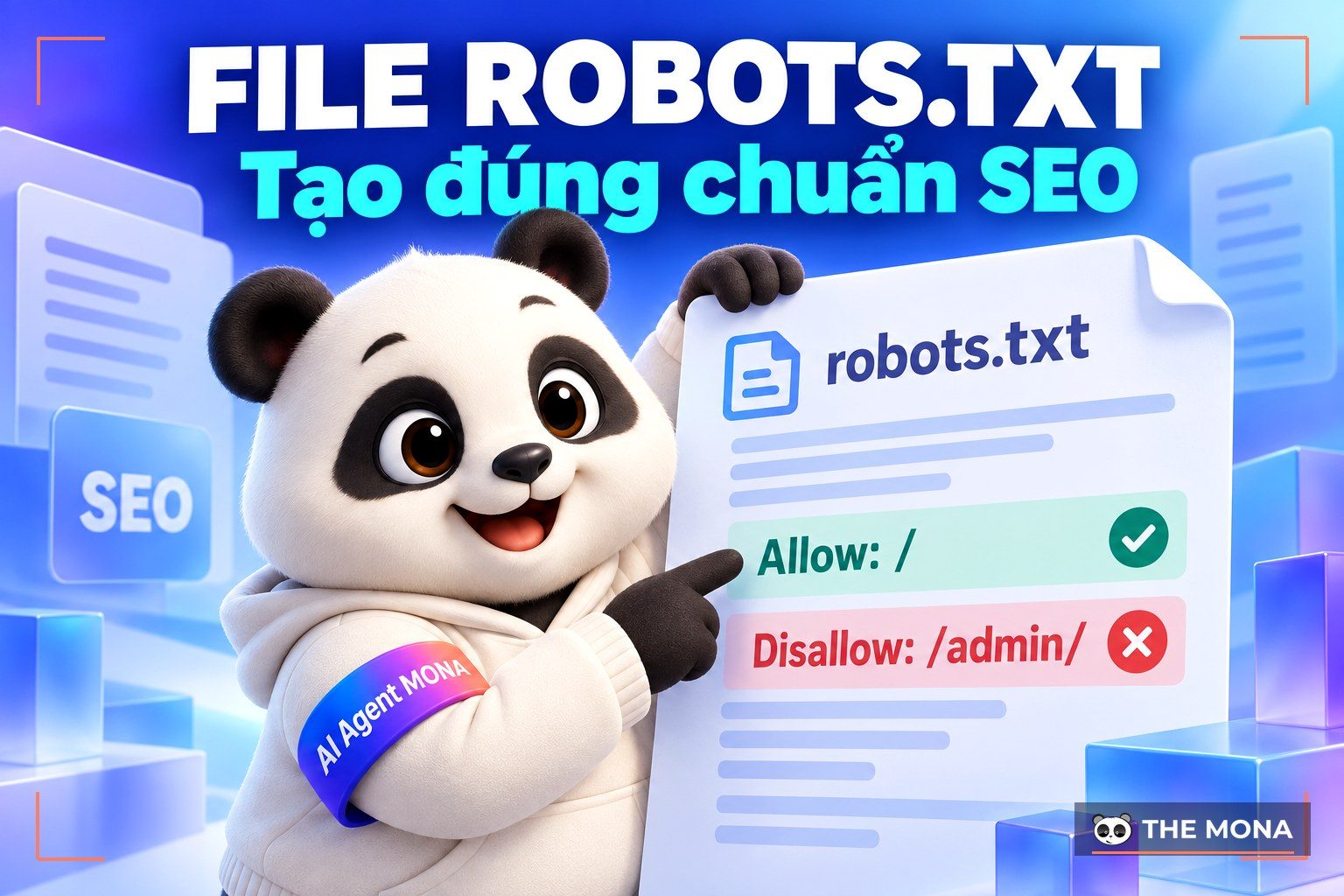
In addition, with the robots.txt file, you can control how the URLs in your sitemap are crawled. This makes Google's crawling more efficient and makes sure only the content you want is shown in search results.
In short, checking your site's SEO through the sitemap is an important step to make sure Google understands your site and ranks it well in search results, which helps bring in more traffic and online business opportunities.
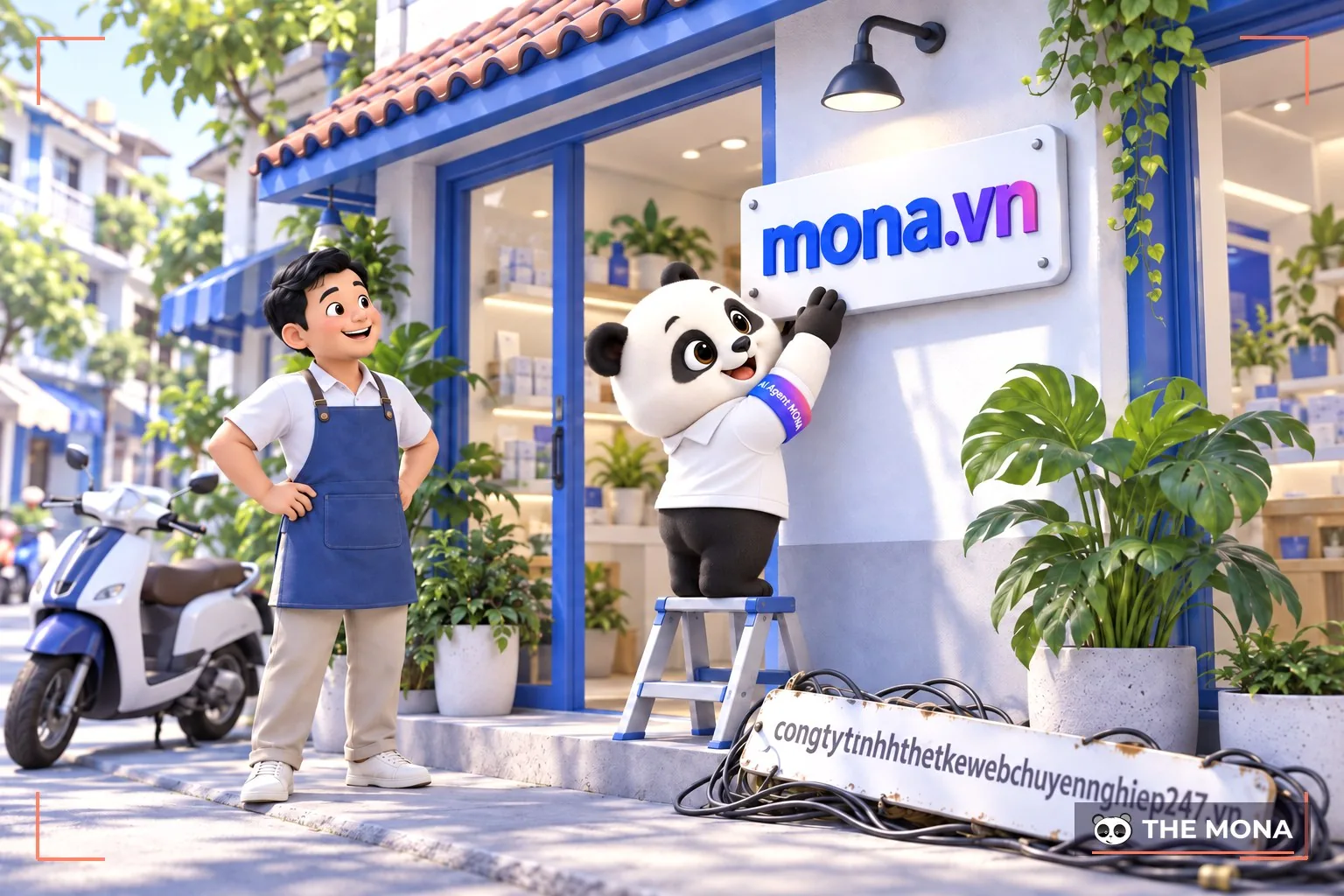
One of the first things to consider when building a website is the domain – your site's domain name. It may seem basic, but a domain has a deep effect on brand recognition, credibility and long-term SEO. It is also one of the first things looked at when checking a website's SEO.
The domain you choose should be SEO-friendly, closely related to your keywords and reflect the content of the finished site. If the domain can contain the main keywords, even better, and combined with a long registration period it will be well regarded for meeting users' real needs.
Looking for a trusted place to register a domain for your business? With MONA's domain registration service, you can easily own a professional domain that builds your brand effectively
We commit to international-standard domain quality, strong security and service available 24/7. At MONA you'll find domain types to suit your business (.media, .net, .com, .vn, etc.). Visit the website mona.host get it to to register your domain today.

Buying Choosing hosting has to meet the basic requirements before you can build an SEO-ready website that works well and benefits its users. Fast operation, high stability and quick response times all deserve investment so the site performs well in every respect.
MONA recommends you consider placing your website's hosting in-country, in the region you are targeting and close to your users. That makes buying and using the service smoother, gives users a great experience, and also helps search engines rate your site higher.
Many businesses think hosting is just a place to “store the website” and choose a cheap option to save money. Then the site gets attacked, data is lost, customers can't get in, and they realize the cost is many times greater. A few minutes of downtime can lose you an important order, and one small security hole can wreck a brand built over years.

That is why MONA Media offers a Hosting premium solution in Vietnam, optimized against hacking and DDoS, with stable speed and strong security for SMEs.
More than 60% of clients using hosting at MONA are businesses that built their website with us and chose to trust us again. MONA's experienced support team is always ready to help 24/7 so your website runs safely and for the long term. Contact to get advice on the hosting plan that suits your business best.
When you need a website, design providers always promise it will be built to SEO standards. But as an “outsider” who is new to technology, how can you check that your site really is SEO-ready as advertised?
Instead of leaving you to puzzle over how to checking whether a website meets SEO standards, MONA has put together the simplest steps so you can easily check whether your website really meets SEO standards:
A sitemap plays an important role when checking whether a website meets SEO standards. It is an essential tool that helps Googlebot understand your site's structure and index your articles efficiently, directly affecting SEO performance.
To picture it, imagine inviting a guest to your home without giving an address or directions. They would spend a lot of time finding the way, but if you give the address and clear directions, they arrive sooner. SEO works the same way: when you have an article that isn't indexed yet, the sitemap guides Googlebot to it so it can be indexed sooner.
To create a sitemap for your website:

Optimizing images doesn't only improve the user experience, it also helps Google's bot understand what an image shows and rank your site higher in search results.
Say you introduce a woman to your brother. If all you tell him is that she's a woman and to look for her in the square, he certainly won't find her. But if you add a description of her and where she's standing, it becomes much easier. Google also relies on this kind of information to work out what your image shows and to serve it to the right audience.
When you check a website, if it doesn't let you edit alt text and captions, SEO optimization will be difficult. So make sure your site has this feature and always optimize images fully and accurately to get the best SEO results.
To check that a website meets SEO standards, you need to make sure you can set up heading tags. Pay attention to a few key points so your site is optimized effectively. Specifically:
If you can't find a heading setting on your website, contact whoever manages the site or the web design company. This matters a great deal for meeting SEO standards and not breaking Google's rules.
Index is the process in which Google visits your website and collects data through automated bots. Once the bots have found the information and data on your site, Google's systems receive it automatically. Google then checks the content and compares it with other websites to decide how to rank the site in search results.
On a typical SEO-ready website, bots find it easy to visit and pick up information and data. Usually, while a site is being built, the designer temporarily switches this off so Google doesn't find and collect unfinished content. But when the finished site is handed over to the client, sometimes it is forgotten and never switched back on.
You can use this method to check whether your website has enabled Google Index yet:

URLs are used constantly when browsing the web, and they also play an important role in checking whether a website meets SEO standards. According to industry sources, a URL is the means by which users reach resources on the internet, such as articles and category pages on a website.
Every online page you visit or search for each day always has a clear URL “address”. The more optimized and friendly a URL is, the more you can tell what the page is about just by looking at it. For example, if the URL of an article looks like this: https://mona.media/post.php?post=311&action=view, it means the URL is not optimized. You read it and have no idea what it is about, although a programmer would understand it shows an article with the ID 311.
By contrast, an optimized URL looks like this: https://mona.media/mau-website/. Even though it is written without Vietnamese diacritics, you can at least read the link name and understand what it is. To check whether your website meets SEO standards, just click through its links and see how they look.
A third way to check whether your website is SEO-ready is to type your website name into Google together with a keyword that appears in your articles, and see whether the site shows both a description and a title.
To show a specific title and description entry, your website needs two input fields for this information every time you publish a post or a new product. If your site doesn't have this yet, ask your design company to add it.
Google now also relies on a website's responsive design to rank results. Users access websites on many kinds of devices, such as phones, tablets and laptops. Each has a different screen size, big or small, landscape or portrait.
So an SEO-ready website has to look good on the standard screens of all those devices. If a site isn't responsive, it is inconvenient and frustrating to view on upright devices like smartphones, where the layout gets messy and spills over both sides of the screen.
Almost 100% of website projects at MONA Media are built to standard and work on every device. CLICK HERE to see all projects by MONA Media.
Page download speed is also extremely important. It directly affects, and is one of the deciding factors in, whether customers stay and come back next time. A site that loads too slowly doesn't just annoy customers by wasting their time, it also makes it harder for Google to collect data. Visitors may close the site immediately and have no intention of coming back if they have to wait too long.
Based on practical experience researching, designing and fixing client websites, MONA has found that how fast a page loads depends on many factors. First is whether the hosting is fast or slow, then whether the code is minimized, whether the page uses many images or few, whether images are sharp or ordinary, and so on.
A website of decent quality has a load time of about 5-7s, well-optimized sites can load faster, taking only about 1-2s, and any site that takes more than 10s to load is considered slow.
-> To check your site's loading speed, go to the link below: https://developers.google.com/speed/pagespeed/insights/
Then enter your website address and click Analyze. The higher the score, the better your site's speed.
SEO is not something done in a day or two; it is a long process built on a solid strategy. Watch the video “4 Core Factors That Get Your Website to the Top of Google” shared by Huy to optimize your website for Google's top spots more effectively.
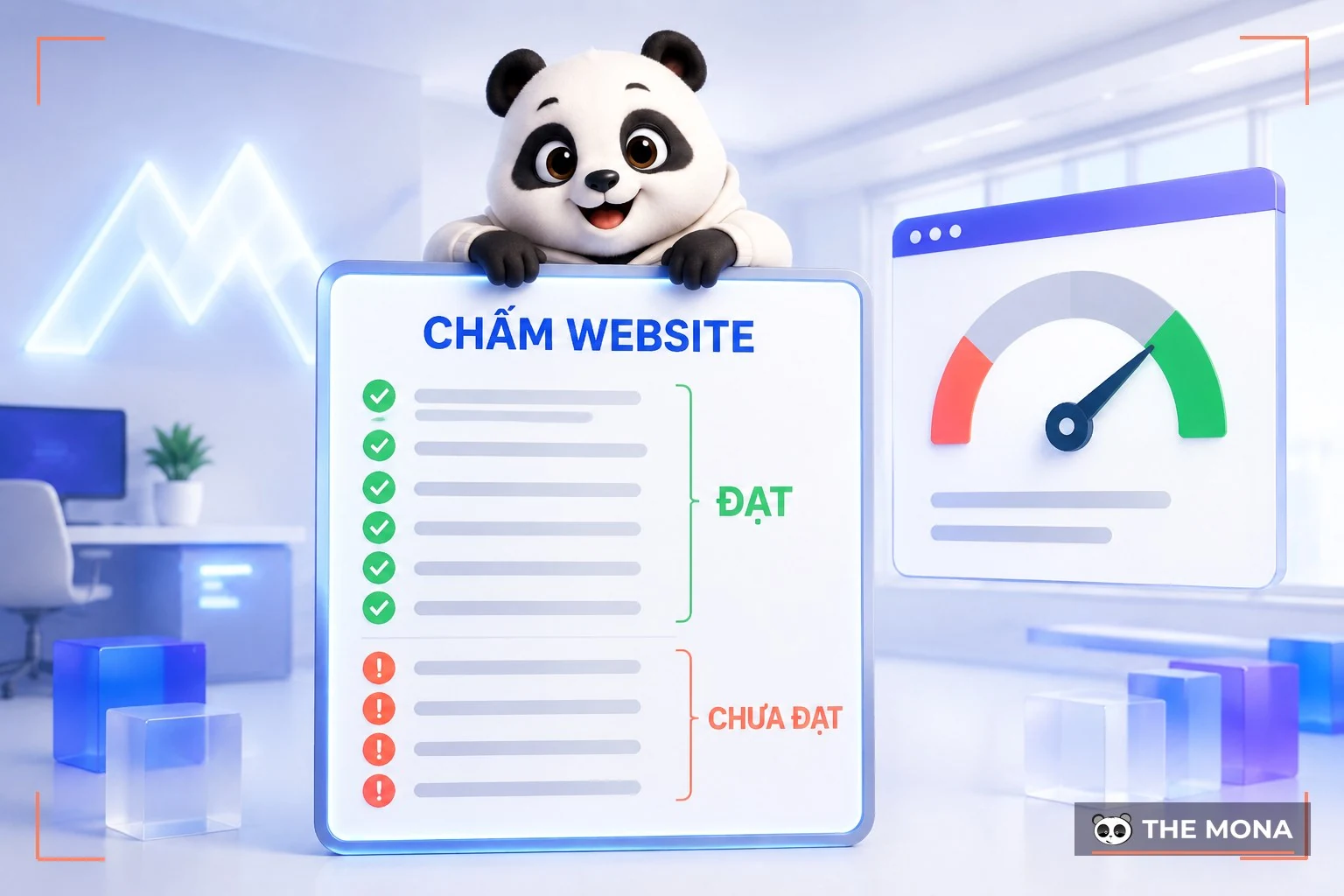
The sections above covered the criteria and the steps. Now for the hands-on part. Open your company website next to a Google Search Console tab and score it against the table below. Every row has a clear passing threshold, so there's no room for impressions.
| Check | Passing threshold | How to check |
|---|---|---|
| Is Google indexing enough pages? | The number of indexed pages is roughly the number of real pages | Type site:tenmien.vn into Google and compare with the Pages report in Search Console |
| Title tag | 55-65 characters, main keyword near the start, a unique title on every page | Right-click, choose view page source and look for the title |
| Meta description | 150-160 characters, with an invitation to click, no duplicates across pages | View page source and look for meta name="description" |
| H1 tag | Exactly one H1 per page, accurately describing that page's content | Install a heading-structure extension, or search for the tag. For an overall score first, also use a website scoring tool.<h1 in the page source |
| Main content load time (LCP) | Under 2.5 seconds | PageSpeed Insights, read the real-user data section |
| Interaction delay (INP) | Under 200 milliseconds | Same PageSpeed Insights report |
| Layout shift (CLS) | Under 0.1 | Same report; it often fails because images don't declare their width and height |
| Images | WebP format, each under 200KB, with Vietnamese alt text including diacritics | Press F12 to open the Network tab, filter by Img and check the size column |
| Sitemap | Opens correctly, contains only live pages and is submitted in Search Console | Open tenmien.vn/sitemap_index.xml, then click a few of the links inside it |
| robots.txt file | Doesn't block any folder that needs to appear on Google | Open tenmien.vn/robots.txt, and check every Disallow line |
| The canonical tag | Points to the page's own canonical URL, not the homepage or a test version | View page source and look for rel="canonical" |
| On your phone | Text from 16px, buttons from 44px, no horizontal swiping needed to read everything | Open the site on a real phone and read a service page from top to bottom |
The three speed thresholds in the table are the levels Google publishes for the Core Web Vitals metrics: main content in under 2.5 seconds, interaction delay under 200 milliseconds, layout shift under 0.1 (web.dev, Core Web Vitals documentation). These are measured on real users' devices, not lab scores, so don't celebrate a score of 90 while the real-user data is still red. For the sitemap and robots.txt file, read Google's own documentation on how to build a sitemap and how to write robots.txt, rather than relying on hearsay.
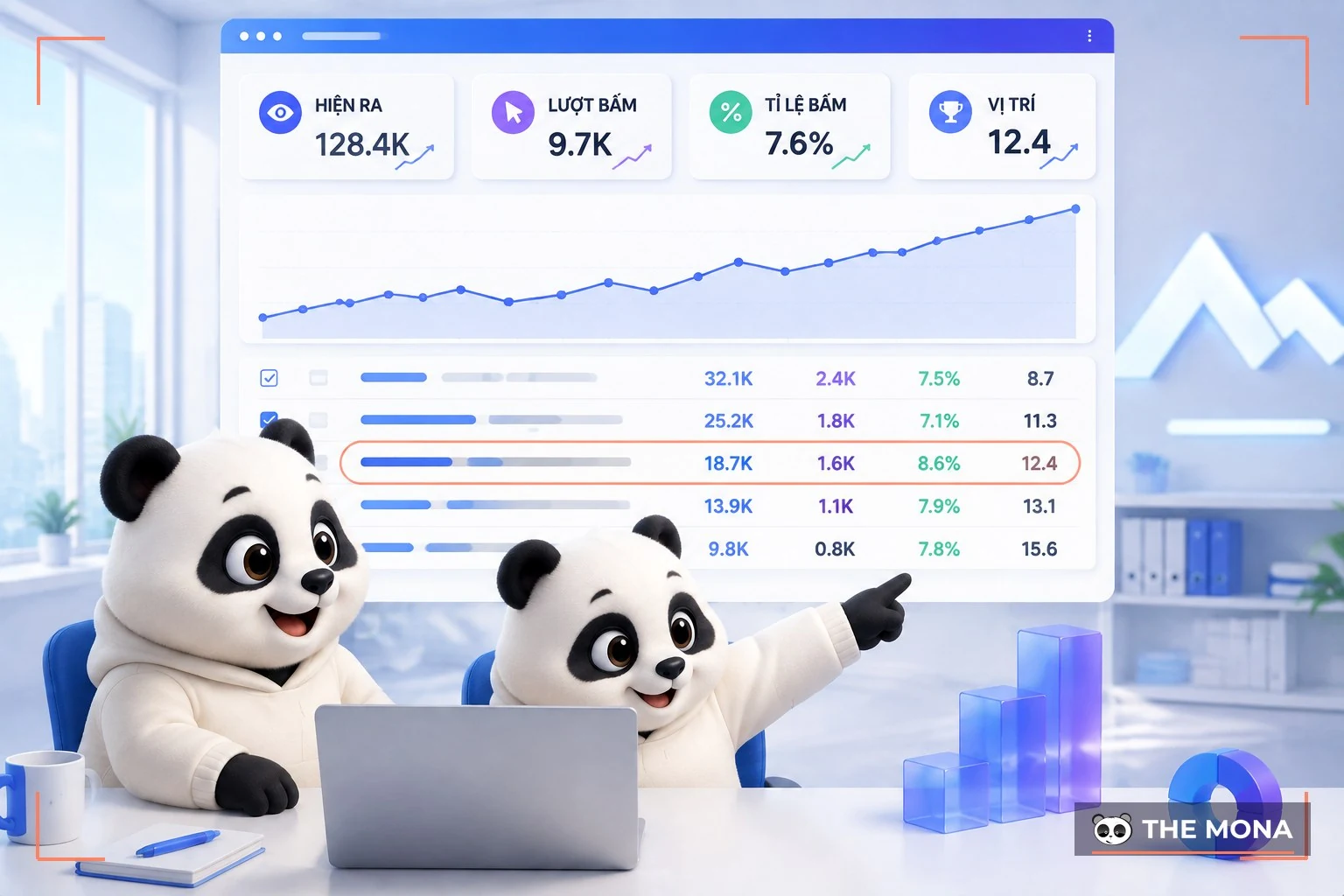
A scoring tool tells you whether a page is free of technical errors. To know what Google thinks of your website, you need to read Search Console, and you only need four numbers: impressions, clicks, click-through rate and average position.
Here is how we read those four numbers when we take on a website:
Take the page you're reading right now as an example, with the real numbers. Over the last 90 days, this article appeared 546 times and was clicked 12 times. For the phrase “kiểm tra seo website” (website SEO check) alone, it sits at an average position of 7.2 with 144 impressions and only 1 click. Reading that against the table above, the problem is clear: the page is near the top of page one, but its title isn't strong enough to make people click, and the content used to lack a do-it-yourself guide. That is why we wrote this section instead of opening a new article.
After scoring, the list of errors is usually thirty or forty lines long. Fixing all of it is tiring and doesn't necessarily bring results sooner. This is the order we follow for clients, from the top:
These are the things we run into so often that checking them first has become a habit:
What to do after the check
Once you've scored all twelve rows above, you know what's broken on your website. The harder part is the next question: after the fixes, where do customers come from, how much should you spend each month and on what, how long does SEO take to bring orders, and where should you run ads to catch the season. A list of technical errors on its own can't answer those.
If you want to do this seriously, message MONA. We will build a full digital marketing plan for free for your website: review where it stands, measure which keyword sets are within reach, show which pages to fix first to make money soonest, and lay out what to do each month. You can take the plan and do it yourself; you are under no obligation to hire us.
Get your free digital marketing plan → Or call 1900 636 648 directly
To make evaluating and checking SEO standards easier for you, MONA has compiled a list of 10 tools that experts trust most today:

SEOquake is a browser extension that helps with competitor analysis and effective website optimization. It is one of the most widely used tools in the SEO community.
Specifically, SEOquake gives you a range of SEO metrics such as:
You can use these metrics to judge your website's SEO performance.
Similar to Screaming Frog, Website Auditor also is one of the reliable SEO checking tools, helping you evaluate your site's SEO performance thoroughly. It gives a detailed view of many technical and content factors, so you can easily find and fix outstanding problems:
With its in-depth analysis, WebSite Auditor deserves a place in the list of on-page SEO checking tools that every SEO practitioner should use regularly.

Screaming Frog is a tool that checks SEO standards effectively. This software gives a complete view of a site's SEO performance, making SEO checking and analysis accurate and quick.
Specifically, Screaming Frog helps you:
SEO PowerSuite is software for checking and optimizing a website comprehensively, often used by SEO experts as well as by companies offering the website management service professional services. It is regarded as one of the effective SEO optimization tools, helping you track and improve the overall performance of your site in search engines.
This toolkit integrates many powerful features such as backlink analysis, rank tracking, keyword research, technical on-page SEO checks and detailed reporting. With it, users can easily find optimization errors and improve content, site structure and links across the board.
Seoptimer.com is an online tool for checking and evaluating whether a website meets SEO standards. Specifically, it supports features such as:

Google PageSpeed Insight is a free online SEO tool from Google that checks page loading speed and gives suggestions for improving your website's performance.
Although this tool doesn't give specific figures for other SEO factors such as titles, meta tags and headings, improving page speed plays an extremely important role in SEO and the user experience.
Seorch.eu is an online website SEO checker that gives an overview of the site's SEO performance. Specifically, when you use Seorch.eu to evaluate whether a website meets SEO standards, you get these benefits:
Moz Pro is a product developed by Moz, one of the leading companies in SEO and digital marketing.
This is a SEO tools comprehensive suite that helps you optimize the following tasks:
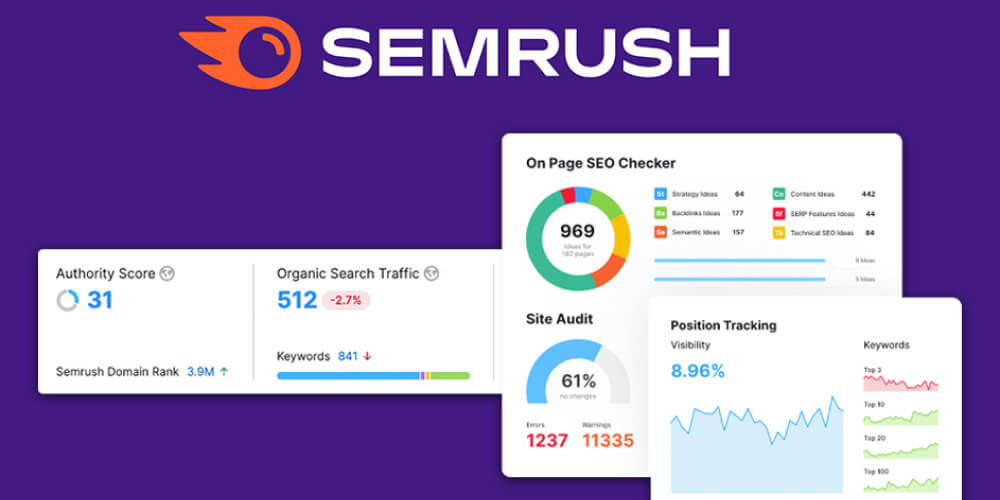
SEMrush is SEO website checking software that supports a complete check of a site's SEO performance and offers ways to improve rankings in search results and the user experience.
With SEMrush, you get these standout features:
SEO Powersuite is a complete SEO toolkit that provides useful applications for analyzing and evaluating a website's SEO factors.
Specifically, SEO PowerSuite helps you:
Depending on your needs and goals, choose the SEO checking tools that suit you best.
In general, most newly built websites today meet the standard, but some still fall short of the basics, perhaps because the designer or the site administrator doesn't have the right information. Many factors add up to judge whether a website is SEO-ready, and the ones listed in this article are the most basic “components”, the ones used most often to check whether a website meets SEO standards.
If checking and optimizing your site's SEO factors is too complicated for you, the SEO services from MONA can take care of all of it.

MONA Media with began as a programming and website design company, one of the leading ones in Vietnam, and we know what an SEO-standard website needs and how to optimize your site's SEO properly.
The more than 10 years of experience With a highly qualified team, the figures below show MONA's success in building SEO-standard websites and delivering top-ranking SEO services in the Vietnamese market:
Every project, as soon as we take it on, even before a contract is signed or any payment received, MONA Media prepares a professional digital marketing strategy plan with detailed research into the client's industry, brand, website, weaknesses and potential, and recommends an SEO and online marketing direction that fits the business.
If you're wondering whether you can do SEO yourself or you don't have much hands-on experience across many fields, work with MONA Media and improve your website with our SEO expertise and service quality.
To optimize on-page SEO effectively, you can't rely on impressions or on checking every page by hand. SEO checking tools help you quickly find technical errors, meta tag problems, heading structure, page speed and other factors that affect the user experience. Free or paid, each tool has its own strengths and suits different needs.
Below are accurate free and paid on-page SEO checking tools you can look at and apply to your own website.
Google Search Console (also called GSC) is an extremely useful free tool from Google itself. With GSC, you can see how your website is performing on Google, whether it has any errors, and how to improve its SEO performance.
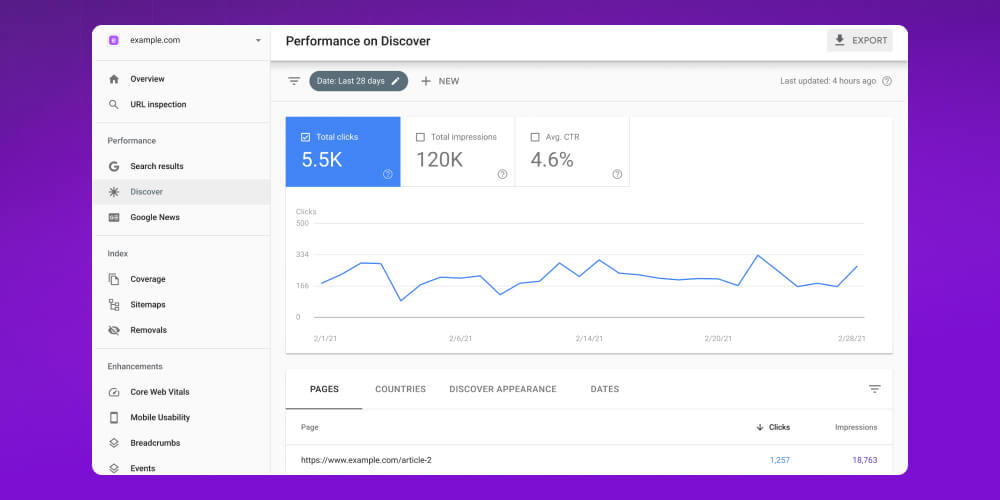
Some standout GSC features every SEO practitioner should know:
Google Analytics is a familiar, extremely useful and 100% free tool from Google that tracks all user behavior on your website. Put simply, it helps you answer the question: “Where do visitors come from? What do they do on the website? Do they stay long? Do they buy? Which pages do they visit most?”
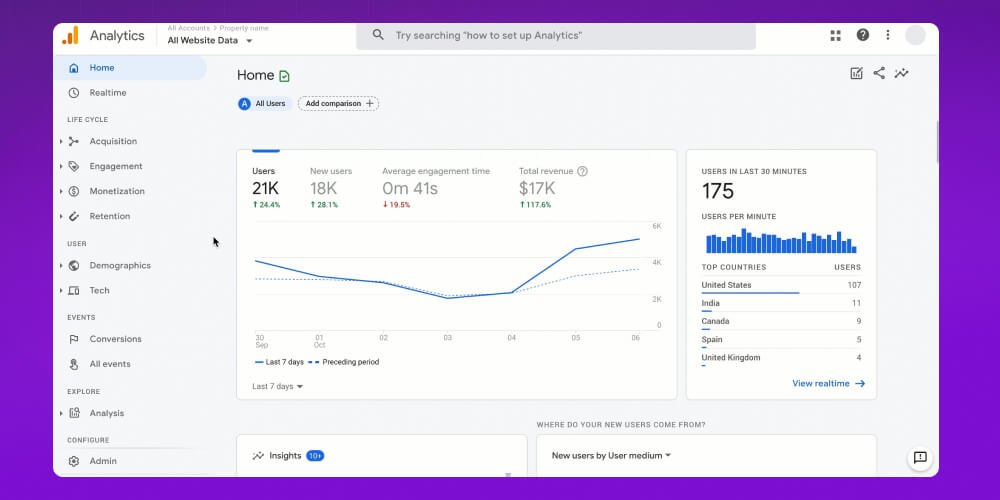
Key features of the analytics tool SEO Onpage which is free and worth using for SEO:
Google Analytics SEO tools is a strong helper that shows you what customers do on your website, so you can make decisions based on real data. Whether you're new SEO or have been doing it for years, this is a tool you can't afford to skip.
When it comes to on-page SEO, many people only think of titles, descriptions or the density of keywords, and overlook an extremely important factor: the sitemap. It is an XML file listing all the URLs on your website, making it easier for search engines like Google to crawl and index them faster.
Although the Sitemap factor does not directly improve search rankings, it acts as a roadmap for search “bots”, making sure every important page on your website is discovered and shown in search results. For an XML sitemap to work well, it has to be formatted correctly and free of technical errors. That is when you need an XML Sitemap Validator, a dedicated website checking tool that verifies the validity of your sitemap and helps you optimize its structure.
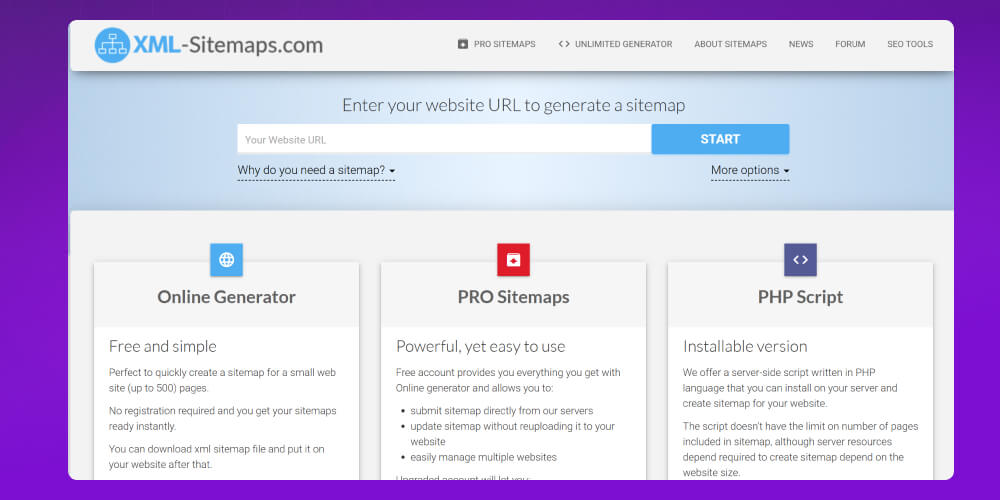
Standout features of the XML Sitemap Validator on-page SEO check tool:
Ahrefs is a name familiar to most SEO practitioners today thanks to its wide range of features and the huge amount of data it provides. Beyond backlink analysis and keyword research, Ahrefs is also a complete on-page SEO analysis tool that helps you check and optimize your website from the inside.
By scanning and assessing hundreds of factors that affect search rankings, Ahrefs helps you find technical errors, improve content structure and speed up page loading, all key to improving both the user experience and your Google rankings.
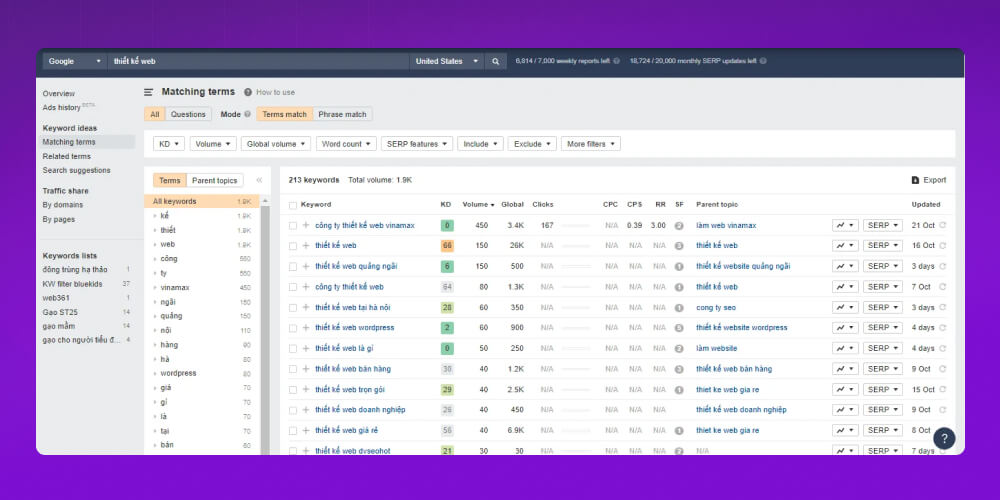
That is why Ahrefs is seen as one of the most advanced website checking tools today, suited to individuals, agencies and large companies that want to boost SEO strategy.
Standout Ahrefs features for on-page SEO checking:
More than a website checking tool, Ahrefs is a platform that helps you understand the real SEO condition of your site, so you can make accurate, timely optimization decisions.
Sitechecker is more than an analysis tool. It helps you check technical issues, optimize content and improve the user experience in just a few clicks.
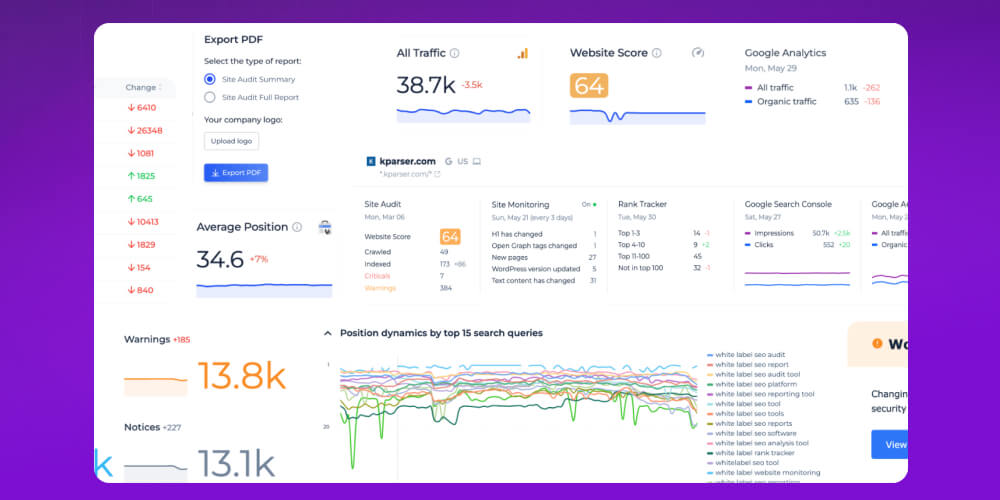
With deep scanning and clear recommendations, Sitechecker suits both SEO beginners and experts who want to save time on website audits. Whether you run a small business or own a personal blog, the tool delivers practical value for improving the quality of your SEO systematically.
On-page SEO optimization is the key factor that helps your website rank better in search engines and give users a better experience. With professional website checking tools such as Ahrefs and SEMrush, you can easily find errors, analyze data and work out how to improve quickly and accurately.
Each tool has its own strengths, from technical checks and content analysis to user experience assessment. Choosing the right on-page SEO analysis tool saves you time, makes your SEO more effective and helps you reach your online business goals sustainably.
As you can see, checking whether a website meets SEO standards Checking carefully, evaluating thoroughly and fixing sensibly is a vital step, a bridge between a business and its customers. We hope the information MONA Media shared above has given you the criteria and methods for evaluating an SEO-standard website, so you can quickly get yours running steadily and bringing in better revenue.
Please contact us with the following details:
-> See more: Details on the most popular SEO courses today

CEO & Founder · The MONA
Founder of The MONA, who built a services company of 200+ staff with 14,000+ projects delivered. Khánh Hùng shares how he thinks about building systems that run themselves, automating a business, and the real lessons from delivering projects at MONA.
 1,8K
1,8K




Professional website
design services
Own a website with a beautiful, 100% exclusive design and a lifetime warranty, with the ability
to expand features flexibly as your business grows, starting today!



NHẬN TƯ VẤN SEO MIỄN PHÍ !








 MONA will never sell your information or send you spam
MONA will never sell your information or send you spam
MONA will never sell your information or send you spam


 MONA will never sell your information or send you spam