
 MONA OS 2.0


 Tự động hoá doanh nghiệp
 Cẩm nang SEO
 Digital Marketing
 Kinh nghiệm thiết kế website
 Hạ Tầng Server
 Giáo dục


 VI
VI
 EN
EN


















Message us on
Zalo Official


 Products

 ProductsProducts









 Website designLooks good and convinces your customers.
SEO servicesBrings in customers searching for exactly what you sell.
Website designLooks good and convinces your customers.
SEO servicesBrings in customers searching for exactly what you sell.
 Tư vấn digital marketingKéo khách từ nhiều kênh, đo bằng số thật.
Corporate video productionVideos introducing your company, factory and team.
Tư vấn digital marketingKéo khách từ nhiều kênh, đo bằng số thật.
Corporate video productionVideos introducing your company, factory and team.
 NewAI video productionCompany story films made with AI.
 Custom software developmentCRM, ERP and HRM built for your business.
 Viết AI Agent theo yêu cầuĐặt riêng một trợ lý AI cho đúng việc của mình.
 Tư vấn chuyển đổi AIĐưa AI vào vận hành của cả công ty.
NewMONA LMSManagement for centers and schools.
MONA SkillHubInternal training for company staff.
Tư vấn chuyển đổi AIĐưa AI vào vận hành của cả công ty.
NewMONA LMSManagement for centers and schools.
MONA SkillHubInternal training for company staff.
 NHTQ systemEnd-to-end China–Vietnam shipping operations.
MONA JMSManagement for gold, diamond and pawn shops.
NHTQ systemEnd-to-end China–Vietnam shipping operations.
MONA JMSManagement for gold, diamond and pawn shops.
 MONA E-LearningA website with every feature you need to sell courses.
 Course on selling online coursesMore than 30 free lessons on selling courses automatically.
 MONA Cloudmonacloud.vnServers to get your apps and websites running.
 MONA Basemonabase.vnPostgres database, sign-in and file storage.
 MONA Mailmonamail.vnSend OTP, order and invoice emails from your software.
 MONA Paymonapay.vnReceive bank transfers via VietQR, with payment alerts sent to your software.
 MONA eInvoiceComing soonIssue e-invoices that meet tax standards.
Gấu CườiTrả lời khách 24/7 trên web, Fanpage, Zalo và thu lead cho sale.
MONA eInvoiceComing soonIssue e-invoices that meet tax standards.
Gấu CườiTrả lời khách 24/7 trên web, Fanpage, Zalo và thu lead cho sale.
 Gấu TeleSalesGọi điện tư vấn, chăm khách như tổng đài viên thật.
Dê CườiTư vấn và chốt đơn cho shop ngay trong khung chat.
Gấu WebmasterNhắn nhóm Zalo là website được sửa xong.
Gấu TeleSalesGọi điện tư vấn, chăm khách như tổng đài viên thật.
Dê CườiTư vấn và chốt đơn cho shop ngay trong khung chat.
Gấu WebmasterNhắn nhóm Zalo là website được sửa xong.
 Gấu Pháp ChếSoạn hợp đồng, rà điều khoản trong vài phút.
 Gấu Báo GiáLên báo giá đúng mẫu và gửi khách ngay.
 AI chăm sóc khách hàngTheo dõi và giữ chân khách hàng cũ.
 Gấu Tuyển DụngLọc hồ sơ, hẹn lịch, phỏng vấn ứng viên.
 AI
Gấu Cười MONA ĐANG TỰ XÀITrả lời khách 24/7 trên website, Zalo OA, Messenger và thu lead về cho sale.
Dê CườiChốt đơn bán lẻ và sàn: Shopee, TikTok Shop, web. Chăm cả khách sỉ, đại lý.
Gấu WebmasterCập nhật nội dung, tối ưu SEO website mỗi ngày.
Gấu TeleSalesGọi điện tư vấn, chăm khách như tổng đài viên thật.
Gấu Tuyển DụngLọc hồ sơ, hẹn lịch, phỏng vấn ứng viên tự động.
AI chăm sóc khách hàngGiữ khách cũ, cứu lead đã rớt cho phòng kinh doanh.
Gấu Pháp ChếSoạn hợp đồng, rà điều khoản trong vài phút.
Gấu Báo GiáLên báo giá đúng mẫu, gửi khách ngay khi có yêu cầu.
AI
Gấu Cười MONA ĐANG TỰ XÀITrả lời khách 24/7 trên website, Zalo OA, Messenger và thu lead về cho sale.
Dê CườiChốt đơn bán lẻ và sàn: Shopee, TikTok Shop, web. Chăm cả khách sỉ, đại lý.
Gấu WebmasterCập nhật nội dung, tối ưu SEO website mỗi ngày.
Gấu TeleSalesGọi điện tư vấn, chăm khách như tổng đài viên thật.
Gấu Tuyển DụngLọc hồ sơ, hẹn lịch, phỏng vấn ứng viên tự động.
AI chăm sóc khách hàngGiữ khách cũ, cứu lead đã rớt cho phòng kinh doanh.
Gấu Pháp ChếSoạn hợp đồng, rà điều khoản trong vài phút.
Gấu Báo GiáLên báo giá đúng mẫu, gửi khách ngay khi có yêu cầu.
 Chuyển đổi AI toàn phầnGiải pháp tổng cho doanh nghiệp, 3 lớp triển khai.
 Viết AI Agent theo yêu cầuĐặt riêng một con AI gánh đúng nghiệp vụ của bạn.
 Custom softwareCRM, ERP and HRM with built-in AI automation.
 SEO & AEO thời đại AIĐược Google lẫn AI trích dẫn, không chỉ xếp hạng.
 Kiến thức AI cho doanh nghiệpBài phân tích, hướng dẫn ứng dụng AI vào vận hành.
 Free AI courses
 AI tools at work
18 March, 2023
Website speed directly affects user experience and how Google evaluates your website. Especially today, when everything needs to be “fast and convenient”, few users are patient enough to stay on a slow-loading website! Knowing this, MONA Media will share with you in detail 10 proven, effective ways to speed up your website and make it load faster.
Page load speed is an important metric in web design and development, especially for websites that need conversions such as real estate websites, landing pages,… It not only affects user experience but is also a metric Google relies on to judge whether your website is truly good and user-friendly, which then changes the website's position in the search rankings.
On average, a website takes about 3 seconds to finish loading its content, while well-optimized websites take only 1 – 2 seconds. Just a few seconds slower and you can lose a large number of potential customers and have Google rate your website's quality poorly.

So what exactly are the benefits of speeding up your website?

Many factors can slow down a website's loading speed, but the most common causes are the following:
Knowing how important page load speed is to SEO results and user experience, MONA has put together the following 10 effective ways to speed up your website:
Ads are a source of revenue for a website, but overusing them, especially pop-up ads (windows that pop up and flash suddenly), can overload the website with data. When you remove or limit this type of ad, page load speed improves noticeably and users get a smoother experience.

If you need to keep ads, prefer static banners with light effects so you can maintain income while keeping page load performance.
The theme is an extremely important factor in website design. When designing or upgrading a website, prioritize a theme with clean code, few effects and good compatibility across devices. An optimized theme not only speeds up page loading but also supports SEO more effectively.
*Note: Don't choose a heavy theme just because it looks eye-catching, because it will make your website sluggish.
If you are designing a website with WordPress , installing too many plugin will make the page load speed of your website much slower. So you should review and remove unnecessary plugins, keeping only the ones that are truly useful, to speed up your website. In other words, only use the plugins your website really needs. Plugins that are not very important or rarely used should be removed; you can always reinstall them later when you need them.
The number of posts, images, text and links on the homepage also affects page load speed. So to speed up your website effectively , you can filter the content, choose only the information that is truly necessary and relevant to the website, and remove anything “low quality“. This improves page load speed so pages load faster.

Images are an essential part of a website's interface, but they are also what makes your website “heavy”. So always compress images before uploading, use formats such as WebP, JPEG or edit the images to reduce file size without losing quality. You can use tools like TinyPNG or Squoosh to process them quickly. This makes your website faster.
|
In addition, if you want more storage capacity and better speed for your website, consider MONA's SEE NOW Hosting service at MONA! We commit to giving you fast loading, high stability and top-tier security. With MONA, your website will always run smoothly and keep the performance you want. Thanks to our highly skilled teamand deep experience handling hundreds of large and small projects in Vietnam and abroad, we are confident we can offer you the best service quality. In particular, when you choose MONA's Web Hosting service, you get many useful offers included, and the service is matched to your business's needs and type of business. In addition, MONA's SEO specialists are also ready to help you quickly move your entire Source Code and Database from your old Hosting to our Hosting whenever you need. Please CONTACT US MONA via Hotline 1900 636 648 for the best advice and support. 
|
One simple but highly effective way to speed up page loading is to optimize the database. You can optimize the database with supporting plugins. A well-optimized database helps speed up the website. A good suggestion is to install and use the WP-Optimize plugin.
JavaScript and CSS files are often the reason a website loads slowly because they are large and called many times during page load. An effective solution is to use the WP Minify Fix plugin. When you activate this plugin on your website, it combines and compresses JS and CSS files to speed up the website.
Today, WP Super Cache is considered a very good free plugin for speeding up WordPress websites. It helps you create a cache for the website (very well suited to small and medium-sized websites). More specifically, it does this by applying the HTML Cache method. It is a must-have plugin for your website.
CDN is a system of servers located in many places around the world that store copies of the static content on a website. These servers then distribute it to many other servers. As a result, when users visit, the page loads faster because many features, information and data are loaded at the same time.
You should use a CDN if your website has: a server located far from users, heavy traffic, high bandwidth consumption, users from many different countries around the world, or when you are using Load Balancing FailOver techniques.
Besides the ways to speed up page loading above, you can also use dedicated tools to evaluate and optimize website performance. Below are 3 tools trusted by many SEOers and developers that help you easily check, analyze and improve page load speed effectively.
Google Search Console does not measure page load speed directly, but it is an important tool for tracking Core Web Vitals – Google's set of metrics for evaluating user experience. Through this report, you can find out which URLs have speed or display performance problems. The tool also points out in detail which pages need optimizing, helping you easily improve page load speed to Google's standards.

Google Page Speed is a tool developed by Google that helps you assess your website's speed and gives recommendations on what to fix to cut page load time. The two main things this tool reports to you are: page load speed and how user-friendly the website is.
SEO specialists can optimize and adjust the site based on the metrics this tool provides, so that the website's speed and user-friendliness meet Google's evaluation criteria.
If you want a more in-depth website speed test tool, consider GTmetrix. Besides measuring page speed, GTmetrix lets you test performance from many different geographic locations, which is especially useful if your website targets users in several regions.

You can also customize factors such as device, browser and screen resolution to get more accurate analysis results, which makes it easier to plan a speed-up strategy that suits each target audience.
|
You know what your website is still missing, but … you is never are not a website management expert, so you lack the expertise to:
MONA Media offers plans website optimisation service tailored to your requirements to help you complete your website exactly the way you want. 
When you choose MONA's website optimization service, you are guaranteed the following benefits:
And many other standout benefits! We make sure your website gets a completely new, more professional and modern interface, while also pushing your site speed to its “best” level! Please CONTACT US MONA via Hotline 1900 636 648 for a more detailed consultation on our website optimization service! Contact us via:
|
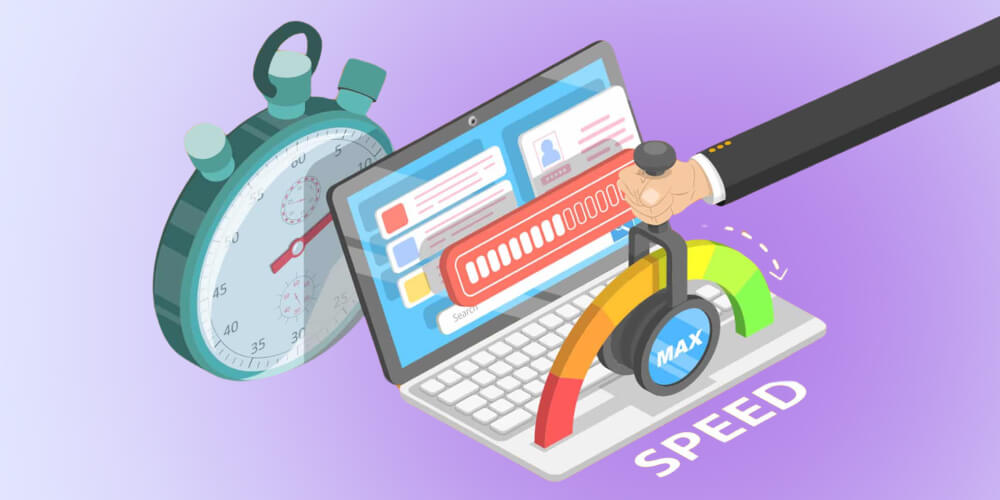
Many users believe that websites built on WordPress tend to load very slowly, but in reality this is not entirely true.
Websites that rely entirely on the WordPress source code without customization or custom-coded advanced features are the ones with slow page load speed. The main reason is that this source code was built mainly for small and medium blogs. On top of that, the platform covers a very wide range of users and offers many basic features, which leads to redundant features and redundant code, and worse, when users install too many plugins, the code can “overlap”, which affects website speed.
On the other hand, if you only use the WordPress core, meaning you only use the content management interface this CMS provides, with the website's features and interface recoded in PHP (since WordPress is built in PHP), the page load speed will be no different from other websites.
Above are the details of the 10 ways to speed up your website effectively, to help you fix the common causes and give your website standard speed and a great user experience. Good luck putting them into practice!

CEO & Founder · The MONA
Founder of The MONA, who built a services company of 200+ staff with 14,000+ projects delivered. Khánh Hùng shares how he thinks about building systems that run themselves, automating a business, and the real lessons from delivering projects at MONA.
 1,7K
1,7K



Professional website
design services
Own a website with a beautiful, 100% exclusive design and a lifetime warranty, with the ability
to expand features flexibly as your business grows, starting today!








 MONA promises never to use your information for sale or SPAM
MONA promises never to use your information for sale or SPAM
MONA promises never to use your information for sale or SPAM


 MONA promises never to use your information for sale or SPAM