
 MONA OS 2.0


 Tự động hoá doanh nghiệp
 Cẩm nang SEO
 Digital Marketing
 Kinh nghiệm thiết kế website
 Hạ Tầng Server
 Giáo dục


 VI
VI
 EN
EN
















Message us on
Zalo Official


 ProductsNew

 ProductsProducts
 Mới ra mắtKHA AI 2027App tự edit video, tự đăng mọi mạng xã hội, 2 phút mỗi ngày










 Website designLooks good and wins customers over.
SEO servicesBrings in customers searching for exactly what you sell.
Website designLooks good and wins customers over.
SEO servicesBrings in customers searching for exactly what you sell.
 Tư vấn digital marketingKéo khách từ nhiều kênh, đo bằng số thật.
Corporate video productionVideos introducing your company, factory and team.
Tư vấn digital marketingKéo khách từ nhiều kênh, đo bằng số thật.
Corporate video productionVideos introducing your company, factory and team.
 NewAI video productionCompany story films made with AI.
 Custom software developmentCRM, ERP and HRM built for your business.
 Viết AI Agent theo yêu cầuĐặt riêng một trợ lý AI cho đúng việc của mình.
 Tư vấn chuyển đổi AIĐưa AI vào vận hành của cả công ty.
NewMONA LMSManagement for centers and schools.
MONA SkillHubInternal training for company staff.
Tư vấn chuyển đổi AIĐưa AI vào vận hành của cả công ty.
NewMONA LMSManagement for centers and schools.
MONA SkillHubInternal training for company staff.
 NHTQ systemEnd-to-end China–Vietnam shipping operations.
MONA JMSManagement for gold, diamond and pawn shops.
NHTQ systemEnd-to-end China–Vietnam shipping operations.
MONA JMSManagement for gold, diamond and pawn shops.
 MONA E-LearningA website with every feature you need to sell courses.
 How to sell online courses (course)More than 30 free lessons on selling courses on autopilot.
 MONA Cloudmonacloud.vnServers to get your apps and websites running.
 MONA Basemonabase.vnPostgres database, sign-in and file storage.
 MONA Mailmonamail.vnSend OTP, order and invoice emails from your software.
 MONA Paymonapay.vnAccept bank transfers via VietQR and notify your software when the money arrives.
 MONA eInvoiceComing soonIssue e-invoices that meet tax standards.
Gấu CườiTrả lời khách 24/7 trên web, Fanpage, Zalo và thu lead cho sale.
MONA eInvoiceComing soonIssue e-invoices that meet tax standards.
Gấu CườiTrả lời khách 24/7 trên web, Fanpage, Zalo và thu lead cho sale.
 Gấu TeleSalesGọi điện tư vấn, chăm khách như tổng đài viên thật.
Dê CườiTư vấn và chốt đơn cho shop ngay trong khung chat.
Gấu WebmasterNhắn nhóm Zalo là website được sửa xong.
Gấu TeleSalesGọi điện tư vấn, chăm khách như tổng đài viên thật.
Dê CườiTư vấn và chốt đơn cho shop ngay trong khung chat.
Gấu WebmasterNhắn nhóm Zalo là website được sửa xong.
 Gấu Pháp ChếSoạn hợp đồng, rà điều khoản trong vài phút.
 Gấu Báo GiáLên báo giá đúng mẫu và gửi khách ngay.
 AI chăm sóc khách hàngTheo dõi và giữ chân khách hàng cũ.
 Gấu Tuyển DụngLọc hồ sơ, hẹn lịch, phỏng vấn ứng viên.
 Mới ra mắt
KHA AI 2027
Xây kênh chuyên gia 2 phút mỗi ngày
Quay bằng điện thoại, AI tự edit video, tự đăng lên 16 nền tảng và tự trả lời bình luận, tin nhắn.
355.527lượt xem trên kênh CEO MONA sau 21 ngày
Mới ra mắt
KHA AI 2027
Xây kênh chuyên gia 2 phút mỗi ngày
Quay bằng điện thoại, AI tự edit video, tự đăng lên 16 nền tảng và tự trả lời bình luận, tin nhắn.
355.527lượt xem trên kênh CEO MONA sau 21 ngày
 Anh Khánh HùngCEO MONA đang dùng mỗi ngày
Xem app làm được gì
Anh Khánh HùngCEO MONA đang dùng mỗi ngày
Xem app làm được gì
 AI
Gấu Cười MONA ĐANG TỰ XÀITrả lời khách 24/7 trên website, Zalo OA, Messenger và thu lead về cho sale.
Dê CườiChốt đơn bán lẻ và sàn: Shopee, TikTok Shop, web. Chăm cả khách sỉ, đại lý.
Gấu WebmasterCập nhật nội dung, tối ưu SEO website mỗi ngày.
Gấu TeleSalesGọi điện tư vấn, chăm khách như tổng đài viên thật.
Gấu Tuyển DụngLọc hồ sơ, hẹn lịch, phỏng vấn ứng viên tự động.
AI chăm sóc khách hàngGiữ khách cũ, cứu lead đã rớt cho phòng kinh doanh.
Gấu Pháp ChếSoạn hợp đồng, rà điều khoản trong vài phút.
Gấu Báo GiáLên báo giá đúng mẫu, gửi khách ngay khi có yêu cầu.
AI
Gấu Cười MONA ĐANG TỰ XÀITrả lời khách 24/7 trên website, Zalo OA, Messenger và thu lead về cho sale.
Dê CườiChốt đơn bán lẻ và sàn: Shopee, TikTok Shop, web. Chăm cả khách sỉ, đại lý.
Gấu WebmasterCập nhật nội dung, tối ưu SEO website mỗi ngày.
Gấu TeleSalesGọi điện tư vấn, chăm khách như tổng đài viên thật.
Gấu Tuyển DụngLọc hồ sơ, hẹn lịch, phỏng vấn ứng viên tự động.
AI chăm sóc khách hàngGiữ khách cũ, cứu lead đã rớt cho phòng kinh doanh.
Gấu Pháp ChếSoạn hợp đồng, rà điều khoản trong vài phút.
Gấu Báo GiáLên báo giá đúng mẫu, gửi khách ngay khi có yêu cầu.
 Chuyển đổi AI toàn phầnGiải pháp tổng cho doanh nghiệp, 3 lớp triển khai.
 Viết AI Agent theo yêu cầuĐặt riêng một con AI gánh đúng nghiệp vụ của bạn.
 Custom softwareCRM, ERP and HRM with built-in AI automation.
 SEO & AEO thời đại AIĐược Google lẫn AI trích dẫn, không chỉ xếp hạng.
 Kiến thức AI cho doanh nghiệpBài phân tích, hướng dẫn ứng dụng AI vào vận hành.
 Free AI courses
 AI tools at work
App mới · KHA AI 2027
Xây kênh 2 phút mỗi ngày
AI tự edit video, tự đăng mọi mạng xã hội
Free consultation, 8am–10pm every day
AI tools at work
App mới · KHA AI 2027
Xây kênh 2 phút mỗi ngày
AI tự edit video, tự đăng mọi mạng xã hội
Free consultation, 8am–10pm every day

17 July, 2023

After 10 years of building websites and doing SEO, we keep running into the same painful story: an owner pays for regular articles, the writing is decent, and six months later the rankings have not moved. The more they write, the more discouraged they get. Once we run our tools over the site, the problem is not the articles. The page takes 8 seconds to appear, every image is 4 or 5 MB, the sitemap points to deleted pages, and a noindex tag sits in a place nobody expected. That is the territory of technical SEO technical SEO: the technical foundation that decides whether Google can get into your site, understand it and agree to rank it. In this article we explain the concept from the ground up, describe the errors we see most often when auditing client websites, and give you a checklist to review your own site today.
Technical SEO is the set of work that optimises the technical side of a website so search engines can crawl, understand and index its pages easily: load speed, URL structure, sitemaps, robots.txt, canonicals, HTTPS, structured data and mobile display. It does not touch the wording. It looks after the base that gives the wording a chance to be seen.
The easiest way to picture it: content is the goods in a shop, and technical SEO is the road leading to the shop, the sign outside and the way the shelves are arranged. In the overall SEO picture, people usually split the work into three areas: SEO content content, SEO onpage on-page optimisation, and technical SEO, which covers the foundation underneath. The three cannot replace one another, and a three-legged table falls over without one leg. Of every 10 clients who come to us because their SEO has stalled, more than half have a problem in this foundation before anyone even gets to the articles.

Why this foundation pays off: an Ahrefs study of more than a billion web pages found that 96.55% of pages get no traffic from Google. Most of those pages are not there because the content is bad. They are not properly indexed, have no links pointing to them, or have technical errors that make Google skip them. Good writing is not enough. Google has to get into the house first.
Every month MONA runs audits on websites from all kinds of sources: clients whose sites were built elsewhere, clients who built their own on a bought theme, clients who run ads for months without getting orders. After 14,000+ projects, the list of errors repeats so often that we know it by heart before we open the tools. Three of them show up again and again.
A stray noindex tag tops the list for the damage it does to innocent sites. A real case from our own ecosystem: an internal site once had a plugin switch on noindex for 682 articles at once. Rankings dropped for no obvious reason, it took several days of digging to find the cause, and we then wrote a piece of code to watch for it so it can never happen again. If people in the trade get caught, client sites getting caught is normal. One wrong tick in a settings page and a whole group of pages vanishes from Google, with no alarm and no warning.
A site slowed down by images is the most common problem of all. Clients pour ad money into driving people to a page that takes 8 seconds to appear, with product photos taken on a 12-megapixel phone and uploaded without compression, 4 to 5 MB each. The ad budget keeps burning, and visitors leave before they see the buy button.
Redirect chains and duplicate pages are quieter. A URL changed three times, each time adding another layer of redirects; the www and non-www versions both live; filter pages creating hundreds of near-identical URLs with no canonical. Google spends its time crawling that pile instead of reading the pages that matter.
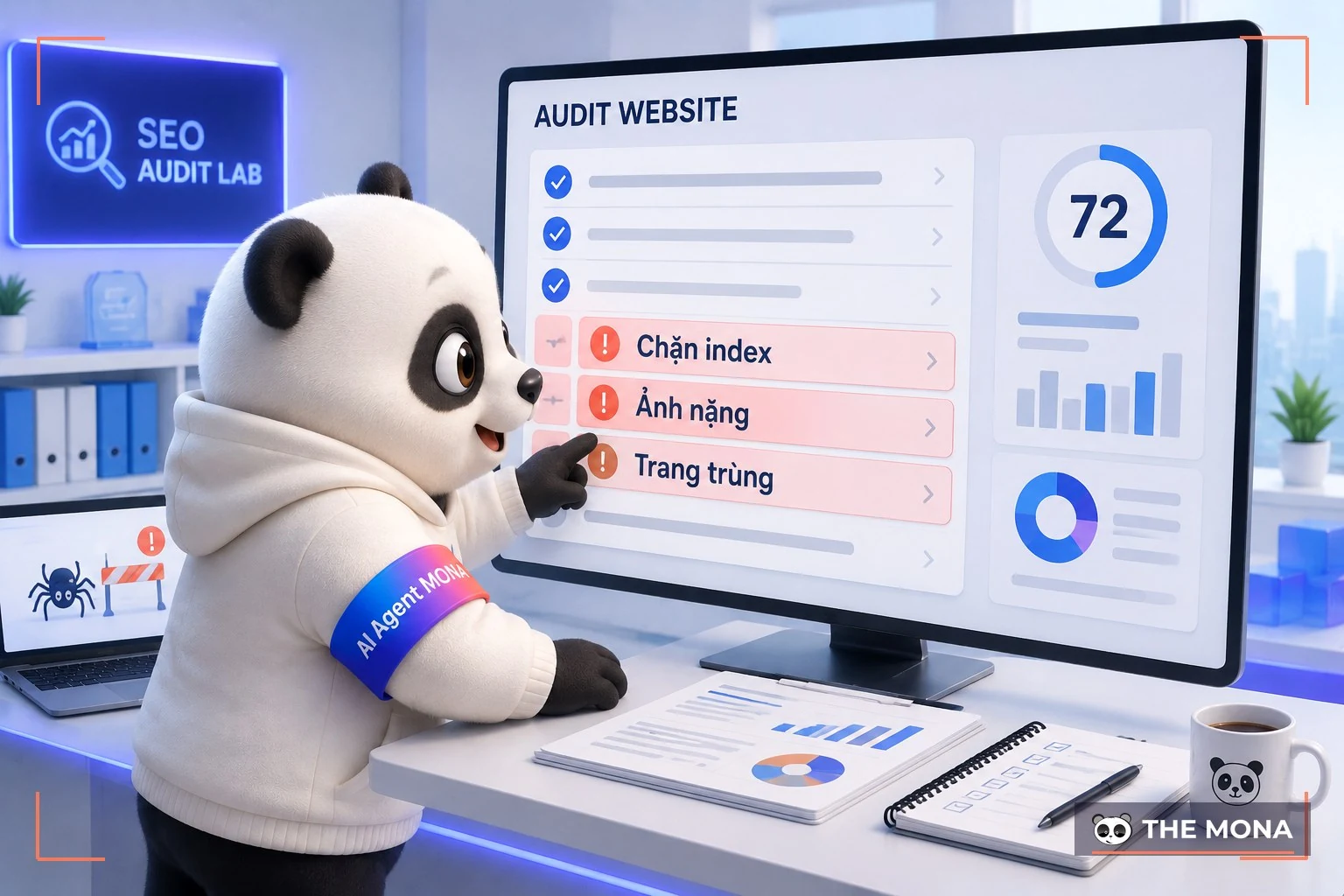

What these errors have in common is that the site owner cannot see them. The site looks fine and works fine on your own machine, so nobody suspects anything until the numbers appear in an audit in black and white.
Google scores page experience with the metric set Core Web Vitals, and it publishes clear thresholds rather than keeping them vague. LCP, the time the main content appears, needs to be under 2.5 seconds. INP, the delay when a user taps or types, needs to be under 200 milliseconds. CLS, how much the layout jumps around while loading, needs to be under 0.1. Three numbers, all measurable, all fixable.

Our experience fixing CWV fits in one sentence: 80% of the slow spots come from images, fonts and third-party code. Compress images to webp, set sizes for image frames in advance so the page stops jumping, and defer chat and tracking scripts that are not needed in the first second. That alone often brings LCP from 6 seconds down to around 2.5. Only after that is it worth talking about hosting or deeper tuning. Clients often want to change hosting first. We usually talk them out of it, because if you move to a new house with the same mess, the new house will be just as cramped.

The whole technical field comes down to three questions, in the order Google goes through them: can the bot GET IN, does it UNDERSTAND what the page says, and can people USE the site comfortably. The checklist below follows that order, so work through it from the top. A 30-page site takes about an afternoon.


One note for WordPress sites, the platform that runs more than 40% of websites worldwide according to W3Techs: most technical errors come from stacking plugins. With 40 plugins installed, every page carries 40 sets of code that can conflict with each other, and a single misconfigured SEO plugin is enough to cause the mass noindex incident we described above. The fewer parts a site has, the healthier it tends to be.
You do not need expensive tools to start. These three free ones catch most problems:
Google Search Console is the first source of truth to trust, because it is Google itself telling you how many of your pages are indexed, which ones were excluded and why. The Pages report under Indexing is the fastest place to spot an accidental noindex. PageSpeed Insights measures Core Web Vitals using real-user data gathered over 28 days, and points to the exact image or script slowing a page down. Screaming Frog the free version crawls up to 500 pages, enough for small and medium sites, and lays out every duplicate title, redirect chain and broken link in one table. These three are enough.
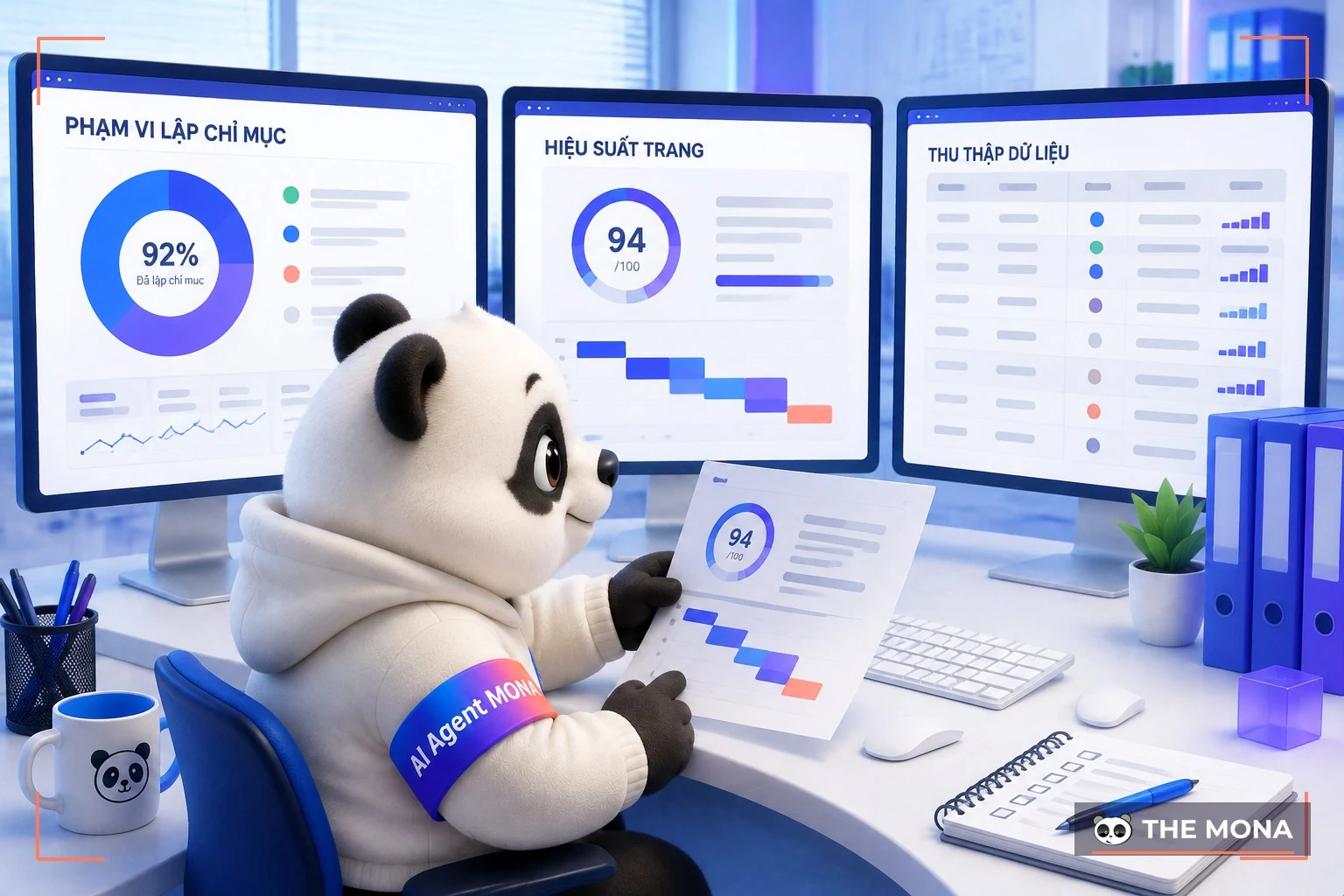
We have also built a SEO-standard website checker in Vietnamese that quickly scores the main items, so you can see where your site is weak before deciding what to fix. See the full list of SEO tools we have put together in a separate article.
Honestly, about half of the checklist above you can do yourself, and we encourage it. Compress images before uploading, write alt text, remove spare plugins, submit the sitemap to Search Console: all of that takes about 2 hours an evening for a few days, plus the SEO how-to guide we have already written. Finish this half and your site will already be healthier than most competitors of the same size.
The other half touches source code and structure: fixing Core Web Vitals at the root, removing redirect chains that have built up over several generations, redesigning canonicals for an e-commerce site with 30,000 pages, migrating a site without losing rankings. One wrong line at this level can turn a live site into a blank page, and whoever does the work needs to read both the code and the Search Console data. Do not take it all on. This is the time to call a specialist, or at least not to let “the cousin who knows computers” poke around on a site that has customers.
On-page SEO optimises individual content pages: titles, headings, keywords and links inside the article. Technical SEO looks after the infrastructure of the whole website: speed, indexing, structure and security. On-page work happens room by room, technical work happens on the whole building.
Yes, but much less of it. A site under 50 pages only needs the foundation done right once: HTTPS, a sitemap, speed that meets the thresholds and no accidental index blocks, then a check once a quarter. The bigger the site and the more URLs it has, the heavier the technical work becomes.
Index-block fixes are picked up by Google within a few days to a few weeks after the page is crawled again. Speed and Core Web Vitals improvements need about 28 days for real-user data to update. Overall rankings are a game measured in months; technical SEO opens the road but cannot replace content and links.
Google Search Console, PageSpeed Insights and the free 500-URL version of Screaming Frog make a set that is enough for small and medium sites. Add MONA’s Vietnamese SEO website checker if you want a scorecard you can read at once without knowing the jargon.
It depends on the state and size of the site. A technical audit for a medium site is usually priced per engagement, a full fix is priced as a project package or is included in the a full-scope SEO quote. MONA’s quoting principle is to be transparent on every item and stick to the price we quote, so with the price list in hand you know where the money goes.
Putting money into articles or ads on a site with a broken foundation is like pouring water into a bucket with a hole in the bottom. Check the foundation first. Do three things this week: open Search Console and see whether the number of indexed pages matches the number of pages you have; run PageSpeed Insights on your 2 most important pages; count the plugins installed and remove every one you have not touched in 3 months. Three tasks, and none of them costs a cent.


And if the numbers do not look good, and you are in the same spot as the owner who wrote for half a year with rankings frozen, contact us through 1900 636 648. The SEO service team at MONA will audit the whole technical side, give you a list of jobs ranked by impact with a price for each item, and measure again after the fix using the same numbers Google reports back. Now that you know what technical SEO is, do not let the foundation keep quietly holding the whole site back.

CEO & Founder · The MONA
Founder of The MONA, who built a services company of 200+ staff with 14,000+ projects delivered. Khánh Hùng shares how he thinks about building systems that run themselves, automating a business, and the real lessons from delivering projects at MONA.
 1,5K
1,5K




Professional website
design services
Own a website with a beautiful, 100% exclusive design and a lifetime warranty, with the ability
to expand features flexibly as your business grows, starting today!



NHẬN TƯ VẤN SEO MIỄN PHÍ !








 MONA will never sell your information or send you spam
MONA will never sell your information or send you spam
MONA will never sell your information or send you spam


 MONA will never sell your information or send you spam