
 MONA OS 2.0
 Partner with MONA


 Tự động hoá doanh nghiệp
 Cẩm nang SEO
 Digital Marketing
 Kinh nghiệm thiết kế website
 Hạ Tầng Server
 Giáo dục


 VI
 EN















Message us on
Zalo Official


 ProductsNew

 ProductsProducts
 Mới ra mắtKHA AI 2027App tự edit video, tự đăng mọi mạng xã hội, 2 phút mỗi ngày










 Website designLooks good and wins customers over.
SEO servicesBrings in customers searching for exactly what you sell.
 Tư vấn digital marketingKéo khách từ nhiều kênh, đo bằng số thật.
Corporate video productionVideos introducing your company, factory and team.
 NewAI video productionCompany story films made with AI.
 Custom software developmentCRM, ERP and HRM built for your business.
 Viết AI Agent theo yêu cầuĐặt riêng một trợ lý AI cho đúng việc của mình.
 Tư vấn chuyển đổi AIĐưa AI vào vận hành của cả công ty.
NewMONA LMSManagement for centers and schools.
MONA SkillHubInternal training for company staff.
 NHTQ systemEnd-to-end China–Vietnam shipping operations.
MONA JMSManagement for gold, diamond and pawn shops.
 MONA E-LearningA website with every feature you need to sell courses.
 How to sell online courses (course)More than 30 free lessons on selling courses on autopilot.
 MONA Cloudmonacloud.vnServers to get your apps and websites running.
 MONA Basemonabase.vnPostgres database, sign-in and file storage.
 MONA Mailmonamail.vnSend OTP, order and invoice emails from your software.
 MONA Paymonapay.vnAccept bank transfers via VietQR and notify your software when the money arrives.
 MONA eInvoiceComing soonIssue e-invoices that meet tax standards.
Gấu CườiTrả lời khách 24/7 trên web, Fanpage, Zalo và thu lead cho sale.
 Gấu TeleSalesGọi điện tư vấn, chăm khách như tổng đài viên thật.
Dê CườiTư vấn và chốt đơn cho shop ngay trong khung chat.
Gấu WebmasterNhắn nhóm Zalo là website được sửa xong.
 Gấu Pháp ChếSoạn hợp đồng, rà điều khoản trong vài phút.
 Gấu Báo GiáLên báo giá đúng mẫu và gửi khách ngay.
 AI chăm sóc khách hàngTheo dõi và giữ chân khách hàng cũ.
 Gấu Tuyển DụngLọc hồ sơ, hẹn lịch, phỏng vấn ứng viên.
 Mới ra mắt
KHA AI 2027
Xây kênh chuyên gia 2 phút mỗi ngày
Quay bằng điện thoại, AI tự edit video, tự đăng lên 16 nền tảng và tự trả lời bình luận, tin nhắn.
883.362lượt xem trên kênh CEO MONA sau 36 ngày
 Anh Khánh HùngCEO MONA đang dùng mỗi ngày
Xem app làm được gì
 AI
Gấu Cười MONA ĐANG TỰ XÀITrả lời khách 24/7 trên website, Zalo OA, Messenger và thu lead về cho sale.
Dê CườiChốt đơn bán lẻ và sàn: Shopee, TikTok Shop, web. Chăm cả khách sỉ, đại lý.
Gấu WebmasterCập nhật nội dung, tối ưu SEO website mỗi ngày.
Gấu TeleSalesGọi điện tư vấn, chăm khách như tổng đài viên thật.
Gấu Tuyển DụngLọc hồ sơ, hẹn lịch, phỏng vấn ứng viên tự động.
AI chăm sóc khách hàngGiữ khách cũ, cứu lead đã rớt cho phòng kinh doanh.
Gấu Pháp ChếSoạn hợp đồng, rà điều khoản trong vài phút.
Gấu Báo GiáLên báo giá đúng mẫu, gửi khách ngay khi có yêu cầu.
 Chuyển đổi AI toàn phầnGiải pháp tổng cho doanh nghiệp, 3 lớp triển khai.
 Viết AI Agent theo yêu cầuĐặt riêng một con AI gánh đúng nghiệp vụ của bạn.
 Custom softwareCRM, ERP and HRM with built-in AI automation.
 SEO & AEO thời đại AIĐược Google lẫn AI trích dẫn, không chỉ xếp hạng.
 Kiến thức AI cho doanh nghiệpBài phân tích, hướng dẫn ứng dụng AI vào vận hành.
 Free AI courses
 AI tools at work
App mới · KHA AI 2027
Xây kênh 2 phút mỗi ngày
AI tự edit video, tự đăng mọi mạng xã hội
Free consultation, 8am–10pm every day

26 July, 2026
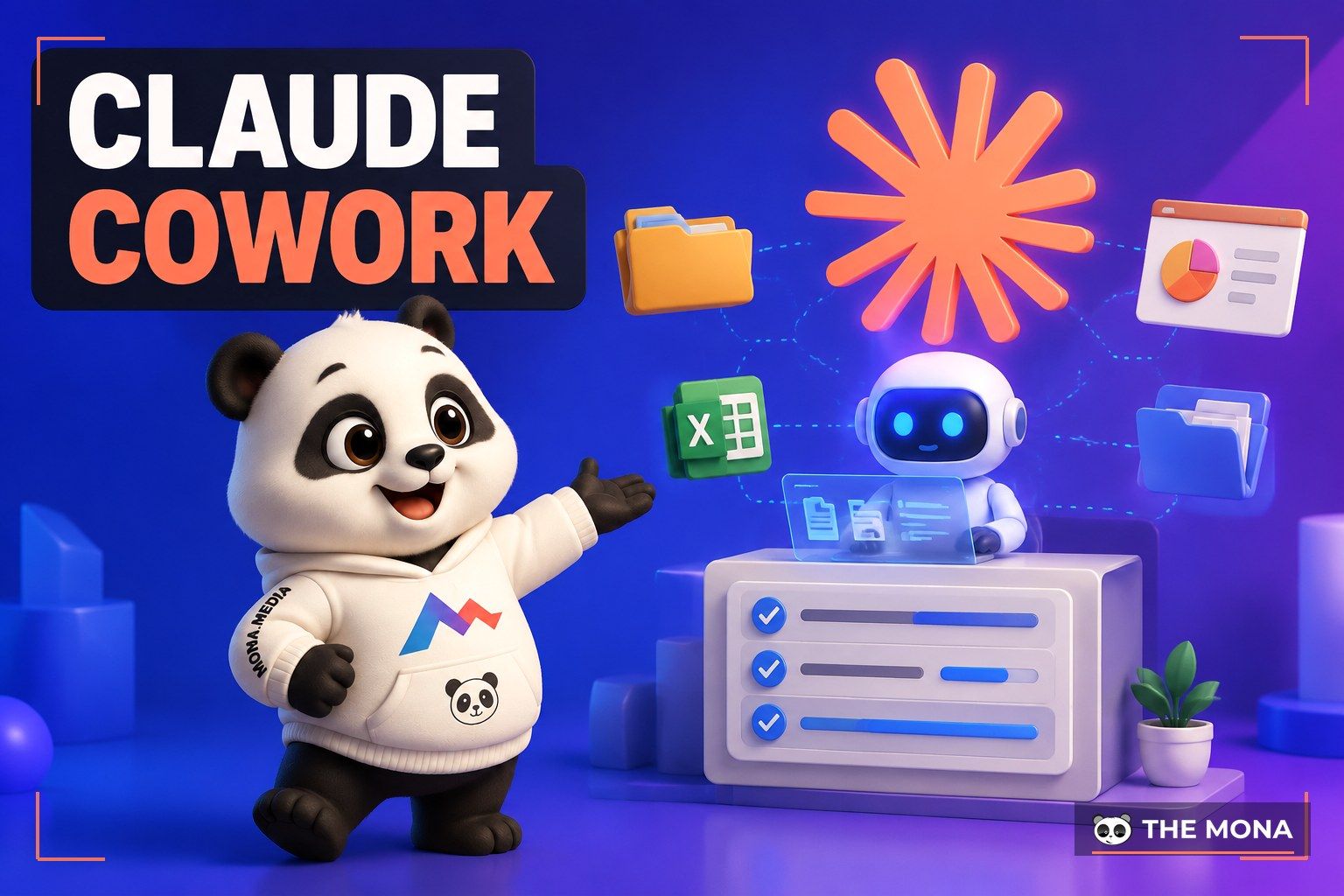
The sixth course in MONA's free AI course series, covering the product that has been passed around fastest among office workers worldwide since the start of the year: Claude Cowork from Anthropic, launched in January 2026 and by this July spread from Mac to Windows, the web and phones. If the chat version of Claude is an assistant that answers questions, then Claude Cowork is an employee who takes on a whole task: you assign “turn the 200 quotation files in this folder into one summary Excel sheet with charts”, go to a meeting, and when you come back the finished work is sitting there waiting for approval. No coding knowledge, no command window: this is the “Claude Code for non-technical people” that office workers have waited two years for. This course teaches everything from setup to confident delegation, with the mandatory safety rules for letting AI touch your company's real files, written for business owners, managers and office staff using it in business. If you are not yet solid on the chat version of Claude, learn that Claude course for business owners first, and coming back here will go twice as fast.
Course contents
Anthropic's official positioning for this product is short: Cowork doesn't just answer, it gets to work. The difference is clear in one sentence, but to show how much it changes the way you work, compare two scenes with the same need:
The core difference is that Cowork is given hands and feet on your machine: permission to read and create files in the folders you allow, to use the browser, to connect to the calendar, email and tools you grant. It works like a real employee: takes the task, breaks it into steps, does each step, asks when something is unclear, presents the result when done. On screen there is always a progress panel running alongside, so a glance tells you which step it is on and which file it is touching.

As for the boundary with Claude Code here is a quick way to remember it: the two share the same engine underneath, but Claude Code was built for software people and talks through a command window, while Cowork was built for office people, talks through a friendly interface, and focuses on documents, data and administrative processes. If you work in business, you come in through the Cowork door; your tech team already has the Claude Code course series from us waiting for them.

Three things to know before installing:
Setup really does take 10 minutes: download the app from the Claude homepage, sign in with a paid account, and the most important step: choose a working folder. Cowork can only touch the folders you specify, and has no permission outside that area. Our firm advice: create a dedicated folder named something like “Cowork-MONA” (or your company name), copy copies of the documents to be processed into it, and grant permission to this folder only at first. Treat it like a new hire: on probation in one room, not yet handed the keys to the whole building. After a few weeks of trusting its work, expand gradually, and Part 7 has a full set of safety rules for this.

The opening task we recommend for everyone new: tidy your own messiest folder. Anyone who has worked for years has a “Downloads” or “Desktop” folder with hundreds of jumbled files: quotes mixed with invoices mixed with screenshots mixed with contracts from several eras. Copy a version into Cowork's working folder, then assign:
“This folder has about 300 files of all kinds. Sort them into groups: contracts, quotations, invoices, images, internal documents, and the rest into a needs-review group. Create a folder tree by group and by year, rename files using the pattern [year]-[type]-[partner name], and when finished, export a summary file listing what moved where. If you are not sure about a file, do not guess, put it in the needs-review group and ask me.”
Fifteen minutes later you have a clean file store and a transparent log. What is good about this task is that it teaches you the full skill set for briefing Cowork: the four-part delegation formula from the chat-version course (context, role, data, output format), plus two new parts that only a world of “AI with hands and feet” needs:
The most valuable trait of Cowork compared with earlier generations of AI: when it hits something hard, it asks instead of pushing ahead blindly. Give it a task with gaps in the brief and it stops exactly at the gap: “this file looks like both a quote and a contract, where should it go?” You answer, it records that as a rule and carries on, and next time it does not need to ask. It feels like training a new employee, except this one learns once, remembers forever, and never takes leave.
This is the part that made Cowork spread quickly among office workers: Anthropic equipped it with ready-made skills for creating real Office documents, not “text pasted into a file”. Specifically:
Three scenarios that fit straight into Vietnamese office life:

A reminder of the principle that has become a house rule across this series, and one worth engraving here: what AI builds is a draft for review, and any figure that gets signed or paid must be double-checked by a person. Cowork builds Excel a hundred times faster than a person, and it can also get one formula cell wrong just like a person. Companies that use AI wisely differ in exactly one way: however fast the machine runs, the human review step stays, and is never dropped.
At this point, try a calculation we often put on the table for clients: add up the hours your whole company spends each month on exactly four things: “gather, copy, build, send” (gathering files, copying figures, building sheets and slides, sending reports). For a company of 20 to 50 people, the number we measure usually lands around 150 to 250 hours a month, more than one full-time employee just to move information from one place into another format. Cowork was made to swallow exactly that block of work. If you want someone to sit down with you and see where your company's 250 hours are flowing and how much AI can skim off, call us on 1900 636 648: 15 minutes describing your setup, and MONA points out 3 places you can cut right away, free for this check-up.
Three features in this part are why we put Cowork in the “worth learning this quarter” group rather than a toy waiting to mature:
One, teaching skills by screen recording (Record a Skill, released July 21, 2026). This is the game-changing feature for people who are not tech-savvy. Any job you can do by hand but find hard to describe in words (logging into internal software to export figures, a 12-step process on a website, how to filter and paste numbers between three files) now just needs you to switch on screen recording and do it once yourself. Cowork watches the recording, understands the steps, and packages them into a skill it can run again. From now on, “writing a procedure” no longer means sitting down to type a 5-page document nobody reads: demonstrate once and the machine learns the trade. We jokingly call it “passing on the craft without opening a class”, and it is available on the Pro, Max and Team plans.
Two, scheduled tasks. For any recurring task (Monday morning report, month-end reconciliation, a daily market news roundup), set a schedule and it runs by itself: at the set time the machine does the work and leaves the result in the right place for approval. Combine that with Record a Skill and you have the formula: teach once, schedule it, and the work comes back as regular as clockwork.
Three, working in the cloud, controlled from your phone. As Part 2 mentioned, the web and phone versions of Cowork run the session on Anthropic's servers: assign work from your phone while riding in a car, close your computer and it keeps grinding, and scheduled tasks can run even when none of your machines is on. For executives who travel often, this is a vital difference: the working machine no longer depends on the laptop folded in your bag.


We have condensed this into a menu of six dishes, ordered from easy to hard, each with one sample brief line you can adjust the names and numbers in and assign right away:

Cowork is powerful because it has hands and feet, and anything with hands and feet needs rules. Five rules we apply to MONA's own operations and advise every company to copy as they are:
As for the tool's real limits, said plainly so you set the right expectations: Cowork works in sessions that someone assigns, and processing office documents and data is its strength; it is not a real-time transaction system and cannot replace the sales, warehouse and accounting software running your company's core operations. And like any AI, sometimes it misreads the brief: the clearer the brief and the tighter the stop rules, the better behaved the result.
The question we get most from clients now that Cowork is in the spotlight: “so we don't need to build software anymore?” The honest answer: no, and understanding this boundary correctly is where this article saves you the most money.
Cowork is an AI work shift for individual people and individual tasks: someone assigns, someone reviews, it runs on office documents, wonderfully flexible, built in a day. But when your problem turns into the living business flow of the whole company (orders pouring in from many channels that must match inventory automatically, issue invoices, push to shipping, message customers, post to the books, hundreds of transactions a day, many people with many permission levels, one missed beat costs real money), that problem needs something else: custom-built automation software, with tight permissions, a log of every action, load handling, someone responsible for maintenance, running 24/7 without depending on anyone remembering to assign work. One is an excellent virtual employee, the other is a production line: smart companies use both, each in its right place.

A 2-week plan to bring Cowork into your company with confidence:
After those two weeks, you will see for yourself which tasks Cowork carries well and which flow in your company is crying out for a real system. At that point, bring exactly that flow to talk with us: MONA has over 10 years of experience and 14,000+ projects, and specializes in the stretch “from virtual employee to automated production line”, with a free check-up of your setup and transparent quotes where we build at the price we sign. Call 1900 636 648 or send us a brief at info@themona.global, tell us about the business flow that eats the most people at your company, and we will answer straight: which parts Cowork can handle on its own so you save the cost of writing software, which parts deserve investment in a dedicated system, and how long it takes to pay back.
Is Claude Cowork free? No, it needs a paid plan: the cheapest is Pro at $17 to $20 a month, which includes the chat version of Claude and Claude Code in the same seat. Max, Team and Enterprise plans all include Cowork.
Is Claude Cowork hard to use, can someone who isn't good with computers learn it? Yes, they can. All the actions are choosing a folder and typing a brief in everyday words, Vietnamese works. What you need to learn is the habit of writing clear briefs and the habit of reviewing results, both of which this course covers fully, and no technical skill is involved.
Does Cowork run on Windows, and does it need a powerful machine? There are macOS and Windows versions, plus web and phone versions rolling out since July 2026. The web version runs on Anthropic's servers so even a weak machine works well, and scheduled tasks do not even need a machine switched on.
How is Claude Cowork different from Claude Code? Same engine, different door and different audience: Cowork has a friendly interface for office workers handling documents and processes; Claude Code runs on the command line for software people. If you work in business, learn Cowork; if you want to build software yourself, learn Claude Code (our course series has both).
Is it safe to let AI touch company files? It is safe if you follow the rules: grant permission by isolated folder holding copies, no deleting or overwriting without asking, confidential data approved by a person, automated work reviewed by a recipient. Enterprise plans have an admin page to lock features and monitor company-wide usage.
Can Cowork replace the company's management software? No. It is a virtual employee for office tasks, not a business system running hundreds of transactions a day with permissions and load handling. See Part 8 for the specific boundary, and we offer free advice for each case on 1900 636 648.
MONA's free AI course series keeps growing: upcoming courses on vibe coding with Gemini, automated AI workflows and AI agents are already in the table of contents. See you in the next course.

CEO & Founder · The MONA
The founder of The MONA built a service company of 60+ staff with 14,000+ projects delivered. Khánh Hùng shares his thinking on building self-running systems, automating a business, and the real lessons behind MONA's projects.
 378




Professional website
design services
Own a website with a beautiful, 100% exclusive design and a lifetime warranty, with the ability
to expand features flexibly as your business grows, starting today!






 MONA will never sell your information or send you spam


 MONA will never sell your information or send you spam
