
 MONA OS 2.0


 Tự động hoá doanh nghiệp
 Cẩm nang SEO
 Digital Marketing
 Kinh nghiệm thiết kế website
 Hạ Tầng Server
 Giáo dục


 VI
VI
 EN
EN













Message us on
Zalo Official


 ProductsNew

 ProductsProducts
 Mới ra mắtKHA AI 2027App tự edit video, tự đăng mọi mạng xã hội, 2 phút mỗi ngày










 Website designLooks good and wins customers over.
SEO servicesBrings in customers searching for exactly what you sell.
Website designLooks good and wins customers over.
SEO servicesBrings in customers searching for exactly what you sell.
 Tư vấn digital marketingKéo khách từ nhiều kênh, đo bằng số thật.
Corporate video productionVideos introducing your company, factory and team.
Tư vấn digital marketingKéo khách từ nhiều kênh, đo bằng số thật.
Corporate video productionVideos introducing your company, factory and team.
 NewAI video productionCompany story films made with AI.
 Custom software developmentCRM, ERP and HRM built for your business.
 Viết AI Agent theo yêu cầuĐặt riêng một trợ lý AI cho đúng việc của mình.
 Tư vấn chuyển đổi AIĐưa AI vào vận hành của cả công ty.
NewMONA LMSManagement for centers and schools.
MONA SkillHubInternal training for company staff.
Tư vấn chuyển đổi AIĐưa AI vào vận hành của cả công ty.
NewMONA LMSManagement for centers and schools.
MONA SkillHubInternal training for company staff.
 NHTQ systemEnd-to-end China–Vietnam shipping operations.
MONA JMSManagement for gold, diamond and pawn shops.
NHTQ systemEnd-to-end China–Vietnam shipping operations.
MONA JMSManagement for gold, diamond and pawn shops.
 MONA E-LearningA website with every feature you need to sell courses.
 How to sell online courses (course)More than 30 free lessons on selling courses on autopilot.
 MONA Cloudmonacloud.vnServers to get your apps and websites running.
 MONA Basemonabase.vnPostgres database, sign-in and file storage.
 MONA Mailmonamail.vnSend OTP, order and invoice emails from your software.
 MONA Paymonapay.vnAccept bank transfers via VietQR and notify your software when the money arrives.
 MONA eInvoiceComing soonIssue e-invoices that meet tax standards.
Gấu CườiTrả lời khách 24/7 trên web, Fanpage, Zalo và thu lead cho sale.
MONA eInvoiceComing soonIssue e-invoices that meet tax standards.
Gấu CườiTrả lời khách 24/7 trên web, Fanpage, Zalo và thu lead cho sale.
 Gấu TeleSalesGọi điện tư vấn, chăm khách như tổng đài viên thật.
Dê CườiTư vấn và chốt đơn cho shop ngay trong khung chat.
Gấu WebmasterNhắn nhóm Zalo là website được sửa xong.
Gấu TeleSalesGọi điện tư vấn, chăm khách như tổng đài viên thật.
Dê CườiTư vấn và chốt đơn cho shop ngay trong khung chat.
Gấu WebmasterNhắn nhóm Zalo là website được sửa xong.
 Gấu Pháp ChếSoạn hợp đồng, rà điều khoản trong vài phút.
 Gấu Báo GiáLên báo giá đúng mẫu và gửi khách ngay.
 AI chăm sóc khách hàngTheo dõi và giữ chân khách hàng cũ.
 Gấu Tuyển DụngLọc hồ sơ, hẹn lịch, phỏng vấn ứng viên.
 Mới ra mắt
KHA AI 2027
Xây kênh chuyên gia 2 phút mỗi ngày
Quay bằng điện thoại, AI tự edit video, tự đăng lên 16 nền tảng và tự trả lời bình luận, tin nhắn.
360.928lượt xem trên kênh CEO MONA sau 22 ngày
Mới ra mắt
KHA AI 2027
Xây kênh chuyên gia 2 phút mỗi ngày
Quay bằng điện thoại, AI tự edit video, tự đăng lên 16 nền tảng và tự trả lời bình luận, tin nhắn.
360.928lượt xem trên kênh CEO MONA sau 22 ngày
 Anh Khánh HùngCEO MONA đang dùng mỗi ngày
Xem app làm được gì
Anh Khánh HùngCEO MONA đang dùng mỗi ngày
Xem app làm được gì
 AI
Gấu Cười MONA ĐANG TỰ XÀITrả lời khách 24/7 trên website, Zalo OA, Messenger và thu lead về cho sale.
Dê CườiChốt đơn bán lẻ và sàn: Shopee, TikTok Shop, web. Chăm cả khách sỉ, đại lý.
Gấu WebmasterCập nhật nội dung, tối ưu SEO website mỗi ngày.
Gấu TeleSalesGọi điện tư vấn, chăm khách như tổng đài viên thật.
Gấu Tuyển DụngLọc hồ sơ, hẹn lịch, phỏng vấn ứng viên tự động.
AI chăm sóc khách hàngGiữ khách cũ, cứu lead đã rớt cho phòng kinh doanh.
Gấu Pháp ChếSoạn hợp đồng, rà điều khoản trong vài phút.
Gấu Báo GiáLên báo giá đúng mẫu, gửi khách ngay khi có yêu cầu.
AI
Gấu Cười MONA ĐANG TỰ XÀITrả lời khách 24/7 trên website, Zalo OA, Messenger và thu lead về cho sale.
Dê CườiChốt đơn bán lẻ và sàn: Shopee, TikTok Shop, web. Chăm cả khách sỉ, đại lý.
Gấu WebmasterCập nhật nội dung, tối ưu SEO website mỗi ngày.
Gấu TeleSalesGọi điện tư vấn, chăm khách như tổng đài viên thật.
Gấu Tuyển DụngLọc hồ sơ, hẹn lịch, phỏng vấn ứng viên tự động.
AI chăm sóc khách hàngGiữ khách cũ, cứu lead đã rớt cho phòng kinh doanh.
Gấu Pháp ChếSoạn hợp đồng, rà điều khoản trong vài phút.
Gấu Báo GiáLên báo giá đúng mẫu, gửi khách ngay khi có yêu cầu.
 Chuyển đổi AI toàn phầnGiải pháp tổng cho doanh nghiệp, 3 lớp triển khai.
 Viết AI Agent theo yêu cầuĐặt riêng một con AI gánh đúng nghiệp vụ của bạn.
 Custom softwareCRM, ERP and HRM with built-in AI automation.
 SEO & AEO thời đại AIĐược Google lẫn AI trích dẫn, không chỉ xếp hạng.
 Kiến thức AI cho doanh nghiệpBài phân tích, hướng dẫn ứng dụng AI vào vận hành.
 Free AI courses
 AI tools at work
App mới · KHA AI 2027
Xây kênh 2 phút mỗi ngày
AI tự edit video, tự đăng mọi mạng xã hội
Free consultation, 8am–10pm every day
AI tools at work
App mới · KHA AI 2027
Xây kênh 2 phút mỗi ngày
AI tự edit video, tự đăng mọi mạng xã hội
Free consultation, 8am–10pm every day

18 March, 2023
Have you ever wondered how Google collects data from your website? Why does your content show up in search results just a few hours after you publish it? The one behind that whole process is called Googlebot. So what is Googlebot, and how do you make your website friendly to it? Let's MONA Media look at the details in this article.
Googlebot is a web crawler (or spider) built by Google. It travels across the internet to scan content from websites. Text, images and links are all collected by Googlebot and added to Google's huge index. That is how Google can show the most relevant and accurate results when someone searches for any keyword.
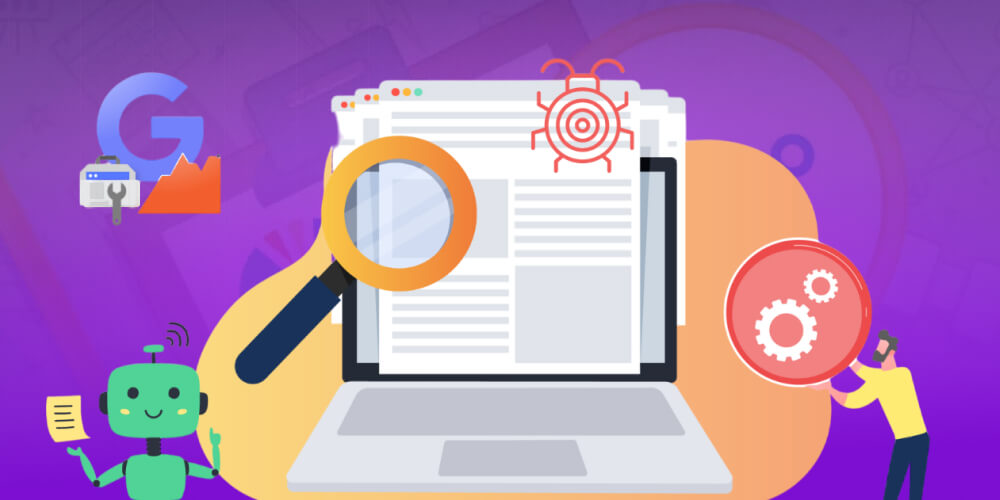
Googlebot comes in more than one type. Google splits it into several types to simulate user behavior on different devices and for different purposes, as follows:
Googlebot Desktop: Simulates a user visiting your website on a desktop or laptop, so Google understands how the site displays on a large screen.
Googlebot Smartphone: Simulates the user experience on a mobile phone. This is the main Googlebot today because Google uses Mobile-first Indexing (indexing based on the mobile version first).
There are also specialized variants:
Googlebot Image: Collects data from images, for Google Images search.
Googlebot News: Scans content from news sites and blogs to show in Google News.
Googlebot Video: Collects information from videos, supporting video search results.
Google StoreBot: Collects data from e-commerce websites or apps on Google Play.
Most indexing today is done by Googlebot Smartphone, because Google prioritizes the mobile version of a website. That means if your website is not mobile-friendly, its visibility on Google will suffer.
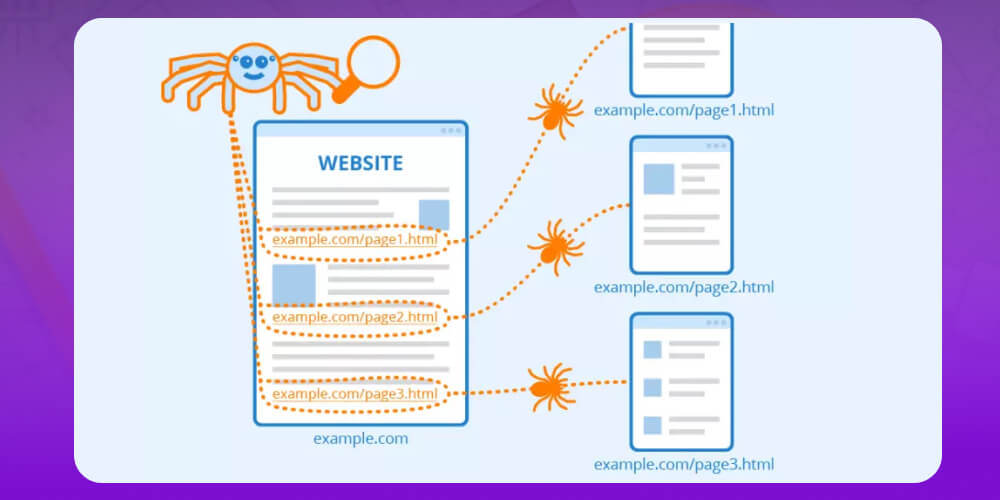
To optimizing the website for SEO effectively, you need to understand how Google's crawler works. Put simply, Googlebot "walks" across the internet, finds and collects data from many websites, then brings it back to store in Google's systems.
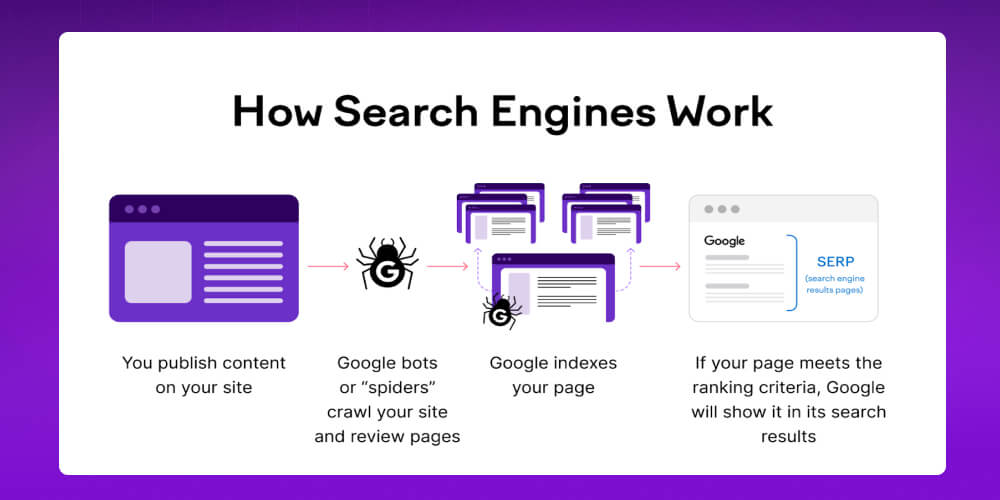
The process has 3 main steps:
Crawling (Crawling): Googlebot "walks" the internet and finds new web pages through backlinks, sitemaps or URLs submitted to Google Search Console. It then reads the HTML code and content to understand what the page is about.
Processing & Rendering: Googlebot analyzes the collected data, such as text, images and video, and converts it into a form Google can understand.
Indexing (Indexing): After processing, the data goes into the index, Google's huge storage. When someone searches, Google pulls information from this index to show relevant results.
-> Read more: How to rank effectively in Google's AI Overview
Googlebot plays a major role in deciding whether your website appears on Google and where it ranks in the search results.
Googlebot actively looks for and collects data from websites, so you do not need to worry that it will "forget" yours. What matters is how fast or slow it reaches your content. If the bot quickly finds new, edited or updated content on your site, your pages are re-indexed sooner, which improves your chances of ranking better on Google.
On the other hand, if Googlebot is restricted or can only scan a small part of your content, your website will be rated lower. Google may read this as a sign that your content is not fresh or not useful, and your rankings can drop sharply.
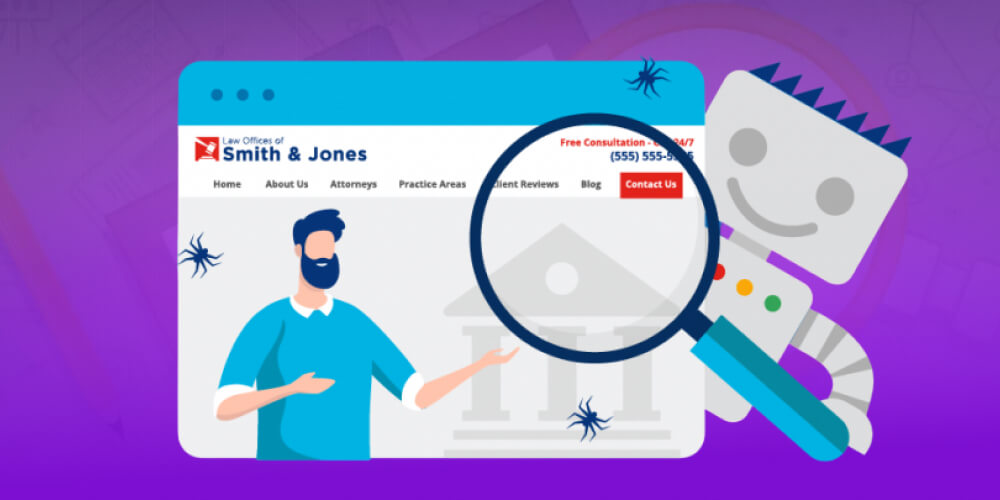
So for your website to perform well on Google, make sure Googlebot can reach it easily and often. Check whether your site is blocking the bot or has server errors (firewall, DNS and so on) that get in the way of crawling.
Googlebot is an automatic tool that lets Google continuously crawl and index website content, but sometimes you will notice it running slower than before. This is not random. It usually comes from specific causes.
Here are the common reasons Googlebot "crawls" slowly on your website:
If the server responds slowly or the site loads a lot of heavy resources, Googlebot needs more time to process each page. To avoid overloading your server, Google may automatically reduce how often and how deeply it crawls, which slows down indexing.
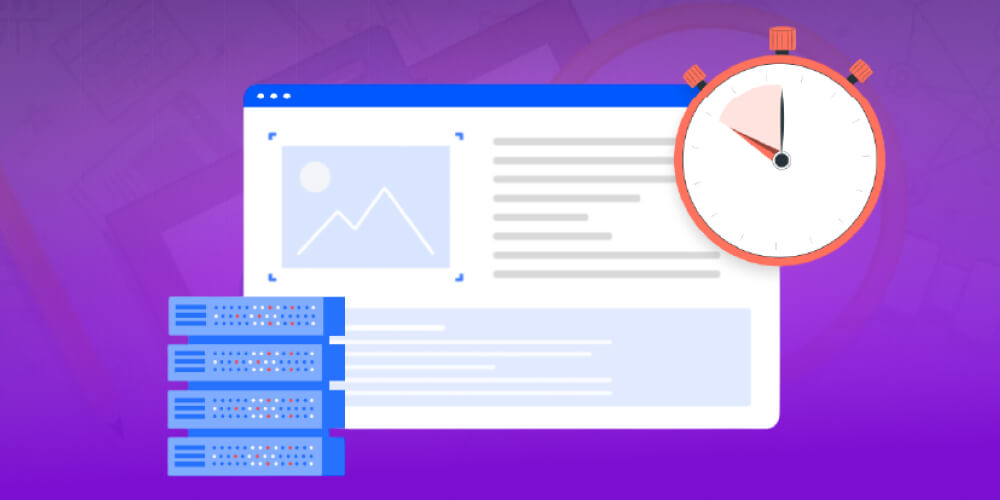
Errors such as 404s, 500s, redirect loops or an unstable URL structure make Googlebot spend extra time on processing. This interrupts crawling and hurts indexing. Fixing these errors is an important step in helping Googlebot work smoothly.
Every website has a certaincrawl budget. If your site has too many low-quality pages, duplicate content or junk pages, Googlebot spends its time on unimportant areas and is less likely to discover your high-value pages.
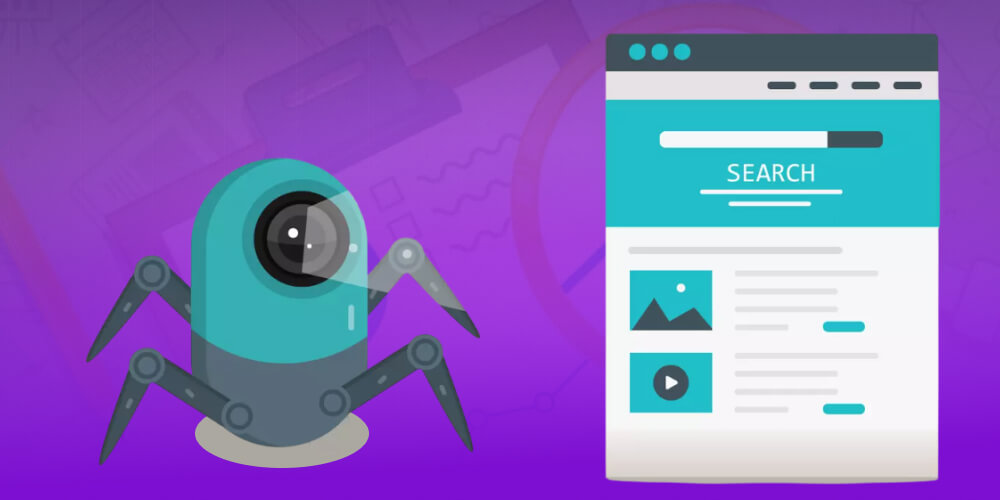
Googlebot has a limited wait time for each page. If a page takes too long to load, the bot may give up before it finishes, so content gets missed or only partly collected.
Googlebot tends to visit sites that update often and are linked from reputable sources. If your site has few links or has gone a long time without new content, Google may crawl it less often and treat it as rarely changing or less important.
Sites that rely heavily on JavaScript, AJAX or other modern frontend technologies can make it harder for Googlebot to render and understand content. That takes extra processing time and noticeably slows crawling and indexing.
Googlebot usually finds new URLs through links on pages it has already crawled. So you cannot be sure Google will skip a new page just because it has no public link. All it takes is one link pointing out, and Google can still find the URL through referral logs.
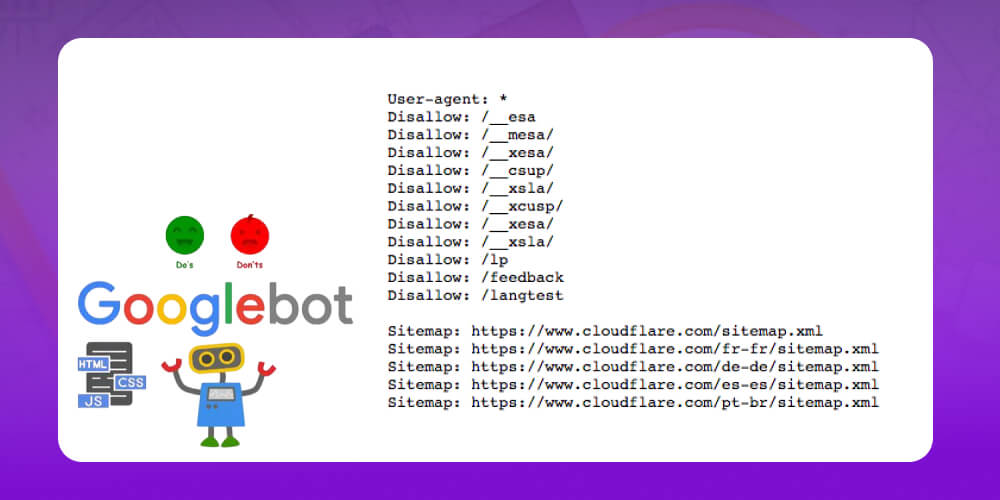
If you want to stop Googlebot from accessing certain content, there are a few common ways:
Stop Googlebot from crawling: Use a robots.txt file to keep the bot out of one or more folders or pages on your site.
Stop Google from indexing: If you do not want content to appear in Google Search, use a noindex tag in the HTML. Google may know the URL exists, but it will not show it in search results.
Block both Googlebot and users: If you want content to stay fully private (for example an admin area or a test page), use password protection or another access control method.
Note: Blocking Googlebot affects not only Google Search results (SERPs) but also other Google products such as Google Images, Google Video, Google News and Google Discover.
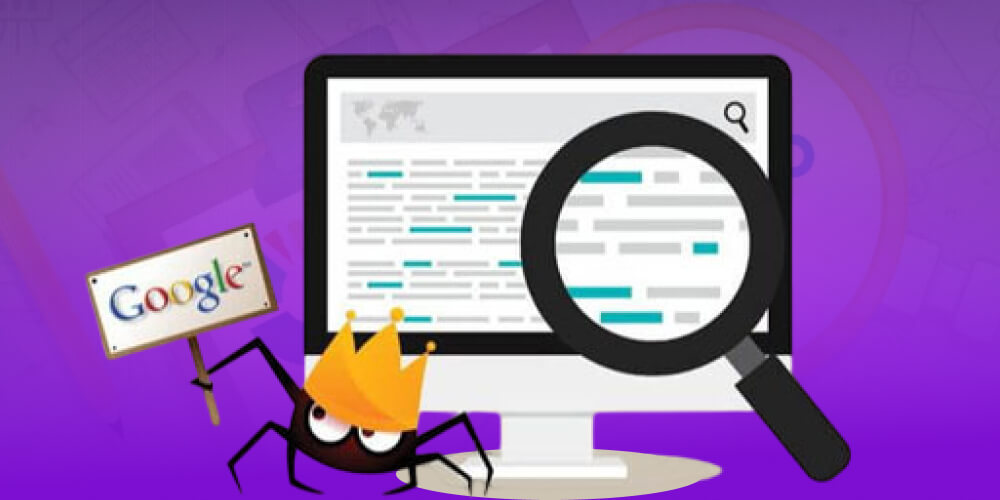
Khi SEO, you may sometimes see access requests on your website from "Googlebot”. But is it really Googlebot, or a fake bot? This matters, because many malicious bots pretend to be Googlebot to scrape data or attack websites.
To verify, run a DNS reverse DNS lookup on the IP address that sent the request. If the IP truly belongs to Google, you can be confident it is the real Googlebot.
One thing to note:
The real Googlebot always follows the rules in the robots.txt. file. That means if you block a path, Googlebot will not deliberately visit it.
Fake or malicious bots, on the other hand, usually ignore these rules and keep trying to reach pages you do not allow.
If you find fraudulent bots or see your site being used to manipulate search results, you can report it directly to Google for handling.
-> Read more: A guide to getting your website onto Google with SEO effective way
If you want your website to be recognized and indexed by Googlebot quickly, make it easier for Googlebot to access and crawl your site. Here are some simple steps you can apply right away:
Fix technical errors: Errors such as 404s, broken links or a faulty page structure make it hard for Googlebot to crawl. Check and fix them regularly so your site runs smoothly.
Optimizing page load speed: The faster your site, the easier it is for Googlebot to access, and the more content it can scan on each visit.
Update content regularly: When you add new content often, Googlebot tends to come back to your site more.
Create an XML sitemap: A sitemap works like a road map, showing Googlebot exactly which pages are important to crawl. Don't forget to submit the sitemap to Google Search Console.
Building backlinks the quality: Links from reputable websites not only build trust but also "open the road" for Googlebot to find your site faster.
Use robots.txt and meta robots tags: These are the tools for telling Googlebot which pages to crawl and which not to. Set them up correctly to avoid wasting crawl budget.
Optimize internal links: A sound internal link system helps Googlebot move between pages easily and improves the user experience too.
Register with Google News: For news sites or blogs, Google News is a great channel for getting frequent Googlebot visits.
When doing full-scope SEO, you may run into situations where Googlebot cannot fully crawl your website. This directly affects whether your site is indexed and shown on Google. Here are the common errors and simple ways to fix them.
Signs of the error include Google showing the message "Server error”, “Not found" or “Google couldn’t crawl your site”.
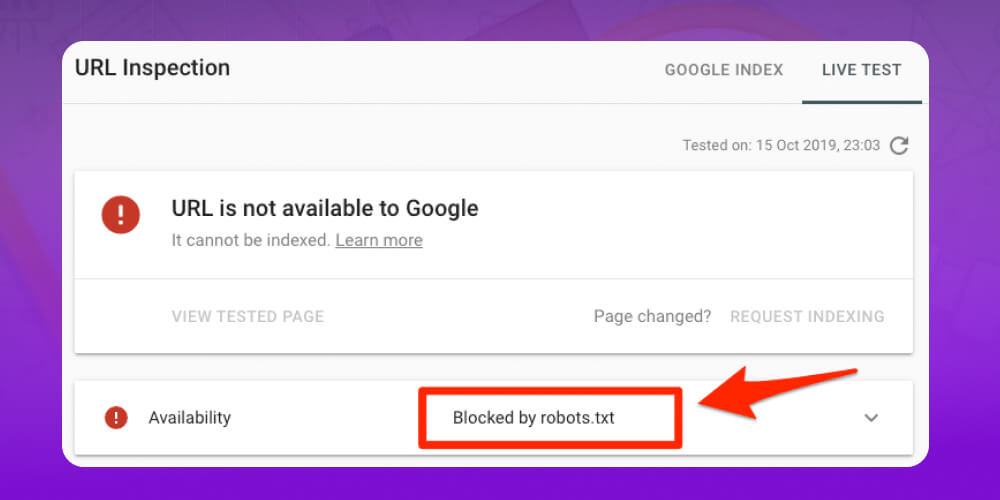
How to fix URL and robots.txt errors in Google Search Console:
Try opening the robots.txt file in a browser to see if it works.
Check your firewall and hosting to make sure they are not blocking Googlebot.
If robots.txt is generated dynamically, recheck the code that generates it.
Use Google Search Console to check and re-verify with the Fetch as Google tool.
Signs that Googlebot has trouble reading robots.txt, which slows crawling.
How to fix robots.txt fetch rate errors:
If the error rate is 100%, your website may be blocking Googlebot.
If the error rate is below 100%, check when errors peak. The server may be overloaded. Contact your hosting provider to optimize or upgrade your plan.
After the fix, use Fetch as Google to test again.
Signs include Googlebot being blocked from crawling important URLs.
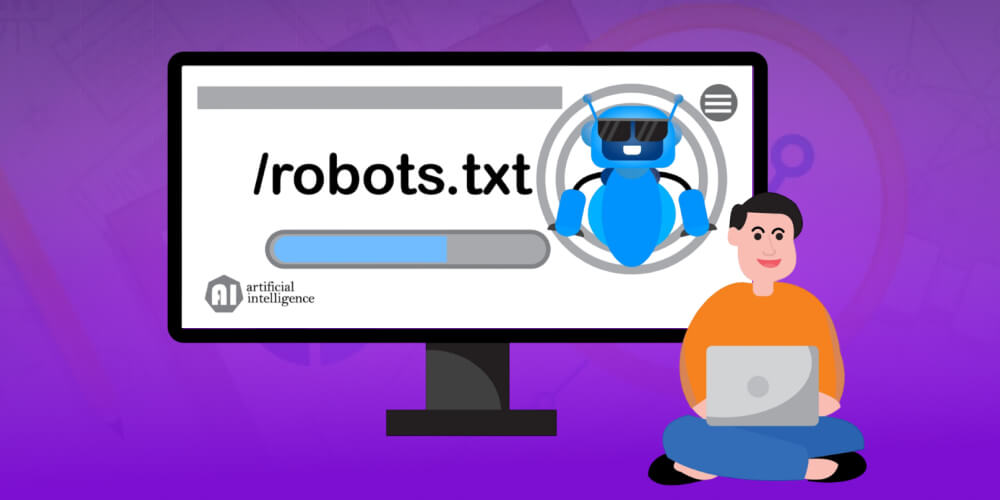
How to fix errors from a misconfigured robots.txt file:
Review the robots.txt file carefully to make sure nothing is blocked by mistake.
Make sure your hosting is stable, so interruptions do not stop Google from reaching your site.
We hope the information above gives you a clearer picture of What is Googlebot and how to use this tool to support your SEO. Once you understand how Googlebot works and optimize your site properly, your website can reach higher rankings in Google search results and attract many more users. If you need help with website SEO services to the top of Google, pick up the phone and call MONA for advice and to receive website SEO quote .

CEO & Founder · The MONA
Founder of The MONA, who built a services company of 200+ staff with 14,000+ projects delivered. Khánh Hùng shares how he thinks about building systems that run themselves, automating a business, and the real lessons from delivering projects at MONA.
 1,5K
1,5K




Professional website
design services
Own a website with a beautiful, 100% exclusive design and a lifetime warranty, with the ability
to expand features flexibly as your business grows, starting today!














 MONA will never sell your information or send you spam
MONA will never sell your information or send you spam
MONA will never sell your information or send you spam


 MONA will never sell your information or send you spam