
 MONA OS 2.0


 Tự động hoá doanh nghiệp
 Cẩm nang SEO
 Digital Marketing
 Kinh nghiệm thiết kế website
 Hạ Tầng Server
 Giáo dục


 VI
VI
 EN
EN



























Message us on
Zalo Official


 Products

 ProductsProducts









 Website designLooks good and wins customers over.
SEO servicesBrings in customers searching for exactly what you sell.
Website designLooks good and wins customers over.
SEO servicesBrings in customers searching for exactly what you sell.
 Tư vấn digital marketingKéo khách từ nhiều kênh, đo bằng số thật.
Corporate video productionVideos introducing your company, factory and team.
Tư vấn digital marketingKéo khách từ nhiều kênh, đo bằng số thật.
Corporate video productionVideos introducing your company, factory and team.
 NewAI video productionCompany story films made with AI.
 Custom software developmentCRM, ERP and HRM built for your business.
 Viết AI Agent theo yêu cầuĐặt riêng một trợ lý AI cho đúng việc của mình.
 Tư vấn chuyển đổi AIĐưa AI vào vận hành của cả công ty.
NewMONA LMSManagement for centers and schools.
MONA SkillHubInternal training for company staff.
Tư vấn chuyển đổi AIĐưa AI vào vận hành của cả công ty.
NewMONA LMSManagement for centers and schools.
MONA SkillHubInternal training for company staff.
 NHTQ systemEnd-to-end China–Vietnam shipping operations.
MONA JMSManagement for gold, diamond and pawn shops.
NHTQ systemEnd-to-end China–Vietnam shipping operations.
MONA JMSManagement for gold, diamond and pawn shops.
 MONA E-LearningA website with every feature you need to sell courses.
 How to sell online courses (course)More than 30 free lessons on selling courses on autopilot.
 MONA Cloudmonacloud.vnServers to get your apps and websites running.
 MONA Basemonabase.vnPostgres database, sign-in and file storage.
 MONA Mailmonamail.vnSend OTP, order and invoice emails from your software.
 MONA Paymonapay.vnAccept bank transfers via VietQR and notify your software when the money arrives.
 MONA eInvoiceComing soonIssue e-invoices that meet tax standards.
Gấu CườiTrả lời khách 24/7 trên web, Fanpage, Zalo và thu lead cho sale.
MONA eInvoiceComing soonIssue e-invoices that meet tax standards.
Gấu CườiTrả lời khách 24/7 trên web, Fanpage, Zalo và thu lead cho sale.
 Gấu TeleSalesGọi điện tư vấn, chăm khách như tổng đài viên thật.
Dê CườiTư vấn và chốt đơn cho shop ngay trong khung chat.
Gấu WebmasterNhắn nhóm Zalo là website được sửa xong.
Gấu TeleSalesGọi điện tư vấn, chăm khách như tổng đài viên thật.
Dê CườiTư vấn và chốt đơn cho shop ngay trong khung chat.
Gấu WebmasterNhắn nhóm Zalo là website được sửa xong.
 Gấu Pháp ChếSoạn hợp đồng, rà điều khoản trong vài phút.
 Gấu Báo GiáLên báo giá đúng mẫu và gửi khách ngay.
 AI chăm sóc khách hàngTheo dõi và giữ chân khách hàng cũ.
 Gấu Tuyển DụngLọc hồ sơ, hẹn lịch, phỏng vấn ứng viên.
 KHA AI 2027
Xây kênh chuyên gia 2 phút mỗi ngày
Quay bằng điện thoại, AI tự edit video, tự đăng lên 16 nền tảng và tự trả lời bình luận, tin nhắn.
287.785lượt xem trên kênh CEO MONA sau 17 ngày
KHA AI 2027
Xây kênh chuyên gia 2 phút mỗi ngày
Quay bằng điện thoại, AI tự edit video, tự đăng lên 16 nền tảng và tự trả lời bình luận, tin nhắn.
287.785lượt xem trên kênh CEO MONA sau 17 ngày
 Anh Khánh HùngCEO MONA đang dùng mỗi ngày
Xem app làm được gì
Anh Khánh HùngCEO MONA đang dùng mỗi ngày
Xem app làm được gì
 AI
Gấu Cười MONA ĐANG TỰ XÀITrả lời khách 24/7 trên website, Zalo OA, Messenger và thu lead về cho sale.
Dê CườiChốt đơn bán lẻ và sàn: Shopee, TikTok Shop, web. Chăm cả khách sỉ, đại lý.
Gấu WebmasterCập nhật nội dung, tối ưu SEO website mỗi ngày.
Gấu TeleSalesGọi điện tư vấn, chăm khách như tổng đài viên thật.
Gấu Tuyển DụngLọc hồ sơ, hẹn lịch, phỏng vấn ứng viên tự động.
AI chăm sóc khách hàngGiữ khách cũ, cứu lead đã rớt cho phòng kinh doanh.
Gấu Pháp ChếSoạn hợp đồng, rà điều khoản trong vài phút.
Gấu Báo GiáLên báo giá đúng mẫu, gửi khách ngay khi có yêu cầu.
AI
Gấu Cười MONA ĐANG TỰ XÀITrả lời khách 24/7 trên website, Zalo OA, Messenger và thu lead về cho sale.
Dê CườiChốt đơn bán lẻ và sàn: Shopee, TikTok Shop, web. Chăm cả khách sỉ, đại lý.
Gấu WebmasterCập nhật nội dung, tối ưu SEO website mỗi ngày.
Gấu TeleSalesGọi điện tư vấn, chăm khách như tổng đài viên thật.
Gấu Tuyển DụngLọc hồ sơ, hẹn lịch, phỏng vấn ứng viên tự động.
AI chăm sóc khách hàngGiữ khách cũ, cứu lead đã rớt cho phòng kinh doanh.
Gấu Pháp ChếSoạn hợp đồng, rà điều khoản trong vài phút.
Gấu Báo GiáLên báo giá đúng mẫu, gửi khách ngay khi có yêu cầu.
 Chuyển đổi AI toàn phầnGiải pháp tổng cho doanh nghiệp, 3 lớp triển khai.
 Viết AI Agent theo yêu cầuĐặt riêng một con AI gánh đúng nghiệp vụ của bạn.
 Custom softwareCRM, ERP and HRM with built-in AI automation.
 SEO & AEO thời đại AIĐược Google lẫn AI trích dẫn, không chỉ xếp hạng.
 Kiến thức AI cho doanh nghiệpBài phân tích, hướng dẫn ứng dụng AI vào vận hành.
 Free AI courses
 AI tools at work
 App mới · KHA AI 2027
Xây kênh 2 phút mỗi ngày
AI tự edit video, tự đăng mọi mạng xã hội
Free consultation, 8am–10pm every day
App mới · KHA AI 2027
Xây kênh 2 phút mỗi ngày
AI tự edit video, tự đăng mọi mạng xã hội
Free consultation, 8am–10pm every day

03 June, 2023

As SEO gets more competitive, experience alone is no longer enough. Google's algorithms keep getting smarter, so marketers have to work faster, more precisely and from clear data. From keyword research and technical website analysis to tracking competitors, every step of the SEO process needs professional tools to save time and get better results.
In this article, the MONA team has collected and reviewed more than 20 popular SEO tools, based on our experience running 300+ SEO projects. That should make it easier for you to pick the right tool for each of your SEO goals. Let's get started.
SEO tools are software or platforms designed to help optimize a website, making it friendly to Search Engine so it ranks better on search engines such as Google, Bing and Coc Coc.
Professional SEO software offers many useful features that help SEO specialists save time, make better use of their resources when carrying out a strategy. As a result, the website improves its search ranking and reaches the right audience, supporting the long-term growth of the business.
For example: Instead of spending tens of minutes every day searching each keyword on Google to see where your site ranks, SERP Robot checks 5 keywords at once in 1 to 2 minutes. It shows exact rankings, tracks changes over time and emails you a report every week, so you save time and can focus on improving your content.

SEO tools are usually grouped by feature and purpose. Common groups include:
SEO tools can also be grouped by cost:
There are millions of search results online, and search engine algorithms are updated every day. If your business is still doing research and optimization SEO by hand, it takes a lot of time and effort, and the results may fall short of what you hoped for. To break through in this fiercely competitive environment, SEO specialists need to choose the right SEO tools to get the benefits below.
If you think SEO only needs good content and a bit of patience while rankings slowly improve, that is a mistake. SEO is a complex process with many stages, such as data analysis, keyword research and competitor analysis. Done by hand, these take a lot of time and can even cost more than running ads.
SEO tools help you manage your budget and put your resources into the factors that matter most, instead of spreading them thin without knowing which strategy works best.
Nobody wants to spend hours every day checking keyword rankings or analyzing backlinks by hand. Today's free and paid SEO tools automate these jobs completely and return accurate data in a few minutes. That way you can adjust your strategy quickly, without spending weeks testing and waiting for results.
SEO is about reaching the top of search results, and it also cares about the experience of people visiting your website. Google's SEO tools help you check page load speed, mobile display, image optimization and more. When your site runs smoothly and is easy to use, visitors stay longer and bounce less, which gives your business more chances to convert.

In today's fiercely competitive internet, without the SEO strategy right tools, your website can be left behind. SEO tools help you analyze competitors, discover promising keywords and find gaps in your own strategy so you can fix them in time. That improves your website's performance and strengthens your edge over others in your industry.
→ Guide to SEO for a website that ranks on top of Google
The market offers many SEO tools for ranking on Google, helping people work more efficiently. Each tool has its own traits and features, suited to different purposes. Let's look at the details of the popular SEO tools below.
Google Analytics (GA) is a free SEO tool from Google that tracks website performance and analyzes user behavior. It is one of the must-have website SEO tools for refining your SEO strategy and growing organic traffic.
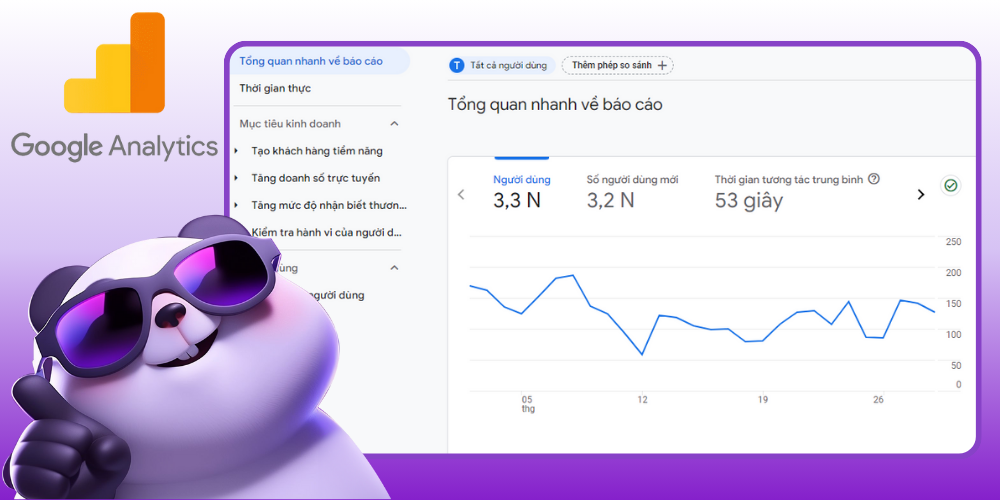
Google Analytics measures traffic metrics for your website
Standout features of Google's SEO software, Google Analytics:
| Advantages | Disadvantages |
|
✅ Free SEO tool to try ✅ Analyzes data across platforms and devices ✅ Integrates ad campaign data ✅ More flexible and customizable than the UA version ✅ Helps predict user behavior |
❌ Figures are approximate, not 100% accurate ❌ Hard to move from Universal Analytics to GA4 ❌ Fewer features than the UA version |
Google Search Console (GSC) is also SEO software worth using to optimize your website and improve search performance. It is one of the key online SEO tools for tracking how Google crawls, indexes and displays your website in search results.
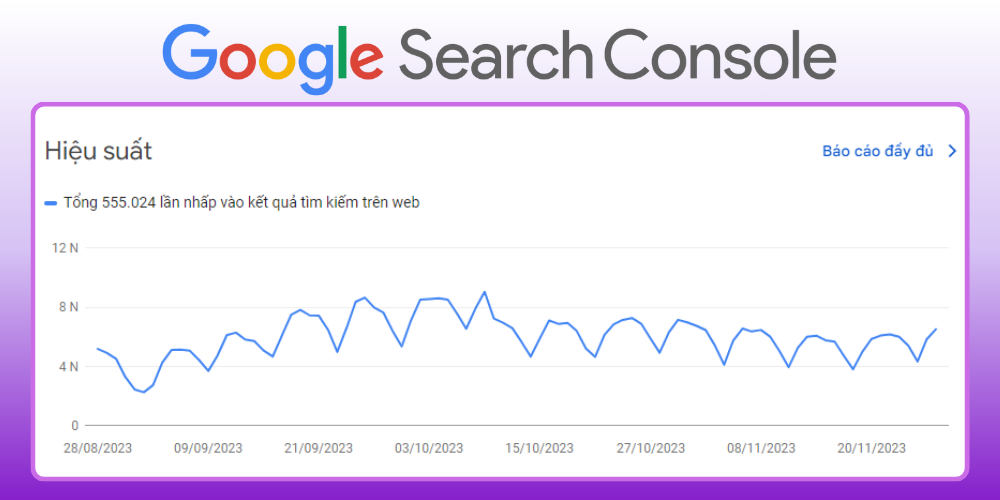
Google Search Console is an SEO tool that supports effective website management
As one of Google's free SEO tools, Google Search Console shows you how Google sees your website, so you can optimize more effectively with these standout features:
| Advantages | Disadvantages |
|
✅ Free SEO software ✅ Detailed performance data and crawl errors to improve SEO ✅ Accurate data straight from Google ✅ Detailed link data analysis |
❌ Data takes time to update, usually about 2 days behind real time ❌ Complicated interface for beginners ❌ You need some SEO knowledge to read the data |
Moz Pro is one of the most widely used keyword SEO tools, helping optimize a website across the board. Developed by Moz, a respected name in SEO, Moz Pro offers strong solutions for researching keywords, rank tracking, backlink analysis and site audits.
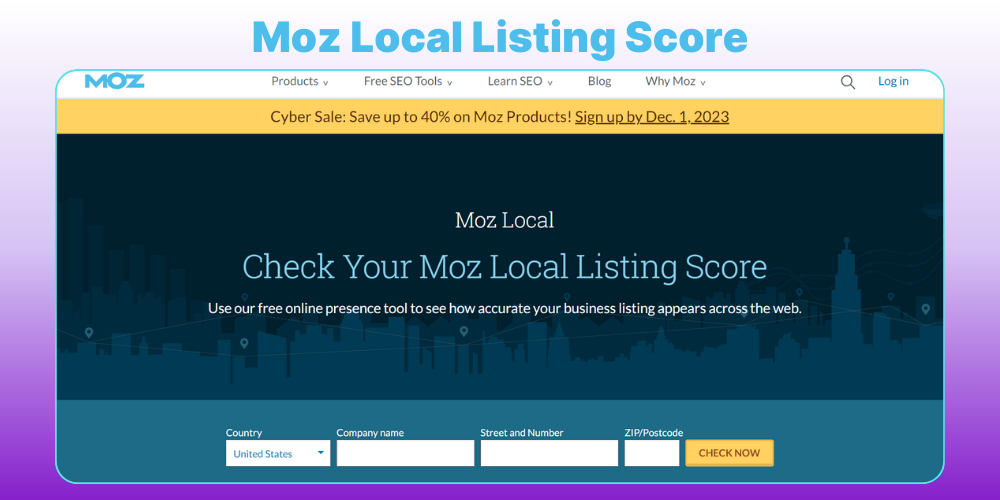
Moz Local Listing Score SEO support tool
Main features of professional SEO software such as Moz Pro include:
Moz Pro has four plans: Standard (99 USD/month), Medium (179 USD/month), Large (249 USD/month) and Premium (599 USD/month), covering needs from individuals to large businesses. Moz also offers a 30-day free trial, so you can try it before deciding to upgrade.
| Advantages | Disadvantages |
|
✅ Accurate DA/PA scoring ✅ Effective backlink analysis ✅ On-page optimization |
❌ High price ❌ Backlink data does not update as fast as some other tools |
Ubersuggest is a useful SEO tool for anyone who wants to improve their Google ranking without much experience. Developed by Neil Patel, this online SEO tool has many strong features and a clear interface, making it easy to get the most out of your SEO potential.
Ubersuggest, SEO software for ranking on Google, stands out for these features:
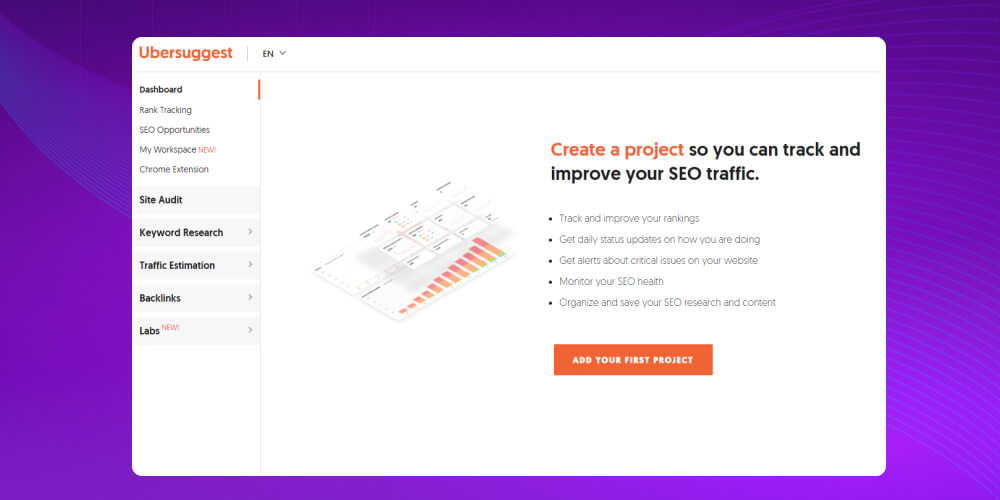
The free version of Ubersuggest offers basic features, enough to get you started. If you need more detailed data, you can choose paid plans such as Individual (29 USD/month), Business (49 USD/month) or Enterprise/Agency (99 USD/month).
|
Advantages |
Disadvantages |
|
✅ Many free features, suited to people new to SEO. ✅ Easy keyword analysis and keyword suggestions. ✅ Simple, easy-to-read on-page SEO check. ✅ Useful overview SEO reports. |
❌ Data is less accurate than big tools like Ahrefs and SEMrush. ❌ The system is sometimes slow when processing data. ❌ Limited daily searches on a free account. |
Screaming Frog is one of the SEO tools experts trust to optimize websites. It is a powerful website SEO tool that digs deep into technical factors to improve search performance.
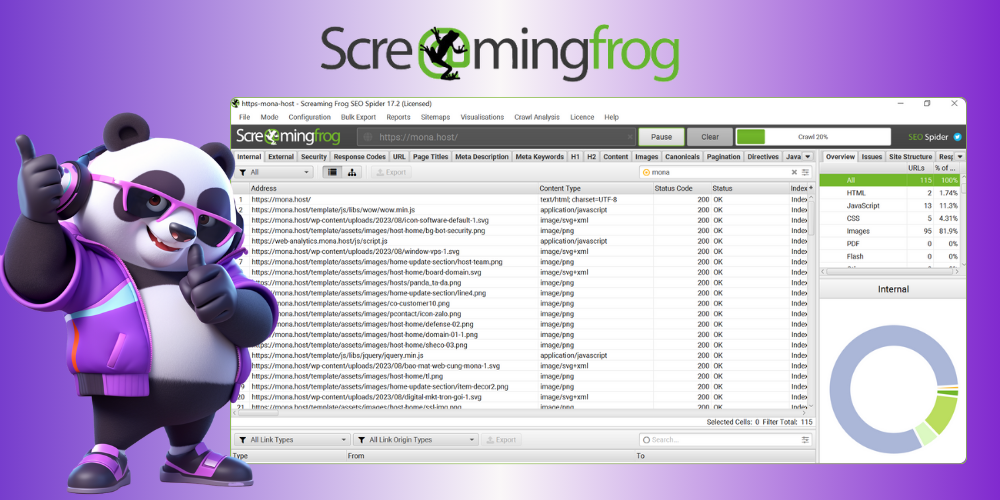
Screaming Frog technical crawling software
Notable features of Google SEO software Screaming Frog:
Screaming Frog has a free version limited to 500 URLs, while the paid version (149 GBP/year) unlocks unlimited crawling and more advanced features. If you want an in-depth website SEO tool to optimize your site, it is certainly worth considering.
| Advantages | Disadvantages |
|
✅ Integrates with Google Search Console, Google Analytics and Google Lighthouse ✅ This SEO testing software has a friendly, easy-to-use interface ✅ Thorough SEO checks with many useful features ✅ Crawling of your site can be customized |
❌ Data limits when crawling. ❌ Hard for beginners, you need SEO knowledge to use the features ❌ Crawling sites with many URLs slows down your computer |
SEO Center Extension is a Chrome browser extension that lets you quickly check the on-page SEO of any website. The SEO tool is simple and clear, and suits SEO specialists, content writers, marketers and business owners who want to see how well a site is optimized without complex tools.
Standout features of SEO Center Extension:
| Advantages | Disadvantages |
|
✅ Simple, easy-to-use interface ✅ Quick check for broken links, wrong headings and other basic issues ✅ Crawling of your site can be customized |
❌ Data limits when crawling. |
Keyword Tool Dominator (KTD) is a free keyword research tool that finds long-tail keywords based on Google Autocomplete data and many other major platforms. With a simple interface and intuitive use, KTD makes it easy to find new ideas, optimize content and widen your visibility across channels.
Standout features of Keyword Tool Dominator:
Keyword Tool Dominator pricing
Free plan: Users get 2 searches per day
Paid plans (one-time purchase)
| Advantages | Disadvantages |
|
✅ Easy to use ✅ Multi-platform support ✅ Finds keywords and ideas quickly |
❌ The free plan has limits ❌ Limited data |
ChatGPT is one of the AI tools that support SEO, simplifying and automating many tasks in website optimization. From keyword research and content creation to competitor analysis, ChatGPT saves a lot of time and makes the work more effective.
Standout features of ChatGPT in SEO:
| Advantages | Disadvantages |
|
✅ Boosts efficiency and saves time ✅ Supports technical SEO optimization ✅ Finds keywords and ideas quickly |
❌ The free plan has limits ❌ Needs strict quality control |
SEOQuake is one of the most popular free website SEO tools today, helping you analyze and check on-page SEO quickly and effectively. It is an easy-to-use extension that gives you all the information you need to optimize a website, suited to beginners and professional SEO specialists alike.
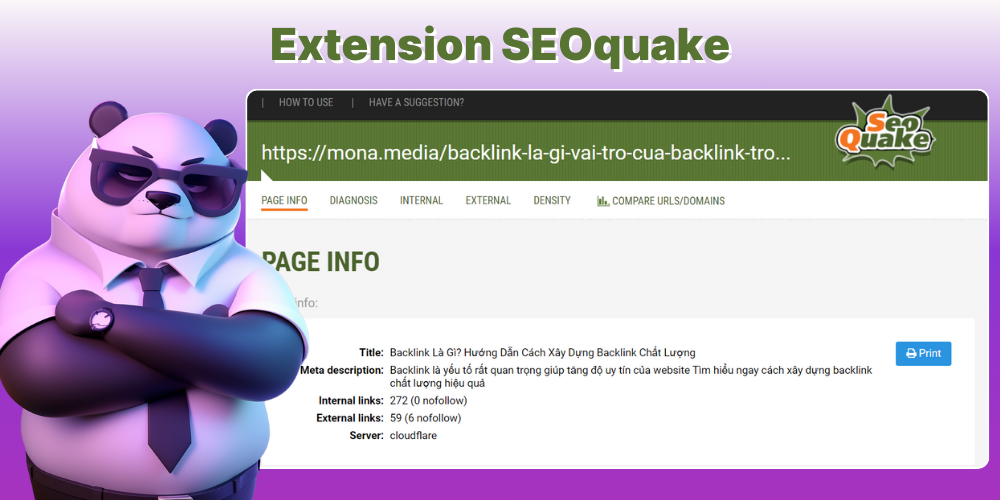
A popular, free SEO tool: SEOquake
Special features of SEOquake, SEO software for ranking on Google, include:
With the benefits that free website SEO software like SEOquake brings, it is quite popular not only with new SEO specialists but with experienced ones too, as a tool for doing SEO on websites .
| Advantages | Disadvantages |
|
✅ Detailed website data ✅ Shows the current state of a website clearly ✅ Easy to check a website's keyword density |
❌ This Google SEO testing tool does not support checking on mobile devices |
Ahrefs is one of the SEO tools trusted by many experts and businesses for its in-depth data analysis and effective support for SEO optimization. Whether you are a professional SEO specialist or a site owner looking to improve performance, Ahrefs is an all-round SEO software choice for steady traffic growth and better overall results.
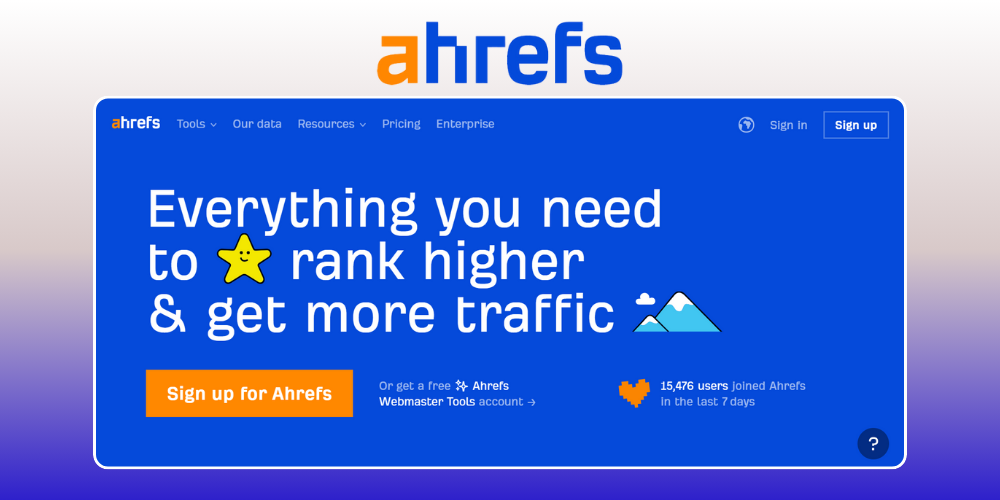
Ahrefs is a website SEO tool that many users rate highly
Here are some standout features of the Google SEO Toolbar, Ahrefs:
Ahrefs pricing:
| Advantages | Disadvantages |
|
✅ Detailed, high-quality backlink metrics. ✅ Easy to check competitors' backlink profiles. |
❌ This website SEO software is fairly expensive. ❌ The interface is fairly complicated for beginners. |
Semrush is one of the SEO support tools many SEO experts trust. With accurate SEO data, a friendly interface and a set of strong features, Semrush, a Google SEO toolbar, helps optimize SEO and grow organic traffic effectively.
Since 2024, Semrush has also added AI SEO Copilot, a very useful AI SEO tool that gives personalized optimization suggestions based on your own website's real SEO data. It uses artificial intelligence to analyze reports from features such as Site Audit, Keyword Gap and Backlink Gap, then turns them into clear task cards so you don't miss chances to improve your rankings.
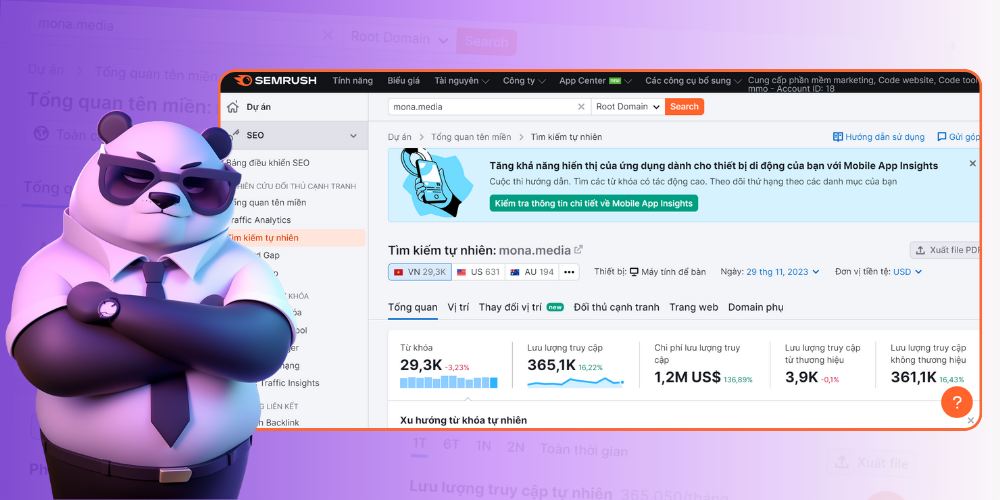
Semrush is an SEO support tool many teams use today
The main features of Semrush SEO software include:
Semrush pricing:
| Advantages | Disadvantages |
|
✅ Good keyword research ✅ Competitor analysis ✅ Detailed checking of links to your website ✅ Detailed website performance assessment |
❌ High price ❌ Complicated interface for beginners ❌ Data is for reference only |
To do SEO properly, you have to start by analyzing your domain. In this video, Huy walks through the whole process of using SEMrush the right way, without getting lost. WATCH THE VIDEO WATCH IT NOW!
Yoast SEO is among the most popular SEO tools on WordPress, widely used to optimize content and improve site structure for better search rankings.
Rated one of the SEO software options worth using today, Yoast SEO stands out for these features:
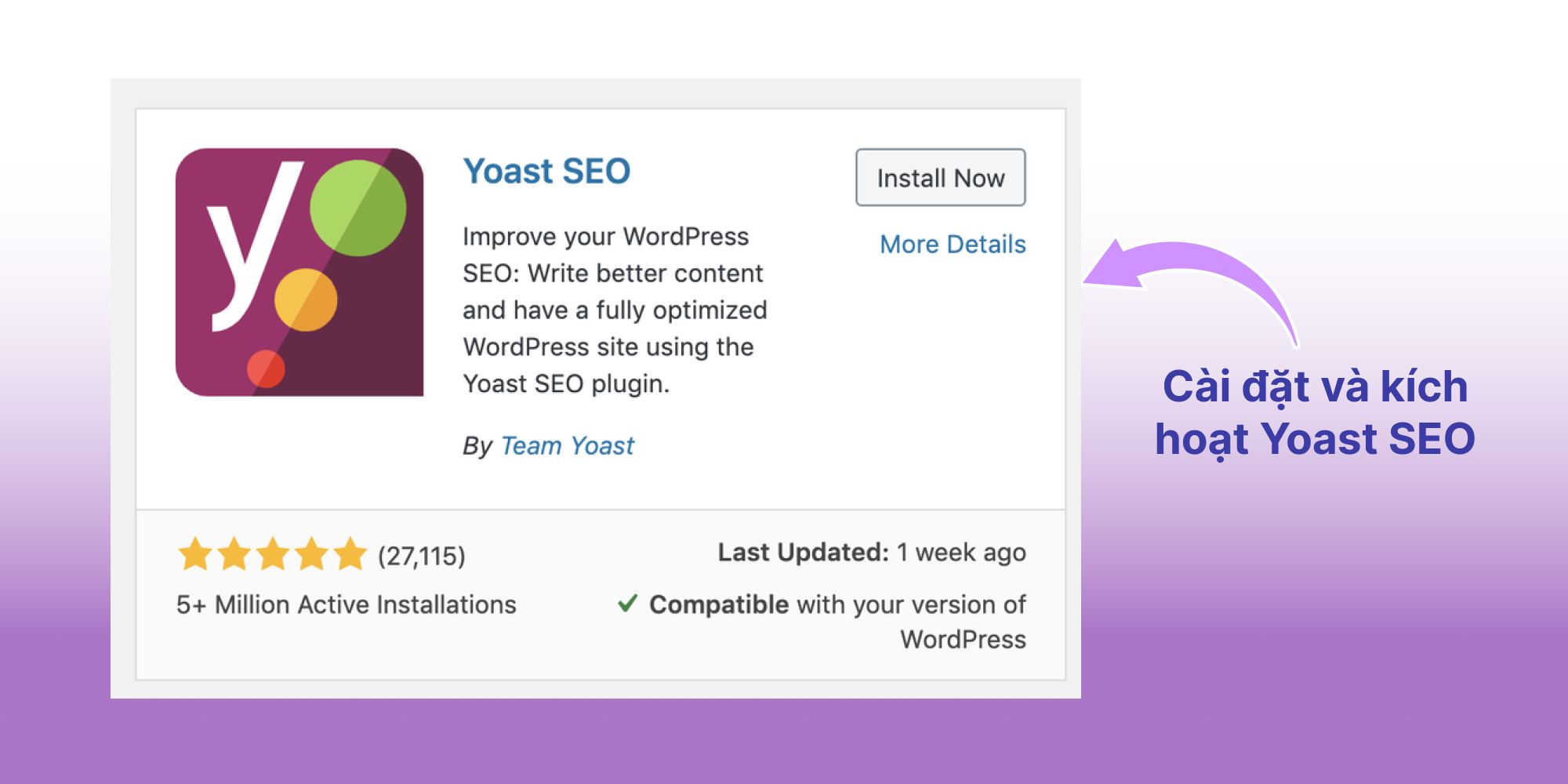
The Yoast SEO plugin supports effective SEO on WordPress websites
Yoast SEO comes in a free version and a paid premium version. The free SEO software has all the basic features for SEO, while Premium (99 USD/year) adds advanced tools such as internal keyword analysis, redirect setup and technical support. If you are looking for reliable SEO tools, Yoast SEO is a choice you shouldn't overlook.
| Advantages | Disadvantages |
|
✅ This SEO software is easy for beginners ✅ Basic use is covered by the free version ✅ Detailed guides available |
❌ Limited analysis ❌ Doesn't suggest keywords when optimizing ❌ The Premium version is fairly expensive |
The video below was made by the MONA Media team. It shows step by step how to install and use Yoast SEO to review a post before publishing.
Surfer SEO is a powerful SEO tool that optimizes content based on real data from pages ranking high in the SERP. With the help of artificial intelligence, it makes specific suggestions to improve content quality and compete better on Google.
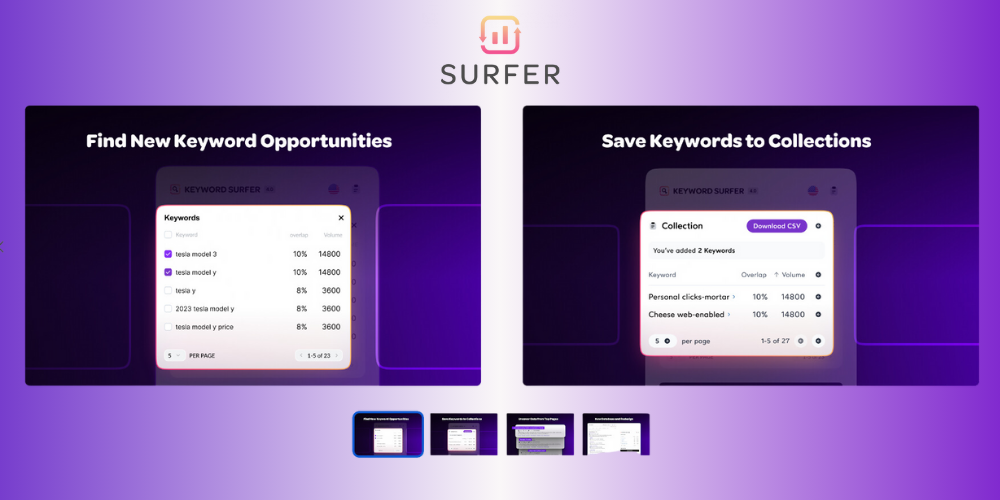
Surfer SEO helps optimize SEO content
Standout features of Surfer SEO, an automatic website SEO software, include:
Surfer SEO offers several plans, including Essential (from 99 USD/month), Scale (from 219 USD/month) and Enterprise with flexible pricing. The platform also runs regular offers, including a 7-day trial, so you can try it before committing long term.
| Advantages | Disadvantages |
|
✅ Clear, easy-to-use interface ✅ Creates charts and compares data for keyword research ✅ Provides keywords and ways to optimize content for your website ✅ Integrates with Google Docs, Jasper and more |
❌ High price ❌ Sometimes suggests unsuitable internal links |
Google Keyword Planner is an SEO tool that most marketers use. Offered free by Google, it helps you research keywords effectively and supports both your SEO strategy and Google Ads. With accurate data from Google itself, you can easily analyze keywords, assess competitors and follow search trends.
Google Keyword Planner also helps you in these ways:
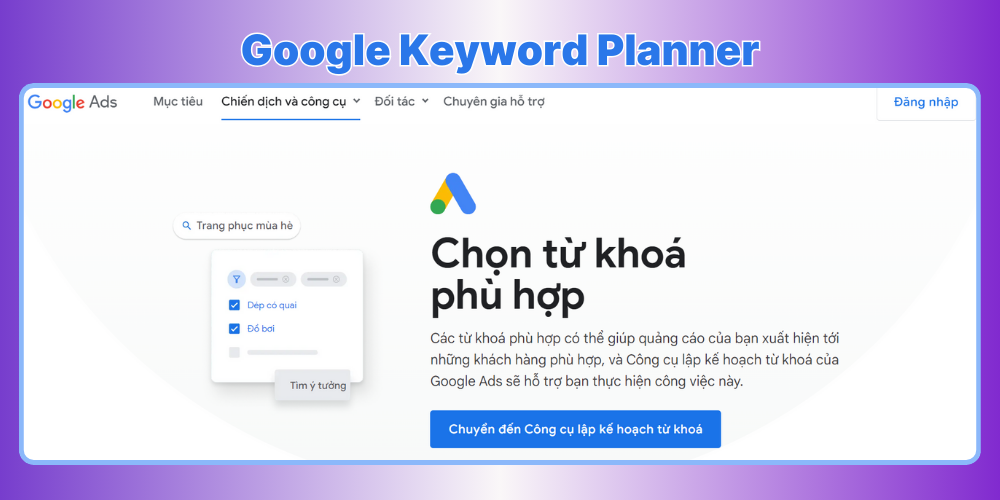
Keyword research tool for SEO: Google Keyword Planner
Features of Google Keyword Planner, an automatic website SEO software:
| Advantages | Disadvantages |
|
✅ Accurate data from Google ✅ Gives accurate figures ✅ Integrates with Google Ads |
❌ Limited for users without an ads account ❌ Accounts that don't run ads get only general figures |
KWFinder is an SEO tool developed by Mangools that specializes in keyword research, with a clear and easy-to-use interface. This online SEO tool analyzes keyword difficulty, search volume and other key factors to refine your content strategy.
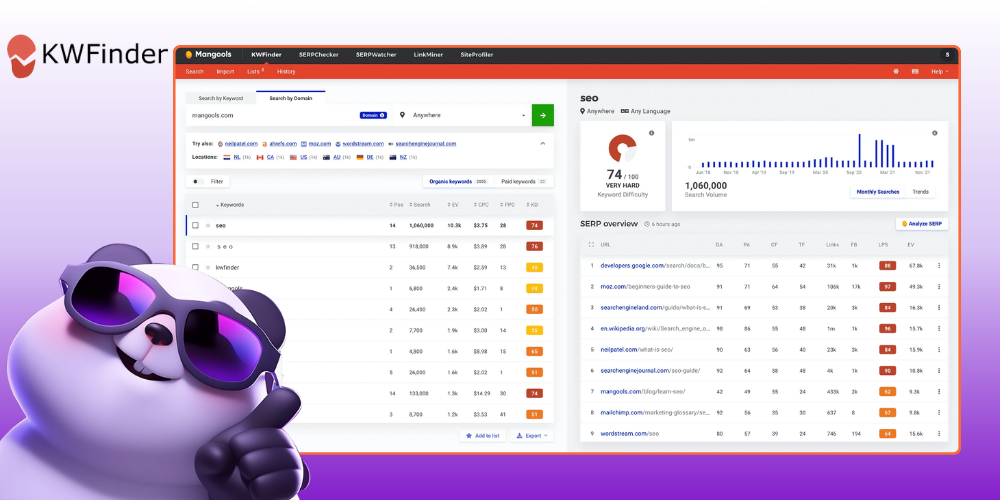
SEO Tool: KWFinder
Standout features of KWFinder, website SEO software:
KWFinder is part of the Mangools SEO toolset, which comes in three plans: Basic (29.90 USD/month), Premium (39.90 USD/month) and Agency (79.90 USD/month) when paid yearly. Mangools also offers a 10-day trial for 1 USD so you can try it before deciding to upgrade.
| Advantages | Disadvantages |
|
✅ Cheaper than other SEO tools on the market ✅ Free trial with no credit card ✅ Free extensions for Chrome and Firefox |
❌ Fewer researched keywords than SEMrush and Ahrefs ❌ Limited keyword suggestions ❌ No integration with Google Analytics and Google Search Console |
Google's Rich Results Test is one of the most useful free SEO tools, and you shouldn't skip it. It checks whether your page is eligible for rich results on Google, such as reviews, images, FAQs, articles and events.
The strength of Rich Results Test is that it analyzes the Schema data on your page, a "hidden layer of information" that helps Google understand your content better and so makes the page more likely to stand out in search results.
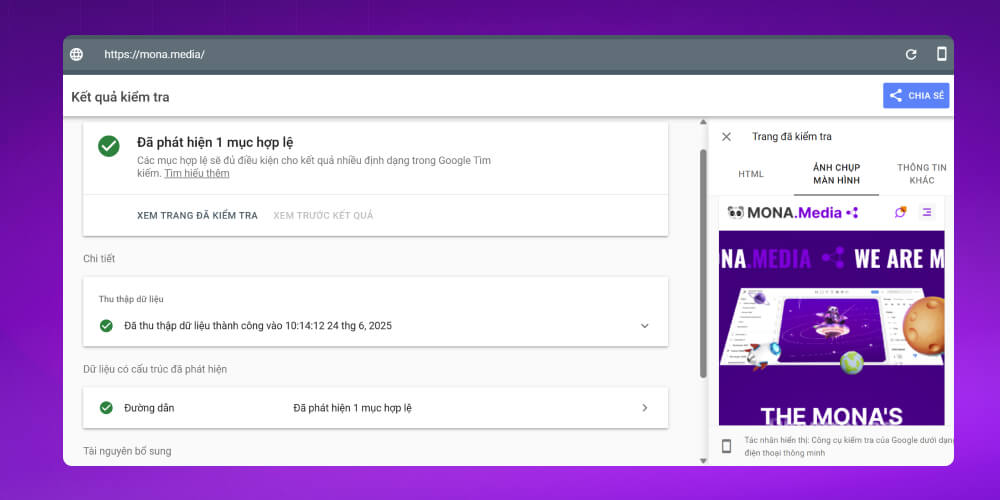
Rich Results Test, a structured data checking tool
This free website SEO tool also has these standout features:
SEO trends for 2026 also show that Schema matters more and more to Google, and to search engines that use AI. Rich Results Test is a useful tool for improving your website's visibility and ranking over the long term.
| Advantages | Disadvantages |
|---|---|
| ✅ Free 100%, built by Google itself | ❌ Checks only one URL at a time, no whole-site scanning |
| ✅ Quick and accurate checks | ❌ Doesn't check for missing or wrong Schema in the sitemap file |
| ✅ Supports many structured data types (Schema types) | ❌ Simple interface with few advanced options for developers |
| ✅ Friendly, easy-to-use interface | ❌ Doesn't suggest specific fixes, only reports errors |
| ✅ Helps improve your chances of getting rich results | ❌ Doesn't replace an SEO plugin or a full audit tool |
A free, convenient SEO tool that works right in the browser, and one SEO specialists shouldn't overlook, is Detailed (a Chrome extension). It isn't an "in-depth" tool, but it is very useful if you want a quick look at the on-page SEO factors of any page with one click.
Detailed has a clear interface that is easy to use even for people new to SEO. You don't need to install complicated software or register an account. Just add it to Chrome and use it right away.
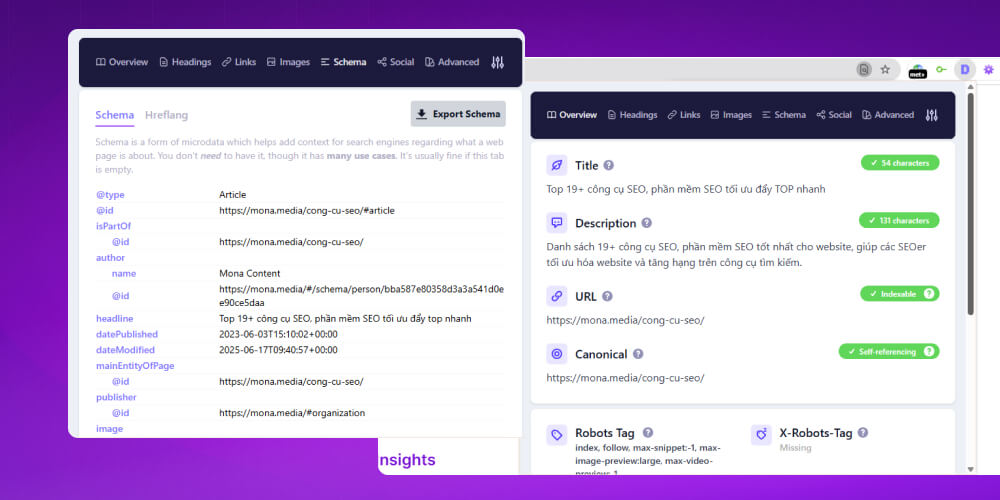
Detailed: Chrome extension
Standout features of Detailed, a free web SEO tool:
The biggest plus is the Overview tab, which gives you a clear, quick picture of the page's SEO status. For beginners or anyone who needs a light audit, Detailed is a free and effective "assistant on the spot".
| Advantages | Disadvantages |
|---|---|
| ✅ Free completely free, no account needed | ❌ Not as deep as professional SEO tools (Ahrefs, Semrush) |
| ✅ Simple, clear interface, easy for beginners too | ❌ Some tabs can be a bit cluttered and show redundant information |
| ✅ Quick view of on-page information on any web page | ❌ No report export or data saving |
| ✅ Full overview of meta, headings, schema, internal links, images and more | ❌ Works only in the Chrome browser |
| ✅ Handy for quick audits and comparing pages | ❌ Doesn't replace tools for speed, backlinks and keywords |
SERPROBOT is one of the SEO tools that track keyword rankings automatically and accurately. With this website SEO tool, you can easily see where your site stands on search engines and plan your optimization from there.
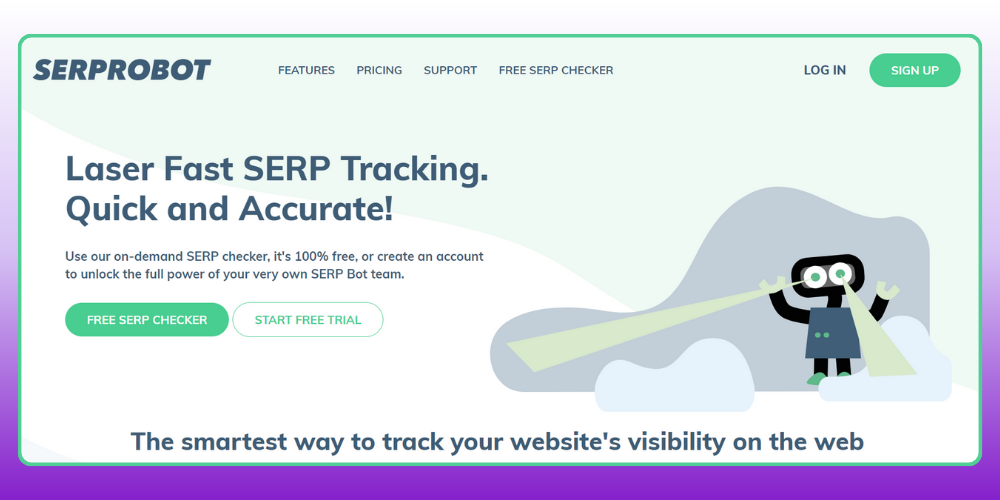
SEO software: SERP Robot
Standout features of SERPROBOT include:
SERPROBOT offers flexible plans, from a free plan for 5 keywords to paid plans starting at 19 USD/month for 100 keywords. Choose the plan that fits your needs to get the most out of your website's SEO.
| Advantages | Disadvantages |
|
✅ Free SEO software ✅ Simple to use ✅ Highly accurate results |
❌ Limits the number of keywords per check ❌ Interface and features are quite limited |
KeywordTool.io is an SEO tool that finds and analyzes keywords quickly and accurately. It pulls data from many sources, including Google, YouTube, Instagram and other platforms, giving you an overall view of search trends.
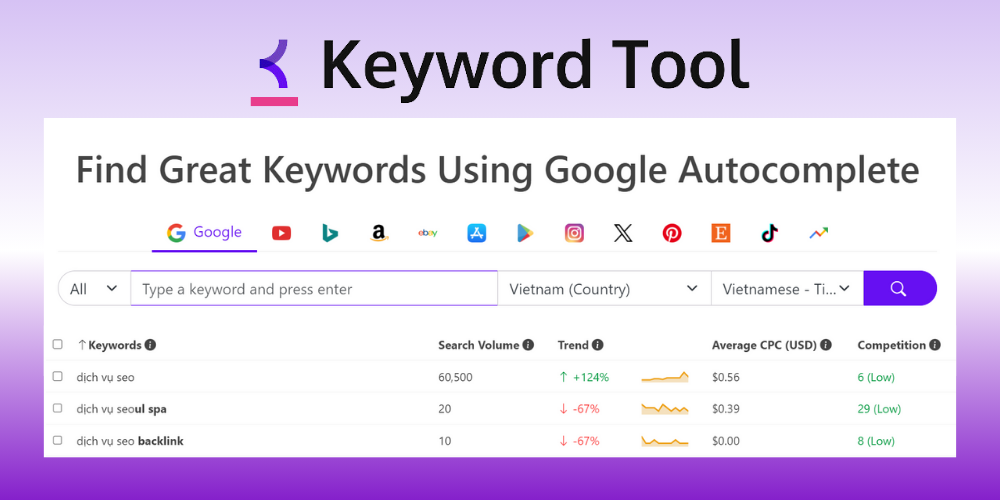
Long-tail keyword research software: KeywordTool.io
Keywordtool.io stands out for features such as:
KeywordTool.io offers a free trial with basic features. If you want advanced data such as search volume, CPC or keyword difficulty, Pro plans start at 69 USD/month.
| Advantages | Disadvantages |
|
✅ Simple, fast keyword research ✅ Easy-to-use interface |
❌ Expensive compared with other SEO support tools ❌ Only for keyword research, not for domain or backlink analysis |
Google Trends is a free SEO tool from Google that lets you follow and analyze search trends in real time.
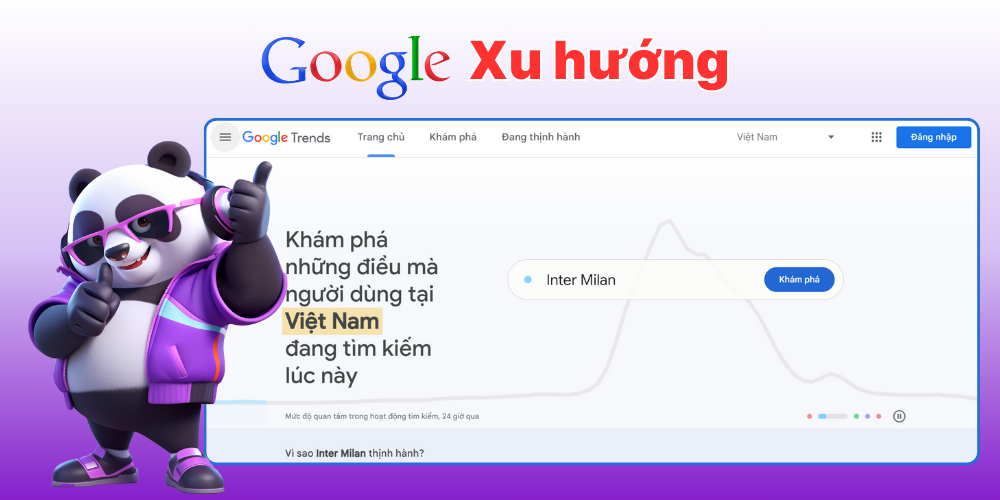
Google Trends is an SEO tool that supports keyword research
Standout features of Google Trends, an SEO support tool:
By subscribing to updates on Google Trends, you can see the trends, topics and most-searched keywords, and use them to come up with content ideas for your website.
| Advantages | Disadvantages |
|
✅ Spots trends quickly ✅ Gives real-time data ✅ Analyzes trending keywords in many locations |
❌ Doesn't give detailed information on search trends ❌ Figures show level of interest only, not exact numbers ❌ Hard to identify long-term trends |
Spineditor is an all-in-one SEO tool that helps users optimize a website effectively. Developed by Vietnamese makers, Spineditor offers a full set of SEO features to make your strategy as effective as possible.
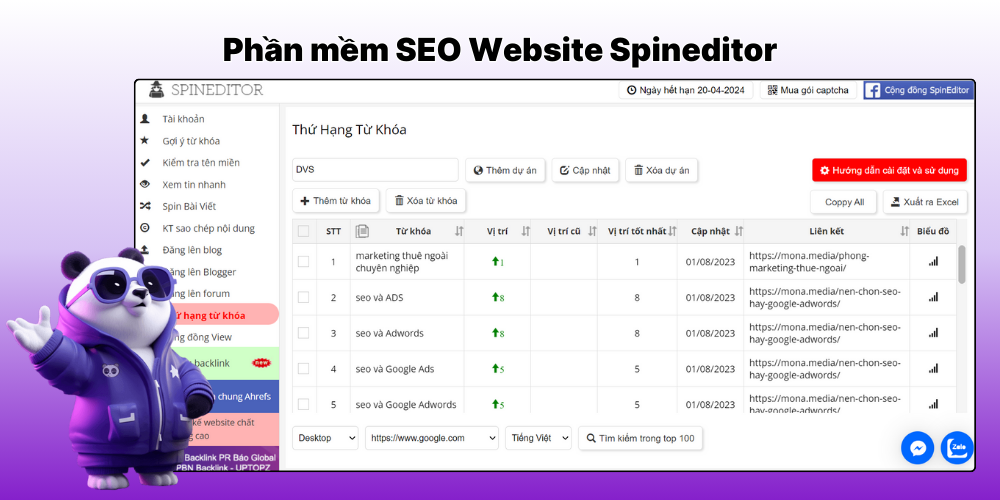
Online SEO tool for checking keyword rankings: Spineditor
Standout features of Spineditor:
At only about 1,000 VND/day, Spineditor is one of the reasonably priced SEO tools, suited to individuals and businesses that want to raise their search ranking.
| Advantages | Disadvantages |
|
✅ Easy to use ✅ Relatively low cost ✅ Accurate results |
❌ Too many captchas when using it |
Rank Math is a powerful SEO tool for WordPress that optimizes a website thoroughly without much effort. With a friendly interface, Rank Math offers many features to help optimize content, so posts meet SEO standards from the moment you write them.
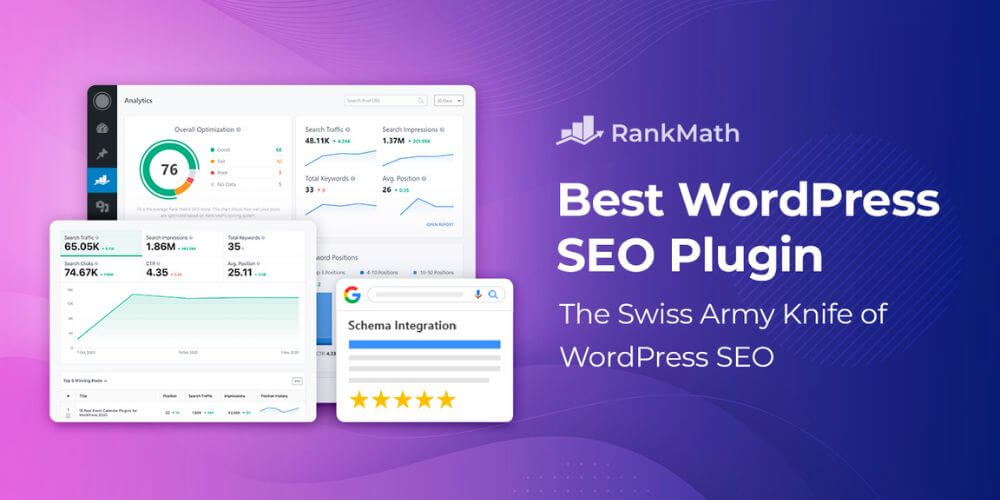
Rank Math is effective web SEO software
Rank Math has these highlights:
Rank Math has a free version with enough features for most websites. If you want to upgrade, the PRO plan starts at 59 USD/year and adds keyword analysis, rank tracking and many advanced tools to improve your SEO strategy.
| Advantages | Disadvantages |
|
✅ Integrates with Google Search Console and Google Analytics for tracking ✅ This easy SEO tool has a friendly, easy-to-use interface ✅ Web SEO software that is especially good for Technical SEO ✅ You can add more keywords with the PRO version |
❌ Loads slowly with long keywords |
Small SEO Tools is an online service offering a range of free SEO utilities, such as content duplication checks, keyword analysis and article optimization. Its plagiarism checker in particular is popular with individuals and small and medium businesses because it is convenient and free.
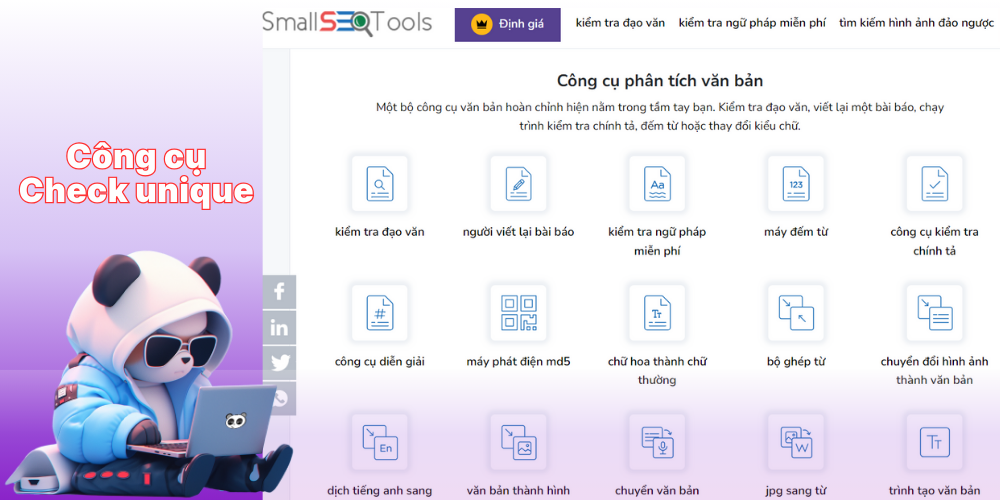
Small SEO Tools is free website SEO software
Standout features of this SEO tool include:
These features help writers optimize quality articles and keep them unique for Google to index, which improves the ranking of the post and the website.
| Advantages | Disadvantages |
|
✅ Free SEO tool ✅ Easy-to-use interface ✅ Fast results ✅ Use the tools without creating an account |
❌ Many ads ❌ SEO analysis results are incomplete, with limited data |
Majestic is an in-depth SEO tool focused on building backlinks with a huge data store. If you are looking for an online SEO tool that assesses link quality, Majestic is worth considering thanks to its proprietary metrics such as Trust Flow and Citation Flow.
In detail, the easy SEO tool Majestic stands out for features such as:
On pricing, Majestic, an SEO support tool for websites, has three main plans: Lite (49.99 USD/month), Pro (99.99 USD/month) and API (399.99 USD/month). If you want to try it first, you can sign up for a 7-day trial for 7 USD.
|
Advantages |
Disadvantages |
|
✅ In-depth backlink analysis with reputable TF (Trust Flow) and CF (Citation Flow) metrics. ✅ Large backlink data that updates quickly. ✅ Fits SEO strategies focused on backlinks. |
❌ Few on-page SEO features. ❌ Fairly complicated interface that takes time to get used to. ❌ Lacks keyword analysis features. |
PageSpeed Insights (PSI) is a free SEO tool from Google, designed to measure and evaluate page speed on both mobile and desktop. It gives detailed performance analysis along with specific suggestions to improve each URL, helping you cut load times and give users a better experience.

Google PageSpeed Insights is a tool for measuring a website on desktop and mobile
Standout features of PSI, professional SEO software, include:
| Advantages | Disadvantages |
|
✅ Free web SEO software ✅ PageSpeed Insights gives scores and detailed information on what affects your website's load speed. ✅ Suggests ways to improve performance, including image optimization, preloading resources and more. |
❌ A site can score well on PageSpeed Insights and still load slowly in some real-world conditions. ❌ PageSpeed Insights focuses mainly on technical performance and sometimes overlooks user experience or content. |
Lý Quốc Siêu, Marketing Manager at MONA Media: "Alongside choosing a quality SEO tool, you also need to pay attention to an effective SEO roadmap. That will help you plan the SEO for your whole website in detail, and it supports raising your site's search ranking."
|
If you don't have much knowledge or experience in optimizing a website for search engines, let MONA Media help you do it. We take on full-service delivery SEO services for professional services. As proof, MONA has successfully delivered more than 300 SEO projects for 500+ clients (as of April 2025) across many fields and industries. We bring clients not only traffic but also conversion rate, leads and revenue. You can see the real SEO case studies we have done at: https://mona.media/dich-vu-seo/case-study/ Please CLICK THE BUTTON BELOW and we will provide SEO consulting for your business quickly for your company website, 24/7! 
Contact MONA directly through the channels below to get a detailed SEO quote :
|
The list above has more than twenty names. It's normal to finish reading it and still not know where to start, because every ranking list is ordered by how well known a tool is, not by the job you need to do.
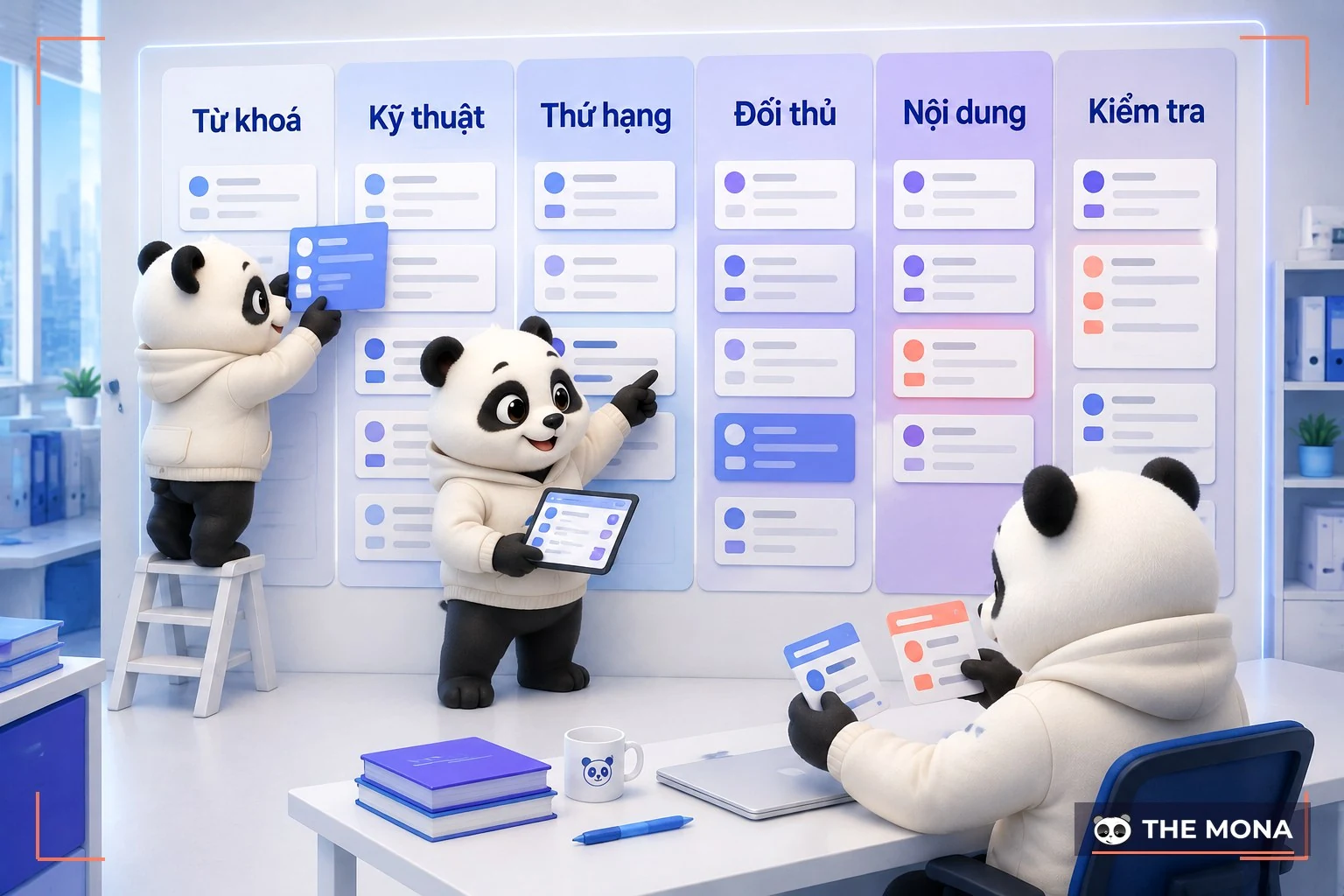
The way we choose for the 300+ SEO projects we have delivered is much simpler. Write down the job first, then look for what does that job. A website running SEO really has only six groups of work that repeat.
Job 1: know what people type to find you. This is the root of everything. Pick the wrong keywords and nobody reads the post, however well it is written. Google Keyword Planner is free but only gives broad estimates, which is fine for a first sketch. For exact numbers on each keyword, you have to pay for a dedicated keyword research tools tool. Google Trends is free and still useful when you want to know whether a topic is rising or falling with the seasons.
Job 2: see what technical problems your website has. Error pages, duplicate pages, pages nobody links to, empty title tags. Screaming Frog can crawl the whole website and point out each error. Google Search Console is free forever and shows what Google actually sees on your website. The two complement each other and don't replace each other.
Job 3: know where you rank and whether you are going up or down. Search Console answers most of this. It shows impressions, clicks and average position for each keyword. You only need separate rank tracking software when you have to report to clients or track hundreds of keywords at once.
Job 4: see what your competitors live on. This is the group where free tools are almost no help. To know how many keywords a competitor's website has, which pages bring in the most visitors and who links to it, you have to use software with its own database. Ahrefs and Semrush do this. No free option can replace them, because that data costs money to collect.
Job 5: write content that matches what searchers want. Reading the top ten results closely and then writing something better costs nothing and still works. Content scoring software makes it faster, but it scores by counting words, so don't chase the score and forget the reader.
Task 6: check everything before you publish. Title tags, meta descriptions, headings, alt text on images, and whether your structured data is valid. If your site runs on WordPress, the free version of Rank Math or Yoast covers most of this. Google's structured data testing tool is free too.
These six groups of tasks make up all of day-to-day SEO work. Check which group you're missing, then buy only that. It costs far less than paying for expensive software and using two of its features. If you're not sure where your website has gaps, the sensible first step is to run an SEO Audit so you have a concrete list of issues before you spend any money.
The question we hear most in consultations is how much to pay each month for SEO software. The honest answer: most small and mid-sized businesses in Vietnam can do solid SEO on a zero budget for the first six months, as long as they're willing to do the work by hand.

Below are the list prices on each vendor's website, recorded on 4 August 2026. Prices change, so check again before you sign up.
Google Search Console, Google Analytics, Google Trends, Google Keyword Planner, PageSpeed Insights and the structured data testing tool are all completely free, with no time limit. Search Console in particular has no substitute, because it is Google telling you directly about your own website.
Screaming Frog lets you crawl 500 URLs without paying. For a mid-sized business website, 500 pages is usually enough to cover everything that matters. Rank Math and Yoast both have free versions that handle pre-publish checks.
Ahrefs also has a free version for website owners. Once you verify ownership, you can see the technical issues on your site and who links to you. It won't show you competitors, but for checking your own site it's enough.
| Software | Lowest price | Popular tier price | When it's worth it |
|---|---|---|---|
| Ahrefs | Starter 29 USD/month | Lite 129 USD/month, Standard 249 USD/month | When you need to look at competitors and track inbound links. The Starter tier is enough for a single website. |
| Semrush | SEO plan 139 USD/month, or 117.33 USD/month billed annually | Starter 199 USD/month, Pro+ 299 USD/month | When you run several websites at once or want ad data and SEO data in one place. |
| Screaming Frog | Free for 500 URLs | 199 GBP/year, about 17 GBP/month | When your website goes past 500 pages. It's cheap and well worth the money for an ecommerce site. |
| Surfer SEO | Discovery 49 USD/month | Standard 99 USD/month | When you publish a steady stream of articles each month and need writers to follow one standard. |
| Rank Math | Free | PRO 95.88 EUR/year, about 7.99 EUR/month | When you want to track rankings inside your WordPress dashboard and manage several websites. |
Here's how to read the table. If you have one website and do the work yourself, a sensible spend is Ahrefs Starter plus the paid version of Screaming Frog, around 46 USD a month in total. That's enough for serious work without wasting money.
If you hire an outside team for SEO, the software is their job, not yours. An agency that takes on a project and asks the client to buy the tools is a sign you should take a second look.
The first is buying the top plan from day one. Ahrefs Advanced at 449 USD a month and Semrush Advanced at 549 USD a month are built for companies managing dozens of websites. A business with one website on that plan is paying for features it never touches.
The second is buying both Ahrefs and Semrush. The two overlap a lot. If you really need one, buy one, use it fully, then decide.
The third is buying software that promises to push you to the top automatically. A lot of these are sold in Vietnam. Google ranks pages on real content and real links, and no software gets you there at the press of a button. Put that money into writing more good content and you'll see clearer results.
For about two years now, nearly every company has asked us whether we use AI for SEO. We do, but not the way many people imagine. AI can't replace SEO software, because it has no ranking data and can't crawl a website on its own. Where it shines is reading and organising the data the software exports.

Think of it this way. SEO software is the measuring device that gives you the numbers. AI is the person who reads those numbers and tells you what to fix first. They do different jobs, and they're fast when you put them together.
Grouping thousands of keywords into topics. Export a report from Search Console to a spreadsheet, usually a few thousand rows. Give the file to Claude or ChatGPT and ask it to group keywords with the same search intent and suggest which page each group belongs on. By hand this takes days; the machine does it in minutes. Someone still needs to review the result, but the heavy lifting is done.
Reading crawl results and ranking issues by priority. A Screaming Frog crawl usually returns a very long list, and a newcomer won't know what to fix first. Export that list, give it to AI and ask it to sort issues by their impact on rankings, and you get an ordered to-do list instead of a raw data table.
Finding pages on your site that compete with each other. This is a common problem that site owners rarely spot themselves. Two or three articles targeting the same keyword split their strength and none of them ranks. Give AI the list of titles and URLs for the whole site, ask it to point out pages with the same intent, and you'll get a list of pages to merge. We found this exact problem on our own website that way.
Drafting meta descriptions and title tags in bulk. An ecommerce site with a few thousand products can't write every meta description by hand. It's repetitive work with a clear pattern, so it makes sense to hand it to a machine. You still need to read it before publishing, because machines tend to write everything the same way.
On cost, the free versions of Claude and ChatGPT handle most of the jobs above. Claude's paid plan is 20 USD a month, or 17 USD a month billed annually, and it's worth paying for when you do this regularly and need to process large files.
Asking AI how many searches a keyword gets. It will give you a very plausible number, and that number isn't real. Search volume data lives in the databases of Ahrefs, Semrush or Google, not inside a language model. We've run into this many times when reviewing reports prepared by new staff. If the number is wrong, the plan built on it is wrong too.
Asking AI where your website ranks. Same problem: it can't check Google in real time. If you want to know your rankings, open Search Console or a rank tracking tool.
Letting AI write a whole article and publishing it as is. This is the biggest failure and also the most common. An article written entirely by a machine is usually grammatically correct, covers the points, and is empty. It has no real examples, no figures specific to your business, and none of the experience only people in the trade have. Google keeps getting better at spotting this kind of content. The right approach is to let the machine handle the outline and the research, and let people bring the experience and real examples.
If you want to go deeper on this, we've written separately about AI SEO and about how AI tools read content and cite it in their answers SGE.
The way we combine software and AI above isn't unique to SEO. We use the same approach in many other areas: retail chains reading inventory reports with thousands of rows, education sorting thousands of registration forms, restaurants reading customer reviews every week, real estate screening lists of interested buyers, healthcare ordering appointments by priority. The principle is the same: let the machine read and sort large volumes, and let people make the decisions.
By now you have all three pieces: which tool you need for which job, which ones are worth paying for and how much, and where AI fits in. What's left is to sit down and do the work.
If you already have a website and aren't sure where its gaps are, or you've bought software and don't know which numbers to read first, we can review it for you. One SEO Audit session will show where your site is losing rankings, which pages are competing with each other, and what to fix first to see results early. Call 1900 636 648 to book a time, or leave your details on our website and we'll get back to you within the business day.
Below is a summary table of the SEO tools worth using for your website that are highly rated by SEO professionals, so you can compare them and easily pick SEO Tool the one that fits your needs.
| STT | Tools SEO website | Key features | Cost |
| 1 | Google Analytics |
|
Free |
| 2 | Google Search Console |
|
Free |
| 3 | Screaming Frog |
|
Free and paid |
| 4 | Moz Pro Explorer |
|
Paid |
| 5 | Ahrefs SEO |
|
Paid |
| 6 | SEMRush |
|
Paid |
| 7 | Surfer SEO |
|
Paid |
| 8 | Google Keyword Planner |
|
Free |
| 9 | Yoast SEO |
|
Free and paid |
| 10 | Rank Math SEO |
|
Free and paid |
| 11 | SERP Robot |
|
Free |
| 12 | KWFinder |
|
Paid |
| 13 | Keywordtool.io |
|
Free and paid |
| 14 | Google Trends |
|
Free |
| 15 | Spineditor |
|
Paid |
| 16 | Small SEO Tools |
|
Free and paid |
| 17 | SEOquake |
|
Free |
| 18 | Google PageSpeed Insights |
|
Free |
| 19 |
Ubersuggest |
|
Free and paid |
| 20 |
Majestic |
|
Paid |
| 21 |
Rich results |
|
Free |
| 22 |
Detailed (Chrome extension) |
|
Free |
| 23 |
SEO CENTER |
|
Free |
| 24 |
Keyword Tool Dominator |
|
Free and paid |
| 25 |
Chat GPT |
|
Free |
Along with using the right SEO tools, keep up with the latest SEO practices so you don't fall behind.
In 2026 SEO is about working smarter, and the short video below covers the essentials:
Before a meeting to sign an SEO contract, we open the client's website, check everything from the canonical tag to the heading outline, then follow the URLs that need checking. We do this every day. Some pages need an image alt text check, others need a look at redirect chains or the sitemap. We built this set of SEO tools ourselves to do those jobs faster, without limits on the number of checks.
The toolkit currently has 21 SEO tools and a library of 57 bot profiles, free to use, no account needed. The URLs you enter are not stored, and many tools run right in your browser. We wrote them so that every time we review a client's site before a contract, from headings and image alt text to redirect chains, we have tools with no usage limits and send fewer URLs to overseas services.
| Group | Tools | Good for |
|---|---|---|
| On-page checks | Heading checker; image alt checker; canonical checker; Open Graph checker; favicon checker; broken link checker; redirect checker; sitemap checker; keyword density; Google result preview. | Review a page's content, URLs and how it displays. |
| Technical | Website speed test; WordPress security check; domain lookup; SEO image compression. | Measure speed, check security and domains, compress images. |
| AI & GEO | AI crawler checker; multi-site comparison; llms.txt generator; robots.txt generator; schema markup generator; a library of 57 bot profiles. | Check AI bots, compare sites, generate files and schema. |
| Features | Vietnamese slug generator; PDF to Word converter. | Prepare URLs and move documents over. |
To be straight with you: MONA's toolset does not replace Ahrefs or Semrush for backlink and search volume data. When you need to research links from other websites or keyword search volume, keep using the tools that are strong on that data. What MONA can replace is the page-inspection work agencies still do by hand every day, from reading headings to checking each old URL. They are two different jobs. Don't drop a data tool just because the on-page checks now have a free option.
Say you want to review a page before talking through an SEO plan. Start with the canonical check: try the http, www and trailing-slash variants of the URL. The question to answer is whether Google sees 1 page or 4 copies across those variants. Then look at the H1–H6 outline for a missing H1, several H1s or skipped levels, and check the image alt text to see which images have no description.
For old URLs, open the redirect checker and paste in the list you need to review. You can follow each redirect chain hop by hop before moving on to broken links. The broken link checker looks at every link on the page for 404 errors, and the sitemap checker counts URLs and validates them against the sitemaps.org standard.
How the page displays is checked separately. The Open Graph tool shows how your Facebook and Zalo tags look. For Google results, the preview tool measures title and description length in pixels so you can review the text that will show. The favicon is downloaded and measured to confirm it reaches 48px, and the keyword density tool lets you review the copy on the page before you go back to whoever writes your content.
On the technical side, the website speed check uses PageSpeed Insights, including LCP, INP and CLS from real users. The WordPress security tool reads the WordPress version, plugins and theme, then looks them up in the CVE database. The domain lookup covers A, MX, NS and TXT DNS records, RDAP and Vietnamese domains. For image compression, you choose where the image will be used and the tool compresses to the matching limit, and your images never leave your computer.
For AI, we need to know which bots are blocked and which rule line is causing it. The AI crawler checker gives a score from 0 to 100 along with that information. There is also a comparison table for 20 websites at once and a library of 57 bot profiles, including Coc Coc, for looking up any specific bot. The schema tool reports which types are already on the page and then generates the missing ones, so you can see what a page has before adding to it.
If you are also opening your site to prepare for an SEO contract discussion, go to MONA's free SEO tools and try one page first. We suggest starting with canonical, headings and old URLs, so the meeting begins with a list of things to review on your own website.
1. Which tool should you use for on-page SEO?
Yoast SEO is a tool many SEO specialists consider worth using for on-page SEO, thanks to its friendly interface and strong features for optimizing page content. It suggests how to improve on-page elements such as the title, meta description, focus keyword and URL structure. Yoast SEO also includes a readability analysis, so your content works for both search engines and readers.
2. Which tool should you use to analyze backlinks?
Ahrefs is a strong backlink analysis tool because of its huge, frequently updated backlink database. It lets you track your own backlinks and analyze competitors' strategies. Ahrefs also shows the keywords your competitors rank for, which helps you spot opportunities.
3. Which SEO tools are worth using for keyword research?
Worthwhile keyword tools include Google Keyword Planner, Keywordtool.io, Google Trends and others.
4. Which tool should you use for local SEO?
Google My Business (GMB) is a free SEO tool that lets a business manage its presence across Google, including Search and Maps. With it, a business can provide details such as address, opening hours, photos and customer reviews. Local SEO not only improves visibility in local search results but also brings in potential customers in your area.
5. How to choose the right SEO software for your website
A good SEO tool doesn't have to be expensive. It just has to fit your goals, budget and the size of your site. Here is a simple guide in 3 stages:
If you are new to SEO, your site is small (under 1,000 pages) and you don't need deep analysis yet:
When you need deeper analysis (backlinks, competitors, content strategy):
Whichever tools you use, add AI to get more out of them:
SEO is a long process that takes patience, flexibility and the ability to adapt to constant changes in Google's algorithm. We hope TOP 20+ SEO tools, and the professional SEO software above that can help you reach the top of Google, will help you save time on analysis and optimization and improve the performance of your work. But more important than any of them: whichever tools you use, the core is still a strategy and execution that fit your specific goals. SEO means optimizing for search engines, and it also means delivering real value to users. Do that well and high rankings and steady traffic will come to your website naturally.

CEO & Founder · The MONA
Founder of The MONA, who built a services company of 200+ staff with 14,000+ projects delivered. Khánh Hùng shares how he thinks about building systems that run themselves, automating a business, and the real lessons from delivering projects at MONA.
 2,9K
2,9K




Professional website
design services
Own a website with a beautiful, 100% exclusive design and a lifetime warranty, with the ability
to expand features flexibly as your business grows, starting today!



NHẬN TƯ VẤN SEO MIỄN PHÍ !








 MONA will never sell your information or send you spam
MONA will never sell your information or send you spam
MONA will never sell your information or send you spam


 MONA will never sell your information or send you spam