
 MONA OS 2.0


 Tự động hoá doanh nghiệp
 Cẩm nang SEO
 Digital Marketing
 Kinh nghiệm thiết kế website
 Hạ Tầng Server
 Giáo dục


 VI
VI
 EN
EN













Message us on
Zalo Official


 Products

 ProductsProducts









 Website designLooks good and convinces your customers.
SEO servicesBrings in customers searching for exactly what you sell.
Website designLooks good and convinces your customers.
SEO servicesBrings in customers searching for exactly what you sell.
 Tư vấn digital marketingKéo khách từ nhiều kênh, đo bằng số thật.
Corporate video productionVideos introducing your company, factory and team.
Tư vấn digital marketingKéo khách từ nhiều kênh, đo bằng số thật.
Corporate video productionVideos introducing your company, factory and team.
 NewAI video productionCompany story films made with AI.
 Custom software developmentCRM, ERP and HRM built for your business.
 Viết AI Agent theo yêu cầuĐặt riêng một trợ lý AI cho đúng việc của mình.
 Tư vấn chuyển đổi AIĐưa AI vào vận hành của cả công ty.
NewMONA LMSManagement for centers and schools.
MONA SkillHubInternal training for company staff.
Tư vấn chuyển đổi AIĐưa AI vào vận hành của cả công ty.
NewMONA LMSManagement for centers and schools.
MONA SkillHubInternal training for company staff.
 NHTQ systemEnd-to-end China–Vietnam shipping operations.
MONA JMSManagement for gold, diamond and pawn shops.
NHTQ systemEnd-to-end China–Vietnam shipping operations.
MONA JMSManagement for gold, diamond and pawn shops.
 MONA E-LearningA website with every feature you need to sell courses.
 Course on selling online coursesMore than 30 free lessons on selling courses automatically.
 MONA Cloudmonacloud.vnServers to get your apps and websites running.
 MONA Basemonabase.vnPostgres database, sign-in and file storage.
 MONA Mailmonamail.vnSend OTP, order and invoice emails from your software.
 MONA Paymonapay.vnReceive bank transfers via VietQR, with payment alerts sent to your software.
 MONA eInvoiceComing soonIssue e-invoices that meet tax standards.
Gấu CườiTrả lời khách 24/7 trên web, Fanpage, Zalo và thu lead cho sale.
MONA eInvoiceComing soonIssue e-invoices that meet tax standards.
Gấu CườiTrả lời khách 24/7 trên web, Fanpage, Zalo và thu lead cho sale.
 Gấu TeleSalesGọi điện tư vấn, chăm khách như tổng đài viên thật.
Dê CườiTư vấn và chốt đơn cho shop ngay trong khung chat.
Gấu WebmasterNhắn nhóm Zalo là website được sửa xong.
Gấu TeleSalesGọi điện tư vấn, chăm khách như tổng đài viên thật.
Dê CườiTư vấn và chốt đơn cho shop ngay trong khung chat.
Gấu WebmasterNhắn nhóm Zalo là website được sửa xong.
 Gấu Pháp ChếSoạn hợp đồng, rà điều khoản trong vài phút.
 Gấu Báo GiáLên báo giá đúng mẫu và gửi khách ngay.
 AI chăm sóc khách hàngTheo dõi và giữ chân khách hàng cũ.
 Gấu Tuyển DụngLọc hồ sơ, hẹn lịch, phỏng vấn ứng viên.
 AI
Gấu Cười MONA ĐANG TỰ XÀITrả lời khách 24/7 trên website, Zalo OA, Messenger và thu lead về cho sale.
Dê CườiChốt đơn bán lẻ và sàn: Shopee, TikTok Shop, web. Chăm cả khách sỉ, đại lý.
Gấu WebmasterCập nhật nội dung, tối ưu SEO website mỗi ngày.
Gấu TeleSalesGọi điện tư vấn, chăm khách như tổng đài viên thật.
Gấu Tuyển DụngLọc hồ sơ, hẹn lịch, phỏng vấn ứng viên tự động.
AI chăm sóc khách hàngGiữ khách cũ, cứu lead đã rớt cho phòng kinh doanh.
Gấu Pháp ChếSoạn hợp đồng, rà điều khoản trong vài phút.
Gấu Báo GiáLên báo giá đúng mẫu, gửi khách ngay khi có yêu cầu.
AI
Gấu Cười MONA ĐANG TỰ XÀITrả lời khách 24/7 trên website, Zalo OA, Messenger và thu lead về cho sale.
Dê CườiChốt đơn bán lẻ và sàn: Shopee, TikTok Shop, web. Chăm cả khách sỉ, đại lý.
Gấu WebmasterCập nhật nội dung, tối ưu SEO website mỗi ngày.
Gấu TeleSalesGọi điện tư vấn, chăm khách như tổng đài viên thật.
Gấu Tuyển DụngLọc hồ sơ, hẹn lịch, phỏng vấn ứng viên tự động.
AI chăm sóc khách hàngGiữ khách cũ, cứu lead đã rớt cho phòng kinh doanh.
Gấu Pháp ChếSoạn hợp đồng, rà điều khoản trong vài phút.
Gấu Báo GiáLên báo giá đúng mẫu, gửi khách ngay khi có yêu cầu.
 Chuyển đổi AI toàn phầnGiải pháp tổng cho doanh nghiệp, 3 lớp triển khai.
 Viết AI Agent theo yêu cầuĐặt riêng một con AI gánh đúng nghiệp vụ của bạn.
 Custom softwareCRM, ERP and HRM with built-in AI automation.
 SEO & AEO thời đại AIĐược Google lẫn AI trích dẫn, không chỉ xếp hạng.
 Kiến thức AI cho doanh nghiệpBài phân tích, hướng dẫn ứng dụng AI vào vận hành.
 Free AI courses
 AI tools at work
07 July, 2023
SEO-friendly website design means getting the HTML structure, speed, mobile interface, URLs, meta tags, structured data, crawlability and measurement right from the moment the site is built. You should receive a website that Google can read, buyers find easy to use, and your content team can publish on without having to fix the foundation.
Below, MONA Media shares an overview of SEO-friendly website design, the evaluation criteria and the benefits of building a professional e-commerce website, SEO-ready for businesses across many industries.
Before talking about SEO-friendly websites, MONA will give you an overview of SEO is the process of optimise a website to rank high on Google's results page. Google uses its own scoring system to evaluate websites based on hundreds of criteria such as: content quality, user experience and trustworthiness.
A real example to help you picture SEO more clearly: when you search “cách làm bánh flan” (how to make flan), Google will prioritise websites with detailed recipes (such as step-by-step instructions with tips to keep the surface smooth), high-quality close-up photos/videos of the finished dish, fast page loading, compatibility with every device, and positive user reviews.
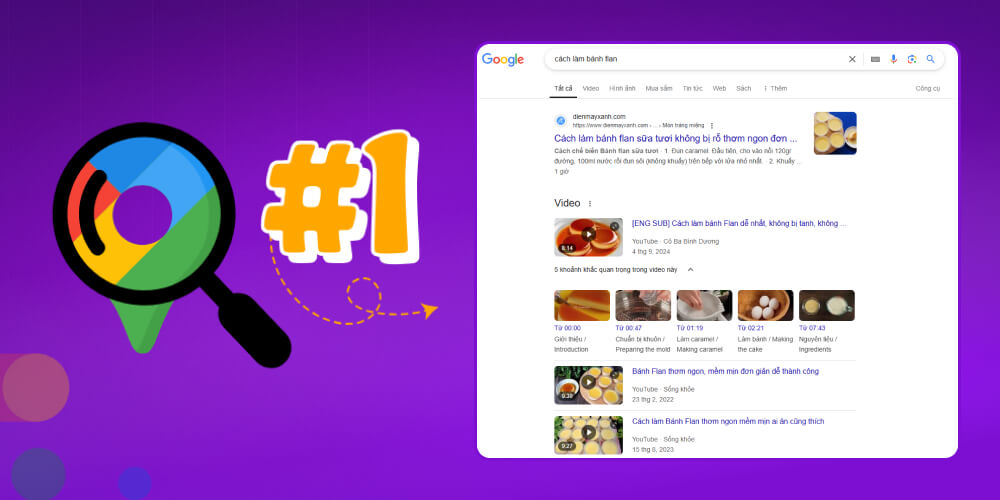
Why do you need a professional, SEO-friendly website? The answer is:
SEO-friendly web design is the process of designing a website that meets Google's ranking criteria. An SEO-friendly website is built to help Googlebot easily crawl and evaluate the quality of the content on your site. As a result, Google notices the website and prioritises ranking it in TOP Google positions in the search results, helping the business extend its brand reach online, reach more prospects and increase its conversion rate.
A professional SEO-friendly website is the perfect combination of:
A website is not just a place to introduce your business — it is the first touchpoint that decides whether customers trust you. The video below explains why an SEO-friendly website, with genuine content about projects, client reviews and the working process, is a core factor in optimising conversion and standing out.
Everyone understands that professional web designers, being SEO-friendly helps customers find your website on search engines more easily than your competitors'. Achieve just this, and you are already halfway to building your online brand. But if we look deeper, we see that SEO-friendly website design brings much greater value than that, such as:

→ Every keyword that reaches the TOP brings you even more interested customers.
→ Your brand will be widely recognised and noticed in every corner of your industry.
→ A large number of prospects who already have a need will come straight to you first.
→ The measured numbers show your communication status most clearly, so you can build a suitable, long-term marketing plan.
→ Connect all your social media and e-commerce marketplaces to improve marketing results across every channel you have.
When starting a website, businesses are often drawn in by offers of “surprisingly cheap prices”. Only once the website goes live do they realise the real cost is much higher. The site keeps breaking, loads slowly, throws 404 errors, looks unprofessional, or does not even display correctly on phones, so customers leave after just a few seconds. On top of that, the website is not SEO-friendly, so the business misses the chance to reach the top of Google and spends more to fix it or rebuild from scratch.
If you are considering a web design company, stop for a moment and think: Is “cheap” really cheap if you pay for it with your own reputation and business results?
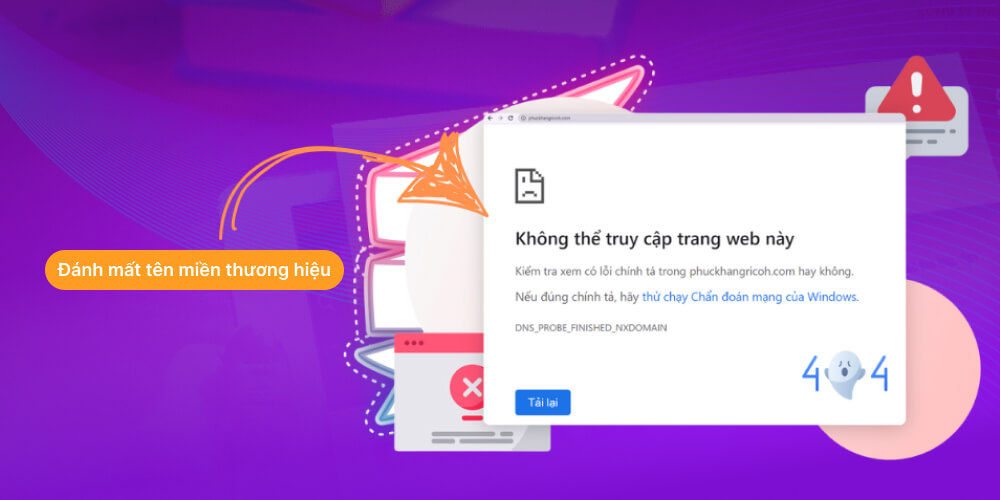
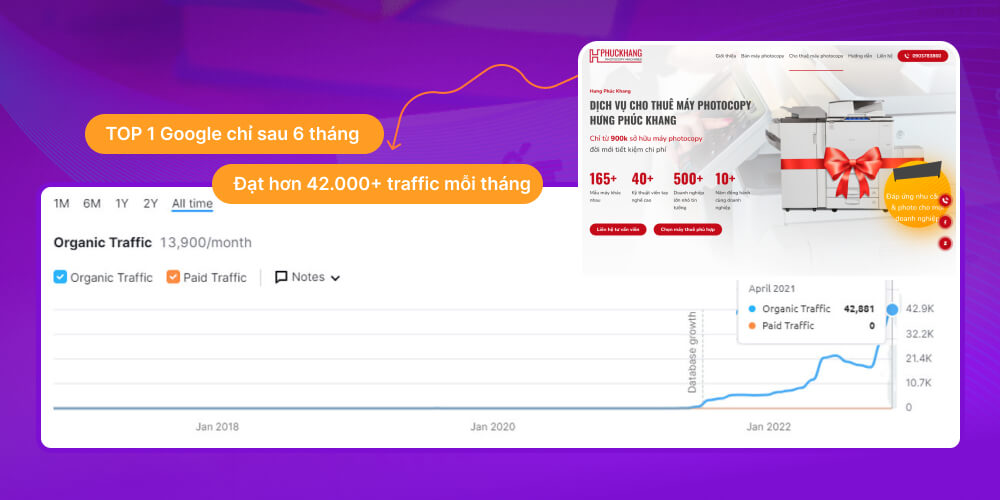
The case study MONA shares is clear proof of the results an SEO-friendly website brings. After just 6 months, the website of our partner Hưng Phúc Khang rose to TOP 1 on Google and attracted more than 42,000 visits a month. These results reflect not only an effective SEO strategy but also the value of investing seriously in a professional website from the start. Let's explore the details of this project's impressive transformation with MONA.
How to use this H2: the live article already has an H2 with the same name. Do not create a second H2. Place the additional section below at the end of the existing H2 and move the whole offer H2 down after Beat 3 when editing the full article; keep the old text unchanged.
If you have already completed the sitemap, content and acceptance criteria yourself, MONA takes on exactly the missing parts instead of making you redo everything. We break the scope down by page type, features, data to be entered, external integrations and post-handover responsibilities. The quote clearly states what is ready-made, what is custom-coded, which accounts are handed over and which milestones you need to approve. We send back the scope sheet before the design stage begins.
The package in the earlier materials includes pre-project consultation, an SEO-friendly website foundation, UX/UI design, a custom interface within the agreed scope, features matched to your business model and admin training. Clients on the all-in-one package receive a 1-year international domain offer and 1 year of hosting. The scope of the offer, the hosting configuration, renewal terms and the price after the first year must appear in the quote; read those four lines before you sign.
MONA was founded in 2016 and has delivered 14,000+ projects, with 85% of clients continuing to work with us. These numbers do not replace acceptance testing. You still use the 12-item checklist above to check the website, and keep ownership of the domain, admin accounts, measurement data and a copy of the source code as agreed. We still have to hand over every account along with test evidence before the handover meeting.
The timeline is set once both sides lock the sitemap, the number of interface templates, the features and the amount of data to be entered. We do not attach one shared deadline to every website, because a 7-page company site and a system with payments, inventory and permissions cannot run on the same schedule. Every handover milestone must have an output you can check: structure, wireframe, interface, test website, bug check and admin guide.
You do not need to hire anyone yet if the website is small, the launch date is flexible and someone can commit 60 hours to the build. When the launch date is fixed, forms are your main source of leads, or the website has to connect to a process that is already running, the fee buys you someone responsible from structure through testing. That is when a quote should be compared with the 16,602,320 VND of in-house resources in the example, rather than just with the price of a theme. We only take on additional work that both sides have clearly broken down in the scope sheet.
For MONA to break down exactly what needs doing, send us your sitemap, three reference websites, a feature list and your target launch date. See website options with MONA Media or call 1900 636 648. We will send back the scope, quote and approval schedule so you can check every line before deciding SEO-ready website design. We do not ask you to buy back work you have already done and accepted yourself.
Offer placement: end of the article, after Beat 3. Keep the total sales block of the supplementary file compact; do not insert extra sales banners between the two neutral beats.
Many businesses spend tens of millions of VND on a website, only to get a page that is almost “invisible” on the Internet. No traffic, no customers, no revenue, just a forgotten business card. The cause is a website that is not SEO-friendly, loads slowly and offers a poor user experience, so the business loses the chance to reach customers in the digital age
Understanding those “pain points”, MONA Media offers SEO-friendly website design services, a solution that gives businesses an online platform that truly works, not only good-looking but fully optimised for search, experience and conversion.
Beyond that, MONA puts care into every small detail of planning and design, aiming to give clients a website with all the key strengths, such as:
Let MONA turn your website into a “profit-making machine” and set you apart in the online business market. Contact us via HOTLINE 1900 636 648 to get the most detailed support and consultation on SEO-friendly website design for your business!
Below is the latest 20-criteria checklist for SEO-friendly web design in 2026, updated based on Google's current trends and requirements as well as user experience:
This is a standard website HTML structure
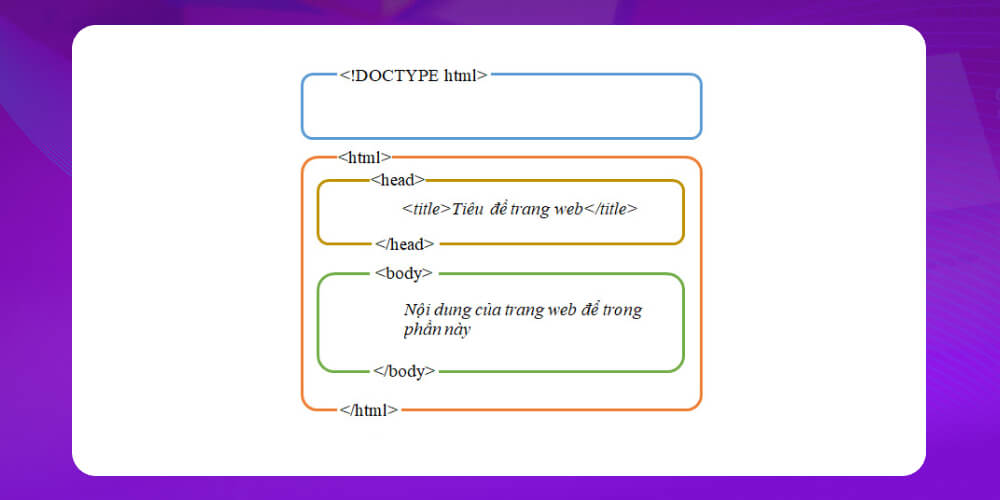
<head></head>
The section declaring meta tags, title, CSS and JavaScript libraries…
<body></body>
The section holding the page content, where content is displayed (the part highlighted in white)
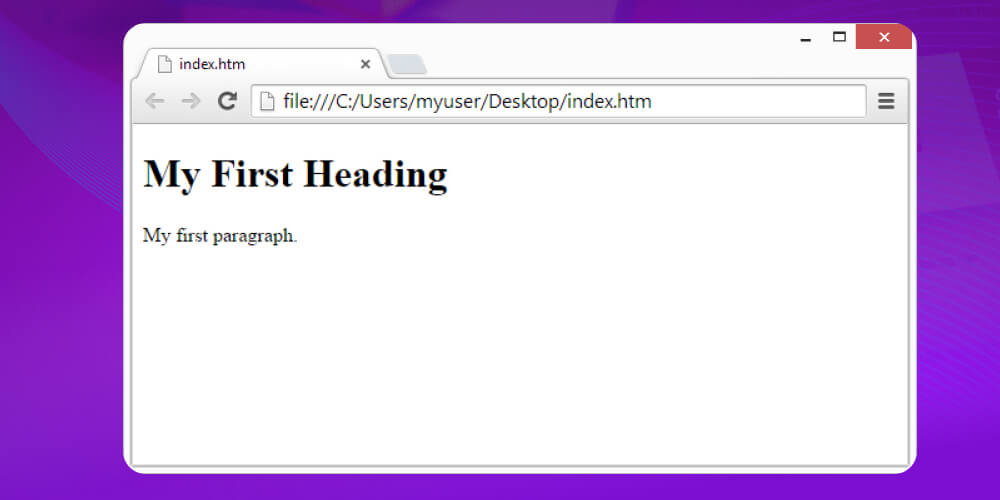
The <body> content of the structure above is displayed as follows:
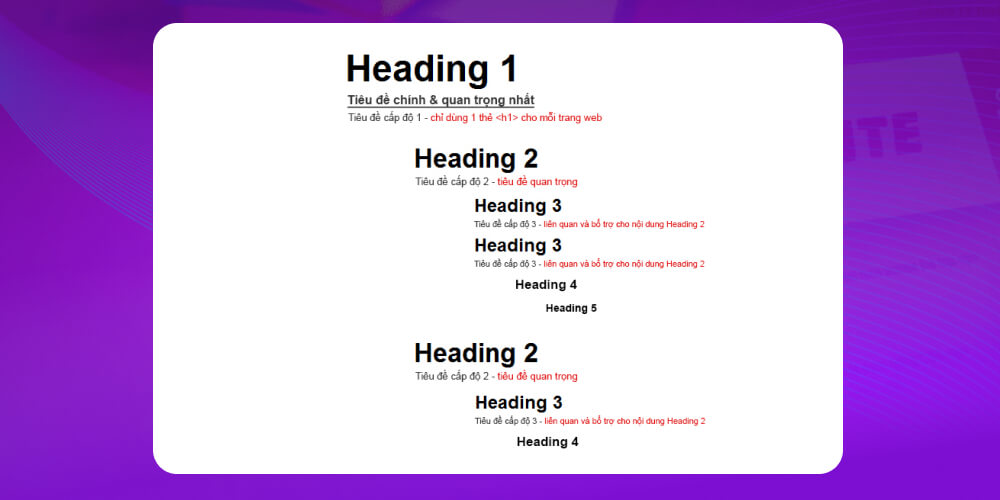
The content structure (H1, H2, H3, H4) must follow this diagram:
Use these 2 Google Chrome extensions:
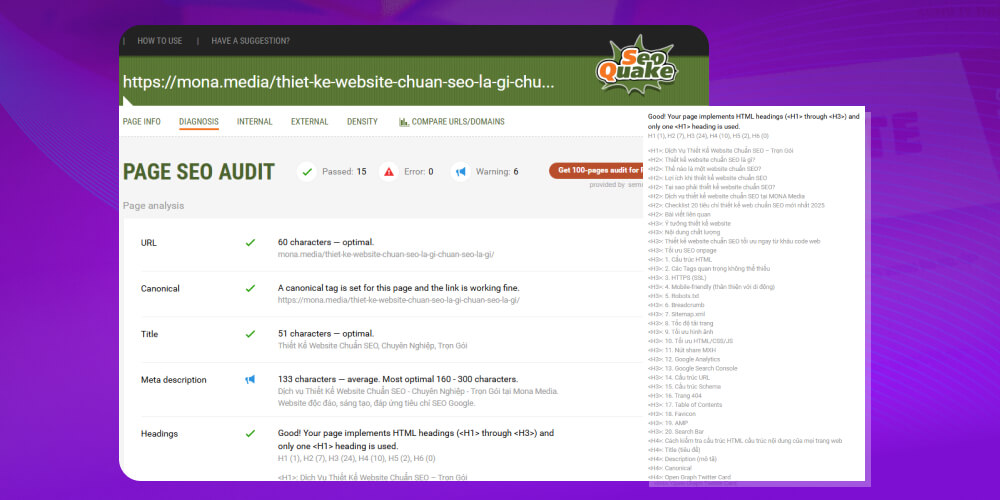
Lets you quickly check all the Headings (H1, H2, H3…) and Sections of a website.
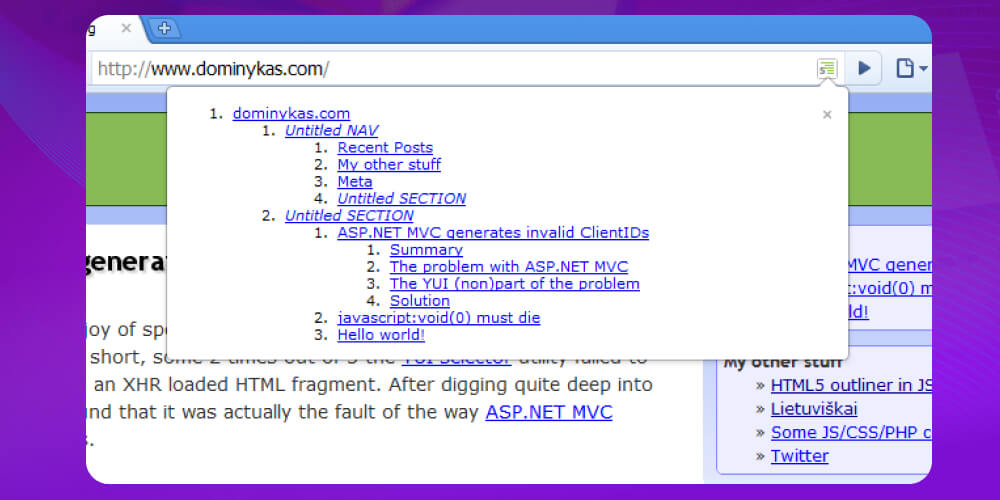
This is a more in-depth checking tool than HTML5 Outliner, giving you more metrics and data about the website. SEOquake is very useful once you have some SEO experience.
Today's SEO tools take time to learn in depth before you can use them effectively. Building an in-house SEO team is not a quick fix either; it usually takes at least 3 months for the team to get up to speed, roll out a strategy and start delivering results.
However, if you work with a reputable SEO agency, your website can reach TOP 1 on Google within that same period. With deep experience, an understanding of the algorithms and a professional workflow, agencies help businesses save time, cost and and achieve outstanding SEO results.
This is why many businesses, especially those that need to speed up growth, often choose to work with SEO-friendly website design companies or professional SEO services instead of building a team from scratch.
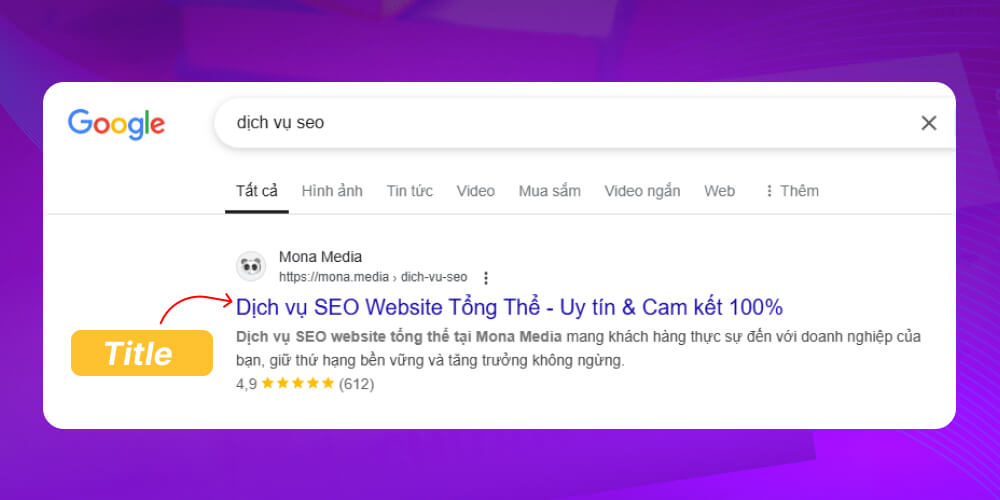
The title tag describes the page content to both visitors and search engines.
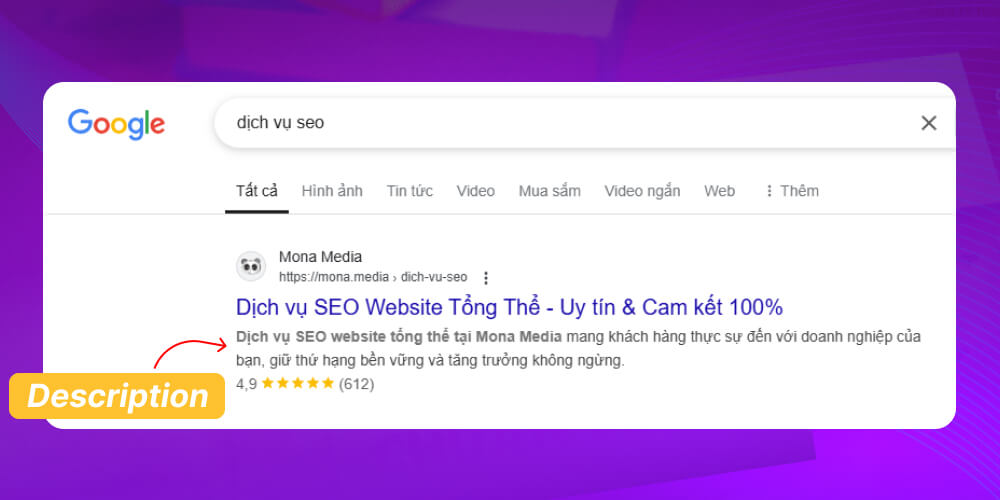
The meta description tag briefly describes the content of the web page.
The Canonical tag tells Googlebot that this is the original URL of the page and that it should regularly crawl data at URL this URL.
Why do you need to set a Canonical tag?
For many reasons, several URLs can point to the same page at once, causing Google to crawl the wrong page, and in worse cases you may be penalised for Duplicate Content.
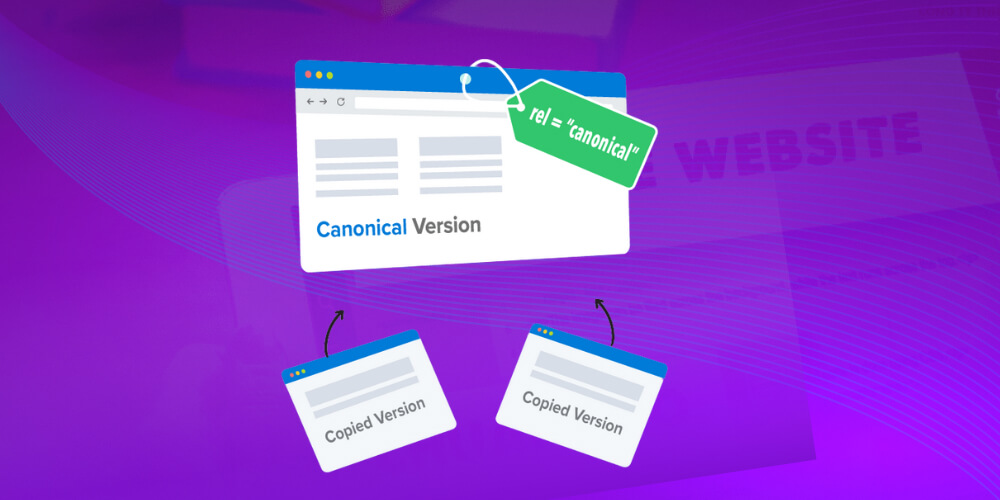
The most common reasons:
Different URLs to support different types of devices
One article placed in several different categories
The serving server has not been configured for http/https/www/non-www
Open Graph (OG) and Twitter Card tags format how content appears when shared on social media. They use meta tags in HTML to define information such as the title, description, image, URL…
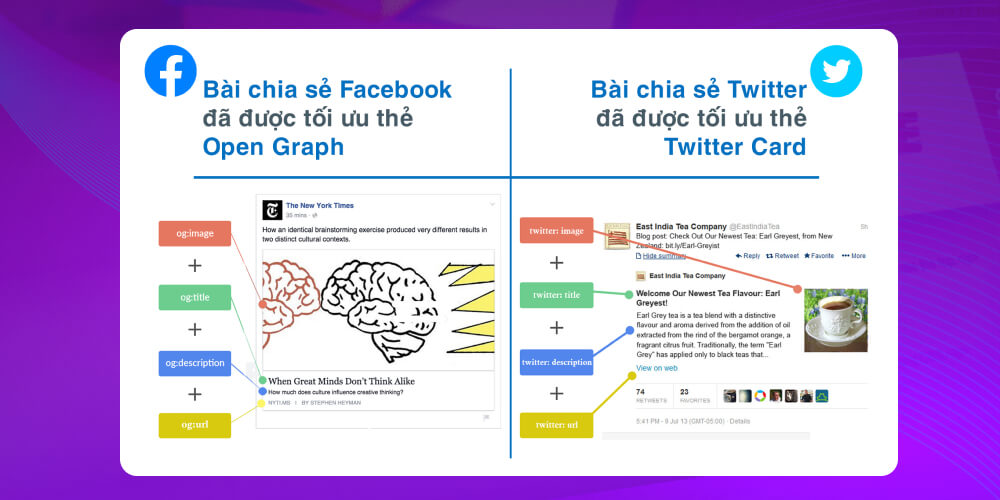
They make posts shared from the website display fully and neatly:
The HTML language tag (language code) declares the language your website uses (English, Vietnamese, Chinese…), giving search engines more information about the website so they can serve content more appropriately. Whichever market you optimise SEO for, declare that language.
Example: Google will prioritise showing results to users in Vietnam if the website declares it uses Vietnamese with the following code in <html>:
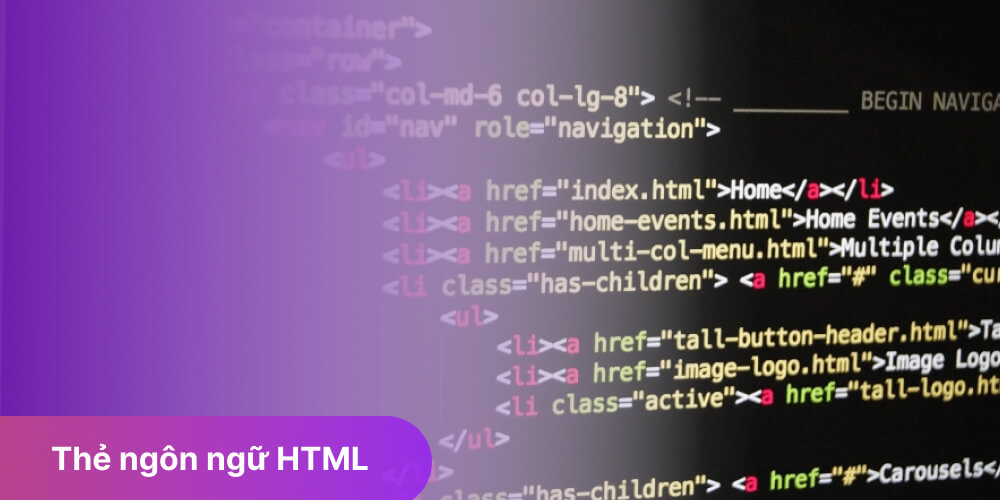
You can check the HTML language tag of any website with Ctrl + U. Thanks to this geographic targeting, your website will rank higher in searches from Vietnam.
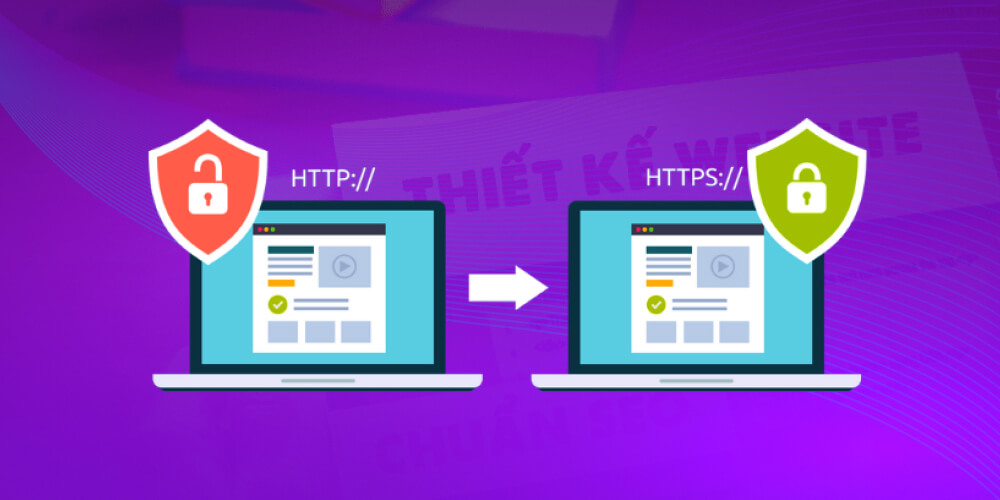
Registering an SSL (Secure Sockets Layer) certificate not only lets users see that your website uses standard security technology, it also ensures all data is transmitted safely and securely. It is essential for building trust with customers and for meeting Google's strict website ranking requirements.
You can quickly tell whether a website has an SSL certificate from the URL address bar in your browser.
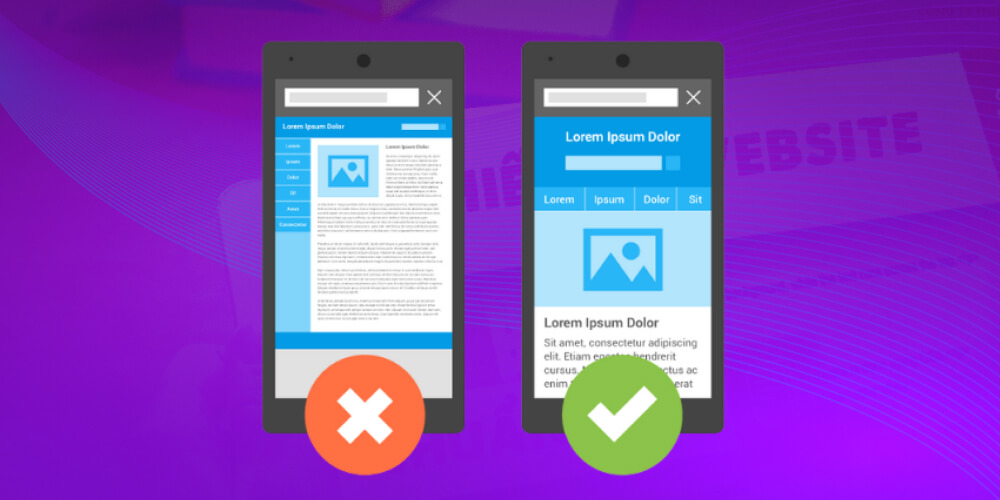
As more and more users browse the web on mobile devices (smartphones), Google has confirmed it will prioritise indexing websites with a well-optimised Mobile version that loads fast and is user-friendly.
Check your website's mobile-friendliness now, along with Google's improvement suggestions.
The robots.txt file tells crawlers which URLs on the website they can and cannot access.
A website with a robots.txt file is rated higher by Google, and crawling happens faster and more efficiently. This is an important factor in optimising the website's visibility on search engines.
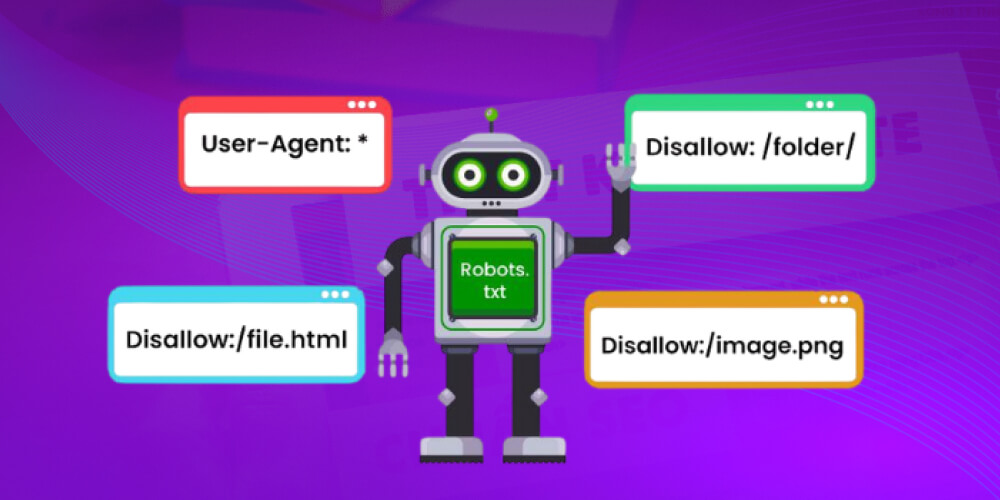
If you own a new website, the robots.txt file has most likely not been created yet. For websites already running, the file may exist without you knowing. To check quickly, follow the steps below:
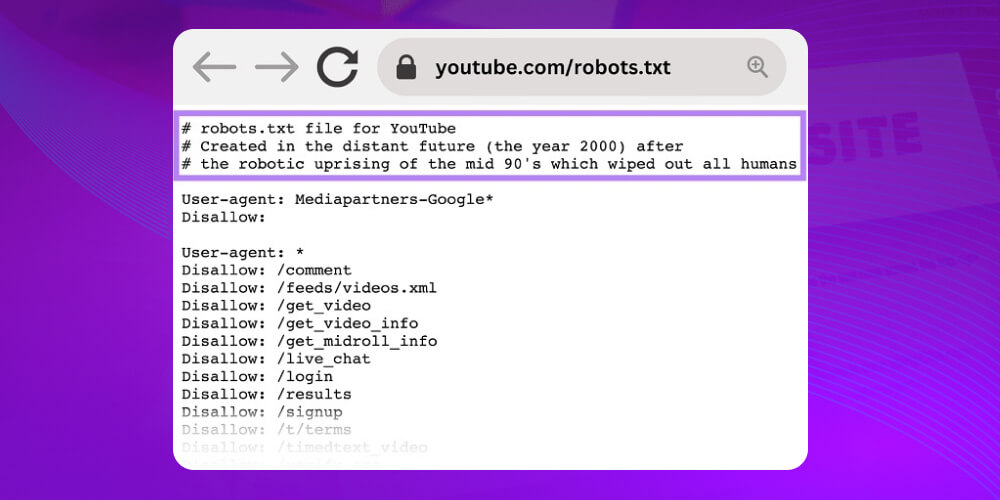
Example: https://youtube.com/robots.txt
If the website already has the file, you will see the contents of robots.txt like this:
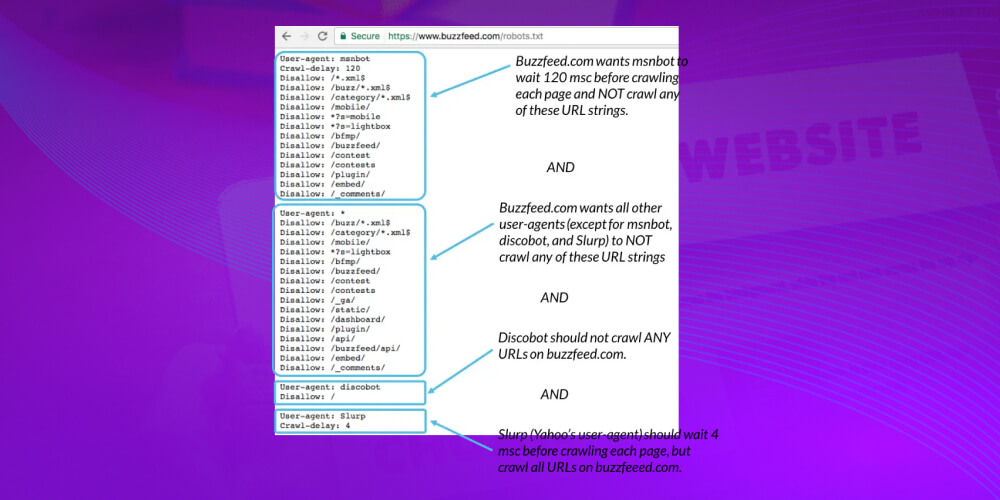
If you do not get a result like the one above, follow these instructions:
How to create & submit a robots.txt file
Step 1. Open Notepad
Step 2. Create the robots.txt file
Step 3. Add the directives you want, following these rules:
Step 4. Upload the robots.txt file to the server
There is no automatic tool for uploading robots.txt yet, so you have to upload it manually or ask your website provider for help
Note: The robots.txt file should sit in the root directory on the server so it governs crawling of the whole website
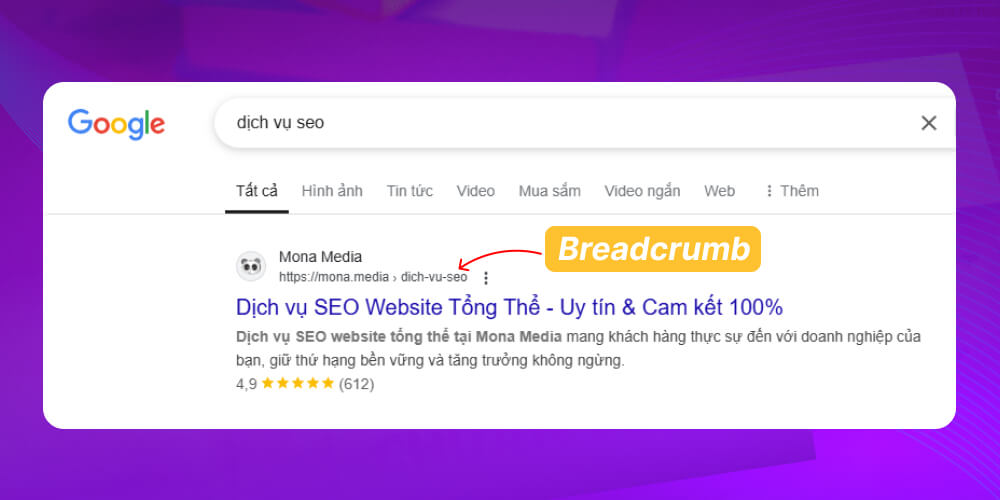
A breadcrumb is a navigation bar that shows the hierarchical path from the homepage to the current page (for example: Home → Category → Article ). It helps users:
A website with breadcrumbs gives Google information to classify the website clearly and serve content more accurately
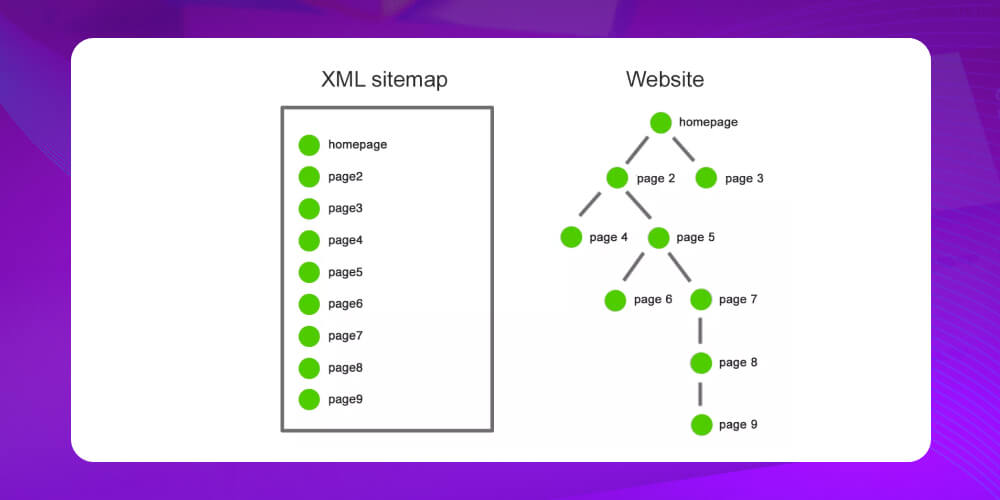
A sitemap is a map containing all the URLs of a website (homepage, blog, categories, subpages…) and how those URLs relate to each other.
A sitemap helps search engines:
Page load speed is one of the important criteria Google uses to evaluate and rank websites. When the content quality of websites is about the same, Google prioritises the faster-loading site in search results. This not only improves SEO rankings but also improves user experience and lowers the bounce rate.
A tool to test website speed and get page speed improvement suggestions from Google: Google PageSpeed Insights

What is a good Google PageSpeed score? SThe score usually only needs to reach
Optimising images not only improves page speed but also helps Google prioritise indexing the website and rank it higher on the results page. When images are properly optimised (compressed, in a suitable format such as WebP, and with descriptive ALT tags), Google can easily understand the image content, which increases the website's visibility in related search results.

The benefits of optimising images on a website:
Here are some common, effective ways to optimise images:
You do not always need very large images for a blog post if it is not necessary.
Recommended image sizes for websites:
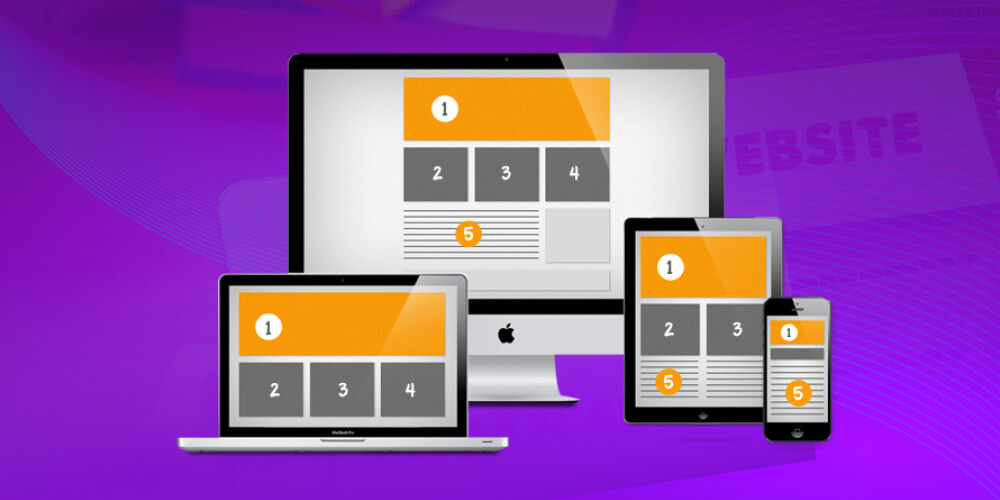
If you do not need very high-resolution images, optimise the file size so they load faster and save website resources. You can easily optimise image size with TinyPNG or Optimizilla.
Alternative Text is a short description of an image's content (such as a product image, blog image,…). It is displayed instead of the image if the image cannot load due to connection errors or other technical problems. Alt Text also plays an important role in helping search engines like Google understand what the image shows, improving SEO and the chance of appearing on the results page.
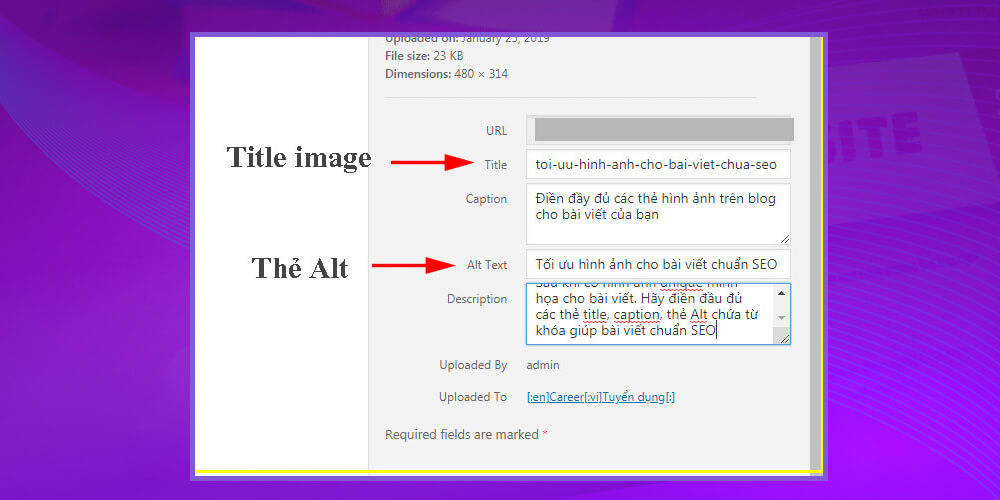
You can edit Alt Text quickly and easily in 2 common ways:
Code HTML
<img src=”url_hinh_anh” alt=”Mô tả hình ảnh”>
Where:
<img> is used to insert an image into an SEO web pagePost editor (WordPress)
On a WordPress website, enter the alt text directly in the alternative text box as shown below.
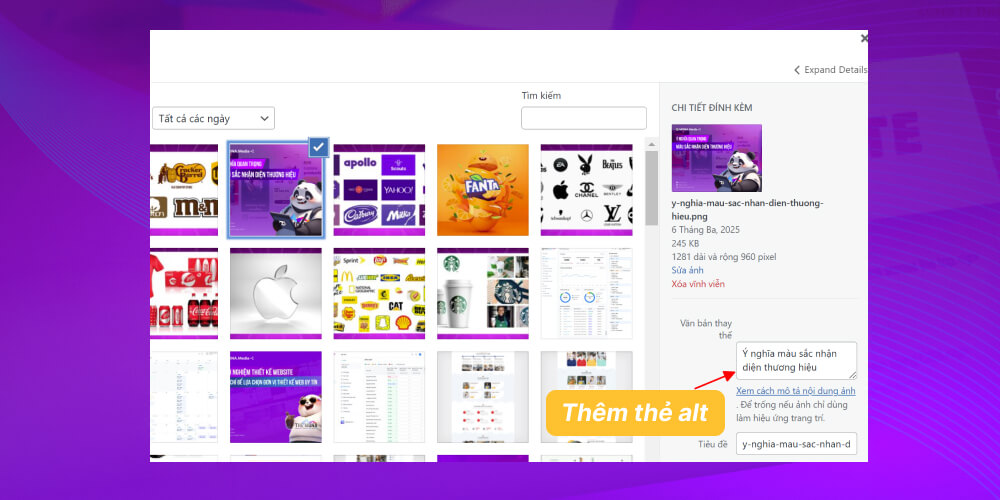
Regularly checking and optimising HTML/CSS/JS gives your website
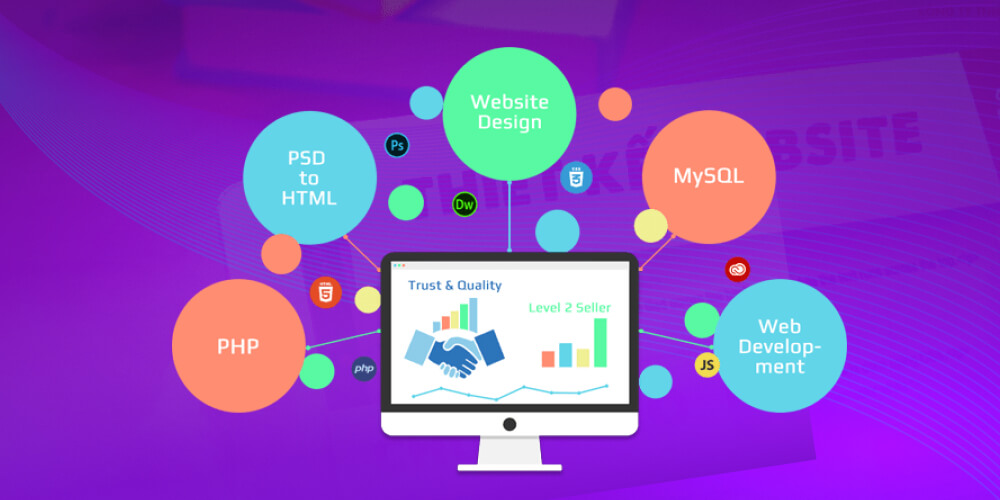
Here are the 6 most effective optimisation methods:
Linking your website to social media helps:
On the website: Show the social media channels the business is active on and regularly share articles to every social platform.
On social media: Always show the website address on the fanpage profile or channel info, and place links back to the website in posts at a steady, planned frequency.
Google Analytics is a leading website analytics tool developed by Google itself that helps users:
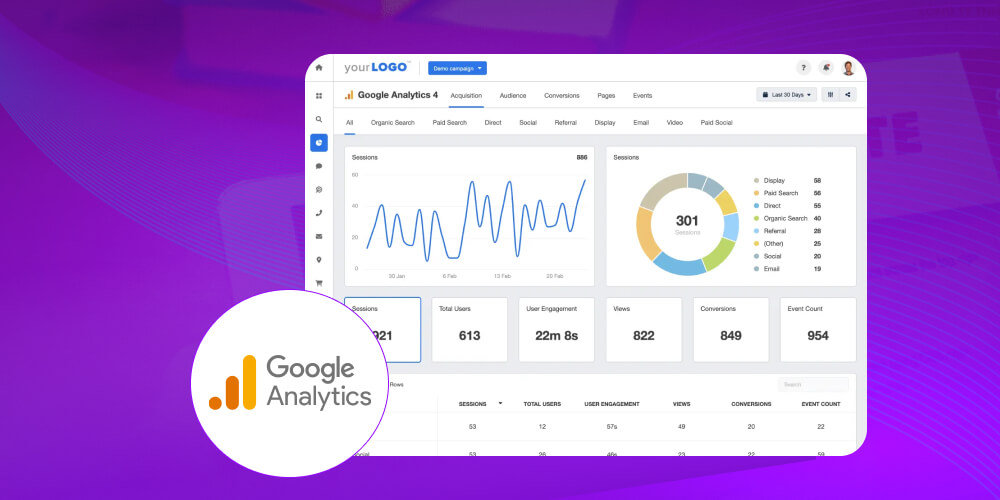
Google Search Console is a genuinely useful tool for tracking website performance, measured & reported against Google's search indexes.
Standout, very useful features that only Google Search Console gives you
1. Access a wide range of data on traffic from Google
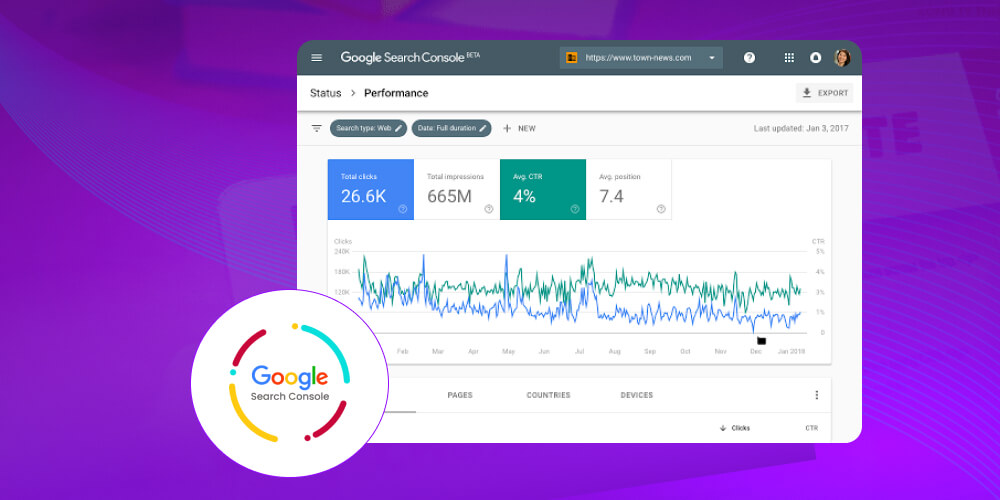
2. Get your website crawled faster
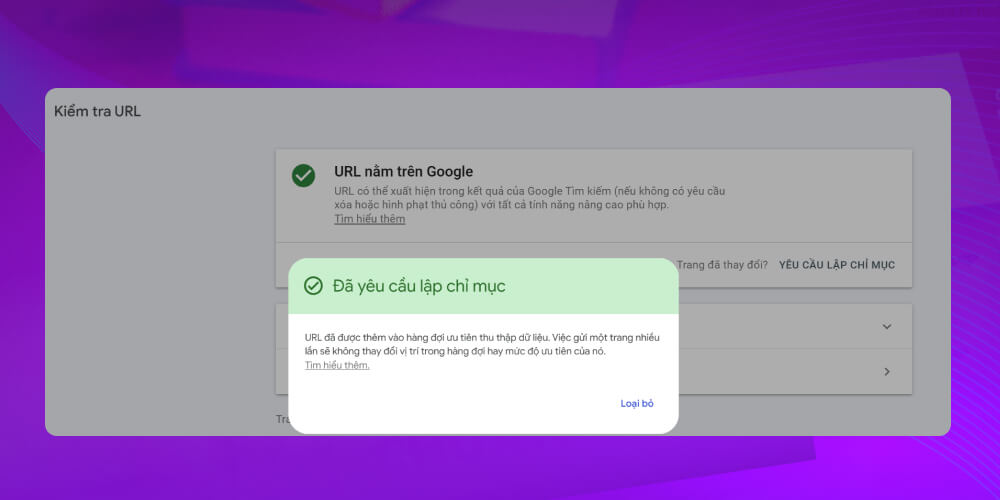
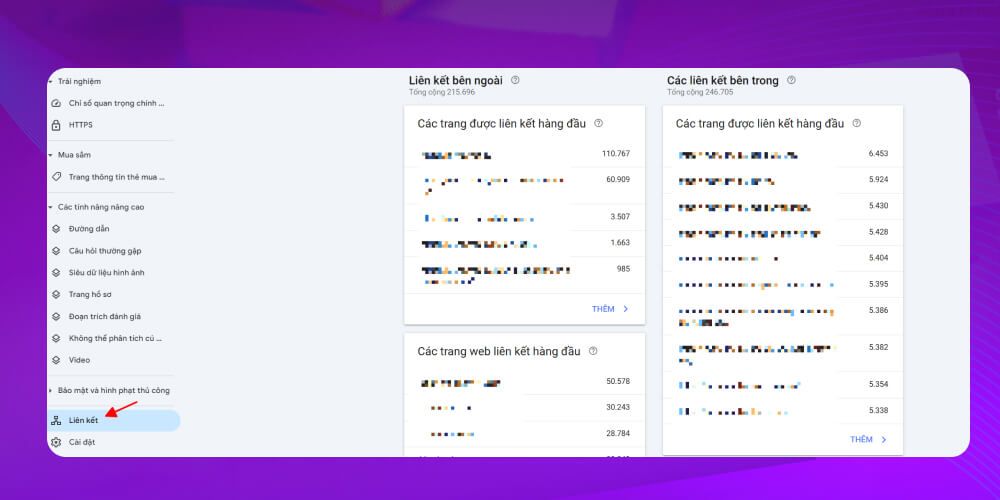
3. Check the list of websites linking to your site
You can use GSC to remove links from other websites
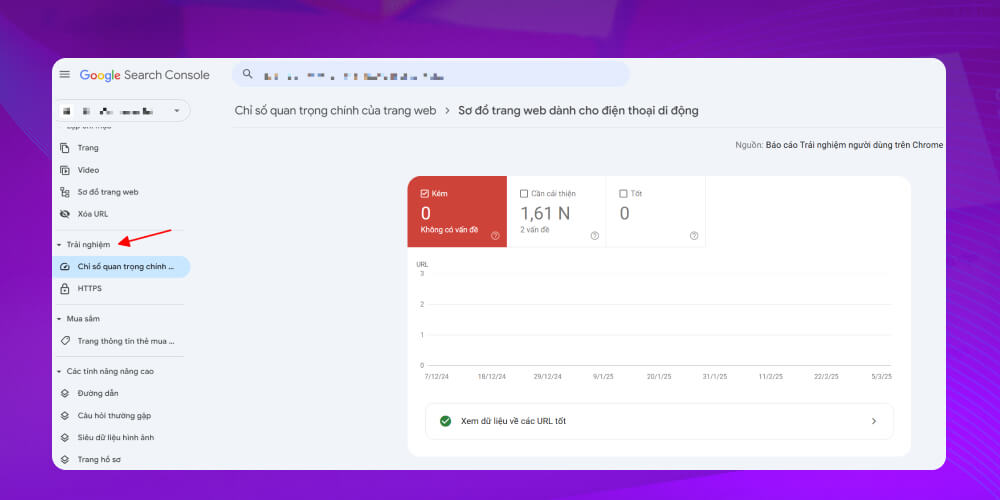
4. Fix and improve your website
To optimise performance and improve website quality, fixing issues related to AMP, mobile-friendliness and many other features is essential.
Using a simple URL structure that gives users complete information improves the experience and makes the website more professional.
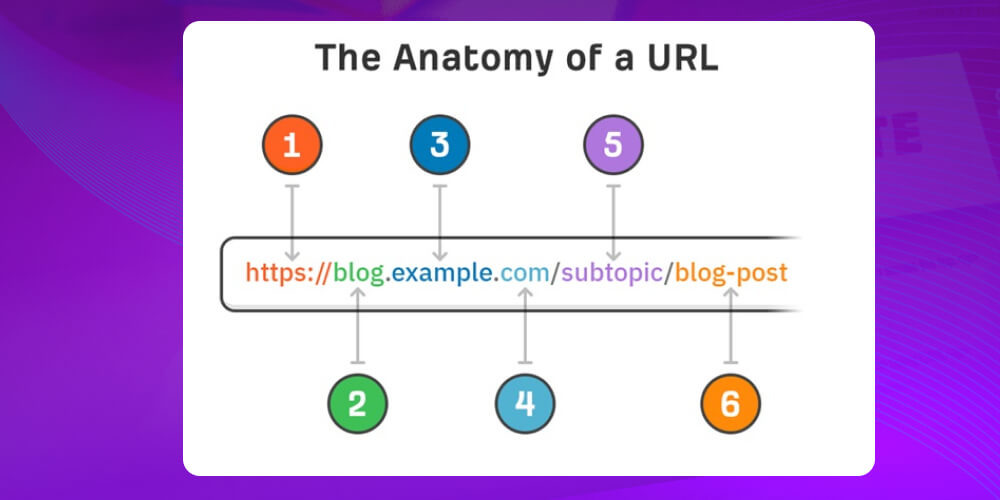
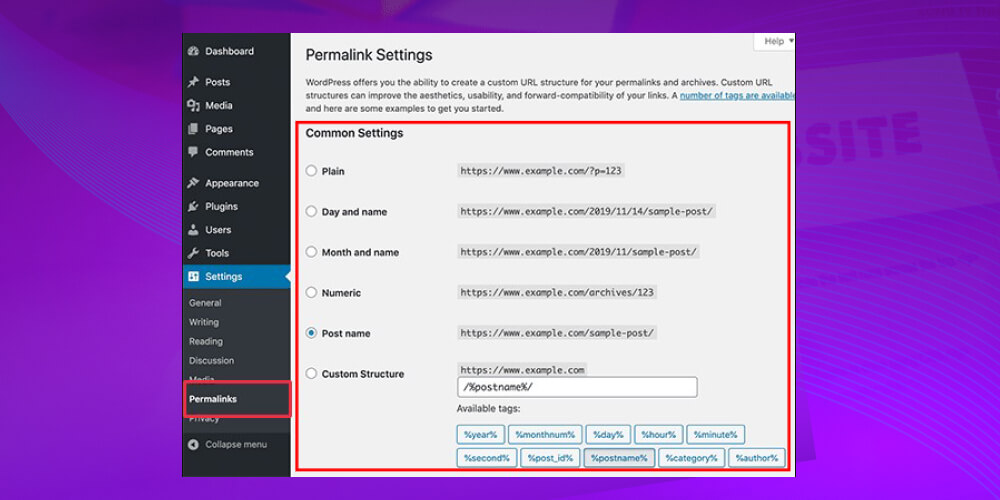
If you use Wordpress to manage your website, you can quickly change the URL structure as follows
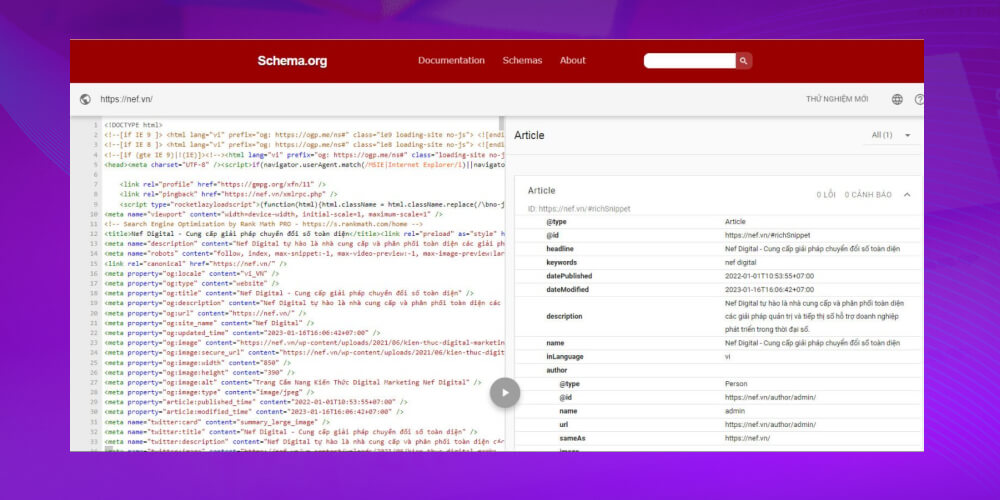
Schema is a piece of Javascript code used to mark up structured data
Articles, images and videos using structured data displayed on Google's search results page
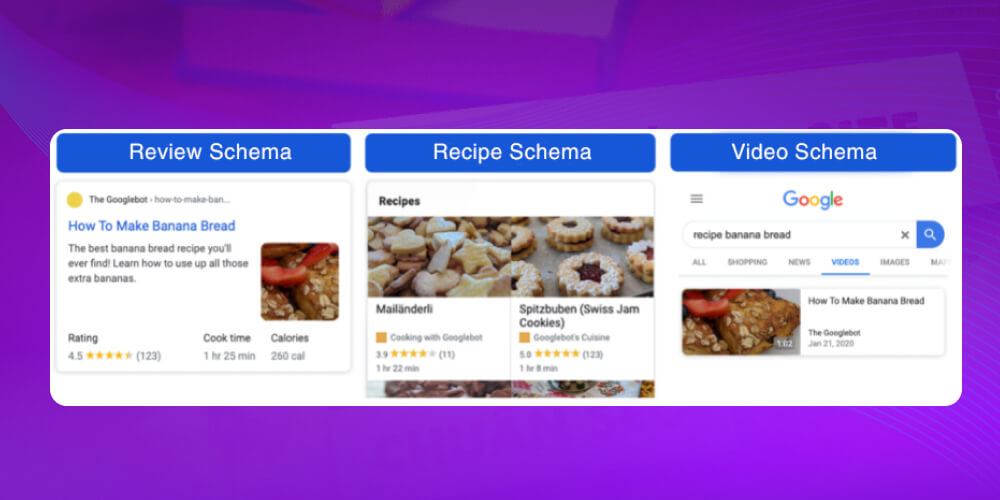
The most common types of Schema Markup
A 404 page tells users that their URL leads to a page that does not exist.

“According to Google's documentation, 404 errors will not affect your site's performance in search results”
However, it is a real pity when a website loses lots of visits because
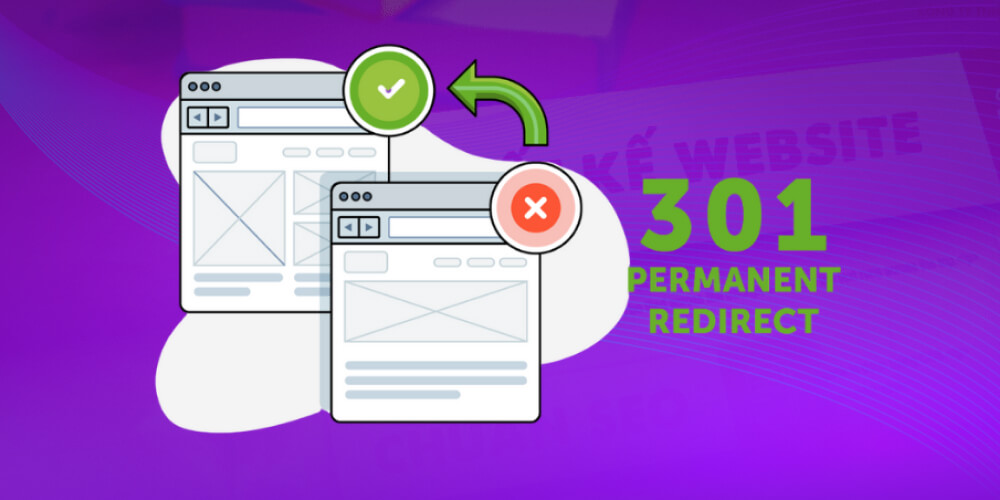
Use redirect 301 so you do not miss any traffic
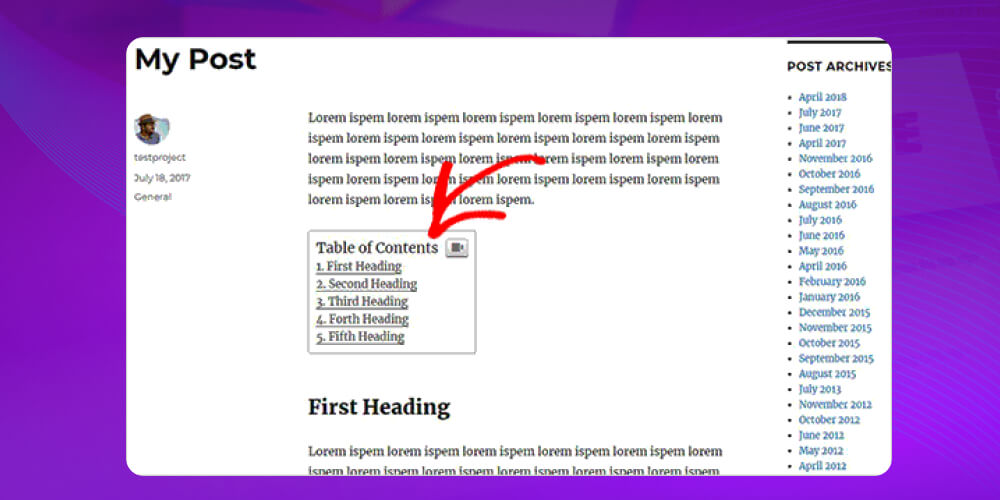
A Table of Contents helps users easily grasp and navigate an article's content.
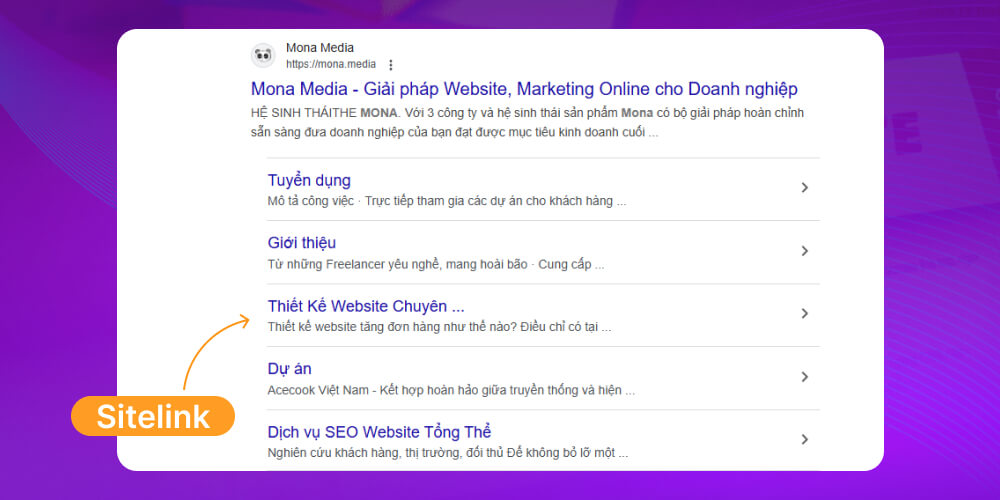
A Table Of Contents is an important criterion that Google values highly, and it can help the website show Sitelinks on the search results page.
How to create a Table of Contents for a website:
Create a Table of Contents with HTML + CSS
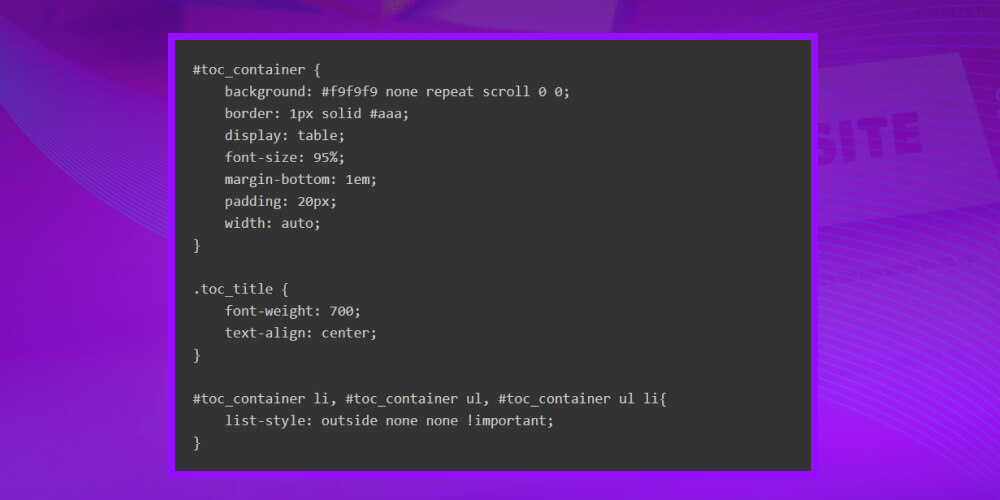
You can easily create a Table of Contents using just HTML + CSS with the following sample code
CSS code
HTML code
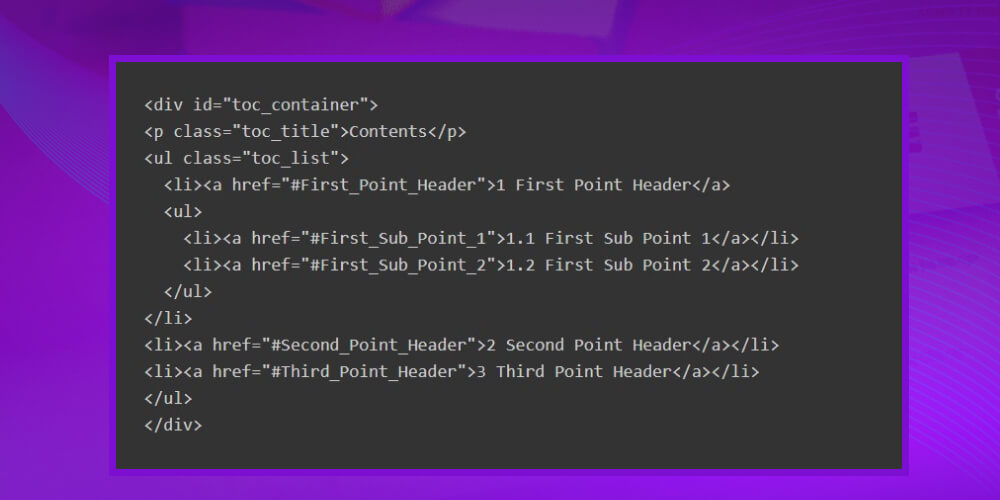
If you use WordPress, these are the best free WP plugins for creating a ToC
A favicon is a small logo shown in a few places in the browser, but they are important, frequently seen places that help your brand be recognised.
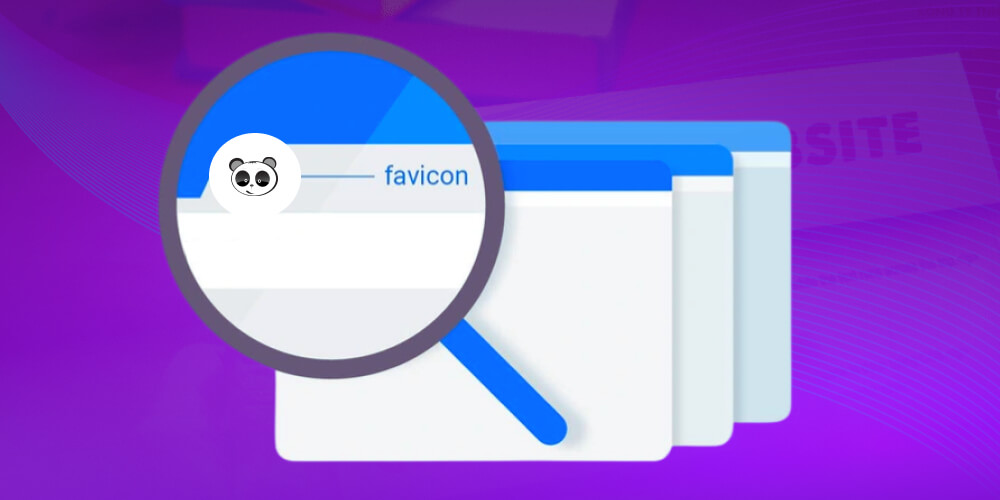
A simple way to create a favicon file that works every time
How to create and insert a favicon file manually
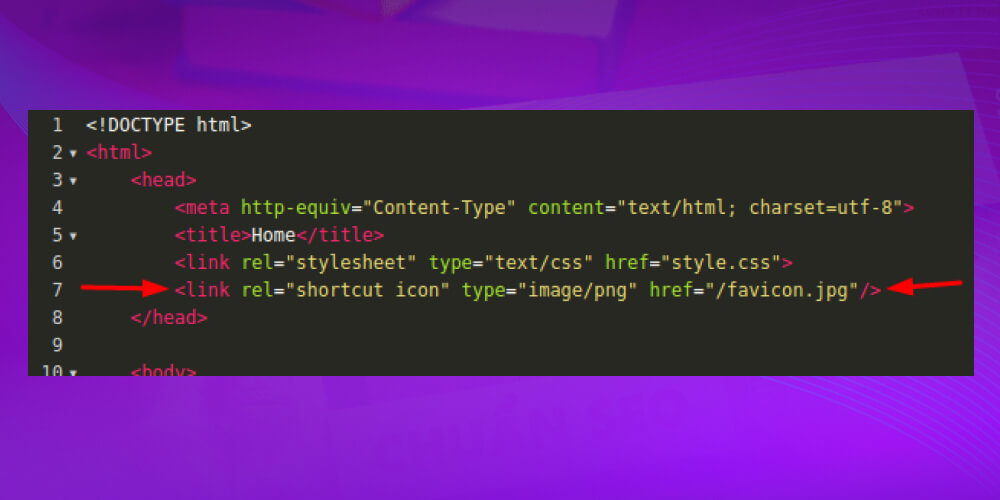
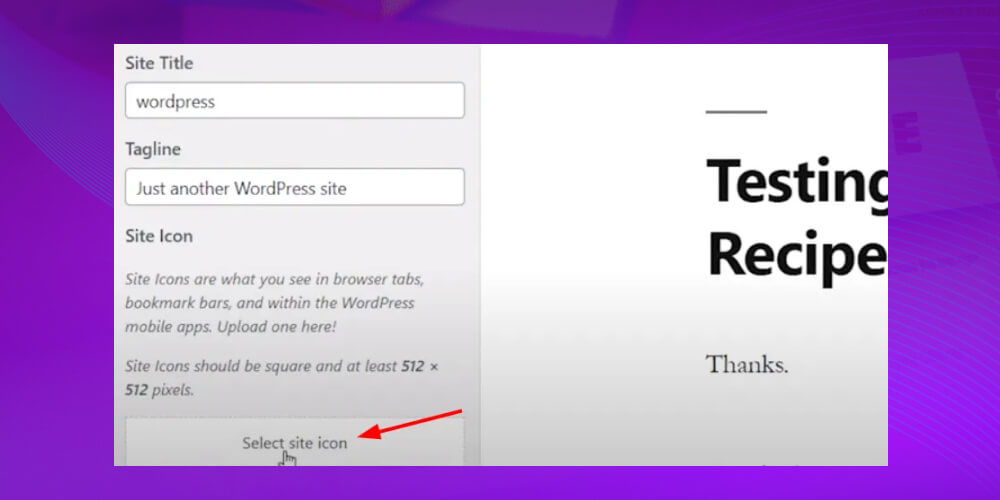
Adding a Favicon in WordPress with the default customiser
AMP (Accelerated Mobile Pages) is a tool that lets you create a version of your website focused on improving page load speed and experience and smoother use. According to Google, the faster pages load, the higher they are rated and the more often they appear.
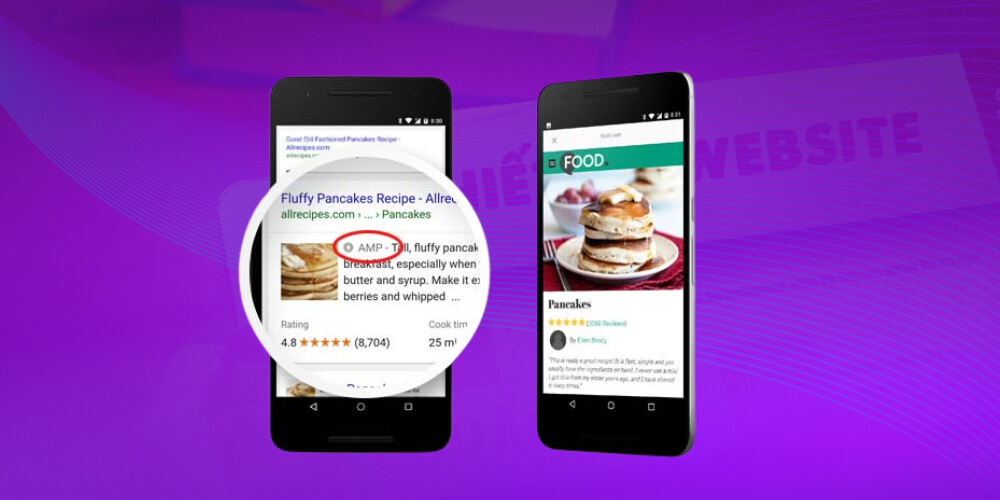
How to build AMP pages:
For WordPress websites, you can set up AMP quickly with these popular AMP plugins:
Search Bar (search bar) is the fastest way for users to reach the information they are looking for on your website. If the website is well optimised, Google will show a Search Bar right in your search result, making the website look far more professional and distinctive than other results.
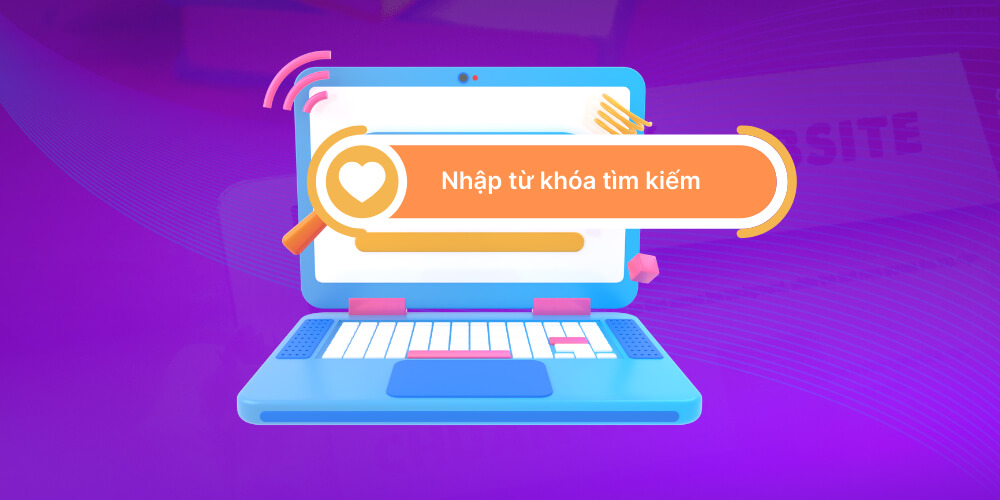
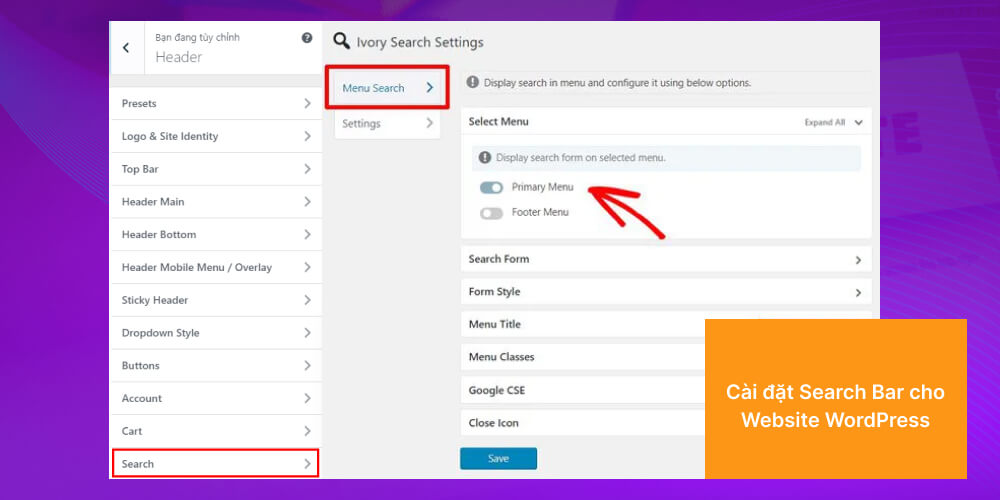
How to set up a Search Bar on a WordPress website
That is everything MONA Media has to share about the benefits of an SEO-friendly website. We hope all of this helps you understand SEO for websites better and grasp the important criteria of an SEO-friendly website, so you can improve the quality of your own site. And if you are planning to work with a reputable SEO-friendly website builder, the MONA team is ready to work with you. We aim to give you a complete solution, from professional design to a sustainable SEO strategy, helping your website rank high and bring real value to your business. Please contact and let the MONA team advise you.
A WordPress website installed in one evening is not yet a website ready for SEO. Installation is usually quick; the time goes into planning pages, building content templates, adjusting the interface on phones, configuring redirects, checking the path Googlebot takes and measuring again after publishing. Miss one link in the chain and the website still seems to run fine, but your content team will hit the same errors on every new article.
Budget a full 60 hours first. This is an estimated schedule for someone already comfortable with WordPress, building a company website with 5 to 7 page types, not including photography, writing all the content or connecting custom software. Beginners need extra time to learn; the earlier materials note that getting familiar with in-depth SEO tools can take at least 3 months. So the 60 hours below are for scheduling, not a promise that anyone can finish in exactly 60 hours.
| DIY task | Estimated hours | Output required before moving on |
|---|---|---|
| Settle goals, keyword groups and the list of page types | 6 hours | A sitemap, the purpose of each page and one planned URL for each search need |
| Set up the server, SSL, a test website and the first backup | 4 hours | HTTPS, a separate test environment and a backup you can restore |
| Build the header, footer, homepage, service pages, categories and article template | 16 hours | Shared templates display correctly on both desktop and phone |
| Set up title, meta, canonical, schema, sitemap and URL rules | 10 hours | Each page type outputs the right tags in the source code, not one configuration for everything |
| Compress images, tune the theme code, cache and test speed | 8 hours | Images at the right size, no layout shift, main pages not loading unnecessary resources |
| Set up Google Analytics 4 and Google Search Console | 6 hours | Page views, key events, sitemap and indexing status are recorded |
| Test forms, menus, 404s, redirects, social sharing and handover | 10 hours | A bug log, a person responsible for fixes and a content publishing guide |
| Total | 60 hours | A website ready to move into the content and SEO tracking stage |
If a business owner's hour is valued at 150,000 VND, the formula is simple: 60 hours × 150,000 VND = 9,000,000 VND in time. Replace 150,000 with the value of your own hour. Money that never leaves your account is still a cost, because those 60 hours are not spent on selling, handling orders or looking after customers.
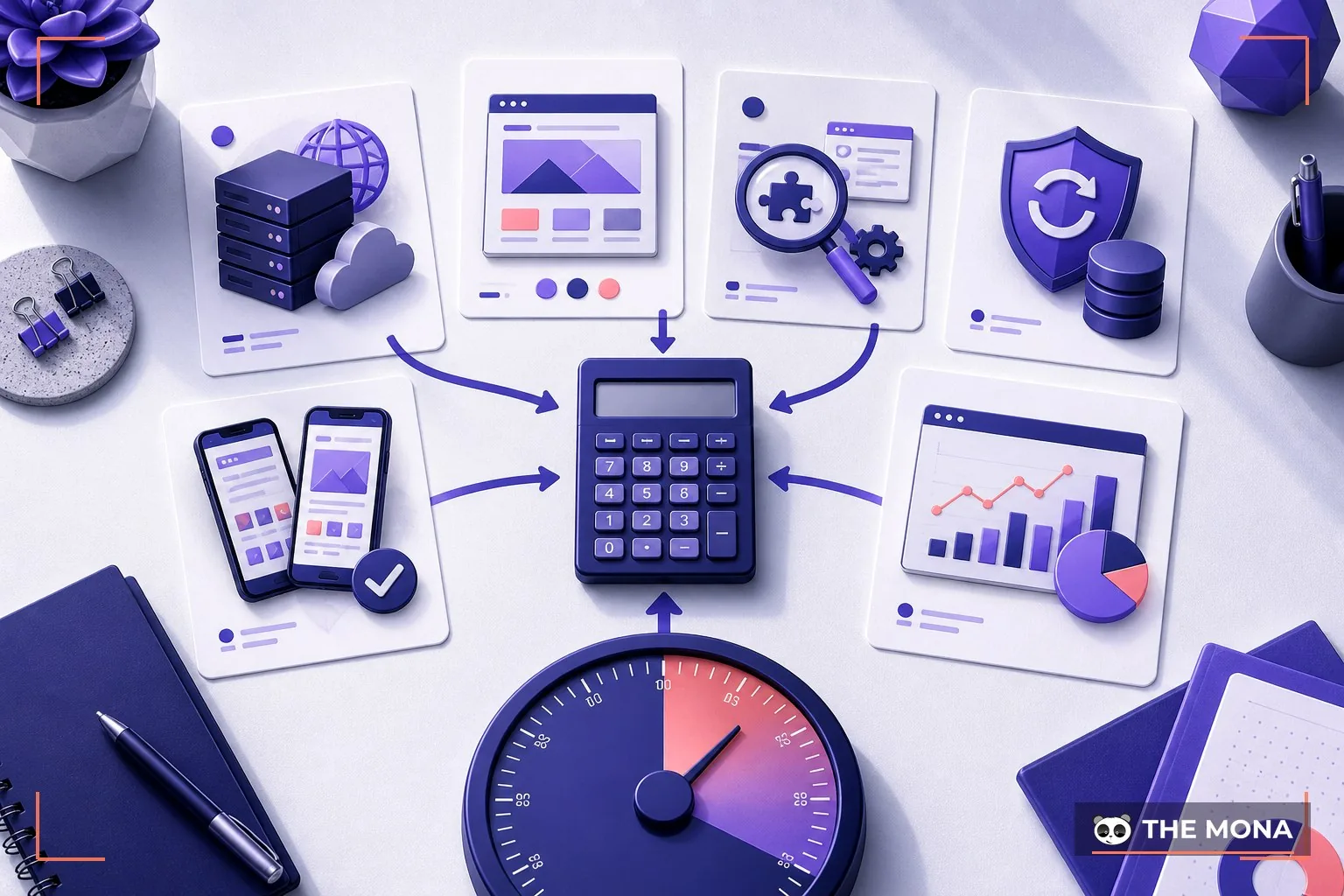
The core WordPress software is open source and free to use. A website that goes online still needs hosting, and themes and plugins can be free or paid. To avoid quoting a vague figure, the table below uses a specific paid setup checked on 06/08/2026: GP Premium 59 USD/year, Rank Math PRO 95.88 USD/year and Cloudways hosting from 11 USD/month. Converted at 26,500 VND/USD, rounded from Vietcombank's selling rate of 26,510 VND/USD published on 24/07/2026.
| Item you buy yourself | List price checked on 06/08/2026 | Converted for the estimate | What the price does not include |
|---|---|---|---|
| Theme GP Premium | 59 USD/year | 1,563,500 VND/year | Labour to adjust the theme, fonts, colours and page templates |
| Plugin Rank Math PRO | 95.88 USD/year | 2,540,820 VND/year | Keyword research, writing content and fixing technical errors |
| Hosting Cloudways | 11 USD/month | 3,498,000 VND/year | Domain, domain-based email and server administration labour |
| Total tool cost in the first year | 286,88 USD | 7,602,320 VND | Not including the 60 DIY hours |
With the sample calculation above, the total first-year resources come to 7,602,320 + 9,000,000 = 16,602,320 VND. This is an estimate for one specific setup, not a MONA quote and not a market average. If you use a free theme or plugin, licence costs go down; in return, you have to check the feature scope, update schedule and compatibility yourself, and decide who handles it when two plugins conflict.
Doing it cheaply still works. A small company website with no ads running, no shopping cart, no inventory sync, no multiple languages, and an owner who enjoys learning WordPress is a reasonable case for building it yourself. In this case you can do it yourself, no need to hire anyone. Work on a subdomain or test website first, record every change and keep at least one backup you can restore.
Things break when the sales launch deadline is fixed, several people publish content at once, or one change means fixing three other places. A nice theme does not create correct canonicals by itself. An SEO plugin does not know on its own that two service pages are competing for the same keyword. Stronger hosting cannot fix a 4 MB image, render-blocking JavaScript or a mobile menu covering the call button.
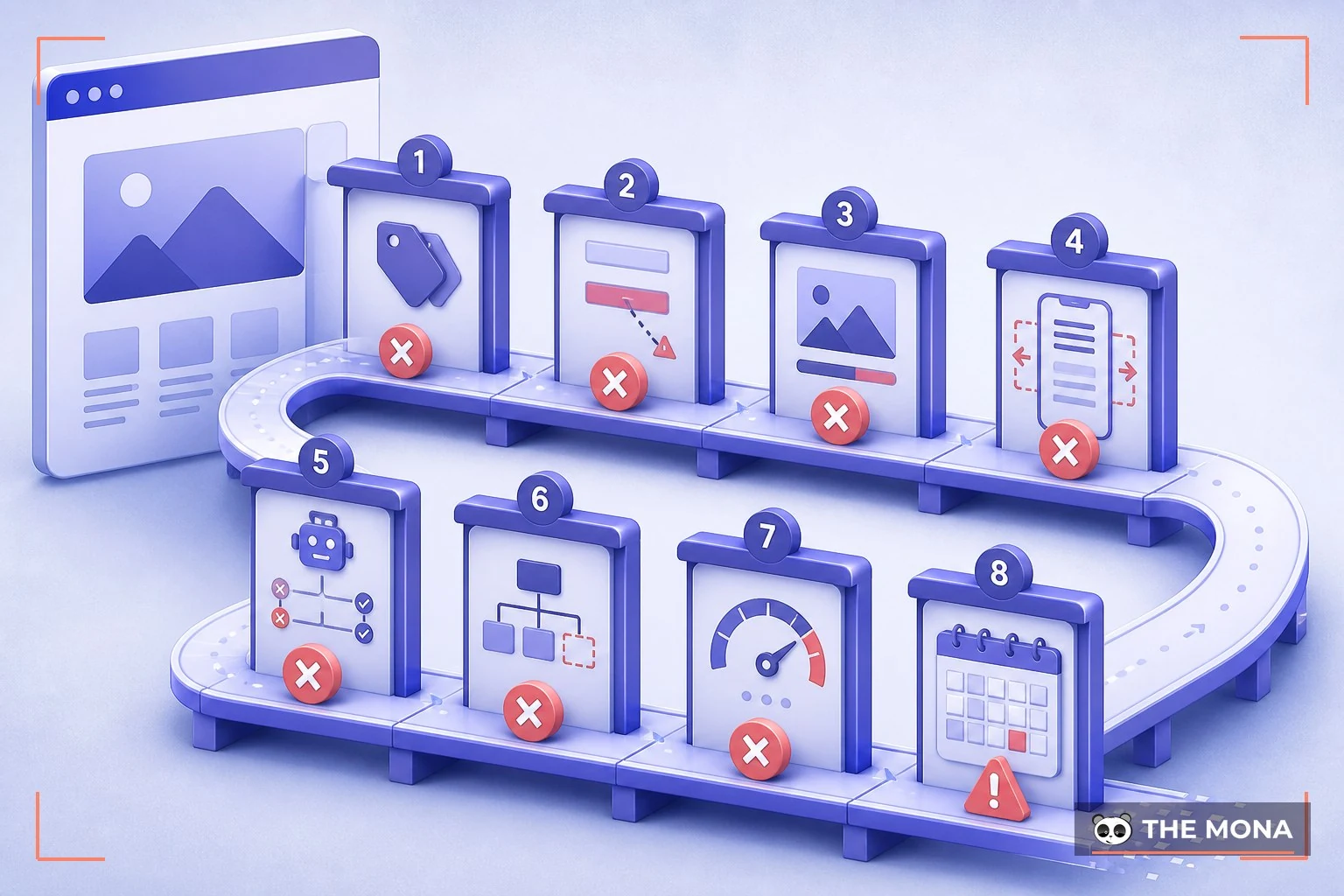
The sitemap is built after the interface. The sign is that the menu is finished but nobody can say which search need each page targets. Then the URLs, breadcrumbs and internal links have to be fixed backwards from the end to the start.
The live website is used to test plugins. One faulty update is enough to stop forms sending or turn the site into a blank page. The way to prevent this is a test website, a backup before every update and a process for rolling back to the previous version.
Every page uses the same title and meta. The admin sees no error on the interface, but the source code Google reads is duplicated. Check by opening 10 URLs across 3 page types and comparing the title, description and canonical of each URL.
Images are uploaded at camera size. The page still looks fine on Wi-Fi, while customers on 4G wait several seconds. Every image needs the right display size, a suitable format, a compressed file size, width, height and alt text that describes the scene accurately.
The phone version was only looked at, never tapped through. The menu opens but the close button sits off screen, the keyboard covers the form's submit button, or tables overflow sideways. Test on at least one iOS device, one Android device and a narrow browser window.
Robots.txt, sitemap and canonical are managed by three different plugins. Two places issuing the same instructions easily create conflicting rules. Assign one place to be responsible for each type of data, then check the source code and real URLs after saving.
Speed is measured before content is entered. A sample website with three images is usually very fast; once 30 articles and all the real banners go up, the score changes completely. The final acceptance test must run on data close to what will exist on handover day.
Nobody takes responsibility after the website goes live. SSL, domain, hosting, theme and plugins all have renewal dates. Without a monthly check schedule, errors only get noticed when forms lose messages, the website expires or Google Search Console sends a warning.
The deciding point is how much failure you can tolerate. If the website is only for testing an idea and a 7-day delay costs no revenue, doing it yourself is the economical choice. If the ad launch, opening day or stock arrival date is already fixed, you need to count the cost of a broken form, a slow page or wrong measurement data, rather than just comparing a theme's price with a design quote.
Soft CTA after Beat 2: If the 60-hour table shows that what you are missing is structure, testing or someone to look after the website after handover, see how MONA builds business websites in Ho Chi Minh City. Bring your sitemap and feature list; keep the parts you can do yourself, and only break out the parts that tend to fail for a quote.
Beat 2 block placement: right after criterion 20 “Search Bar”. Image 1 goes after the 60-hour table; image 2 goes after the list of 8 failure points.

The order of work decides how many times things have to be torn down and redone. Locking the interface first and researching structure afterwards often leads to an approved design with no room for categories, expert articles, filters or local content. Doing it right starts with the question of who the website needs to help do what, and only then moves through structure, interface, code, content, measurement and acceptance.
The process below serves as a neutral implementation checklist. Whether you do it yourself, give it to someone in-house or hire an outside company, the same order applies. Every step has an output; no output means no moving on. The acceptance stage opens 10 pages and submits the form twice to collect evidence instead of gut-feel comments.
Write business goals as measurable actions. “Make the website look professional” is not enough to design from. The goal needs to become an action such as submitting a form, calling, booking, viewing the price list, downloading a profile or buying; each action must have a landing page and a way to be recorded.
List users and their questions before drawing pages. A shop owner needs to see products, prices, delivery and returns. A B2B client needs capabilities, process, project portfolio and a contact person. A job seeker needs positions, conditions, location and an apply button. Those three groups create three different paths on the same website.
Lock ownership in the kickoff minutes. Which account the domain is under, who holds the hosting, who has the highest admin rights, and in what format the source code and database are handed over must be written down before work begins. Leave it late and you can easily end up with a running website whose owner cannot get a copy by themselves.
Group keywords by need, not by department. One main need gets one main page. Narrower questions become supporting articles that link back to that page. This reduces cases where a service page, a “what is” article and a pricing article all compete for the same search cluster.
Draw the sitemap and URL rules. The sitemap needs the homepage, service or product groups, content categories, about page, contact page and legal pages. URLs should be short, readable and not tied to dates if the content needs updating over time. When changing a URL that already gets traffic, make a table of old URLs, new URLs and 301 redirects.
Settle one template per page type. Service pages, articles, categories and project profiles do not share one layout. Each template must specify where the H1 sits, how the breadcrumb displays, the main content area, related links, the CTA and which structured data is output.
Approve the wireframe on phone before the colour version. The wireframe only needs content blocks, buttons and order. Check that the main button appears early, text is easy to read, forms are not too long and tables can be viewed on narrow screens. Fixing things at this step is cheaper than fixing them after the code is written.
Build the code together with the base SEO rules. Configure title, description, canonical, headings, breadcrumb, sitemap, robots.txt, Open Graph and schema for each page type. Each page has only one main H1. Images declare width, height and alt; the theme code must not create hidden content just to stuff keywords.
Set up measurement before acceptance day. Google Analytics 4 records behaviour on the website; Google Search Console shows which pages Google sees, which keywords generate impressions and which indexing errors need fixing. Setting them up early lets the test session produce real data to compare, instead of waiting until the website is live to find out the form does not record events.
Enter content close to the real data. Use long titles, real images, tables, videos, product descriptions and cases with no image. Sample data that is too clean hides text overflow, heavy images, empty categories and layouts that break when content is uneven.
Test by script, do not approve by feel. Open the homepage on 4G, find a service, submit a form, check the received email, go back to the previous page, use internal search, open a wrong URL to see the 404 page and share a link via social media. Each error records the device, browser, URL, steps to reproduce, screenshot and the person handling it.
Hand over with the full set of accounts and a maintenance schedule. The minimum package includes the domain account, hosting, website admin, Google Analytics 4, Google Search Console, the plugin list, renewal dates, a clean backup and restore instructions. The recipient must publish an article, replace an image, edit meta and take a backup themselves before signing off.
Do not swap steps. The interface only starts after the sitemap and content templates are approved. Speed optimisation is only finalised after near-real data is loaded. Acceptance only ends when forms, measurement, account access and backup restore all work.
| Priority level | Do first | Reason |
|---|---|---|
| P0, required before the website opens | Domain ownership, HTTPS, URL structure, mobile, forms, backups, robots.txt, sitemap, canonical, measurement | Mistakes here lose data, block Google or stop customers from getting in touch |
| P1, completed in the handover round | Main page speed, suitable schema, article templates, image alt, 404, redirects, admin guide | This is the foundation that lets the content team work steadily without creating new errors |
| P2, done after usage data is available | Animations, advanced filters, personalisation, multi-variant testing, secondary integrations | Only worth investing in once you know what real users need and which step is blocking conversion |
A website without animations can still sell. A website that loses forms, has wrong canonicals or has no backup is at risk right away. So when you have to cut scope, postpone P2 first; do not cut P0 tasks in exchange for a homepage with lots of motion.

/robots.txt and the sitemap; confirm pages that need SEO are not blocked and test URLs are not in the sitemap.This checklist has 12 lines, pass or fail. Any line not yet done must name the person fixing it and a recheck date, not be replaced with “we'll support it later”. Only when all 12 pieces of evidence are in does the website move on to regular content publishing and rank tracking.
Beat 3 block placement: right after the Beat 2 block. Image 3 goes after step 12; image 4 goes after the self-acceptance checklist.
The difference is not visible on handover day; it shows up after 3-6 months. An ordinary website can look as good as an SEO-friendly one, but Google sees two different worlds: one has a proper heading structure, load speed that meets Core Web Vitals, complete schema data and clean URLs; the other is a nice-looking interface that machines cannot understand is selling anything. The measurable result: on the same content budget, the SEO-friendly website climbs keywords steadily from month 2-3 and holds its rankings, while the ordinary website stays stuck on pages 3-5 no matter how many articles are written, and the owner wrongly concludes “SEO doesn't suit my industry”. Investing in SEO from the design stage is many times cheaper than tearing up the foundation once the website is running: this is why a serious SEO-friendly website design company always puts the technical checklist into the contract from the start instead of selling it as an add-on later.
Yes, and a properly SEO-friendly website must give you that ability. Specifically, when MONA hands over: an admin panel that lets you publish articles with all the SEO fields (title, description, URL, images with alt), a pre-planned category structure so new articles land in the right topic cluster, an auto-updating sitemap, and a training session for your content team with documentation. From that foundation, a business with someone who writes can run the content side itself; hire Full-scope SEO services only if you want to target highly competitive keyword clusters or need a team to build backlinks properly. A beautiful website nobody can find is beautiful for whom? A solid foundation plus a steady publishing habit is the long road a professional SEO-friendly website gives you, not a miracle that hits the top in one month.

CEO & Founder · The MONA
Founder of The MONA, who built a services company of 200+ staff with 14,000+ projects delivered. Khánh Hùng shares how he thinks about building systems that run themselves, automating a business, and the real lessons from delivering projects at MONA.
 1,6K
1,6K



Professional website
design services
Own a website with a beautiful, 100% exclusive design and a lifetime warranty, with the ability
to expand features flexibly as your business grows, starting today!








 MONA promises never to use your information for sale or SPAM
MONA promises never to use your information for sale or SPAM
MONA promises never to use your information for sale or SPAM


 MONA promises never to use your information for sale or SPAM