
 MONA OS 2.0


 Tự động hoá doanh nghiệp
 Cẩm nang SEO
 Digital Marketing
 Kinh nghiệm thiết kế website
 Hạ Tầng Server
 Giáo dục


 VI
VI
 EN
EN




Message us on
Zalo Official


 Products

 ProductsProducts









 Website designLooks good and convinces your customers.
SEO servicesBrings in customers searching for exactly what you sell.
Website designLooks good and convinces your customers.
SEO servicesBrings in customers searching for exactly what you sell.
 Tư vấn digital marketingKéo khách từ nhiều kênh, đo bằng số thật.
Corporate video productionVideos introducing your company, factory and team.
Tư vấn digital marketingKéo khách từ nhiều kênh, đo bằng số thật.
Corporate video productionVideos introducing your company, factory and team.
 NewAI video productionCompany story films made with AI.
 Custom software developmentCRM, ERP and HRM built for your business.
 Viết AI Agent theo yêu cầuĐặt riêng một trợ lý AI cho đúng việc của mình.
 Tư vấn chuyển đổi AIĐưa AI vào vận hành của cả công ty.
NewMONA LMSManagement for centers and schools.
MONA SkillHubInternal training for company staff.
Tư vấn chuyển đổi AIĐưa AI vào vận hành của cả công ty.
NewMONA LMSManagement for centers and schools.
MONA SkillHubInternal training for company staff.
 NHTQ systemEnd-to-end China–Vietnam shipping operations.
MONA JMSManagement for gold, diamond and pawn shops.
NHTQ systemEnd-to-end China–Vietnam shipping operations.
MONA JMSManagement for gold, diamond and pawn shops.
 MONA E-LearningA website with every feature you need to sell courses.
 Course on selling online coursesMore than 30 free lessons on selling courses automatically.
 MONA Cloudmonacloud.vnServers to get your apps and websites running.
 MONA Basemonabase.vnPostgres database, sign-in and file storage.
 MONA Mailmonamail.vnSend OTP, order and invoice emails from your software.
 MONA Paymonapay.vnReceive bank transfers via VietQR, with payment alerts sent to your software.
 MONA eInvoiceComing soonIssue e-invoices that meet tax standards.
Gấu CườiTrả lời khách 24/7 trên web, Fanpage, Zalo và thu lead cho sale.
MONA eInvoiceComing soonIssue e-invoices that meet tax standards.
Gấu CườiTrả lời khách 24/7 trên web, Fanpage, Zalo và thu lead cho sale.
 Gấu TeleSalesGọi điện tư vấn, chăm khách như tổng đài viên thật.
Dê CườiTư vấn và chốt đơn cho shop ngay trong khung chat.
Gấu WebmasterNhắn nhóm Zalo là website được sửa xong.
Gấu TeleSalesGọi điện tư vấn, chăm khách như tổng đài viên thật.
Dê CườiTư vấn và chốt đơn cho shop ngay trong khung chat.
Gấu WebmasterNhắn nhóm Zalo là website được sửa xong.
 Gấu Pháp ChếSoạn hợp đồng, rà điều khoản trong vài phút.
 Gấu Báo GiáLên báo giá đúng mẫu và gửi khách ngay.
 AI chăm sóc khách hàngTheo dõi và giữ chân khách hàng cũ.
 Gấu Tuyển DụngLọc hồ sơ, hẹn lịch, phỏng vấn ứng viên.
 AI
Gấu Cười MONA ĐANG TỰ XÀITrả lời khách 24/7 trên website, Zalo OA, Messenger và thu lead về cho sale.
Dê CườiChốt đơn bán lẻ và sàn: Shopee, TikTok Shop, web. Chăm cả khách sỉ, đại lý.
Gấu WebmasterCập nhật nội dung, tối ưu SEO website mỗi ngày.
Gấu TeleSalesGọi điện tư vấn, chăm khách như tổng đài viên thật.
Gấu Tuyển DụngLọc hồ sơ, hẹn lịch, phỏng vấn ứng viên tự động.
AI chăm sóc khách hàngGiữ khách cũ, cứu lead đã rớt cho phòng kinh doanh.
Gấu Pháp ChếSoạn hợp đồng, rà điều khoản trong vài phút.
Gấu Báo GiáLên báo giá đúng mẫu, gửi khách ngay khi có yêu cầu.
AI
Gấu Cười MONA ĐANG TỰ XÀITrả lời khách 24/7 trên website, Zalo OA, Messenger và thu lead về cho sale.
Dê CườiChốt đơn bán lẻ và sàn: Shopee, TikTok Shop, web. Chăm cả khách sỉ, đại lý.
Gấu WebmasterCập nhật nội dung, tối ưu SEO website mỗi ngày.
Gấu TeleSalesGọi điện tư vấn, chăm khách như tổng đài viên thật.
Gấu Tuyển DụngLọc hồ sơ, hẹn lịch, phỏng vấn ứng viên tự động.
AI chăm sóc khách hàngGiữ khách cũ, cứu lead đã rớt cho phòng kinh doanh.
Gấu Pháp ChếSoạn hợp đồng, rà điều khoản trong vài phút.
Gấu Báo GiáLên báo giá đúng mẫu, gửi khách ngay khi có yêu cầu.
 Chuyển đổi AI toàn phầnGiải pháp tổng cho doanh nghiệp, 3 lớp triển khai.
 Viết AI Agent theo yêu cầuĐặt riêng một con AI gánh đúng nghiệp vụ của bạn.
 Custom softwareCRM, ERP and HRM with built-in AI automation.
 SEO & AEO thời đại AIĐược Google lẫn AI trích dẫn, không chỉ xếp hạng.
 Kiến thức AI cho doanh nghiệpBài phân tích, hướng dẫn ứng dụng AI vào vận hành.
 Free AI courses
 AI tools at work
18 March, 2023
As the Internet grows, security threats keep increasing. Today's users care not only about content but also, very much, about how safe it is to visit a website. So moving from HTTP to HTTPS is no longer an option; it has become a required standard for modern websites. So what is HTTPS, and why does this protocol matter for your website? Let MONA Media find out in detail in the article below.
HTTP (Hypertext Transfer Protocol) is the foundational protocol that lets browsers and servers communicate over the Internet. Thanks to HTTP, users can visit websites, view content and images, or do things online such as searching for information and shopping.
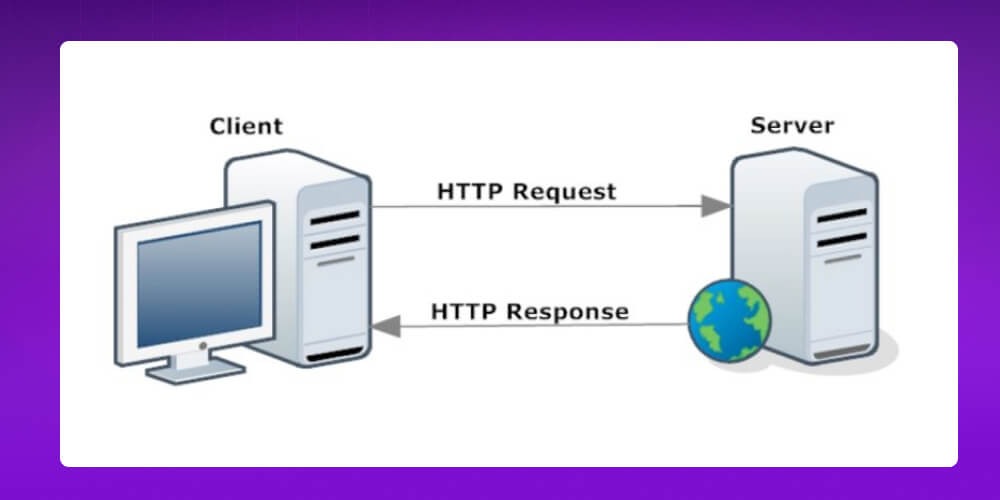
When you type a website address into your browser, the browser sends a request to the server over HTTP. The server then responds by sending back the corresponding data to display on screen. However, the limitation of HTTP is that data is sent unencrypted, making information easy to steal or tamper with in transit.
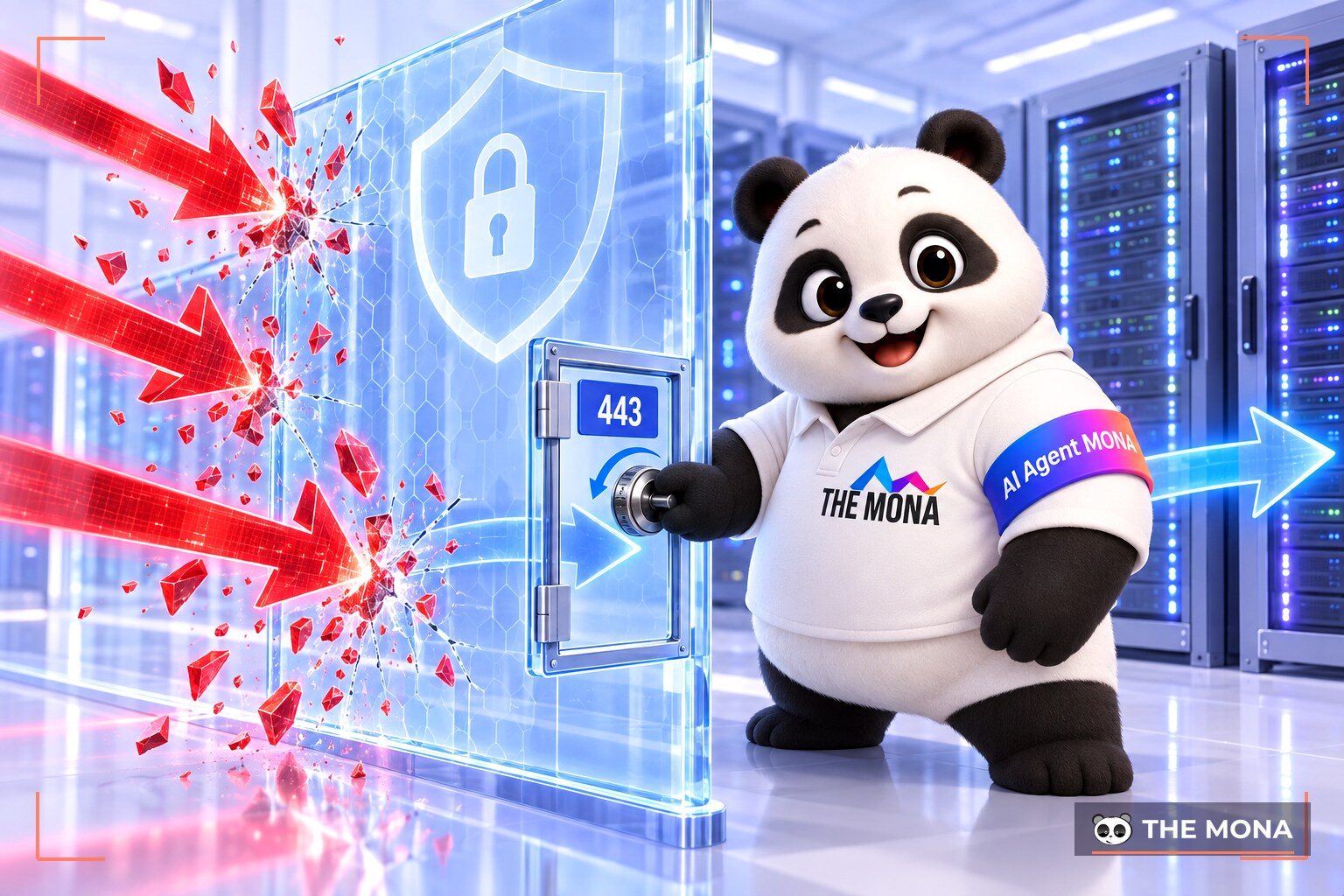
HTTPS (Hypertext Transfer Protocol Secure) is the secure version of the HTTP protocol, used to transmit data safely over the Internet. It works on the basis of an SSL/TLS certificate, which encrypts all information exchanged between the browser and the server.
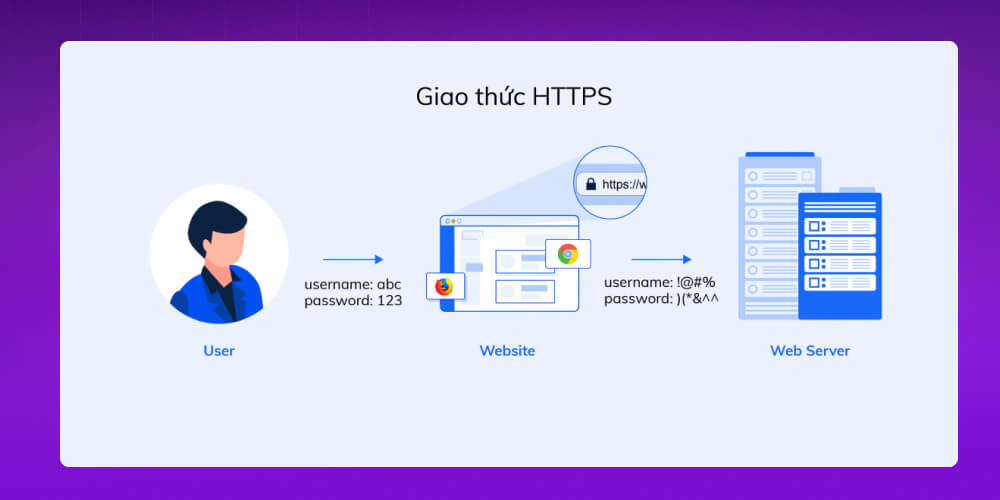
Thanks to encryption, data sent over HTTPS is protected from being stolen or tampered with. Only the sender and the receiving server can read the content. So HTTPS is especially important for websites that collect personal data, have account logins or process online transactions, giving users more peace of mind when visiting and using the service.
HTTPS was developed to fix HTTP's security weakness by encrypting data in transit. When a website uses HTTPS, all information exchanged between the browser and the server is protected by an SSL/TLS certificate, preventing third parties from stealing or tampering with data.
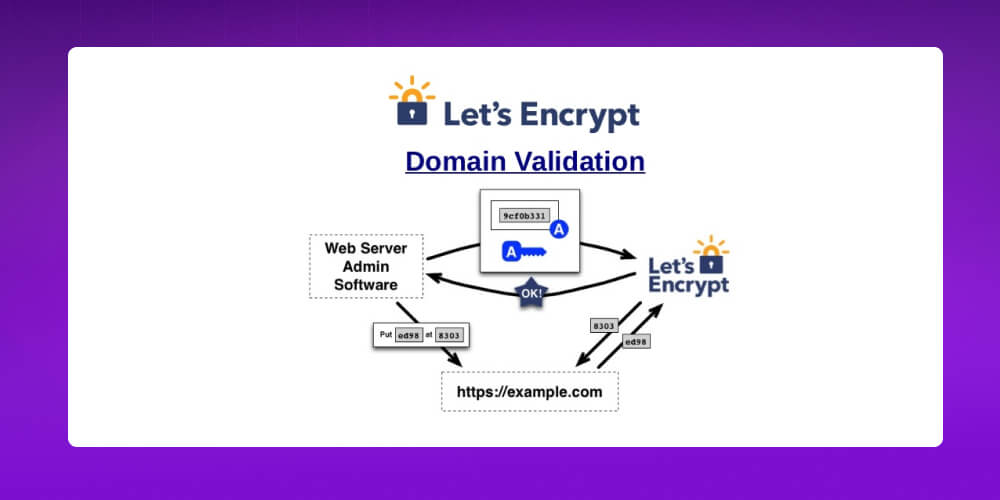
HTTPS works as follows:
With this mechanism, HTTPS ensures data stays encrypted throughout transmission, making the website more trustworthy and better protecting user information.
To establish a secure connection, communication between the browser (client) and the server over HTTPS goes through several authentication and encryption steps, instead of connecting directly as HTTP does. This mechanism ensures data is not stolen or tampered with in transit.
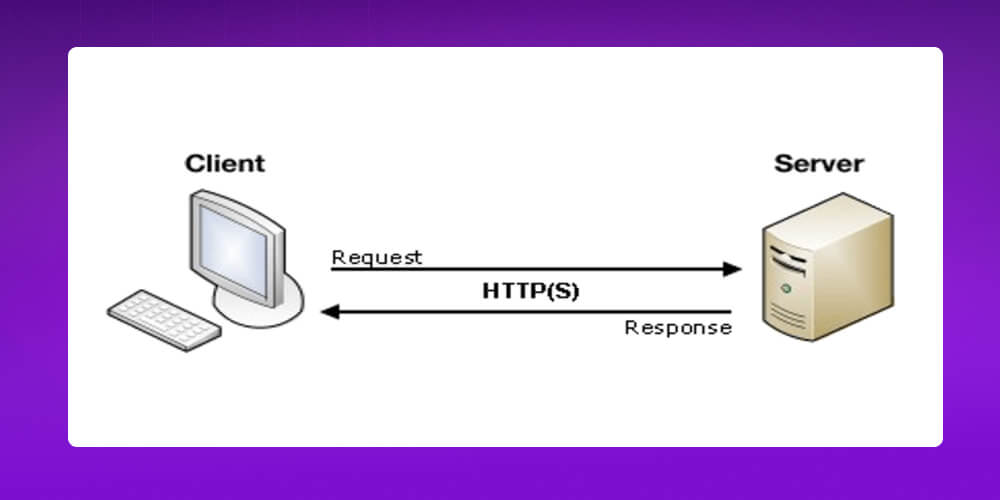
HTTPS communication happens in the following steps:
With this mechanism, HTTPS ensures information is transmitted safely, securely and reliably between users and the website.
HTTP and HTTPS are both protocols for transmitting data over the Internet, but the core difference is the level of security. HTTP sends data as plain text, which is easy to eavesdrop on or tamper with, while HTTPS adds an SSL/TLS encryption layer that keeps information safe throughout the exchange between browser and server. This is also why HTTPS has become a required standard for modern websites.
Table comparing the differences between HTTP and HTTPS
| Comparison | HTTP | HTTPS |
| Security level | Low, easy to eavesdrop on or tamper with | High, protects user data |
| Default port | HTTP uses Port 80 | HTTPS uses Port 443 |
| Security level | No encryption, data is sent as plain text |
Data is encrypted with an SSL/TLS certificate |
| Recommended use | No longer suitable for modern websites |
Required standard for websites today |
| Certificate requirement | No certificate needed |
An SSL/TLS certificate must be installed |
| Display in the browser | May show a “Not Secure” warning or no padlock icon |
Shows a padlock icon and the “https://” prefix |
As the Internet carries more and more security risks, users care not only about content but also put safety first when visiting a website. HTTPS has therefore become an essential standard that protects data, increases trust and improves the user experience. So why should every website, from personal to business, use HTTPS? Let's find out with MONA below!
HTTPS encrypts all data sent between the browser and the server, so bad actors cannot “eavesdrop” on or tamper with the information. As a result, everything you send, whether a login, a comment or an order, stays intact and cannot be read, altered or faked in transit.
Today, popular browsers such as Google Chrome, Firefox, Microsoft Edge and Apple Safari all warn users when they visit websites that do not use HTTPS. These warnings aim to protect important information such as personal data, login details and payment cards from being stolen.
Users are the core factor that decides whether a website survives. If they feel unsafe visiting it, the chance they come back is almost zero. Using HTTPS with an SSL/TLS certificate not only secures data but also shows the website's commitment to credibility and professionalism, building trust and keeping users for the long term.
Major search engines such as Google, Bing,… all place great weight on security and moved their whole systems to HTTPS very early. Google has also stated many times that websites using HTTPS have an advantage in search rankings. So if you are doing SEO and want your website to grow sustainably, moving to HTTPS as soon as possible should be a priority.
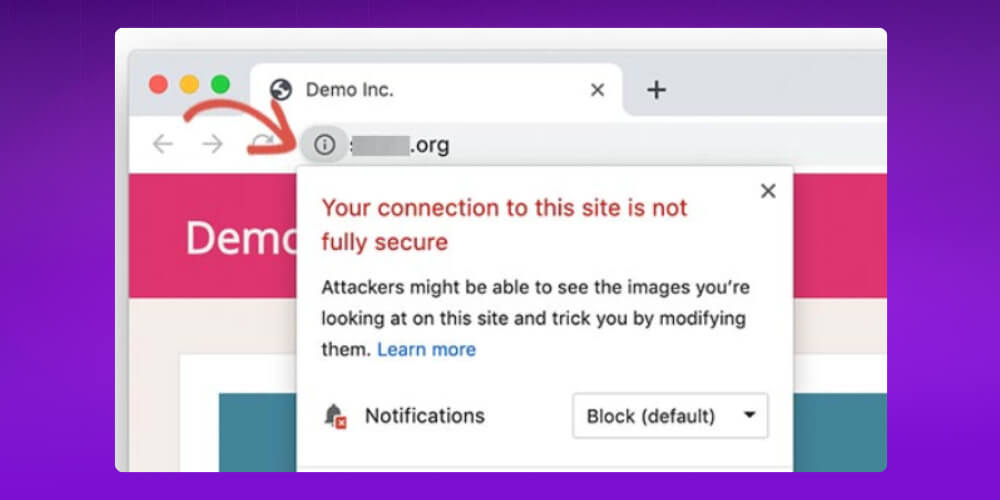
When a website has both HTTP and HTTPS versions, Google may treat them as duplicate content. This splits SEO strength, backlinks do not add up and search engines struggle to decide which version to rank. Without a proper 301 redirect from HTTP to HTTPS, the website can easily lose rankings, drop in traffic and lose the SEO value it has built up.
If you do not know where to start, the MONA team is ready to work with you. Full-scope SEO services combined with SEO AI at MONA provides full support, from technical website checks and structure optimization to building a content strategy suited to new search behavior. We help your website not only run reliably but also grow effectively in the AI era. Contact MONA for detailed advice today!

Using the HTTPS protocol not only encrypts data and makes your website more secure, it is also today's standard. However, during implementation you need to watch a few technical points to avoid common errors that can reduce effectiveness or cause display problems.
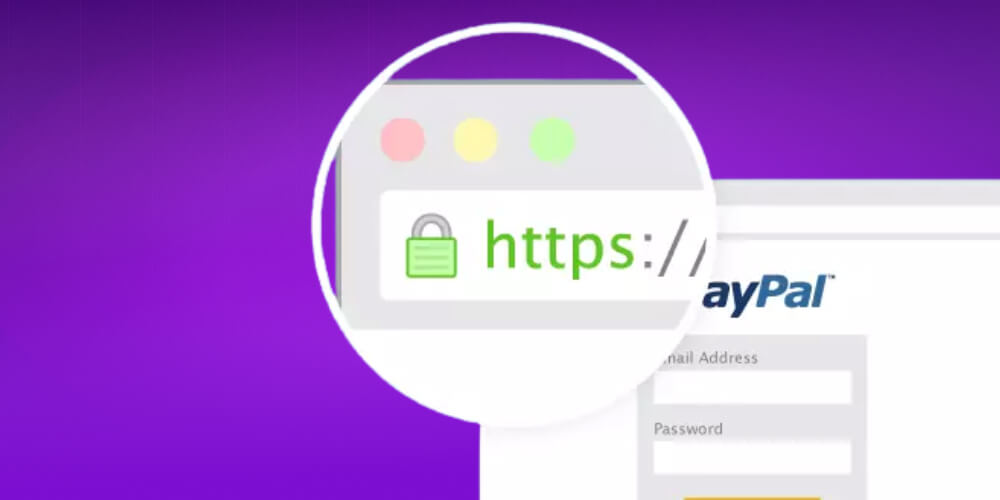
Here is what you need to keep in mind:
1, What should you do when your website shows a red-struck HTTPS error?
When the URL shows a red strikethrough on HTTPS, users will suspect the website is unsafe, which immediately hurts its credibility. The simple fix: buy an SSL certificate from a reputable provider such as MONA Media to restore trust and protect your website.
2, What should you do when your website shows a crossed-out HTTPS error?
Just like the red-struck HTTPS error, when your website shows a crossed-out HTTPS error, businesses should register the SSL for their website.
3, Is HTTPS free?
There are many free SSL providers such as Let’s Encrypt, but they usually only offer basic security and come without technical support.
4, Is it hard to switch from HTTP to HTTPS?
Switching from HTTP to HTTPS is not hard if you have experience: you just need to install SSL, configure the server and update the content correctly. For beginners the process can be a bit complex, but support tools can automate almost all of it, making the switch simple and safe.
This article has given you the basics of what the HTTPS protocol is, and pointed out the standout advantages of the HTTPS protocol. So now that you understand it, you should put essential security measures in place for your website, the main one being switching to the HTTPS protocol.
The information security that HTTPS provides will make your website not only safer and more professional but also more appealing to users.

CEO & Founder · The MONA
Founder of The MONA, who built a services company of 200+ staff with 14,000+ projects delivered. Khánh Hùng shares how he thinks about building systems that run themselves, automating a business, and the real lessons from delivering projects at MONA.
 1,6K
1,6K




Professional website
design services
Own a website with a beautiful, 100% exclusive design and a lifetime warranty, with the ability
to expand features flexibly as your business grows, starting today!



NHẬN TƯ VẤN SEO MIỄN PHÍ !








 MONA promises never to use your information for sale or SPAM
MONA promises never to use your information for sale or SPAM
MONA promises never to use your information for sale or SPAM


 MONA promises never to use your information for sale or SPAM