
 MONA OS 2.0


 Tự động hoá doanh nghiệp
 Cẩm nang SEO
 Digital Marketing
 Kinh nghiệm thiết kế website
 Hạ Tầng Server
 Giáo dục


 VI
VI
 EN
EN















Message us on
Zalo Official


 ProductsNew

 ProductsProducts
 Mới ra mắtKHA AI 2027App tự edit video, tự đăng mọi mạng xã hội, 2 phút mỗi ngày










 Website designLooks good and wins customers over.
SEO servicesBrings in customers searching for exactly what you sell.
Website designLooks good and wins customers over.
SEO servicesBrings in customers searching for exactly what you sell.
 Tư vấn digital marketingKéo khách từ nhiều kênh, đo bằng số thật.
Corporate video productionVideos introducing your company, factory and team.
Tư vấn digital marketingKéo khách từ nhiều kênh, đo bằng số thật.
Corporate video productionVideos introducing your company, factory and team.
 NewAI video productionCompany story films made with AI.
 Custom software developmentCRM, ERP and HRM built for your business.
 Viết AI Agent theo yêu cầuĐặt riêng một trợ lý AI cho đúng việc của mình.
 Tư vấn chuyển đổi AIĐưa AI vào vận hành của cả công ty.
NewMONA LMSManagement for centers and schools.
MONA SkillHubInternal training for company staff.
Tư vấn chuyển đổi AIĐưa AI vào vận hành của cả công ty.
NewMONA LMSManagement for centers and schools.
MONA SkillHubInternal training for company staff.
 NHTQ systemEnd-to-end China–Vietnam shipping operations.
MONA JMSManagement for gold, diamond and pawn shops.
NHTQ systemEnd-to-end China–Vietnam shipping operations.
MONA JMSManagement for gold, diamond and pawn shops.
 MONA E-LearningA website with every feature you need to sell courses.
 How to sell online courses (course)More than 30 free lessons on selling courses on autopilot.
 MONA Cloudmonacloud.vnServers to get your apps and websites running.
 MONA Basemonabase.vnPostgres database, sign-in and file storage.
 MONA Mailmonamail.vnSend OTP, order and invoice emails from your software.
 MONA Paymonapay.vnAccept bank transfers via VietQR and notify your software when the money arrives.
 MONA eInvoiceComing soonIssue e-invoices that meet tax standards.
Gấu CườiTrả lời khách 24/7 trên web, Fanpage, Zalo và thu lead cho sale.
MONA eInvoiceComing soonIssue e-invoices that meet tax standards.
Gấu CườiTrả lời khách 24/7 trên web, Fanpage, Zalo và thu lead cho sale.
 Gấu TeleSalesGọi điện tư vấn, chăm khách như tổng đài viên thật.
Dê CườiTư vấn và chốt đơn cho shop ngay trong khung chat.
Gấu WebmasterNhắn nhóm Zalo là website được sửa xong.
Gấu TeleSalesGọi điện tư vấn, chăm khách như tổng đài viên thật.
Dê CườiTư vấn và chốt đơn cho shop ngay trong khung chat.
Gấu WebmasterNhắn nhóm Zalo là website được sửa xong.
 Gấu Pháp ChếSoạn hợp đồng, rà điều khoản trong vài phút.
 Gấu Báo GiáLên báo giá đúng mẫu và gửi khách ngay.
 AI chăm sóc khách hàngTheo dõi và giữ chân khách hàng cũ.
 Gấu Tuyển DụngLọc hồ sơ, hẹn lịch, phỏng vấn ứng viên.
 Mới ra mắt
KHA AI 2027
Xây kênh chuyên gia 2 phút mỗi ngày
Quay bằng điện thoại, AI tự edit video, tự đăng lên 16 nền tảng và tự trả lời bình luận, tin nhắn.
352.433lượt xem trên kênh CEO MONA sau 20 ngày
Mới ra mắt
KHA AI 2027
Xây kênh chuyên gia 2 phút mỗi ngày
Quay bằng điện thoại, AI tự edit video, tự đăng lên 16 nền tảng và tự trả lời bình luận, tin nhắn.
352.433lượt xem trên kênh CEO MONA sau 20 ngày
 Anh Khánh HùngCEO MONA đang dùng mỗi ngày
Xem app làm được gì
Anh Khánh HùngCEO MONA đang dùng mỗi ngày
Xem app làm được gì
 AI
Gấu Cười MONA ĐANG TỰ XÀITrả lời khách 24/7 trên website, Zalo OA, Messenger và thu lead về cho sale.
Dê CườiChốt đơn bán lẻ và sàn: Shopee, TikTok Shop, web. Chăm cả khách sỉ, đại lý.
Gấu WebmasterCập nhật nội dung, tối ưu SEO website mỗi ngày.
Gấu TeleSalesGọi điện tư vấn, chăm khách như tổng đài viên thật.
Gấu Tuyển DụngLọc hồ sơ, hẹn lịch, phỏng vấn ứng viên tự động.
AI chăm sóc khách hàngGiữ khách cũ, cứu lead đã rớt cho phòng kinh doanh.
Gấu Pháp ChếSoạn hợp đồng, rà điều khoản trong vài phút.
Gấu Báo GiáLên báo giá đúng mẫu, gửi khách ngay khi có yêu cầu.
AI
Gấu Cười MONA ĐANG TỰ XÀITrả lời khách 24/7 trên website, Zalo OA, Messenger và thu lead về cho sale.
Dê CườiChốt đơn bán lẻ và sàn: Shopee, TikTok Shop, web. Chăm cả khách sỉ, đại lý.
Gấu WebmasterCập nhật nội dung, tối ưu SEO website mỗi ngày.
Gấu TeleSalesGọi điện tư vấn, chăm khách như tổng đài viên thật.
Gấu Tuyển DụngLọc hồ sơ, hẹn lịch, phỏng vấn ứng viên tự động.
AI chăm sóc khách hàngGiữ khách cũ, cứu lead đã rớt cho phòng kinh doanh.
Gấu Pháp ChếSoạn hợp đồng, rà điều khoản trong vài phút.
Gấu Báo GiáLên báo giá đúng mẫu, gửi khách ngay khi có yêu cầu.
 Chuyển đổi AI toàn phầnGiải pháp tổng cho doanh nghiệp, 3 lớp triển khai.
 Viết AI Agent theo yêu cầuĐặt riêng một con AI gánh đúng nghiệp vụ của bạn.
 Custom softwareCRM, ERP and HRM with built-in AI automation.
 SEO & AEO thời đại AIĐược Google lẫn AI trích dẫn, không chỉ xếp hạng.
 Kiến thức AI cho doanh nghiệpBài phân tích, hướng dẫn ứng dụng AI vào vận hành.
 Free AI courses
 AI tools at work
App mới · KHA AI 2027
Xây kênh 2 phút mỗi ngày
AI tự edit video, tự đăng mọi mạng xã hội
Free consultation, 8am–10pm every day
AI tools at work
App mới · KHA AI 2027
Xây kênh 2 phút mỗi ngày
AI tự edit video, tự đăng mọi mạng xã hội
Free consultation, 8am–10pm every day

18 March, 2023
Internal Link are often used by SEOs to strengthen the connections between content and increase conversions on a website. Because the work is not very hard, internal links tend to be underrated. But if an internal link structure is built properly around the reader's journey, it brings great value to a website. In this article, MONA Media will help you understand what an internal link is and give you the information you need about building internal links.
What is an internal link? An internal link is a link from one page to another on the same Website. This kind of link is generally used to guide users to related content on the site and to share link value.
These internal links also help your site get a better rating from Google and improve its chances of ranking higher in search results. In addition, site navigation, website menus and footer links all count as internal links. Even so, internal links usually focus on connecting the content on your own website.
The role of internal links every SEO understands, because they keep strengthening each stage of a business's funnel. When internal links are designed well, they create a smooth "customer flow" from awareness to action. So what exactly do internal links bring? Let's look with MONA in the content below.
Internal links can have a big effect on the rankings SEO of your website. With internal links, you not only create a network between the pages of your site but also pass authority from one page to another. When page A links to page B, page A's authority is passed to page B, which improves page B's ability to rank in search engines.
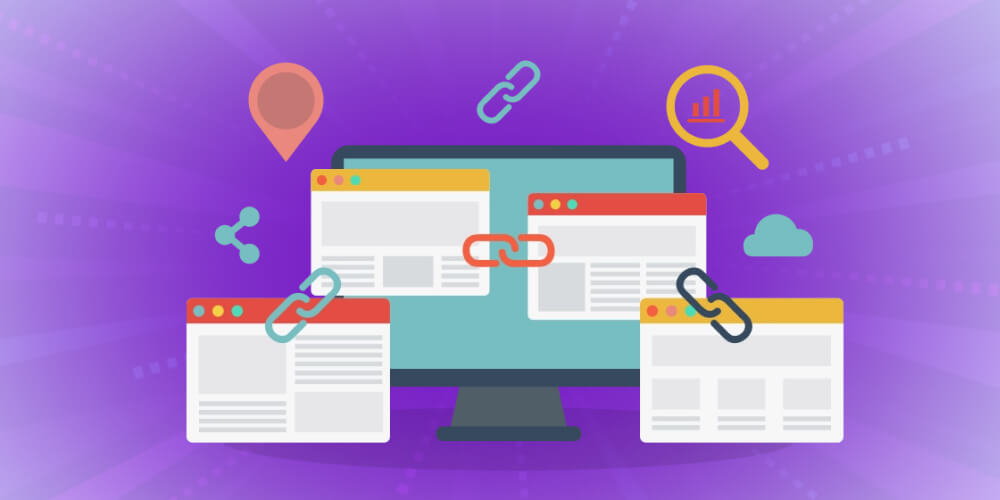
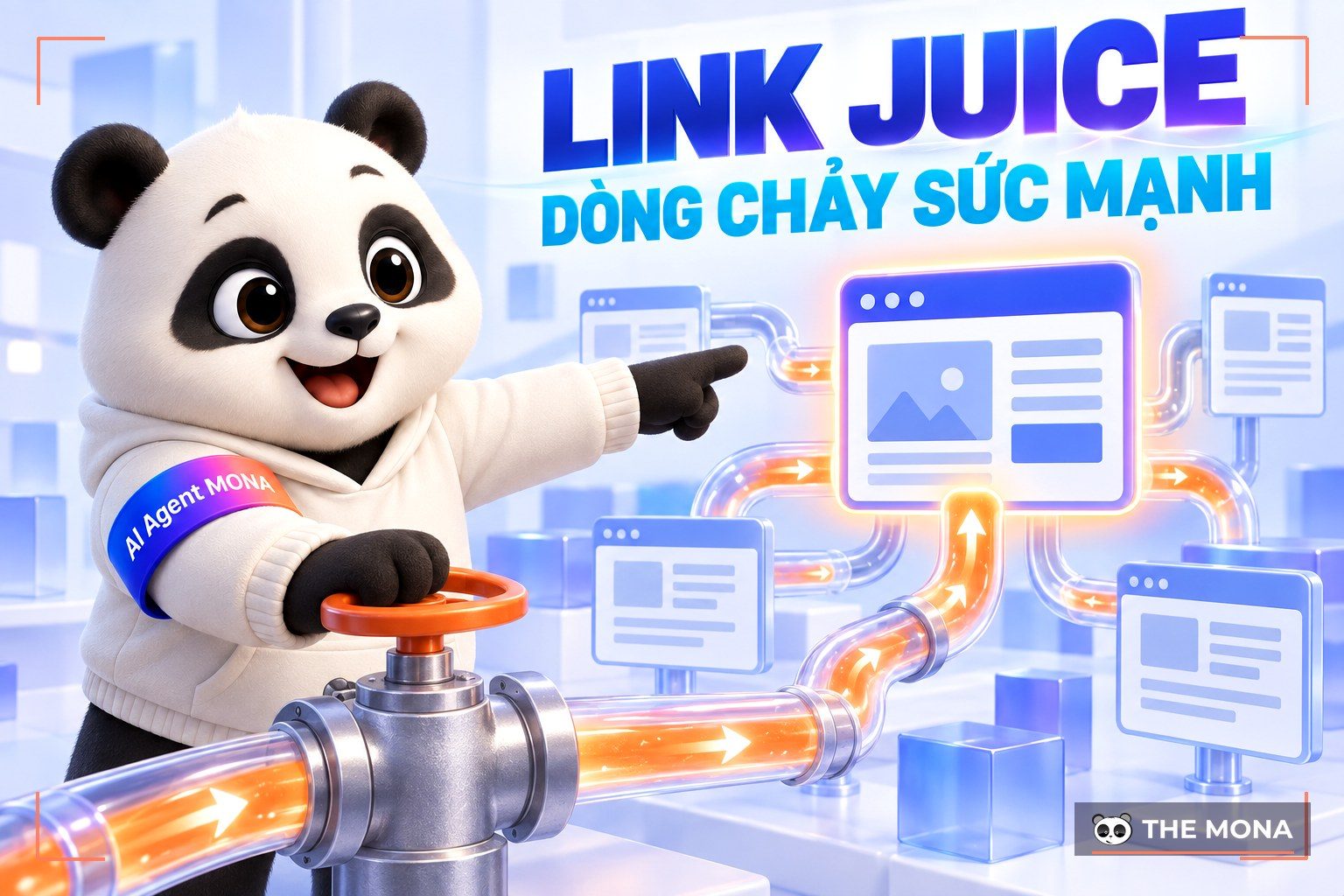
In SEO, “link juice” is the amount of authority and value a link passes from one page to another on the same website. Internal links do not raise your site's overall authority, but they pass authority between its pages, which helps those pages rank higher in search results.
Internal links usually work best for SEO in two situations:
To get the most Digital SEO service out of internal links and build up authority, the “easiest” way is to link Case 1 pages to Case 2 pages. That spreads link strength (link juice), so the Case 2 pages “leo top” faster and bring in noticeably more traffic.
In more detail, here are two ways to work out which case each page on your site falls into, so you can get the most from your internal links:
#1: Find the pages with high authority
You can use Ahrefs to check by entering your domain and choosing Best By Link, and the tool will rank your pages by UR (URL Rating). A higher UR means the page has more quality backlinks and is more trusted. You can then create internal links to those pages to strengthen their ranking potential.
#2: Find the pages that already rank well
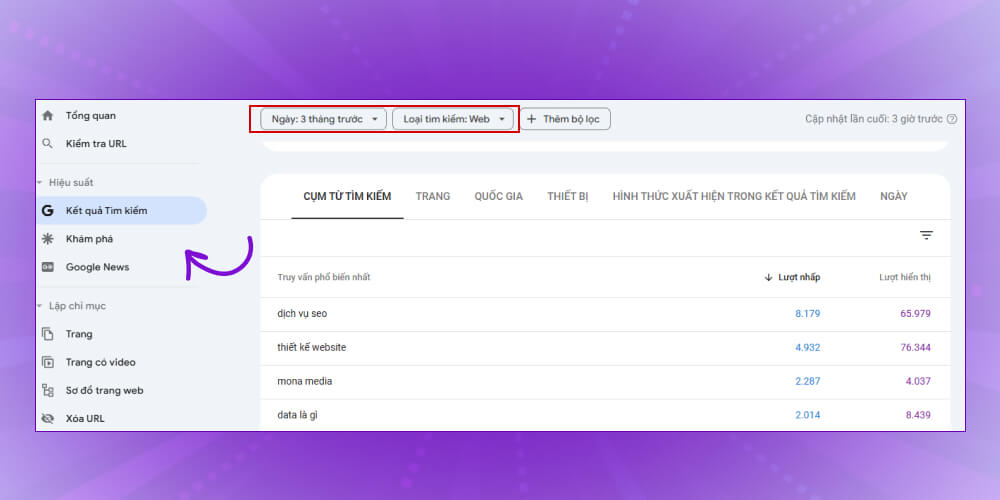
Use the analytics tool Google Webmaster Tools to find pages with high traffic, or pages sitting close to the top 10 that you can push higher, in these steps:
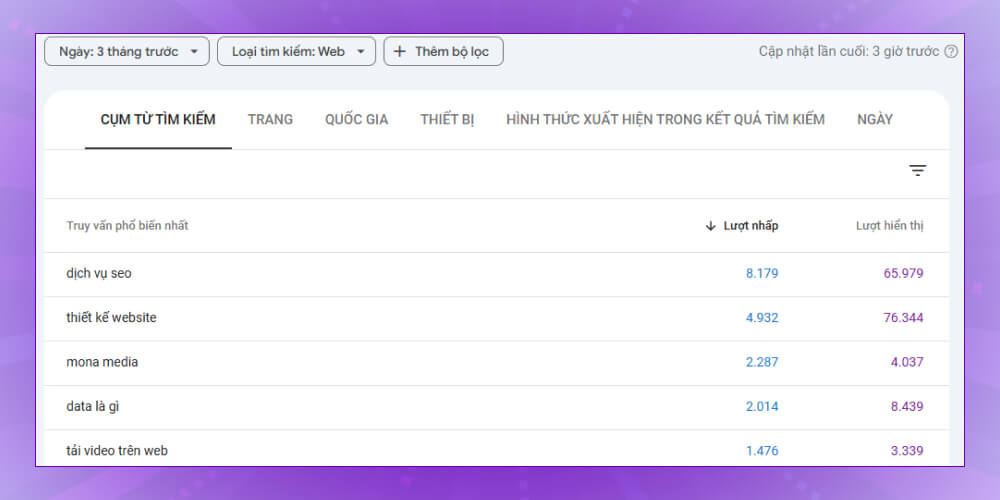
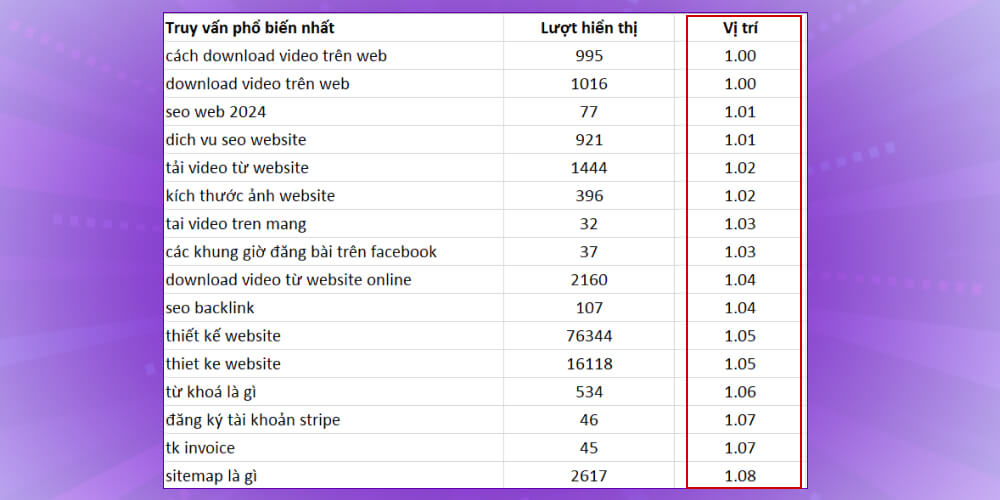
There's no denying that the more valuable and useful a page's content is, the more visits it attracts and the higher it ranks in search engines.
But not every page gets users to take action (sign up for a service, buy a product, fill in a consultation form, and so on). So linking from pages with a lot of traffic to pages with a high conversion rate not only gets more users to act, it also helps your website reach its business goals.
Example: From a blog post about cooking tips, you can link to a kitchenware product page. Readers are more likely to click through and buy when they are guided in the right direction, moving easily from reading to buying.
Find the pages with the most traffic
To see which pages on your site attract the most traffic, check Google Analytics with the following steps:
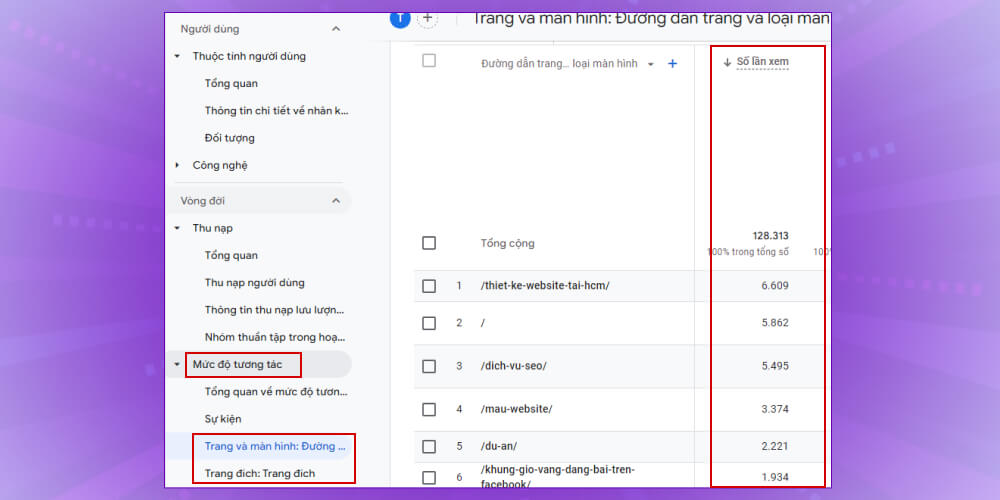
Choose the section Behavior >> Site content >> All pages. Then choose the time range you want (usually 3 to 6 months) and you'll get a report of your top-traffic pages, in order.
Pay close attention to pages with a “spike” in traffic caused by ad campaigns, emails and so on, because those pages are unlikely to keep growing steadily once the campaign ends.
When visitors reach your website, your goal Marketing is to create a smooth, engaging experience that draws in as much traffic as possible. Internal links are a great tool for doing exactly that.
By placing internal links in strategic spots, you can lead users to more related content and remind them to interact or convert.
Example: When a customer is reading an article about a new product, you can add internal links to review articles, usage guides or related products. This gives the customer more useful information, builds trust and encourages actions such as buying or signing up for a service.
To check whether your content pushes customers to act, look at the end of your marketing articles and consider criteria such as:
Here are a few examples you can place under marketing articles as calls to action (CTAs):
Internal linking sounds familiar, right? Plenty of people know about it, but very few do it correctly and effectively. In this video, Huy shares lessons from hands-on work that you can apply straight away. Watch it and stop linking at random.
So far, internal links can be divided into two main types: Navigational Internal Link (navigational internal links) and Contextual Internal Link (contextual internal links). MONA covers each type in detail below:
Navigational Internal Link build the main navigation structure of your website. This type of internal link is usually applied across the whole site so users can easily find what they want. Businesses usually put the essential pages in the site's main menu, or place internal links in the footer, sidebar and so on.
Contextual Internal Link are also called contextual internal links and usually sit inside the main content of a page. These links are placed within articles and point to pages on related topics.
To make these links stand out, you can change their color or use bold or italics so users are drawn to click them. After the click, users land on the page you want them to find.
-> Read more: What is link building? An effective link-building strategy for your website
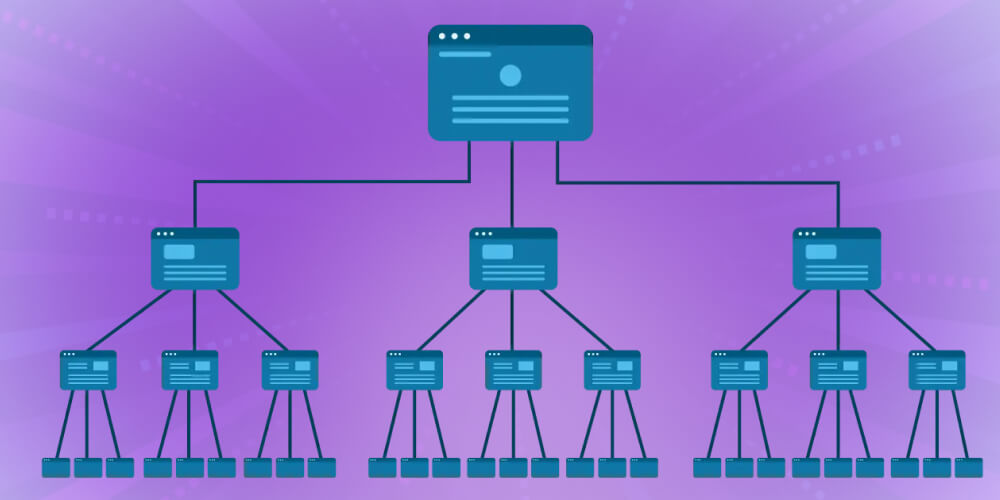
Deciding which pages to push to the top of Google tells you which keywords you need and lets you plan the supporting articles. Pages that need SEO usually have high search volume and broad keywords.
The topic cluster is usually defined from the page you chose in step 1. That is the main page on a given topic, and any page related to that topic counts as supporting content that adds detail and depth to it.
Each supporting page needs a link back to the main topic page, showing that the main page is the most detailed, central source of content. You can define the main topic cluster and list sub-topics to create the supporting pages.
The question is whether you should use the main keyword as an Anchor Text or not?
In practice, there's no problem using anchor text that exactly matches the main keyword. For external links, though, doing so breaks Google's webmaster guidelines, whereas for Internal link that is not the case.
To pick anchor text that works well, keep these three things in mind:
You can open the performance report in Google Search Console to find more keywords. Even if they don't rank high or get many searches, creating varied anchor text that fits those queries brings real benefits for SEO.
Some landing pages on your site carry more authority than others, and you can use that to your advantage. The pages with the most authority are usually those that receive many backlink, and you can pass that link equity to other target pages through internal links.
Once you know which pages have high authority, you can use them to pass link juice and lift the rankings of your other pages.
All you need to do is create internal links from pages that receive a lot of valuable links. But if a high-authority page has no content related to the target page, don't build internal links between them.
If your site doesn't have many links, optimize new content to make up for it. To do this, look at your high-authority pages to spot opportunities for relevant internal links that support your SEO.
->See more: What is a Topic Cluster? 7 steps to implement an effective Topic Cluster
In an SEO strategy, optimizing internal links is extremely important. To get the best results, follow these key criteria:
Pages with many quality backlinks usually carry high authority, so when you link from them you pass part of that trust and strength to the linked pages. This strengthens the site's overall authority, earns Google's approval and lifts rankings in search results.
Building an internal link system takes a clear plan and a reasonable number of links. When you add internal links, follow these principles:
Understanding search intent and user behavior helps you place internal links sensibly and give readers real value. Analyze what users usually search for and adjust your internal links to provide the most useful information. Put links in suitable spots in the article so readers can easily find helpful information and reach related content.
Understanding SEO internal linking models well is an extremely important step and affects how effectively you build internal links for your site. These are the common internal linking models you can refer to and apply:
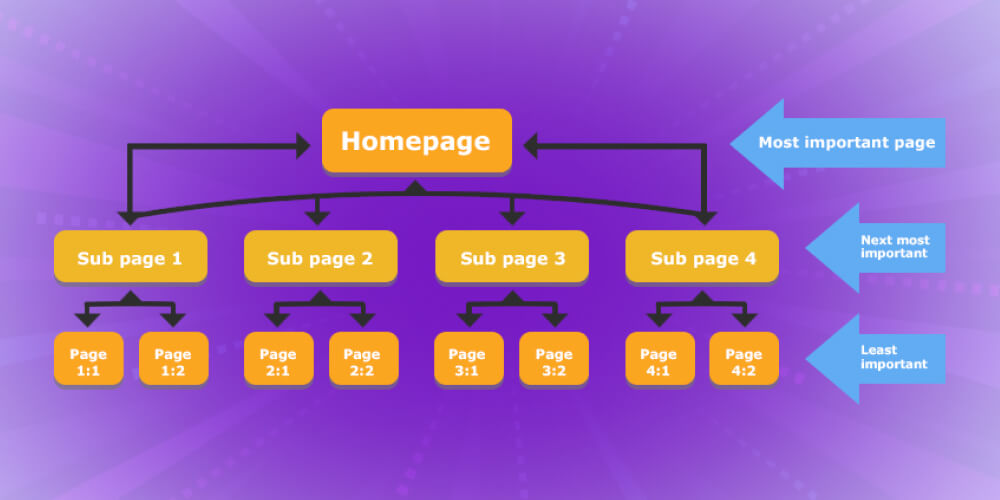
In the pyramid internal linking model, the home page links to the main category pages, and each main category page links back to the home page through related keywords on the home page. This basic internal link model suits SEO for category pages and the home page.
One thing to note when building this model: place the important categories in sensible positions so users can see them easily.
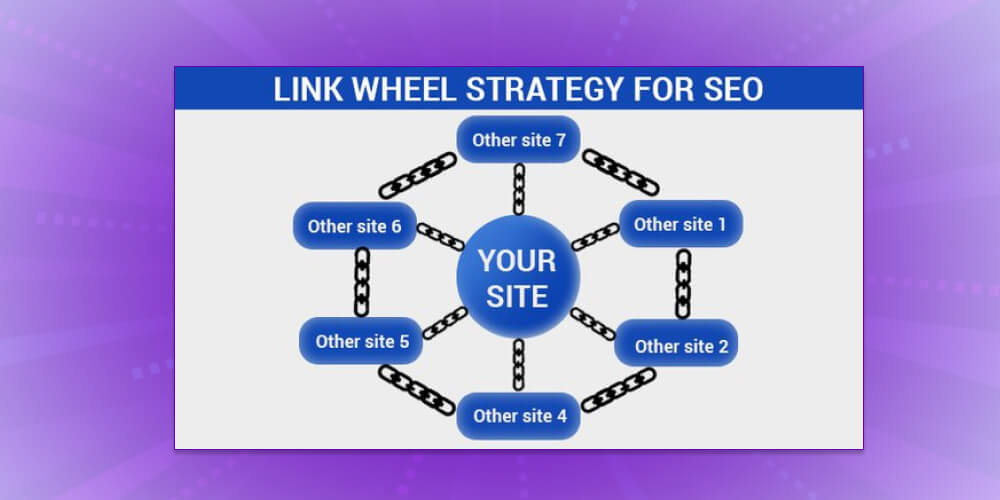
The wheel internal linking model suits websites that target many different keywords on the same site. Unlike the pyramid model, which focuses on searching and navigating to a single landing page, the wheel model spreads links evenly across the sub-pages of the whole site.
The downside of the wheel model is that you spend a lot of time on keyword SEO, and Google doesn't rate it highly because crawl bots can't tell which page is the destination.
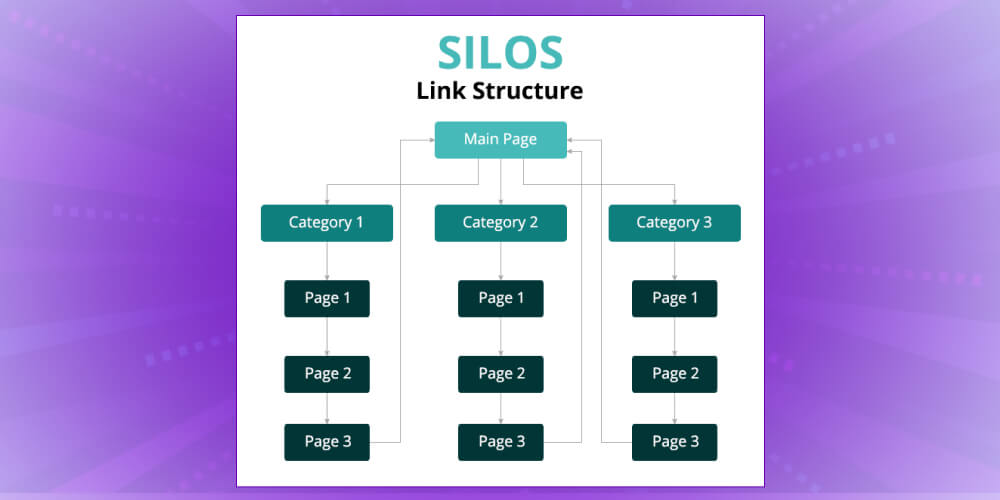
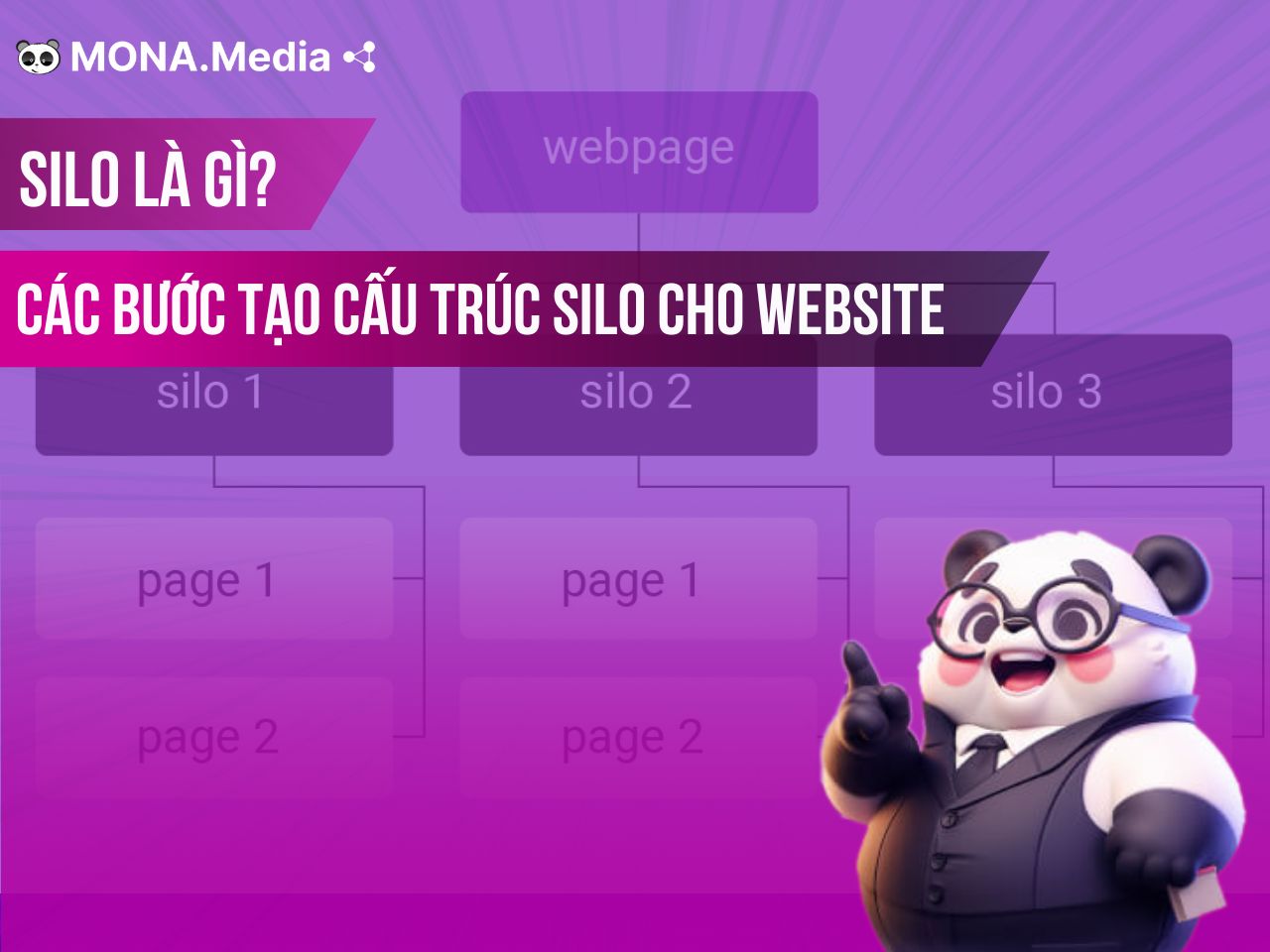
Silo structure is a structure built through internal links that connects pages and shows clearly how they relate to each other. When internal links follow a silo structure, Google's crawl bots collect information more easily and users reach products faster.
When you put internal links in place, you may run into the following common errors:
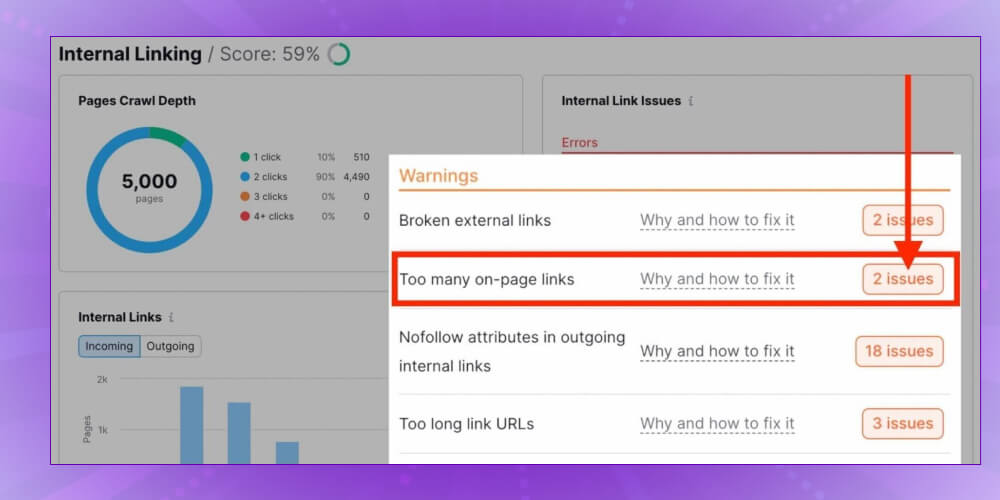
Optimizing internal links is an important part of building a solid SEO structure for a website, but not every SEOer knows these techniques well. So MONA has put together tips for optimizing internal links effectively, to help you improve your site's rankings and get the most traffic:
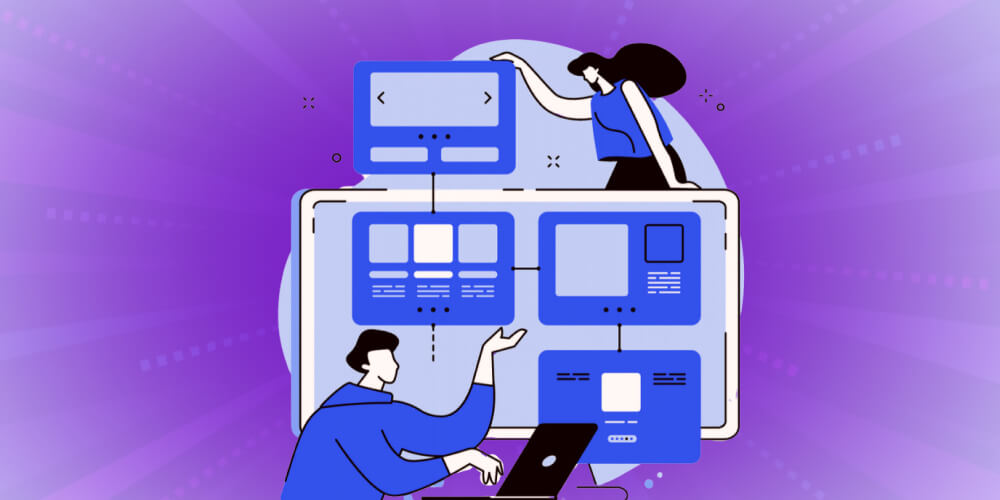
In each article, try to add at least two links to pages with related content that readers may care about. This helps Google understand your content better and makes your site more useful to users.
Building internal links between pages with related content brings these benefits:
Placing internal links on high-traffic pages is an important SEO strategy. When you use pages with a lot of traffic and add internal links to your new pages and your product or service pages, you guide users effectively and also improve conversion.
Internal links from high-traffic pages strengthen the SEO of the target pages, helping them climb to higher positions on search engine. They also help reduce bounce rate, keep users on your site longer and improve the overall experience on your website.
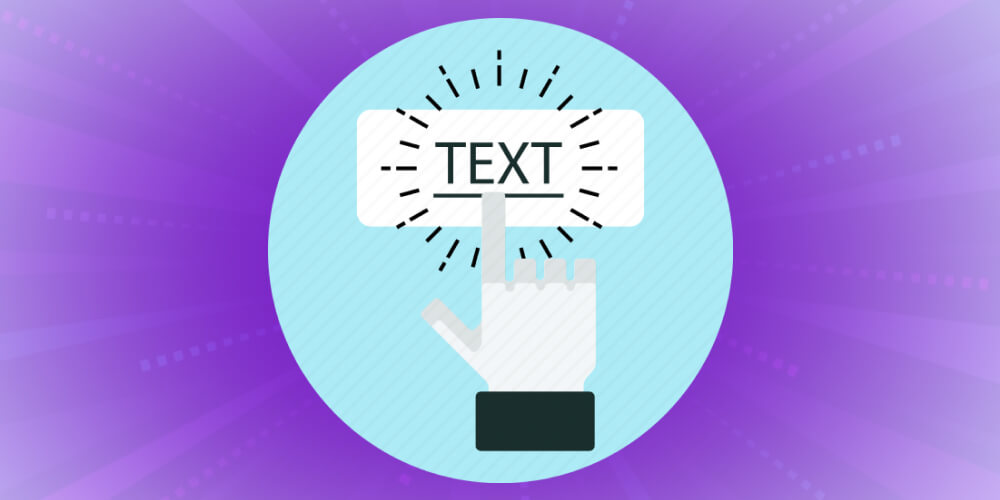
Anchor Text is the highlighted text in a link that users click to reach other pages. To get the best results, use a variety of anchor text types for your internal links.
By varying anchor text for both internal and outbound links, you keep your articles tight and natural and earn Google's approval. In detail:
A menu system is an essential part of every website. It helps users find information and helps search engines like Google understand your site structure. To build an effective menu, it's vital to set up clear, accurate sections.
So keep these points in mind when building a menu with internal links:
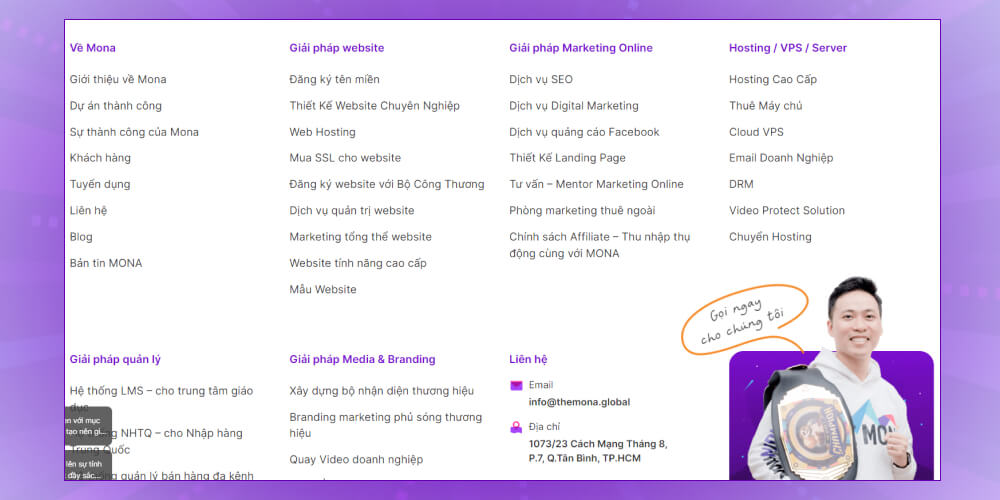
Internal links in the footer may not be valued as highly as links at the top of the page, but that doesn't mean they don't matter.
Here is what's commonly placed in footer internal links, as a reference:
Building effective internal links doesn't mean adding as many as possible. Google sets no specific limit on internal links, but you should still judge it yourself, and spread internal links sensibly to fit the article's content so you get a good click-through rate (click-through rate).
In detail, the number of links shouldn't be so high that it creates noise, nor so low that it weakens navigation. According to SEO experts, the usual optimal limit is about 150 internal links per page, so search engines can crawl easily and understand your site structure.
Internal links can appear in many places: the header, footer, navigation bar and the main content of an article. Links in the header usually carry higher SEO value, so put your most important links there to get the most benefit.
For search engines to find and index all the pages on your site, a link structure is essential. A sound link structure also helps “link juice” spread across the whole site, which builds authority and lifts page rankings.
Internal links also help search engines discover and index new pages, making sure all content on the site is found and fairly assessed. This improves SEO rankings and makes your site work better.
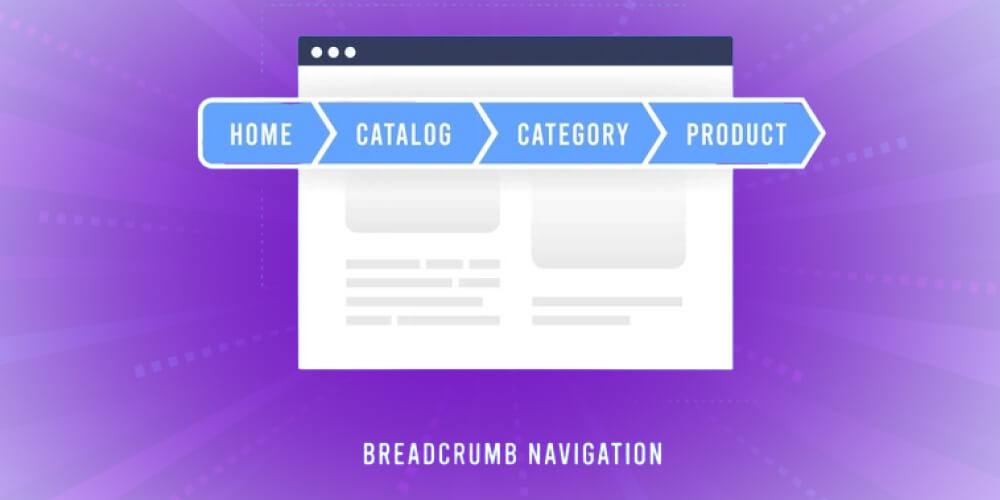
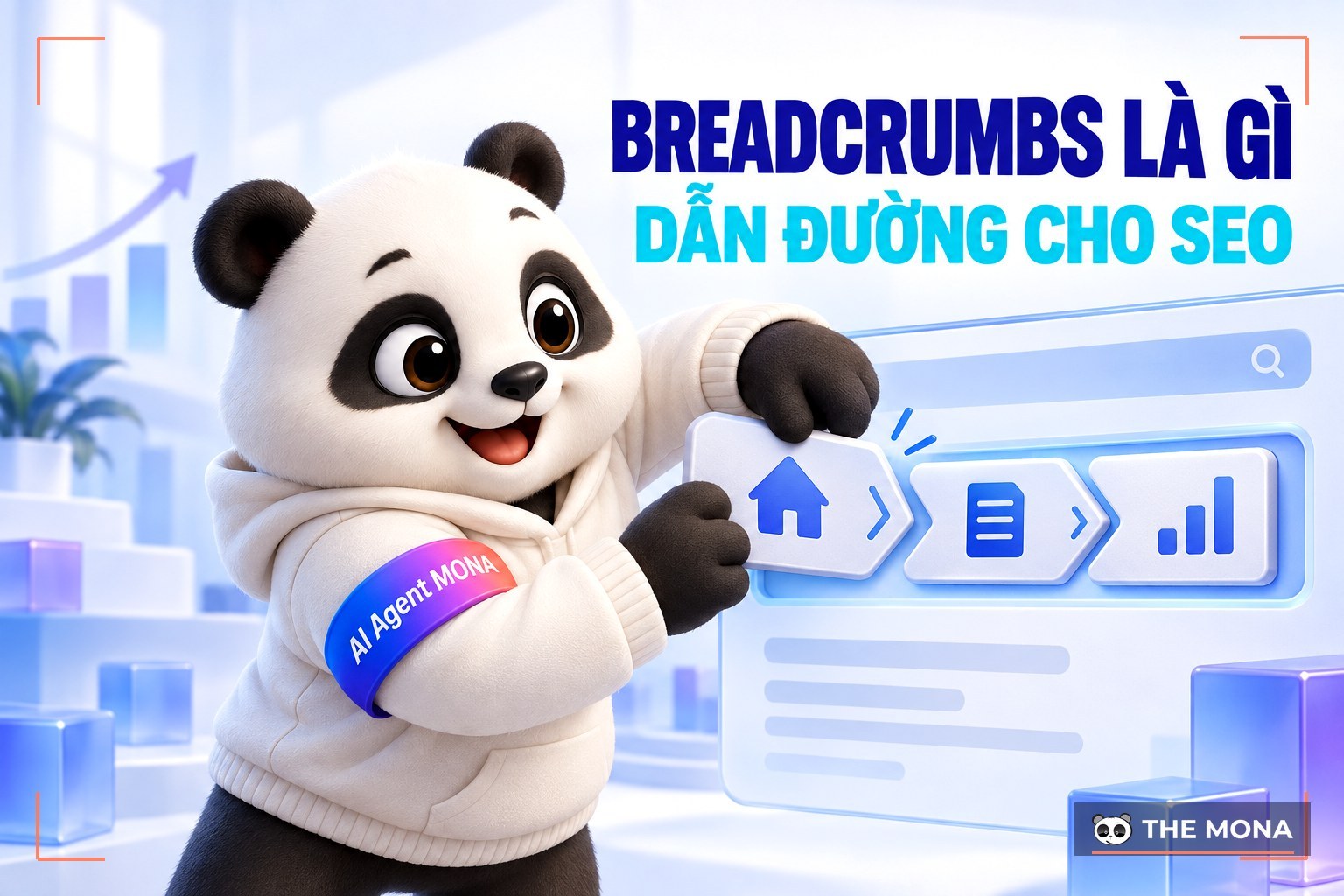
Breadcrumbs (Breadcrumbs) are an important tool placed below the main menu. They show the parent folders of an article and help users move between categories and related articles.
Every link in the breadcrumb trail is an important internal link that distributes SEO strength across pages on the same site. This improves the page's ranking in search engines and helps users find what they need quickly, improving the overall experience. So hiding the breadcrumb trail is a big omission you should fix.
When linking internally, note that links in submission forms and internal search boxes can cause problems. These forms are usually built as drop-down menus or user surveys, and they aren't always search-engine friendly.
Search engine crawlers can't reach the “submit” step in a form. That means any content or links reached through the form won't be visible to search engines, so you may miss chances to optimize your site and attract SEO traffic.
Likewise, content behind an internal search box can't be discovered by crawlers. So avoid using internal links in these elements, so all important content can be recognized and indexed by search engines and your site performs better.
Both the meta robots tag and robots.txt file can limit search crawlers' access to pages on your site. So to make sure search engines can find the pages on your site, use follow links to let them follow links and discover new pages.
Follow links also boost the effectiveness of Content Marketing campaigns by optimizing the flow of visits between pages, which increases traffic and time on site.
Instead of linking to pages already in the main navigation, like the home page or contact page, focus on in-depth content pages. This helps search engines crawl and index all of your site's content, and gives users access to detailed, valuable information.
Link deep brings many benefits, such as raising the SEO ranking of important pages that few links point to, while improving the user experience. By pointing internal links to detailed articles or specific service pages, you give users more chances to reach them and also raise conversion and customer retention.
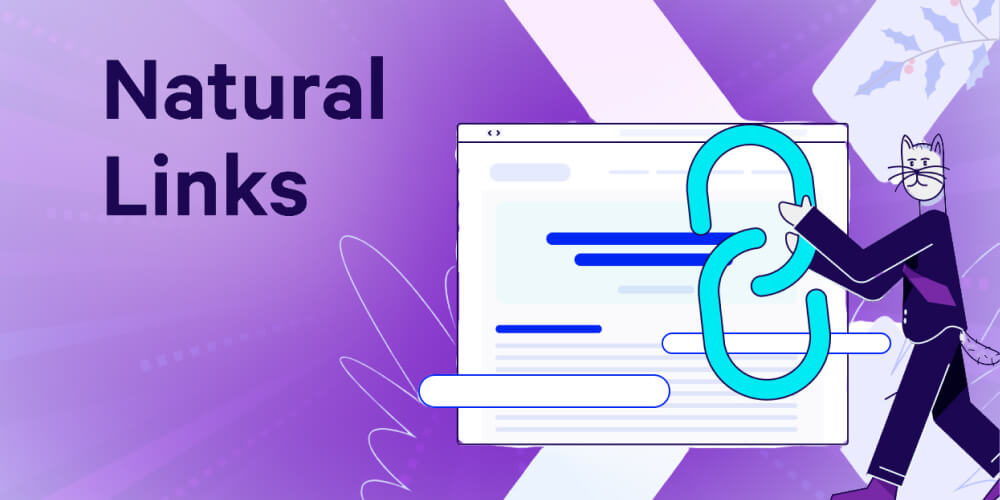
Using internal links naturally in your content matters a lot in SEO. When you insert an internal link, you're not just signaling that the linked content is important, you're also encouraging readers to explore more.
Remember, link quality always matters more than quantity. Make sure every link you add gives value and relates to the topic of the page being viewed. That creates a better user experience and keeps users on your site longer. A natural link makes readers curious, which raises interaction and improves your SEO ranking.
Internal links are an important part of an SEO strategy. They improve the user experience and lift your site's rankings in search engines. But you need to choose carefully which pages to link to and which to leave out to get the best results.
To build a clear, effective internal link model, focus on these types of pages:
Internal linking is a safe, low-risk strategy, but not every page needs a link. These are the types of pages to avoid when building internal links:
Here are a few effective internal link checking tools you can refer to:
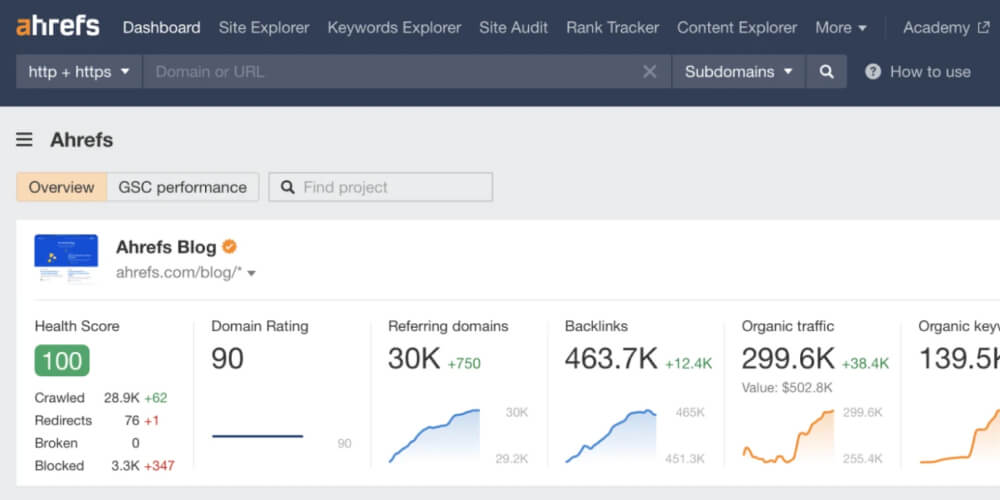
Ahrefs Colocation is a SEO tools is a powerful, popular tool used to check and analyze internal links on a website. It offers many useful features to evaluate and optimize your site's internal links.
With Ahrefs, you can:
Screaming Frog is a popular, powerful SEO spider used to check and analyze the parts of a website, including internal links. It's very useful for checking and tracking your site's internal links.
With Screaming Frog, you can:
In short, Internal Link are extremely important in SEO. Building and optimizing tight, systematic internal links not only guides users but also helps Googlebot collect information from your site easily. That creates effective conversion opportunities and gets your site indexed faster. To put internal links to work and reach the top of Google quickly, contact MONA today for a detailed SEO quote in full detail.

CEO & Founder · The MONA
Founder of The MONA, who built a services company of 200+ staff with 14,000+ projects delivered. Khánh Hùng shares how he thinks about building systems that run themselves, automating a business, and the real lessons from delivering projects at MONA.
 1,6K
1,6K




Professional website
design services
Own a website with a beautiful, 100% exclusive design and a lifetime warranty, with the ability
to expand features flexibly as your business grows, starting today!








 MONA will never sell your information or send you spam
MONA will never sell your information or send you spam
MONA will never sell your information or send you spam


 MONA will never sell your information or send you spam