


 MONA OS 2.0
 Partner with MONA










































 Free AI courses
 AI tools at work

 Tự động hoá doanh nghiệp
 Cẩm nang SEO
 Digital Marketing
 Kinh nghiệm thiết kế website
 Hạ Tầng Server
 Giáo dục


 VI
 EN


How to view Ambassador information on MONA eLearning
When you join an online course's ambassador program, you can earn attractive commissions. The commission rises with the course price and with your ambassador level. Before becoming an ambassador, you need to know the program's details. This article shows you how to view the ambassador program details on the Khánh Hùng Academy website.
Step 1: View the affiliate dashboard
On your account's profile screen where you watch course videos, select Dashboard Affiliate
Let's go through some of the information on this Affiliate Dashboard.
- Affiliate link: You can use this link anywhere. When a learner upgrades to PRO through this link, you receive the commission set by Khánh Hùng Academy.
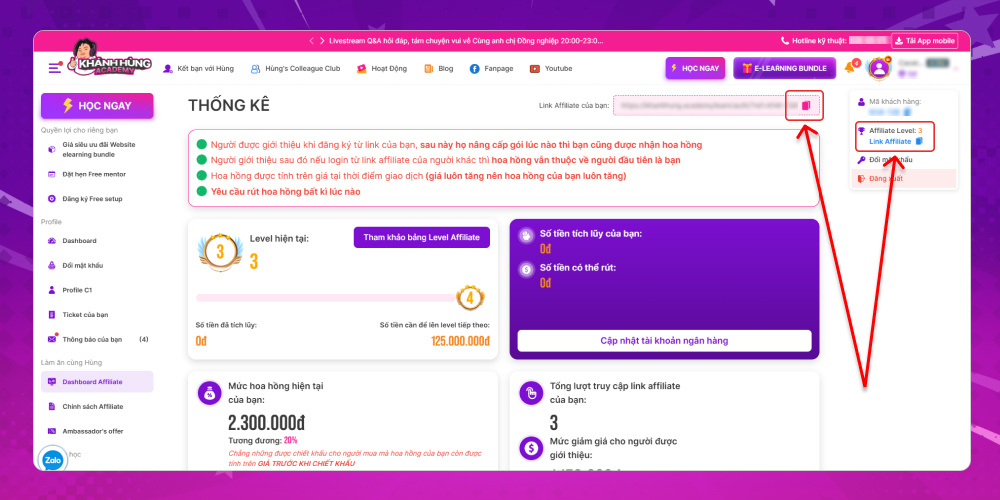
- Overview when joining the Khánh Hùng Academy ambassador program
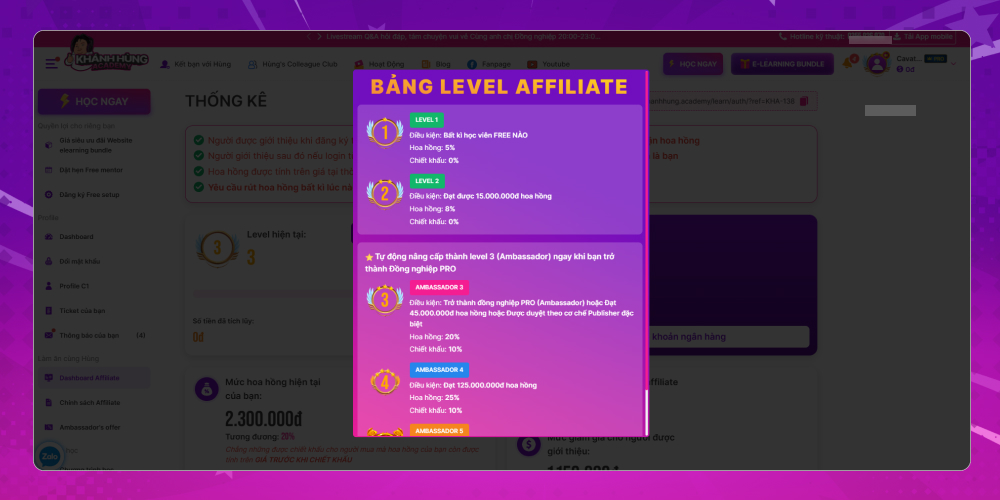
- Current ambassador level: each level has a different commission percentage, which rises with higher levels. Here there is a "See the Affiliate Level table" button to view the affiliate levels in detail. Each level includes:
- Conditions to reach this level
- Commission received
- Discount percentage the learner receives
- Amount accumulated from the Ambassador program: the total you have accumulated as an ambassador. Because Khánh Hùng Academy has a 7-day no-questions-asked refund policy, withdrawable money may be pending for up to 7 days. You can follow the details in this box. To withdraw, click the Withdraw button. If you haven't updated your bank account, the withdraw button is replaced by an update bank account button.
- Current commission rate
- Total visits to the affiliate link and the discount for referred people
- Top publisher leaderboard
- Which learners the money came from
- Withdrawal transaction list
- List of learners you referred
Step 2: View the Affiliate policy
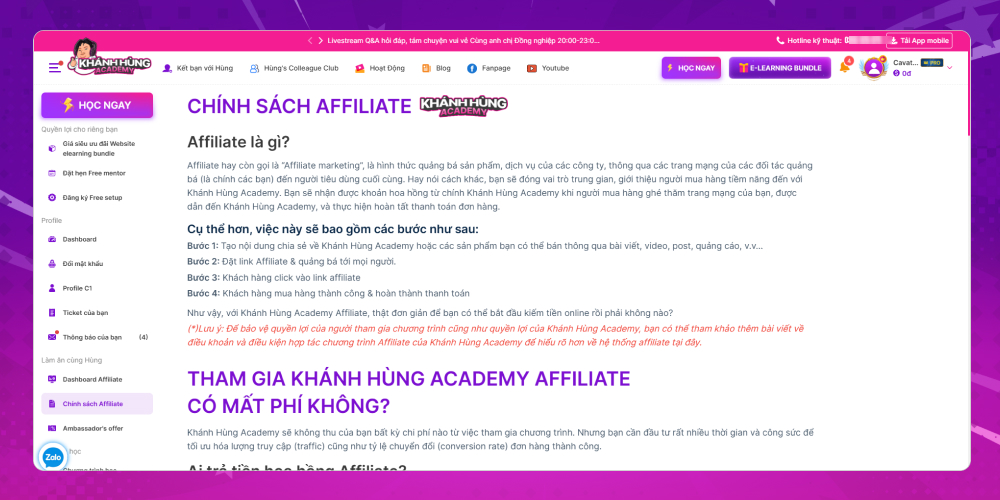
When joining any program, read its rules and policy to protect your rights. For the Khánh Hùng Academy Ambassador program, you can read the detailed policy in the Affiliate policy section
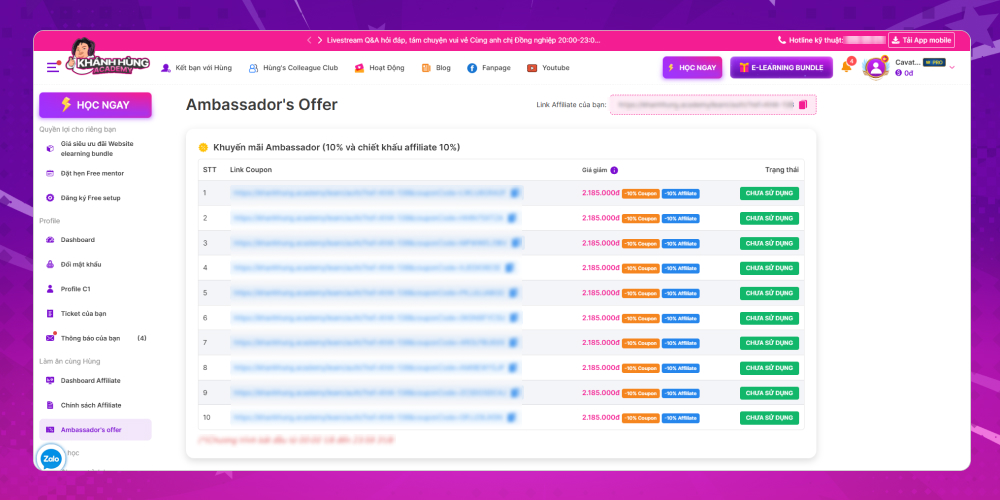
Step 3: View the Ambassador's offer
As MONA introduced earlier, one of the 4 promotion types for the Khánh Hùng Academy course is the affiliate promotion, for publishers, who get 10 vouchers of 10% each month. The Ambassador's offer is shown in detail on this screen. You can take a look and join the program with Khánh Hùng Academy right away
Understanding and tracking ambassador program information is key to getting the most from being a course ambassador. We hope these steps show you how to check the program in detail, from the money you receive and your ambassador level to the other terms. Make the most of the opportunities the program offers to earn attractive income through the e-learning course.








