


 MONA OS 2.0
 Partner with MONA










































 Free AI courses
 AI tools at work

 Tự động hoá doanh nghiệp
 Cẩm nang SEO
 Digital Marketing
 Kinh nghiệm thiết kế website
 Hạ Tầng Server
 Giáo dục


 VI
 EN


How to create an Affiliate promotion on MONA eLearning
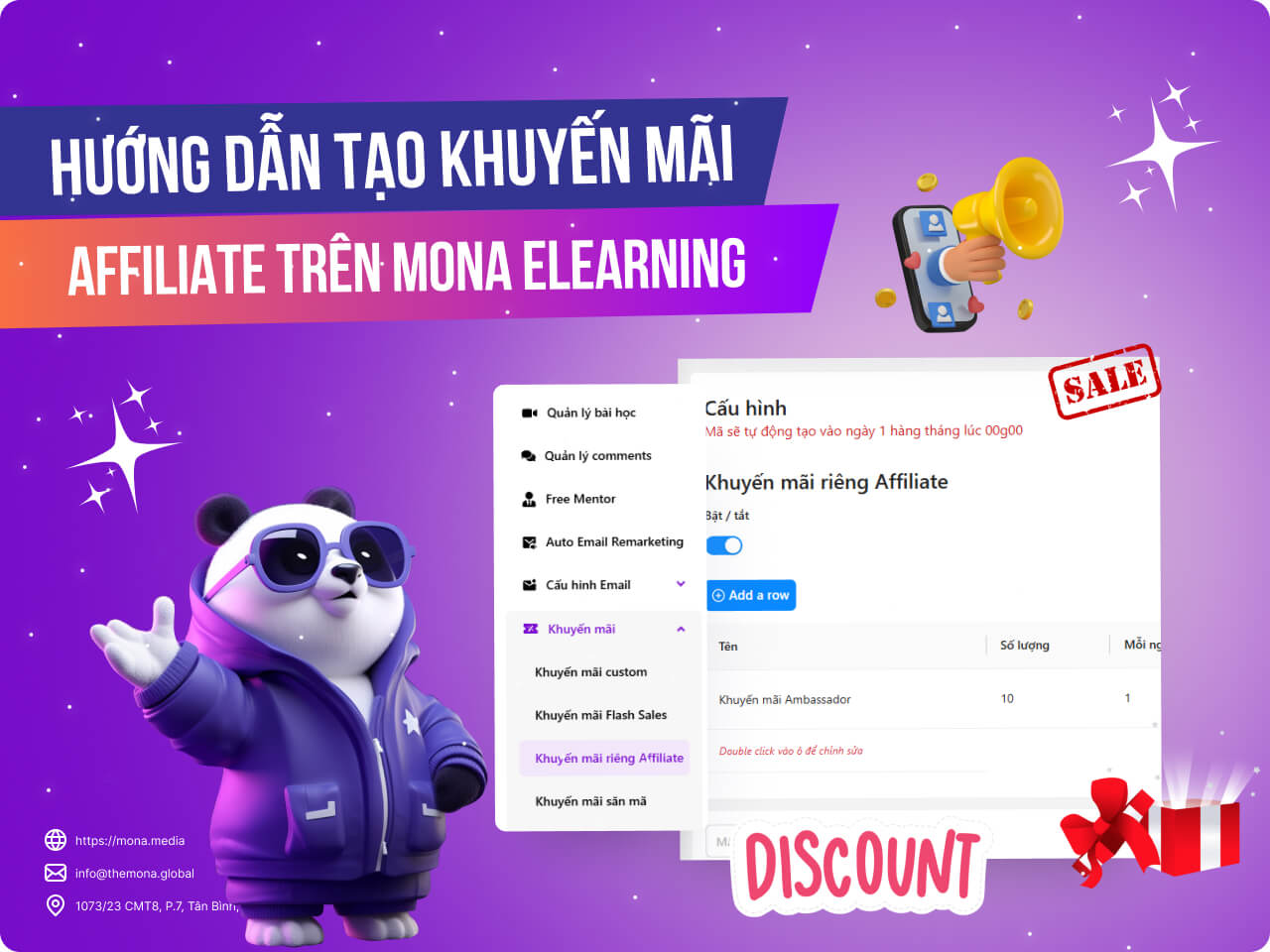
Affiliate promotions are promo codes reserved for PRO members and publishers on the website. Khánh Hùng Academy gives PRO students and publishers 10 vouchers of 10% each month, which stack with other regular promotions. In this article, MONA Media will guide you through creating dedicated promotions in the MONA Elearning system itself.
Step 1: Create the dedicated Affiliate promotion
In the admin interface, choose Promotion –> Affiliate dedicated promotions → Add a row
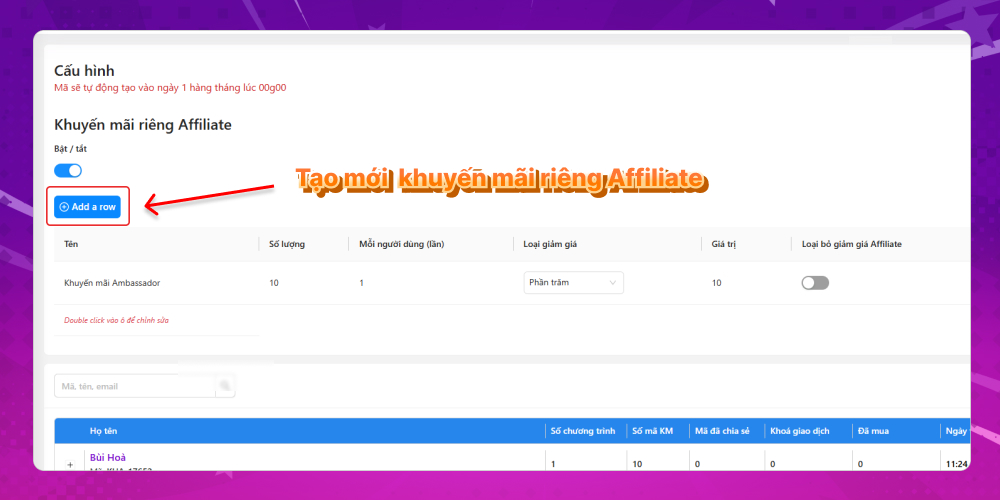
The information to fill in to create a dedicated Affiliate promotion is:
- Promo code name
- Number of vouchers
- How many times a user can use it
- Discount code type
- Discount value
Step 2: Check the dedicated Affiliate promo code details
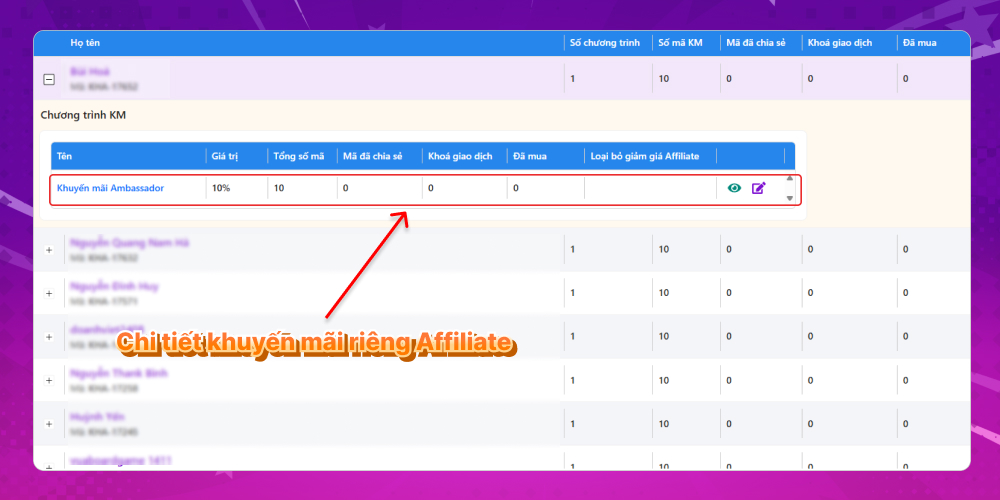
After you create the dedicated Affiliate promo code successfully, the codes are generated automatically at 0:00 on the 1st of every month, and each user gets 10 vouchers. To check which vouchers a user received, scroll down to the current user list in the system and click the plus sign next to the user's name to see the promotion details.
Those are the steps to create a dedicated Affiliate promotion right in the MONA Elearning system. If your course website runs an affiliate marketing model, MONA Elearning supports it very well. Contact MONA Media today to get a great elearning solution for your course.
- Hotline: 1900 636 648
- Email: info@themona.global
- Address: 1073/23 Cach Mang Thang 8, Ward 7, Tan Binh District, Ho Chi Minh City








