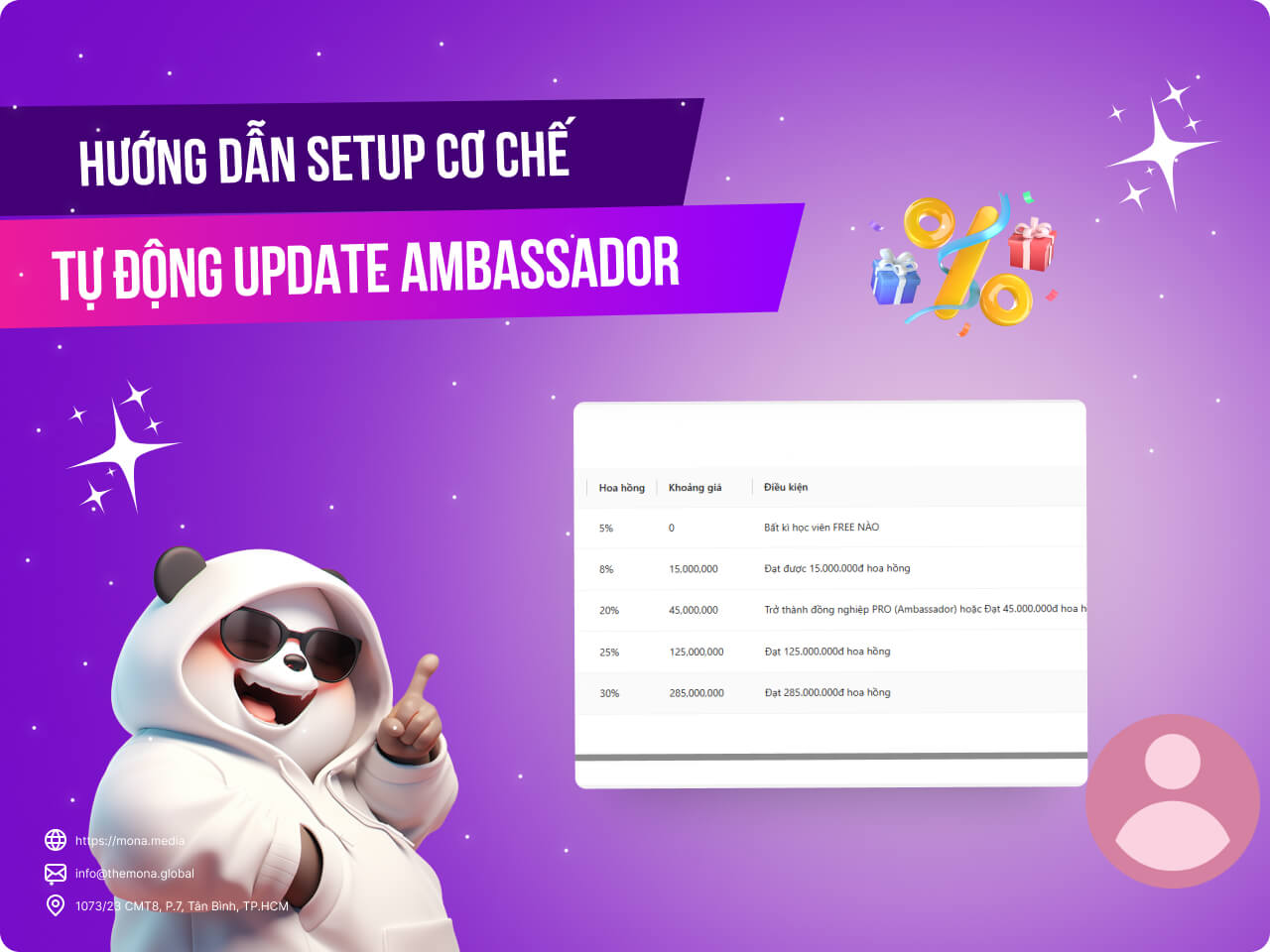
Running an Ambassador program plays a big part in extending your reach and growing revenue. To motivate Ambassadors to do even more, MONA Elearning automatically updates each Ambassador's level based on what they achieve. This guide walks you through setting up automatic Ambassador level updates in MONA Elearning, so you can manage the program more effectively and get more out of your course business.
Step 1: Open the affiliate settings
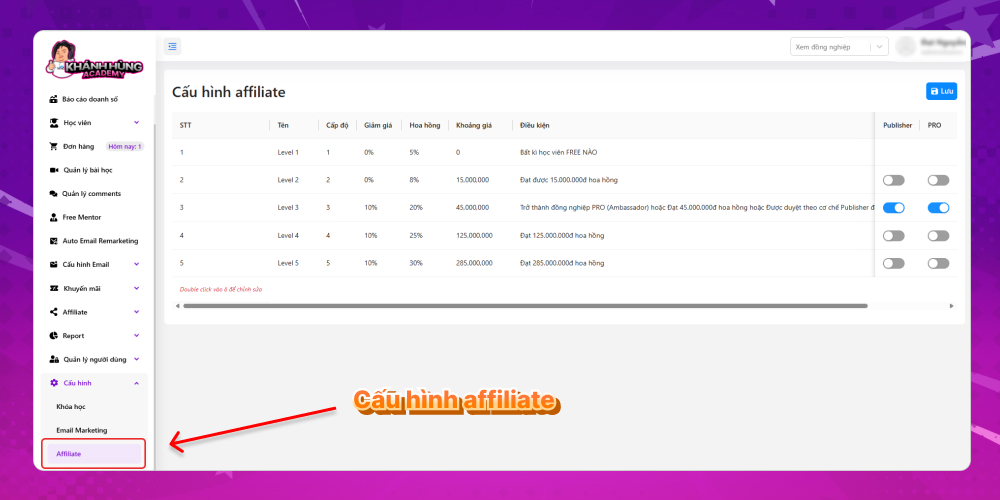
On the home screen of the MONA Elearning system, select Settings –> Affiliate
Step 2: Set up automatic Ambassador level updates
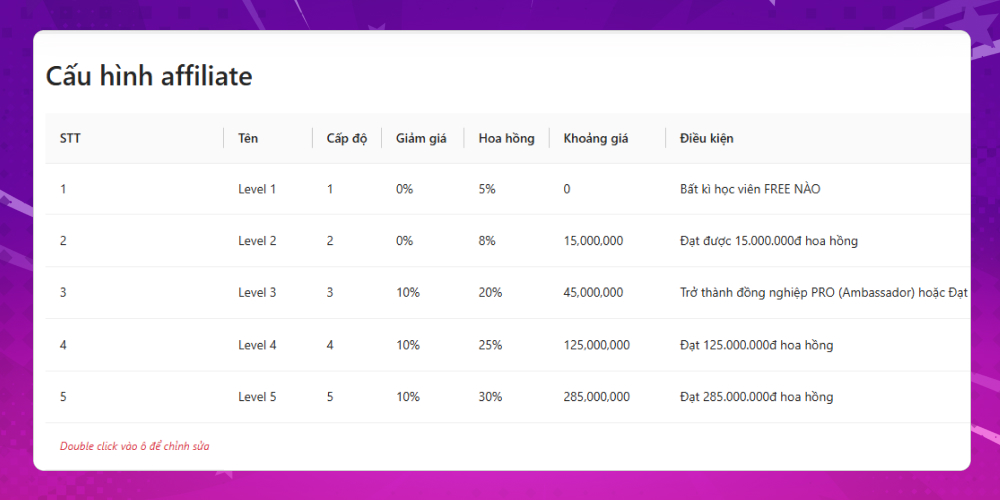
MONA Elearning comes with 5 default levels for the Ambassador program. The example below shows the 5 levels applied to the Khánh Hùng Academy course.
You can change the conditions for automatic Ambassador level updates by double-clicking the cell you want to edit –> Then click Save to finish.
With this guide, you now know how to set up automatic Ambassador level updates in MONA Elearning. This feature makes it easy to manage and track your Ambassadors' progress, and keeps the commission program transparent and efficient. To learn more about the standout features of MONA Elearning, contact MONA Media using the details below for detailed advice.
Hotline: 1900 636 648
Email: info@themona.global
Address: 1073/23 Cach Mang Thang 8, Ward 7, Tan Binh District, Ho Chi Minh City
MONA has a podcast: listen instead of readingEpisodes on AI, automation & SEO for Vietnamese businesses



 MONA OS 2.0
 Partner with MONA










































 Free AI courses
 AI tools at work

 Tự động hoá doanh nghiệp
 Cẩm nang SEO
 Digital Marketing
 Kinh nghiệm thiết kế website
 Hạ Tầng Server
 Giáo dục


 VI
 EN