


 MONA OS 2.0
 Partner with MONA










































 Free AI courses
 AI tools at work

 Tự động hoá doanh nghiệp
 Cẩm nang SEO
 Digital Marketing
 Kinh nghiệm thiết kế website
 Hạ Tầng Server
 Giáo dục


 VI
 EN


How to set up an automated remarketing email scenario
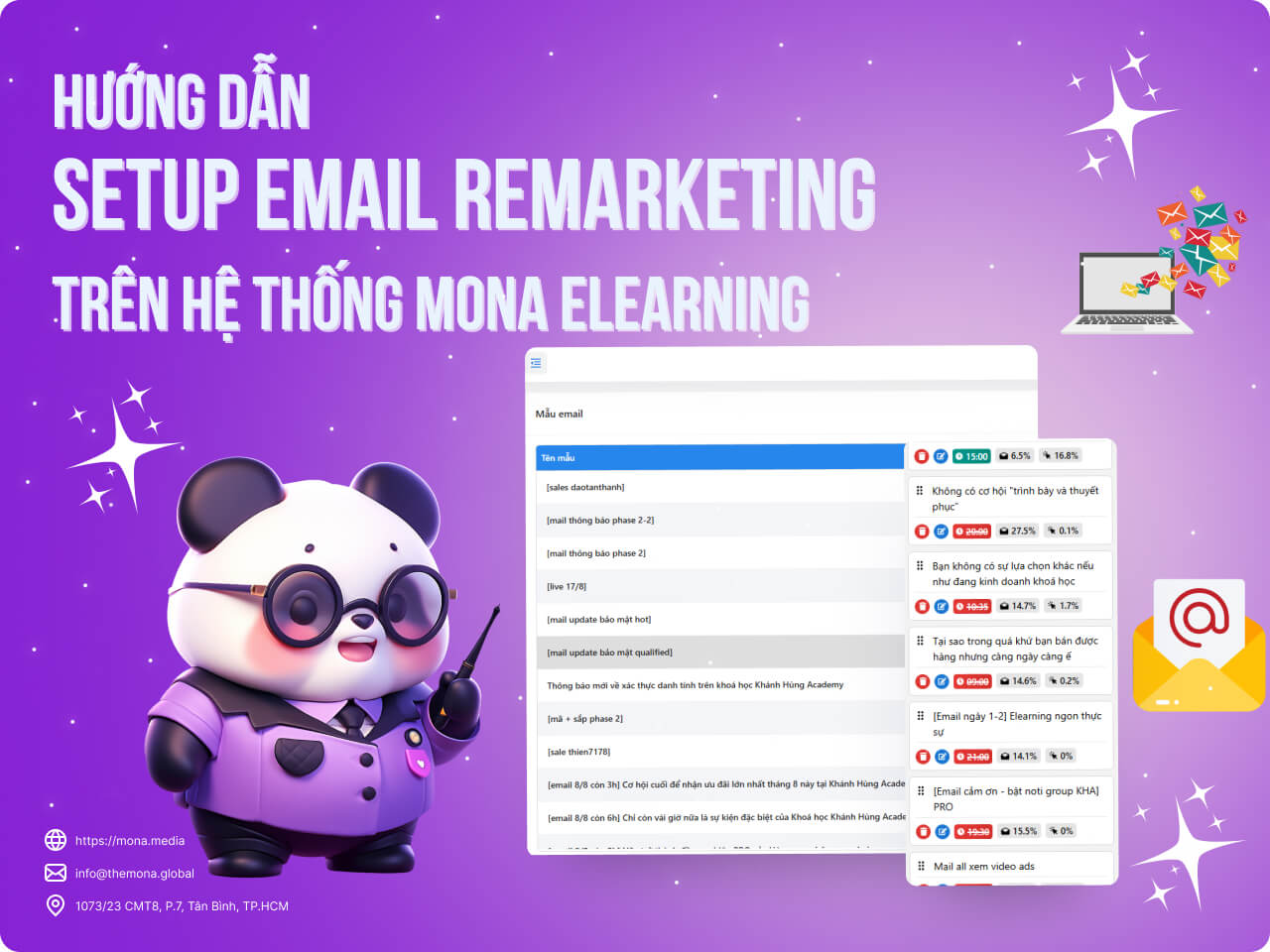
Once you have an email template, you need to create a scenario to send emails to students. MONA Media will walk you through the steps to set up email remarketing automated scenarios in the article below.
Step 1: Add a new Remarketing Email scenario
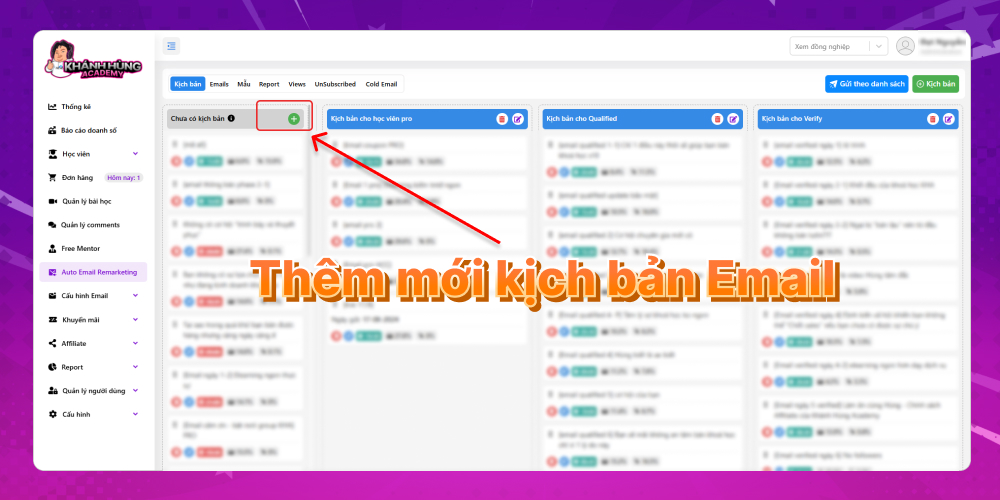
This screen shows scenario groups and individual scenarios. You can review the email scenarios you created earlier and the emails not yet assigned to a student group. Through the customer funnel to the course, we can classify which student group someone belongs to and whether they have potential. You can then create remarketing emails and sort them into groups for easy management. Below is an example of organizing remarketing emails in a clear way that is easy to run for each student group.
Khánh Hùng Academy currently classifies students into 3 scenario groups:
- Scenario for pro students
- Scenario for Qualified students
- Scenario for Verify students
To add a new Remarketing Email scenario, click the blue plus sign as shown below:
Step 2: Fill in the Remarketing Email scenario details
The fields to fill in to finish setting up the Remarketing Email scenario are:
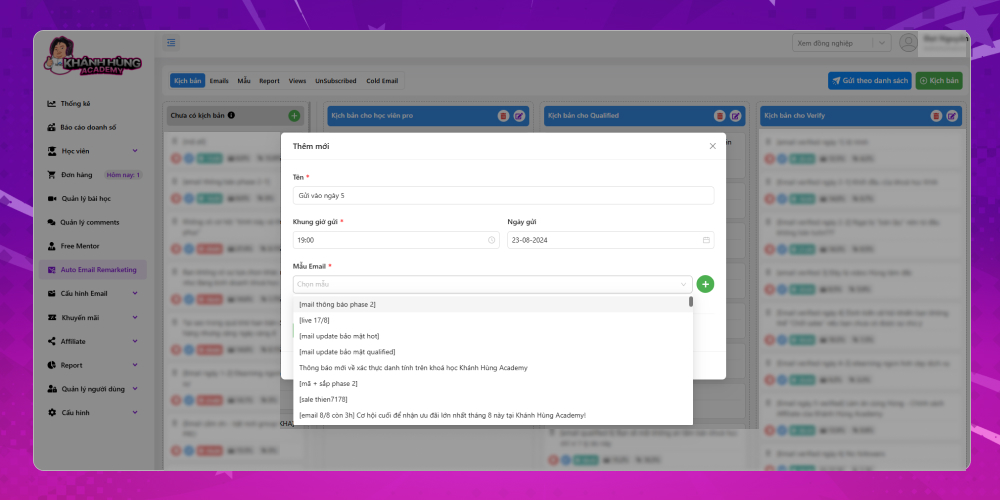
- Scenario template name: MONA will name it "Sent on day 5" as an example so you can picture how this setup works.
- Send time window: According to MONA's analysis, students tend to open emails between 19h – 22h. So you can set 19h to send emails automatically.
- Email send date: The date automatic emails start going out to students
- Email template: You can reuse the email templates you created earlier, or emails you have used in the past, in this campaign. Click the plus sign in the Email Template field to choose a suitable template.
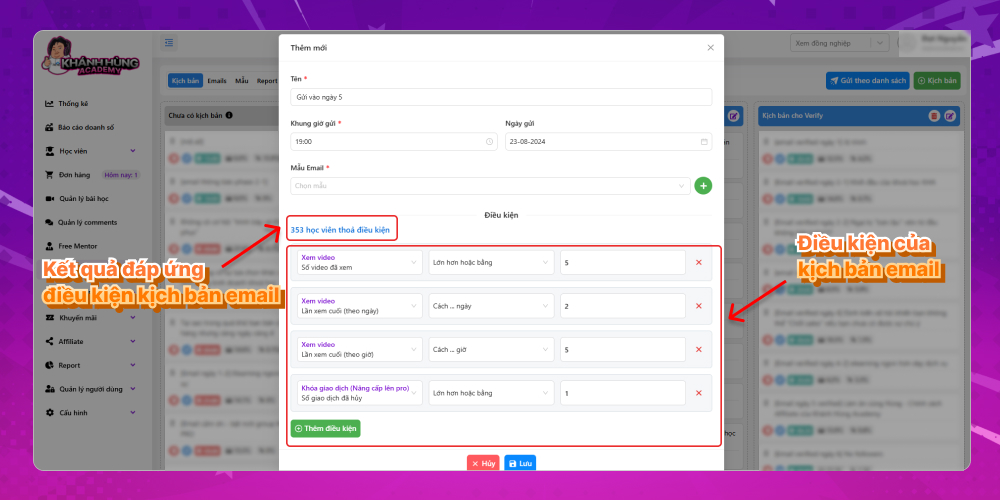
- Recipient conditions: To make remarketing emails effective for students interested in your course, MONA recommends having several email scenarios for different audiences. If you want to send this email to specific students who meet certain conditions, you can tick the suitable conditions → Then click Save to finish setting up the Remarketing Email scenario.
Step 3: Check the Remarketing Email details
After setting up the Remarketing Email scenario, you can review information such as:
- Send time window
- Email open rate
- Email click rate
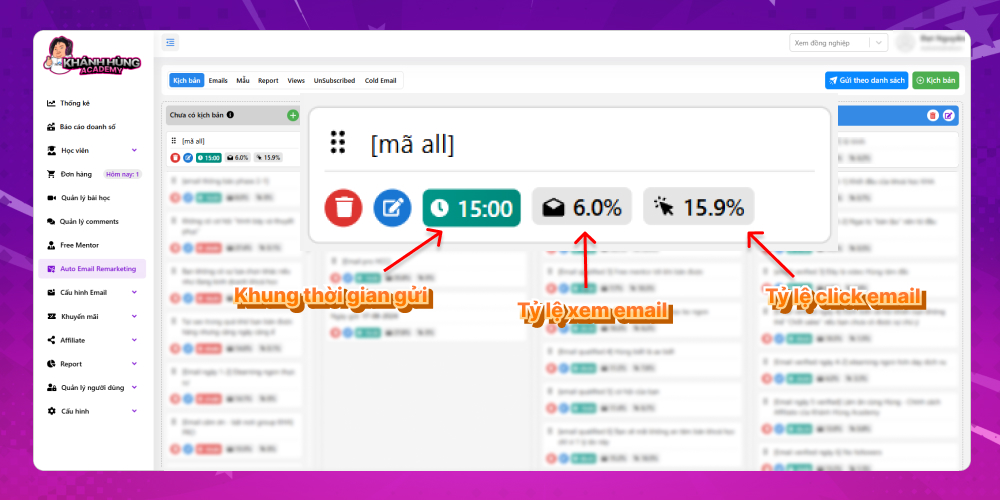
Once the email goes out, if there are clicks or opens, the system updates these rates in detail. This gives you more information to judge whether that email is effective.
MONA recommends that when you launch an elearning course, you write 5 to 10 emails to send in a row during the first few days. Then write emails with a stronger closing tone to send to students who are truly interested in your course. That is MONA's detailed guide to setting up automated remarketing email scenarios on the MONA Elearning system. For more information about this product, customers can contact MONA Media through the details below:
- Hotline: 1900 636 648
- Email: info@themona.global
- Address: 1073/23 Cach Mang Thang 8, Ward 7, Tan Binh District, Ho Chi Minh City








