


 MONA OS 2.0
 Partner with MONA










































 Free AI courses
 AI tools at work

 Tự động hoá doanh nghiệp
 Cẩm nang SEO
 Digital Marketing
 Kinh nghiệm thiết kế website
 Hạ Tầng Server
 Giáo dục


 VI
 EN


How to manage the PRO student list on MONA eLearning
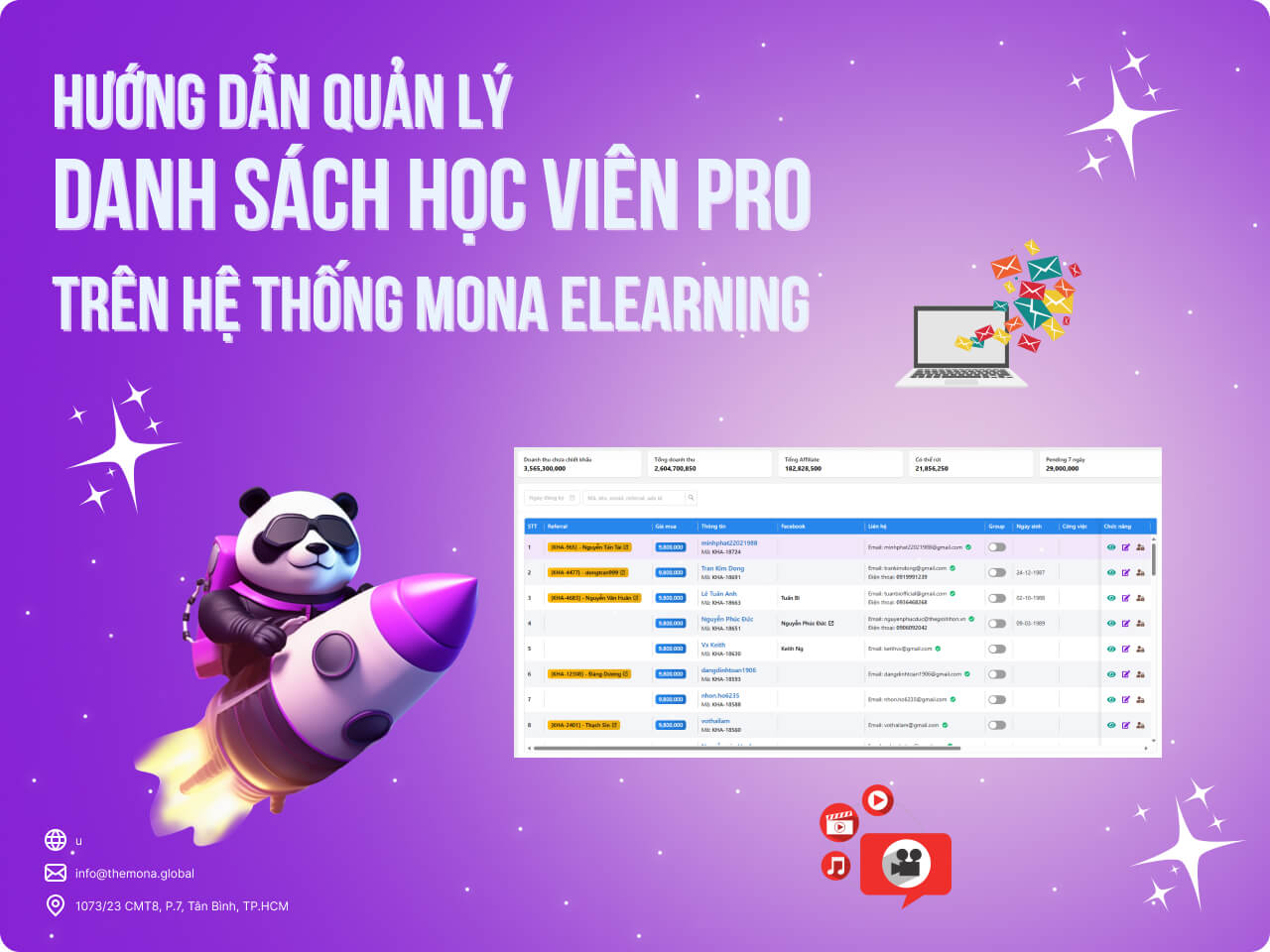
When you run an online learning platform, tracking and managing students who upgrade to the PRO plan is an important task. MONA Elearning makes it easy to manage the PRO student list and each student's details. In this guide, MONA Media walks you through managing PRO students in MONA Elearning step by step.
Step 1: Open PRO student management
In the MONA Elearning admin, select Students –> PRO Students
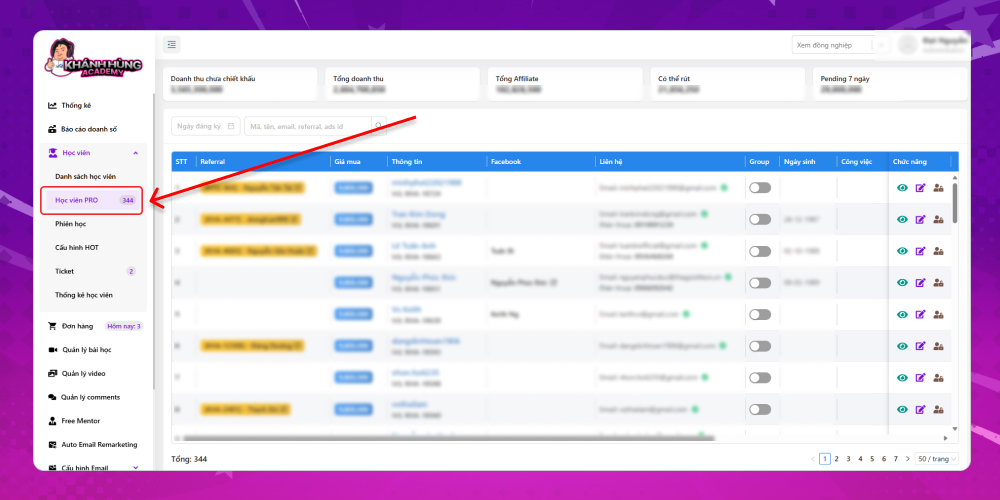
This shows the full list of PRO students on your e-learning course website. Each PRO student's details include:
- Referral: Students who upgraded to PRO through an affiliate link
- Course purchase price
- Buyer information: The student's full name and affiliate code
- The student's Facebook link
- The student's contact details: Including email and phone number
- Group: Whether the student has joined Hùng's colleagues group
- The student's current job
If you have many PRO students, you can find a specific one with the search bar, using details such as registration date, affiliate code, name, email, referral, and so on.
Step 2: Update PRO student information
Actions available for each student in the actions column:
Eye icon: View the PRO student's activity on the website
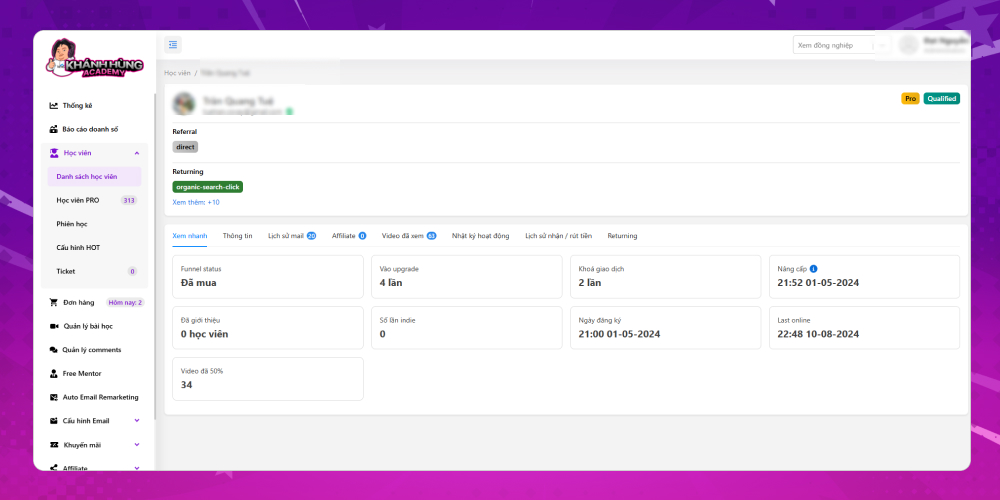
Detailed information about each publisher is displayed for the system admin to assess. The key details include:
- Quick view:
- Purchase status
- Number of visits to the Khánh Hùng website's upgrade page
- Number of locked transactions
- Number of students referred through the Affiliate link
- Number of Indie times
- Course registration date
- Last visit
- Number of videos watched to 50%
- Publisher's personal information
- Email history: Shows the number of times the information was viewed email remarketing in emails Khánh Hùng Academy has sent
- Student information of those who signed up for the course through this publisher's affiliate link
- Videos watched: Includes lesson names and detailed watch time
- Activity log on the website
- Withdrawal and receipt history
- Returning: Number of times returning to the website
Edit icon: Update the PRO student's personal information
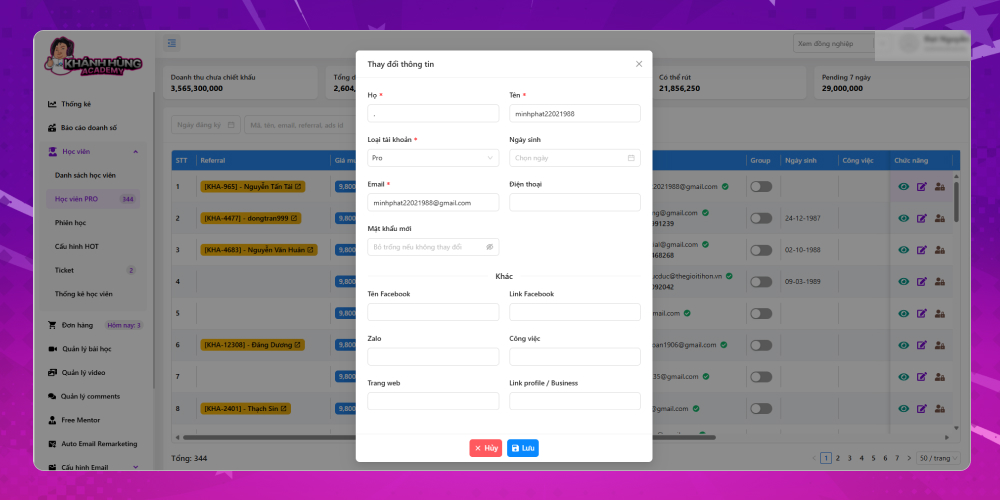
Update the student's personal information using these fields:
- Full name
- Account type
- Date of birth
- Phone
- New password
- Facebook name
- Link Facebook
- Zalo
- The work
- Trang web
- Link profile
Lock icon: Lock the account
Managing the PRO student list in MONA Elearning helps you track student upgrades and makes sure they get the best learning experience. With the detailed steps above, you can easily find and handle PRO student information. If you run into any difficulty while using MONA Elearning, contact MONA Media for detailed support.
- Hotline: 1900 636 648
- Email: info@themona.global
- Address: 1073/23 Cach Mang Thang 8, Ward 7, Tan Binh District, Ho Chi Minh City








