


 MONA OS 2.0
 Partner with MONA










































 Free AI courses
 AI tools at work

 Tự động hoá doanh nghiệp
 Cẩm nang SEO
 Digital Marketing
 Kinh nghiệm thiết kế website
 Hạ Tầng Server
 Giáo dục


 VI
 EN


How to manage users and permissions on MONA eLearning
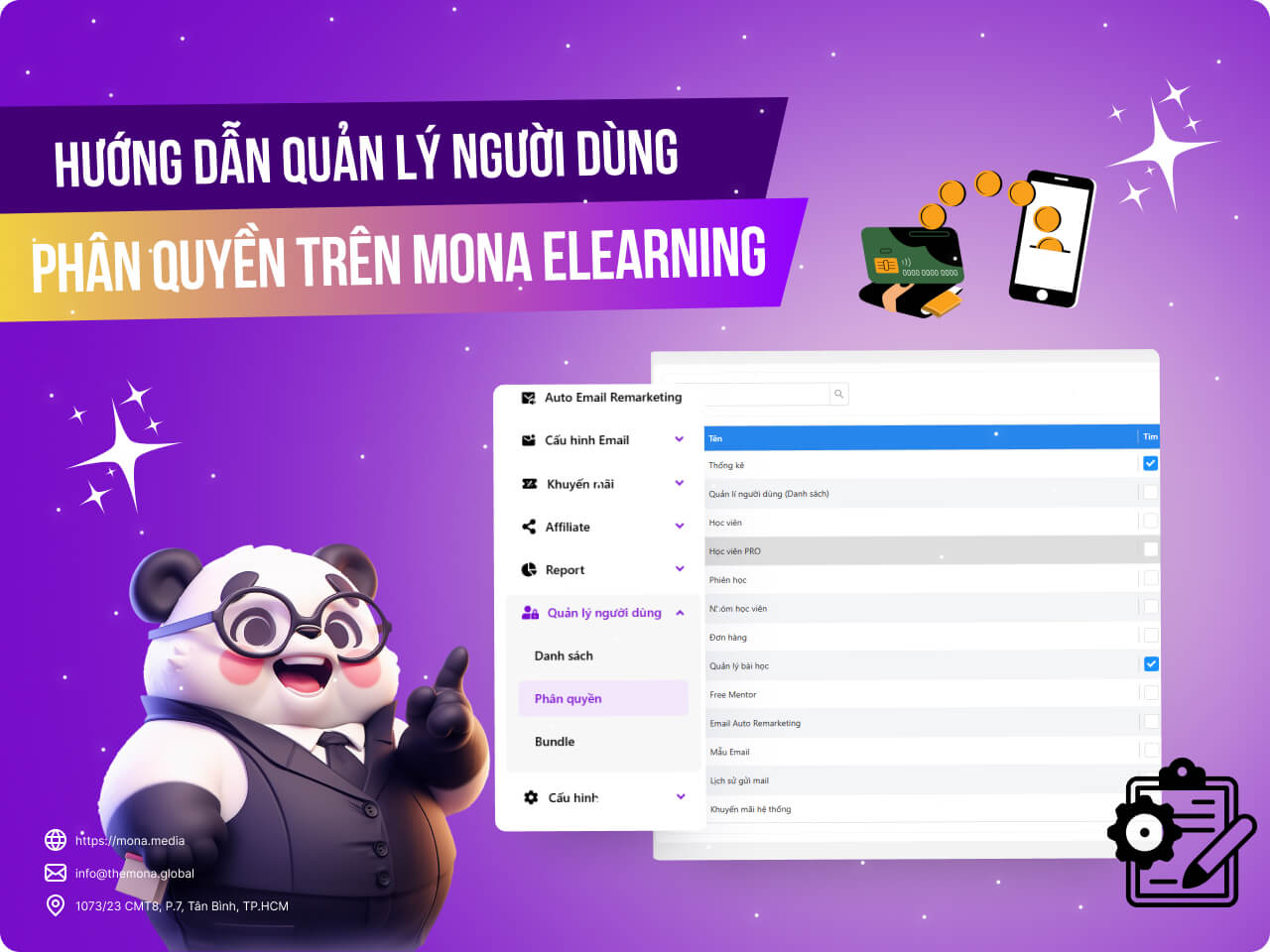
Managing users and permissions is an important step in keeping MONA Elearning safe and efficient to use. For beginners, configuring users and permissions can be a big challenge, especially without knowing the system's functions and settings. This article shows you in detail how to manage users and permissions in MONA Elearning so you can control the system easily and make it more comfortable to use.
Step 1: Open the user list module
In the system's admin interface, go to User Management -> List
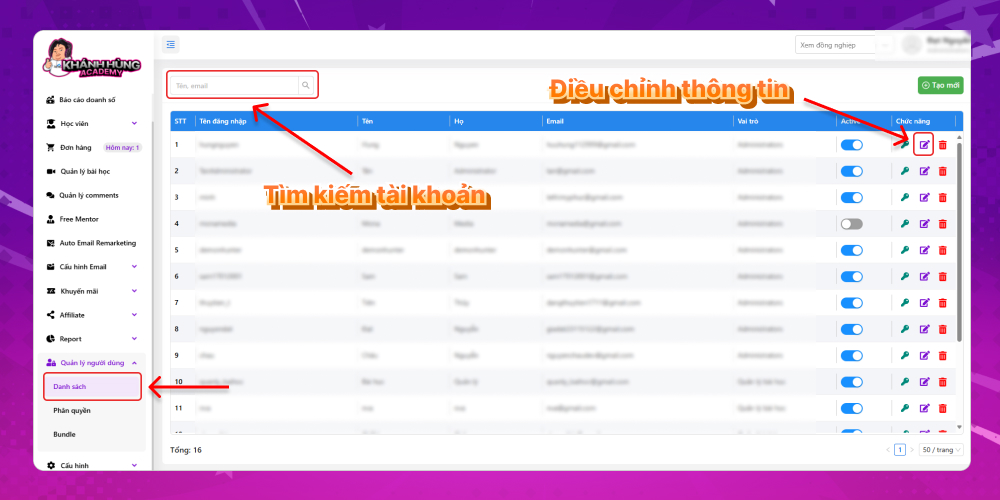
The system shows everyone with access to MONA Elearning. A member's basic information includes:
- Username
- Full name
- Login email
- Login role
- Account status
If the system has many accounts, search by name or email using the search box in the corner of the screen. To change an account's details, click the edit icon.
Step 2: Adjust user permissions
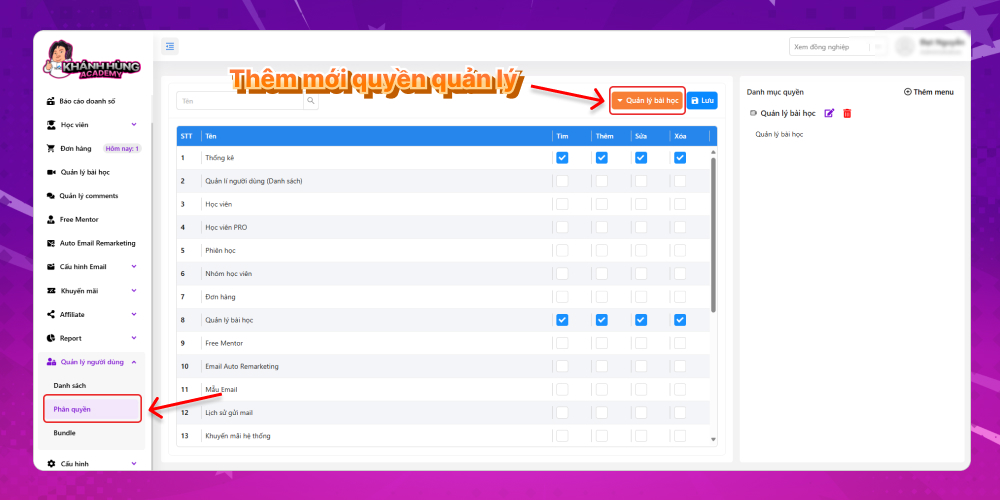
To adjust user permissions, select the module Permissions in the admin
An account with the Administrators role has access to every feature of MONA Elearning. If an account should only manage lessons, you can add a new permission group as follows
Click orange permission button
Select Create new –> Enter the permission group name
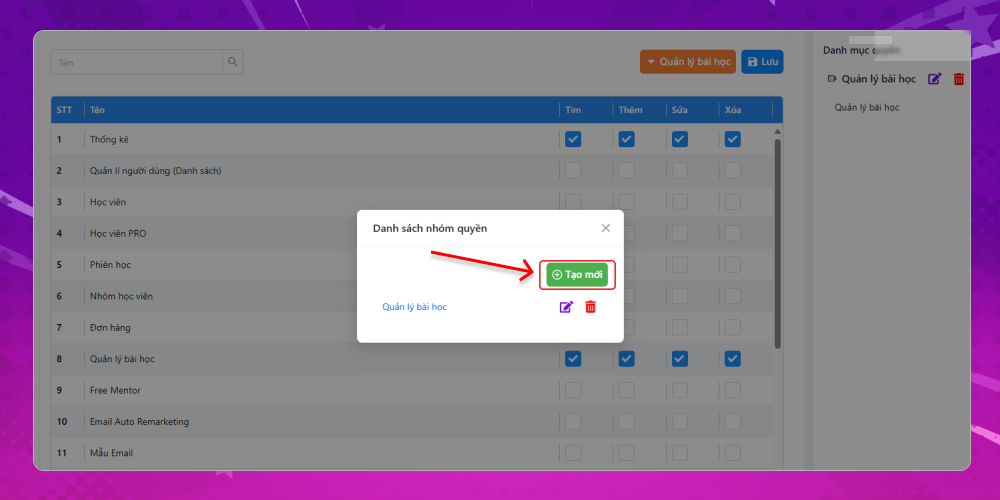
Once the new permission is created, tick the features this account can access, then click Save to finish.
Managing users and permissions in MONA Elearning not only protects your data but also streamlines operations, making sure every user does their own role in the system. We hope these steps help you configure and control user access easily. For any questions about MONA Elearning, learners and customers can contact MONA Media via the following:
- Hotline: 1900 636 648
- Email: info@themona.global
- Address: 1073/23 Cach Mang Thang 8, Ward 7, Tan Binh District, Ho Chi Minh City








