


 MONA OS 2.0
 Partner with MONA










































 Free AI courses
 AI tools at work

 Tự động hoá doanh nghiệp
 Cẩm nang SEO
 Digital Marketing
 Kinh nghiệm thiết kế website
 Hạ Tầng Server
 Giáo dục


 VI
 EN


How to view the student engagement report on MONA eLearning
When you sell courses, tracking how interested learners are helps you understand learning effectiveness and adjust your training content. To support this, MONA Elearning provides a detailed report on learner interest in your e-learning course. In this article, MONA Media walks you through using it step by step.
Step 1: Open the learner interest report
In the admin interface, choose Reports -> Learner Interest
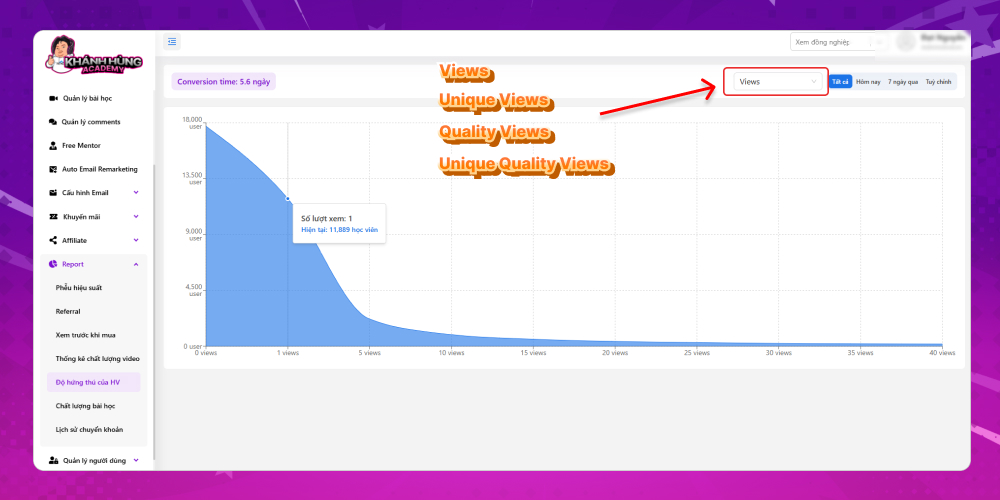
A chart of learner interest is shown on screen. You can view it in several modes:
- Views
- Unique Views
- Quality Views
- Unique Quality Views
Step 2: Read the report
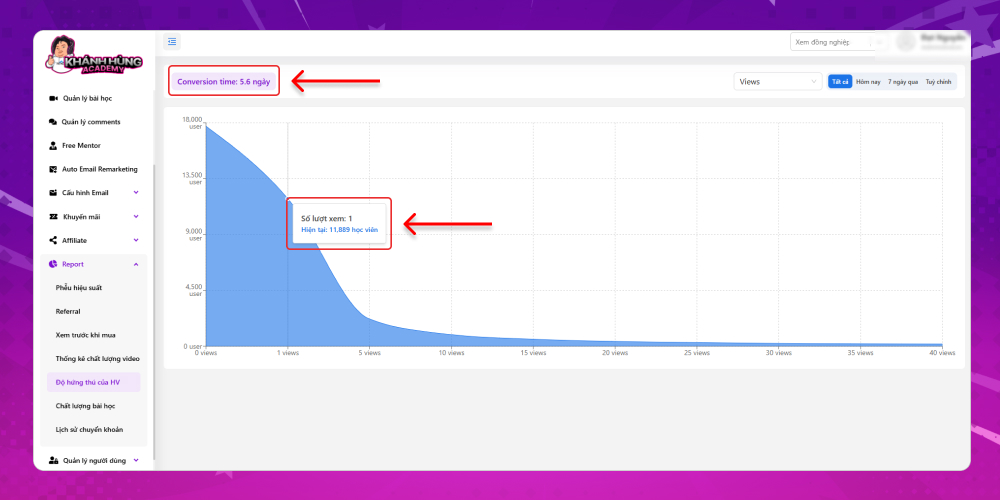
The vertical axis shows the total number of learners who came to the course, and the horizontal axis shows the number of views (how many times lessons were viewed on the website). Hover over a view point to see how many learners reached that number of views. If the number of learners stays stable and doesn't drop sharply at high view counts, learners are interested in your course.
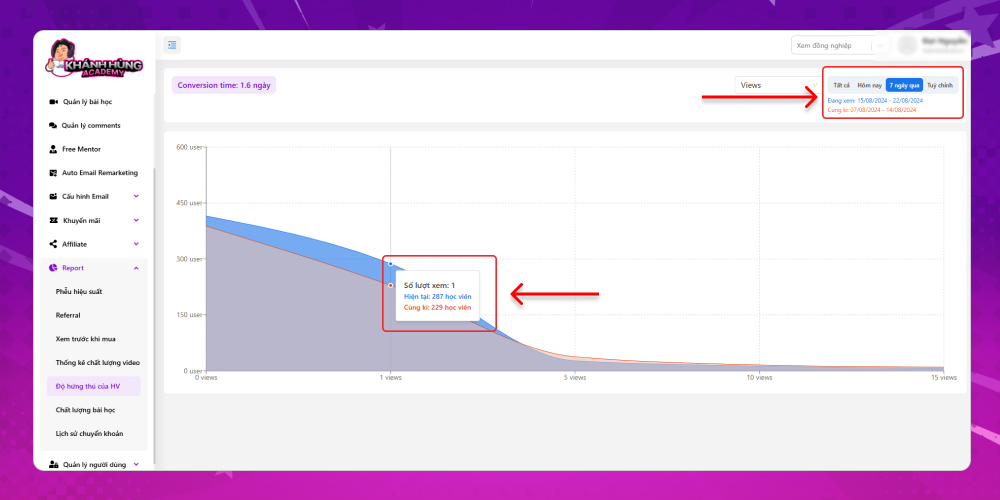
The data is split by:
- All days
- Today
- Last 7 days
- Custom date range
When you choose a custom range, a comparison chart with the previous period is also shown. This gives you another angle on the lessons in your course.
That covers how to view the learner interest report for a course in MONA Elearning. If you have questions about other reports in MONA Elearning, contact MONA Media via:
- Hotline: 1900 636 648
- Email: info@themona.global
- Address: 1073/23 Cach Mang Thang 8, Ward 7, Tan Binh District, Ho Chi Minh City








