


 MONA OS 2.0
 Partner with MONA










































 Free AI courses
 AI tools at work

 Tự động hoá doanh nghiệp
 Cẩm nang SEO
 Digital Marketing
 Kinh nghiệm thiết kế website
 Hạ Tầng Server
 Giáo dục


 VI
 EN


How to open the Affiliate management page on MONA eLearning
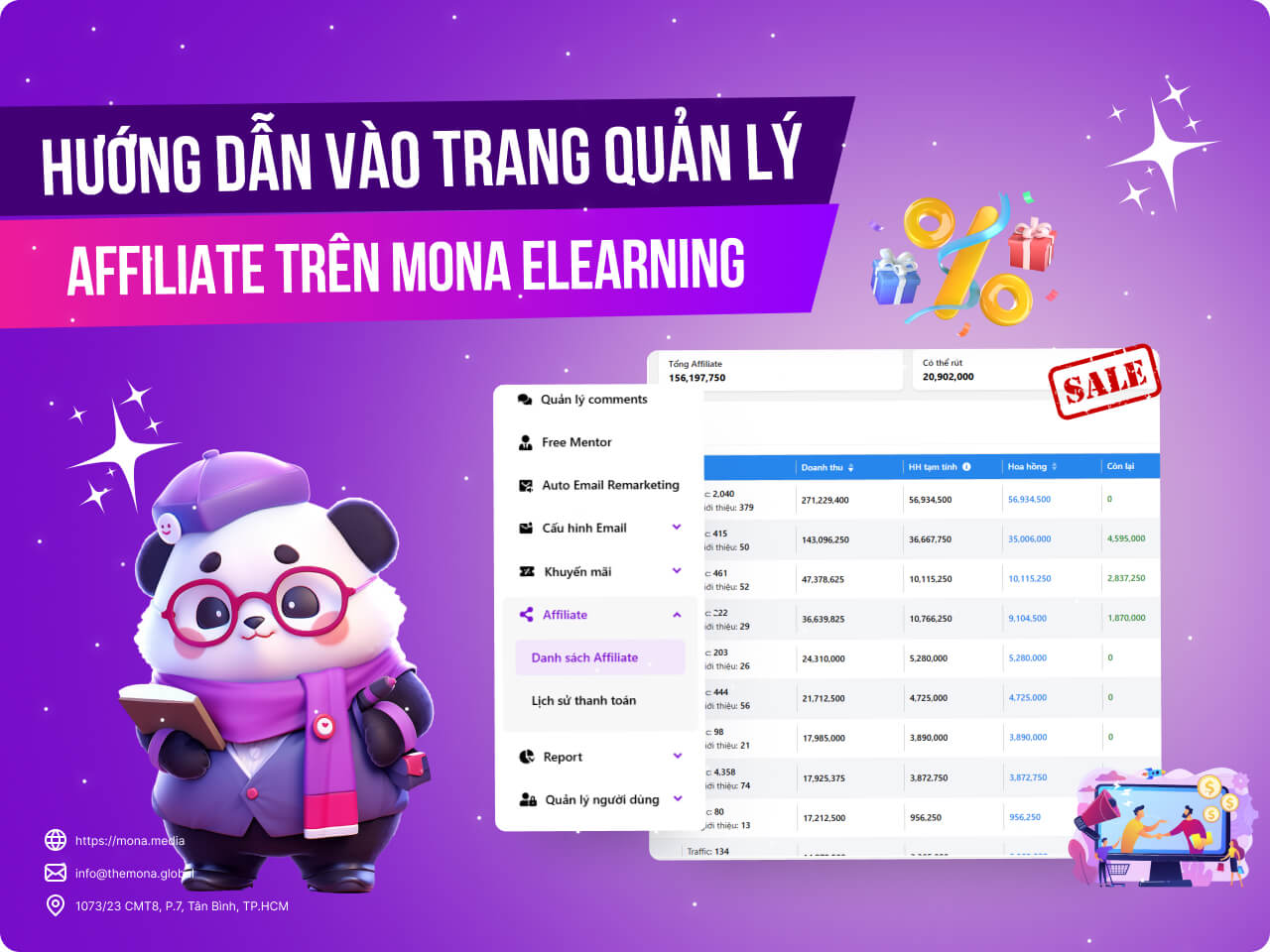
In today's online business environment, affiliate marketing strategies are becoming more and more common. For people who develop and sell e-learning courses, managing affiliate programs is key to growing revenue and expanding your student network. This article walks you step by step through accessing and using the affiliate management page in MONA Elearning, helping you streamline the process and get the best results.
Step 1: Open the Affiliate management page
In the admin interface, go to Affiliate → Affiliate list
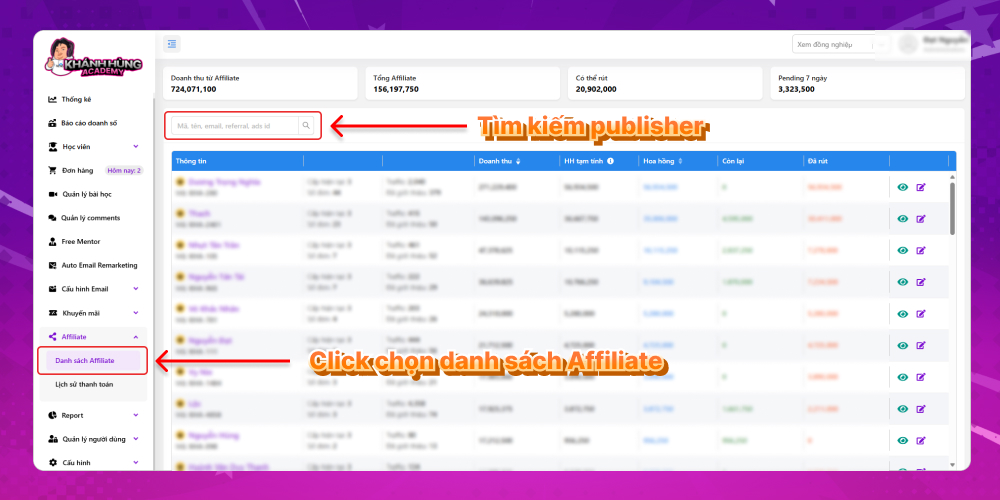
The key columns in your Affiliate list include:
- Publisher info: full name and Affiliate code
- Number of orders bought through the Affiliate link
- Traffic to the Affiliate link
- Revenue from Affiliate
- Estimated commission for the publisher
You can also search a publisher's name in the search bar to find that publisher's information fastest
Step 2: How to view the Affiliate management page
For each publisher in the MONA Elearning system, you can click the eye icon in the last column of the Affiliate list to see details about that publisher.
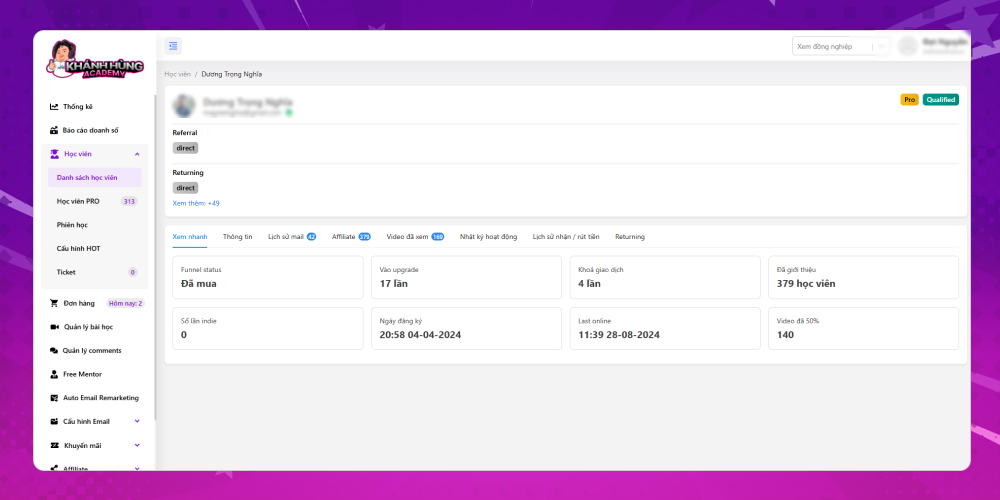
Detailed information about each publisher is displayed for the system admin to assess. The key details include:
- Quick view:
- Purchase status
- Number of visits to the Khánh Hùng website's upgrade page
- Number of locked transactions
- Number of students referred through the Affiliate link
- Number of Indie times
- Course registration date
- Last visit
- Number of videos watched to 50%
- Publisher's personal information
- Email history: Shows the number of times the information was viewed email remarketing in emails Khánh Hùng Academy has sent
- Student information of those who signed up for the course through this publisher's affiliate link
- Videos watched: Includes lesson names and detailed watch time
- Activity log on the website
- Withdrawal and receipt history
- Returning: Number of times returning to the website
By following the steps in this article, you can easily access and manage the affiliate page in MONA Elearning, then track and optimize your affiliate marketing strategy. Mastering this tool not only improves your business results but also expands your partner network and brings more students to your courses. For any questions about MONA Elearning, you can contact MONA Media through the details below:
- Hotline: 1900 636 648
- Email: info@themona.global
- Address: 1073/23 Cach Mang Thang 8, Ward 7, Tan Binh District, Ho Chi Minh City








