


 MONA OS 2.0
 Partner with MONA










































 Free AI courses
 AI tools at work

 Tự động hoá doanh nghiệp
 Cẩm nang SEO
 Digital Marketing
 Kinh nghiệm thiết kế website
 Hạ Tầng Server
 Giáo dục


 VI
 EN


How to manage Free Mentor on MONA eLearning
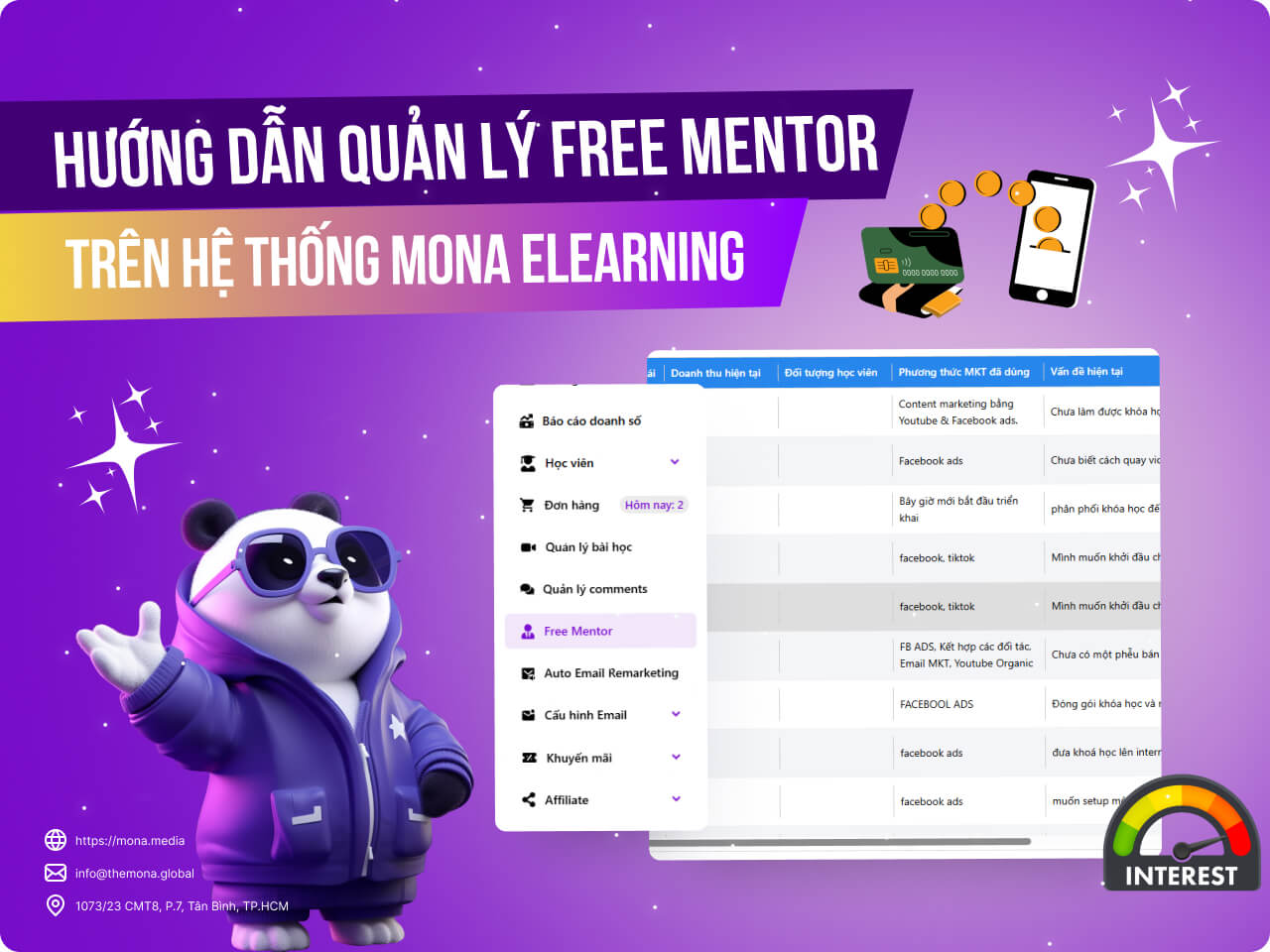
The Free Mentor feature has become a benefit for learners who want support from Khánh Hùng before launching their course. As the number of Free Mentor sign-ups grows, managing learners who need Free Mentor and keeping track of their current issues gets more complicated. This article shows you how to use MONA Elearning to manage Free Mentor effectively.
Step 1: Open Free Mentor management
On the overview screen of MONA Elearning, select Free Mentor
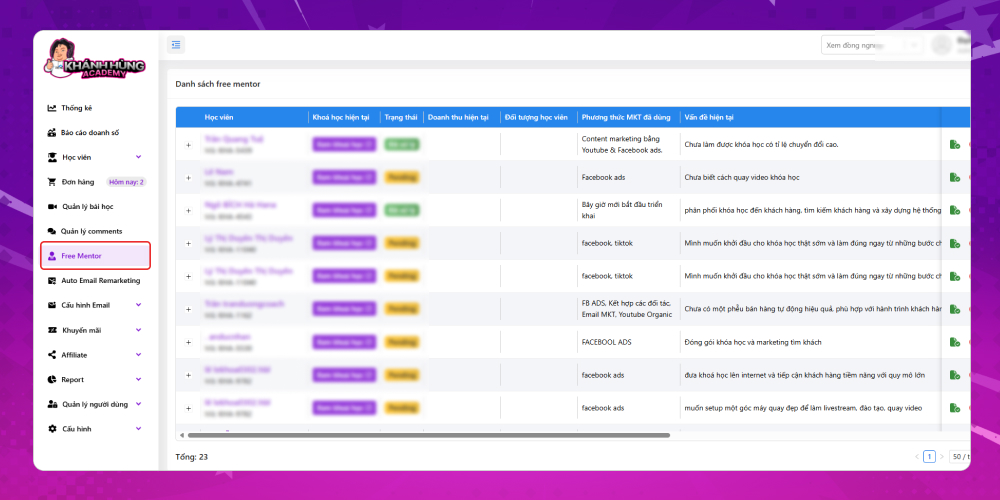
A table listing all learners who signed up for Free Mentor is shown. Its key columns are:
- Learner: Includes full name and Affiliate code
- Current course: If the learner already has a course, the system inserts their website link here
- Status: Includes two statuses: processed and pending
- Current revenue: Revenue once the learner has launched their e-learning course
- Target learners: The main audience of the course this colleague is about to launch
- Marketing methods used
- Current issue: Details of the problem the user is facing with their course, which they hope Khánh Hùng Academy will answer in the Free Mentor session.
Step 2: View Free Mentor details
Once you have the overview of colleagues requesting Free Mentor, you can see a colleague's details by clicking Name on that colleague. A new overview screen is shown (it matches the publisher detail screen for affiliates), with key information such as:
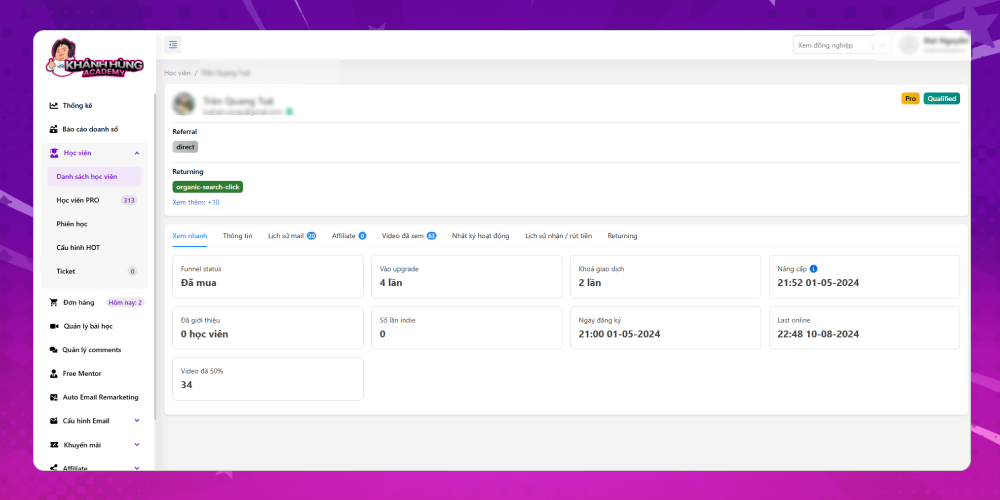
- Quick view:
- Purchase status
- Number of visits to the Khánh Hùng website's upgrade page
- Number of locked transactions
- Number of students referred through the Affiliate link
- Number of Indie times
- Course registration date
- Last visit
- Number of videos watched to 50%
- Publisher's personal information
- Email history: Shows the number of times the information was viewed email remarketing in emails Khánh Hùng Academy has sent
- Student information of those who signed up for the course through this publisher's affiliate link
- Videos watched: Includes lesson names and detailed watch time
- Activity log on the website
- Withdrawal and receipt history
- Returning: Number of times returning to the website
Managing Free Mentor in e-learning courses not only keeps you organized and efficient but also gives learners access to valuable support. With the e-learning system you can schedule appointments, track progress and make sure every Free Mentor session delivers maximum value. We hope this article helps you manage Free Mentor effectively, improving your teaching quality and learner satisfaction.








