


 MONA OS 2.0
 Partner with MONA










































 Free AI courses
 AI tools at work

 Tự động hoá doanh nghiệp
 Cẩm nang SEO
 Digital Marketing
 Kinh nghiệm thiết kế website
 Hạ Tầng Server
 Giáo dục


 VI
 EN


How to manage and classify users on MONA eLearning
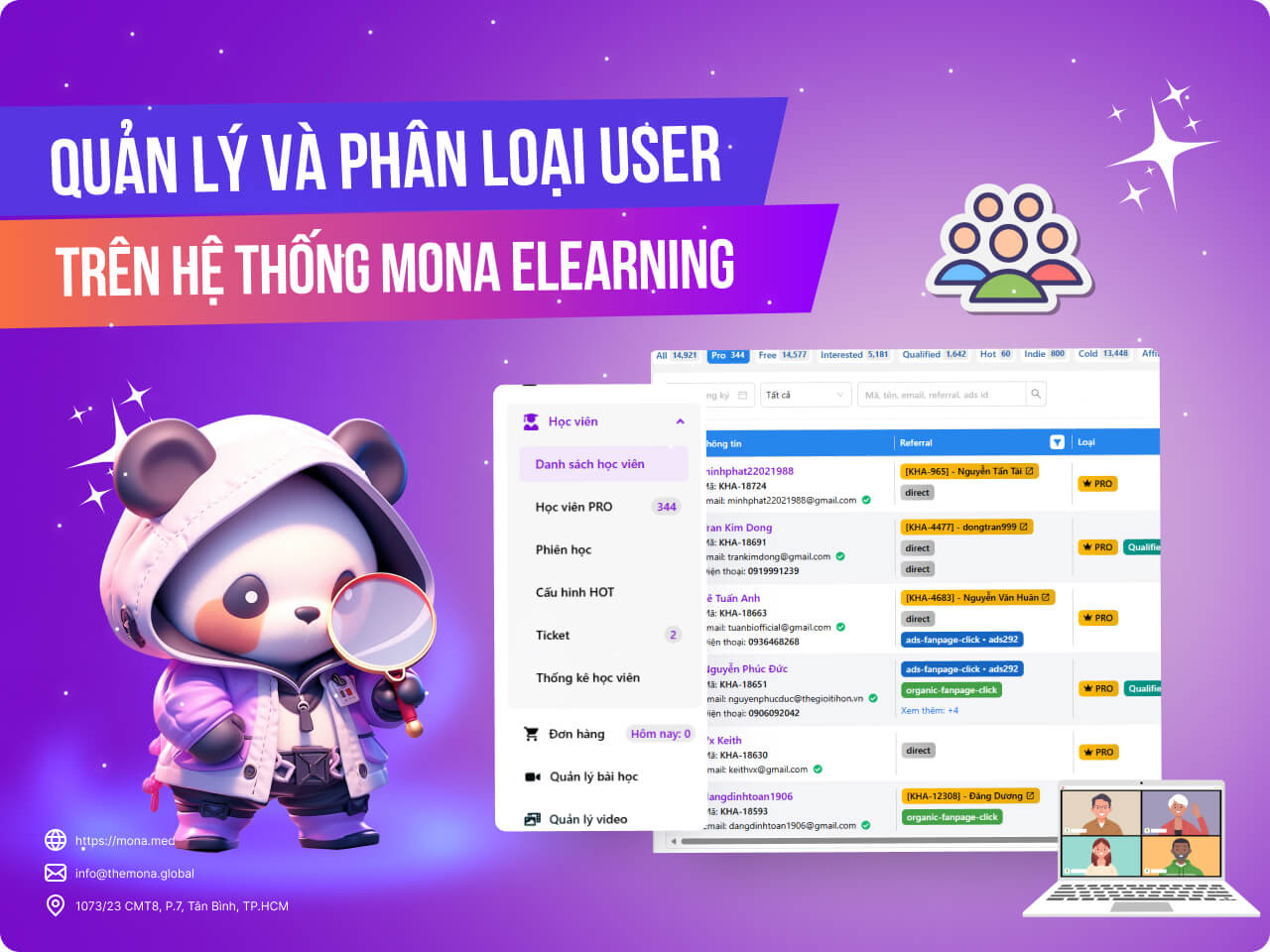
When you sell online courses through an e-learning website, managing and segmenting users is important for improving the learning experience and business results. With MONA Elearning, you can easily track and segment the users in your courses, then build strategies that fit each group. This beginner's guide explains how to manage and segment users in MONA Elearning, so you get the information you need and run your business more effectively.
Step 1: Open the course student list
In the MONA Elearning admin, select Students –> Student List

This shows the full list of students who have come to your course, split into different user types so they are easy to manage.
Basic information for each user includes:
- Student name and affiliate code
- Referal
- User type
- Statistics on course videos watched
- Registration date and the date they last returned to the website
- Key functions:
- Upgrade course
- Verify ID card information
- View the user's detailed activity on the website
- Send email
- Edit user information
- Delete user
- Lock account
Step 2: Segment users in MONA Elearning
Taking users of the Khánh Hùng Academy course as an example, users are segmented like this:
- Pro: Colleagues who upgraded to the PRO course
- Free: Free colleagues
- Interested: Users who are interested in the course
- Qualified: Users who meet a certain standard. Currently, a user who studies for over 30 minutes or watches 5 videos in a row is counted as a qualified user
- Hot: Qualified users who are also interested in the course, for example those who keep clicking upgrade but don't upgrade,…
- Indie: Students who have been offline for over 3 days
- Cold: Students who have been offline for over 15 days
- Affiliate: Users who came to the website through the affiliate channel
- Inactive: Users who have not verified their account

How to read the users in MONA Elearning
- First, look at the number of inactive users compared with the total number of users who came to the course. If it is below 30%, the course is within the acceptable range. If inactive users make up more than 30%, you need to review whether your ad campaign is reaching the wrong audience, or whether the website's UX and UI fall short and make it hard for students to verify their accounts.
- Next, look at the index and cold user numbers (this group decides whether your course is good or bad):
- Cold user: These users have been offline for 15 days. Send them a email remarketing, and if they don't open the email, you can drop this group.
- Indie user: These users went offline in the last 3 days, so there is still a chance. Run retargeting ads or remarketing emails that remind them to study the course.
- Then look at the Qualified and Hot user numbers (this group decides whether your course sells). Focus on this group and send closing-style marketing emails that push them to upgrade the course.
We hope this guide gives you a clear understanding of how to manage and segment users in MONA Elearning. Apply the steps above to get the most out of the system and grow your online course sustainably. For any questions about MONA Elearning features, you can contact MONA Media for detailed advice.
- Hotline: 1900 636 648
- Email: info@themona.global
- Address: 1073/23 Cach Mang Thang 8, Ward 7, Tan Binh District, Ho Chi Minh City








