
 MONA OS 2.0


 Tự động hoá doanh nghiệp
 Cẩm nang SEO
 Digital Marketing
 Kinh nghiệm thiết kế website
 Hạ Tầng Server
 Giáo dục


 VI
VI
 EN
EN














Message us on
Zalo Official


 Products

 ProductsProducts









 Website designLooks good and wins customers over.
SEO servicesBrings in customers searching for exactly what you sell.
Website designLooks good and wins customers over.
SEO servicesBrings in customers searching for exactly what you sell.
 Tư vấn digital marketingKéo khách từ nhiều kênh, đo bằng số thật.
Corporate video productionVideos introducing your company, factory and team.
Tư vấn digital marketingKéo khách từ nhiều kênh, đo bằng số thật.
Corporate video productionVideos introducing your company, factory and team.
 NewAI video productionCompany story films made with AI.
 Custom software developmentCRM, ERP and HRM built for your business.
 Viết AI Agent theo yêu cầuĐặt riêng một trợ lý AI cho đúng việc của mình.
 Tư vấn chuyển đổi AIĐưa AI vào vận hành của cả công ty.
NewMONA LMSManagement for centers and schools.
MONA SkillHubInternal training for company staff.
Tư vấn chuyển đổi AIĐưa AI vào vận hành của cả công ty.
NewMONA LMSManagement for centers and schools.
MONA SkillHubInternal training for company staff.
 NHTQ systemEnd-to-end China–Vietnam shipping operations.
MONA JMSManagement for gold, diamond and pawn shops.
NHTQ systemEnd-to-end China–Vietnam shipping operations.
MONA JMSManagement for gold, diamond and pawn shops.
 MONA E-LearningA website with every feature you need to sell courses.
 How to sell online courses (course)More than 30 free lessons on selling courses on autopilot.
 MONA Cloudmonacloud.vnServers to get your apps and websites running.
 MONA Basemonabase.vnPostgres database, sign-in and file storage.
 MONA Mailmonamail.vnSend OTP, order and invoice emails from your software.
 MONA Paymonapay.vnAccept bank transfers via VietQR and notify your software when the money arrives.
 MONA eInvoiceComing soonIssue e-invoices that meet tax standards.
Gấu CườiTrả lời khách 24/7 trên web, Fanpage, Zalo và thu lead cho sale.
MONA eInvoiceComing soonIssue e-invoices that meet tax standards.
Gấu CườiTrả lời khách 24/7 trên web, Fanpage, Zalo và thu lead cho sale.
 Gấu TeleSalesGọi điện tư vấn, chăm khách như tổng đài viên thật.
Dê CườiTư vấn và chốt đơn cho shop ngay trong khung chat.
Gấu WebmasterNhắn nhóm Zalo là website được sửa xong.
Gấu TeleSalesGọi điện tư vấn, chăm khách như tổng đài viên thật.
Dê CườiTư vấn và chốt đơn cho shop ngay trong khung chat.
Gấu WebmasterNhắn nhóm Zalo là website được sửa xong.
 Gấu Pháp ChếSoạn hợp đồng, rà điều khoản trong vài phút.
 Gấu Báo GiáLên báo giá đúng mẫu và gửi khách ngay.
 AI chăm sóc khách hàngTheo dõi và giữ chân khách hàng cũ.
 Gấu Tuyển DụngLọc hồ sơ, hẹn lịch, phỏng vấn ứng viên.
 KHA AI 2027
Xây kênh chuyên gia 2 phút mỗi ngày
Quay bằng điện thoại, AI tự edit video, tự đăng lên 16 nền tảng và tự trả lời bình luận, tin nhắn.
287.785lượt xem trên kênh CEO MONA sau 17 ngày
KHA AI 2027
Xây kênh chuyên gia 2 phút mỗi ngày
Quay bằng điện thoại, AI tự edit video, tự đăng lên 16 nền tảng và tự trả lời bình luận, tin nhắn.
287.785lượt xem trên kênh CEO MONA sau 17 ngày
 Anh Khánh HùngCEO MONA đang dùng mỗi ngày
Xem app làm được gì
Anh Khánh HùngCEO MONA đang dùng mỗi ngày
Xem app làm được gì
 AI
Gấu Cười MONA ĐANG TỰ XÀITrả lời khách 24/7 trên website, Zalo OA, Messenger và thu lead về cho sale.
Dê CườiChốt đơn bán lẻ và sàn: Shopee, TikTok Shop, web. Chăm cả khách sỉ, đại lý.
Gấu WebmasterCập nhật nội dung, tối ưu SEO website mỗi ngày.
Gấu TeleSalesGọi điện tư vấn, chăm khách như tổng đài viên thật.
Gấu Tuyển DụngLọc hồ sơ, hẹn lịch, phỏng vấn ứng viên tự động.
AI chăm sóc khách hàngGiữ khách cũ, cứu lead đã rớt cho phòng kinh doanh.
Gấu Pháp ChếSoạn hợp đồng, rà điều khoản trong vài phút.
Gấu Báo GiáLên báo giá đúng mẫu, gửi khách ngay khi có yêu cầu.
AI
Gấu Cười MONA ĐANG TỰ XÀITrả lời khách 24/7 trên website, Zalo OA, Messenger và thu lead về cho sale.
Dê CườiChốt đơn bán lẻ và sàn: Shopee, TikTok Shop, web. Chăm cả khách sỉ, đại lý.
Gấu WebmasterCập nhật nội dung, tối ưu SEO website mỗi ngày.
Gấu TeleSalesGọi điện tư vấn, chăm khách như tổng đài viên thật.
Gấu Tuyển DụngLọc hồ sơ, hẹn lịch, phỏng vấn ứng viên tự động.
AI chăm sóc khách hàngGiữ khách cũ, cứu lead đã rớt cho phòng kinh doanh.
Gấu Pháp ChếSoạn hợp đồng, rà điều khoản trong vài phút.
Gấu Báo GiáLên báo giá đúng mẫu, gửi khách ngay khi có yêu cầu.
 Chuyển đổi AI toàn phầnGiải pháp tổng cho doanh nghiệp, 3 lớp triển khai.
 Viết AI Agent theo yêu cầuĐặt riêng một con AI gánh đúng nghiệp vụ của bạn.
 Custom softwareCRM, ERP and HRM with built-in AI automation.
 SEO & AEO thời đại AIĐược Google lẫn AI trích dẫn, không chỉ xếp hạng.
 Kiến thức AI cho doanh nghiệpBài phân tích, hướng dẫn ứng dụng AI vào vận hành.
 Free AI courses
 AI tools at work
 App mới · KHA AI 2027
Xây kênh 2 phút mỗi ngày
AI tự edit video, tự đăng mọi mạng xã hội
Free consultation, 8am–10pm every day
App mới · KHA AI 2027
Xây kênh 2 phút mỗi ngày
AI tự edit video, tự đăng mọi mạng xã hội
Free consultation, 8am–10pm every day

18 March, 2023

Page load speed is one of the most important measures of website performance. If a page is slow by just a few seconds, users may leave right away, which hurts the experience and the conversion rate. So testing website speed is not just for curiosity. It is a necessary step to find bottlenecks, improve performance, support SEO and keep customers better. In this article, MONA Media will share accurate ways to check website speed, so read on.
A website speed test measures the time from when a user clicks a link until all the content on the page has loaded and fully appears in the browser. It tells you whether your site is fast or slow, so you can judge how well it runs and what the user experience is like. When page speed is well optimized, the site keeps visitors longer, lowers the bounce rate and helps improve Google SEO rankings.
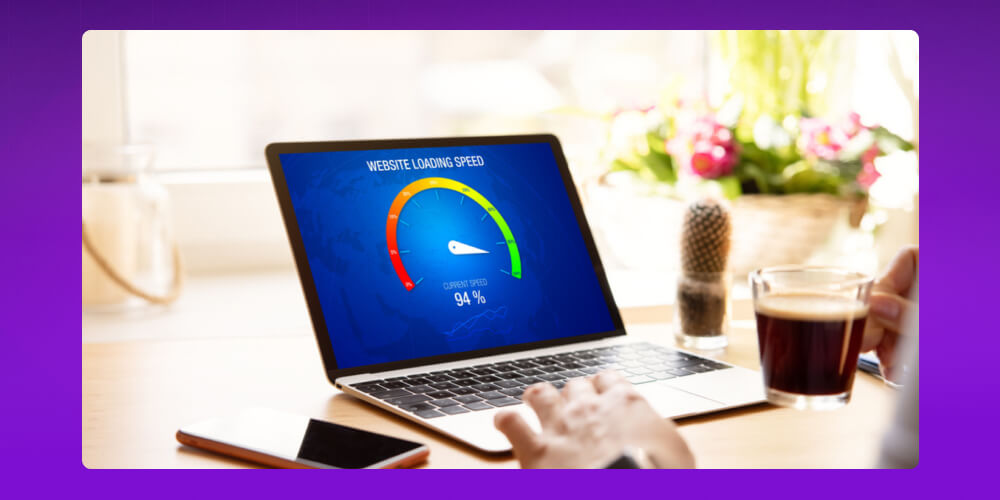
When people talk about website speed, many only care about total page load time. But to judge the real user experience and performance of a website, you need to look at the core metrics that show each part of the loading process.
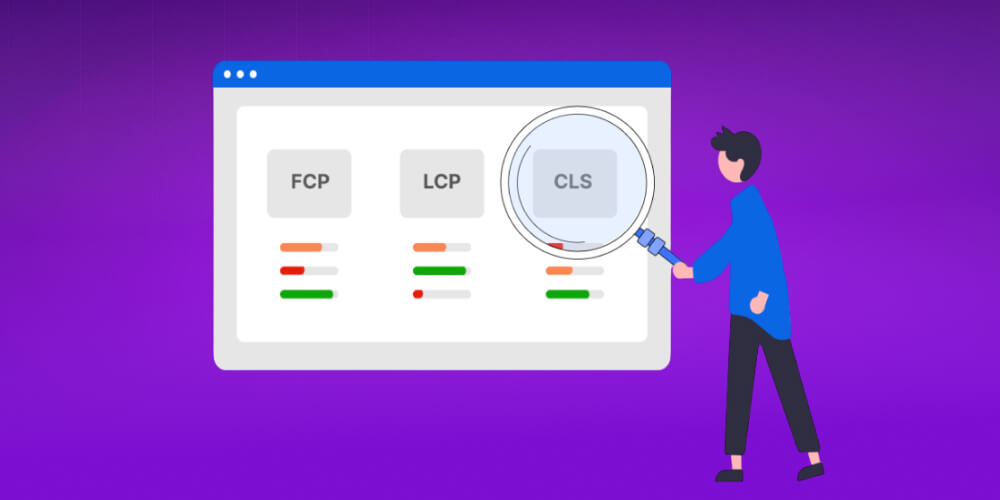
These page speed metrics not only show how your site is performing but also point out what to improve for a better user experience. Here are the important website speed metrics you need to know when you check speed:
Knowing these metrics when you test website speed gives you a full picture of site performance and lets you make better optimization decisions.
≫ 10 How to Speed Up a WordPress Website Most Effectively
Page load speed is not just a technical matter. It also plays a key role in overall SEO strategy . Since 2010, Google has officially treated page speed as a ranking factor, and its importance has kept growing through updates.
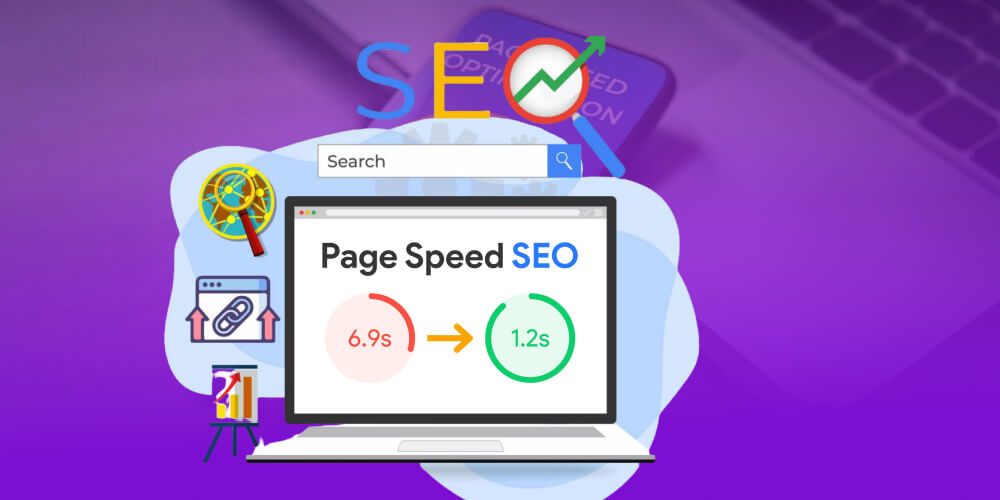
So how exactly does page load speed affect SEO?
Optimizing page speed improves the user experience and is also a key way to lift your SEO ranking and compete better in search results.
If you want your website to load faster and run more reliably, consider signing up for web hosting service high-speed hosting at MONA. The infrastructure is tuned to improve response times, keep things stable and strengthen security, so your website is less likely to slow down, drop out or fail at peak hours. Contact MONA qua hotline 1900 636 648 to get advice on the plan that fits your needs.

≫ See more: How to keep visitors on your website longer
A slow website not only frustrates users and sends them away early. It also lowers SEO performance, hurts brand reputation and costs revenue, because visitors leave before they see anything.
That is why checking page load speed should be a routine check. It helps you spot bottlenecks early, optimize in time and keep the experience smooth for customers. Here is why testing website speed matters so much.
Today, user experience decides whether a website succeeds. Users expect fast loading, and Google's research shows why: 47% of users expect a page to load in under 2 seconds. It gets worse, since 53% of users will leave straight away if a page takes more than 3 seconds to load.
Put yourself in the user's place. You need information fast, but the page shows it too slowly. Your natural reaction is to leave and find another site with similar content. That is why measuring website speed regularly is not just a technical task. It is a way to keep most of your visitors on your site.

What is more, a site with fast, stable loading gives users a smooth, uninterrupted experience. When everything works without friction, users feel comfortable and interested, and they tend to stay longer and explore more content.
When a website loads fast, customers stay longer to look at your content, products and offers. That lets you catch the moment demand is high and keep the buying decision moving, instead of making customers wait and start to hesitate.
So checking page load speed regularly and actively speeding up your site does more than improve the experience. It is also a direct way to raise conversion rate sustainably.
Page speed directly affects the user experience, and user experience is one of the key factors Google uses to judge website quality. When a page loads fast, users stay longer, interact more and tend to come back. That lifts positive SEO signals, and rankings improve over time.
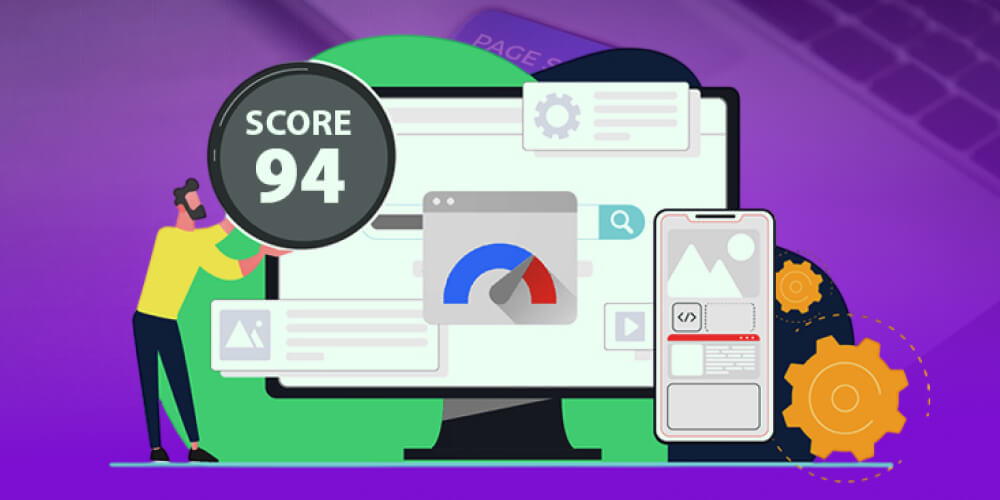
So checking page load speed regularly is a necessary step to find bottlenecks, optimize in time and keep your SEO strategy running steadily. If your business plans to push SEO, take speed into account from the design and build stage so you do not have to patch it up later.
Many websites do not lose because of weak content. They lose on first impression. The page opens sluggishly, images are still loading, actions stall, and users lose patience and leave. When visitors leave this fast, page views fall, engagement drops and fewer people return. Conversions then slide, and SEO struggles to take off because the real experience is worse than your competitors'.

If you have not optimized your website yet, you are missing a large number of potential customers every day. If you do not know where to start, MONA Media is ready to work with you on website optimization service, fixing the root causes of performance bottlenecks so your site loads fast, runs smoothly on mobile and stays stable as traffic grows.
What stands out when MONA optimizes a website:
If you want your website to load faster, keep customers better and support steady SEO growth, contact MONA Media on the hotline 1900 636 648 and our team will advise the right optimization approach for your website.
Wondering whether your website loads fast or slow? Checking website speed has never been easier. With a few simple steps and the right tools, you can measure page load performance accurately and find the bottlenecks to fix.
Google PageSpeed Insights is a tool that lets you test website speed quickly, with a fairly complete report for both desktop and mobile devices such as smartphones and tablets.
After the check, the tool scores performance out of 100 and gives specific suggestions, so you know where to optimize to improve page load speed.
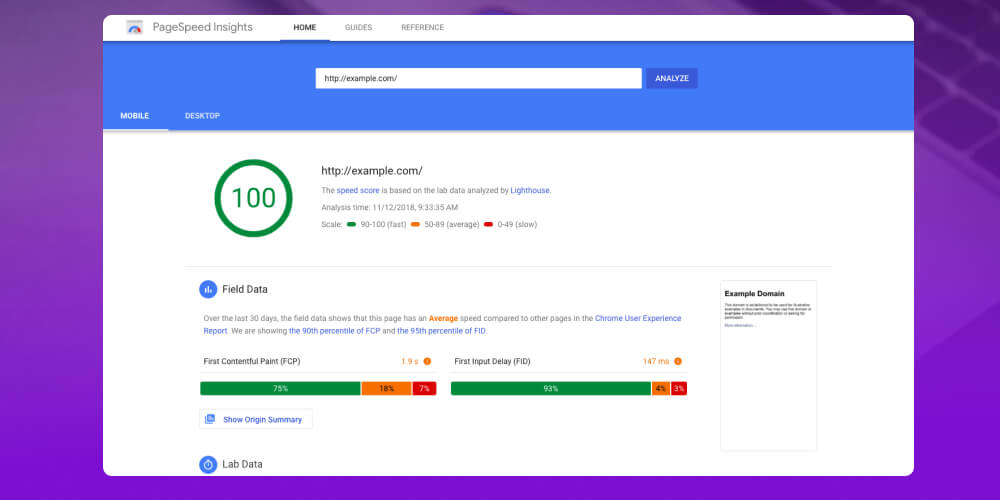
In general, a website scoring above 90 is considered fast and efficient. From 50 to 90 means some criteria still need improving, and below 50 means the site is slow and needs quite a lot of changes to improve page load speed.
Load Impact checks page load speed in a fairly realistic way. It is especially useful if your website uses international hosting or gets visitors from many countries.
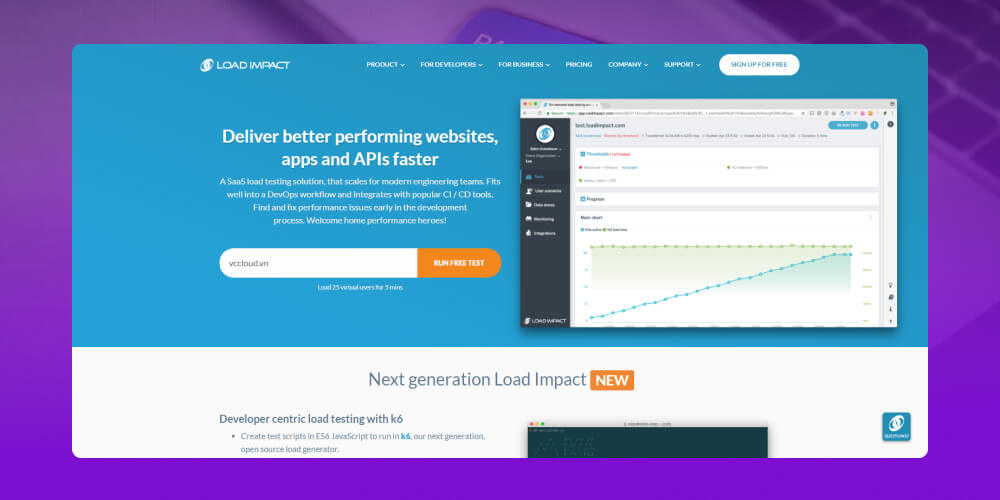
What stands out about Load Impact is that it can simulate many virtual visitors on your website at once. It measures load speed under normal conditions and also shows whether the site slows down when traffic rises at the same time.
Results are shown in detail second by second for traffic and response, so you can judge your page load performance more accurately.
Think with Google is a tool for quickly testing website speed on mobile devices. It checks page load speed on a 3G connection, which matches how many mobile users browse.
It is simple to use. Enter the URL and press Enter, and the system analyzes your site and returns results after a short wait. In the summary report, Think with Google usually shows the page load time and the share of users who may leave because the page loads slowly, so you can see the problem fast and plan how to speed up your site. For more detail, open the Full Report to see exactly what to optimize.
Pingdom Tool is well worth using if you want to check website speed accurately and see what is slowing your site down. It measures not only the full page load time but also factors such as average page size, the number of resources downloaded and the performance of each individual piece of content.
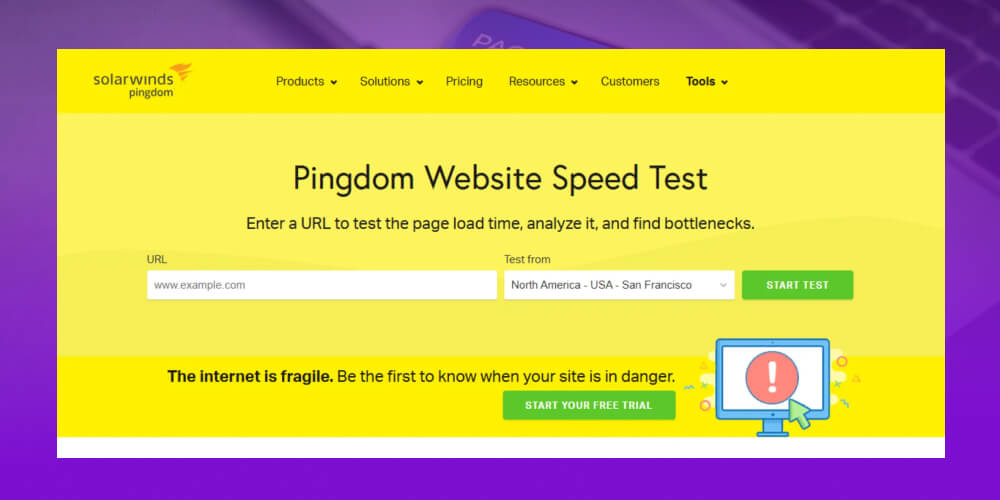
You can see speed broken down by group, such as images, CSS, video and audio, to find which part takes the most time. Pingdom Tool can also test access speed from several regions around the world, which suits you well if your website is hosted abroad.
Alexa Traffic Rank is an extension for the Chrome browser, not a separate website. You can find and install it for free from the Chrome extension store. Open the page you want to check, turn on Alexa Traffic Rank, and the tool returns an overview.
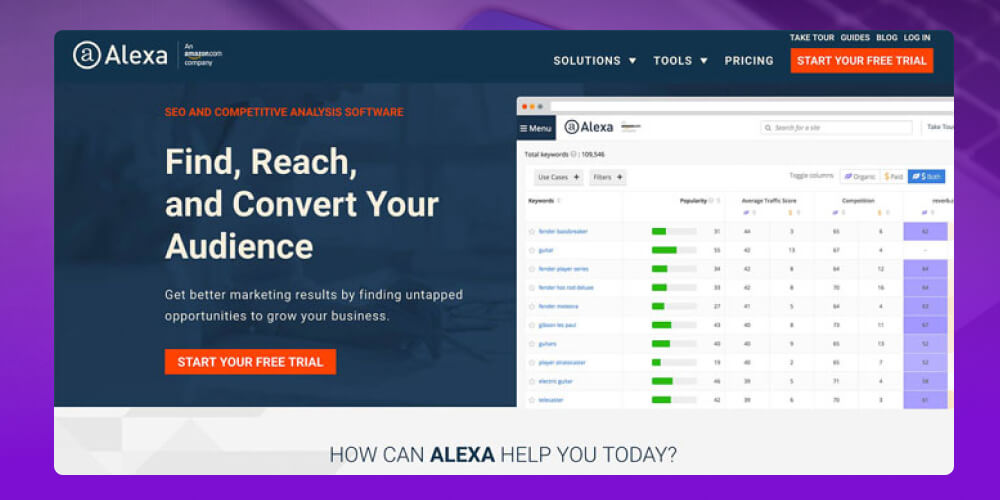
Besides a basic website speed check, this extension also shows other metrics such as site safety, ranking by country and worldwide, an estimate of visibility in search engines and a few similar websites for reference.
Measuring website speed accurately is only the first step toward optimizing your site. Turning the results into real improvements takes expertise and hands-on experience. If this feels complicated, or you want the best result, contact MONA and our team will help.

CEO & Founder · The MONA
Founder of The MONA, who built a services company of 200+ staff with 14,000+ projects delivered. Khánh Hùng shares how he thinks about building systems that run themselves, automating a business, and the real lessons from delivering projects at MONA.
 1,6K
1,6K



Professional website
design services
Own a website with a beautiful, 100% exclusive design and a lifetime warranty, with the ability
to expand features flexibly as your business grows, starting today!








 MONA will never sell your information or send you spam
MONA will never sell your information or send you spam
MONA will never sell your information or send you spam


 MONA will never sell your information or send you spam