
 MONA OS 2.0


 Tự động hoá doanh nghiệp
 Cẩm nang SEO
 Digital Marketing
 Kinh nghiệm thiết kế website
 Hạ Tầng Server
 Giáo dục


 VI
VI
 EN
EN




Message us on
Zalo Official


 Products

 ProductsProducts









 Website designLooks good and convinces your customers.
SEO servicesBrings in customers searching for exactly what you sell.
Website designLooks good and convinces your customers.
SEO servicesBrings in customers searching for exactly what you sell.
 Tư vấn digital marketingKéo khách từ nhiều kênh, đo bằng số thật.
Corporate video productionVideos introducing your company, factory and team.
Tư vấn digital marketingKéo khách từ nhiều kênh, đo bằng số thật.
Corporate video productionVideos introducing your company, factory and team.
 NewAI video productionCompany story films made with AI.
 Custom software developmentCRM, ERP and HRM built for your business.
 Viết AI Agent theo yêu cầuĐặt riêng một trợ lý AI cho đúng việc của mình.
 Tư vấn chuyển đổi AIĐưa AI vào vận hành của cả công ty.
NewMONA LMSManagement for centers and schools.
MONA SkillHubInternal training for company staff.
Tư vấn chuyển đổi AIĐưa AI vào vận hành của cả công ty.
NewMONA LMSManagement for centers and schools.
MONA SkillHubInternal training for company staff.
 NHTQ systemEnd-to-end China–Vietnam shipping operations.
MONA JMSManagement for gold, diamond and pawn shops.
NHTQ systemEnd-to-end China–Vietnam shipping operations.
MONA JMSManagement for gold, diamond and pawn shops.
 MONA E-LearningA website with every feature you need to sell courses.
 Course on selling online coursesMore than 30 free lessons on selling courses automatically.
 MONA Cloudmonacloud.vnServers to get your apps and websites running.
 MONA Basemonabase.vnPostgres database, sign-in and file storage.
 MONA Mailmonamail.vnSend OTP, order and invoice emails from your software.
 MONA Paymonapay.vnReceive bank transfers via VietQR, with payment alerts sent to your software.
 MONA eInvoiceComing soonIssue e-invoices that meet tax standards.
Gấu CườiTrả lời khách 24/7 trên web, Fanpage, Zalo và thu lead cho sale.
MONA eInvoiceComing soonIssue e-invoices that meet tax standards.
Gấu CườiTrả lời khách 24/7 trên web, Fanpage, Zalo và thu lead cho sale.
 Gấu TeleSalesGọi điện tư vấn, chăm khách như tổng đài viên thật.
Dê CườiTư vấn và chốt đơn cho shop ngay trong khung chat.
Gấu WebmasterNhắn nhóm Zalo là website được sửa xong.
Gấu TeleSalesGọi điện tư vấn, chăm khách như tổng đài viên thật.
Dê CườiTư vấn và chốt đơn cho shop ngay trong khung chat.
Gấu WebmasterNhắn nhóm Zalo là website được sửa xong.
 Gấu Pháp ChếSoạn hợp đồng, rà điều khoản trong vài phút.
 Gấu Báo GiáLên báo giá đúng mẫu và gửi khách ngay.
 AI chăm sóc khách hàngTheo dõi và giữ chân khách hàng cũ.
 Gấu Tuyển DụngLọc hồ sơ, hẹn lịch, phỏng vấn ứng viên.
 AI
Gấu Cười MONA ĐANG TỰ XÀITrả lời khách 24/7 trên website, Zalo OA, Messenger và thu lead về cho sale.
Dê CườiChốt đơn bán lẻ và sàn: Shopee, TikTok Shop, web. Chăm cả khách sỉ, đại lý.
Gấu WebmasterCập nhật nội dung, tối ưu SEO website mỗi ngày.
Gấu TeleSalesGọi điện tư vấn, chăm khách như tổng đài viên thật.
Gấu Tuyển DụngLọc hồ sơ, hẹn lịch, phỏng vấn ứng viên tự động.
AI chăm sóc khách hàngGiữ khách cũ, cứu lead đã rớt cho phòng kinh doanh.
Gấu Pháp ChếSoạn hợp đồng, rà điều khoản trong vài phút.
Gấu Báo GiáLên báo giá đúng mẫu, gửi khách ngay khi có yêu cầu.
AI
Gấu Cười MONA ĐANG TỰ XÀITrả lời khách 24/7 trên website, Zalo OA, Messenger và thu lead về cho sale.
Dê CườiChốt đơn bán lẻ và sàn: Shopee, TikTok Shop, web. Chăm cả khách sỉ, đại lý.
Gấu WebmasterCập nhật nội dung, tối ưu SEO website mỗi ngày.
Gấu TeleSalesGọi điện tư vấn, chăm khách như tổng đài viên thật.
Gấu Tuyển DụngLọc hồ sơ, hẹn lịch, phỏng vấn ứng viên tự động.
AI chăm sóc khách hàngGiữ khách cũ, cứu lead đã rớt cho phòng kinh doanh.
Gấu Pháp ChếSoạn hợp đồng, rà điều khoản trong vài phút.
Gấu Báo GiáLên báo giá đúng mẫu, gửi khách ngay khi có yêu cầu.
 Chuyển đổi AI toàn phầnGiải pháp tổng cho doanh nghiệp, 3 lớp triển khai.
 Viết AI Agent theo yêu cầuĐặt riêng một con AI gánh đúng nghiệp vụ của bạn.
 Custom softwareCRM, ERP and HRM with built-in AI automation.
 SEO & AEO thời đại AIĐược Google lẫn AI trích dẫn, không chỉ xếp hạng.
 Kiến thức AI cho doanh nghiệpBài phân tích, hướng dẫn ứng dụng AI vào vận hành.
 Free AI courses
 AI tools at work
18 March, 2023
In design, Layout is one of the most basic and familiar concepts. Anyone who wants to go deeper into design, especially website interface design, needs to understand layout and know how to arrange a page and its structure. In the article below, MONA Media answers what a layout is and why it matters so much in website design. Read on!
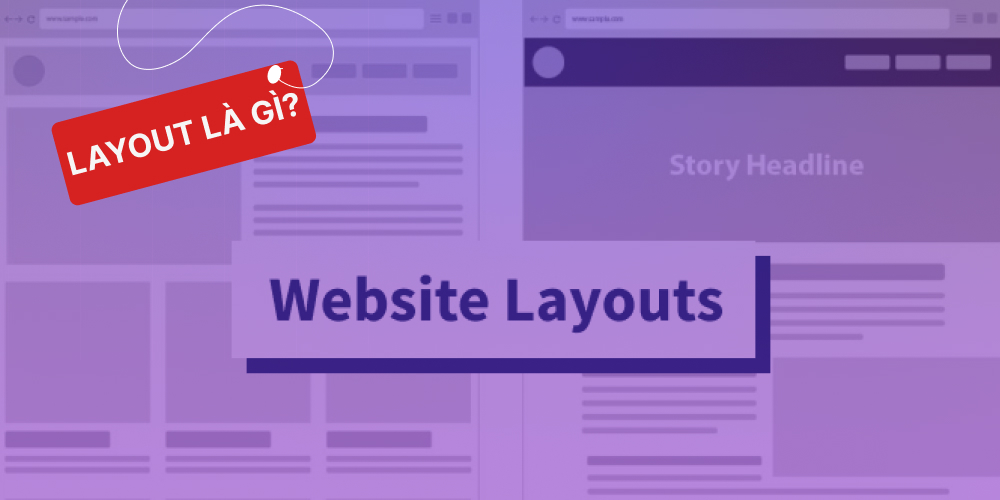
A website layout is a framework that defines the structure of a website.
A website layout shows how important each piece of content is and places the most important elements of the site where users can reach them directly and be impressed.
Whether you are designing a blog, a company profile website or an online store, the content and interface guide users through the website, so your design needs to meet the following:
>>> See also: Website structure: criteria for building an SEO-friendly website
Put simply, building a website layout means creating a framework of components suited to the goals of the website design.
Layout is not only how content is arranged on a website — it decides the first impression customers get of your business. Even with a good-looking layout, if the website only holds generic information and lacks real, valuable content, the business can miss chances to reach customers. So what really sets a website apart? Watch the video below for the answer.
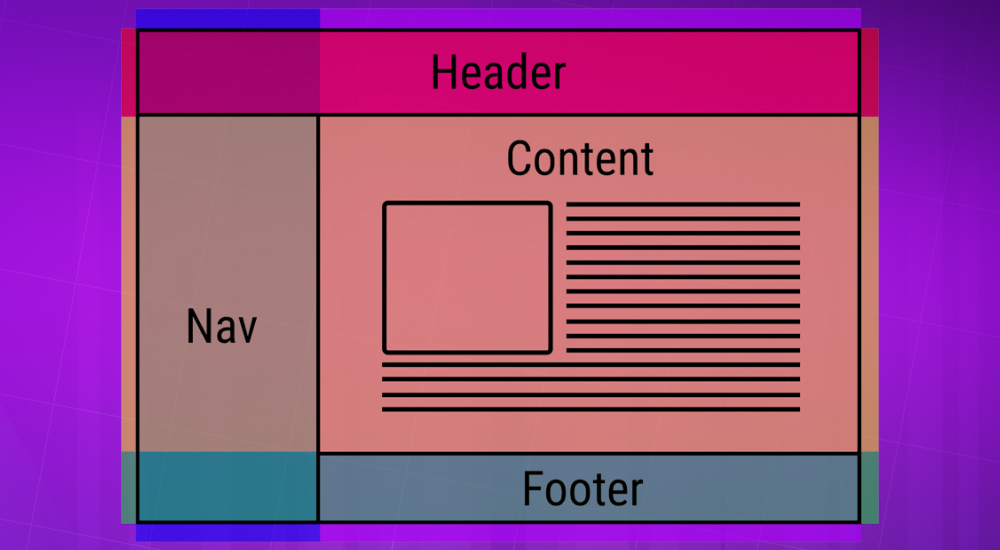
These are the components a website cannot do without, both technically and visually, to be SEO-friendly and easy to use:
Building a layout is an essential step in website design. Here are the benefits of using a layout for your website:
First of all, instead of putting every component on the computer or phone screen as it comes, unarranged and unaligned, a layout makes every part of the website feel tidy, attractive and more polished.
In particular, fresh layout designsthat are unique can become a highlight that helps users remember your website. If your website is about fashion, fine arts, photography, art…, layout is definitely worth investing in.
Arranging a website's components sensibly gives readers an overview of the page's content. The layout draws the reader's attention to one point, leads them along the intended structure and makes sure they miss almost nothing that is displayed.
This harmonious arrangement should be based on how the elements relate in content. The layout's job is then to show these relationships more visually, helping users easily explore further the topics they care about.
The eye-catching design and strong relationships between components on the website create appeal, making visitors feel comfortable and drawn in by the way the content is presented to them.
The stage of the website design process at which the layout is finalised matters a lot, because it affects the speed and quality of the whole project.
The layout should be finalised right after receiving the requirements and agreeing on the concept with the client (because once work starts, the layout cannot be changed) and before the UI/UX design process begins, so it can connect content, functions, graphic design…
Why do you need to update and develop your website layout?
John Mueller – a Google director answered “YES” without hesitation when asked whether changing the layout affects SEO. That surprised many SEO people at the time, since the content and URL structure stayed the same.
That is because Google has focused more on improving user experience (the algorithm blah blah), so what users see and how they feel when using a website also plays a very important part in Google's evaluation criteria:
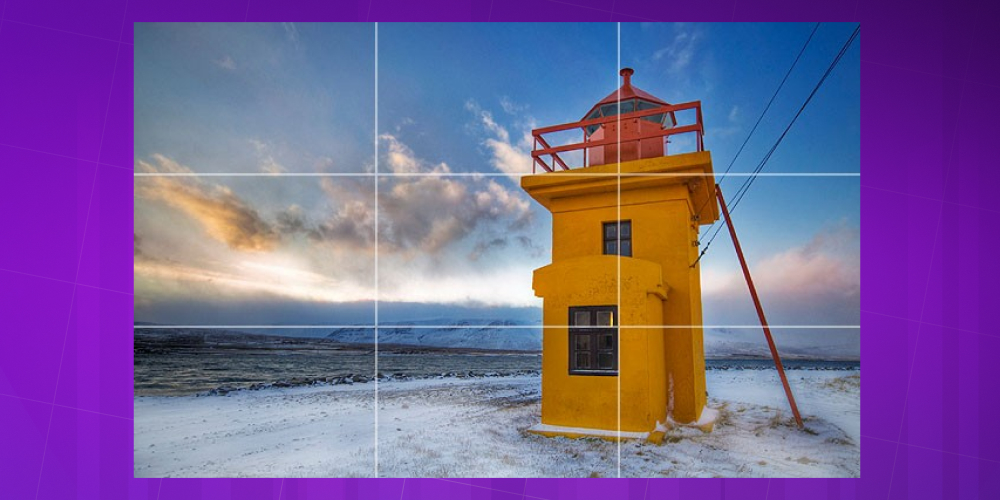
This rule helps you get an excellent layout. It is considered one of the standards that make products highly effective and impressive to customers. You just divide your design into 3 columns and 3 rows. Where the rows and columns intersect, you should place the main subjects and other supporting elements
A design with an odd number of elements (around 3 objects) tends to work quite well. The 2 outer objects balance the one in the middle, giving the design the most basic and natural feel. This rule is often applied in logo design.
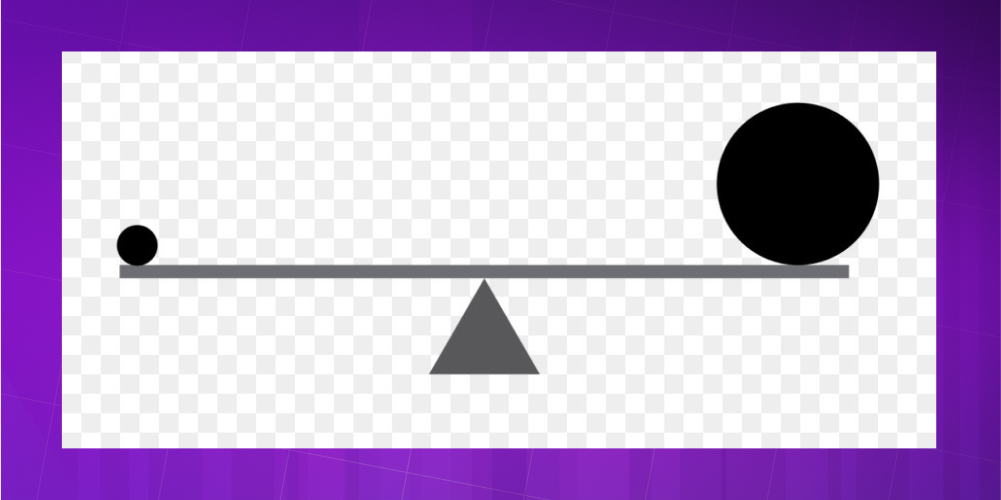
Balance in design is very important. It brings the elements of the work into harmony. If the layout lacks balance and well-placed white space, customers will find the design cluttered and get a bad impression of it.
A quality design must have a focal point that draws the viewer's attention. So before you start designing, you must clearly define the focal point and guide the viewer through the structure of the layout.
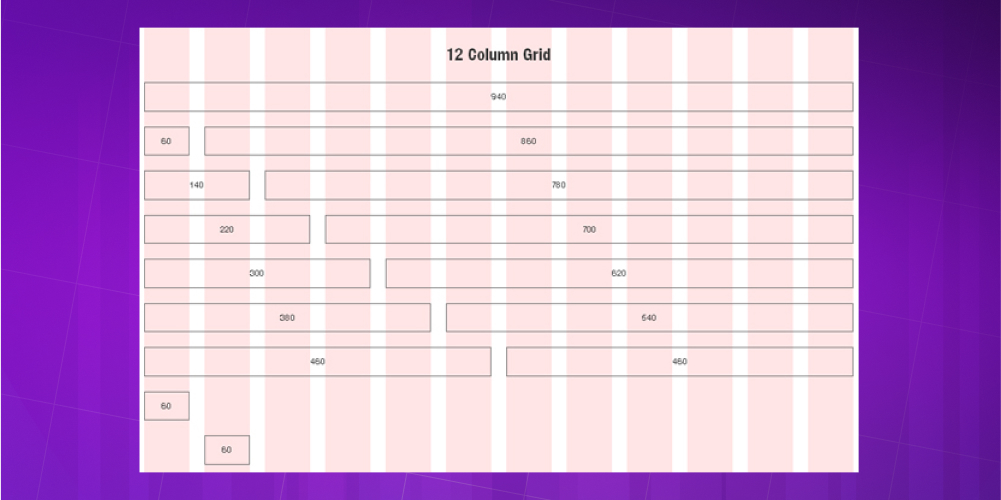
With this system you speed up the design process, because it is easy to decide which position should hold which type of content. Because it keeps designs tidy, the grid system is a favourite among designers.
Building a 100% exclusive custom website layout by hand is a way of personalising the website and giving the brand its own unique character.
The whole process includes: deciding how text and images are arranged, shaping the size and form of the design based on the culture and psychology of the target audience, with the aim of highlighting what the brand wants to communicate and emphasise.
This work takes a lot of research and a long process to get right, so custom layouts are usually produced by teams of skilled, experienced specialists.
Using a ready-made template is a more mechanical process, with fixed areas for text and images, typefaces, font sizes and dimensions that cannot be changed.
Many businesses choose professional templates pre-built for their industry to design their website, because they fit their needs and bring benefits such as
The drawback of template layouts is that they never fully match your business model; even if the layout was designed for the right field, it still needs some edits and changes so the website runs smoothly and matches the brand's idea as closely as possible.
A website designed from a template layout can end up:
The single column layout is the easiest to use: on websites with this layout, users just scroll down and take in information continuously, making it easy for the brand to guide customers and present important content.
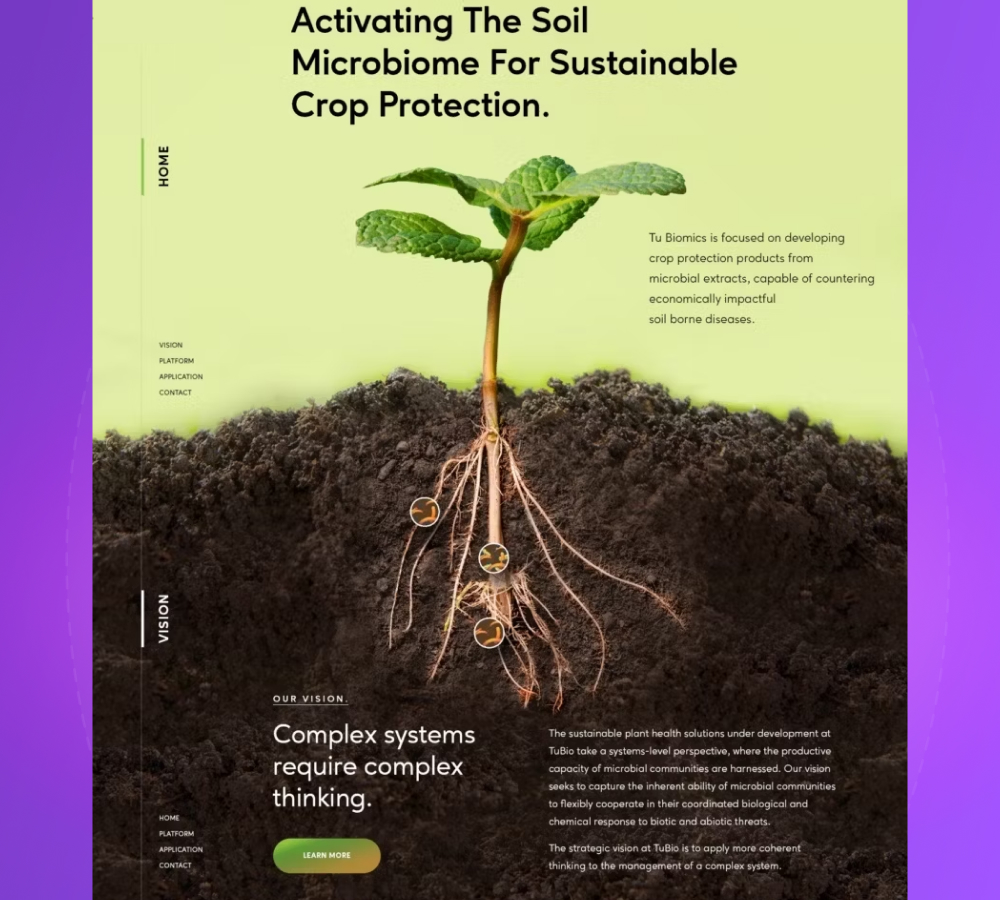
Another plus that makes this layout even more popular is that most users today browse on phones rather than desktops, and this layout makes it easy to build a responsive design across platforms (meeting an important SEO factor: mobile-friendly).
When to use a single column layout:
The split screen layout is a very good fit for websites with two or more main pieces of content that are equally important or related to each other.
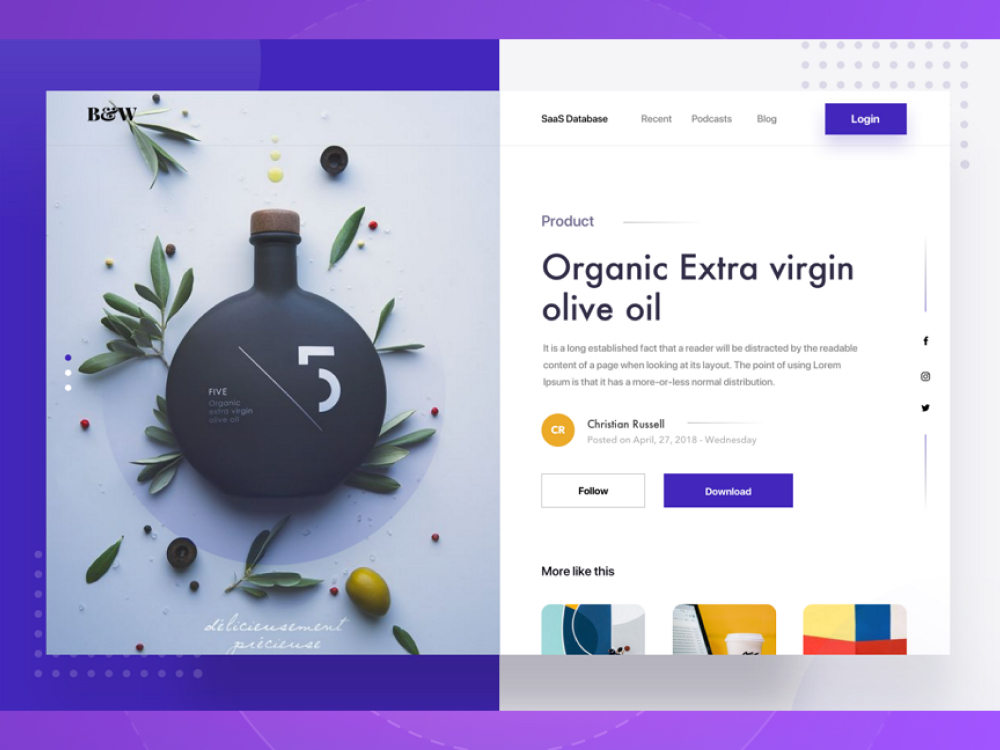
Splitting the screen into equal parts is a layout that is easy to design and gives a strong visual effect, making the website richer and more flexible.
When to use a split screen layout:
An asymmetric layout is a design in which the two parts of the layout take up different amounts of display space. An asymmetric layout tells users which content to focus on first and which content is more important for them to notice.
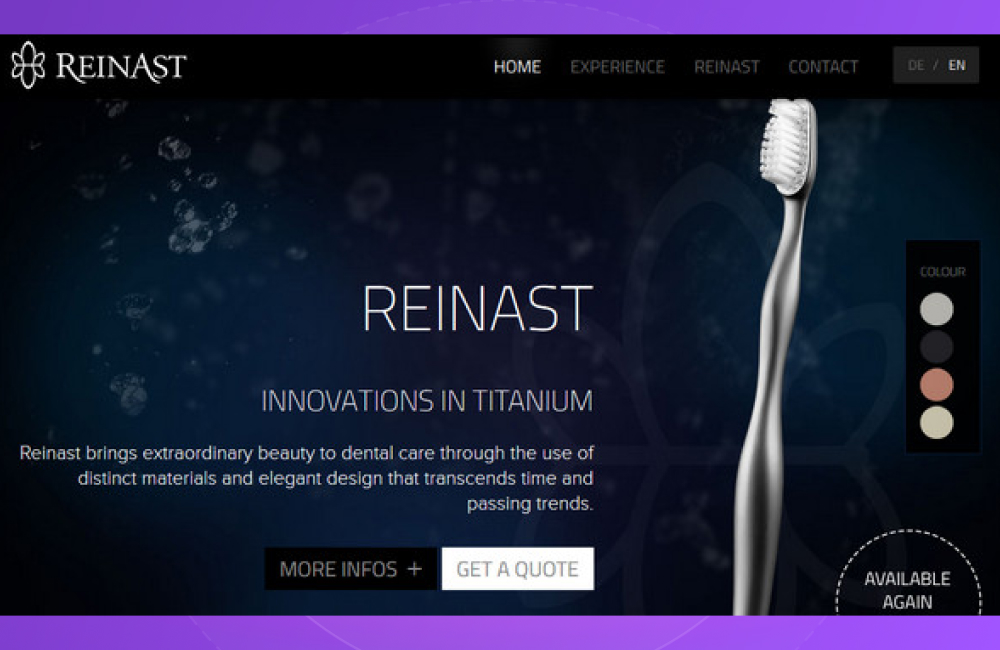
This design technique has been around for a long time but has only become popular again recently, as demand for custom website design has grown to create 100% exclusive interfaces for businesses.
The essence of asymmetric design is creating balance between the two parts of the layout. The two pieces of content are not always equally important enough to use a split screen layout. By changing the size, proportion and colour of each part, designers create a layout that drives interaction very effectively.
When to use an asymmetric layout:
Cards are a very handy design element that lets designers present descriptive information in the most accessible way and, more importantly, gives your interface a refined, modern look.
A grid layout pairs very well with card design, because its flexibility can create infinite scroll designs that keep users engaged for a long time, with changeable sizes, spacing, number of columns…
Combining a grid layout with cards creates a website that drives interaction and keeps delivering information to users. It suits websites with a large volume of equally important content.
When to use a grid layout with cards:
The box layout is very popular and often used for websites. It is made up of a large box and small boxes (2 – 5) taking up part of the large box's area. Each small box leads users to a main, important part of the website's content.
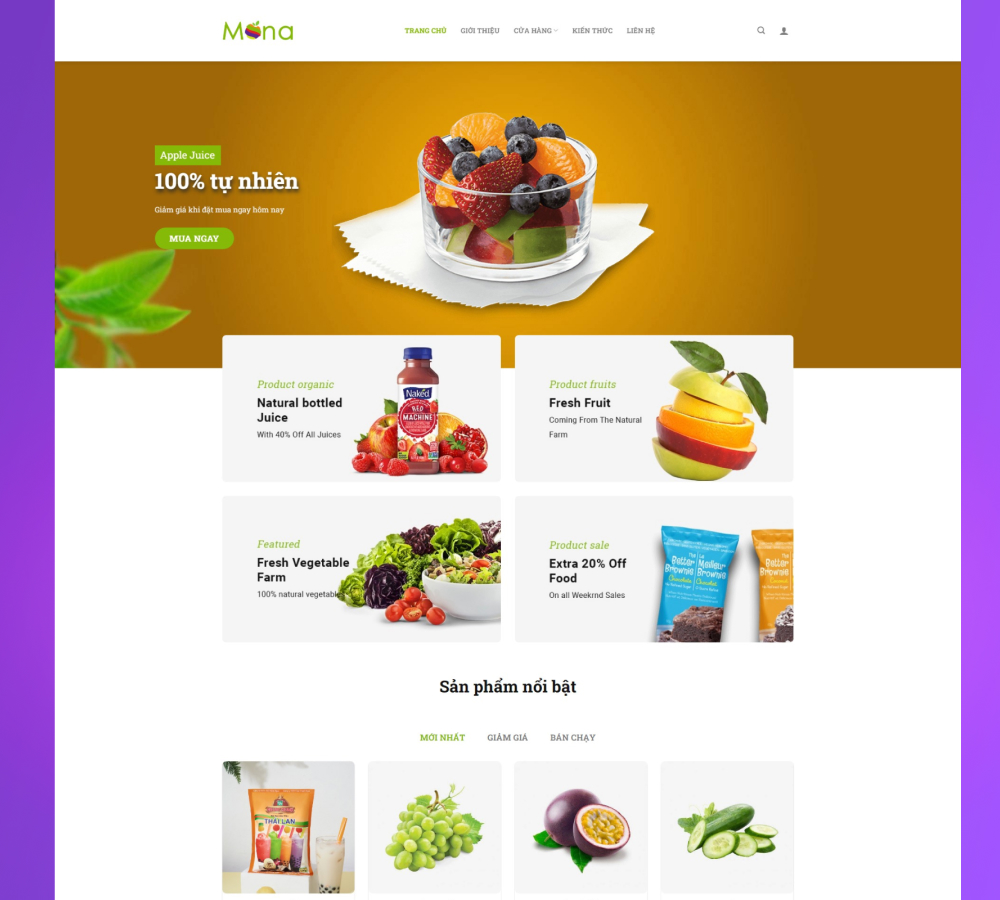
The box layout is very flexible: you can tell a continuous story or give a detailed description of a product or service by combining the content of the boxes.
When to use a box layout:
Google rates user-friendly websites very highly: sites that let users know where they are in the site map and where the information and products they need are… and the navigation menu is the first area users look to.
For some specialised websites where users need to use navigation constantly, instead of only having navigation in the header, you can show the menu in a place that is more convenient for users: the sidebar (sidebar).
This layout keeps the sidebar visible at all times (fixed sidebar) while the rest of the website changes as users scroll, so it suits websites with few user flows, ideally showing all options to users from the start.
When to use a fixed sidebar layout:
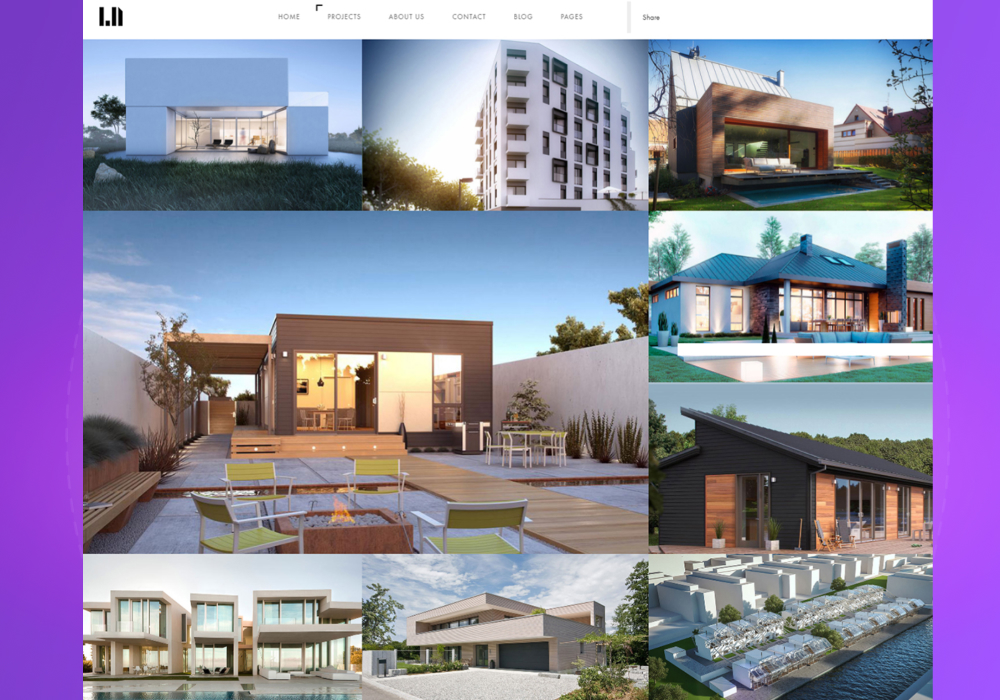
A web layout that uses images as the main content to engage customers is the format that sells the most products. Images are a great tool for creating emotion and conveying the message of a product or brand to users.
A beautiful, carefully and thoroughly designed image attracts users; even if they don't buy, it leaves a good impression that helps them remember the brand. Combining it with typography is a great way to increase the impact of images. An image layout is the best solution when you need to focus all of the user's attention on a product or service
When to use an image layout:
This special F-shaped layout was created based on research into human habits, which found that you scan content in a block following an F shape
This is a very scientific and smart layout that applies easily to both desktop and smartphone (meeting an important SEO requirement: Mobile-friendly). It works especially well for service and product pages with many options, helping users browse much faster.
However, doing this design well takes a lot of experience in handling different situations and using graphic elements to guide users
When to use an F-shaped layout:
Like the F-shaped layout, the Z-shaped layout is built on people's natural habits:
With this layout, you can get users to take action by placing links and CTAs between text and images a few times to raise the conversion rate.
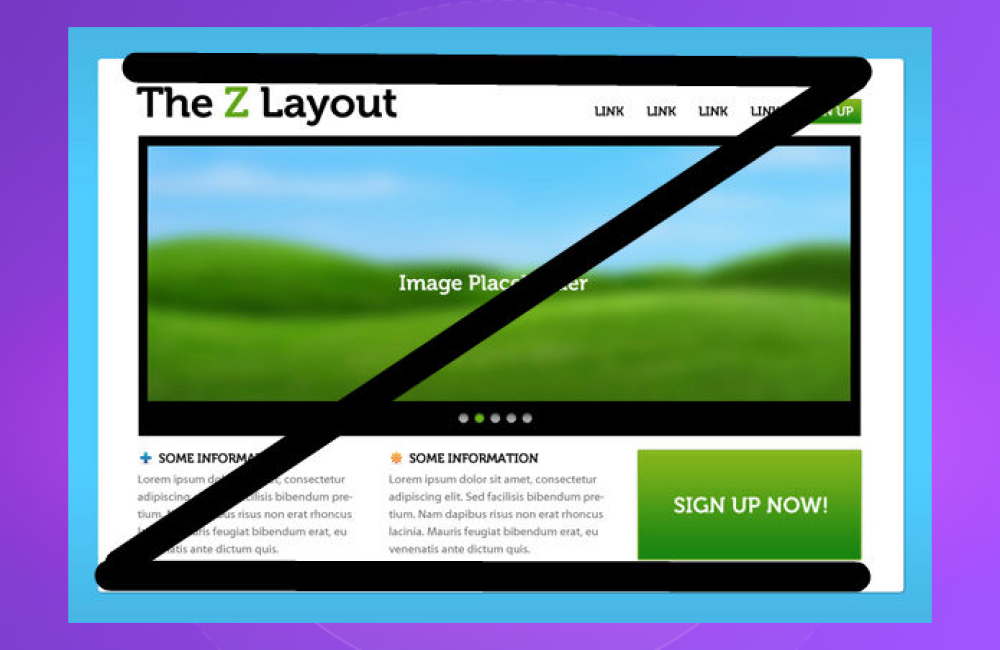
While the F shape suits websites with a lot of content, the Z-shaped layout is the better choice for websites with fewer conversion goals and less content.
If you are looking for website design service, Web-app interfaces, or management software with special features, contact MONA Media on the hotline 1900 636 648 or click the consultation button below for detailed support.
Above is the most detailed information on what a layout is and how to design an effective website layout. Clearly, a well-arranged layout is an essential part of graphic design. If you apply the right design rules, you can build effective layouts that attract potential customers and create a successful product.

CEO & Founder · The MONA
Founder of The MONA, who built a services company of 200+ staff with 14,000+ projects delivered. Khánh Hùng shares how he thinks about building systems that run themselves, automating a business, and the real lessons from delivering projects at MONA.
 1,6K
1,6K



Professional website
design services
Own a website with a beautiful, 100% exclusive design and a lifetime warranty, with the ability
to expand features flexibly as your business grows, starting today!








 MONA promises never to use your information for sale or SPAM
MONA promises never to use your information for sale or SPAM
MONA promises never to use your information for sale or SPAM


 MONA promises never to use your information for sale or SPAM