
 MONA OS 2.0


 Tự động hoá doanh nghiệp
 Cẩm nang SEO
 Digital Marketing
 Kinh nghiệm thiết kế website
 Hạ Tầng Server
 Giáo dục


 VI
VI
 EN
EN







![10 Google algorithms every SEO must know [Google Algorithm update 2026]](https://mona.media/wp-content/uploads/2023/03/cac-thuat-toan-cua-google.jpg)








Message us on
Zalo Official


 ProductsNew

 ProductsProducts
 Mới ra mắtKHA AI 2027App tự edit video, tự đăng mọi mạng xã hội, 2 phút mỗi ngày










 Website designLooks good and wins customers over.
SEO servicesBrings in customers searching for exactly what you sell.
Website designLooks good and wins customers over.
SEO servicesBrings in customers searching for exactly what you sell.
 Tư vấn digital marketingKéo khách từ nhiều kênh, đo bằng số thật.
Corporate video productionVideos introducing your company, factory and team.
Tư vấn digital marketingKéo khách từ nhiều kênh, đo bằng số thật.
Corporate video productionVideos introducing your company, factory and team.
 NewAI video productionCompany story films made with AI.
 Custom software developmentCRM, ERP and HRM built for your business.
 Viết AI Agent theo yêu cầuĐặt riêng một trợ lý AI cho đúng việc của mình.
 Tư vấn chuyển đổi AIĐưa AI vào vận hành của cả công ty.
NewMONA LMSManagement for centers and schools.
MONA SkillHubInternal training for company staff.
Tư vấn chuyển đổi AIĐưa AI vào vận hành của cả công ty.
NewMONA LMSManagement for centers and schools.
MONA SkillHubInternal training for company staff.
 NHTQ systemEnd-to-end China–Vietnam shipping operations.
MONA JMSManagement for gold, diamond and pawn shops.
NHTQ systemEnd-to-end China–Vietnam shipping operations.
MONA JMSManagement for gold, diamond and pawn shops.
 MONA E-LearningA website with every feature you need to sell courses.
 How to sell online courses (course)More than 30 free lessons on selling courses on autopilot.
 MONA Cloudmonacloud.vnServers to get your apps and websites running.
 MONA Basemonabase.vnPostgres database, sign-in and file storage.
 MONA Mailmonamail.vnSend OTP, order and invoice emails from your software.
 MONA Paymonapay.vnAccept bank transfers via VietQR and notify your software when the money arrives.
 MONA eInvoiceComing soonIssue e-invoices that meet tax standards.
Gấu CườiTrả lời khách 24/7 trên web, Fanpage, Zalo và thu lead cho sale.
MONA eInvoiceComing soonIssue e-invoices that meet tax standards.
Gấu CườiTrả lời khách 24/7 trên web, Fanpage, Zalo và thu lead cho sale.
 Gấu TeleSalesGọi điện tư vấn, chăm khách như tổng đài viên thật.
Dê CườiTư vấn và chốt đơn cho shop ngay trong khung chat.
Gấu WebmasterNhắn nhóm Zalo là website được sửa xong.
Gấu TeleSalesGọi điện tư vấn, chăm khách như tổng đài viên thật.
Dê CườiTư vấn và chốt đơn cho shop ngay trong khung chat.
Gấu WebmasterNhắn nhóm Zalo là website được sửa xong.
 Gấu Pháp ChếSoạn hợp đồng, rà điều khoản trong vài phút.
 Gấu Báo GiáLên báo giá đúng mẫu và gửi khách ngay.
 AI chăm sóc khách hàngTheo dõi và giữ chân khách hàng cũ.
 Gấu Tuyển DụngLọc hồ sơ, hẹn lịch, phỏng vấn ứng viên.
 Mới ra mắt
KHA AI 2027
Xây kênh chuyên gia 2 phút mỗi ngày
Quay bằng điện thoại, AI tự edit video, tự đăng lên 16 nền tảng và tự trả lời bình luận, tin nhắn.
310.136lượt xem trên kênh CEO MONA sau 17 ngày
Mới ra mắt
KHA AI 2027
Xây kênh chuyên gia 2 phút mỗi ngày
Quay bằng điện thoại, AI tự edit video, tự đăng lên 16 nền tảng và tự trả lời bình luận, tin nhắn.
310.136lượt xem trên kênh CEO MONA sau 17 ngày
 Anh Khánh HùngCEO MONA đang dùng mỗi ngày
Xem app làm được gì
Anh Khánh HùngCEO MONA đang dùng mỗi ngày
Xem app làm được gì
 AI
Gấu Cười MONA ĐANG TỰ XÀITrả lời khách 24/7 trên website, Zalo OA, Messenger và thu lead về cho sale.
Dê CườiChốt đơn bán lẻ và sàn: Shopee, TikTok Shop, web. Chăm cả khách sỉ, đại lý.
Gấu WebmasterCập nhật nội dung, tối ưu SEO website mỗi ngày.
Gấu TeleSalesGọi điện tư vấn, chăm khách như tổng đài viên thật.
Gấu Tuyển DụngLọc hồ sơ, hẹn lịch, phỏng vấn ứng viên tự động.
AI chăm sóc khách hàngGiữ khách cũ, cứu lead đã rớt cho phòng kinh doanh.
Gấu Pháp ChếSoạn hợp đồng, rà điều khoản trong vài phút.
Gấu Báo GiáLên báo giá đúng mẫu, gửi khách ngay khi có yêu cầu.
AI
Gấu Cười MONA ĐANG TỰ XÀITrả lời khách 24/7 trên website, Zalo OA, Messenger và thu lead về cho sale.
Dê CườiChốt đơn bán lẻ và sàn: Shopee, TikTok Shop, web. Chăm cả khách sỉ, đại lý.
Gấu WebmasterCập nhật nội dung, tối ưu SEO website mỗi ngày.
Gấu TeleSalesGọi điện tư vấn, chăm khách như tổng đài viên thật.
Gấu Tuyển DụngLọc hồ sơ, hẹn lịch, phỏng vấn ứng viên tự động.
AI chăm sóc khách hàngGiữ khách cũ, cứu lead đã rớt cho phòng kinh doanh.
Gấu Pháp ChếSoạn hợp đồng, rà điều khoản trong vài phút.
Gấu Báo GiáLên báo giá đúng mẫu, gửi khách ngay khi có yêu cầu.
 Chuyển đổi AI toàn phầnGiải pháp tổng cho doanh nghiệp, 3 lớp triển khai.
 Viết AI Agent theo yêu cầuĐặt riêng một con AI gánh đúng nghiệp vụ của bạn.
 Custom softwareCRM, ERP and HRM with built-in AI automation.
 SEO & AEO thời đại AIĐược Google lẫn AI trích dẫn, không chỉ xếp hạng.
 Kiến thức AI cho doanh nghiệpBài phân tích, hướng dẫn ứng dụng AI vào vận hành.
 Free AI courses
 AI tools at work
App mới · KHA AI 2027
Xây kênh 2 phút mỗi ngày
AI tự edit video, tự đăng mọi mạng xã hội
Free consultation, 8am–10pm every day
AI tools at work
App mới · KHA AI 2027
Xây kênh 2 phút mỗi ngày
AI tự edit video, tự đăng mọi mạng xã hội
Free consultation, 8am–10pm every day

18 March, 2023
Bad backlinks are one of the culprits behind a website dropping in Google rankings, and many SEO people do not expect it. These low-quality links can appear naturally, through technical errors, or worse, because a competitor is deliberately playing dirty. So what are bad backlinks? How do you check for bad backlinks? Let's MONA Media take a detailed look in the article below.
Bad backlinks are links pointing to a website that have no effect or cause a negative one. The most visible sign is keyword rankings dropping, or keywords jumping around after algorithm updates. A website that receives these Backlink will be rated lower by Google.
Characteristics of spammy backlinks:
Google's Penguin algorithm will automatically penalize your website if it has such spammy links.
If you monitor Google Search Console, Ahrefs or SEMrush and see strange links you never built, a competitor may be attacking your website by pumping in spammy links. Once you have found the bad backlinks, you need to block them using the tool Disavow Tools.
See more: What is a link? How to use each type of link on a website
Bad links are rarely natural and bring little value. In practice, some are also created by SEOers or webmasters who apply techniques incorrectly or use outdated methods. The most harmful are links built by your competitors with bad intent to drag down your website's ranking.
Doing website SEO effectively takes more than building quality backlinks; it also takes the ability to spot and remove bad ones. Links from disreputable sources, spam sites or manipulative links can get your website penalized by Google, seriously hurting rankings and organic traffic.
So checking for and removing toxic backlinks regularly is an essential step in a professional SEO process. It protects the overall health of your website and keeps your position in search rankings stable.
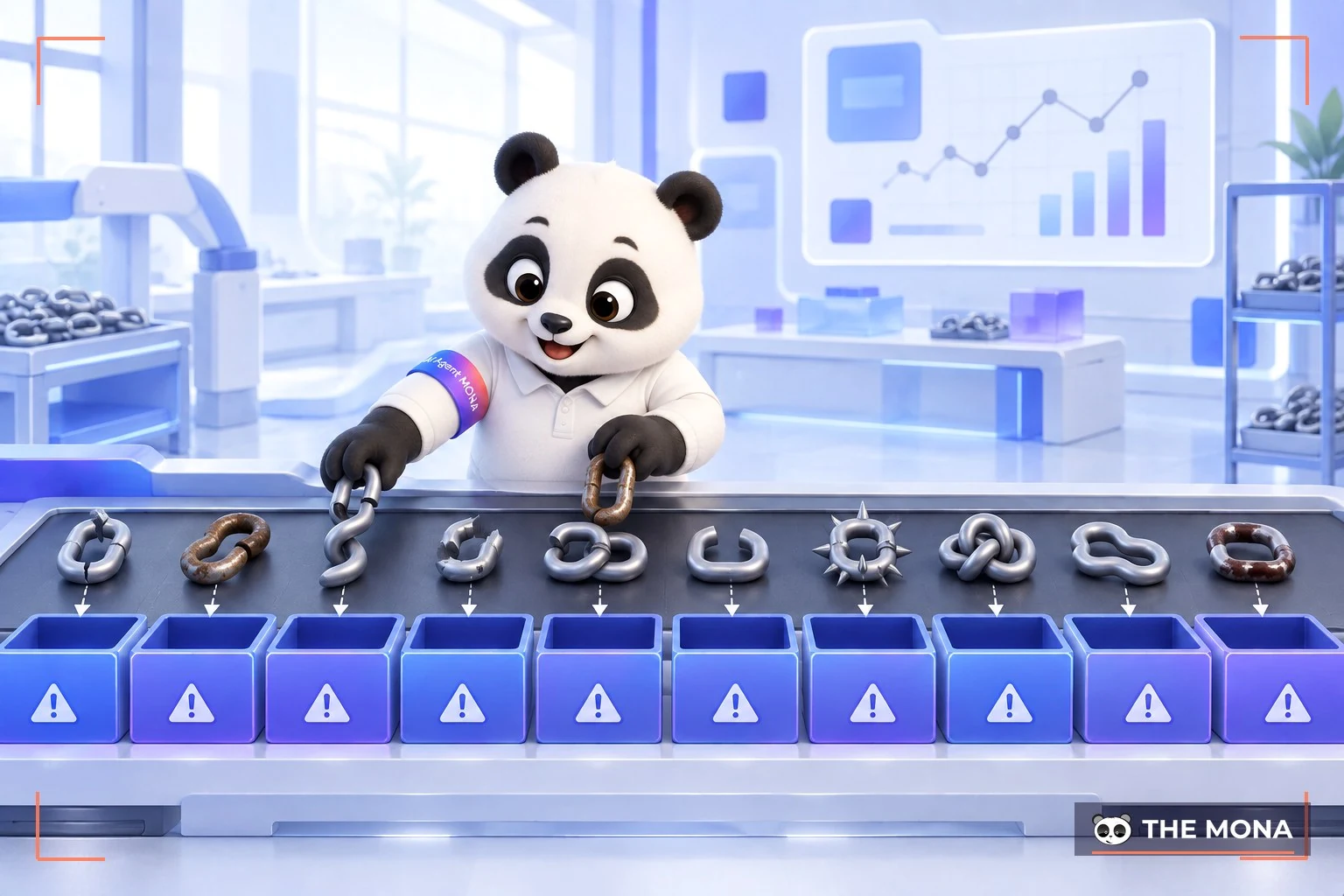
Specifically, the 10 types of bad backlinks that violate Google's rules are:
About 10 years ago, link exchange was perfectly normal. Webmasters could create hundreds or thousands of links this way and tended to manipulate Google's search engine. Google now strictly forbids abusing link exchanges, especially with link farm (link farms).
Since 2012, Google has penalized websites that take part in such networks. So if your website has backlinks from them, you risk a Google penalty.
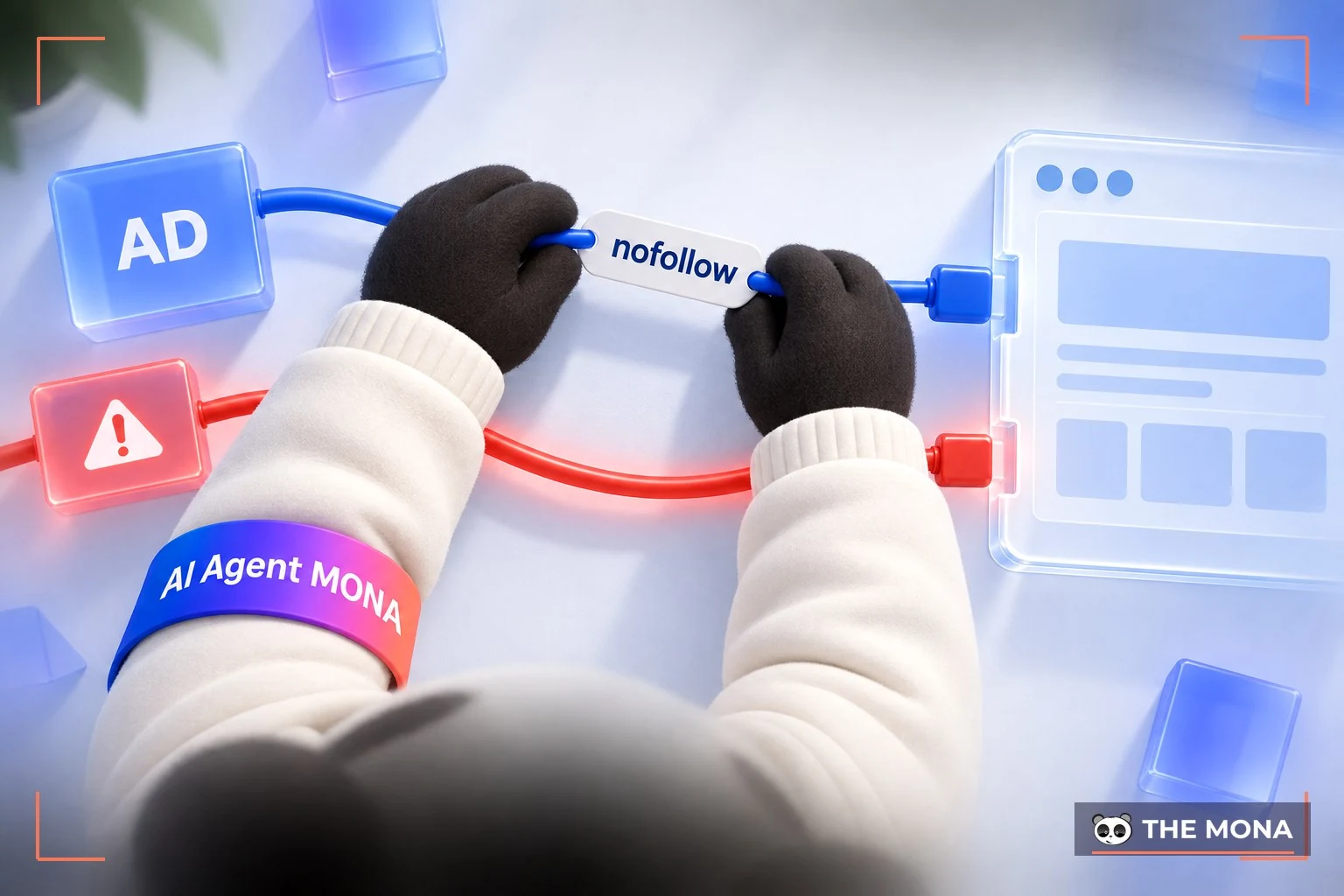
Google has also made clear that paid or sponsored commercial links must carry the "nofollow" attribute. You can learn more about nofollow links here:
What are dofollow and nofollow, how to recognize each type of link and what each is for
If you hack another website to place backlinks, Google's search bot will surely find them when it crawls your site. And even if you hide links in JavaScript hay CSS it is still seen as a way of getting around the rules, so you should avoid it.
Whether it is an internal linking or a backlink, if you repeat a keyword too many times in the same line, Google may detect it, and your website will of course be penalized.
These are links commonly found in a sidebar or footer, appearing on every page of a website. They are usually not relevant to the content and are easily judged as spam by Google. When checking for bad backlinks, pay special attention to sitewide links.
If your site is in Vietnamese but has dozens or hundreds of links pointing to French or Russian websites, there is clearly a relevance problem. Google values relevance in language and content, so remove this kind of bad backlink as soon as possible.
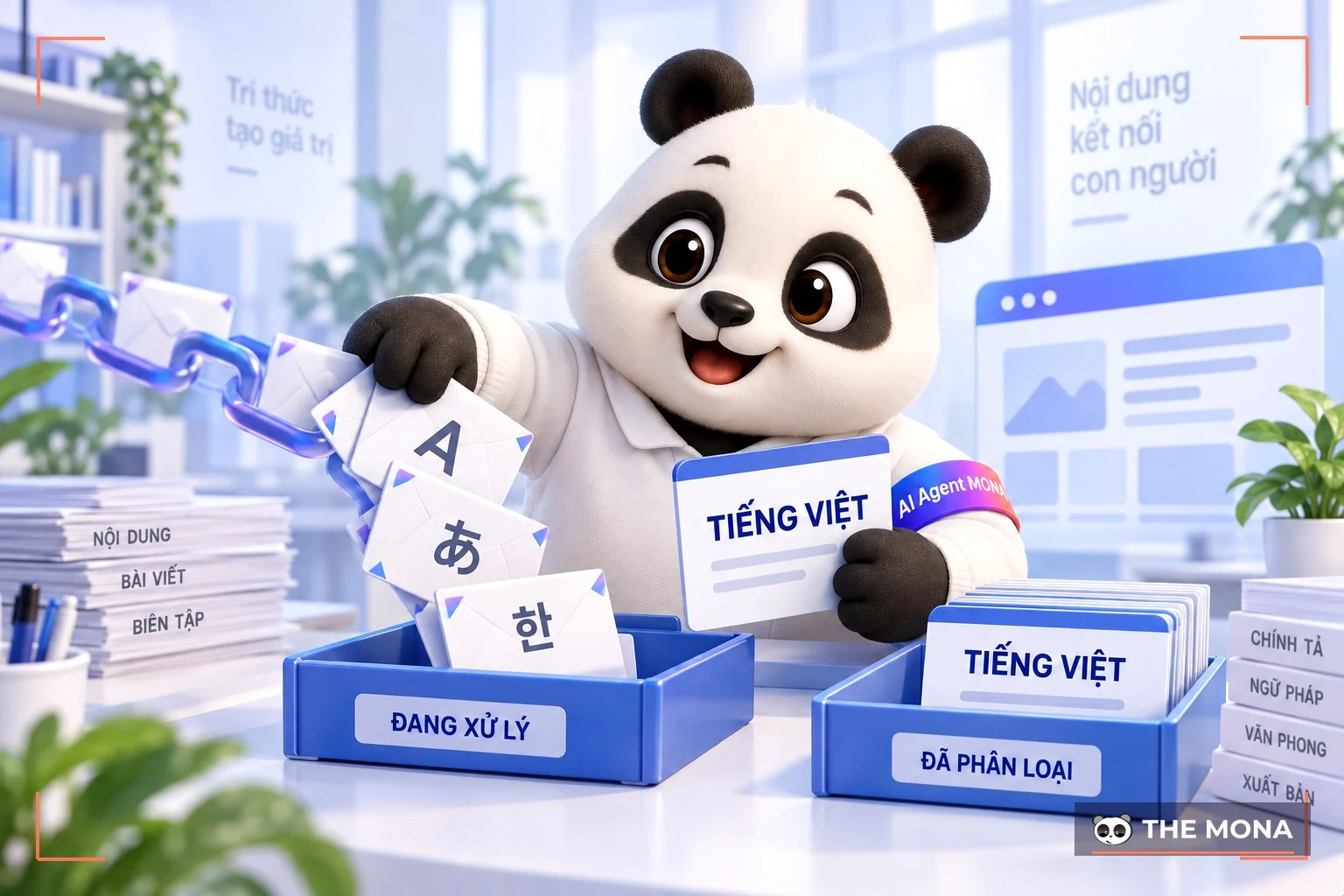
Building backlinks from directories used to be common practice. Today, though, this method no longer brings much benefit, whether free or paid. Instead of submitting to hundreds of low-quality directories, focus on registering with reputable sites or industry-specific directories.
Links that are easy to get usually have little value. Backlinks from personal signatures in forums, wikis, free directories or junk websites can all be placed in this group.
If your website sells fashion but has backlinks from food-selling sites, they clearly have nothing to do with each other. Google's algorithm can detect this inconsistency and rate your website poorly.
Above are the fairly common types of bad backlinks that Google considers a violation of its policies. More fully, Google will discount every link in the cases MONA just listed, to prevent PageRank manipulation.
In SEO, checking for bad backlinks and assessing the quality of links pointing to your site is key to keeping your Google rankings stable. After a survey, MONA has put together the top 10 backlink checkers that are trusted and used by many SEO experts in 2026, for you to consider:
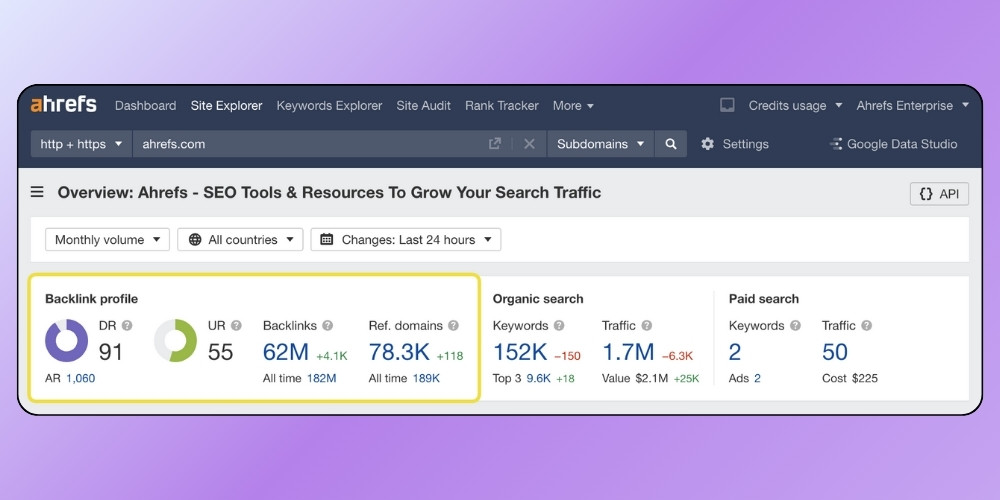
Ahrefs has long been regarded as the most powerful backlink checker in the world. With a huge, constantly updated database, Ahrefs lets users see the links pointing to a website in detail, sorted by dofollow/nofollow, anchor text, domain authority and many other metrics. The free version offers some basic features, but to get its full power you should upgrade to a paid plan.
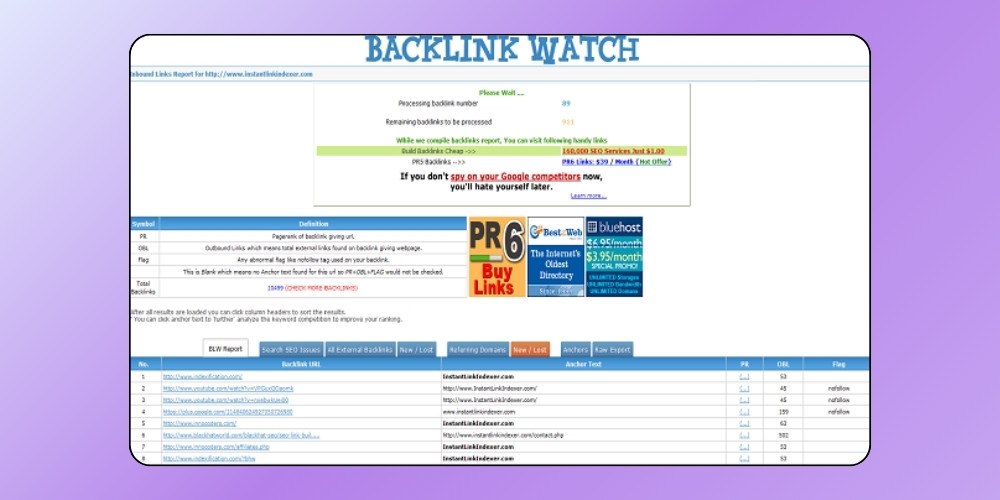
Backlink Watch is a free backlink checker used by many administrators for its ability to show up to 1000 links per lookup. It helps you quickly judge the quality of backlinks pointing to your site and also gives information on anchor text and link status.
Among the list of trusted backlink checking tools, SEMrush is favored by many SEO experts for its huge backlink database, which allows in-depth analysis of any domain.
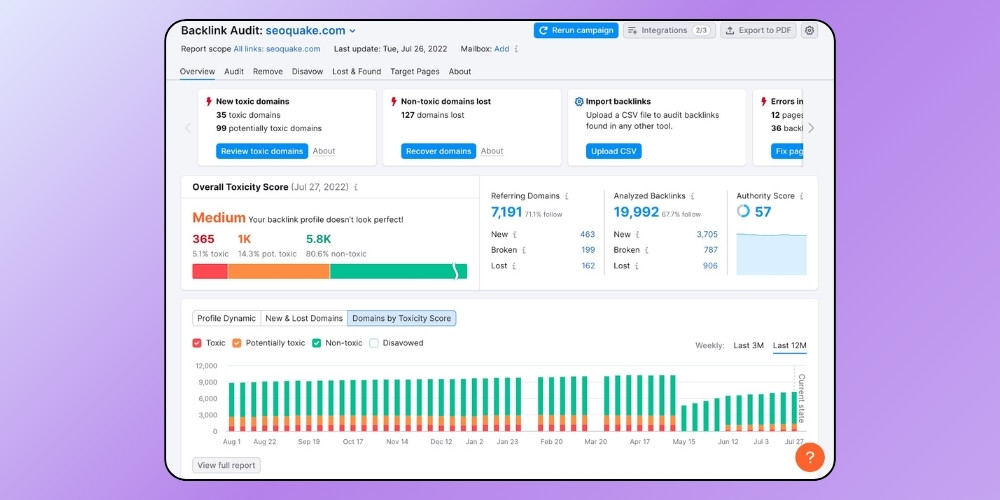
This tool gives a complete view of new and lost backlinks, anchor text analysis and more. That lets you quickly identify toxic links, which is a big help when checking for bad backlinks and disavowing them.
Open Site Explorer is a useful free backlink checker, especially handy for SEO specialists who need to analyze links for their own website and for competitors. Its detailed analysis helps administrators build a suitable link strategy and find quality backlink sources.
*Besides the basic plan, Open Site Explorer also offers a Pro plan with more advanced features.
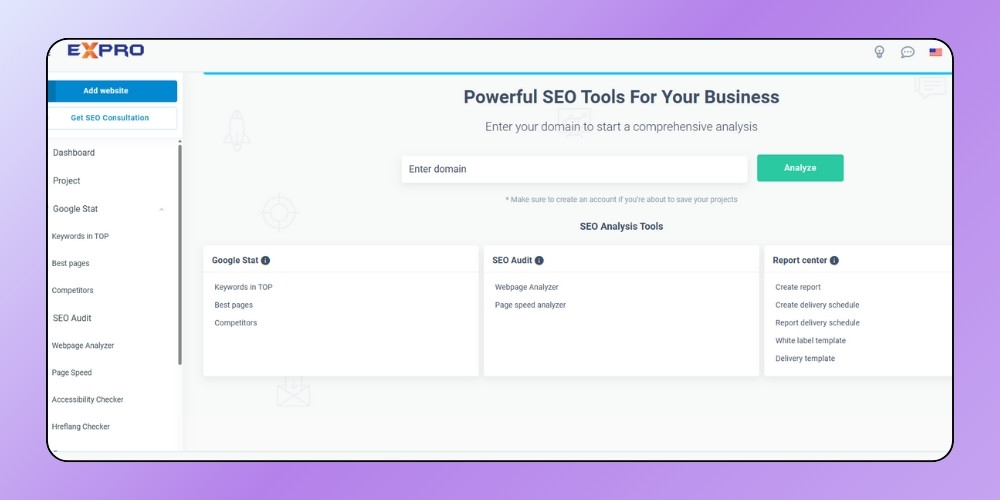
The Tool Expro backlink checker promises to be a capable helper for checking backlinks and assessing a website's technical factors. Besides the number of links, Tool Expro also lets you analyze keywords, page speed and on-page structure. In use, though, it may show some annoying popup ads, but overall it is still worth trying when you want to review bad links on your website.
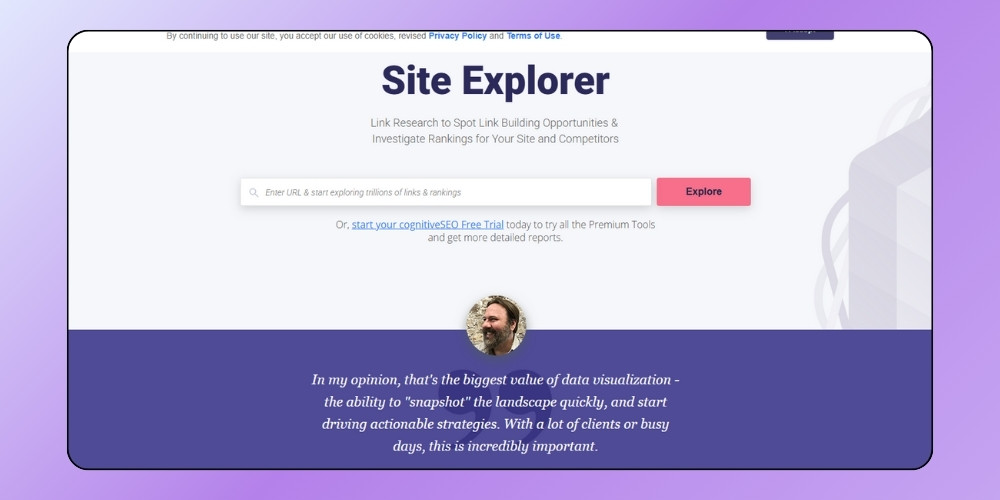
For those just starting to learn how to check for bad backlinks, Site Explorer is a visual, easy-to-use tool. It gives an overall view of a website's backlink profile, including the number of links, anchor text, Alexa Rank, PageRank and referring domains.
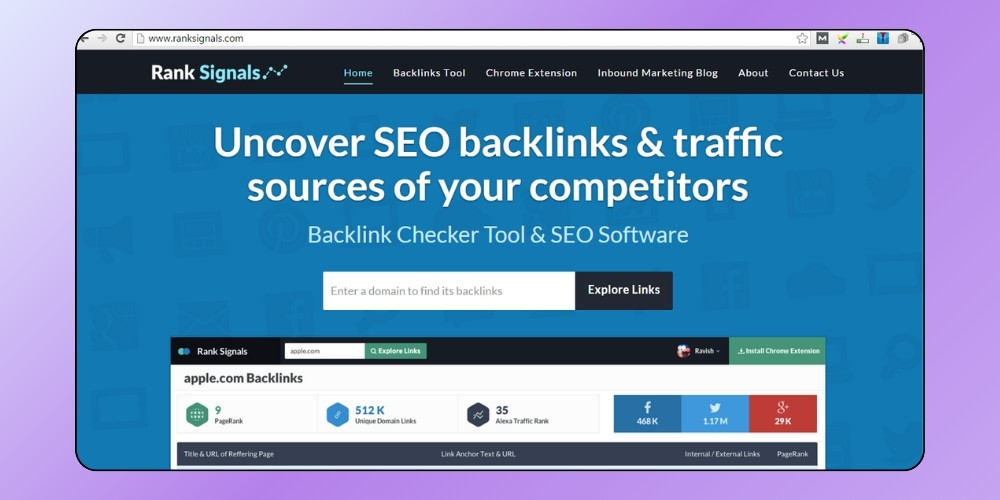
RankSignals is also a useful backlink checker, giving users the key metrics of the domains that link to them. Its standout point is extra detail on link attributes, with a clear split between nofollow and dofollow links.
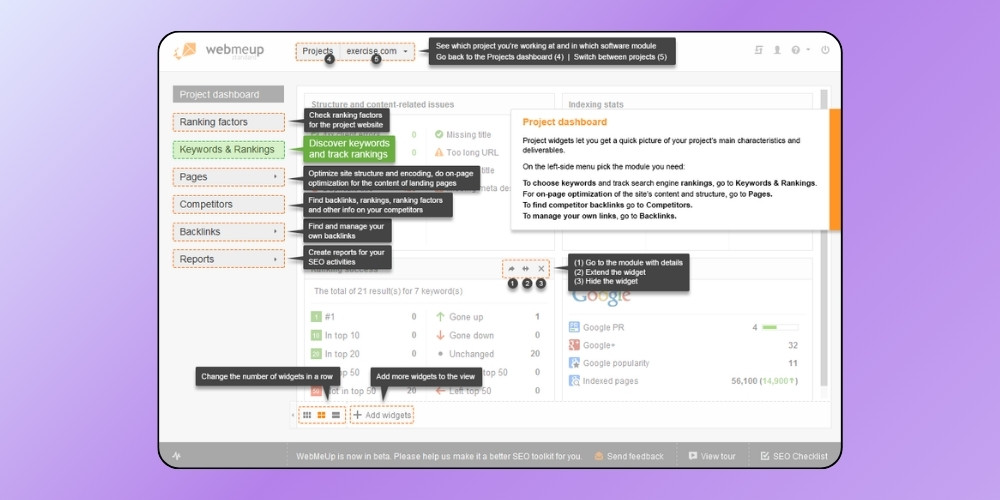
WebMeUp lets users check up to 1000 backlink for free, with full information on link type (dofollow/nofollow), anchor text and the percentage distribution of anchors. Its fast data aggregation makes it easy to spot bad backlinks and adjust your link strategy in time.
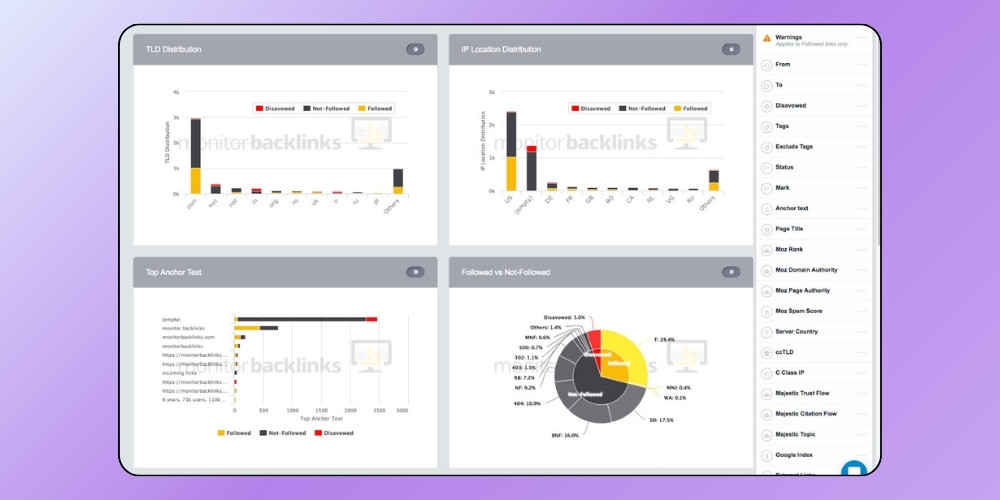
Monitor Backlinks is a backlink checker that experts rate highly for being simple and effective. Its strength is that users can easily check whether backlinks are good or bad and analyze the number of dofollow and nofollow links without going through a complicated account registration.
*Note: However, the free version limits the display to about 10 backlink per check.
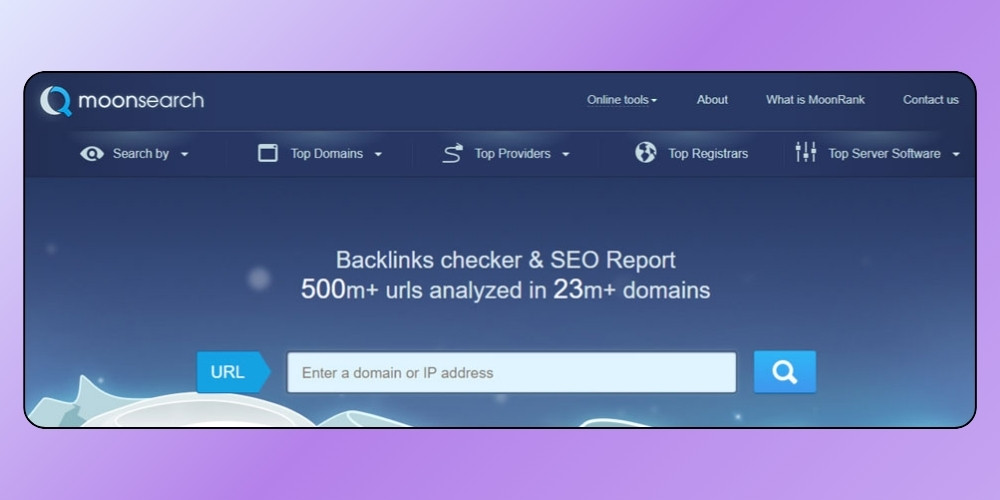
MoonSearch does not focus entirely on showing backlinks like the other tools, but leans toward overall website analysis. Although its backlink data is limited, MoonSearch is still useful if you want to assess overall site quality together with a basic check for bad backlinks.

To check for bad backlinks, you can use popular backlink checkers such as Ahrefs, SEMrush and Google Webmaster Tool (Google Search Console). Ahrefs and SEMrush are third-party tools, while Webmaster Tool is built by Google itself. If you want to see which spammy links are being Google Index indexed, use Google Webmaster Tool.
Any external link you can see in a Webmaster Tool account is 100% already indexed, but this method only works for sites you own. Links you see in Ahrefs or SEMrush may or may not be indexed. With those two tools, though, you can check links on your own website and on competitors' sites in the same industry.
If you have time, you can also combine all 3 SEO tools tools to make sure bad links are fully dealt with.
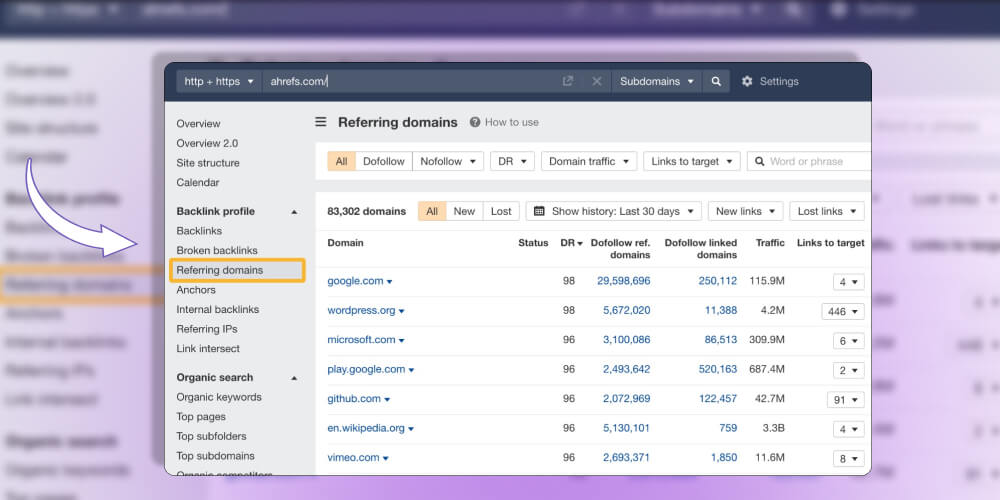
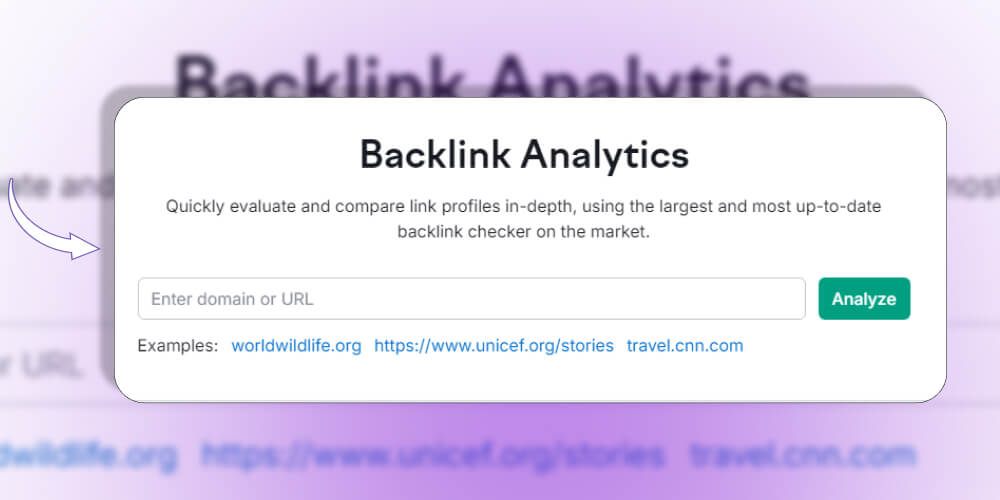
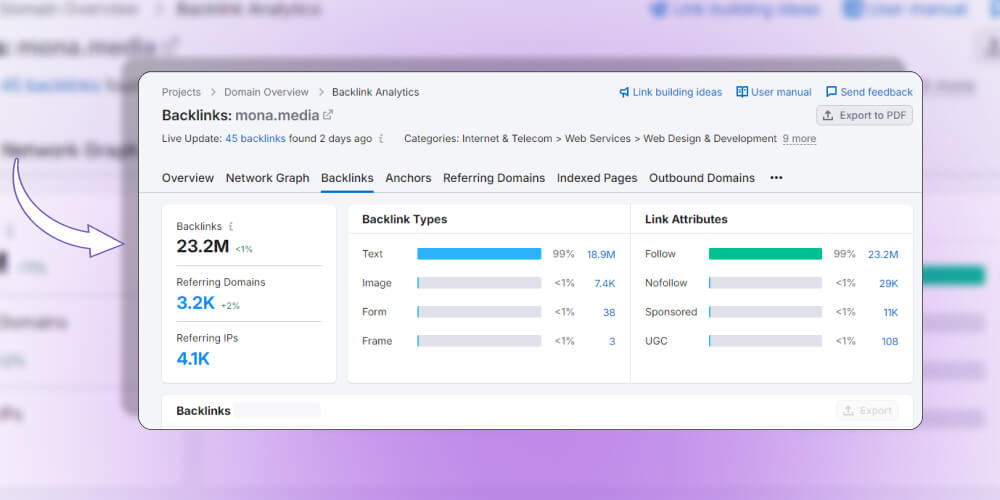
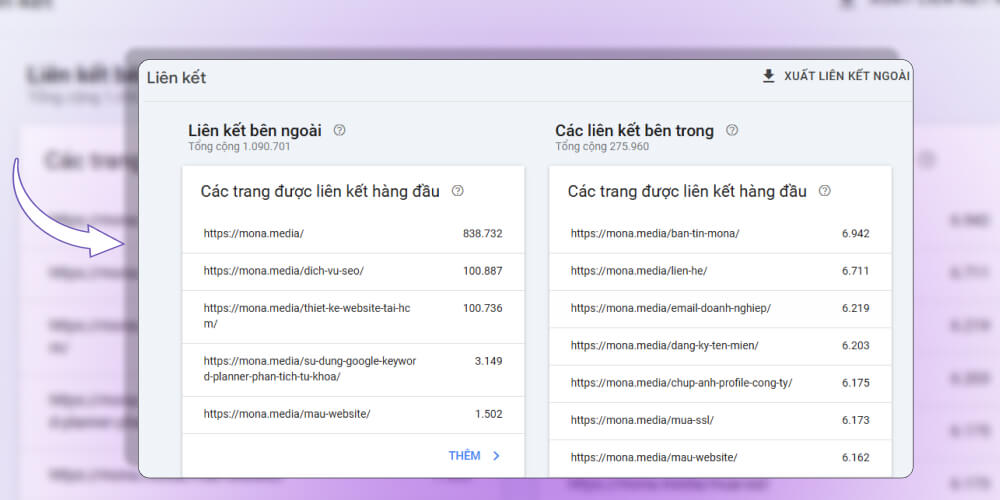
Besides the 3 popular tools above, you can also try the free backlink checkers or support platforms below, though the results they return are limited:
You need to be very careful when checking links. If you block good links by mistake, your website will drop in rankings. So what is the most effective way to remove bad backlinks? Which backlinks should you block?
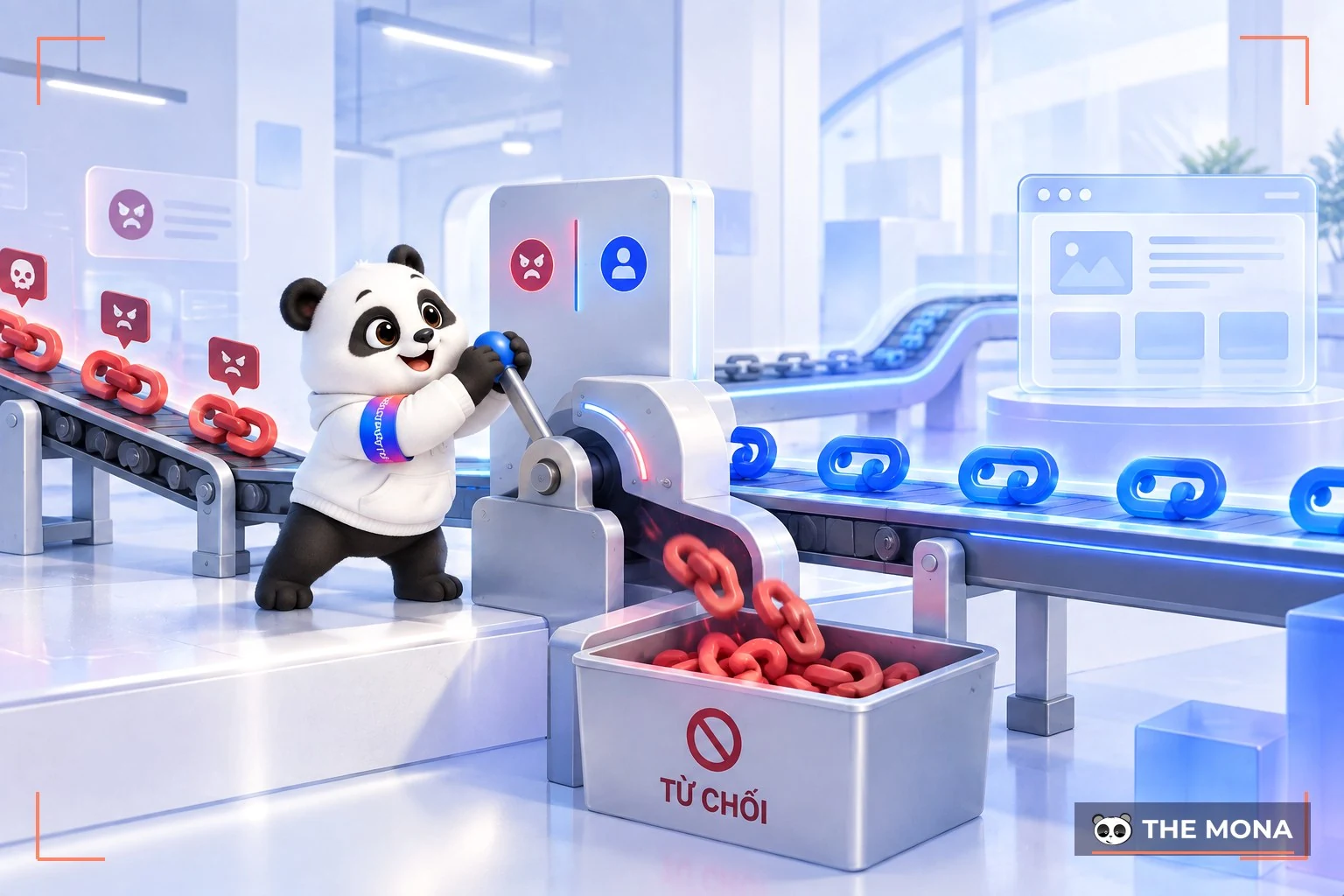
Step 1: Go to the website http://www.google.com/webmasters/tools/disavow-links-main.
Step 2: Create a file named backlink-xau.txt on your own computer with the following content.
Or, if you only want to block one URL, just paste the whole URL into https://domain.com and then choose "disavow links" => click the file saved on your computer => submit.
After you submit the list, Google will review those bad backlinks in about a week, or possibly longer. In backlink checkers you may still see them listed even after Google has blocked them, so you can be fully reassured about this.
|
As you can see, having competitors fire bad backlinks at you is not rare in SEO. Your job is to check regularly and remove the bad backlinks attached to your website! 
You can also turn to SEO services from MONA Media, the number 1 SEO service on the market today! The more than 10 years of experience working in SEO research and development, MONA knows the key factors in this field well. The proof is that MONA has done SEO for its own brand "SEO services" to rank first on every search engine. We are also a partner of more than 12,000 clients in Vietnam and abroad! When you choose our SEO service, you get assurance on criteria such as SEO Onpage, SEO Offpage, SEO Technical, SEO Local, and other factors that affect SEO. Specifically:
Our highly skilled and dedicated team is also ready to support you throughout the work, 24/7. So why wait? Join us and get 300 times revenue growth together with SEO services with MONA! Please CONTACT US us on the hotline 1900 636 648 for a consultation and to receive website SEO price list as soon as you can! |
Above, MONA Media has just shown you how to check for bad backlinks and remove spammy links. This is work you need to do regularly so your website does not drop in rankings. We hope this information helps you check for and remove these bad links from your website and improve its ranking!

CEO & Founder · The MONA
Founder of The MONA, who built a services company of 200+ staff with 14,000+ projects delivered. Khánh Hùng shares how he thinks about building systems that run themselves, automating a business, and the real lessons from delivering projects at MONA.
 1,6K
1,6K



Professional website
design services
Own a website with a beautiful, 100% exclusive design and a lifetime warranty, with the ability
to expand features flexibly as your business grows, starting today!








 MONA will never sell your information or send you spam
MONA will never sell your information or send you spam
MONA will never sell your information or send you spam


 MONA will never sell your information or send you spam