
 MONA OS 2.0


 Tự động hoá doanh nghiệp
 Cẩm nang SEO
 Digital Marketing
 Kinh nghiệm thiết kế website
 Hạ Tầng Server
 Giáo dục


 VI
VI
 EN
EN


![Top 5 popular e-commerce websites today [Updated 2026]](https://mona.media/wp-content/uploads/2026/09/top-5-website-thuong-mai-dien-tu-noi-tieng-featured-mona.jpg)









Message us on
Zalo Official


 Products

 ProductsProducts









 Website designLooks good and convinces your customers.
SEO servicesBrings in customers searching for exactly what you sell.
Website designLooks good and convinces your customers.
SEO servicesBrings in customers searching for exactly what you sell.
 Tư vấn digital marketingKéo khách từ nhiều kênh, đo bằng số thật.
Corporate video productionVideos introducing your company, factory and team.
Tư vấn digital marketingKéo khách từ nhiều kênh, đo bằng số thật.
Corporate video productionVideos introducing your company, factory and team.
 NewAI video productionCompany story films made with AI.
 Custom software developmentCRM, ERP and HRM built for your business.
 Viết AI Agent theo yêu cầuĐặt riêng một trợ lý AI cho đúng việc của mình.
 Tư vấn chuyển đổi AIĐưa AI vào vận hành của cả công ty.
NewMONA LMSManagement for centers and schools.
MONA SkillHubInternal training for company staff.
Tư vấn chuyển đổi AIĐưa AI vào vận hành của cả công ty.
NewMONA LMSManagement for centers and schools.
MONA SkillHubInternal training for company staff.
 NHTQ systemEnd-to-end China–Vietnam shipping operations.
MONA JMSManagement for gold, diamond and pawn shops.
NHTQ systemEnd-to-end China–Vietnam shipping operations.
MONA JMSManagement for gold, diamond and pawn shops.
 MONA E-LearningA website with every feature you need to sell courses.
 Course on selling online coursesMore than 30 free lessons on selling courses automatically.
 MONA Cloudmonacloud.vnServers to get your apps and websites running.
 MONA Basemonabase.vnPostgres database, sign-in and file storage.
 MONA Mailmonamail.vnSend OTP, order and invoice emails from your software.
 MONA Paymonapay.vnReceive bank transfers via VietQR, with payment alerts sent to your software.
 MONA eInvoiceComing soonIssue e-invoices that meet tax standards.
Gấu CườiTrả lời khách 24/7 trên web, Fanpage, Zalo và thu lead cho sale.
MONA eInvoiceComing soonIssue e-invoices that meet tax standards.
Gấu CườiTrả lời khách 24/7 trên web, Fanpage, Zalo và thu lead cho sale.
 Gấu TeleSalesGọi điện tư vấn, chăm khách như tổng đài viên thật.
Dê CườiTư vấn và chốt đơn cho shop ngay trong khung chat.
Gấu WebmasterNhắn nhóm Zalo là website được sửa xong.
Gấu TeleSalesGọi điện tư vấn, chăm khách như tổng đài viên thật.
Dê CườiTư vấn và chốt đơn cho shop ngay trong khung chat.
Gấu WebmasterNhắn nhóm Zalo là website được sửa xong.
 Gấu Pháp ChếSoạn hợp đồng, rà điều khoản trong vài phút.
 Gấu Báo GiáLên báo giá đúng mẫu và gửi khách ngay.
 AI chăm sóc khách hàngTheo dõi và giữ chân khách hàng cũ.
 Gấu Tuyển DụngLọc hồ sơ, hẹn lịch, phỏng vấn ứng viên.
 AI
Gấu Cười MONA ĐANG TỰ XÀITrả lời khách 24/7 trên website, Zalo OA, Messenger và thu lead về cho sale.
Dê CườiChốt đơn bán lẻ và sàn: Shopee, TikTok Shop, web. Chăm cả khách sỉ, đại lý.
Gấu WebmasterCập nhật nội dung, tối ưu SEO website mỗi ngày.
Gấu TeleSalesGọi điện tư vấn, chăm khách như tổng đài viên thật.
Gấu Tuyển DụngLọc hồ sơ, hẹn lịch, phỏng vấn ứng viên tự động.
AI chăm sóc khách hàngGiữ khách cũ, cứu lead đã rớt cho phòng kinh doanh.
Gấu Pháp ChếSoạn hợp đồng, rà điều khoản trong vài phút.
Gấu Báo GiáLên báo giá đúng mẫu, gửi khách ngay khi có yêu cầu.
AI
Gấu Cười MONA ĐANG TỰ XÀITrả lời khách 24/7 trên website, Zalo OA, Messenger và thu lead về cho sale.
Dê CườiChốt đơn bán lẻ và sàn: Shopee, TikTok Shop, web. Chăm cả khách sỉ, đại lý.
Gấu WebmasterCập nhật nội dung, tối ưu SEO website mỗi ngày.
Gấu TeleSalesGọi điện tư vấn, chăm khách như tổng đài viên thật.
Gấu Tuyển DụngLọc hồ sơ, hẹn lịch, phỏng vấn ứng viên tự động.
AI chăm sóc khách hàngGiữ khách cũ, cứu lead đã rớt cho phòng kinh doanh.
Gấu Pháp ChếSoạn hợp đồng, rà điều khoản trong vài phút.
Gấu Báo GiáLên báo giá đúng mẫu, gửi khách ngay khi có yêu cầu.
 Chuyển đổi AI toàn phầnGiải pháp tổng cho doanh nghiệp, 3 lớp triển khai.
 Viết AI Agent theo yêu cầuĐặt riêng một con AI gánh đúng nghiệp vụ của bạn.
 Custom softwareCRM, ERP and HRM with built-in AI automation.
 SEO & AEO thời đại AIĐược Google lẫn AI trích dẫn, không chỉ xếp hạng.
 Kiến thức AI cho doanh nghiệpBài phân tích, hướng dẫn ứng dụng AI vào vận hành.
 Free AI courses
 AI tools at work
18 March, 2023
Of course, anyone in business wants to increase profit, attract and retain customers so they can introduce other products. Remarketing is therefore seen as one of the most effective strategies chosen by many. To understand the method better, what remarketing is and how to run a remarketing campaign, join MONA Media to explore it in the content below.
What is remarketing? In reality, it is easy to see that only 1 to 2% of customers visiting a sales website buy. Almost everyone needs more time and more trust in that store; they may not buy yet, but they are definitely potential customers who may buy in the future. Advertising and marketing campaigns aimed at people who have visited your site but not yet bought are called Remarketing.
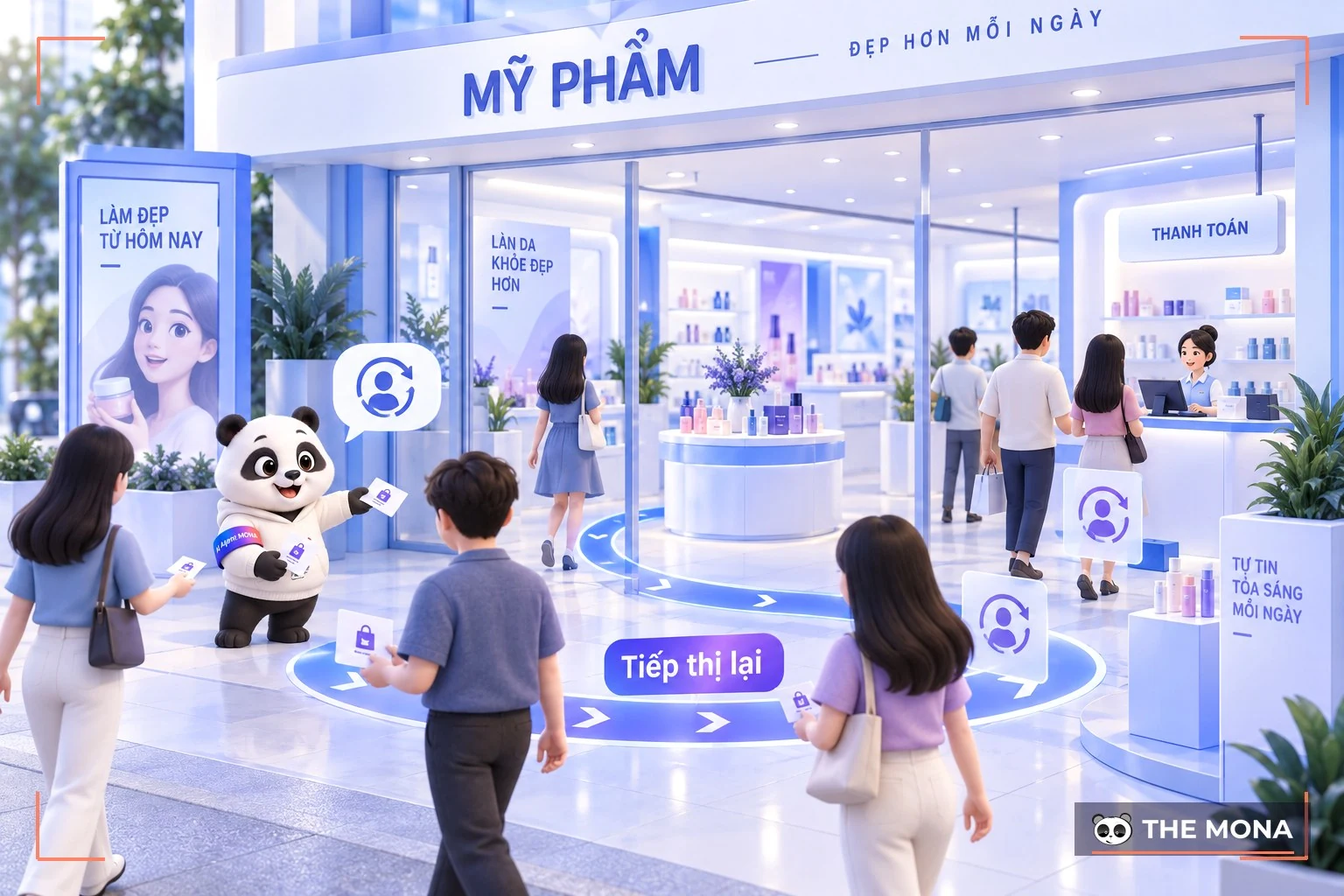
Remarketing is a form of advertising shown only to people who have visited a website but have not taken any desired action, such as signing up or placing an order…
Remarketing is also often used for upselling or cross-selling campaigns. This helps increase the chance of closing a sale and grows revenue.
In addition, people working in marketing online also use remarketing campaigns to advertise to and nurture customers at each stage of using the product. The aim is to sell to them again later.
Remarketing and retargeting are both strategies that help businesses retain customers and increase conversion opportunities. However, despite their many similarities, the two still have their own distinct traits.
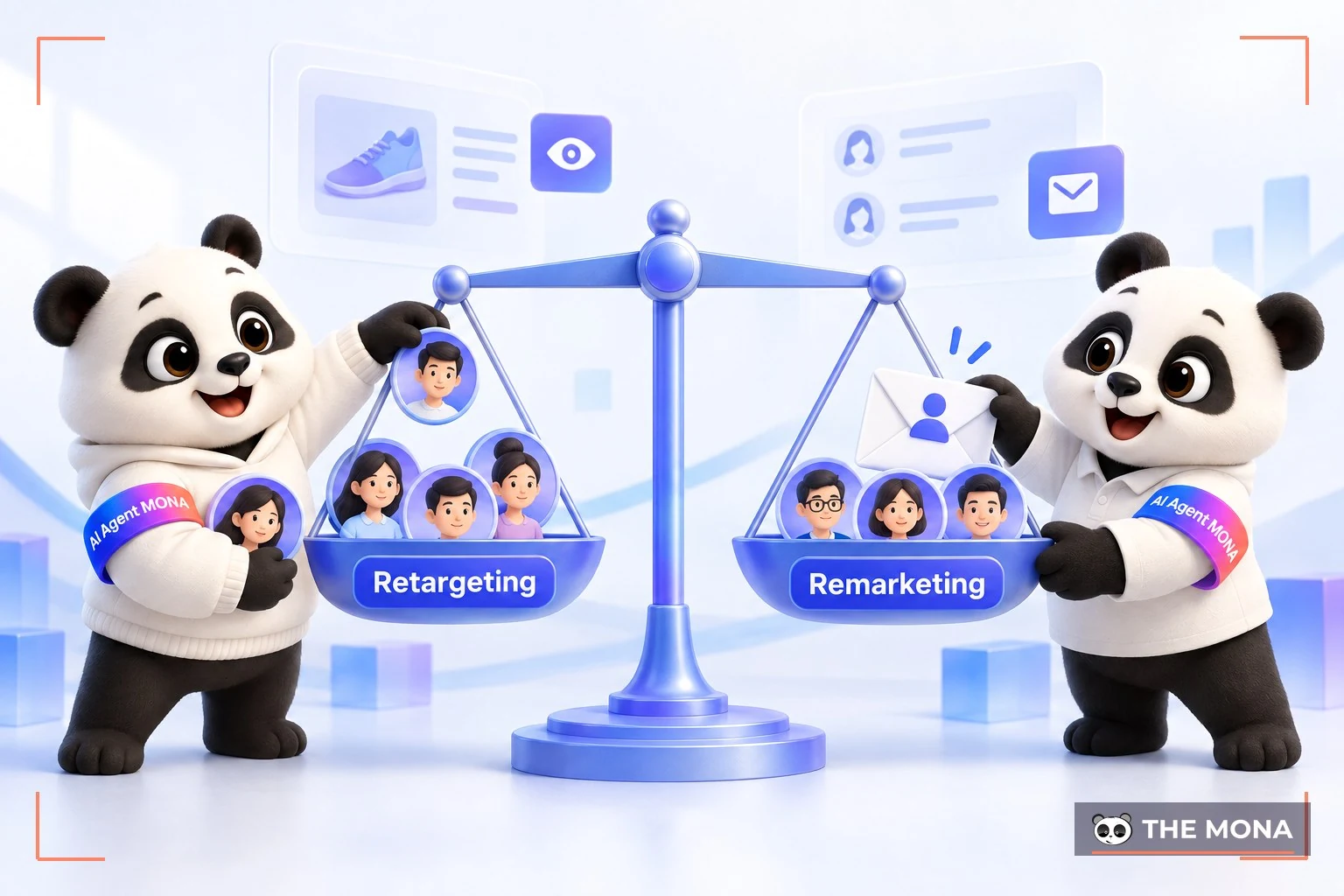
Below is a detailed comparison table to answer the question what the difference between retargeting and remarketing is:
|
Criterion |
Remarketing |
Retargeting |
|
Definition |
Re-engaging customers who have interacted or bought through various platforms. |
Focuses on showing online ads to people who have visited the website. |
|
Target audience |
Customers who have interacted via email, apps or other platforms, creating a wider reach. |
Users who have taken a specific action on the website (viewing a product, adding to cart…) |
|
Data used |
Relies mainly on first-party data from user behavior on platforms the business owns. |
Combines several types of data: first-party, second-party and third-party data. |
If you have advertised on Google, you probably know that all you need to do is add a Google remarketing tag to your website. Visitors can then be added to the audience lists in your remarketing campaign through cookies. And of course, you can customize these tags for different pages to better fit each specific section.
Example you are running a e-commerce site specializing in cosmetics. You can create a remarketing audience called “sunscreen” based on the group of visitors who have viewed it. This way, you can show them display ads for sunscreen products. You know they are interested in this product, and the most important job now is to bring them back to your cosmetics website.
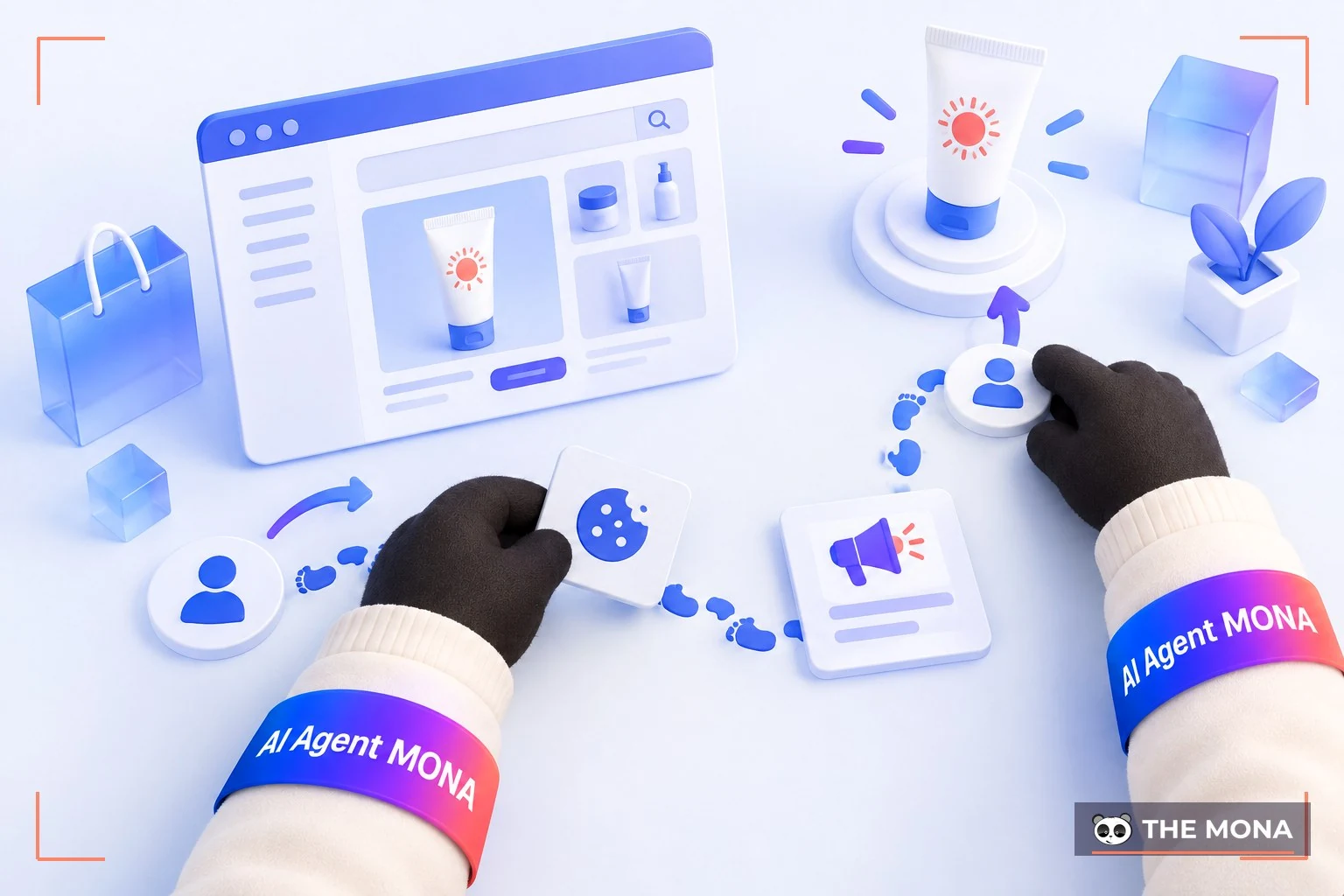
This way, you can show Google ads to people who previously visited your site while they browse other sites in Google's partner network.
Google suggests that when starting your first remarketing campaign, you begin by targeting everyone who has visited your homepage. However, this will drive up your Google marketing costs considerably, since the ads have to reach more people and the results cannot match ads aimed at one specific audience.
So by targeting a narrower audience, you can make your ads more relevant. This approach also keeps costs as low as possible.
You can also create different remarketing lists on Google for audience-targeted campaigns. For example, show one set of ads to users who have bought from the site and different ads to those who have never bought.
What is remarketing and what forms does it take? Today there are many different ways to do remarketing to connect with potential customers, and in turn and increase the conversion rate and revenue quickly. Below are some of the most effective types of remarketing for your reference.
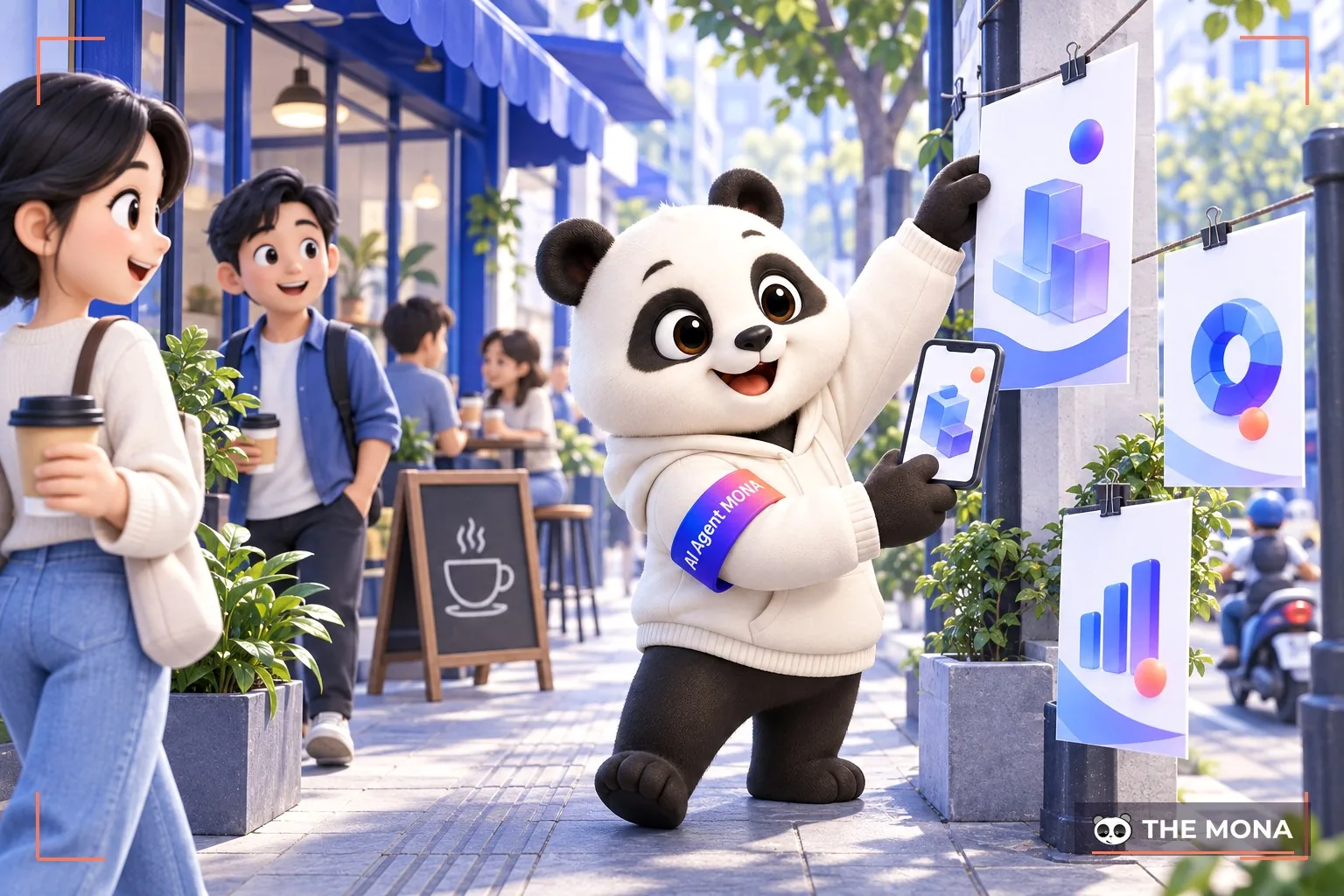
Display ad remarketing (Google Display Advertising) is a way to re-engage users after they have visited your website. These ads remind them of products or services they viewed, through banners, images, videos or on other websites. Compelling messages in display ads help spark demand, bring customers back and get the transaction completed.
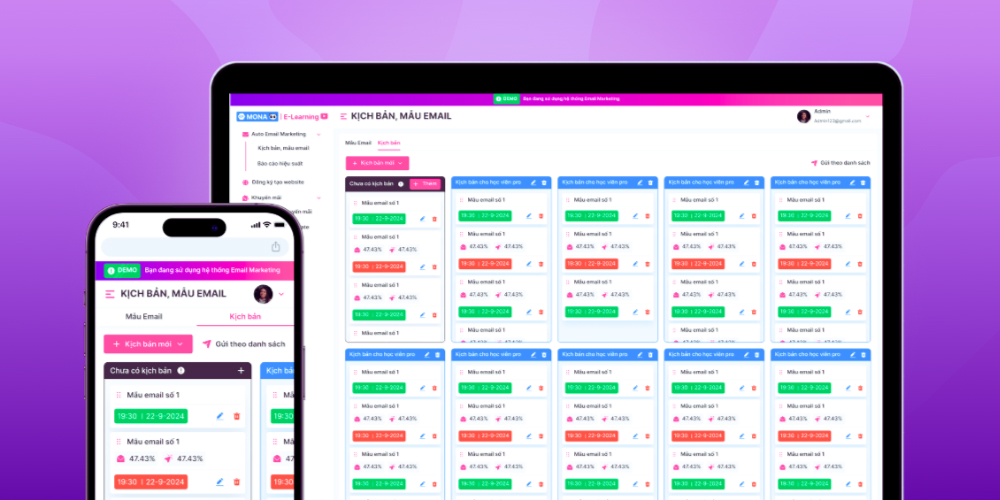
Email Remarketing is a strategy of remarketing by email to customers who have interacted with the business. From the list of customers who left their email address, you can send updates on the products and services they are interested in, along with offers, discount codes or limited-time deals to encourage them to come back and complete the purchase.
Specifically, to run email remarketing you can base it on the following user behaviors:
MONA Media has brought a more effective way to reach customers and close orders faster. That is the Email Marketing service all-in-one, helping businesses promote products/services, nurture new customers, remarket to past customers…
What do you get when you run email marketing with MONA?
Work with MONA today on email marketing/remarketing as your business wins over customers. Contact the MONA team via HOTLINE 1900 636 648 or visit directly below!

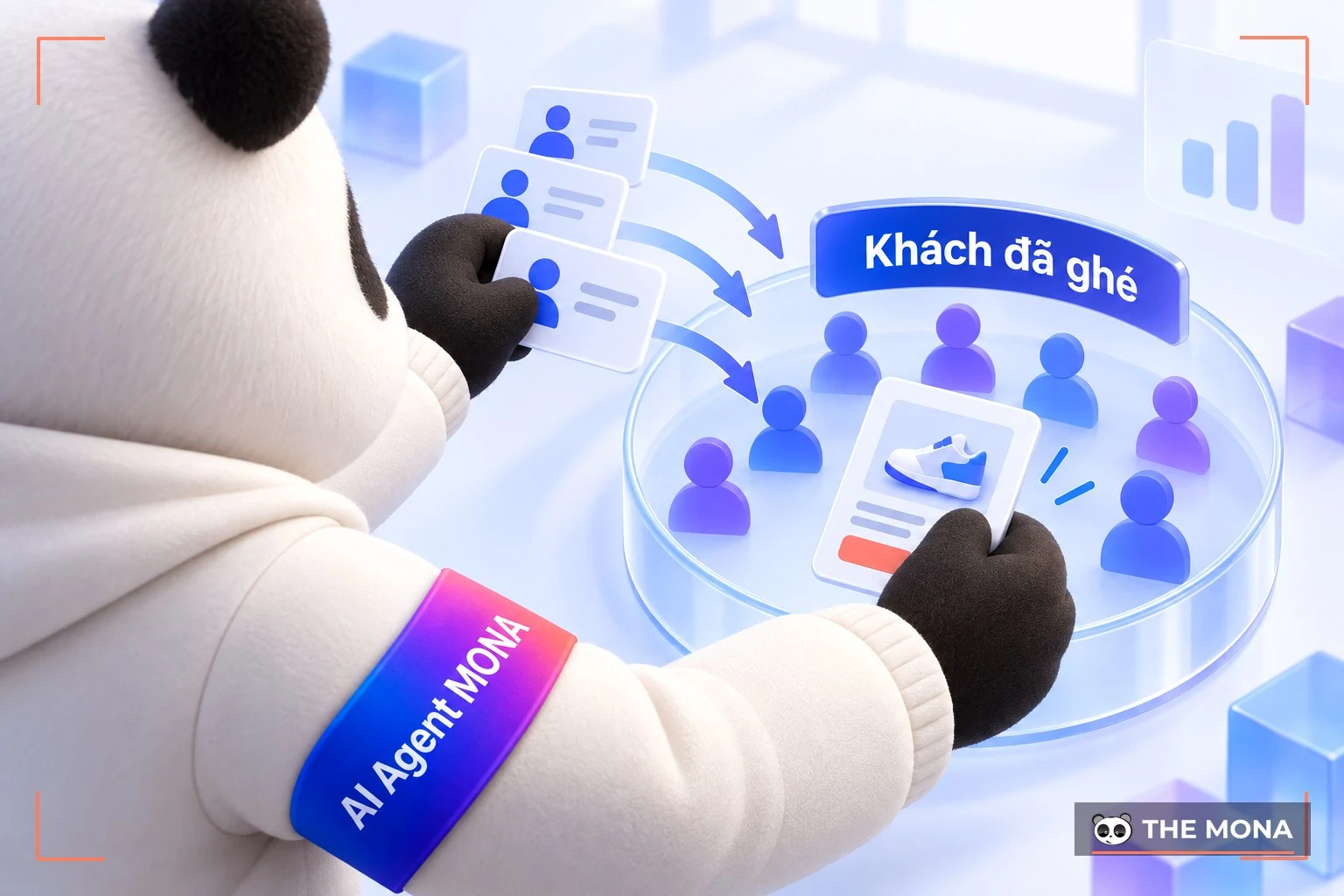
Remarketing Facebook is a way to re-engage users who have interacted with your website. A code snippet is added to the website or landing page the business wants to remarket, so ads appear in the news feed of people who visited the page.
Then, when you create a Facebook remarketing campaign, these customers will see your Facebook ads when they log in to Facebook. With Facebook's huge user base, sales activity backed by remarketing will certainly become more effective than ever.
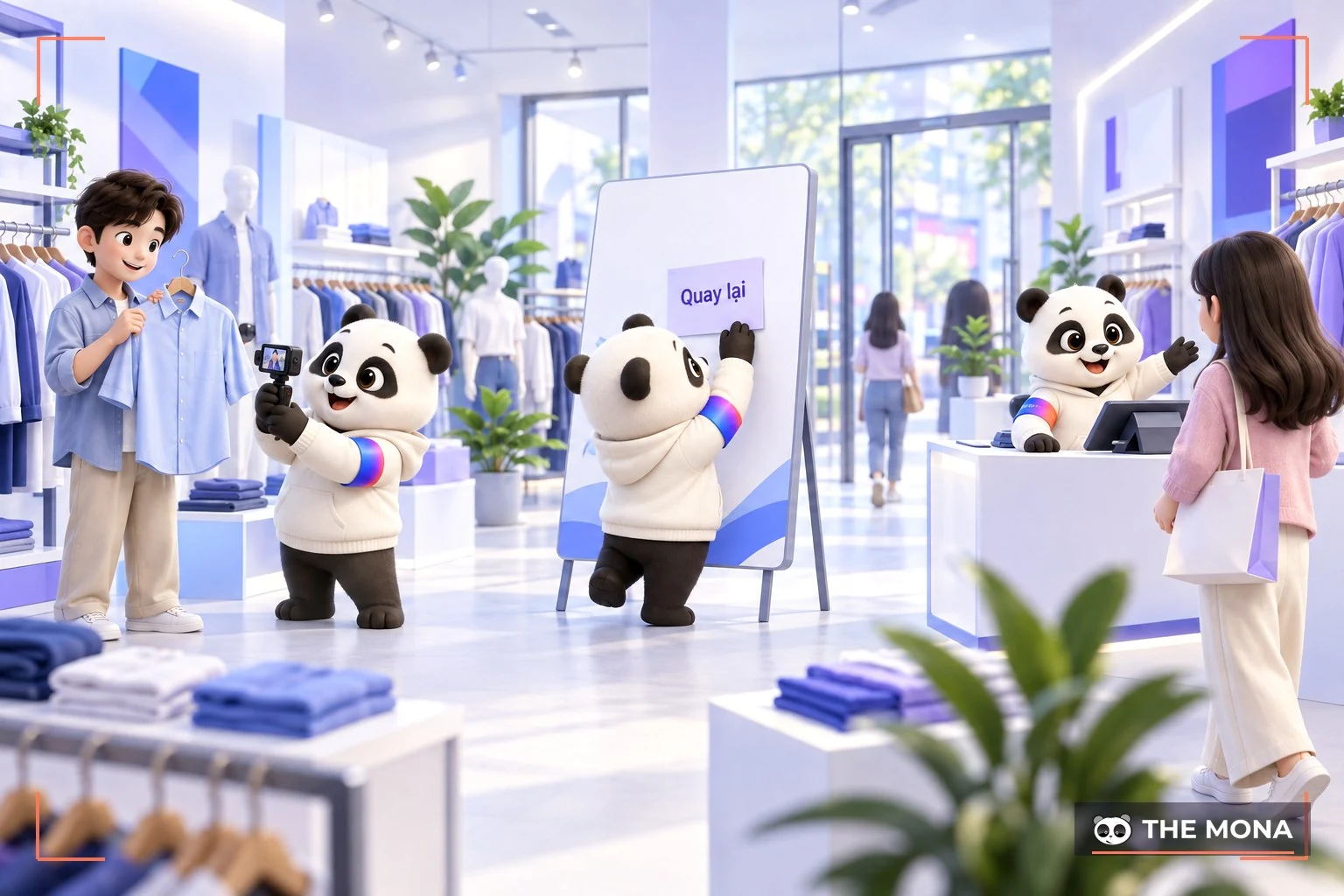
Remarketing Google is remarketing through Google ads aimed at people interested in your products who have visited your website to learn about them. Targeting this audience directly with ad messages gives you a better chance of reaching high-potential customers.
In addition, Google remarketing usually targets customers who visited your website without buying: people who had a need, came to the site to learn more and generated some traffic, as well as visitors who first came to the site through other ad channels.
This is a form of Remarketing through in-app mobile ads when customers have interacted with your app or visited your website. This both drives app installs and increases engagement on mobile devices.
Depending on your goals and target customer profile, you can choose one remarketing method or combine several to optimize campaign results and build a stronger connection with potential customers.
On platforms such as Google, Facebook and TikTok, remarketing ads let you build a more refined campaign, from segmenting audiences (who viewed a product, who added to cart but did not pay) to tailoring messages for each stage of the decision. To see exactly how to do it, follow along with MONA below.
As mentioned, remarketing on Facebook is a great way to re-engage customers who have shown interest in your products or services but have not bought yet. Facebook offers many powerful tools for running remarketing, helping businesses build campaigns methodically and effectively.
Below is a detailed guide to building an effective Facebook remarketing campaign:
Step 1: Install the Facebook Pixel
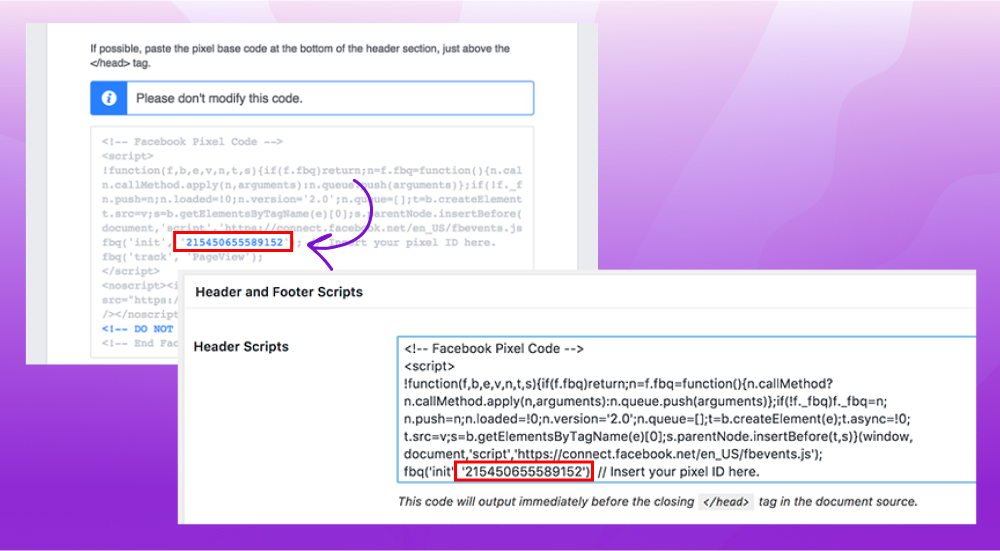
Step 2: Create audiences (Custom Audiences)
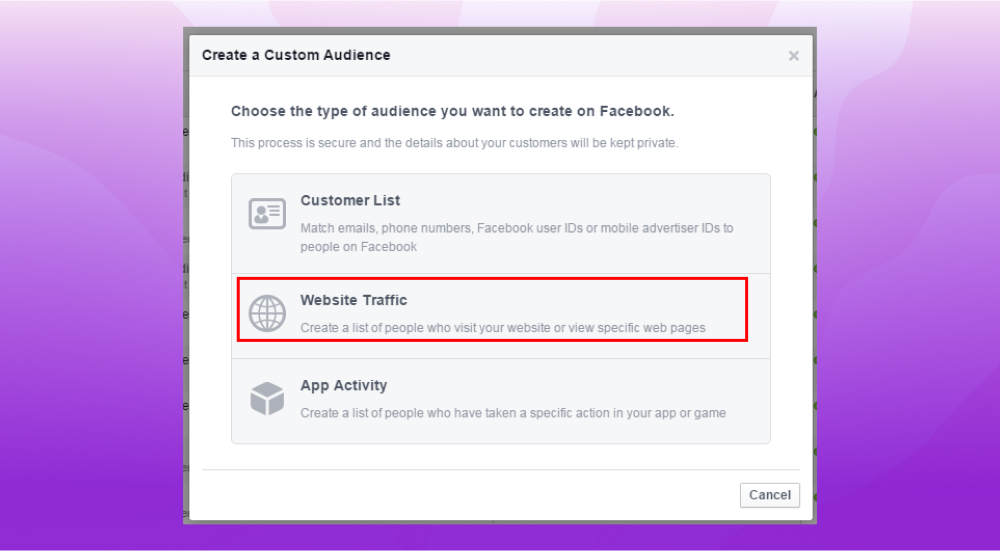
Step 3: Create the remarketing campaign
Step 4: Monitor and optimize the campaign
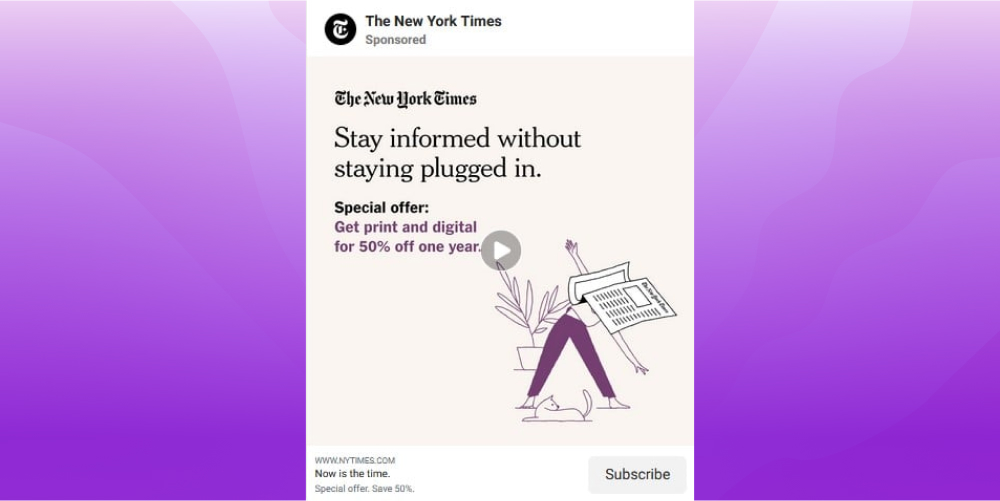
*Example: “The New York Times” ran a remarketing campaign on Facebook by offering a free trial; when the trial was about to expire, they “offered” users 50% off a one-year subscription.
Remarketing ads on Google likewise let businesses remarket to users who have visited the website by using a pixel or remarketing tag. Once you add this code to your site, your Google Ads account starts tracking user behavior so you can build suitable ad strategies.
Step 1: Set up Google Ads and Google Analytics
Step 2: Create a remarketing audience list
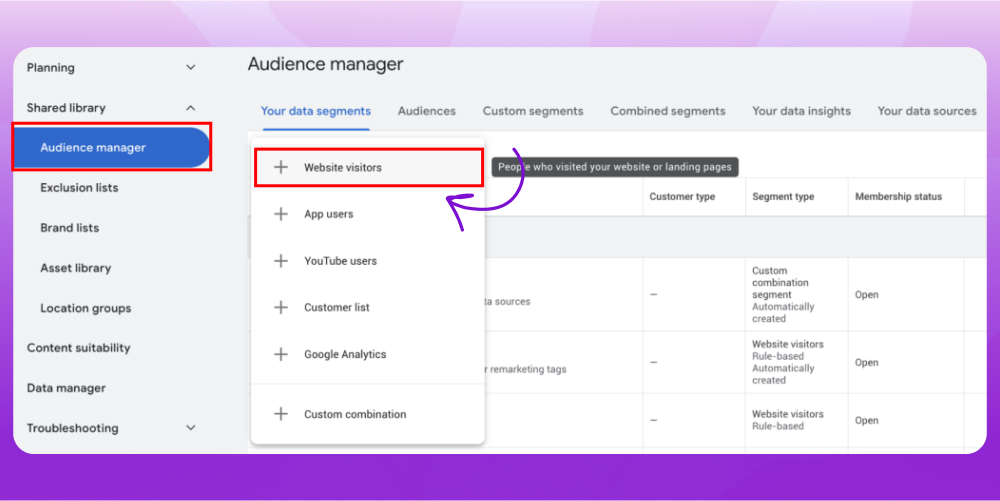
Step 3: Launch the campaign
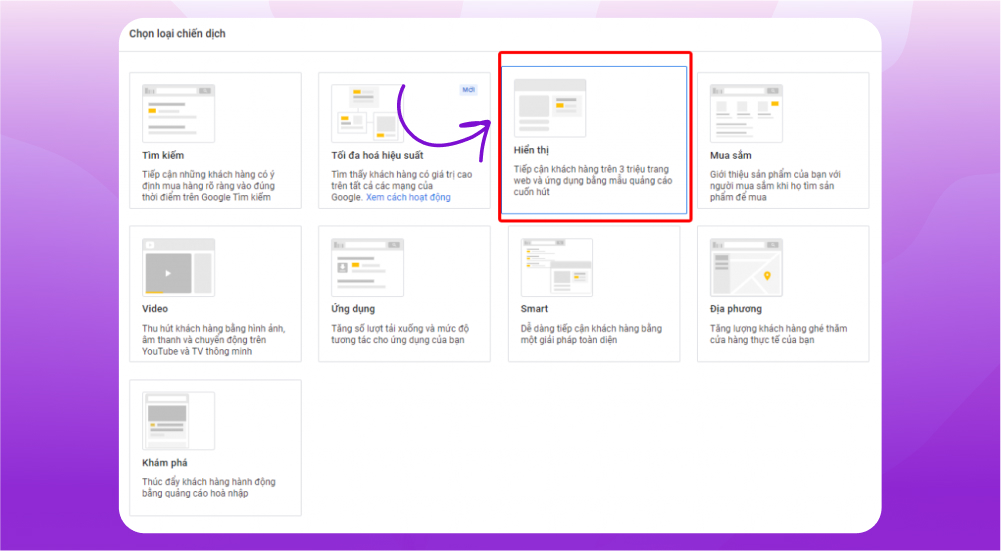
Step 4: Monitor and optimize the campaign
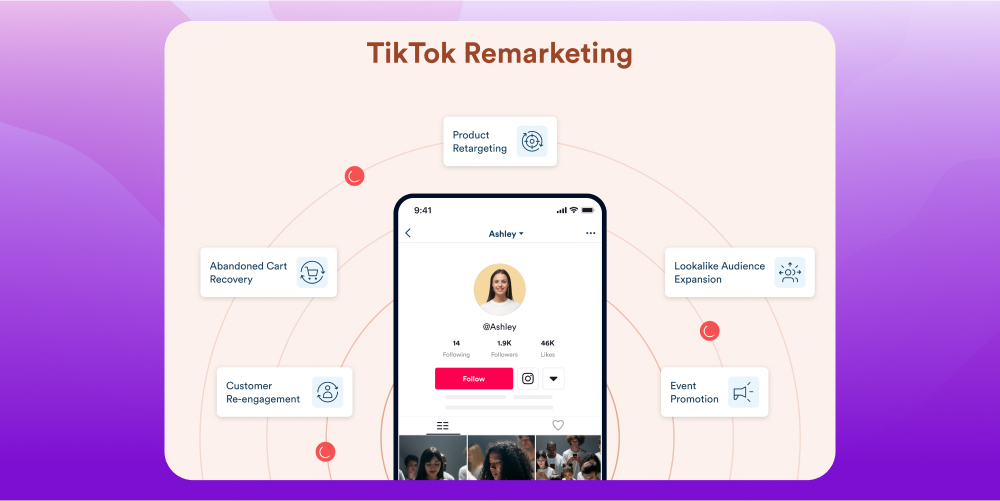
Like other platforms, remarketing on TikTok works on the same principle. It is a way for TikTok ads to appear in front of users who have interacted with your store on TikTok Shop. Here is how to do it:
Step 1: Create a TikTok Pixel
Step 2: Choose the right audience (Custom Audiences)
Step 3: Create the remarketing ad campaign
Step 4: Monitor and optimize
Remarketing is directly tied to TikTok Shop stores and can be seen as one of the essential ways to grow sales. To help brands selling online on one of today's leading commerce platforms, TikTok Shop, MONA Media offers TikTok Shop store setup service and TikTok Shop operation service. Contact the MONA team now via FREE HOTLINE 1900 636 648 for the most detailed consultation!
How to run what remarketing is ads on Google, Facebook or TikTok has been covered by MONA in the article above. Creating a remarketing campaign is seen as one of the most effective and cost-efficient advertising methods for businesses, especially small and medium-sized ones. It is also considered one of the most effective digital marketing strategies today. We hope you soon create an effective remarketing campaign!
All of the techniques above get much lighter once remarketing runs automatically: a system of AI that follows up and nurtures customers picks up the visitors who already came by and messages them again at the right moment, including re-engaging past customers with AI. The foundation for this is a sales website with built-in automated remarketing — the pixel, customer data and message scripts all live inside the website.

CEO & Founder · The MONA
Founder of The MONA, who built a services company of 200+ staff with 14,000+ projects delivered. Khánh Hùng shares how he thinks about building systems that run themselves, automating a business, and the real lessons from delivering projects at MONA.
 1,8K
1,8K




Professional website
design services
Own a website with a beautiful, 100% exclusive design and a lifetime warranty, with the ability
to expand features flexibly as your business grows, starting today!








 MONA promises never to use your information for sale or SPAM
MONA promises never to use your information for sale or SPAM
MONA promises never to use your information for sale or SPAM


 MONA promises never to use your information for sale or SPAM