
 MONA OS 2.0
 Partner with MONA


 Tự động hoá doanh nghiệp
 Cẩm nang SEO
 Digital Marketing
 Kinh nghiệm thiết kế website
 Hạ Tầng Server
 Giáo dục


 VI
 EN












Message us on
Zalo Official


 ProductsNew

 ProductsProducts
 Mới ra mắtKHA AI 2027App tự edit video, tự đăng mọi mạng xã hội, 2 phút mỗi ngày










 Website designLooks good and wins customers over.
SEO servicesBrings in customers searching for exactly what you sell.
 Tư vấn digital marketingKéo khách từ nhiều kênh, đo bằng số thật.
Corporate video productionVideos introducing your company, factory and team.
 NewAI video productionCompany story films made with AI.
 Custom software developmentCRM, ERP and HRM built for your business.
 Viết AI Agent theo yêu cầuĐặt riêng một trợ lý AI cho đúng việc của mình.
 Tư vấn chuyển đổi AIĐưa AI vào vận hành của cả công ty.
NewMONA LMSManagement for centers and schools.
MONA SkillHubInternal training for company staff.
 NHTQ systemEnd-to-end China–Vietnam shipping operations.
MONA JMSManagement for gold, diamond and pawn shops.
 MONA E-LearningA website with every feature you need to sell courses.
 How to sell online courses (course)More than 30 free lessons on selling courses on autopilot.
 MONA Cloudmonacloud.vnServers to get your apps and websites running.
 MONA Basemonabase.vnPostgres database, sign-in and file storage.
 MONA Mailmonamail.vnSend OTP, order and invoice emails from your software.
 MONA Paymonapay.vnAccept bank transfers via VietQR and notify your software when the money arrives.
 MONA eInvoiceComing soonIssue e-invoices that meet tax standards.
Gấu CườiTrả lời khách 24/7 trên web, Fanpage, Zalo và thu lead cho sale.
 Gấu TeleSalesGọi điện tư vấn, chăm khách như tổng đài viên thật.
Dê CườiTư vấn và chốt đơn cho shop ngay trong khung chat.
Gấu WebmasterNhắn nhóm Zalo là website được sửa xong.
 Gấu Pháp ChếSoạn hợp đồng, rà điều khoản trong vài phút.
 Gấu Báo GiáLên báo giá đúng mẫu và gửi khách ngay.
 AI chăm sóc khách hàngTheo dõi và giữ chân khách hàng cũ.
 Gấu Tuyển DụngLọc hồ sơ, hẹn lịch, phỏng vấn ứng viên.
 Mới ra mắt
KHA AI 2027
Xây kênh chuyên gia 2 phút mỗi ngày
Quay bằng điện thoại, AI tự edit video, tự đăng lên 16 nền tảng và tự trả lời bình luận, tin nhắn.
851.542lượt xem trên kênh CEO MONA sau 29 ngày
 Anh Khánh HùngCEO MONA đang dùng mỗi ngày
Xem app làm được gì
 AI
Gấu Cười MONA ĐANG TỰ XÀITrả lời khách 24/7 trên website, Zalo OA, Messenger và thu lead về cho sale.
Dê CườiChốt đơn bán lẻ và sàn: Shopee, TikTok Shop, web. Chăm cả khách sỉ, đại lý.
Gấu WebmasterCập nhật nội dung, tối ưu SEO website mỗi ngày.
Gấu TeleSalesGọi điện tư vấn, chăm khách như tổng đài viên thật.
Gấu Tuyển DụngLọc hồ sơ, hẹn lịch, phỏng vấn ứng viên tự động.
AI chăm sóc khách hàngGiữ khách cũ, cứu lead đã rớt cho phòng kinh doanh.
Gấu Pháp ChếSoạn hợp đồng, rà điều khoản trong vài phút.
Gấu Báo GiáLên báo giá đúng mẫu, gửi khách ngay khi có yêu cầu.
 Chuyển đổi AI toàn phầnGiải pháp tổng cho doanh nghiệp, 3 lớp triển khai.
 Viết AI Agent theo yêu cầuĐặt riêng một con AI gánh đúng nghiệp vụ của bạn.
 Custom softwareCRM, ERP and HRM with built-in AI automation.
 SEO & AEO thời đại AIĐược Google lẫn AI trích dẫn, không chỉ xếp hạng.
 Kiến thức AI cho doanh nghiệpBài phân tích, hướng dẫn ứng dụng AI vào vận hành.
 Free AI courses
 AI tools at work
App mới · KHA AI 2027
Xây kênh 2 phút mỗi ngày
AI tự edit video, tự đăng mọi mạng xã hội
Free consultation, 8am–10pm every day

26 September, 2026
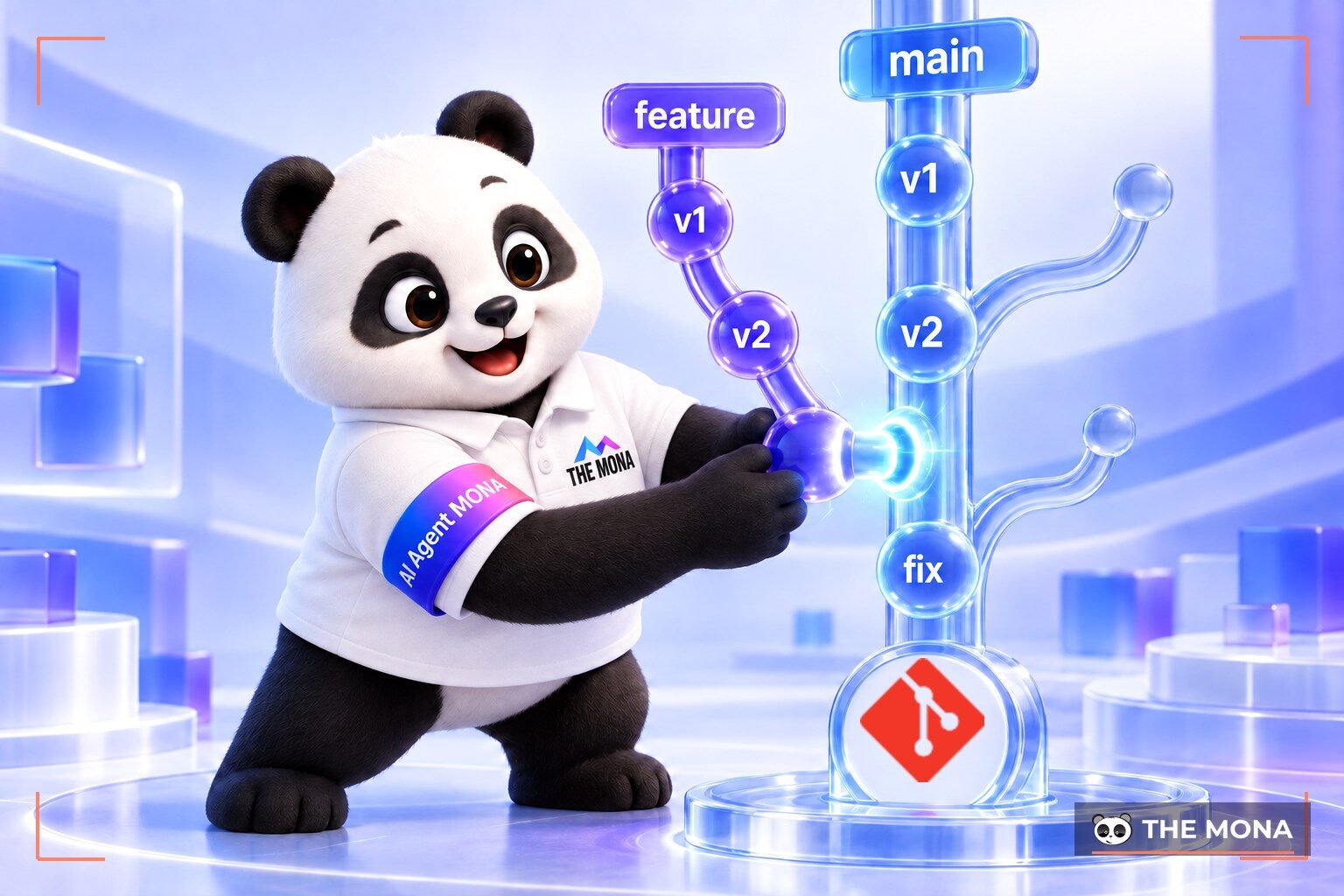
What is Git? Git is a distributed version control system for source code. It records the whole edit history of files over the life of a project. You can easily follow each person's progress, and restoring an old state of the code takes only a moment.
Think about how you save files in many copies on your hard drive. Files get names like “index_final_edit.php” or “official_handover.php”. This causes huge confusion once the folder grows. We often see amateur developer teams where one person's edit breaks another person's code. When the code stops working, nobody dares touch it to fix it. Everyone fears the system will collapse if they change the wrong thing. At MONA we once took over a project whose code sat in folders named final and final2 on the machine of a developer who had left, and it took a week to rebuild.
Every time there is a request to add a small button, you have to make another backup copy of the whole folder. This wastes storage on your computer for nothing. Soon your hard drive reports full because of duplicate files. If a client wants last week's design back, you have to open file after file to search. This manual digging is like looking for a needle in a haystack of tangled code. That exhaustion kills the creative spark of any software engineer.
Then there is the risk of a personal computer's hard drive suddenly failing. Months of coding work can vanish in an instant. Some teams try to solve this by zipping the folder and sending it by email. This manual way wastes a lot of time waiting for files to upload. New people joining the project also cannot tell why a piece of code was written that way. Version control tools exist to solve all these problems for good. With 14,000 projects completed, MONA can say that no software gets built without a professional code storage system.
The core architecture of this tool is a special distributed network. The system does not gather all data on a single central server. Every member of the project holds a complete copy of the entire source code history. Your computer holds full information on every change since day one. This design makes file access extremely fast.
You can look back at old code even on a plane with no internet. When the connection returns, the tool then compares and syncs the data. At MONA we always advise our interns to read the documentation on this distributed mechanism carefully. You will not have to worry about the main storage server going down midway. Any team member's personal computer can become an emergency rescue point for the data. All history searches also run locally on your hard drive. You do not have to wait for a server to answer your search requests.
Many people new to programming often mix up these two technology concepts. Version control software actually runs quietly in the background of your computer's operating system. It manages local files on your hard drive through command lines. GitHub, meanwhile, is a website that offers space to store source code on the internet. It uses the version control software as its base to work and connect many people together. We often tell clients: Git is the notebook that records every change, and GitHub is just the place online where the notebook is kept so the whole team can read it.
We often use a photography example to help clients picture it. The local management tool acts like a camera that captures moments. The online platform acts like the album where everyone can look. You are not required to use a third-party platform to store your data. Some companies choose to build their own servers to keep their software absolutely secure. See the comparison table below to tell the two concepts apart clearly.
| Criterion | Core software (Local) | Online service (Cloud) |
|---|---|---|
| Main concept | A system that manages source code versions locally | A web platform that stores and shares source code |
| Operating environment | Runs directly on a personal computer | Runs on the global internet |
| Connection required | Works smoothly without internet | Needs a network connection to download data to your machine |
| Implementation cost | A fully free open-source tool | Offers a free plan and charges for premium plans |
| Developer | Created by Linus Torvalds | Owned by the technology company Microsoft |
The core strength of this tool is the ability to create independent working branches. Each new software feature is written by a developer on its own branch. The main branch of the project is never affected by unfinished code. You can freely try odd ideas without fear of breaking the running system. If the new code has a serious bug, you just delete that whole branch and you are done. At MONA, each feature is built on its own branch and merged into the main branch only when it is finished, so the test version clients see never includes work in progress.
When building a sales app, you can assign one person to the shopping cart feature and another to the payment feature. These two lines of work run in parallel without caring about the other's mistakes. If the cart feature has a serious bug, the payment branch keeps developing as normal. Large tech companies managing thousands of developers at once all rely on this principle of separation. A large product cannot exist if everyone crowds in to edit the same core file. Being able to contain the damage from a bug is the real selling point of a professional version control tool.
We find this branching process keeps departments from stepping on each other. The interface team can build buttons on the interface branch. The data team can design the database on the backend branch. At reporting time, the team lead checks and merges all the branches. The software's smart algorithm automatically joins the pieces of source code into one finished product. You can also tag merged versions to make them easy to track later.
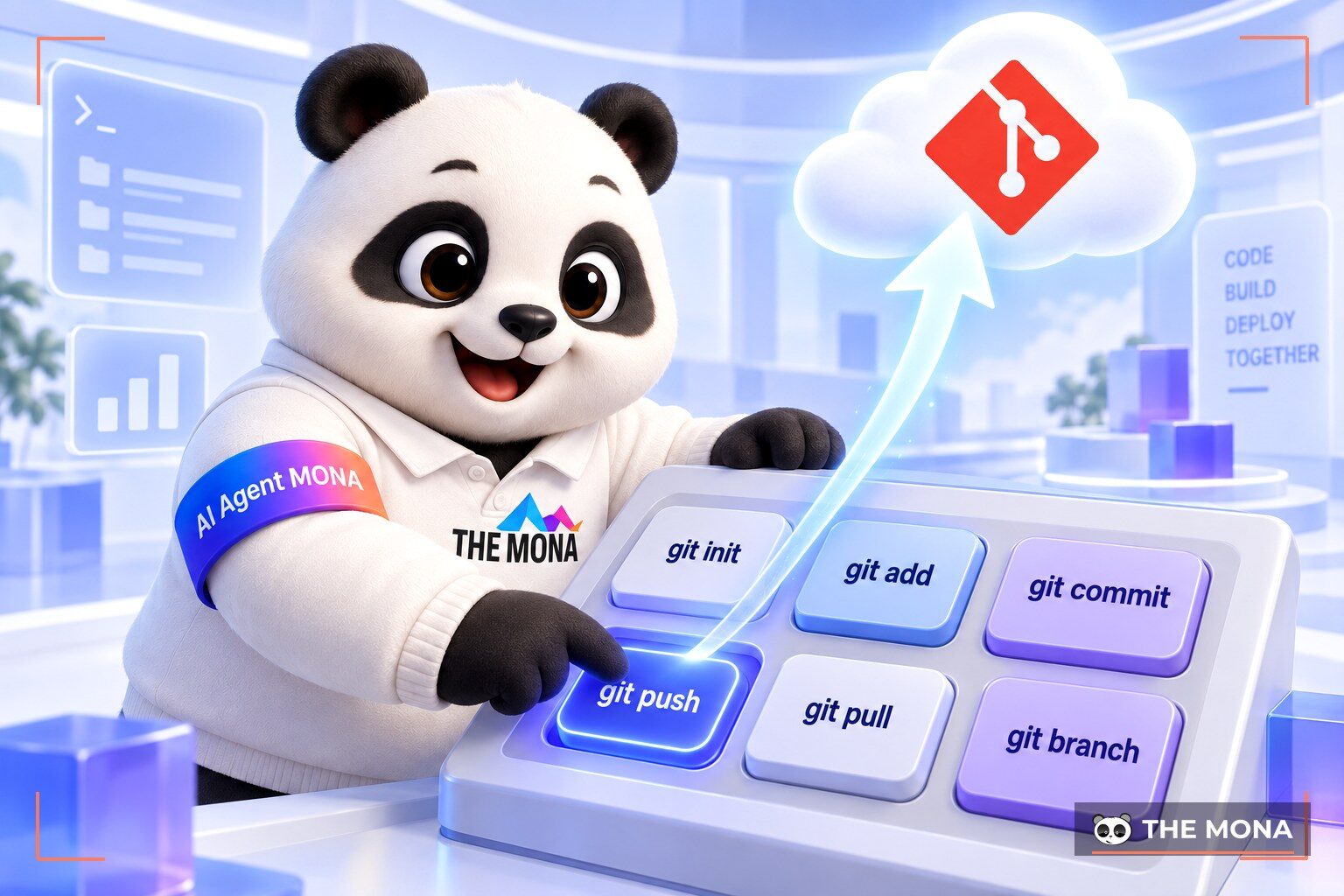
This system has hundreds of commands for very complex real-world situations. However, developers usually repeat just a few familiar ones. From many large projects, MONA has distilled 6 core operations that are enough for your daily work. At MONA we often tell new staff to write these 6 commands in a notebook.
First is the command init which turns an ordinary folder into a source code repository. It creates a hidden folder that tracks everything that happens to your files. The second command is status which lets you check the current state of the whole project. It shows clearly which files were just edited and which were newly added. The third command is add which marks finished files into a staging area. This area acts as a buffer before the official save.
Next is the command commit which packs that staging area into a fixed version. You must write a clear note explaining the change so later readers understand it. The fifth command is push which uploads this package of data to an online server. The last command downloads everyone else's changes to your personal computer. You can read the detailed guide at Pro Git.
Source code conflicts are an everyday story in projects with large teams. They usually appear when two developers change the same line of code at the same time. The version control system immediately pauses the sync and shows a warning. The tool is designed not to decide on its own whose code to keep. This prevents logic errors inside the business system. We usually tell new developers to pull the latest code every morning before writing more and merge it at the end of the day, so conflicts stay small and easy to resolve.
The warning screen often worries you because you fear losing a teammate's valuable data. In fact, the system has safely saved all the original versions. A conflict is just a necessary review step to protect output quality. You can ask a more experienced person to decide how that piece of code should be structured. Many modern editors have a very clear visual interface for resolving conflicts. You just click to keep the code on the left or the right and you are done. Learning to fix this will quickly improve your teamwork skills.
You need to use an editor to open the file that shows the error. Inside it you will see marker lines separating each person's code. We see young developers often panic when they get this red warning on screen. The fix is simple: stay calm and read the logic of each framed function. Talk directly with your colleague about which feature gives the more correct result. Once you agree, delete the extra code and run the save command again.
Once your source code is neatly managed in a repository, the next problem is getting the software onto the internet. Running it on a Linux server used to take a lot of complex system administration skills. With a cloud computing ecosystem MONA Cloud, this process has been cut down to an amazing degree. You just open the project folder and type one command npx monacloud deploy. The system automatically takes the source code and runs deploy the app host with Docker in about 150 seconds. At MONA we often advise business owners to choose this automated approach to cut down on mistakes.
This solution also automatically installs a secure HTTPS certificate for your app's domain. Server clusters are located in 5 regions: Vietnam, Hong Kong, Singapore, Australia, and the US. You can choose the server region closest to your customers for very fast access. MONA Cloud uses clear hourly billing in VND. The system starts charging from the moment you start the machine. The spending limit setting will stop the system on its own when it hits the cap.
Customers who use the assistant Claude Code can add an MCP configuration package so chat can call commands to create a server. New accounts currently get 100,000 VND in free credit to try the features. Company accountants can get VAT e-invoices at the end of each month. Visit MONA Cloud homepage to start building a lasting system for your business.
The local software concept refers to a source code management system that runs on a computer's operating system. It provides all the core tools for creating branches and saving points of change. GitHub is a website platform that uses network technology to build an online space for sharing data. The two work together to make a smooth teamwork process.
This operation pulls all the updated source code from the online server to your personal computer. It automatically merges your colleagues' new code into the folder you are working in. Developers should make a habit of running this command early each morning before starting a new feature.
This is an advanced technique used to rewrite the version history of a branch. It lifts all your changes and places them on top of another branch. Arranging them in this order keeps the code history tidy in a single straight line.
To start, run the command that creates a repository in the project's root folder. After writing a new feature, add the finished files to the staging list one by one. Then use the commit command to pack these files into a version with a descriptive message. Finally, push this block of data to the online repository.

CEO & Founder · The MONA
Founder of The MONA, who built a services company of 200+ staff with 14,000+ projects delivered. Khánh Hùng shares how he thinks about building systems that run themselves, automating a business, and the real lessons from delivering projects at MONA.
 158




Professional website
design services
Own a website with a beautiful, 100% exclusive design and a lifetime warranty, with the ability
to expand features flexibly as your business grows, starting today!






 MONA will never sell your information or send you spam


 MONA will never sell your information or send you spam
