
 MONA OS 2.0
 Hợp tác với MONA


 Tự động hoá doanh nghiệp
 Cẩm nang SEO
 Digital Marketing
 Kinh nghiệm thiết kế website
 Hạ Tầng Server
 Giáo dục


 VI
 EN












Message us on
Zalo Official


 ProductsNew

 ProductsProducts
 Mới ra mắtKHA AI 2027App tự edit video, tự đăng mọi mạng xã hội, 2 phút mỗi ngày










 Thiết kế websiteVừa đẹp vừa thuyết phục được khách.
Dịch vụ SEOKéo về khách đang tìm đúng thứ anh chị bán.
 Tư vấn digital marketingKéo khách từ nhiều kênh, đo bằng số thật.
Quay video doanh nghiệpVideo giới thiệu công ty, nhà xưởng, đội ngũ.
 MớiDựng video AIDựng phim câu chuyện công ty bằng AI.
 Custom software developmentCRM, ERP and HRM built for your business.
 Viết AI Agent theo yêu cầuĐặt riêng một trợ lý AI cho đúng việc của mình.
 Tư vấn chuyển đổi AIĐưa AI vào vận hành của cả công ty.
NewMONA LMSManagement for centers and schools.
MONA SkillHubInternal training for company staff.
 NHTQ systemEnd-to-end China–Vietnam shipping operations.
MONA JMSManagement for gold, diamond and pawn shops.
 MONA E-LearningA website with every feature you need to sell courses.
 How to sell online courses (course)More than 30 free lessons on selling courses on autopilot.
 MONA Cloudmonacloud.vnServers to get your apps and websites running.
 MONA Basemonabase.vnPostgres database, sign-in and file storage.
 MONA Mailmonamail.vnSend OTP, order and invoice emails from your software.
 MONA Paymonapay.vnAccept bank transfers via VietQR and notify your software when the money arrives.
 MONA eInvoiceComing soonIssue e-invoices that meet tax standards.
Gấu CườiTrả lời khách 24/7 trên web, Fanpage, Zalo và thu lead cho sale.
 Gấu TeleSalesGọi điện tư vấn, chăm khách như tổng đài viên thật.
Dê CườiTư vấn và chốt đơn cho shop ngay trong khung chat.
Gấu WebmasterNhắn nhóm Zalo là website được sửa xong.
 Gấu Pháp ChếSoạn hợp đồng, rà điều khoản trong vài phút.
 Gấu Báo GiáLên báo giá đúng mẫu và gửi khách ngay.
 AI chăm sóc khách hàngTheo dõi và giữ chân khách hàng cũ.
 Gấu Tuyển DụngLọc hồ sơ, hẹn lịch, phỏng vấn ứng viên.
 Mới ra mắt
KHA AI 2027
Xây kênh chuyên gia 2 phút mỗi ngày
Quay bằng điện thoại, AI tự edit video, tự đăng lên 16 nền tảng và tự trả lời bình luận, tin nhắn.
879.625lượt xem trên kênh CEO MONA sau 35 ngày
 Anh Khánh HùngCEO MONA đang dùng mỗi ngày
Xem app làm được gì
 AI
Gấu Cười MONA ĐANG TỰ XÀITrả lời khách 24/7 trên website, Zalo OA, Messenger và thu lead về cho sale.
Dê CườiChốt đơn bán lẻ và sàn: Shopee, TikTok Shop, web. Chăm cả khách sỉ, đại lý.
Gấu WebmasterCập nhật nội dung, tối ưu SEO website mỗi ngày.
Gấu TeleSalesGọi điện tư vấn, chăm khách như tổng đài viên thật.
Gấu Tuyển DụngLọc hồ sơ, hẹn lịch, phỏng vấn ứng viên tự động.
AI chăm sóc khách hàngGiữ khách cũ, cứu lead đã rớt cho phòng kinh doanh.
Gấu Pháp ChếSoạn hợp đồng, rà điều khoản trong vài phút.
Gấu Báo GiáLên báo giá đúng mẫu, gửi khách ngay khi có yêu cầu.
 Chuyển đổi AI toàn phầnGiải pháp tổng cho doanh nghiệp, 3 lớp triển khai.
 Viết AI Agent theo yêu cầuĐặt riêng một con AI gánh đúng nghiệp vụ của bạn.
 Custom softwareCRM, ERP and HRM with built-in AI automation.
 SEO & AEO thời đại AIĐược Google lẫn AI trích dẫn, không chỉ xếp hạng.
 Kiến thức AI cho doanh nghiệpBài phân tích, hướng dẫn ứng dụng AI vào vận hành.
 Free AI courses
 AI tools at work
App mới · KHA AI 2027
Xây kênh 2 phút mỗi ngày
AI tự edit video, tự đăng mọi mạng xã hội
Free consultation, 8am–10pm every day

13 June, 2026

Type one sentence in Vietnamese into the blank box, wait about ten seconds, and Canva AI hands back four designs. At a glance every one looks fine. Look closely with the eyes of the person who guards the brand, and three have the wrong color tone while one uses a font that matches nothing in your brand identity. Canva AI really is fast, and it really is the easiest thing to wreck your brand identity with if everyone in the company types in their own way. In this article we go from what Canva AI is, to how to use it step by step, to the price of each plan in VND checked on 02/08/2026, to where it falls short and how to bring it into your team without everything falling apart. There are three sample prompts you can copy and paste right away.
Canva AI is a set of artificial intelligence tools built right into Canva. You give it a request by text or voice, and it returns a design, image, article, short video or data table that you can keep editing. It is not a separate app you have to install. You open Canva as usual, and the AI tools sit in the search box in the middle of the home page and inside the editor. Each run returns 4 variations in about 10 seconds. That fast.
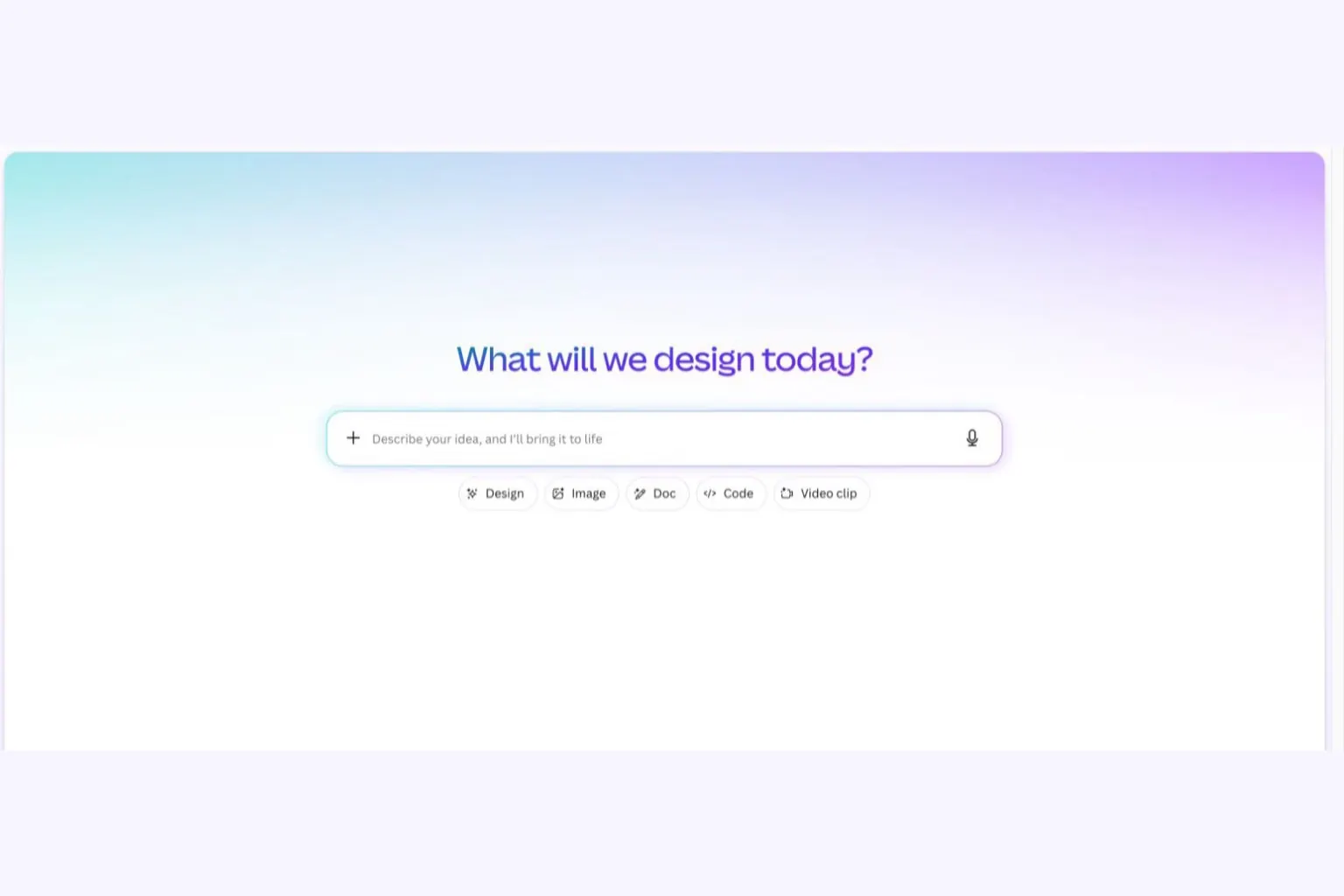
Many of you will also run into the name Magic Studio and assume it is a different product. It is not. Magic Studio was the name Canva gave to its whole AI toolset from 2023 to 2025, including Magic Media for images, Magic Write for text and Magic Edit for photo editing. With the Canva Create 2026update, the company folded everything into one entry point called Canva AI, version 2.0. The biggest difference in this version is that the output is layered: the AI image you get back is no longer one flat picture, it is a layered design where text stays text and the background stays a background, so you can click in and edit each part. For people who work AI for businesses like we do, this is the upgrade most worth paying for, because a draft you can edit is the one that becomes a usable final.
One more thing few people say plainly. Canva AI predicts from the data it learned on, and it cannot read your mind. A vague one-line brief gets you four vague results. The machine is not at fault. The fault is that we did not say clearly what we wanted.
Canva lists its features across a long page. We grouped them by the real jobs a business does, so they are easier to check:
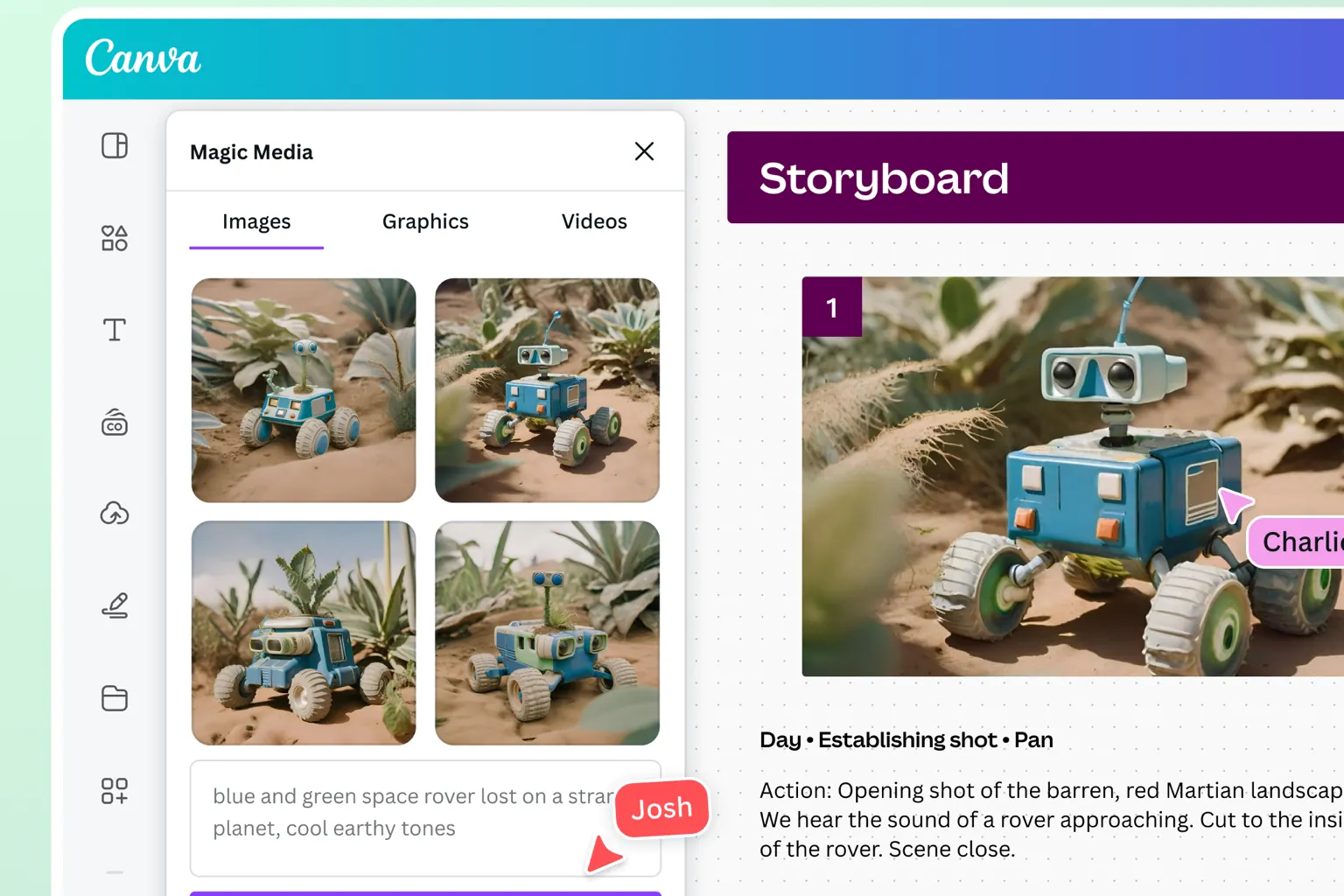
To sum up: images come back 4 per run after about 10 seconds, video stops at 30 seconds, and slides and data tables have almost no size limit. That is enough for daily work. Each AI image run is deducted from the account's shared quota, and higher-quality images cost more. The exact numbers are in the pricing section below, because they decide whether paying is worth it.
The standard flow we tested directly on an account on 02/08/2026, with every click counted:
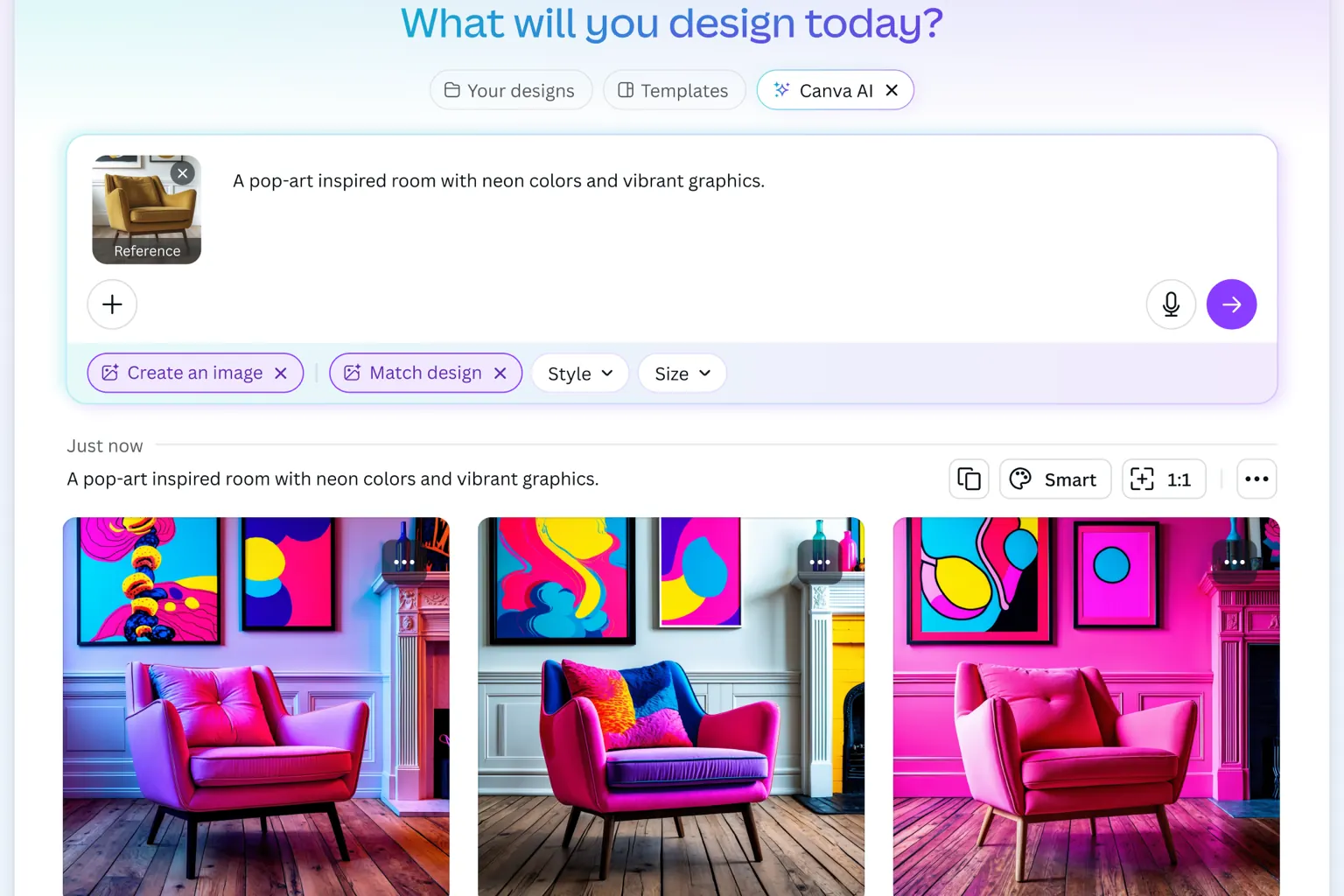
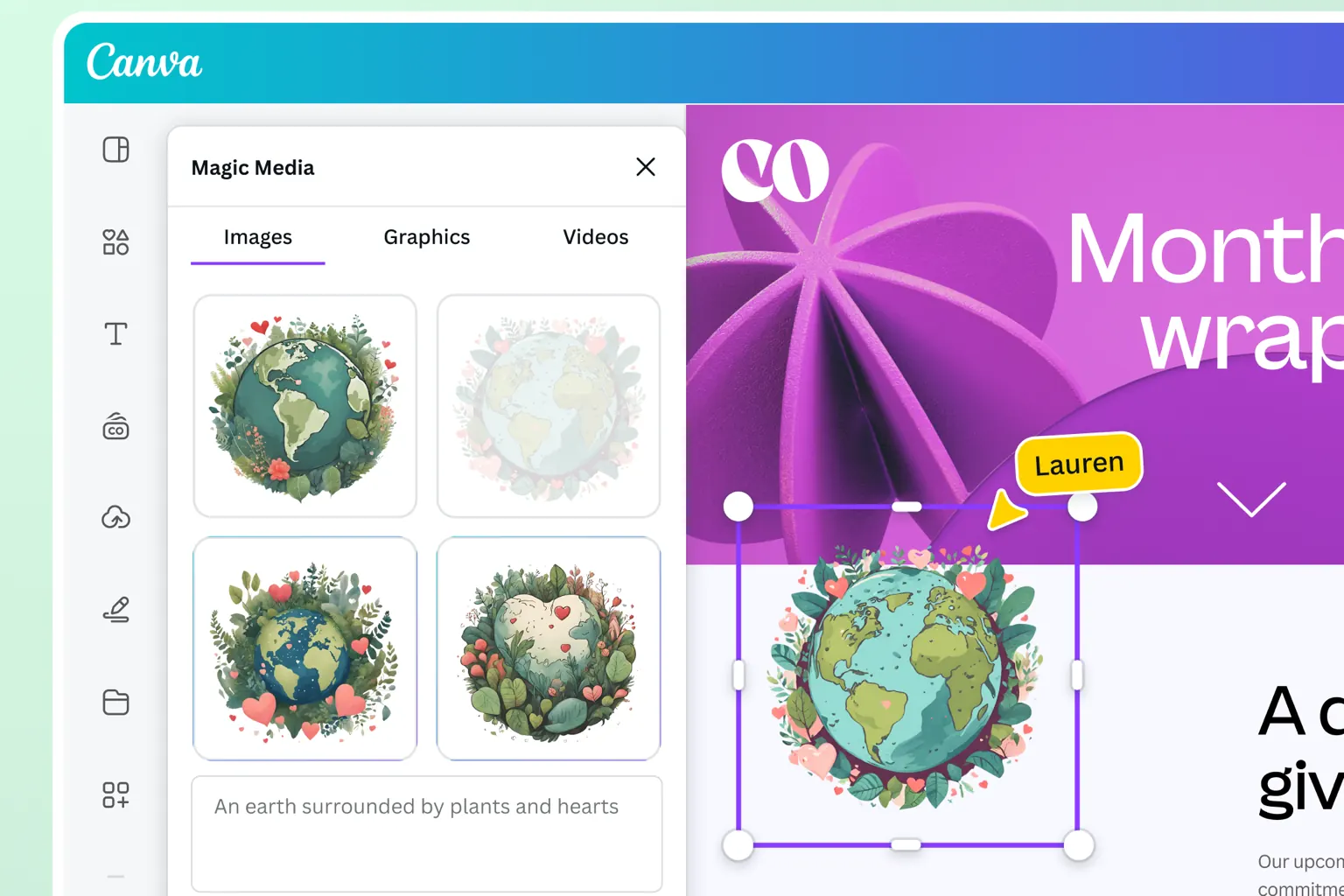
Step 5 is the step that earns its keep. Do not skip it. And one habit from people in the trade: after exporting, open the file on the cheapest phone in the company, because the designer's screen is always nicer than the customer's, and small text that reads fine here may not read there.
A prompt does not need fancy wording, it needs enough facts. Replace the words in brackets in the three templates below and they will run:
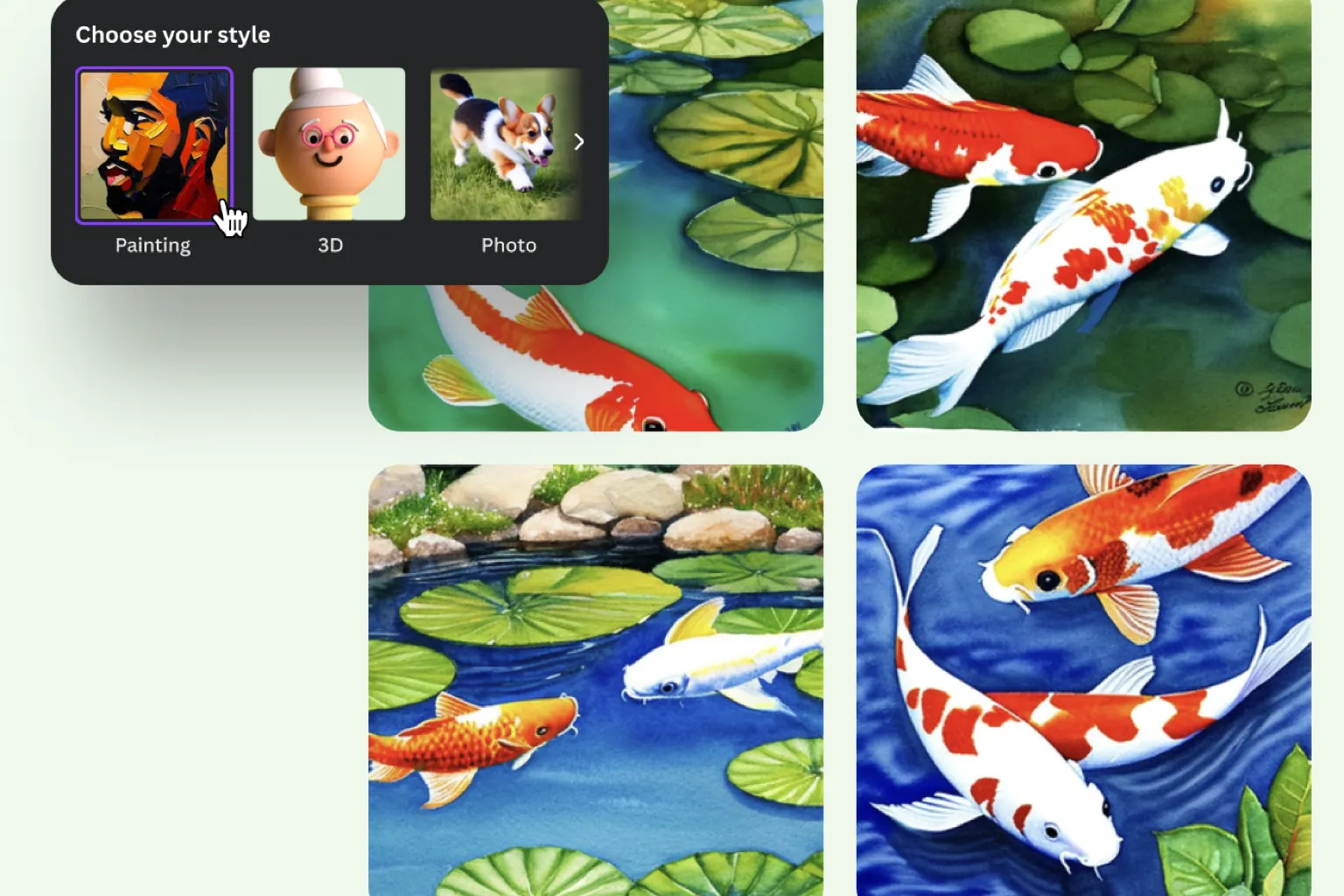
Template 1, a promotion post: “Create a square Facebook post for [a spa] announcing [30% off skin care services] from [August 5 to 10]. Color tone [light pink and white], minimalist style, leave empty space in the middle for large text, no photos of people.”
Template 2, editing an existing design: open the design, call Canva AI and type “Change the whole color tone to [color code #1a3c8f], keep the layout and text content, replace the background image with a [bright office photo, cool tone].” Giving a command on an existing design almost always gives a closer result than generating from scratch.
Template 3, a variation set for testing ads: “Create 4 horizontal 1200×628 banners for [an online accounting course], each with a different headline around [the worry of bookkeeping errors], main color [dark blue], with room for a Sign up now button.” Run this set as a test to see which version gets clicks. We wrote about how to measure that in the article on ad libraries.
Each of the three templates takes under 30 seconds to type, and every one pins down 3 things: the format, the color tone and the space left for text. Miss one and the machine invents it. And if you want the machine to listen even better, remember one principle: say what you want to see, not the feeling. “Luxurious” is a feeling. “Black background, bronze gold text, lots of empty space” is something the machine can draw.
We took the figures directly from the Canva pricing page in Vietnamese, checked on 02/08/2026:
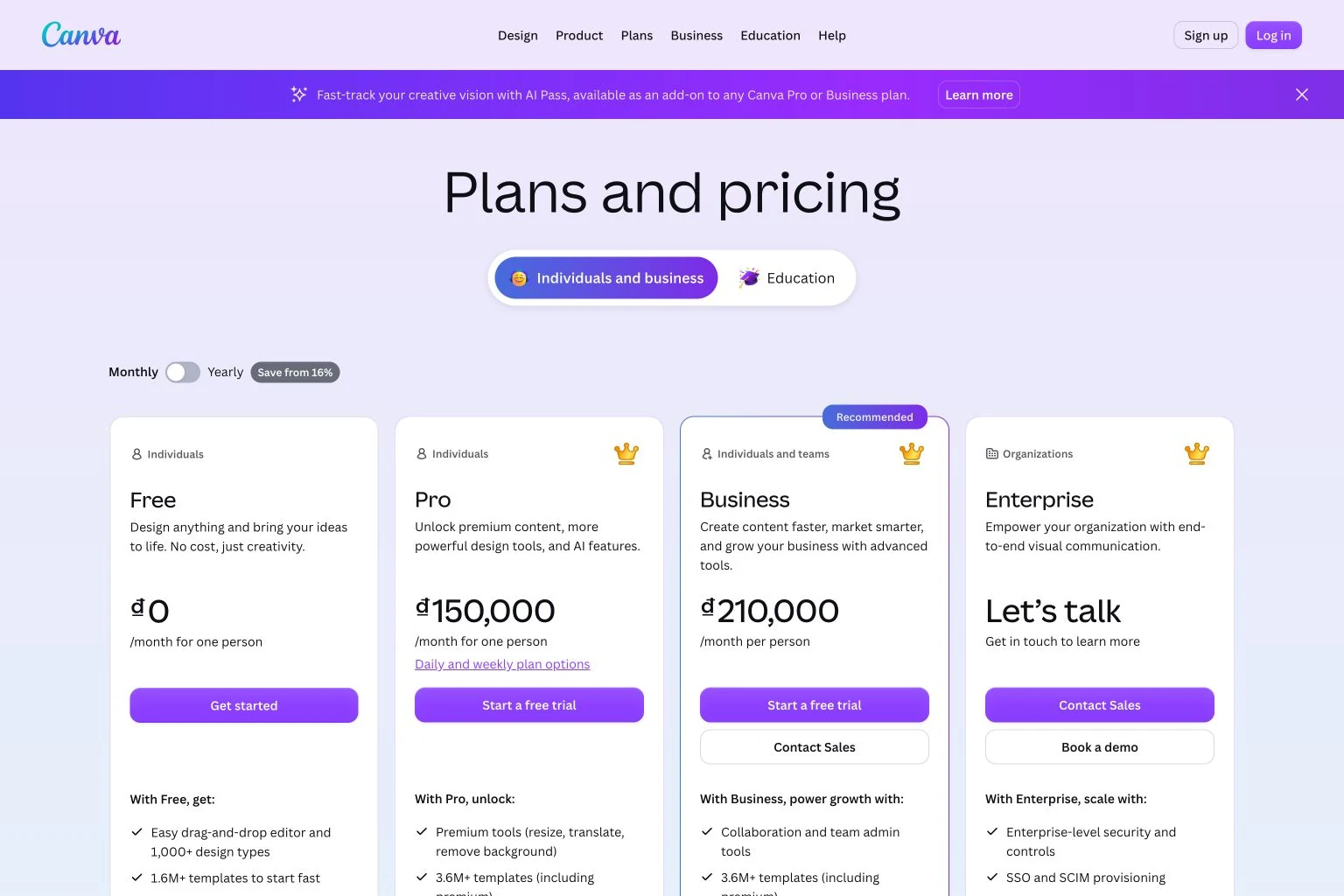
| Plan | List price | AI quota | Best for |
|---|---|---|---|
| Free | Free | Basic level, only Standard and Premium AI tiers | Learning the tools, occasional jobs, trying before paying |
| Pro | 150,000 VND/month per member | 10 times the free plan, plus the Ultra-premium AI tier | Business owners who make their own content every day |
| Business | 210,000 VND/month per member | 20 times the free plan | Teams of 3 or more that need shared brand management |
A few numbers matter more than the price table. The Pro plan opens a library of over 3.6 million paid templates plus one-click resize, content translation and background removal, the three things people who make content daily click most. Canva in Vietnam also sells daily and weekly plans for anyone who needs heavy use only during one campaign. And if your team burns through AI quota, there is the AI Pass, an add-on that raises the quota to 40 times Pro.
Cheap or expensive depends on the job. Now a calculation for a team of 5: the Business plan at 210,000 VND times 5 people times 12 months is 12.6 million VND a year. That is not much if your team exports a few dozen images a week for your channels. But if you pay that hoping it will replace your sales page design, brand identity or software interface, you are in the wrong place, because those things depend on the system, not on a single picture. Before spending, take 15 minutes to read the article on UI/UX design to tell these two kinds of work apart, so you do not pay a year of fees for the wrong goal. And if you want it faster, message us directly via contact page, tell us what you plan to use Canva for, and we will say plainly whether Canva can carry that job. It is free.
Yes, as long as you read three lines in Canva's AI product terms that most users skip:
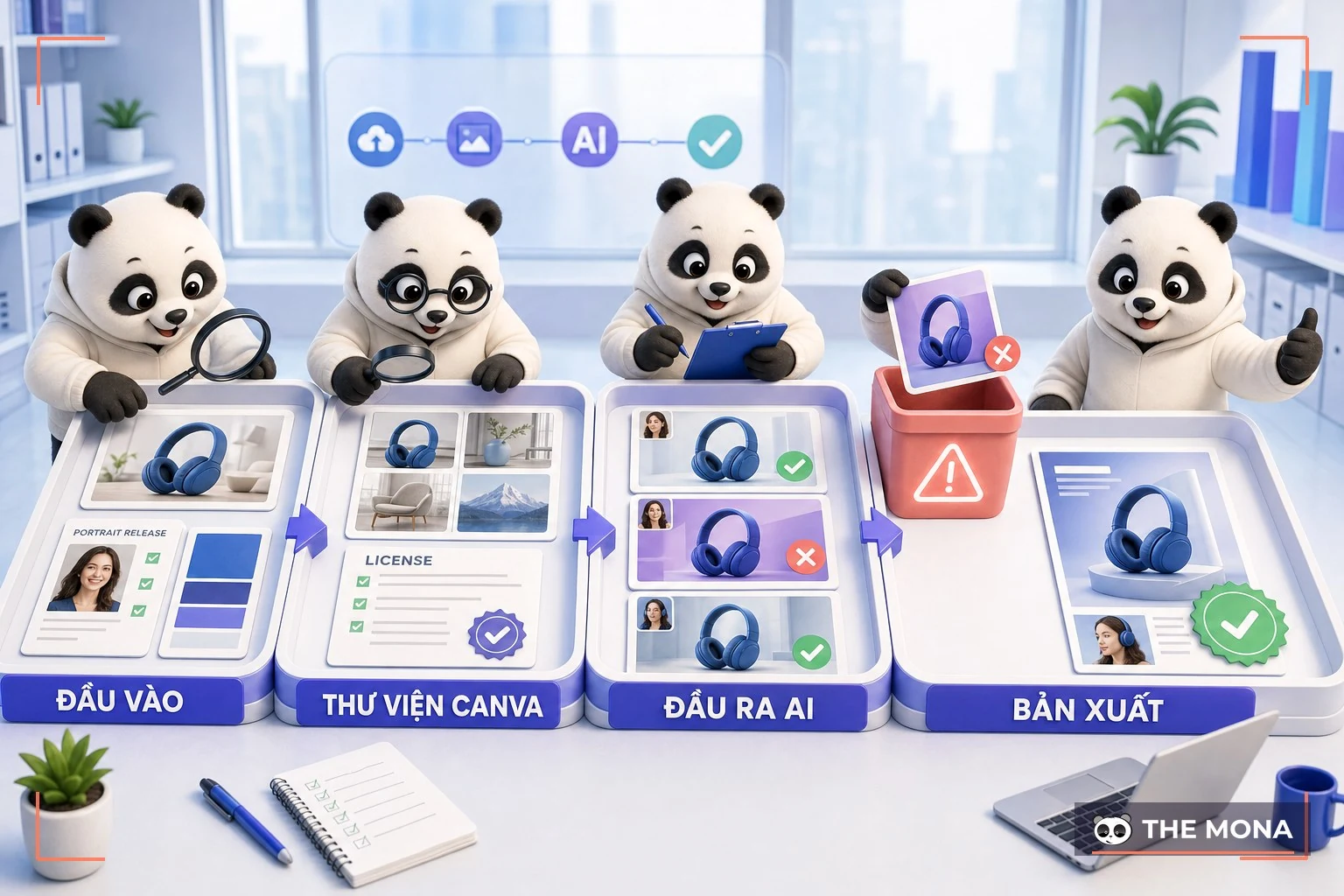
The simple process we advise clients to follow before launching a campaign: one person creates, another reviews on the actual platform it will be posted on, meaning open the exact ad placement in Ads Managerand check whether the image has its text cut off at the real display size. Two people, ten minutes, and you avoid most accidents.
Here is a true story from MONA's own content team on the night of 01/08/2026. We needed 11 images with Vietnamese text printed on them for a series of WordPress articles, using the newest AI image generation tool. First-round result: 5 of 11 images had to be redone because the Vietnamese text lost its diacritics. “CHẬM RÌ” became “CHÂM RÌ”, “Đánh giá” became “Đảnh giá”, and “TỐI ƯU” grew an extra dot-below mark to become “TỐI ỰU”. The machine drew beautifully and the layout was right, but Vietnamese diacritics are still the hurdle that every AI image tool today, Canva AI included, regularly trips on. We patched the prompt and locked Vietnamese text to the large headline only, and in round two the error rate fell from 5 of 11 to 2, and round three came out clean at nearly 1 a.m. Anyone reviewing AI images with Vietnamese text should check every mark one by one. We paid for that lesson with a whole evening.
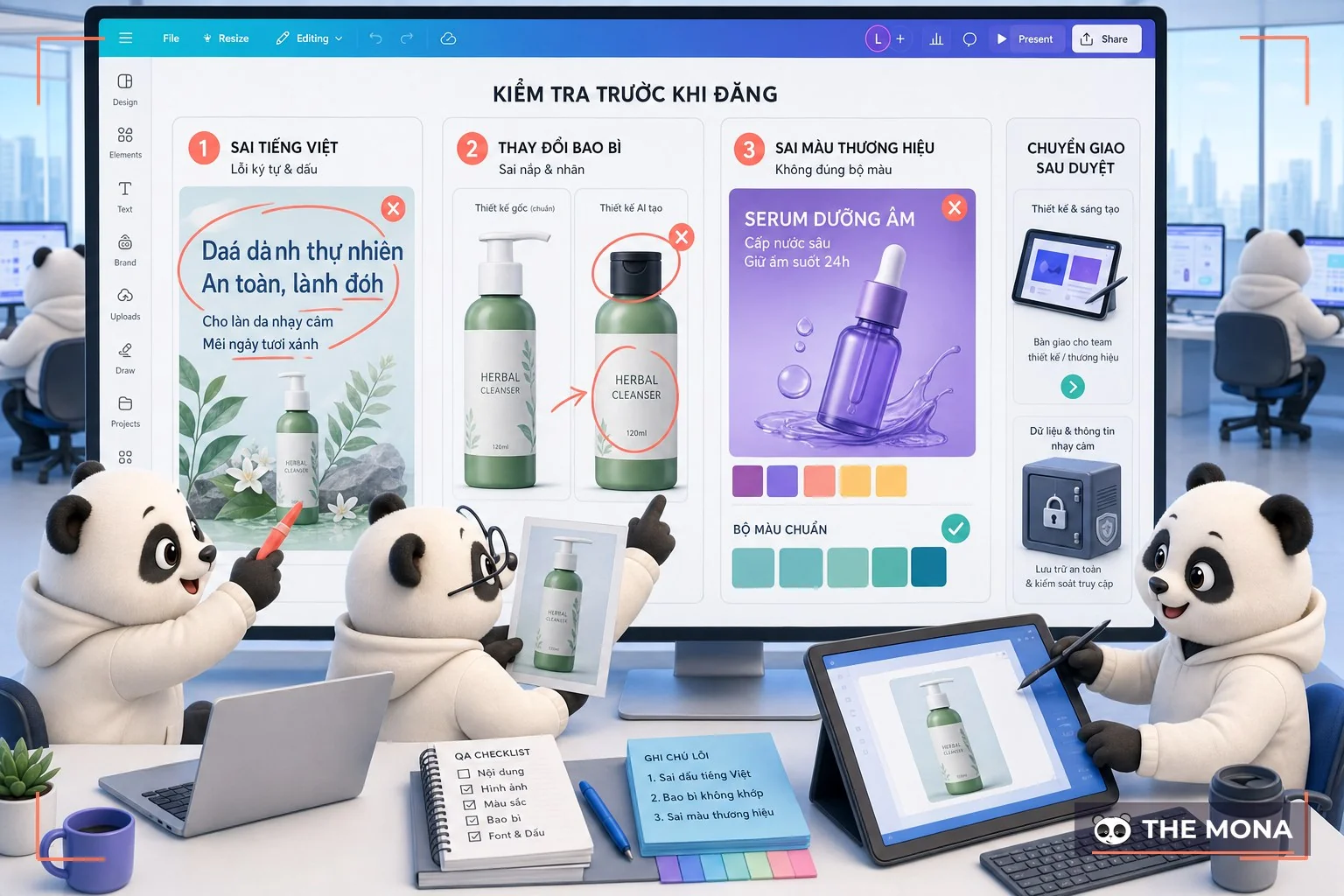
Beyond diacritics, there are three more limits you should know before handing big jobs to Canva AI:
To be fair, professional designers often dismiss Canva, and we think half of that is unfair. For daily social work, Canva AI produces a usable version faster than a professional designer's process, because it removes the back-and-forth over the brief. Calling it bad is wrong. Giving it the wrong job is what is wrong.
Choose the tool by the problem, not by how famous it is:
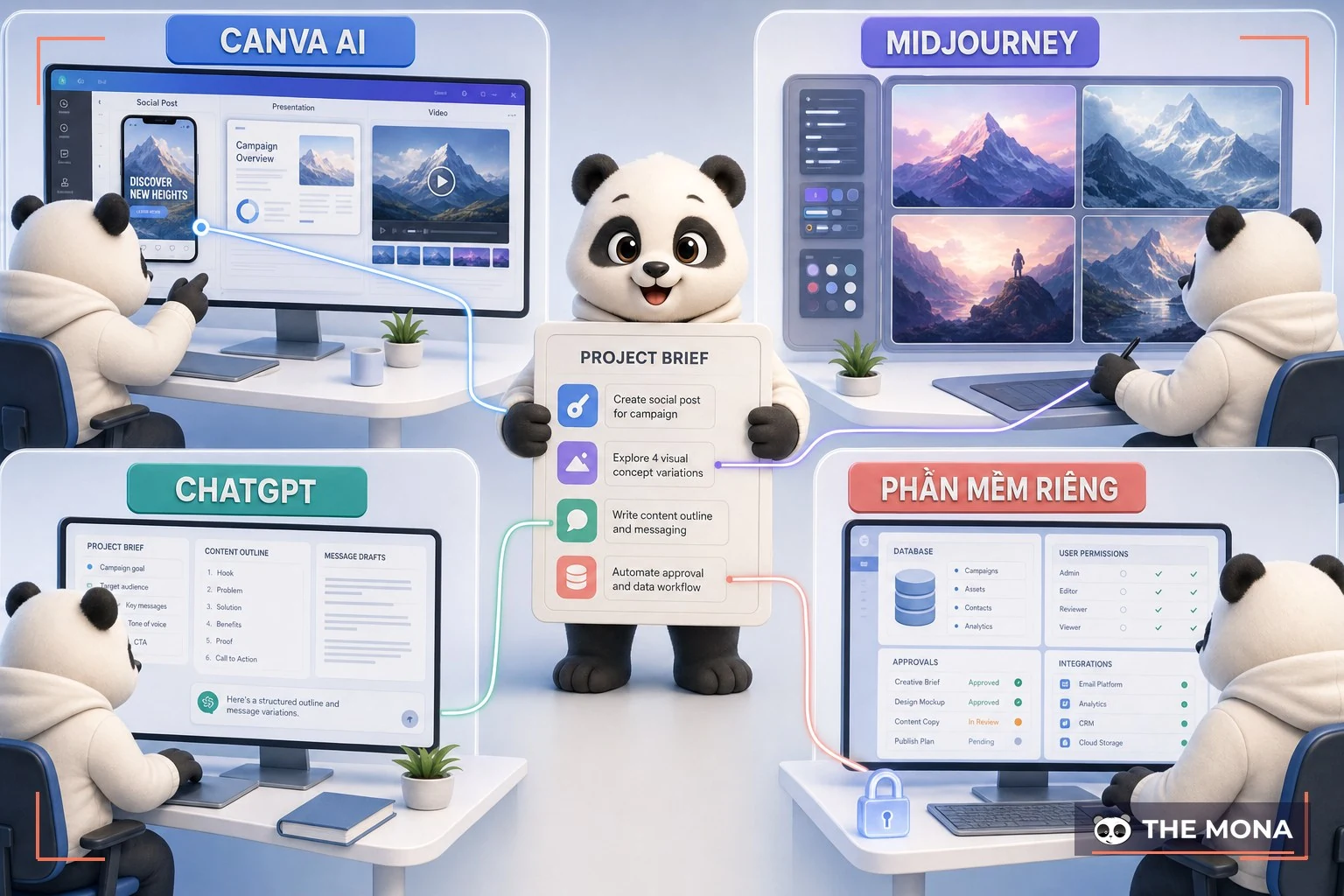
| The challenge | Best to use | Reason |
|---|---|---|
| Daily channel images, with text, in the right format | Canva AI | Create and edit in the same place, export at the exact size for each platform |
| Artistic images, unique concepts, large print-quality photos | Midjourney or Leonardo AI | Much better image quality, but you have to combine it with another tool to add text and set the format |
| Long writing, analysis, content planning | ChatGPT | Strong at text and reasoning, cannot lay out a page |
| Software interfaces, automated systems built around your own process | Custom software | Needs business understanding, data connections and permissions, things outside the scope of a design tool |
The most practical boundary: work that repeats daily in a standard format goes to Canva AI, and work that happens once but matters a lot goes to a person using a specialist tool. This is also how a marketing team applies AI without bloating the tool budget.
Using one account well is not hard. Ten people using it together is the real problem. Four things to do from the first week:
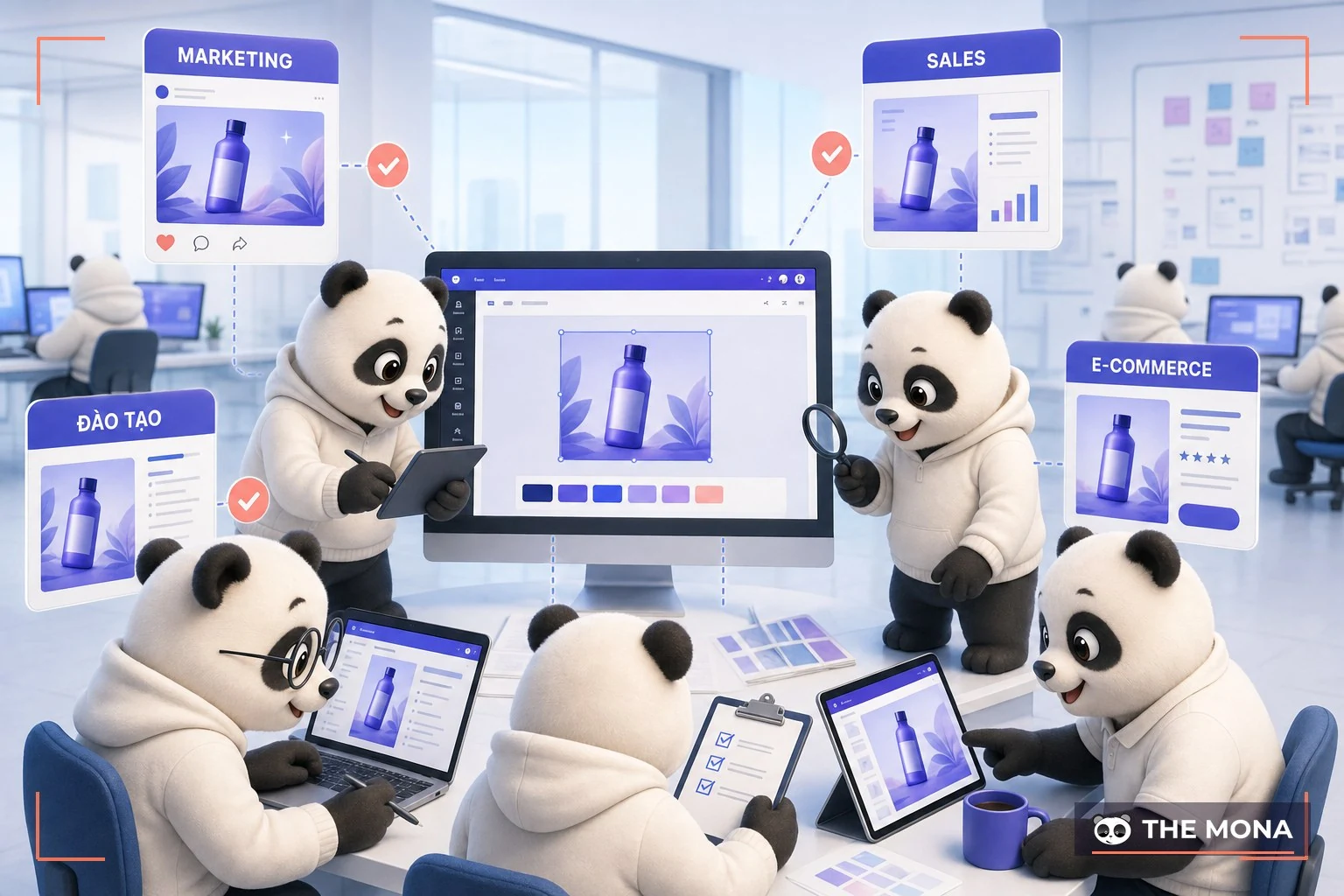
A real measurement for you to compare: in our latest batch, 6 of 11 images passed on the first round, about 55%, and that was the moment the mold needed fixing, not the person making the images. The mona.media content team runs the same logic, only with different tools. Each article needs around 10 images at 1536×1024, compressed under 200KB, in one mascot identity set, so we built a full AI image workflow with a fixed brand mold and a human review round for every image. AI does the drawing, the mold keeps them consistent, and people judge right from wrong. Drop any one of the three and it breaks. If you want to see this thinking applied to a whole business, read the AI-first handbook, and for why so many companies fail at rolling out AI it is mostly because they lack exactly this mold and this approval gate, not because they picked the wrong tool. For a platform that runs steadily for a whole content system, there is one more layer: proper hosting , because beautiful images that load slowly still get scrolled past.
Canva's own video showing how this AI talks with users; 3 minutes is enough to get a feel for the working rhythm:
Yes, the free plan can use the Standard and Premium AI tools with a low quota. Enough to learn and do occasional jobs. If you use it daily you will hit the ceiling fast, and that is when to consider Pro at 150,000 VND a month.
It understands Vietnamese prompts well, and Magic Write can write Vietnamese. But Vietnamese text drawn on images often loses diacritics: we checked 11 images and 5 had errors, so images with Vietnamese text must be checked mark by mark before posting.
It can make short videos from a description and stitch scenes with music, which suits 15 to 30 second channel videos. A company introduction film or a video with a long script still needs a person to edit it.
Yes under the terms, as long as the inputs you upload have clean copyright. Note that AI outputs are not exclusive, others can create similar images, so do not use them as your main brand image.
Canva lets you turn off the use of your content for training in the account's privacy settings. Businesses with sensitive data should turn it off from day one and set clear rules on which documents must never go onto an outside platform.
Check on a real device at the real display size: open the image on a phone, see whether the smallest text is still readable and whether the colors match the brand codes, then download in the right format for where it will be posted.
When the job is a brand identity, a software interface, a sales page that needs conversion tracking, or documents containing confidential data. Those four kinds of work need people who understand the business and the system, not more pretty images.
Canva AI is really worth using: free to start, 150,000 VND a month when you make content daily, and the three sample prompts above can run this afternoon. For fast images, hand it over. We confirm this with the work we do every night, with real measured numbers in the limits section above.
But remember the 12.6 million VND a year calculation for a team of 5 above. That money buys speed of producing images, not what makes customers trust you and buy: a brand identity that does not look like anyone else's, a website that sells, software that runs your own process. That is what MONA has done for 10 years across more than 14,000 projects. If you are unsure where the line sits between the two, call 1900 636 648, and tell us what you are doing yourself with Canva and where you are stuck. In a 20-minute call we will say plainly which part to keep leaving to Canva AI to save money and which part to build properly once, with a cost range so you can decide. If it is not a fit, you still keep that outline to use.

CEO & Founder · The MONA
Founder of The MONA, who built a services company of 60+ staff with 14,000+ projects delivered. Khánh Hùng shares how he thinks about building systems that run themselves, automating a business, and the real lessons from delivering projects at MONA.
 221




Professional website
design services
Own a website with a beautiful, 100% exclusive design and a lifetime warranty, with the ability
to expand features flexibly as your business grows, starting today!






 MONA will never sell your information or send you spam


 MONA will never sell your information or send you spam
