
 MONA OS 2.0
 Hợp tác với MONA


 Tự động hoá doanh nghiệp
 Cẩm nang SEO
 Digital Marketing
 Kinh nghiệm thiết kế website
 Hạ Tầng Server
 Giáo dục


 VI
 EN














Message us on
Zalo Official


 ProductsNew

 ProductsProducts
 Mới ra mắtKHA AI 2027App tự edit video, tự đăng mọi mạng xã hội, 2 phút mỗi ngày










 Thiết kế websiteVừa đẹp vừa thuyết phục được khách.
Dịch vụ SEOKéo về khách đang tìm đúng thứ anh chị bán.
 Tư vấn digital marketingKéo khách từ nhiều kênh, đo bằng số thật.
Quay video doanh nghiệpVideo giới thiệu công ty, nhà xưởng, đội ngũ.
 MớiDựng video AIDựng phim câu chuyện công ty bằng AI.
 Custom software developmentCRM, ERP and HRM built for your business.
 Viết AI Agent theo yêu cầuĐặt riêng một trợ lý AI cho đúng việc của mình.
 Tư vấn chuyển đổi AIĐưa AI vào vận hành của cả công ty.
NewMONA LMSManagement for centers and schools.
MONA SkillHubInternal training for company staff.
 NHTQ systemEnd-to-end China–Vietnam shipping operations.
MONA JMSManagement for gold, diamond and pawn shops.
 MONA E-LearningA website with every feature you need to sell courses.
 How to sell online courses (course)More than 30 free lessons on selling courses on autopilot.
 MONA Cloudmonacloud.vnServers to get your apps and websites running.
 MONA Basemonabase.vnPostgres database, sign-in and file storage.
 MONA Mailmonamail.vnSend OTP, order and invoice emails from your software.
 MONA Paymonapay.vnAccept bank transfers via VietQR and notify your software when the money arrives.
 MONA eInvoiceComing soonIssue e-invoices that meet tax standards.
Gấu CườiTrả lời khách 24/7 trên web, Fanpage, Zalo và thu lead cho sale.
 Gấu TeleSalesGọi điện tư vấn, chăm khách như tổng đài viên thật.
Dê CườiTư vấn và chốt đơn cho shop ngay trong khung chat.
Gấu WebmasterNhắn nhóm Zalo là website được sửa xong.
 Gấu Pháp ChếSoạn hợp đồng, rà điều khoản trong vài phút.
 Gấu Báo GiáLên báo giá đúng mẫu và gửi khách ngay.
 AI chăm sóc khách hàngTheo dõi và giữ chân khách hàng cũ.
 Gấu Tuyển DụngLọc hồ sơ, hẹn lịch, phỏng vấn ứng viên.
 Mới ra mắt
KHA AI 2027
Xây kênh chuyên gia 2 phút mỗi ngày
Quay bằng điện thoại, AI tự edit video, tự đăng lên 16 nền tảng và tự trả lời bình luận, tin nhắn.
880.560lượt xem trên kênh CEO MONA sau 36 ngày
 Anh Khánh HùngCEO MONA đang dùng mỗi ngày
Xem app làm được gì
 AI
Gấu Cười MONA ĐANG TỰ XÀITrả lời khách 24/7 trên website, Zalo OA, Messenger và thu lead về cho sale.
Dê CườiChốt đơn bán lẻ và sàn: Shopee, TikTok Shop, web. Chăm cả khách sỉ, đại lý.
Gấu WebmasterCập nhật nội dung, tối ưu SEO website mỗi ngày.
Gấu TeleSalesGọi điện tư vấn, chăm khách như tổng đài viên thật.
Gấu Tuyển DụngLọc hồ sơ, hẹn lịch, phỏng vấn ứng viên tự động.
AI chăm sóc khách hàngGiữ khách cũ, cứu lead đã rớt cho phòng kinh doanh.
Gấu Pháp ChếSoạn hợp đồng, rà điều khoản trong vài phút.
Gấu Báo GiáLên báo giá đúng mẫu, gửi khách ngay khi có yêu cầu.
 Chuyển đổi AI toàn phầnGiải pháp tổng cho doanh nghiệp, 3 lớp triển khai.
 Viết AI Agent theo yêu cầuĐặt riêng một con AI gánh đúng nghiệp vụ của bạn.
 Custom softwareCRM, ERP and HRM with built-in AI automation.
 SEO & AEO thời đại AIĐược Google lẫn AI trích dẫn, không chỉ xếp hạng.
 Kiến thức AI cho doanh nghiệpBài phân tích, hướng dẫn ứng dụng AI vào vận hành.
 Free AI courses
 AI tools at work
App mới · KHA AI 2027
Xây kênh 2 phút mỗi ngày
AI tự edit video, tự đăng mọi mạng xã hội
Free consultation, 8am–10pm every day

15 June, 2026

Many business owners and marketing teams wonder about the cost of applying AI. We all know ChatGPT is a powerful tool, but do you have to pay to use it well? In fact, free ChatGPT still has impressive power, enough to be a strong help in daily work if you know how to use it. We at MONA understand this well and want to share the tricks that let you get the most out of the free version, turning it into an inexpensive virtual assistant that delivers high performance, especially for content creation, preliminary data analysis, and customer support.
Many of you think you must use the paid version to get results. That isn't true. The free version of ChatGPT is already strong enough to handle plenty of everyday marketing work. It's enough. You can start using it right away without spending a single dong.
Below are three concrete uses that the MONA team and our clients use all the time. Completely free.
Writing ads always takes time. We have to weigh every word to attract customers. This can now be cut down considerably. To just 5 minutes. You only need to give ChatGPT information about the product, the target customer profile, and the ad channel.
For example, ask it: “Write 3 Facebook ad variations for sunscreen A. The customer is an office woman aged 25-35. Emphasize that it is non-sticky and has SPF 50+.” The result you get is almost ready to use. Very effective.
Building a strategy for each customer group is a complex problem. It takes deep understanding and many hours of a whole team's work. Not anymore. ChatGPT can help you outline an initial strategy skeleton quickly.
Give it information about your customer segments. Then ask it to suggest content tracks, outreach channels, and key messages for each group. The more detail you describe, the sharper the AI's draft. This saves your marketing team weeks of work.
Creativity sometimes has limits. Marketing teams often run out of ideas after many campaigns. This is when you need AI. ChatGPT is an idea machine that never gets tired. You can use it to brainstorm for upcoming programs.
Give it a topic, for example “a summer campaign for a bubble tea brand.” Then ask the AI to suggest 10 different ideas, from mini-games and photo contests to unique promotions. Ideas pour out. Our job is just to select and execute the best fit.
One of the biggest mistakes with ChatGPT is giving generic commands. What you get back is usually theoretical, clichéd answers you can't apply right away. We have all felt this. ChatGPT doesn't know who it's talking to or what level to answer at.
The “role-play” technique solves this problem for good. Instead of treating ChatGPT as a machine, give it a job title, a specific role. It will immediately pull information and structure its answer through the lens of an expert in that field.
 SEO specialists” class=”wp-image-12345″/>
This is the first and most important step. You need to tell the AI who it is. A generic role isn't enough. Add seniority and expertise so the answer has depth.
A simple formula the team at MONA Media uses regularly:
Act as a [ROLE] with [NUMBER OF YEARS] of experience in [SPECIFIC FIELD].
For example: “Act as an SEO expert with 10 years of experience optimizing websites for fashion retail.” This command is completely different from a vague request like “give me SEO ideas.”
Once you have the role, the next step is shaping the tone. A CEO's email to a partner reads differently from a Facebook post for young people. You need to tell ChatGPT clearly which style to use.
You can add descriptions like these to the command:
Combined with the step above, our command is more complete: “Act as a Marketing Manager with 8 years of experience. Your writing needs to be professional but easy to understand for presenting to leadership.”
That's the theory. Let's look at real examples you can copy and use right away for marketing and website content work.
Example 1: the SEO expert role
Act as an expert SEO with 12 years of experience, specializing in F&B. Analyze 5 on-page SEO weaknesses of the website [competitor-website-name] and propose a detailed fix plan for each weakness. Analytical, in-depth tone.
Example 2: the advertising copywriter role
You are a professional copywriter for premium cosmetics brands. Write 3 Facebook ad variations for a newly launched vitamin C serum. The target customer is an office woman aged 28-35. Luxurious, persuasive tone, focused on results.
Example 3: the customer support specialist role
Act as a customer support team lead with 7 years of experience handling crises. Draft a reply email to a customer complaining about the quality of a late delivery. The tone must show empathy and professionalism and offer a clear solution.
With just one small change in how you give commands, you can turn ChatGPT from an amateur assistant into a capable consultant. This is also how the MONA team speeds up research and content creation for projects website design and client marketing.
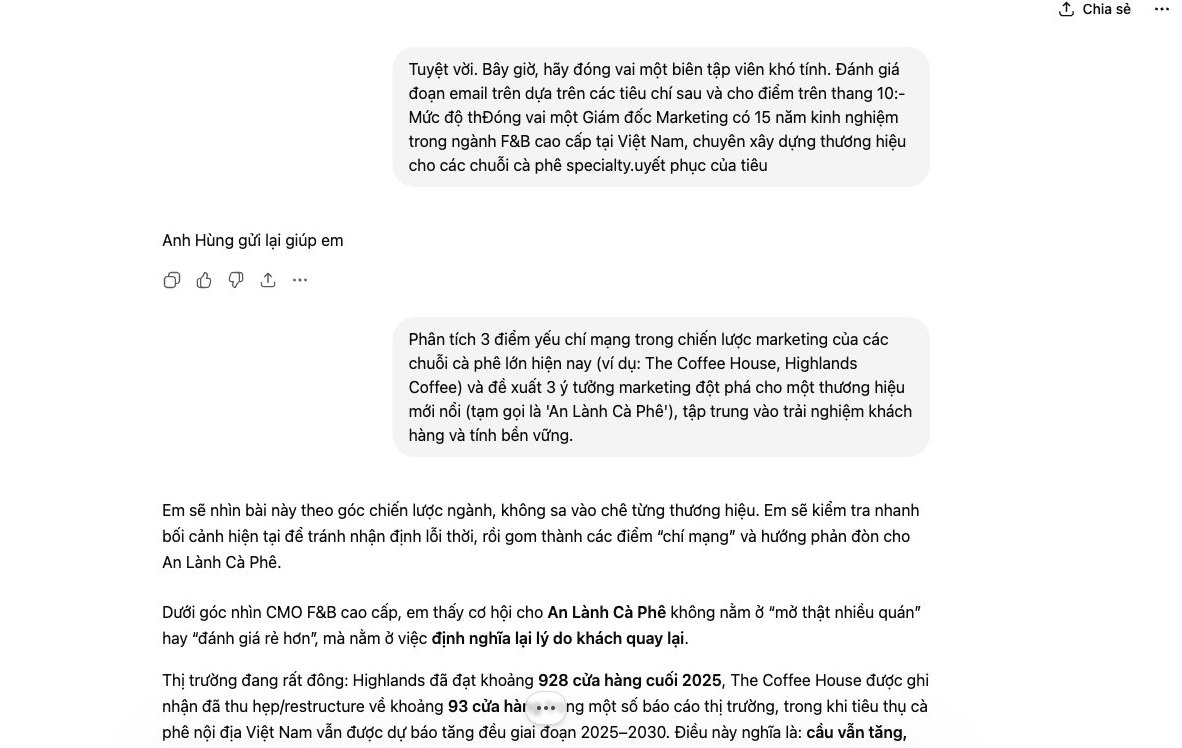
The biggest frustration with ChatGPT is that results are often generic and lifeless. It doesn't speak in your business's voice. To fix that, the marketing and SEO team at MONA always uses a 4-layer prompt formula that we distilled ourselves. Very effective.
This formula forces the AI to think within a tight framework, which produces consistent content that fits the brand. Treat it as a detailed brief handed to an AI staff member in the market.
This is the foundation layer. You need to tell ChatGPT clearly what it has to do and who it is writing for. Without this layer, every result is random. It is the compass for the AI.
You need to state two things clearly:
Once the AI knows the goal, it needs material to write with. This layer supplies all the information about the product, service, or event you want to talk about. Think of it as the “raw data”.
For example, if you need to write an ad for inventory management software, you should include: the software name, key features, price, promotions, and what sets it apart from competitors.
This is where you tighten the rules. This layer lets you control the output in detail and stops the AI from rambling or using the wrong format. Think of it as a technical guardrail.
A few requirements you can give:
This is the last layer, but it decides whether the content has “soul”. It helps the AI speak in your brand’s voice instead of the default robotic tone. It is the hardest layer.
Describe the tone you want in as much detail as possible. For example: “Write in an expert, friendly, and trustworthy tone. Use simple words and focus on customer benefits. Avoid complicated technical terms. Imagine you are a dedicated advisor chatting with a customer.”
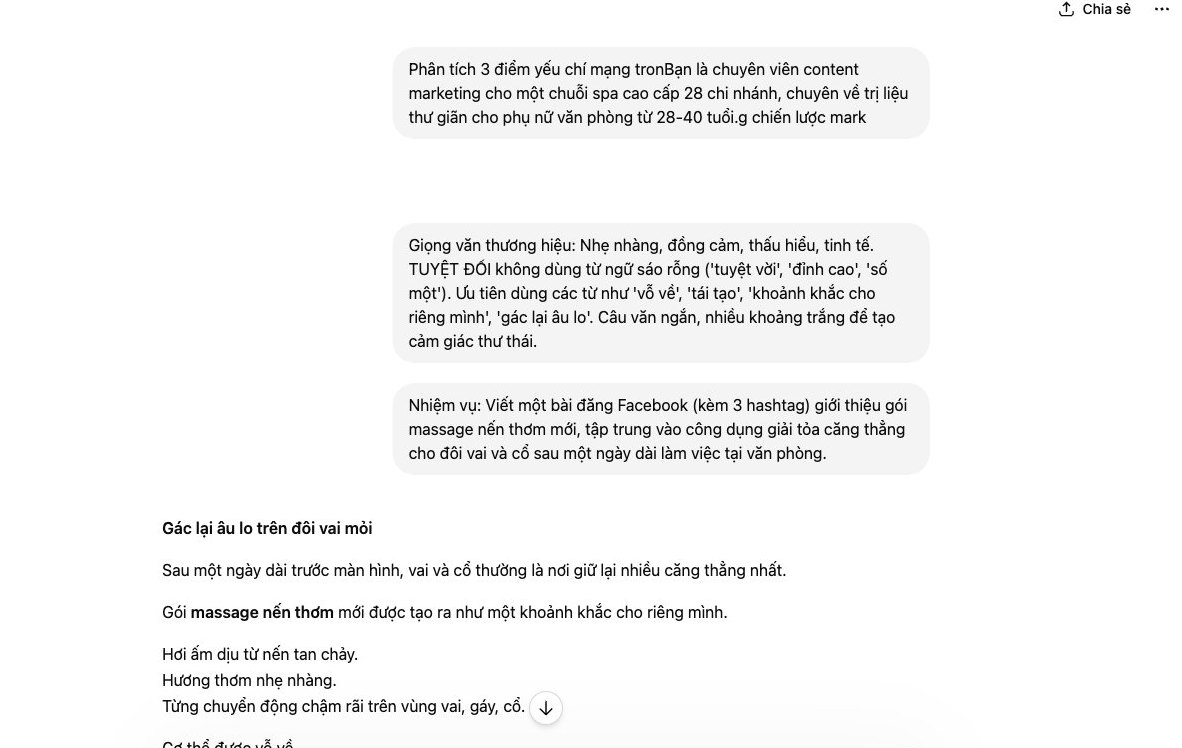
Many business owners and marketing teams struggle with posting every day. It eats time and ideas start to repeat. We at MONA also manage many social channels, so we built a standard process with ChatGPT.
This process lets the MONA team produce a batch of social content in just one hour. Everything stays varied and on brand, and most importantly it costs nothing extra.
This is the most important prep step and it decides the quality of the output. You need to give ChatGPT good raw material. Everything starts here.
First, list the main topic clusters your business wants to talk about. For example, for a company website design like MONA, the topics could be: Benefits of an SEO-friendly website, Page load speed, Website security, New design trends.
Next, for each topic, list the related keywords your potential customers often search for. This work matters a lot for later campaigns full-scope SEO . You can use keyword research tools, or simply put yourself in the customer’s shoes.
Once you have the topic library, ask ChatGPT to work through it from several angles. Don’t just command “write a post about topic A”. Ask it to play a role and approach the problem in different ways.
An effective prompt formula we often use:
This way, from one topic you already have 9 posts in 3 completely different tones.
After you have the rough posts, use ChatGPT itself to create variations. This technique gives you enough content for a whole month without duplicates. It is a small trick, but it works well.
You can give commands like these:
With just a few simple commands, the amount of content multiplies. Each version suits a different channel or audience.
ChatGPT is a powerful assistant, but it cannot fully replace people. The last step is always review and polish. Your team needs to reread all the content.
This process makes sure of the following:
This step takes only about 15-20 minutes, but it decides whether your content truly connects with customers.
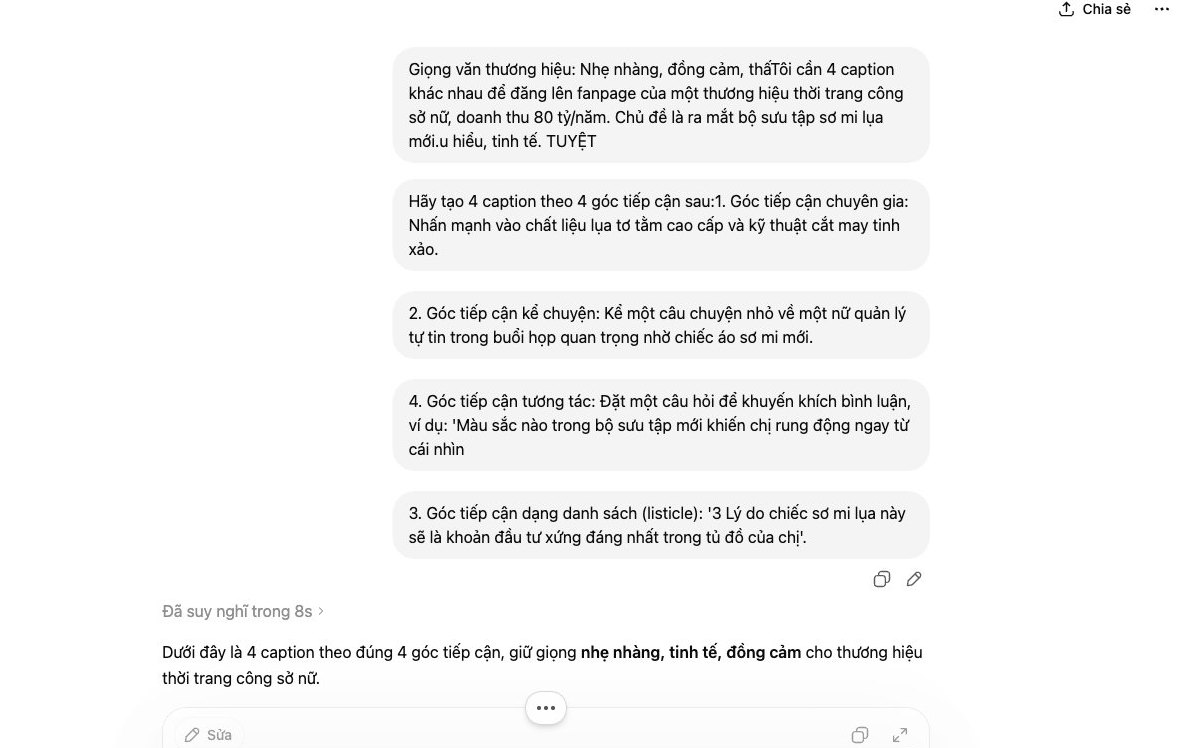
Often ChatGPT’s answer is not quite what you wanted. Instead of fixing it by hand or rewriting the prompt from scratch, there is a much better trick: make it act as an editor, judge its own work, and fix it.
This technique lifts output quality to a new level and saves your team a lot of time. We at MONA also use this trick regularly in our content creation and SEO optimization work for clients.
Just like assigning work to a staff member, you need to give a very specific set of criteria. The AI cannot read our minds. A draft gets judged “bad” because it fails expectations nobody spoke out loud.
List your requirements clearly in the prompt. For example:
Once you have the criteria, give a direct command. Ask it to act as a tough editor and pick apart the post it just wrote. Don’t hesitate to be firm.
A sample prompt you can use: “Based on the 5 criteria I gave you, analyze and point out the 3 weakest points of the paragraph you just wrote. Explain specifically why they fall short.”
Once the AI has spotted its own mistakes, the next step is simple. Just ask it to write a better version that fixes every weakness it listed. This step takes almost no thought.
The prompt can be short: “Good. Now rewrite a new version that fixes all the errors above.”
At this point you will have at least two versions to compare: the original and the “self-corrected” one. Our last job is a final review, then picking the better one or combining the good ideas from both.
The final decision is still yours. The tool only gives us better material to decide faster, instead of fumbling from scratch.
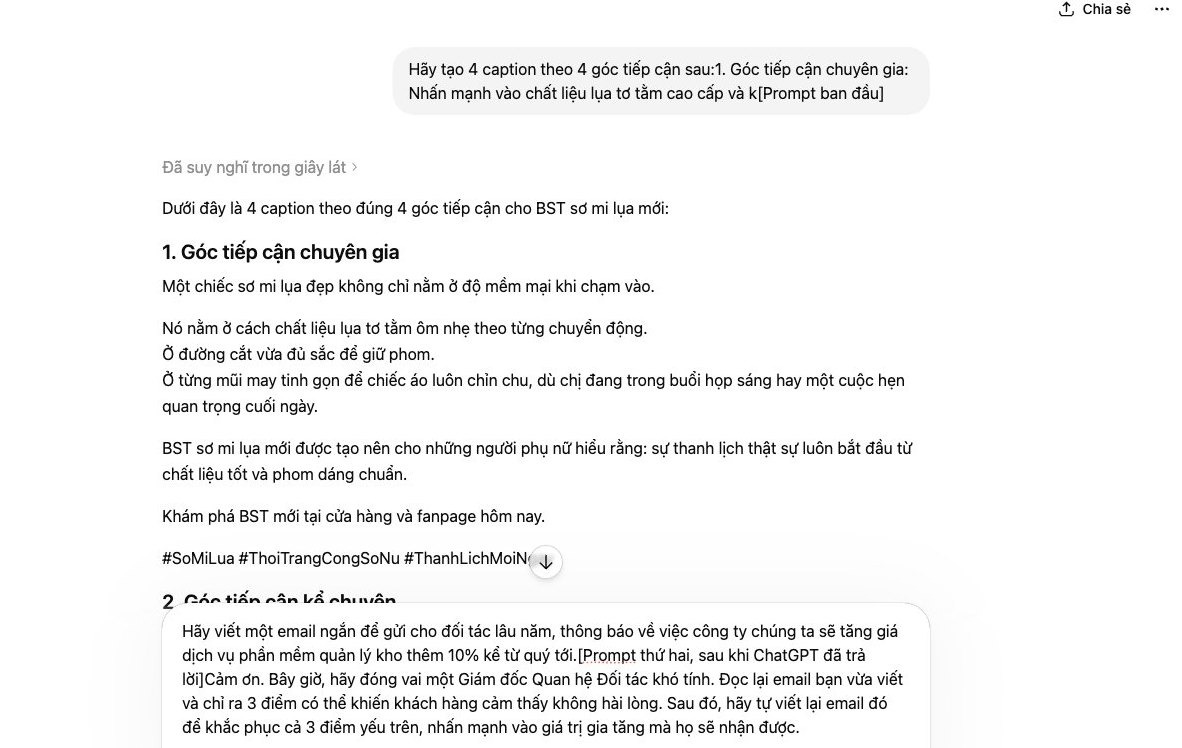
The free version of ChatGPT is a very strong personal tool. But as your business grows, using scattered tools starts to create new bottlenecks. We all see it: the bigger the scale, the clearer the limits of free tools become.
This is not the tool’s fault. It just means your business has reached the point where it needs a system designed for it.
Every day, marketing staff copy and paste dozens of times. They take product info from an Excel file, paste it into ChatGPT to write descriptions, then copy the result over to the website. Each action takes only a few minutes, but it adds up to hours wasted every week across the team.
We solved this problem for a fashion retail chain. MONA built a small module that plugs straight into their product management system. The system automatically pulls the data, uses AI to produce 5 versions of each product description from different angles, then pushes them directly to the website and e-commerce marketplaces. Staff only need to do a final review.
The company’s knowledge is scattered across each employee’s ChatGPT account. The best prompts and the most effective content ideas are never shared or passed on. When someone leaves, those invisible assets leave with them.
We need a central “brain”. With the ERP and CRM systems developed by MONA, all data is stored in one place. AI modules can access this internal data store to produce reports, emails, or content that is accurate and matches the brand voice and the company’s history. Everything stays consistent.
This is a red line. We cannot put sensitive customer information, financial reports, or plans for a new product launch into a free tool with no control over it. The risk of a data leak is real and can seriously damage your company’s reputation.
With custom automation software , MONA makes sure all data is processed in a closed environment, on your own servers. Company data belongs to the company. Fully secure. This is a mandatory standard as a business grows.
An effective process cannot have manual stops. Marketing uses ChatGPT to create ad content and bring in leads. Then they have to export an Excel file and send it to the sales team. Sales then types it in by hand into CRM software. The data breaks up, gets delayed, and picks up errors at every handoff.
A seamless system works differently. When a customer fills out a form on a website designed by MONA, the information flows straight into the CRM. The system scores the lead automatically, assigns it to the right salesperson, and triggers an automated nurture email sequence. Every department works on a single data flow, with no delay.

CEO & Founder · The MONA
Founder of The MONA, who built a services company of 60+ staff with 14,000+ projects delivered. Khánh Hùng shares how he thinks about building systems that run themselves, automating a business, and the real lessons from delivering projects at MONA.
 393




Professional website
design services
Own a website with a beautiful, 100% exclusive design and a lifetime warranty, with the ability
to expand features flexibly as your business grows, starting today!






 MONA will never sell your information or send you spam


 MONA will never sell your information or send you spam
