
 MONA OS 2.0
 Partner with MONA


 Tự động hoá doanh nghiệp
 Cẩm nang SEO
 Digital Marketing
 Kinh nghiệm thiết kế website
 Hạ Tầng Server
 Giáo dục


 VI
 EN














Message us on
Zalo Official


 ProductsNew

 ProductsProducts
 Mới ra mắtKHA AI 2027App tự edit video, tự đăng mọi mạng xã hội, 2 phút mỗi ngày










 Website designLooks good and wins customers over.
SEO servicesBrings in customers searching for exactly what you sell.
 Tư vấn digital marketingKéo khách từ nhiều kênh, đo bằng số thật.
Corporate video productionVideos introducing your company, factory and team.
 NewAI video productionCompany story films made with AI.
 Custom software developmentCRM, ERP and HRM built for your business.
 Viết AI Agent theo yêu cầuĐặt riêng một trợ lý AI cho đúng việc của mình.
 Tư vấn chuyển đổi AIĐưa AI vào vận hành của cả công ty.
NewMONA LMSManagement for centers and schools.
MONA SkillHubInternal training for company staff.
 NHTQ systemEnd-to-end China–Vietnam shipping operations.
MONA JMSManagement for gold, diamond and pawn shops.
 MONA E-LearningA website with every feature you need to sell courses.
 How to sell online courses (course)More than 30 free lessons on selling courses on autopilot.
 MONA Cloudmonacloud.vnServers to get your apps and websites running.
 MONA Basemonabase.vnPostgres database, sign-in and file storage.
 MONA Mailmonamail.vnSend OTP, order and invoice emails from your software.
 MONA Paymonapay.vnAccept bank transfers via VietQR and notify your software when the money arrives.
 MONA eInvoiceComing soonIssue e-invoices that meet tax standards.
Gấu CườiTrả lời khách 24/7 trên web, Fanpage, Zalo và thu lead cho sale.
 Gấu TeleSalesGọi điện tư vấn, chăm khách như tổng đài viên thật.
Dê CườiTư vấn và chốt đơn cho shop ngay trong khung chat.
Gấu WebmasterNhắn nhóm Zalo là website được sửa xong.
 Gấu Pháp ChếSoạn hợp đồng, rà điều khoản trong vài phút.
 Gấu Báo GiáLên báo giá đúng mẫu và gửi khách ngay.
 AI chăm sóc khách hàngTheo dõi và giữ chân khách hàng cũ.
 Gấu Tuyển DụngLọc hồ sơ, hẹn lịch, phỏng vấn ứng viên.
 Mới ra mắt
KHA AI 2027
Xây kênh chuyên gia 2 phút mỗi ngày
Quay bằng điện thoại, AI tự edit video, tự đăng lên 16 nền tảng và tự trả lời bình luận, tin nhắn.
924.584lượt xem trên kênh CEO MONA sau 41 ngày
 Anh Khánh HùngCEO MONA đang dùng mỗi ngày
Xem app làm được gì
 AI
Gấu Cười MONA ĐANG TỰ XÀITrả lời khách 24/7 trên website, Zalo OA, Messenger và thu lead về cho sale.
Dê CườiChốt đơn bán lẻ và sàn: Shopee, TikTok Shop, web. Chăm cả khách sỉ, đại lý.
Gấu WebmasterCập nhật nội dung, tối ưu SEO website mỗi ngày.
Gấu TeleSalesGọi điện tư vấn, chăm khách như tổng đài viên thật.
Gấu Tuyển DụngLọc hồ sơ, hẹn lịch, phỏng vấn ứng viên tự động.
AI chăm sóc khách hàngGiữ khách cũ, cứu lead đã rớt cho phòng kinh doanh.
Gấu Pháp ChếSoạn hợp đồng, rà điều khoản trong vài phút.
Gấu Báo GiáLên báo giá đúng mẫu, gửi khách ngay khi có yêu cầu.
 Chuyển đổi AI toàn phầnGiải pháp tổng cho doanh nghiệp, 3 lớp triển khai.
 Viết AI Agent theo yêu cầuĐặt riêng một con AI gánh đúng nghiệp vụ của bạn.
 Custom softwareCRM, ERP and HRM with built-in AI automation.
 SEO & AEO thời đại AIĐược Google lẫn AI trích dẫn, không chỉ xếp hạng.
 Kiến thức AI cho doanh nghiệpBài phân tích, hướng dẫn ứng dụng AI vào vận hành.
 Free AI courses
 AI tools at work
App mới · KHA AI 2027
Xây kênh 2 phút mỗi ngày
AI tự edit video, tự đăng mọi mạng xã hội
Free consultation, 8am–10pm every day

13 June, 2026

Today, using AI tools like Claude is a core strategy for businesses that want to keep their competitive edge. We understand you're looking for practical ways to streamline your business processes, especially in sales and customer care. In this article, MONA shares tips for using Claude to sell and support customers as effectively as possible, from building interaction scripts to automating replies. Together, we'll explore what Claude can do to raise your team's performance, give customers a better experience and grow revenue sustainably.
Your sales team needs to move fast. Claude speeds things up considerably. It helps salespeople research, draft documents and build scripts in just minutes. Saving time is saving money, and you'll see the practical value right away.
Writing a sales email for each customer takes a lot of effort. Claude can do it for you. You only need to provide basic information about the customer and the product, and Claude drafts the email immediately. The content is personalized and engaging, easy to edit, quick to send, and gets replies sooner.
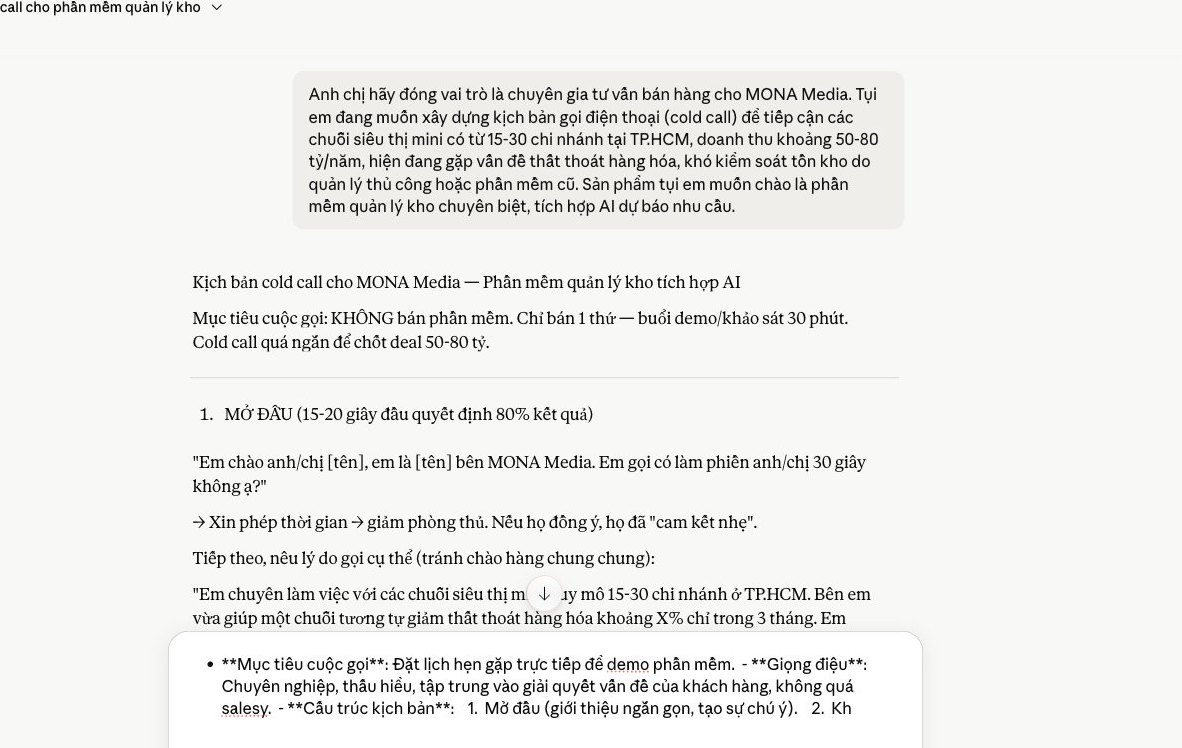
For example, you can tell Claude: “Write a sales email to the CEO of a packaging manufacturer, introducing an AI-integrated warehouse management software. Emphasize less waste and higher efficiency. Use a professional, concise tone.” The result is a complete draft. Very convenient. Your staff don't need to overthink it and can focus on closing the sale.
A good sales script guides every conversation. Claude helps you build one. You give it the goal, the audience and the key points to convey, and Claude produces a detailed script for calls or chat. Done quickly.
We often show customers how to ask Claude for scripts that handle objections. For example, simply say: “Build a call script for selling a CRM software package to small and medium businesses. Include how to handle common objections like ‘too expensive’ or ‘not necessary right now’.” Claude delivers. Your sales team gets a playbook and feels more confident when they talk to customers.
Quality content attracts customers, and Claude is a capable assistant. You can use it to sketch ideas, then turn them into ad copy and sales articles. It happens in a flash and saves editing time.
You can ask Claude: “Come up with 5 Facebook ad headlines for an in-depth SEO course. The audience is business owners who want to do their own marketing. Each headline must show urgency and a clear benefit.” Claude gives you a list, and you develop it into a finished piece. Productivity rises noticeably, and your marketing team gets more time to focus on overall strategy.
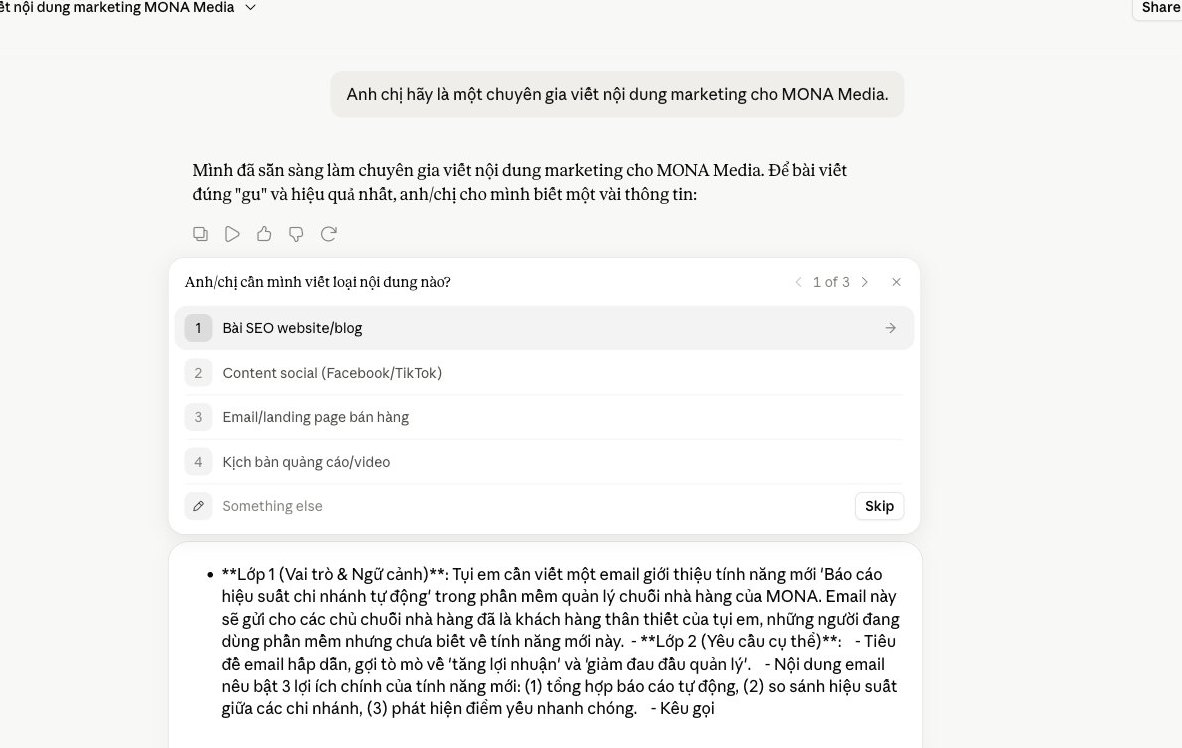
For Claude to be a real assistant, you need an in-depth prompt formula. Generic commands rarely give the results you want. We need to make Claude stick to your brand voice, and it has to understand your specific business goals. We've distilled a 3-layer formula. It's the secret to getting accurate, well-fitted content out of Claude.
This is the first step. You need to state clearly what role Claude plays. The role matters a lot. Claude can be a marketing expert, an experienced salesperson or a creative writer.
Then give detailed context, meaning the specific situation. For example, you're running a campaign for a new product launch, or replying to an email from a prospect. The clearer the context, the easier it is for Claude to find its direction. Claude understands the problem correctly and gives the most fitting response.
A good prompt starts like this: “You are the marketing expert for brand X. The context is the launch campaign for the new product line Y. The goal is to attract young customers.” Claude will take the right frame.
This step helps Claude absorb your brand identity. Brand voice is the core. Include concrete examples: past articles that performed well, signature slogans, or approved customer care emails.
Claude learns your word choices, imitates your sentence structure and mimics your communication style. The richer the data, the faster Claude learns. It produces consistent content that doesn't drift from your brand's tone. This is the secret to avoiding generic replies.
You can add: “Here are 3 examples of Facebook posts that got high engagement. Analyze the tone and word choice. Then apply them to the content you create.” Claude learns on its own. That's its strength.
The end goal needs to stand out. What do you want Claude to achieve? It could be more social engagement, a higher conversion rate, or simply answering customer questions. The goal must be specific and measurable.
The output format matters just as much. Do you need a sales email? A telesales script? Or a standard blog post SEO? Specify the content type clearly. Claude will know how to organize the information and present it in the right structure.
For example: “The goal is to generate 50 new leads. The format is a 3-part email marketing sequence. Each email is under 200 words.” Claude stays on track and optimizes the result, which makes the work easier for you to manage.
Apply this 3-layer prompt formula and you'll see Claude work far more effectively. Claude becomes indispensable. We've applied this approach in MONA's web design and SEO projects, with very positive results. It saves time, and content quality goes up as well.
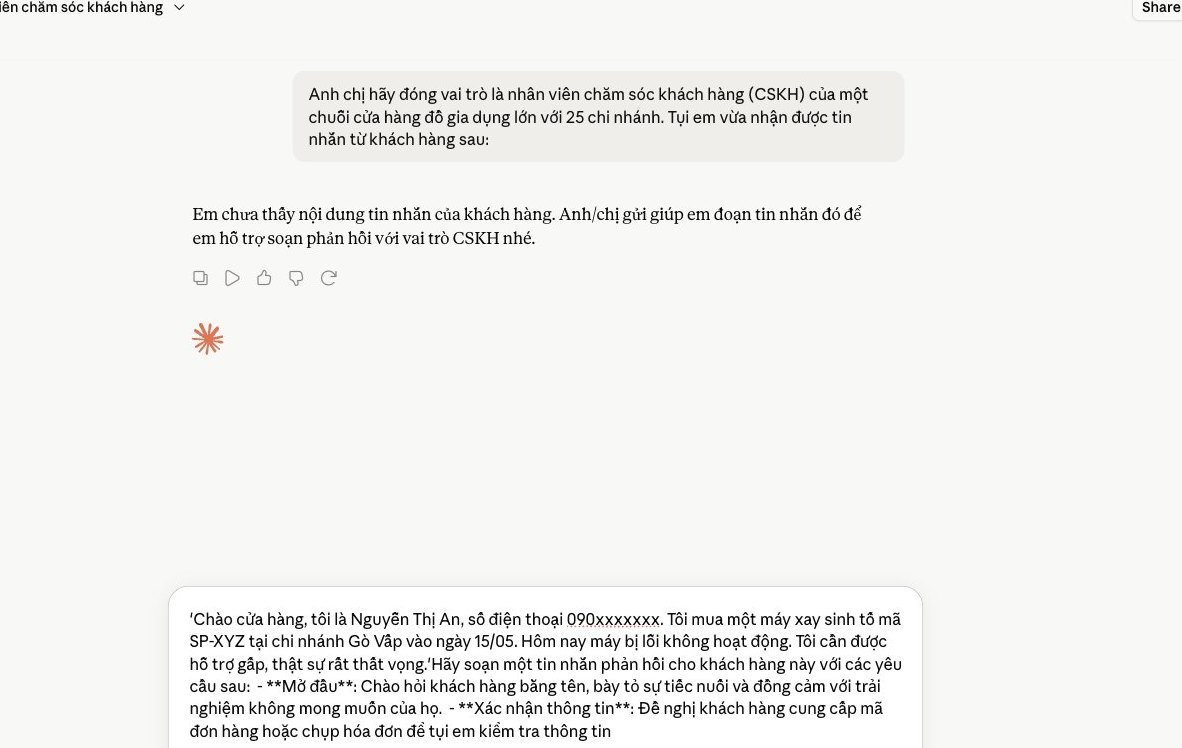
Using Claude in customer care helps your team respond faster. Still, keeping each customer's experience personal and well understood is always a challenge. We need to set Claude up to support automatic yet personalized replies.
That way customers don't feel they're talking to a machine. Instead, they get timely, accurate support, as if from a dedicated specialist.
For Claude to handle FAQs well, you need to provide a solid knowledge base. This is the foundation that lets Claude answer accurately and consistently. We usually build a detailed set of questions and answers, along with product and service information.
Train Claude to recognize customer intent. Claude then pulls out the most suitable answer. This takes a lot of load off your staff and lets them focus on more complex cases.
One of Claude's biggest strengths is synthesizing information. You can feed a customer's entire chat history into Claude, and it quickly produces a summary of the issues that have come up.
As a result, customer care staff grasp the context without spending time rereading. They can respond instantly, and customers don't have to repeat their problem. That understanding makes customers feel cared for.
Claude can act as a mini consultant for your team. Given a customer's profile, past transactions and current needs, Claude analyzes them and suggests suitable solutions or products.
This helps increase cross-selling and upselling. More importantly, Claude can make suggestions naturally, so customers feel advised rather than pitched to.
Raw sales data often holds valuable insights. But sifting through it and making sense of it takes a lot of time. Reading hundreds of pages of reports every month can feel overwhelming. Claude helps us solve this challenge. This AI tool turns complex data into easy-to-understand information, and it helps you spot hidden growth bottlenecks.
We'll walk you through it step by step. This is how to make the most of Claude and get the most value out of your sales data.
You often face long revenue reports packed with figures. Claude can process files such as CSV, Excel or text. Just upload your data and make a specific request. For example: “Summarize revenue by product for the last quarter. State clearly the best-selling and worst-selling products.”
Claude quickly pulls it together and presents the results coherently. You get the big picture easily, without spending hours, and the key points are clearly displayed.
Understanding customer behavior is key in business. Claude helps you analyze transaction history and identify hidden trends. You can ask questions like: “What else do customers who buy product A usually buy?” or “When during the year does product B sales spike?”
Claude scans the data and finds the connections. You'll see which product groups are often bought together, and peak shopping seasons become clear. This is an effective way to read your customers.
Analyzing data is only the first step. What matters more is turning insights into action, and Claude can help with that. After analyzing reports and trends, ask Claude for recommendations. For example: “Based on the analysis above, propose 3 strategies to increase sales of product C next quarter.”
Claude pulls the information together and offers specific, feasible suggestions. You get detailed action plans, which makes improving business performance clear and makes rollout much easier.
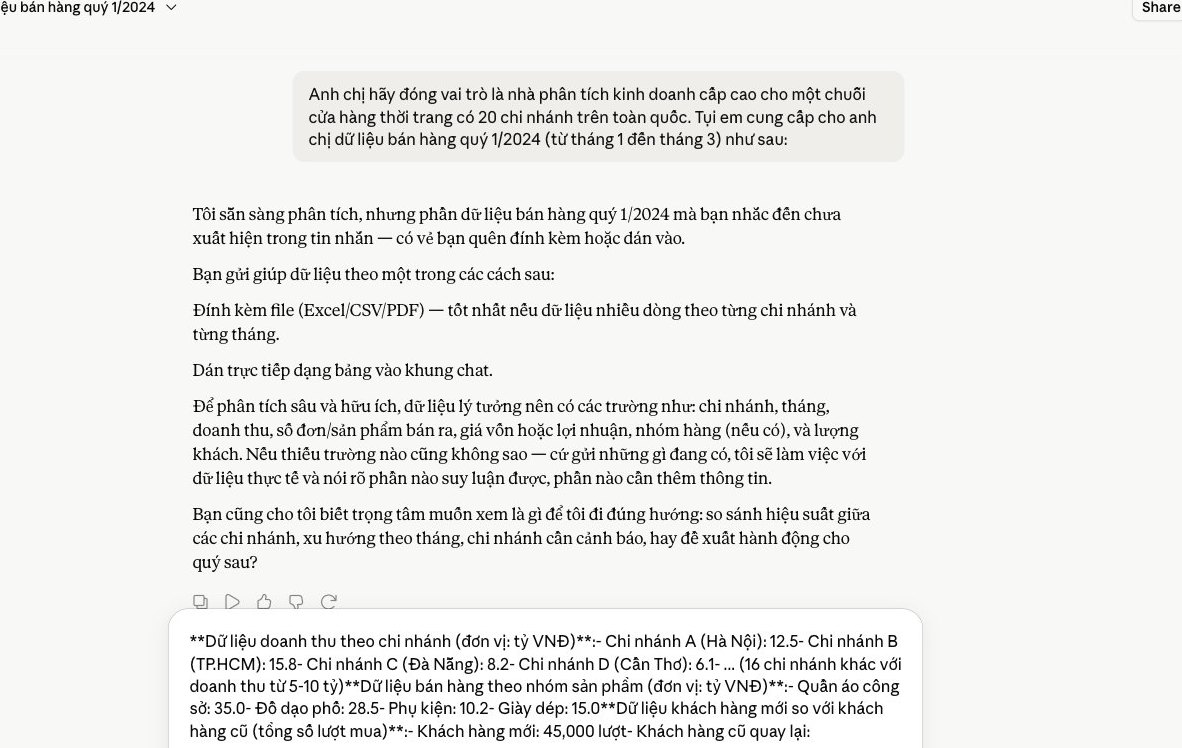
Modern marketing demands speed. You need to keep testing new content, which takes a lot of time and staff. Claude is a tool that helps solve this challenge. Output goes up noticeably, you can easily produce batches of high-quality drafts, and campaigns get optimized more effectively.
A successful campaign needs plenty of headline and description options. You can't rely on just a few initial ideas. Claude helps generate different variations and a fresh perspective, in just a few minutes.
For Claude to deliver, you need to provide detailed information. Describe the product, the target audience and the ad goal. For example, you could enter a prompt like this:
Claude returns a list of options. You can pick from them or ask for adjustments. This speed lets us run A/B tests continuously, and the return on your marketing spend improves.
A social media presence is essential, but keeping up a steady flow of content is a challenge. Claude is a capable helper. It helps you brainstorm ideas, and we can develop content for different platforms.
You can ask Claude to generate post ideas, including short video scripts, carousel content or stories. Give it the main topic and the audience. Claude suggests fitting content, and we save a lot of time.
Example prompt:
Claude helps you keep a steady posting schedule while keeping content quality up, and you get more time to focus on strategy. At MONA, we regularly use Claude to help our SEO and content team produce engaging articles, which improves search rankings effectively.
A landing page is where prospects convert, and an effective one needs persuasive copy. Drafting usually takes a lot of effort. Claude can help you cut that time. It produces the initial structure and content, and you just refine it afterward.
Give Claude information about the product or service, plus the main benefits, differentiators and target audience. Claude writes a complete draft that includes the headline, intro, benefits, sample testimonials and a call to action.
Example prompts:
MONA helps you build website and high-converting landing pages. We combine the power of AI with hands-on experience, which delivers the best results for your business. Using Claude helps our team ship faster.
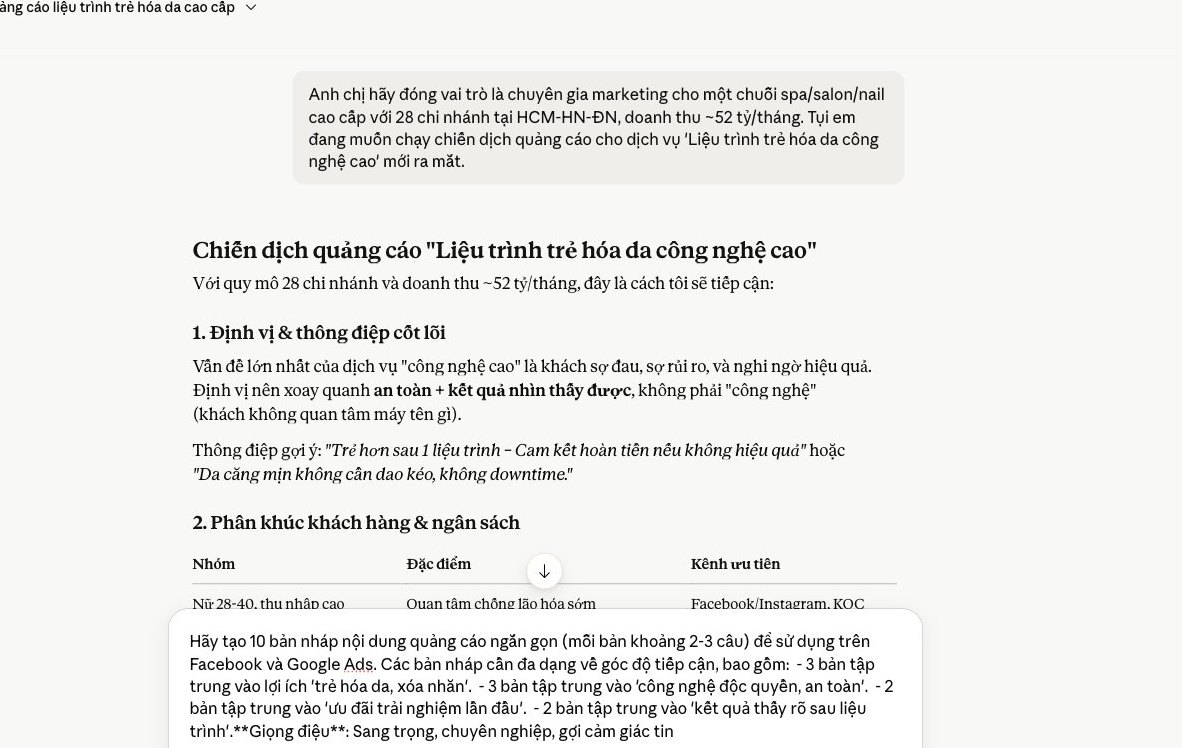
Even though Claude delivers impressive results on many tasks, we need to be frank about the limits of standalone AI tools. When a business wants a seamless, truly effective operation, scattered pieces aren't enough. We need a longer-term vision.
Using many separate AI tools easily leaves data scattered. Customer information, orders and marketing campaigns can end up trapped in different platforms. That makes it hard to get a full picture of business performance, and fragmented data weakens analysis and accurate decision-making.
We understand this burden. We've had the headache of pulling reports together from many sources. MONA uses Claude for text processing and small data analysis, but we always integrate it into one centralized management system. That way every department looks at a single source of information, which reduces errors and saves a lot of time. It helps departments work more effectively.
Entering sensitive data into public AI tools always carries security risks. You may worry about customer information leaking, and complying with data protection regulations becomes a major challenge too. It's a big concern for every business, especially when data is a valuable asset.
MONA always puts security first. We use secure APIs to connect Claude and other tools. Sensitive information is encrypted or processed in-house, and MONA builds software with multiple layers of its own protection. This keeps customer information safe and avoids unwanted legal consequences. Peace of mind is priceless.
Standalone AI tools usually have limits on features and scale. They can't fully serve each business's specific processes, which becomes obvious as you want to expand. A single tool will struggle to “grow” with your business. It lacks flexibility.
MONA understands this well. We design automation software to each customer's specific requirements. MONA uses AI as the technology core, but we customize it for each business process. That way the system grows with your business, delivering better and more lasting results. It's a long-term solution.

CEO & Founder · The MONA
Founder of The MONA, who built a services company of 60+ staff with 14,000+ projects delivered. Khánh Hùng shares how he thinks about building systems that run themselves, automating a business, and the real lessons from delivering projects at MONA.
 213




Professional website
design services
Own a website with a beautiful, 100% exclusive design and a lifetime warranty, with the ability
to expand features flexibly as your business grows, starting today!






 MONA will never sell your information or send you spam


 MONA will never sell your information or send you spam
