
 MONA OS 2.0
 Partner with MONA


 Tự động hoá doanh nghiệp
 Cẩm nang SEO
 Digital Marketing
 Kinh nghiệm thiết kế website
 Hạ Tầng Server
 Giáo dục


 VI
 EN















Message us on
Zalo Official


 ProductsNew

 ProductsProducts
 Mới ra mắtKHA AI 2027App tự edit video, tự đăng mọi mạng xã hội, 2 phút mỗi ngày










 Website designLooks good and wins customers over.
SEO servicesBrings in customers searching for exactly what you sell.
 Tư vấn digital marketingKéo khách từ nhiều kênh, đo bằng số thật.
Corporate video productionVideos introducing your company, factory and team.
 NewAI video productionCompany story films made with AI.
 Custom software developmentCRM, ERP and HRM built for your business.
 Viết AI Agent theo yêu cầuĐặt riêng một trợ lý AI cho đúng việc của mình.
 Tư vấn chuyển đổi AIĐưa AI vào vận hành của cả công ty.
NewMONA LMSManagement for centers and schools.
MONA SkillHubInternal training for company staff.
 NHTQ systemEnd-to-end China–Vietnam shipping operations.
MONA JMSManagement for gold, diamond and pawn shops.
 MONA E-LearningA website with every feature you need to sell courses.
 How to sell online courses (course)More than 30 free lessons on selling courses on autopilot.
 MONA Cloudmonacloud.vnServers to get your apps and websites running.
 MONA Basemonabase.vnPostgres database, sign-in and file storage.
 MONA Mailmonamail.vnSend OTP, order and invoice emails from your software.
 MONA Paymonapay.vnAccept bank transfers via VietQR and notify your software when the money arrives.
 MONA eInvoiceComing soonIssue e-invoices that meet tax standards.
Gấu CườiTrả lời khách 24/7 trên web, Fanpage, Zalo và thu lead cho sale.
 Gấu TeleSalesGọi điện tư vấn, chăm khách như tổng đài viên thật.
Dê CườiTư vấn và chốt đơn cho shop ngay trong khung chat.
Gấu WebmasterNhắn nhóm Zalo là website được sửa xong.
 Gấu Pháp ChếSoạn hợp đồng, rà điều khoản trong vài phút.
 Gấu Báo GiáLên báo giá đúng mẫu và gửi khách ngay.
 AI chăm sóc khách hàngTheo dõi và giữ chân khách hàng cũ.
 Gấu Tuyển DụngLọc hồ sơ, hẹn lịch, phỏng vấn ứng viên.
 Mới ra mắt
KHA AI 2027
Xây kênh chuyên gia 2 phút mỗi ngày
Quay bằng điện thoại, AI tự edit video, tự đăng lên 16 nền tảng và tự trả lời bình luận, tin nhắn.
925.991lượt xem trên kênh CEO MONA sau 41 ngày
 Anh Khánh HùngCEO MONA đang dùng mỗi ngày
Xem app làm được gì
 AI
Gấu Cười MONA ĐANG TỰ XÀITrả lời khách 24/7 trên website, Zalo OA, Messenger và thu lead về cho sale.
Dê CườiChốt đơn bán lẻ và sàn: Shopee, TikTok Shop, web. Chăm cả khách sỉ, đại lý.
Gấu WebmasterCập nhật nội dung, tối ưu SEO website mỗi ngày.
Gấu TeleSalesGọi điện tư vấn, chăm khách như tổng đài viên thật.
Gấu Tuyển DụngLọc hồ sơ, hẹn lịch, phỏng vấn ứng viên tự động.
AI chăm sóc khách hàngGiữ khách cũ, cứu lead đã rớt cho phòng kinh doanh.
Gấu Pháp ChếSoạn hợp đồng, rà điều khoản trong vài phút.
Gấu Báo GiáLên báo giá đúng mẫu, gửi khách ngay khi có yêu cầu.
 Chuyển đổi AI toàn phầnGiải pháp tổng cho doanh nghiệp, 3 lớp triển khai.
 Viết AI Agent theo yêu cầuĐặt riêng một con AI gánh đúng nghiệp vụ của bạn.
 Custom softwareCRM, ERP and HRM with built-in AI automation.
 SEO & AEO thời đại AIĐược Google lẫn AI trích dẫn, không chỉ xếp hạng.
 Kiến thức AI cho doanh nghiệpBài phân tích, hướng dẫn ứng dụng AI vào vận hành.
 Free AI courses
 AI tools at work
App mới · KHA AI 2027
Xây kênh 2 phút mỗi ngày
AI tự edit video, tự đăng mọi mạng xã hội
Free consultation, 8am–10pm every day

11 June, 2026

In an age of information overload, filtering out noise and finding accurate data is a major challenge for every business owner. Perplexity has emerged as a powerful assistant, but not everyone knows how to use Perplexity effectively to get the best results. We know you need practical tips to turn this tool into a competitive advantage. This article walks you through it step by step, from basic setup to advanced query techniques, so you can get the most out of Perplexity in your daily work, especially in marketing and market research.

Many people treat Perplexity as just another version of ChatGPT. That undersells it. Perplexity is better at synthesizing and verifying information. It works like a quick, sharp researcher. It scans the internet, compiles data, and cites specific sources. That is the big difference. Three basic steps will help you tap this strength.
To get the most from Perplexity, ask direct, clear questions. Avoid questions that are too long or vague. Perplexity is designed to understand context. It automatically drops irrelevant words and focuses on the main point you want. For example, instead of asking "I want to know about the latest marketing trends for small businesses in Vietnam in 2024," shorten it to "Marketing trends for Vietnamese SMEs 2024". Clean and simple.
One key tip when using Perplexity is the "Focus" feature. It limits the scope of your search so it scans only certain sources. Choose "Academic" for scientific research, or "Writing" if you need writing ideas. It saves a lot of time by cutting out irrelevant information, so the results are more accurate.
Perplexity always shows its reference sources. Take the time to review the 5-7 main sources it gives. This is the key step. It ensures the information you get is reliable. It helps weed out misinformation. Some information may be outdated. Cross-checking is the right approach. You'll feel more confident about the data you use.
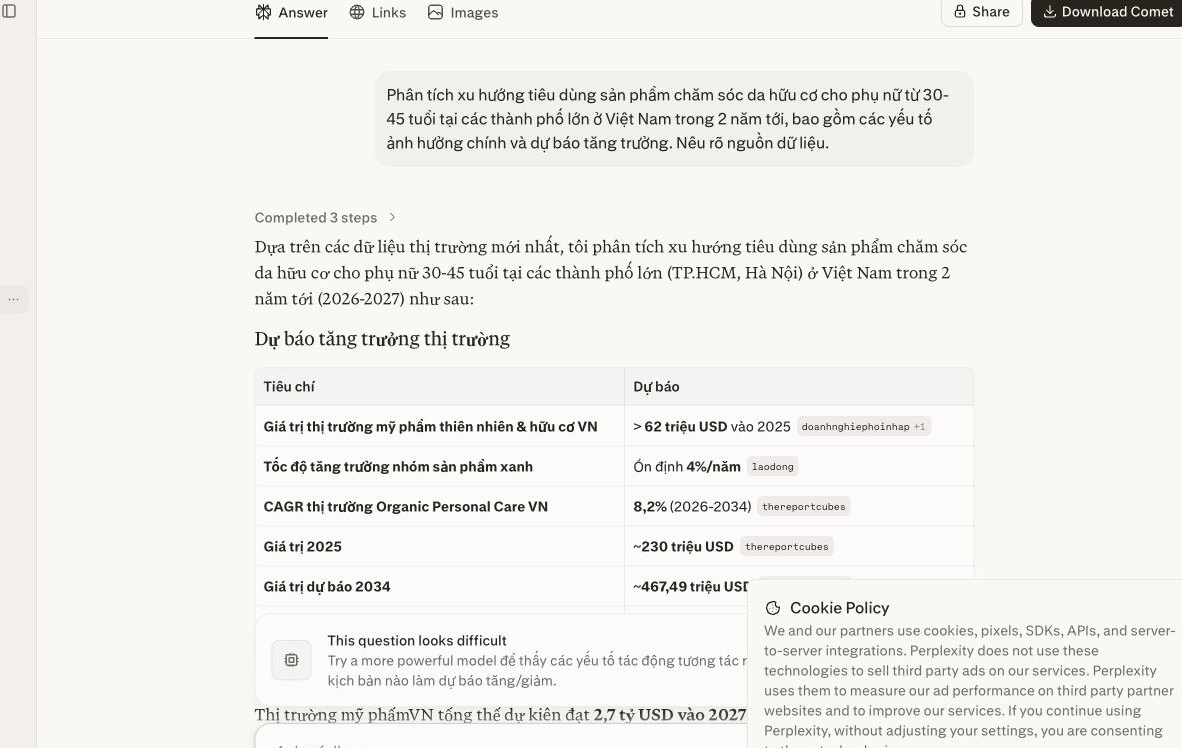
Many managers and marketing teams struggle with this. We know we need to find information, but we don't know how to ask the right question. This is where Perplexity's Question Builder feature shines.
The tool broadens your perspective. It digs deeper into the topic. You'll find questions you never thought of before. This is extremely useful for market research or content planning.
The first step is simple. Enter a general topic in Perplexity's search bar. This is the starting point of any research. For example, you could type: "SEO trends 2024 for Vietnamese businesses."
After Perplexity returns its first results, you'll see an option or button for "Question Builder." Click it. Perplexity immediately suggests many related questions. They are varied and open up different aspects of your original topic.
Perplexity shows a list of questions. Take time to review them and choose the ones that best match your research goal. We are looking for unique angles. This is the time to refine your direction.
For example, from the topic SEO 2024, Perplexity might suggest: "What is the impact of AI on local SEO?" or "How effective is a short-video content strategy for SEO?" Choosing selectively keeps you focused on the information you need most. From there, we can build SEO strategy more effectively.
What makes Question Builder powerful is that you can repeat it. After you pick a suggested question and Perplexity answers, you can keep using the feature. Apply it to the answer you just received. Perplexity will suggest even deeper questions.
We keep going with this process. You'll build a chain of in-depth questions, much like a professional researcher works. From there, you gather comprehensive knowledge. This leads to better-informed decisions for your business website and marketing campaigns.
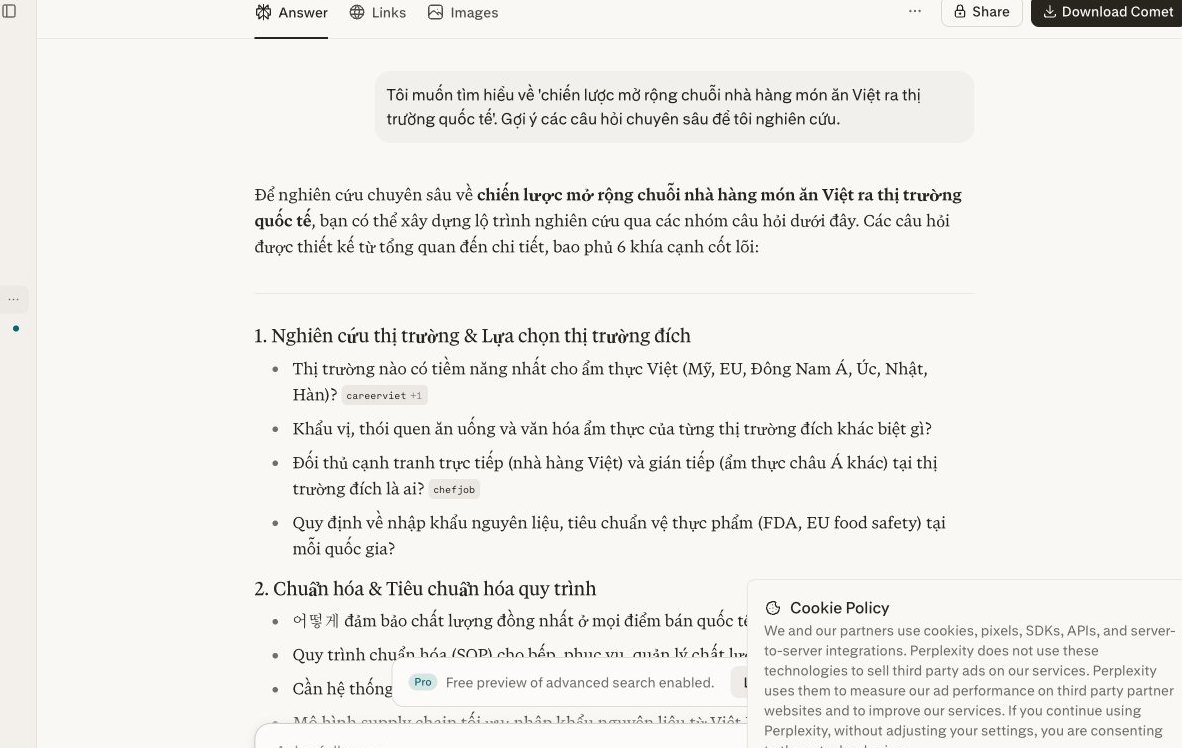
Many business owners use both Perplexity AI and Copilot at work. Understanding the difference between the two is the key to getting the most from each. We need to use the right tool for the right task. That saves time and improves the quality of the information you collect.
At MONA, we see this as a common mistake when first getting used to AI. Using a tool for the wrong purpose slows your workflow. Let's look at what role each tool plays.
Perplexity AI is built to be a powerful research tool. It works better when you need detailed, verified information with specific sources. Perplexity AI searches the internet, then compiles the results into a coherent answer. Above all, it always shows where the information came from, so you can easily check its reliability. You'll feel more at ease using it.
We should use Perplexity AI for work like in-depth market research and competitor analysis. It's also a good fit for planning content for high-quality SEO articles. You can read more in our article on MONA's SEO services. Perplexity AI also helps draft detailed reports and compile study materials.
Copilot, especially the browser-integrated version, has its own strengths. It's ideal for tasks that need speed and convenience. Copilot lets you interact directly with the content on your screen. You can quickly summarize a long article or email, which saves a lot of reading time. You can also ask Copilot to explain difficult terms. It answers based on the context of the page you're viewing. This is very useful when reading specialist documents.
Let's use Copilot in situations like: quickly grasping online reports and replying to short emails. Copilot also supports instant lookups while you browse. You can see more about website design services in Ho Chi Minh City to build a more user-friendly website.
To optimize performance, we recommend the 80/20 rule. Spend about 80% of your time on Perplexity AI for tasks that need deep research. Those are the jobs that create core value for the business. The remaining 20% goes to Copilot, which handles quick supporting tasks. This is a strategic approach. It lets you get the most from each AI tool.
This split ensures you always have accurate information while keeping up your working speed. It's an important tip. It helps business owners work smarter and raise overall performance.
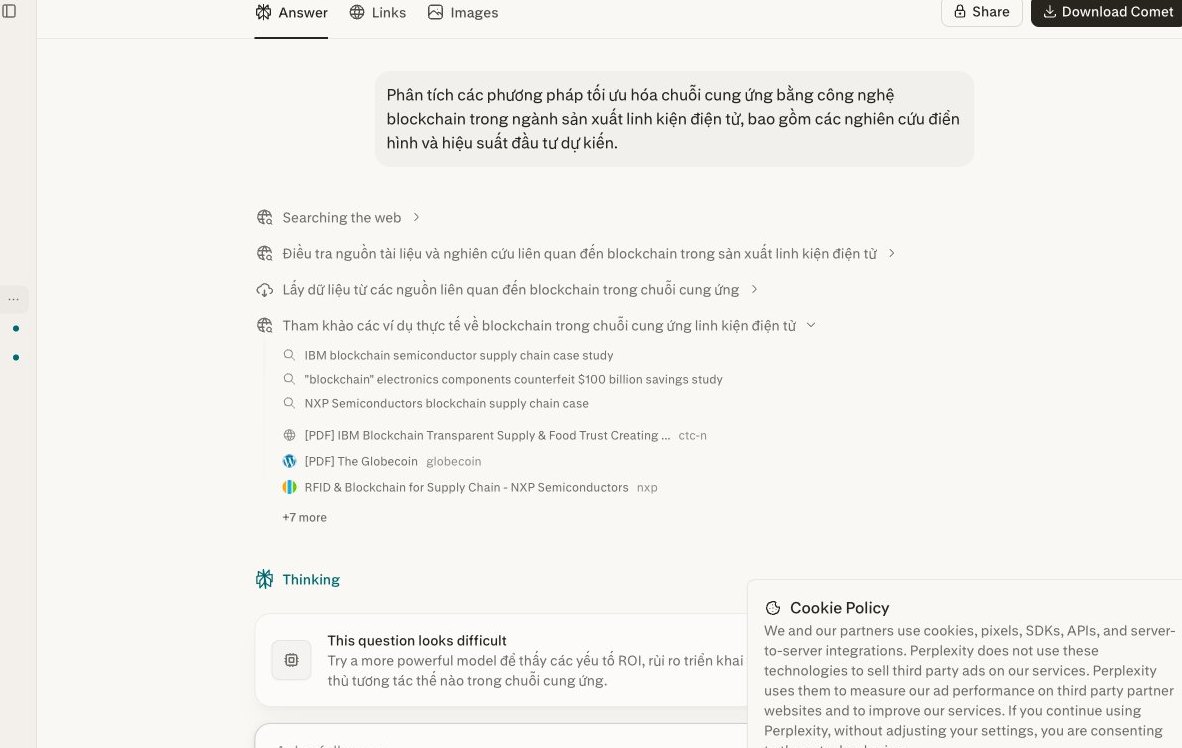
Business owners and marketing teams often spend hours reading and summarizing long financial reports. Or reviewing detailed legal contracts. Even processing information from screenshots eats up a lot of time. These are repetitive jobs that drain energy.
We understand this burden. Your valuable time should go to growth strategy, not to reading text line by line. Perplexity becomes a powerful helper. It lets you grasp the core content in seconds. A whole new way of approaching information opens up.
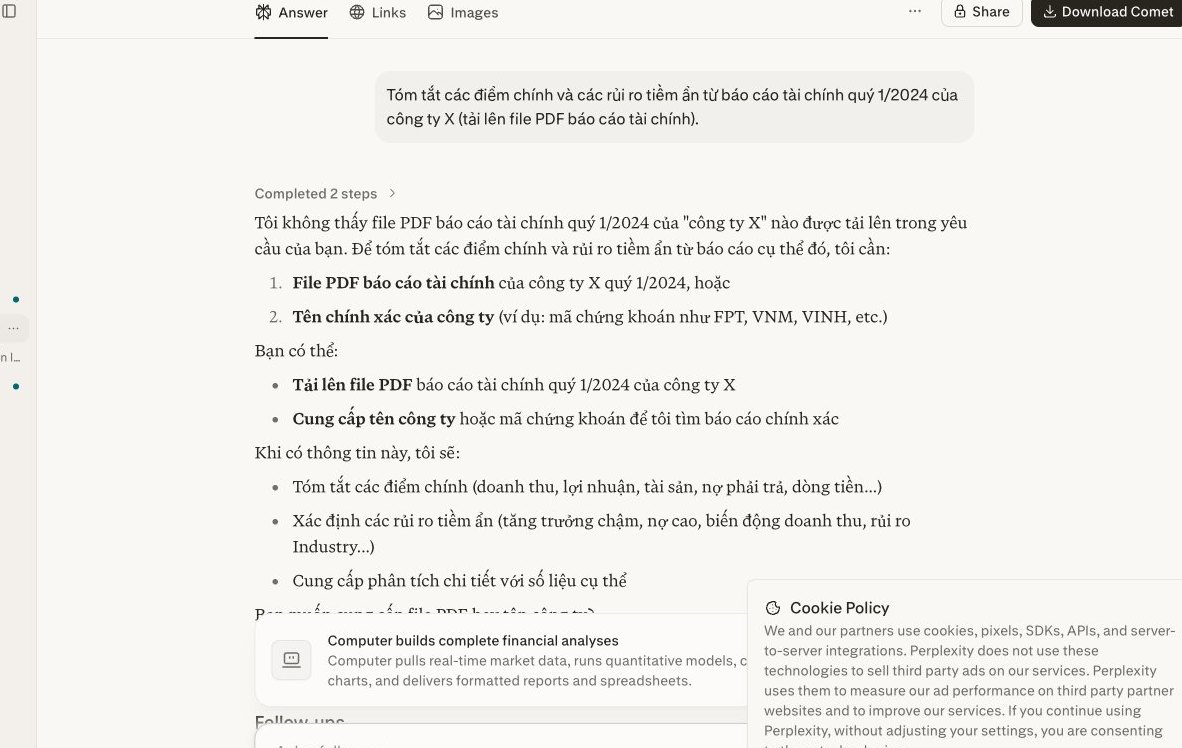
You can upload PDF files or images containing text directly to Perplexity. These could be a screenshot of a performance report or an important infographic. It's very simple. Just look for the attachment icon, usually a paperclip or a plus sign in the chat interface. Perplexity processes the uploaded document automatically. Fast and easy.
For contracts or reports in PDF form where you need to pull out a passage to edit, you can convert the PDF to Word for free on mona.media before bringing it into Perplexity.
Once the file uploads successfully, give a clear command. Ask Perplexity to summarize, analyze, or look up specific information. For example: "Summarize the 3 main points of this report." Or: "Analyze the Q2 revenue figures from this image." The more detailed the command, the more accurate Perplexity's result. Try different ways of phrasing commands to find what works best. Just experiment.
Even though Perplexity is a powerful tool, you still need to review the information. This step is extremely important. Pay particular attention to figures, proper names, or any sensitive content. Compare the AI's summary against the original passages in the document. This builds your confidence in the extracted data. Every decision should rest on accurate information. One small check brings a lot of safety.
However powerful Perplexity is, it is still a standalone tool. You can't expect Perplexity or any standalone AI tool to solve all of your business automation needs. These tools have a clear productivity ceiling.
They only optimize individual work. They cannot replace a seamless operating system. That is when a business needs a custom software solution. This is where MONA steps in.
You often face fragmented data. Marketing information sits in one place. Sales data sits in another. Operations manages work on its own platform.
Connecting these pieces of data takes manual work. Staff have to download, then re-enter into another system. That wastes time and invites errors. It breaks the flow of your processes.
A chain of separate AI tools can't solve this. They aren't designed to create an automatic, closed-loop data flow. The business loses its overall view and finds it hard to decide quickly.
Information security is a concern. You hold customer data, business strategy, and sensitive internal information. With manual handling, the risk of leaks rises. Every time staff copy, paste, or email, there is a risk.
Public AI tools carry risks too. They may use your input data to improve their models. That doesn't suit confidential business information. MONA understands this well.
Custom-code automation software provides a tight security layer. Data is encrypted and processed in a private environment. This protects your valuable information assets.
Perplexity helps staff search more efficiently. But each person still has to carry out the tasks. Productivity depends directly on the individual. As the business expands, the workload surges.
You'll need to hire many more people. Costs rise significantly. Training and management get more complicated too. This model is hard to scale sustainably.
A real automation system breaks through this ceiling. It runs repetitive processes without human intervention. You can scale up without a matching increase in headcount. Return on investment improves.
At MONA, we don't just provide solutions. We apply AI thoroughly to our own internal automation software. We use AI to streamline our processes. MONA automates everything from project management to performance tracking.
MONA understands the limits of standalone tools. That's why we build closed-loop software modules, customized for each client. They keep your data seamless and as secure as possible.
MONA has over 10 years of experience, with the company founded in 2016. We have successfully delivered 14,000+ projects. Our client retention rate is 85%. That reflects MONA's commitment and capability. We don't just sell technology. We work alongside businesses to create real results. Contact MONA to build the software that fits you best.

CEO & Founder · The MONA
Founder of The MONA, who built a services company of 60+ staff with 14,000+ projects delivered. Khánh Hùng shares how he thinks about building systems that run themselves, automating a business, and the real lessons from delivering projects at MONA.
 409




Professional website
design services
Own a website with a beautiful, 100% exclusive design and a lifetime warranty, with the ability
to expand features flexibly as your business grows, starting today!






 MONA will never sell your information or send you spam


 MONA will never sell your information or send you spam
