
 MONA OS 2.0
 Partner with MONA


 Tự động hoá doanh nghiệp
 Cẩm nang SEO
 Digital Marketing
 Kinh nghiệm thiết kế website
 Hạ Tầng Server
 Giáo dục


 VI
 EN











Message us on
Zalo Official


 ProductsNew

 ProductsProducts
 Mới ra mắtKHA AI 2027App tự edit video, tự đăng mọi mạng xã hội, 2 phút mỗi ngày









 Website designLooks good and wins customers over.
SEO servicesBrings in customers searching for exactly what you sell.
 Tư vấn digital marketingKéo khách từ nhiều kênh, đo bằng số thật.
Corporate video productionVideos introducing your company, factory and team.
 NewAI video productionCompany story films made with AI.
 Custom software developmentCRM, ERP and HRM built for your business.
 Viết AI Agent theo yêu cầuĐặt riêng một trợ lý AI cho đúng việc của mình.
 Tư vấn chuyển đổi AIĐưa AI vào vận hành của cả công ty.
NewMONA LMSManagement for centers and schools.
MONA SkillHubInternal training for company staff.
 NHTQ systemEnd-to-end China–Vietnam shipping operations.
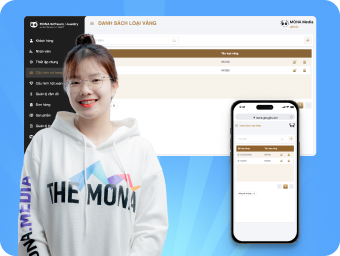
MONA JMSManagement for gold, diamond and pawn shops.
 MONA E-LearningA website with every feature you need to sell courses.
 How to sell online courses (course)More than 30 free lessons on selling courses on autopilot.
 MONA Cloudmonacloud.vnServers to get your apps and websites running.
 MONA Basemonabase.vnPostgres database, sign-in and file storage.
 MONA Mailmonamail.vnSend OTP, order and invoice emails from your software.
 MONA Paymonapay.vnAccept bank transfers via VietQR and notify your software when the money arrives.
 MONA eInvoiceComing soonIssue e-invoices that meet tax standards.
Gấu CườiTrả lời khách 24/7 trên web, Fanpage, Zalo và thu lead cho sale.
 Gấu TeleSalesGọi điện tư vấn, chăm khách như tổng đài viên thật.
Dê CườiTư vấn và chốt đơn cho shop ngay trong khung chat.
Gấu WebmasterNhắn nhóm Zalo là website được sửa xong.
 Gấu Pháp ChếSoạn hợp đồng, rà điều khoản trong vài phút.
 Gấu Báo GiáLên báo giá đúng mẫu và gửi khách ngay.
 AI chăm sóc khách hàngTheo dõi và giữ chân khách hàng cũ.
 Gấu Tuyển DụngLọc hồ sơ, hẹn lịch, phỏng vấn ứng viên.
 Mới ra mắt
KHA AI 2027
Xây kênh chuyên gia 2 phút mỗi ngày
Quay bằng điện thoại, AI tự edit video, tự đăng lên 16 nền tảng và tự trả lời bình luận, tin nhắn.
954.414lượt xem trên kênh CEO MONA sau 51 ngày
 Anh Khánh HùngCEO MONA đang dùng mỗi ngày
Xem app làm được gì
 AI
Gấu Cười MONA ĐANG TỰ XÀITrả lời khách 24/7 trên website, Zalo OA, Messenger và thu lead về cho sale.
Dê CườiChốt đơn bán lẻ và sàn: Shopee, TikTok Shop, web. Chăm cả khách sỉ, đại lý.
Gấu WebmasterCập nhật nội dung, tối ưu SEO website mỗi ngày.
Gấu TeleSalesGọi điện tư vấn, chăm khách như tổng đài viên thật.
Gấu Tuyển DụngLọc hồ sơ, hẹn lịch, phỏng vấn ứng viên tự động.
AI chăm sóc khách hàngGiữ khách cũ, cứu lead đã rớt cho phòng kinh doanh.
Gấu Pháp ChếSoạn hợp đồng, rà điều khoản trong vài phút.
Gấu Báo GiáLên báo giá đúng mẫu, gửi khách ngay khi có yêu cầu.
 Chuyển đổi AI toàn phầnGiải pháp tổng cho doanh nghiệp, 3 lớp triển khai.
 Viết AI Agent theo yêu cầuĐặt riêng một con AI gánh đúng nghiệp vụ của bạn.
 Custom softwareCRM, ERP and HRM with built-in AI automation.
 SEO & AEO thời đại AIĐược Google lẫn AI trích dẫn, không chỉ xếp hạng.
 Kiến thức AI cho doanh nghiệpBài phân tích, hướng dẫn ứng dụng AI vào vận hành.
 Free AI courses
 AI tools at work
App mới · KHA AI 2027
Xây kênh 2 phút mỗi ngày
AI tự edit video, tự đăng mọi mạng xã hội
Free consultation, 8am–10pm every day

15 June, 2026

NotebookLM for marketing suits you if you have lots of scattered documents, from product profiles, customer personas and price quotes to old articles and SEO data. Instead of having staff read file after file and rewrite by gut feel, we can turn NotebookLM into a research assistant that sticks to its sources. In this article, MONA walks you through using NotebookLM step by step to write more practical content, ads and SEO. We also spell out what the tool does well and where a business still needs a website, SEO and custom software to turn data into revenue.
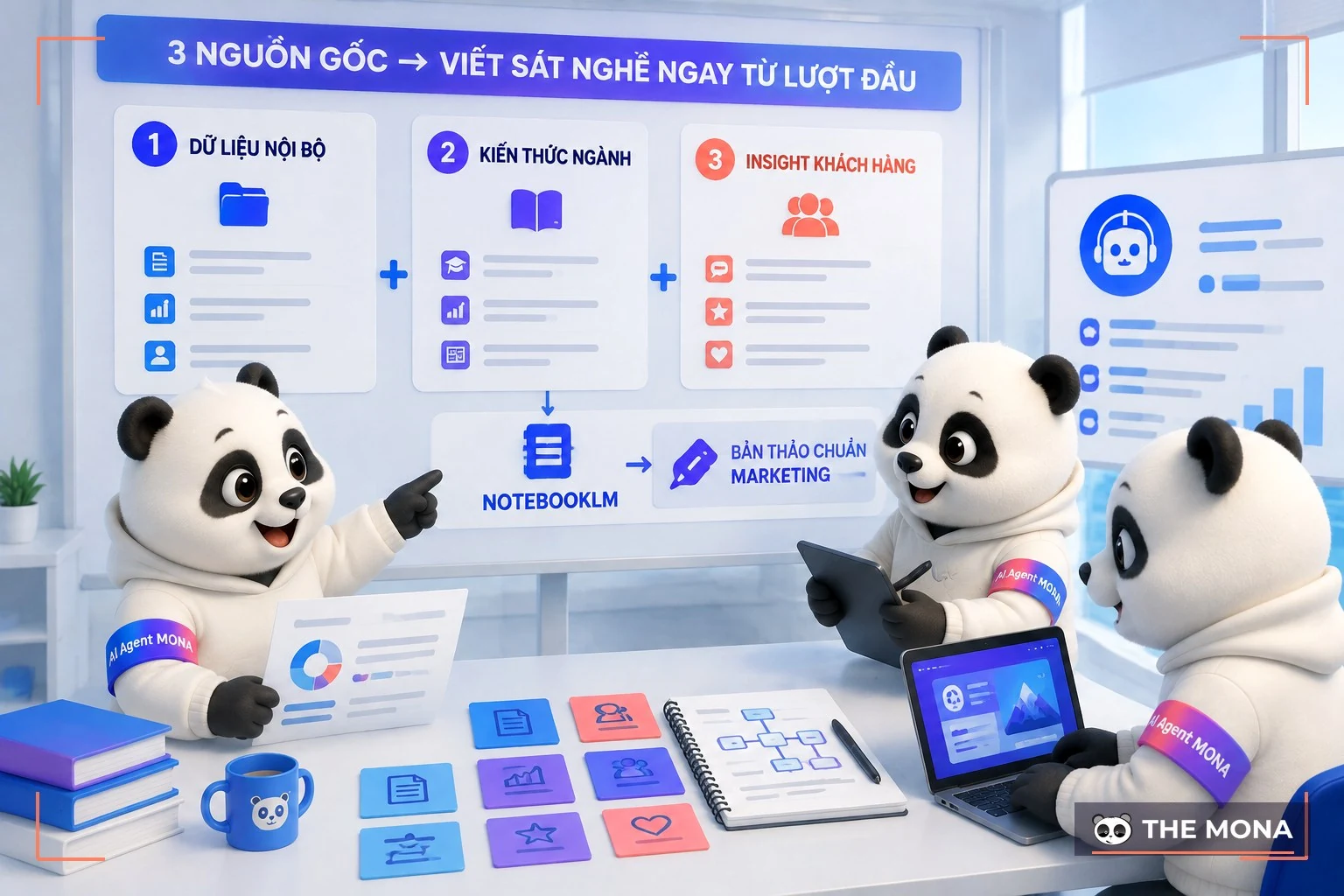
NotebookLM for marketing only writes well when you load the right base documents. With missing sources, the AI writes like a freelancer who does not yet understand your product.
This is a very common mistake. The content sounds smooth, but it gets sales priorities wrong, misses the brand voice and misstates the service's strengths.
We usually handle this step before writing. No sources loaded, no asking NotebookLM for an article.
Start with 3 groups of original documents: website pages, the company profile and the service list.
The website shows NotebookLM how the business presents itself. The company profile gives the AI your experience, process and proof.
The service list keeps the AI within your sales scope. This matters a lot.
If the business is rebuilding its website, prioritize sources from the new positioning document. AI content needs to follow the current strategy, not old documents.
For clients doing website design service at MONA, we usually gather the sitemap, service structure and sales messaging first. NotebookLM then reads the right foundation and does not ramble.
A single NotebookLM notebook should not hold everything. Too many mixed sources make it hard for the AI to tell the goals apart.
Split sources by task. This makes answers tighter and less likely to drift out of context.
We usually split them like this.
It takes a bit of effort up front. But it is worth it.
When writing an SEO article, turn on only the SEO group and the relevant service group. When writing ads, prioritize sales sources and customer objections.
For the SEO services, MONA usually separates keyword data from brand documents. That way the content has a search direction without losing the business's voice.
NotebookLM can cite sources when it answers. But citations are only useful when source names are easy to understand.
Avoid file names like final, new, edited version or new document. These names make checking very confusing.
Name them clearly from the start.
The clearer the source name, the easier it is to check an answer. A wrong source shows up immediately.
It is a small tip, but it saves many rounds of edits. It also helps new staff use NotebookLM the right way.
After loading sources, do not ask for an article right away. Test NotebookLM's recall first.
The check is simple. Ask the AI to summarize the product, target customers, differentiators and common objections.
Then look at the citations. Do not skip this step.
You can use this short prompt.
“Based on the loaded sources, summarize the main services, suitable customers, reasons to buy and points to avoid when writing content. Each point must include a citation.”
This prompt forces NotebookLM to prove it is reading the real documents. No guessing.
Internally, MONA uses this approach when training staff to write content with AI tools. The tool is used only after the sources are clean and the citations can be checked.
NotebookLM for marketing is strong when it understands the product before writing. But a standalone tool still has a ceiling, because the data does not connect on its own to the CRM, website, SEO and sales reports.
Businesses that want deeper operations need custom software, their own processes and seamless data. MONA often combines website, SEO and automation software to turn content into measurable revenue.

NotebookLM writes well when the input sources are clean enough, accurate enough and close enough to how the business actually sells.
If you only throw a few loose links into the tool, the article easily comes out flat, aimed at the wrong audience and sounding copied.
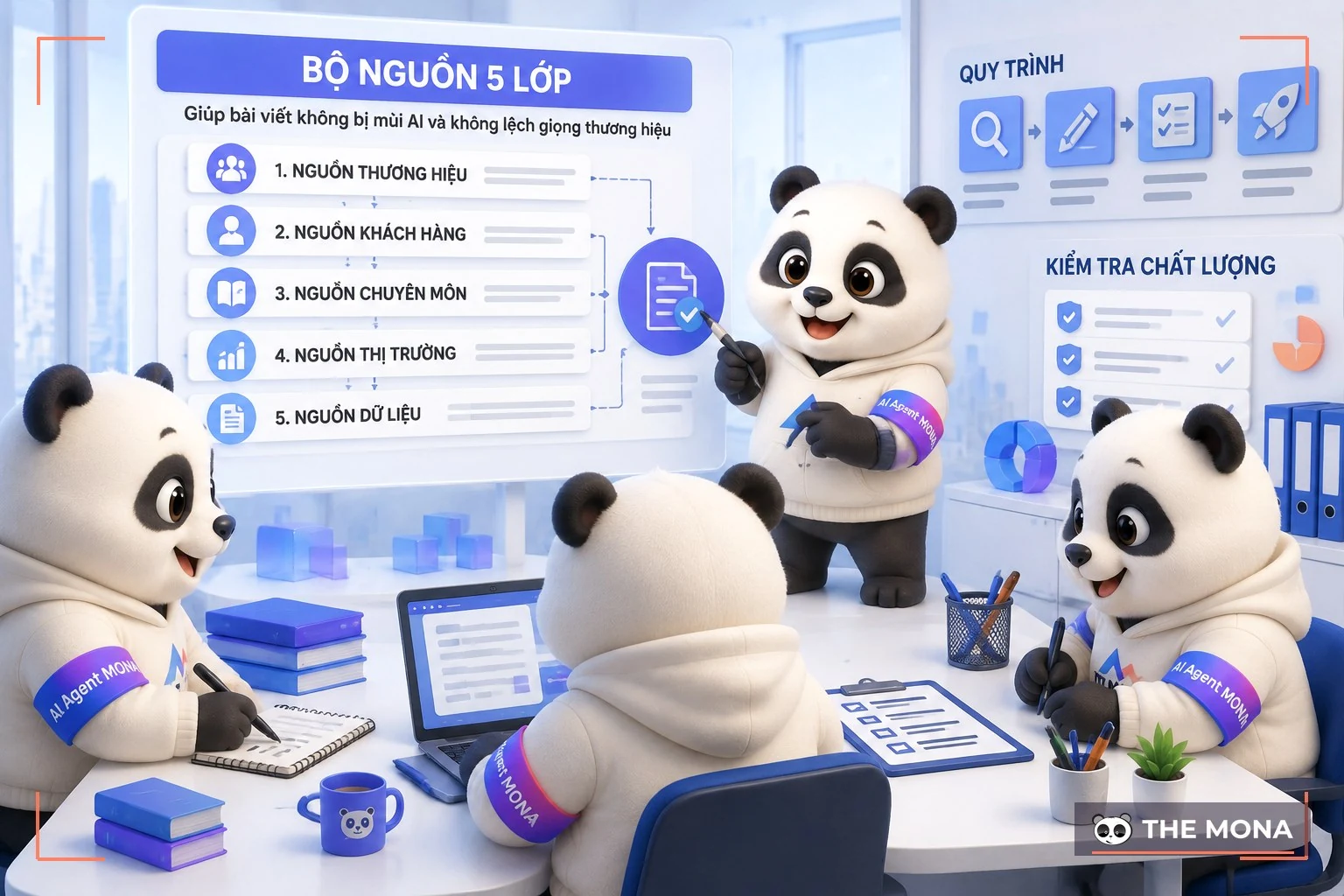
MONA usually prepares a 5-layer source set before handing NotebookLM the job of helping write content. This lets you control information, voice and SEO direction from the start.
The first layer helps NotebookLM understand what the business sells, who it sells to and what makes it different.
Gather documents describing products, price lists, service packages, the consulting process, warranty terms and the sales team's standard replies.
For website articles, MONA usually prioritizes sources from the website design page so NotebookLM stays on the core service.
Articles sound like AI when they are theoretically correct but do not reach real buyers.
We need to bring NotebookLM close to sales conversations. Sources in this layer help the tool understand what customers worry about before deciding.
We usually split sales feedback into 3 groups: worries, reasons to buy and reasons to decline. NotebookLM handles the data more clearly once it is grouped.
NotebookLM needs to learn from content that has proven itself, rather than from a few generic sample articles online.
Choose articles that have traffic, orders, consulting messages, or that the sales team reuses often.
For SEO content, MONA usually also cross-checks direction from the SEO service to avoid drifting from the search goal.
NotebookLM does not understand a business's SEO strategy on its own unless you load the keyword map as a source.
This layer keeps articles aligned with search demand, the right topic cluster and the right role within the whole website.
We usually give NotebookLM a short table of 5 columns: keyword, intent, landing page, internal links and notes on avoiding drift.
The last layer keeps articles from sliding into a mechanical, over-showy or distant voice with real customers.
Prepare a one-page internal voice guide. Keep it short, clear and with right and wrong examples. NotebookLM follows examples better than general descriptions.
MONA usually saves this layer as a separate document. Each time we create a new source in NotebookLM, we always include the voice guide.
This 5-layer formula helps NotebookLM support faster writing in the right direction. But a standalone tool still has a ceiling when data is scattered across departments.
When a business needs seamless data, clear permissions and automated content workflows, MONA usually proposes custom software rather than manual tools alone.


A failed SEO outline usually does not fail at the wording. It fails because NotebookLM got a prompt that was too broad, sources that were too thin and a search goal that was too vague.
You need to push the tool through 4 clear tiers. We use the same approach when preparing content frameworks for SEO, website design and internal marketing training at MONA.
State the role. State the reader. State what the article must help them decide.
For example, for an article on SEO services, do not just write “create an SEO article outline.” The prompt needs to say the article is for a business owner considering outsourcing SEO.
Lock the scope first. This tier makes NotebookLM speculate less beyond the documents.
This works well once you have loaded service documents, customer personas, sales pages and consulting notes. NotebookLM then does not write on gut feel.
This is the important tier. The outline must come out as a structure you can hand off to a writer right away, not just a few generic bullet points.
For an article about website design, the structure should run from business need, problems with the old website, criteria for choosing a provider, the delivery process and estimated costs.
Block early speculation. Ask NotebookLM to give the source right after each important point.
We use this step to reduce risk when handing an article to a writer. The writer knows where each point comes from, what needs checking and what can be developed in depth.
You can use the prompt below once you have loaded enough documents into NotebookLM.
“Act as an SEO content expert for Vietnamese businesses. Based entirely on the loaded sources, create an SEO outline for an article about [topic]. The reader is [reader persona]. The search goal is [search intent].”
“The output should include the H1, the H2s, H3s and a goal note for each H2. Each H2 needs its own angle. Every important point must carry a reference to a loaded document.”
“If the sources are not enough to conclude, state clearly what is missing. Do not add figures, customer names or commitments that are not in the sources.”
NotebookLM helps you get a framework fast and stay closer to your sources. But a standalone tool still has a ceiling when data is scattered, staff use it unevenly and the process is not seamless.
At MONA, we use AI internally and train clients with a focus on real revenue. When a business needs deep automation, MONA prioritizes custom software, CRM, ERP and automation chains written around the real operating process.

A long document is often badly underused. The whole marketing team just rewrites wording, so the website, Facebook, email and ads all sound the same.
What is worth doing in NotebookLM is changing the angle before changing the wording. Rather than asking the tool to “rewrite,” ask it to separate the points, the reader roles and the conversion goal.
MONA often uses this approach when planning content clusters for website, SEO and marketing campaigns. One good source can feed many channels while keeping the same sales message.
Load the document into NotebookLM first. The source can be a service page, company profile, comparison table, training material or sales notes.
Then use a prompt that separates ideas rather than writing an article right away. This lets NotebookLM view the document as a stock of points, not one long essay.
Pull 12 sales points from this document.
Each point needs one pain, one benefit and one piece of evidence from the source.
Do not repeat the same idea in different wording.
Prioritize points usable for the website, Facebook, email and ads.
The key line is “do not repeat the same idea in different wording.” It forces NotebookLM to distinguish angles instead of just swapping synonyms.
We usually ask for one more column, “which channel it is for.” That way a trust-oriented point goes to the website, while a short, strong point goes to ads.
Social content should not carry over the website's voice as is. Facebook needs short sentences, concrete situations and a quick reading pace.
Pick 3 to 5 points first. Do not feed all 12 in at once if your team has no clear brand voice yet.
Turn each point into a short Facebook post.
Each post under 120 words.
Open with a real situation inside a business.
No hype, no exaggeration.
Close with a gentle reminder of the next action.
For example, for the point “a website needs to generate revenue, not just look good,” NotebookLM can write a short post about visitors who come to the site but leave no contact details.
Then ask it to create 3 variants in different voices: one direct, one sharing experience, one using an operations example.
Check this part carefully. NotebookLM is good at sticking to sources, but you still need a marketer to hold the voice and the sharpness of the message.
An SEO introduction is not only there to “lead into the article.” It must show the reader the right problem, the right context and the right reason to keep reading.
Take each strong point and ask NotebookLM to write it as an introduction. Each paragraph should target one keyword or one clear search intent.
Write 5 SEO introductions from this point.
Each paragraph under 90 words.
Put the main keyword in the first 100 words.
Do not use rhetorical questions.
A voice for Vietnamese business owners and marketers.
If the article is about SEO services, the introduction should touch on cash flow, traffic quality and contact rate. If the article is about website design, the introduction should state clearly its conversion role.
We often add a follow-up prompt after getting a draft: “Point out which paragraphs are generic and rewrite them with details from the sources.”
This prompt is very useful. It pulls the article away from slick, evidence-free writing that reads with no force.
Nurture emails need to differ from social. The reader already has some level of interest, so the content has to go deeper and follow a sequence.
You can use the 12 points to create a short email series. Each email handles one barrier before the customer decides.
Create 5 nurture emails from the set of points above.
Each email focuses on one purchase barrier.
Email 1 covers the problem.
Email 2 covers common mistakes.
Email 3 gives criteria for choosing a solution.
Email 4 gives an example of application.
Email 5 invites a light conversation, no hard sell.
This section saves the marketing team a lot of effort drafting frameworks. But you still need to adjust subject lines, greetings and calls to action.
MONA uses a similar approach when training clients to build content from internal sources. NotebookLM helps gather knowledge, while strategy still needs people who understand the product.
One source producing many pieces of content easily gets diluted. Each channel speaks in its own way, and in the end customers do not remember what the business is strong at.
Create a “spine sentence” before mass production. This sentence is the main message that keeps all the content going in one direction.
Write one main-message sentence from this document.
The sentence must say clearly what the customer is struggling with.
The sentence must say clearly what the business helps them achieve.
All 12 points must tie back to this message.
If any point drifts, flag it and explain why.
The spine sentence keeps the website, Facebook, email and ads from splitting into 4 different voices. It also helps the team approve content faster.
NotebookLM is a good tool for processing sources and creating variants. But when a business needs seamless data, permissions, performance measurement and real automation, a standalone tool hits a ceiling.
At that point, MONA usually advises building custom software, CRM, ERP or an automation chain tied to the website and SEO. We use AI internally and also train clients to use it in the right places so revenue lasts longer.

Marketing articles can look fine on a quick read yet be empty of sources, vague in their promise and weak on SEO. This flaw makes the content team edit again and again.
We usually use NotebookLM as a review layer before publishing. The method is to make the tool check each criterion, point out sentences to fix and compile a clear action list.
Slow down one beat. Fix less later.
NotebookLM is strong at sticking to sources. Have it point out which sentences it cannot find support for in the loaded documents.
Paste this prompt into NotebookLM after loading the source documents, the outline and the draft.
This criterion keeps articles about NotebookLM, SEO or marketing from overstating. MONA prioritizes this step when writing how-to content, because a wrong source loses trust very quickly.
Solid sources first. Then the ideas stand.
Many articles read smoothly but have no selling force. The grammar is right, but real situations, actions and a professional point of view are missing.
You can ask NotebookLM to mark generic passages with a short prompt.
When doing SEO for clients, we do not just polish sentences. MONA edits so readers understand what to do, see the value and know the next step.
Specific sells.
An article can have the right information but miss the search intent. Readers need step-by-step instructions, but the article spends too long on concepts.
For an article on “NotebookLM for marketing,” have NotebookLM compare the draft against the main search intent.
This step suits AI tutorials, SEO articles and marketing guides. It keeps the content from drifting into a tool-introduction piece.
Match the intent first. Go deep second.
A weak title is usually not wrong, but it does not promise a clear result. Readers still do not know what they will get after reading.
You can use NotebookLM to score a title on 4 points.
The prompt should be direct.
MONA treats a title as a commitment. If the title promises “content and SEO,” the body must have actions clear enough for you to follow.
A tutorial on an AI tool that lacks real actions gets exposed fast. Readers do not need more theory if they want to start doing it right away.
Ask NotebookLM to mark passages that need an added example, screenshot or sample prompt.
For example, a passage saying “use NotebookLM to analyze documents” should include clear actions.
Less theory. More action.
A review without an order of fixes still leaves the content team confused. NotebookLM should export a to-do list by priority.
Split it into 3 groups so fixes go faster.
A prompt you can use directly.
NotebookLM is a great help for the individual review layer. But when a business needs a content process connected to the web, SEO, CRM and reports, a standalone tool hits a ceiling.
At MONA, we use AI internally and train clients in a practical way. The core is still the web, SEO and custom software so data flows more smoothly.

Writing SEO on gut feel easily wastes effort. Articles go up regularly, but buyers do not increase.
For marketing in 2026, real search data must come before content. NotebookLM only shows its strength when you load the right sources.
We usually use Google Search Console as the base data layer. Then MONA uses NotebookLM to read the queries and the existing articles, and groups them into content clusters likely to bring customers to the website.
Go into Google Search Console and choose Performance. Pick a long enough date range to reduce noise in the data.
Do not look only at clicks. Export queries, pages, impressions, clicks, CTR and average position.
This is the important part.
For a website that has only just started SEO, the data may still be thin. Use what you have, then combine it with keyword groups from SEO services or the internal content plan.
NotebookLM should not receive only the query file. The tool also needs to read the articles that rank on the website.
Create a new notebook. Then load the Google Search Console export, the current articles, old outlines and product notes.
The more accurate the sources, the less generic the results.
For example, a service website has a page on website design with impressions from many queries. Load that page together with the query data, not separately.
MONA does this so NotebookLM understands the business context. The tool does not just collect words; it reads the link between search demand and the sales page.
After loading the sources, ask NotebookLM to group queries by search intent, not by similar words.
This is a small tip.
The same topic can carry many different intents: people looking for prices, people comparing, people looking for how-tos, people looking for a provider.
You can use a short prompt like this: “Group the queries by search intent, match each group to an existing landing page, and mark the groups likely to generate leads.”
Do not let NotebookLM decide too broadly. Make the tool cite back to the Google Search Console file.
It is safer this way.
Many articles get impressions but do not bring in customers because they lack what searchers need. This is a content gap.
NotebookLM helps you see gaps faster. The tool compares real queries against the content currently on the page.
Ask NotebookLM to export a table with the query, the current page, the missing content and a suggested fix. This table helps the marketing team argue less on gut feel.
Very easy to check.
If a query cluster has impressions but a low CTR, fix the title and description first. If the position is still far down, add content and internal links first.
With the query clusters and gaps in hand, split the work into two groups. One group updates old articles, the other writes new ones.
Do not rush to write more.
Old articles with signals are usually worth handling first. Google already knows the page, so adding what is missing is usually more practical than rewriting from scratch.
MONA usually turns this list into a weekly content production plan. Every article has a source in Google Search Console, not a gut feeling.
NotebookLM handles reading and gathering ideas very fast. But deciding which pages serve revenue still takes someone who understands SEO, websites and the sales model.
That is the real limit.
Standalone tools help individuals work faster, but they do not replace a seamless data system. When a business needs the website, SEO, CRM and automation connected, MONA builds custom software and custom processes to fit the actual operation.

NotebookLM for marketing is very useful when you need to read documents fast, gather ideas, summarize content and find SEO writing angles.
But the tool only shows its strength when the input data is clean. Garbage in, garbage out.
The marketing team needs to agree on source documents before using NotebookLM. Examples include customer personas, price lists, website content, sales materials and the SEO keyword set.
The practical approach is to group documents by purpose. Each source group should serve one clear task.
Process matters here. Staff should not drop documents in at random and expect NotebookLM to understand what the business means.
When content lives in Google Drive, customers live in the CRM, and orders live in the sales software, marketing reports start to fall apart.
This is a very common problem. Every team works hard, but the data doesn't connect.
Marketing sees traffic going up. Sales has no idea which SEO article a customer came from.
Customer care receives a new message. The salesperson advising the customer can't see the history of what they asked for before.
NotebookLM can help you read and understand documents faster. But NotebookLM won't turn scattered data into a seamless operating system on its own.
This is the real ceiling.
When a business only uses standalone tools, individual productivity goes up. But the data flow still breaks between the website, SEO, ads, sales and customer care.
MONA doesn't treat NotebookLM as a decoration in marketing. We use internal AI tools to speed up research, drafting, checking and organizing knowledge.
But we always put the tool inside a process. Staff don't use it on a whim.
With clients, MONA usually trains on real work. For example, how to prepare sources, how to set a goal for each document, how to check answers and how to turn them into content for the website.
This matters especially for SEO. A good article needs a good summary, but it also needs to match search intent and fit its role in the site structure.
MONA started in 2016 and has delivered 14,000+ projects. We see the gap between using tools and running on a system very clearly.
That gap is huge.
NotebookLM for marketing is best seen as a support layer for content, ads and SEO. It helps you work faster, read deeper and spend less time processing documents.
But when a business needs permissions, security, seamless reporting and automation built around its own process, custom software is the foundation.
MONA can build custom software to connect your website website, SEO, CRM, ERP and sales into one data flow.
This is the direction MONA usually recommends for businesses that already have a stable marketing team. AI tools make each person faster, and custom software makes the whole system run more clearly.
In short, NotebookLM for marketing is well worth using for content, ads and SEO. When you need more seamless data, MONA will help you turn that process into working software.

You can use NotebookLM yourself to draft SEO outlines and first drafts once your marketing sources are clean and sorted by task. When you need to pull keywords, create content, approve the tone and push articles to the CMS in one process with someone accountable, we can build a custom integrated system; call 1900 636 648 to break it down step by step.
Draft quality follows source quality.

CEO & Founder · The MONA
Founder of The MONA, who built a services company of 60+ staff with 14,000+ projects delivered. Khánh Hùng shares how he thinks about building systems that run themselves, automating a business, and the real lessons from delivering projects at MONA.
 320




Professional website
design services
Own a website with a beautiful, 100% exclusive design and a lifetime warranty, with the ability
to expand features flexibly as your business grows, starting today!






 MONA will never sell your information or send you spam


 MONA will never sell your information or send you spam
