
 MONA OS 2.0
 Partner with MONA


 Tự động hoá doanh nghiệp
 Cẩm nang SEO
 Digital Marketing
 Kinh nghiệm thiết kế website
 Hạ Tầng Server
 Giáo dục


 VI
 EN








Message us on
Zalo Official


 ProductsNew

 ProductsProducts
 Mới ra mắtKHA AI 2027App tự edit video, tự đăng mọi mạng xã hội, 2 phút mỗi ngày










 Website designLooks good and wins customers over.
SEO servicesBrings in customers searching for exactly what you sell.
 Tư vấn digital marketingKéo khách từ nhiều kênh, đo bằng số thật.
Corporate video productionVideos introducing your company, factory and team.
 NewAI video productionCompany story films made with AI.
 Custom software developmentCRM, ERP and HRM built for your business.
 Viết AI Agent theo yêu cầuĐặt riêng một trợ lý AI cho đúng việc của mình.
 Tư vấn chuyển đổi AIĐưa AI vào vận hành của cả công ty.
NewMONA LMSManagement for centers and schools.
MONA SkillHubInternal training for company staff.
 NHTQ systemEnd-to-end China–Vietnam shipping operations.
MONA JMSManagement for gold, diamond and pawn shops.
 MONA E-LearningA website with every feature you need to sell courses.
 How to sell online courses (course)More than 30 free lessons on selling courses on autopilot.
 MONA Cloudmonacloud.vnServers to get your apps and websites running.
 MONA Basemonabase.vnPostgres database, sign-in and file storage.
 MONA Mailmonamail.vnSend OTP, order and invoice emails from your software.
 MONA Paymonapay.vnAccept bank transfers via VietQR and notify your software when the money arrives.
 MONA eInvoiceComing soonIssue e-invoices that meet tax standards.
Gấu CườiTrả lời khách 24/7 trên web, Fanpage, Zalo và thu lead cho sale.
 Gấu TeleSalesGọi điện tư vấn, chăm khách như tổng đài viên thật.
Dê CườiTư vấn và chốt đơn cho shop ngay trong khung chat.
Gấu WebmasterNhắn nhóm Zalo là website được sửa xong.
 Gấu Pháp ChếSoạn hợp đồng, rà điều khoản trong vài phút.
 Gấu Báo GiáLên báo giá đúng mẫu và gửi khách ngay.
 AI chăm sóc khách hàngTheo dõi và giữ chân khách hàng cũ.
 Gấu Tuyển DụngLọc hồ sơ, hẹn lịch, phỏng vấn ứng viên.
 Mới ra mắt
KHA AI 2027
Xây kênh chuyên gia 2 phút mỗi ngày
Quay bằng điện thoại, AI tự edit video, tự đăng lên 16 nền tảng và tự trả lời bình luận, tin nhắn.
950.240lượt xem trên kênh CEO MONA sau 49 ngày
 Anh Khánh HùngCEO MONA đang dùng mỗi ngày
Xem app làm được gì
 AI
Gấu Cười MONA ĐANG TỰ XÀITrả lời khách 24/7 trên website, Zalo OA, Messenger và thu lead về cho sale.
Dê CườiChốt đơn bán lẻ và sàn: Shopee, TikTok Shop, web. Chăm cả khách sỉ, đại lý.
Gấu WebmasterCập nhật nội dung, tối ưu SEO website mỗi ngày.
Gấu TeleSalesGọi điện tư vấn, chăm khách như tổng đài viên thật.
Gấu Tuyển DụngLọc hồ sơ, hẹn lịch, phỏng vấn ứng viên tự động.
AI chăm sóc khách hàngGiữ khách cũ, cứu lead đã rớt cho phòng kinh doanh.
Gấu Pháp ChếSoạn hợp đồng, rà điều khoản trong vài phút.
Gấu Báo GiáLên báo giá đúng mẫu, gửi khách ngay khi có yêu cầu.
 Chuyển đổi AI toàn phầnGiải pháp tổng cho doanh nghiệp, 3 lớp triển khai.
 Viết AI Agent theo yêu cầuĐặt riêng một con AI gánh đúng nghiệp vụ của bạn.
 Custom softwareCRM, ERP and HRM with built-in AI automation.
 SEO & AEO thời đại AIĐược Google lẫn AI trích dẫn, không chỉ xếp hạng.
 Kiến thức AI cho doanh nghiệpBài phân tích, hướng dẫn ứng dụng AI vào vận hành.
 Free AI courses
 AI tools at work
App mới · KHA AI 2027
Xây kênh 2 phút mỗi ngày
AI tự edit video, tự đăng mọi mạng xã hội
Free consultation, 8am–10pm every day

14 June, 2026
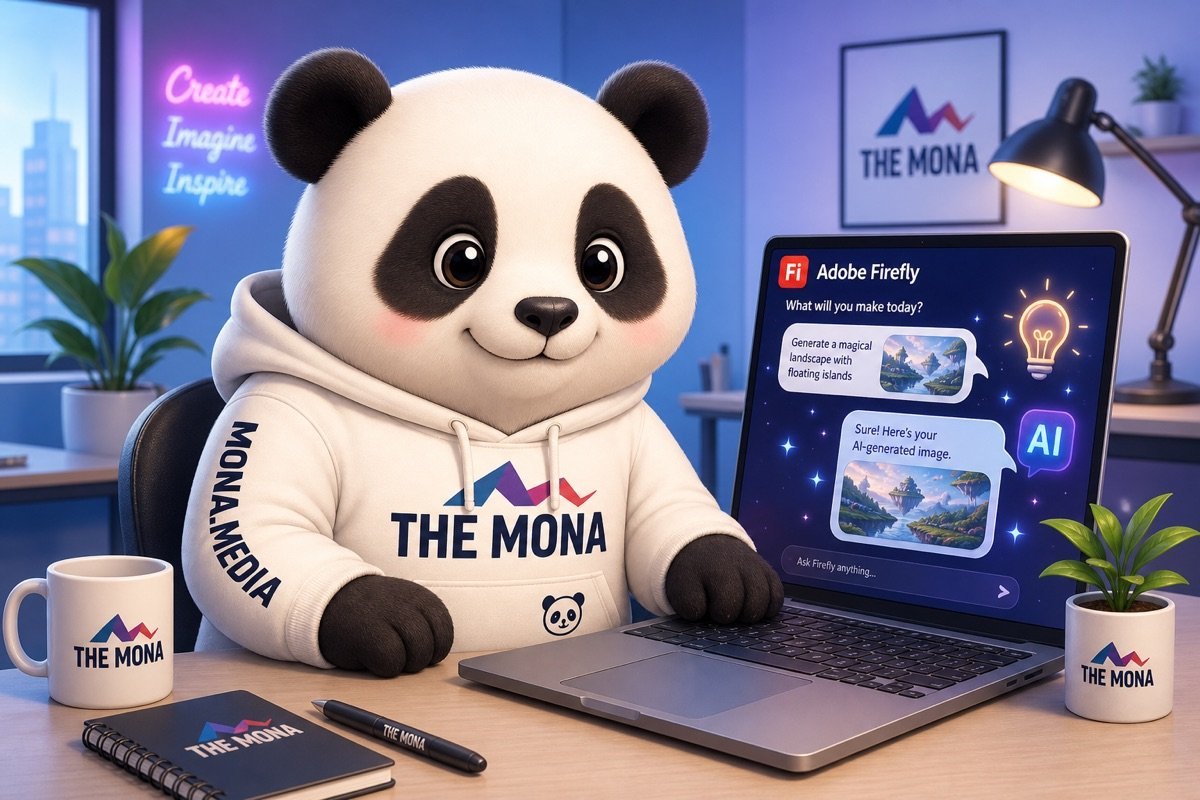
Adobe Firefly is an AI image tool that many business owners and marketing teams are paying attention to. But to unlock its full potential and use Adobe Firefly well, you need a strategic approach. We see many people still fumbling with basic commands and not yet turning the tool into a real asset for their business. This article walks you through it step by step and shares tips MONA has distilled from hands-on experience, so you can create high-quality images for your website and marketing campaigns in 2026. You can visit the Adobe Firefly homepage to get started.
Adobe Firefly 2026 gives you a better edge: you can make high-quality marketing images quickly and work three times as fast as with the traditional process. It is a powerful tool for your marketing team to save time and cut costs significantly.
The platform integrates deeply with the Adobe ecosystem and keeps creative work seamless. You can turn ideas into images easily.
The traditional process for marketing images takes a lot of time. You need to brainstorm, search stock libraries or hire a designer. Adobe Firefly changes all of that.
The tool produces many image versions in just minutes. You type a simple text description, and the system quickly returns matching images. It is very flexible.
That means marketing campaigns launch faster and you stop missing market moments. Speed is money, and that is the heart of it.
Holding your brand voice across every channel is a big challenge, especially when you produce images constantly. Adobe Firefly takes that worry away.
You can upload reference images. Firefly learns the style, colors and composition and keeps your identity intact, so everything you produce stays in sync. That is a real advantage.
The result is marketing images that are always consistent. They express the spirit of your business, customers recognize you easily, and your brand grows stronger.
Stock images or hiring designers often cost a lot. It is a sizable investment, especially for large-scale campaigns.
Adobe Firefly saves significant resources. You create images on demand, with no need to buy licensed stock and less outsourcing. The money stays in the company.
Your marketing team can produce on its own, without waiting for third parties. Return on investment (ROI) improves noticeably, and you stay in full control.
With Adobe Firefly, businesses get a powerful tool. It creates superior marketing images, drives performance and optimizes costs at the same time. It is a smart choice.

For marketing images from Adobe Firefly to stay truly consistent with your brand identity, you need a prompt formula with depth. The “5 Storytelling Layers” method guides the AI in detail so images look great and carry your brand message. Let's look at how to make Firefly keep your own distinct brand voice.
This is a fine-tuning technique. We guide the AI step by step, and you get high-quality, consistent images.
The first layer sets the overall picture. Describe clearly the setting and the central person or object of the image. Start by defining the environment and the main action taking place.
For example, say you want an image for a coffee shop chain run on management software. The prompt could be: “A modern coffee shop, staff preparing drinks, customers relaxing on a sofa.” Keep it specific. That helps Firefly grasp the core idea, and it is the starting foundation.
Style and emotion are the soul of every marketing image. In this layer you set the aesthetic and spirit of the image. Choose keywords that describe the main style and emotion your brand wants to convey.
For example, if the brand aims for luxury, you can add “minimalist, luxurious style, warm colors, relaxing feel”. For a dynamic brand, try “energetic style, bright colors, joyful, inspiring feel”. Precise words steer the AI very well. See also more tips for writing effective AI prompts.
Color and lighting are the key to brand recognition. This third layer asks you to specify your main color palette and the type of lighting. Use the colors and lighting that have become signature to your brand.
You can specify “earth tones, soft natural light” or “vivid colors, bright neon lighting”. That helps Firefly create images that match your brand identity. Don't forget the lighting detail, because it creates the atmosphere.
Small details make a big difference. The fourth layer focuses on supporting objects or signature elements. Put into the prompt whatever makes the image unique and easy to recognize.
For example, a coffee cup with the brand logo, a book on the table or a small potted plant. You can also add “blue uniform, wooden interior details”. These elements reinforce the message and help the audience recognize the brand instantly. It is a small secret.
Finally, tell Firefly where the image will be used. This fifth layer guides the AI to optimize the output for a specific platform. Be clear about where the image will appear.
If the image is for an SEO campaign and your website, you can write “for the website homepage, 16:9 aspect ratio”. For social media ads, add “for Instagram, square format, high resolution”. State it clearly. That makes sure the image fits and displays at its best.

Producing many product image variants quickly is a big advantage in digital marketing. This 15-minute workflow helps you get the most out of Adobe Firefly's Generative Fill. We'll create at least 5 different versions in a short time, so your marketing content always feels fresh and engaging.
A quality original photo is a solid foundation. Choose a sharp product image with enough light and no blur. The original should be a high-resolution JPEG or PNG.
That helps Generative Fill work better. We always stress how much the original matters: input quality decides output quality.
Generative Fill is a powerful tool. Use it to change the setting or add accessories. Select the area you want to edit, then type a detailed prompt.
For example, you can ask it to “add a small potted plant” or “replace the background with dark wood”. The action is simple, and Firefly suggests a few options.
Lighting and materials strongly affect how viewers feel. You can ask Firefly to change the lighting style. Try prompts like “soft sunset light” or “crisp studio lighting”.
You can also change the material of objects, for example turning a porcelain cup into a glass one. That adds a lot of variety.
Once you have the variants, refine them. Firefly provides the Brush tool, which helps fix small details.
You can use Brush to erase small flaws or add subtle accents. The edits are more precise.
When you're happy with the variants, export them. Save the images in a suitable format and check consistency once more.
Make sure the variants still hold your brand identity. We recommend keeping a set of color and style rules, then using them to review the images.

The “3-step animated image” technique from Adobe Firefly helps you turn still images into engaging social media content, which boosts customer engagement. Let's walk through the process.
Thousands of new posts appear every day, and only distinctive content gets noticed easily. You need something that stands out. We have applied this approach to our own internal campaigns, and engagement rose noticeably. Firefly creates excellent images, but to bring them to life you need one more step.
First, create a high-quality image with Adobe Firefly. Focus on composition, lighting and the main character. This is the base for every movement that follows. A beautiful image is a good start.
Use detailed AI prompt templates so Firefly understands what you mean. For example: “a young woman reading by the window, golden sunlight, watercolor style”. We usually try several variants. Pick an image with room to add effects. Firefly gives very realistic results, and you can adjust them easily.
Once you have the base image, use simple video editing tools. Platforms like Canva or CapCut are very handy. They let you add subtle motion effects and make gently animated images.
We often apply a parallax effect to the background, or make the main character move slightly. Text that fades in slowly is another option. These effects don't need to be complicated. They just need to make the image feel alive. Add suitable background sound too, since gentle background music is more engaging.
Each social platform has its own format requirements, and optimizing is a must. Facebook video differs from Instagram Reels, and TikTok has its own frame.
Adjust the size and duration of the video. Instagram Reels and TikTok usually favor vertical (9:16). Facebook and Zalo can be square (1:1) or landscape (16:9). We always make sure the resolution is sharp, since keeping image quality is a priority. Your brand voice should stay consistent too, which boosts recognition. You can learn more about SEO services and website design for an overall content strategy.

For marketing images to truly reach many cultures, you need to go beyond Firefly's defaults. This is a process we've distilled to help you create diverse content rich in identity.
Understanding your audience is the first step to effective imagery. Dig into the cultural traits, customs, clothing and distinctive symbols of each region.
For example, the Mekong Delta in Vietnam has a very different culture from the North. Likewise, a market in Asia calls for very different images than one in Europe. You need a firm grip on these nuances.
This is a solid foundation. From there you can build precise prompts and avoid generic images.
Detailed keywords help Firefly produce images that hit the mark. Avoid generic descriptions like “Vietnamese person” or “Asian woman”.
Be specific instead. “A girl in a traditional áo dài and a conical hat (nón lá) beside the Cái Răng floating market” is one example. Or “a middle-aged woman in an áo bà ba, smiling warmly, holding a bowl of chè (sweet dessert soup)” will give much better results.
Keywords about color, architecture and everyday activities matter too. Firefly understands better, and the output is more authentic and fitting.
Experimenting with contrasting prompts is an effective tip. It helps you discover fresh perspectives and avoid repeating ready-made stereotypes.
For example, after generating an image of “modern city life”, try “a simple lifestyle in the peaceful countryside”. Or set “minimalist design style” against “classical Baroque architecture”.
This helps Firefly diversify its results. You get more creative options, and your marketing content becomes richer.
The Style Reference feature in Firefly is a powerful tool. You can upload a reference image for the style or mood you want.
Firefly analyzes it and applies the visual elements from that image. This is especially useful when you need consistency, and it helps shape the brand voice of your images.
For example, say you want a series of ads for Vietnamese street food. Upload a photo of a street vendor's cart under warm yellow lights. Firefly will understand it and generate images with similar tones, lighting and composition.
You've seen how powerful Adobe Firefly is. It helps marketing teams create images fast. But Firefly and other standalone AI tools are still isolated pieces. We need to be clear about their limits. These tools can't automate your entire marketing process or run your business operations. That's a big gap.
As a business grows, the need for synchronized data grows with it. Customer information has to be kept secure. Workflows have to run smoothly. Disconnected tools create plenty of gaps. Data gets fragmented. Staff end up doing many steps by hand. Productivity drops. All of this costs money.
AI tools like Adobe Firefly handle specific tasks very well. But they don't connect to your internal systems. They don't manage customer data. You can't automatically bring in sales information. Standalone tools also lack centralized reporting, which makes it hard to track overall performance.
Marketing data sits in one place. Sales data sits in another. Operations data isn't linked to either. Everything ends up scattered. That keeps you from making accurate decisions and slows your business growth. On top of that, training staff on several different tools is expensive. Not everyone becomes proficient in all of them. The risk to data security is higher too.
Real automation takes a unified system. That's where we come in with a dedicated software solution. MONA specializes in building self-contained software modules. MONA's solution is tailored to your own specific processes. Together, we create an efficient automation chain.
We don't sell "AI" as a standalone product. MONA uses AI, LLMs, computer vision and voice as means to an end: letting machines do work that used to need people. Our software connects every department. Data flows smoothly. Every report is centralized. The result is better performance.
MONA has over 10 years of experience in the industry. We have a team of 60+ staff. We've delivered 14,000+ projects. MONA's client retention rate is 85%. That speaks to our reliability and results. We're proud to have helped many Vietnamese businesses complete their digital transformation.
We also integrate AI into MONA's own internal processes. And we train our clients to get the most out of the technology. MONA We don't just supply software. We also provide solutions website design and SEO services. The goal is to help your business grow sustainably. Call our hotline at 1900 636 648 for more detailed advice.


CEO & Founder · The MONA
Founder of The MONA, who built a services company of 60+ staff with 14,000+ projects delivered. Khánh Hùng shares how he thinks about building systems that run themselves, automating a business, and the real lessons from delivering projects at MONA.
 208




Professional website
design services
Own a website with a beautiful, 100% exclusive design and a lifetime warranty, with the ability
to expand features flexibly as your business grows, starting today!






 MONA will never sell your information or send you spam


 MONA will never sell your information or send you spam
