
 MONA OS 2.0
 Partner with MONA


 Tự động hoá doanh nghiệp
 Cẩm nang SEO
 Digital Marketing
 Kinh nghiệm thiết kế website
 Hạ Tầng Server
 Giáo dục


 VI
 EN













Message us on
Zalo Official


 ProductsNew

 ProductsProducts
 Mới ra mắtKHA AI 2027App tự edit video, tự đăng mọi mạng xã hội, 2 phút mỗi ngày










 Website designLooks good and wins customers over.
SEO servicesBrings in customers searching for exactly what you sell.
 Tư vấn digital marketingKéo khách từ nhiều kênh, đo bằng số thật.
Corporate video productionVideos introducing your company, factory and team.
 NewAI video productionCompany story films made with AI.
 Custom software developmentCRM, ERP and HRM built for your business.
 Viết AI Agent theo yêu cầuĐặt riêng một trợ lý AI cho đúng việc của mình.
 Tư vấn chuyển đổi AIĐưa AI vào vận hành của cả công ty.
NewMONA LMSManagement for centers and schools.
MONA SkillHubInternal training for company staff.
 NHTQ systemEnd-to-end China–Vietnam shipping operations.
MONA JMSManagement for gold, diamond and pawn shops.
 MONA E-LearningA website with every feature you need to sell courses.
 How to sell online courses (course)More than 30 free lessons on selling courses on autopilot.
 MONA Cloudmonacloud.vnServers to get your apps and websites running.
 MONA Basemonabase.vnPostgres database, sign-in and file storage.
 MONA Mailmonamail.vnSend OTP, order and invoice emails from your software.
 MONA Paymonapay.vnAccept bank transfers via VietQR and notify your software when the money arrives.
 MONA eInvoiceComing soonIssue e-invoices that meet tax standards.
Gấu CườiTrả lời khách 24/7 trên web, Fanpage, Zalo và thu lead cho sale.
 Gấu TeleSalesGọi điện tư vấn, chăm khách như tổng đài viên thật.
Dê CườiTư vấn và chốt đơn cho shop ngay trong khung chat.
Gấu WebmasterNhắn nhóm Zalo là website được sửa xong.
 Gấu Pháp ChếSoạn hợp đồng, rà điều khoản trong vài phút.
 Gấu Báo GiáLên báo giá đúng mẫu và gửi khách ngay.
 AI chăm sóc khách hàngTheo dõi và giữ chân khách hàng cũ.
 Gấu Tuyển DụngLọc hồ sơ, hẹn lịch, phỏng vấn ứng viên.
 Mới ra mắt
KHA AI 2027
Xây kênh chuyên gia 2 phút mỗi ngày
Quay bằng điện thoại, AI tự edit video, tự đăng lên 16 nền tảng và tự trả lời bình luận, tin nhắn.
943.215lượt xem trên kênh CEO MONA sau 45 ngày
 Anh Khánh HùngCEO MONA đang dùng mỗi ngày
Xem app làm được gì
 AI
Gấu Cười MONA ĐANG TỰ XÀITrả lời khách 24/7 trên website, Zalo OA, Messenger và thu lead về cho sale.
Dê CườiChốt đơn bán lẻ và sàn: Shopee, TikTok Shop, web. Chăm cả khách sỉ, đại lý.
Gấu WebmasterCập nhật nội dung, tối ưu SEO website mỗi ngày.
Gấu TeleSalesGọi điện tư vấn, chăm khách như tổng đài viên thật.
Gấu Tuyển DụngLọc hồ sơ, hẹn lịch, phỏng vấn ứng viên tự động.
AI chăm sóc khách hàngGiữ khách cũ, cứu lead đã rớt cho phòng kinh doanh.
Gấu Pháp ChếSoạn hợp đồng, rà điều khoản trong vài phút.
Gấu Báo GiáLên báo giá đúng mẫu, gửi khách ngay khi có yêu cầu.
 Chuyển đổi AI toàn phầnGiải pháp tổng cho doanh nghiệp, 3 lớp triển khai.
 Viết AI Agent theo yêu cầuĐặt riêng một con AI gánh đúng nghiệp vụ của bạn.
 Custom softwareCRM, ERP and HRM with built-in AI automation.
 SEO & AEO thời đại AIĐược Google lẫn AI trích dẫn, không chỉ xếp hạng.
 Kiến thức AI cho doanh nghiệpBài phân tích, hướng dẫn ứng dụng AI vào vận hành.
 Free AI courses
 AI tools at work
App mới · KHA AI 2027
Xây kênh 2 phút mỗi ngày
AI tự edit video, tự đăng mọi mạng xã hội
Free consultation, 8am–10pm every day

21 September, 2026
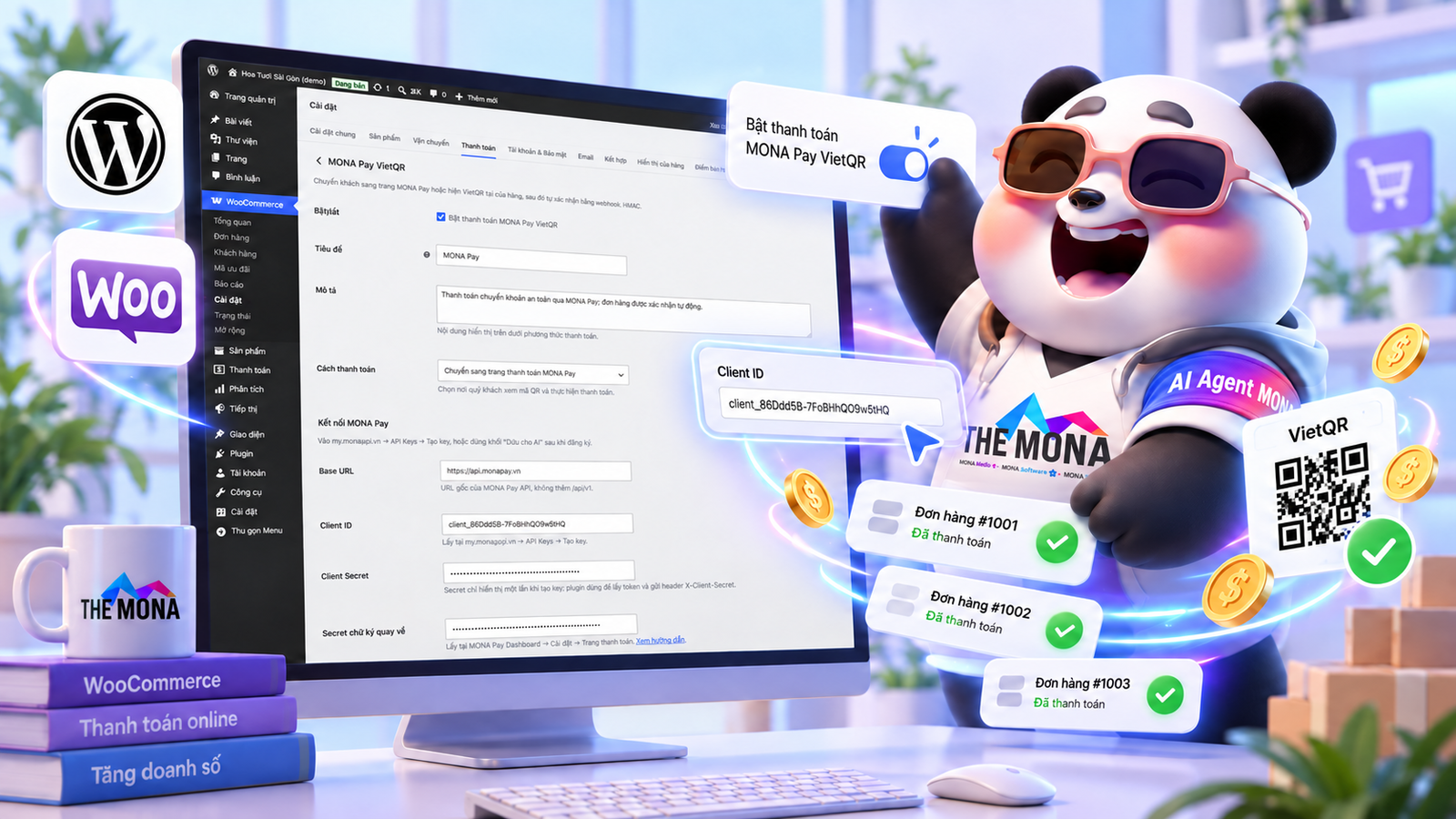
WooCommerce shop owners who come to MONA usually type exactly “WooCommerce payment gateway” into Google. Ask them closely and what they want is very specific. After a customer transfers money, the order should change to “paid” by itself with nobody sitting there checking the statement. That does not need a gateway standing in the middle to receive money and take a percentage. The money can go straight into the shop's bank account. MONA Pay only reads the credit notice from the bank and tells WooCommerce within about 2 seconds. A shop under 500 transactions a month uses it for free.
A MONA customer once told us about an accountant straining her eyes to match every transfer screenshot sent over Zalo, where a blurry or edited image is hard to catch right away. The amount a customer sends is sometimes a few thousand dong short from a typo, and the order code in the transfer note is often misspelled, so working out which order matches which payment takes a whole morning. One day we saw a shop spend nearly 2 hours just to match 30 orders in one morning. Late deliveries for this reason are something customers complain to us about all year round.
Worse, some intermediary collection providers hold the shop's funds for several days before allowing a withdrawal, and also charge a percentage fee on every order. For a shop whose margin is already thin, that fee eats straight into monthly net profit. Do not lose money that way.
Payment gateways still have a place of their own. If customers pay by Visa or Mastercard, need credit card installments or want to pay with a wallet balance, the shop must use a gateway. In return, the gateway charges a percentage of the order value, with the exact rate set in each shop's contract.
Most online buyers in Vietnam pay by bank transfer. For this group of orders, the shop does not need to route money through anyone. The MONA Pay plugin for WooCommerce shows a VietQR code with the amount and order code already filled in on the checkout page. Customers can scan with any banking app. When the money lands in the shop's account, the order changes status on its own and the warehouse receives the packing order. We lay out every step on the page confirm WooCommerce orders automatically when money arrives. The shop still keeps a gateway for customers paying by card. Transfer orders cost no percentage at all.
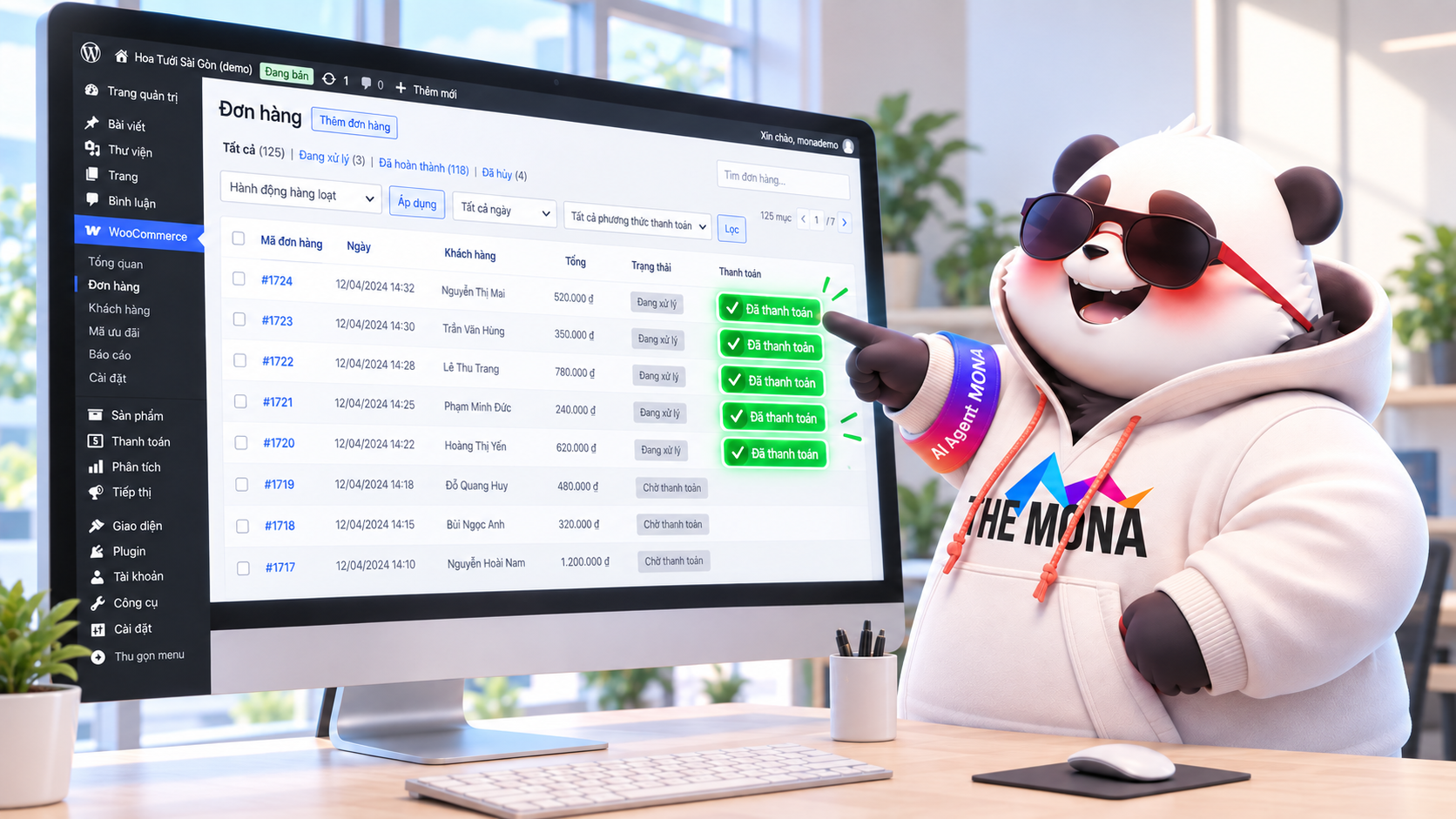
The customer adds products to the cart, and at checkout the system generates a dynamic VietQR code with the account number, the exact amount down to the dong, and the order code in the transfer note already filled in. The customer just opens any banking app, scans the code and taps confirm, with nothing more to type. As soon as the bank reports the credit, a webhook signed with HMAC-SHA256 and an X-Mona-Signature header goes straight to the WooCommerce plugin, and the order changes to “Processing” in about 2 seconds. Warehouse staff only look at the paid order list to pack, without asking the accountant even once. That fast.
Banks do not always send data in the proper format. We once met a case where a bank sent a header in the wrong position compared with its documents, and the standard system returned a 422 error and dropped the transaction, forcing us to rewrite the data-reading layer to match the structure and replay the dropped transactions. Another time, in September 2026, a webhook secret key went missing after reconfiguring the server, and the webhook still fired but with an empty key, so the receiver returned a 401 error. We had to review the history and resend everything that same morning.
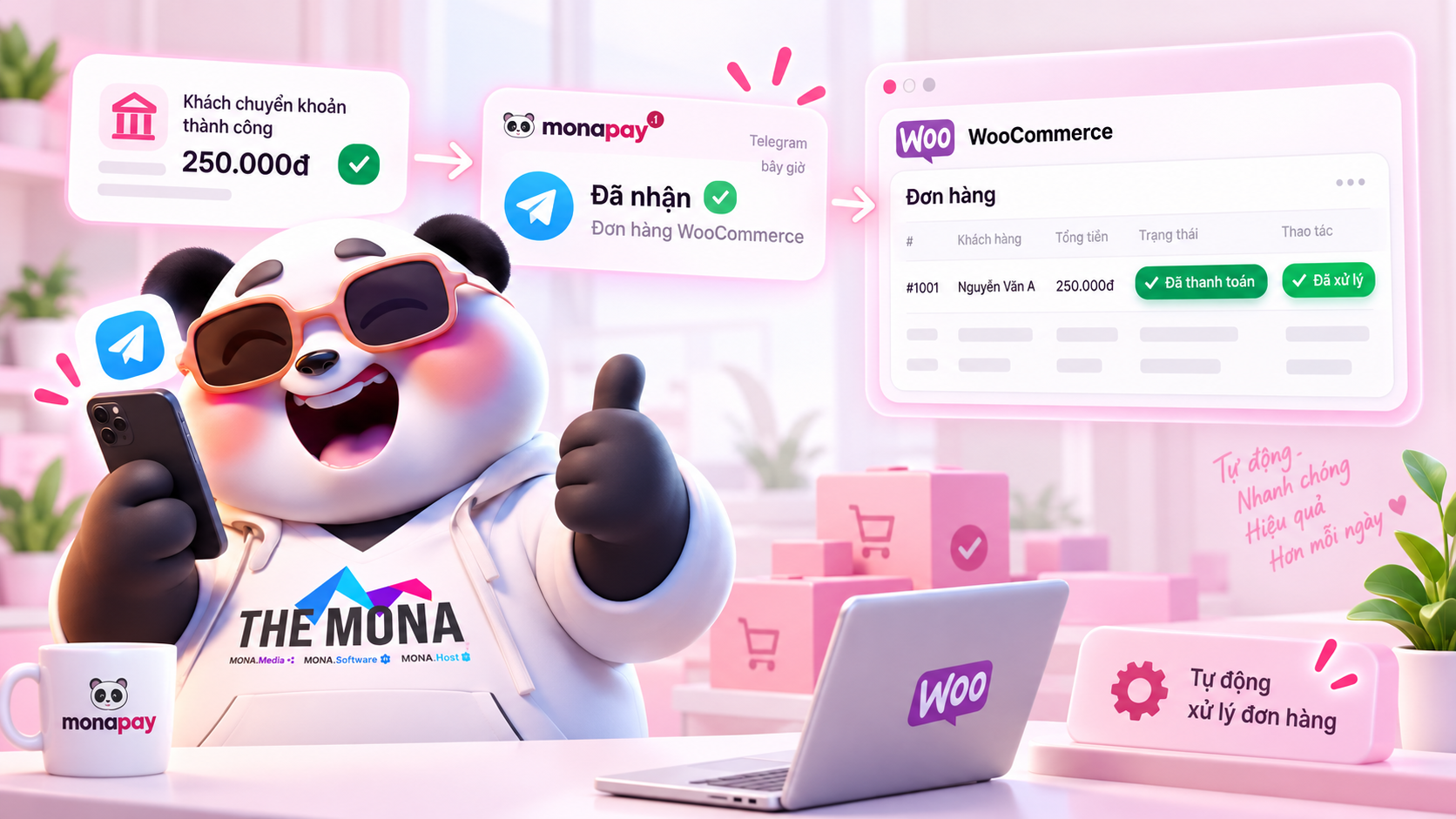
If you want to see checkout change the order status automatically before installing, watch the video below. The video goes through the whole flow from the QR code on the checkout page to the paid order.
Watch the full guide: a sales website that confirms orders automatically
The customer's money goes straight from the customer's bank to the shop owner's own bank account. MONA Pay holds not a single dong and is not an e-wallet. MONA Pay only reads the data the bank sends back and reports it to the website, truly a messenger and not a money holder. No percentage is taken from the amount on any plan. The free plan handles 500 transactions a month, about 16 orders a day, and beyond that a fixed plan starts from 99,000 VND a month for 2,000 transactions. You keep full control of your cash flow.
If customers buy with Visa, Mastercard or PayPal, MONA Pay is not a fit yet, because the system only handles domestic bank transfers. This is a limit we state plainly from the start, with nothing hidden from MONA customers. With PayPal, the transaction fee is about 4.4% plus a fixed fee each time, while MONA Pay takes no percentage of your orders. This is a point MONA customers often compare when considering a switch. The difference is not small.
We give MONA customers this straight advice: under about 20–30 orders a day you do not need to install any plugin. A payment link plus a Zalo or Telegram notification bot is enough and runs in 10 minutes. Try this first. Only when order volume grows sharply, or you need orders to change status instantly so the warehouse ships without delay, is it worth installing plugin MONA Pay cho WooCommerce.
For shops using source code WooCommerce on top of WordPress, installation does not require tearing down and rebuilding anything. You just add the plugin and set up the bank account that receives money, and most MONA customers finish in one afternoon and start taking real orders. We also suggest you look at how to sell online via bank transfer to understand the flow before turning it on for real customers, and combine it with techniques to reduce the cart abandonment rate when payment goes more smoothly.
A fashion store selling in volume, with days of over 200 small orders in a row, fits dynamic VietQR for one order at a time, where each code exists for exactly one invoice for about 15 minutes. Businesses distributing digital products such as courses or licensed software need to grant access right after the money comes in, so even if a customer pays at midnight, nobody has to wait for an approval. With a multichannel sellingmodel, a dedicated virtual account (VA) for customers who pay several times periodically, such as monthly tuition, fits better than one-time VietQR. Choosing the right type of code is the key.
If you need advice on fitting the collection flow into the exact model you sell, call 1900 636 648, and we have engineers on duty to help with configuration.
Why does MONA offer this for free?
MONA is a software, digital transformation and AI transformation company, but above all, MONA is a B2B service company that benefits directly from this: the more successful Vietnamese businesses are, the more MONA benefits. A slow, shrinking market with weak technology is exactly what would kill MONA's future business.
So more than anyone, MONA wants you to succeed, and MONA genuinely gets involved in helping you get there.
And AI transformation is the key to that success for all of us.
Does installing a WooCommerce payment gateway on a website have a maintenance fee? There is no maintenance fee and no percentage taken from orders at any revenue level. The free plan handles 500 transactions a month, and only beyond that is there a fixed fee from 99,000 VND a month.
Can customers transfer from banks other than ACB? Yes, any bank. There is no bank limit. The QR code uses the nationwide VietQR standard, so customers can scan and transfer successfully from any banking app in Vietnam.
Can a custom-built website that does not use WordPress integrate? Yes. Besides the WooCommerce plugin, MONA Pay has a standard API set so developers can call directly into other platforms.
If the webhook fails, does the order lose money? Nothing is lost. The money stays in the shop's bank account. The my.monapay.vn dashboard shows webhook history so you can click resend when needed.

CEO & Founder · The MONA
The founder of The MONA built a service company of 60+ staff with 14,000+ projects delivered. Khánh Hùng shares his thinking on building self-running systems, automating a business, and the real lessons behind MONA's projects.
 172




Professional website
design services
Own a website with a beautiful, 100% exclusive design and a lifetime warranty, with the ability
to expand features flexibly as your business grows, starting today!






 MONA will never sell your information or send you spam


 MONA will never sell your information or send you spam
