
 MONA OS 2.0


 Tự động hoá doanh nghiệp
 Cẩm nang SEO
 Digital Marketing
 Kinh nghiệm thiết kế website
 Hạ Tầng Server
 Giáo dục


 VI
VI
 EN
EN













Message us on
Zalo Official


 ProductsNew

 ProductsProducts
 Mới ra mắtKHA AI 2027App tự edit video, tự đăng mọi mạng xã hội, 2 phút mỗi ngày










 Website designLooks good and wins customers over.
SEO servicesBrings in customers searching for exactly what you sell.
Website designLooks good and wins customers over.
SEO servicesBrings in customers searching for exactly what you sell.
 Tư vấn digital marketingKéo khách từ nhiều kênh, đo bằng số thật.
Corporate video productionVideos introducing your company, factory and team.
Tư vấn digital marketingKéo khách từ nhiều kênh, đo bằng số thật.
Corporate video productionVideos introducing your company, factory and team.
 NewAI video productionCompany story films made with AI.
 Custom software developmentCRM, ERP and HRM built for your business.
 Viết AI Agent theo yêu cầuĐặt riêng một trợ lý AI cho đúng việc của mình.
 Tư vấn chuyển đổi AIĐưa AI vào vận hành của cả công ty.
NewMONA LMSManagement for centers and schools.
MONA SkillHubInternal training for company staff.
Tư vấn chuyển đổi AIĐưa AI vào vận hành của cả công ty.
NewMONA LMSManagement for centers and schools.
MONA SkillHubInternal training for company staff.
 NHTQ systemEnd-to-end China–Vietnam shipping operations.
MONA JMSManagement for gold, diamond and pawn shops.
NHTQ systemEnd-to-end China–Vietnam shipping operations.
MONA JMSManagement for gold, diamond and pawn shops.
 MONA E-LearningA website with every feature you need to sell courses.
 How to sell online courses (course)More than 30 free lessons on selling courses on autopilot.
 MONA Cloudmonacloud.vnServers to get your apps and websites running.
 MONA Basemonabase.vnPostgres database, sign-in and file storage.
 MONA Mailmonamail.vnSend OTP, order and invoice emails from your software.
 MONA Paymonapay.vnAccept bank transfers via VietQR and notify your software when the money arrives.
 MONA eInvoiceComing soonIssue e-invoices that meet tax standards.
Gấu CườiTrả lời khách 24/7 trên web, Fanpage, Zalo và thu lead cho sale.
MONA eInvoiceComing soonIssue e-invoices that meet tax standards.
Gấu CườiTrả lời khách 24/7 trên web, Fanpage, Zalo và thu lead cho sale.
 Gấu TeleSalesGọi điện tư vấn, chăm khách như tổng đài viên thật.
Dê CườiTư vấn và chốt đơn cho shop ngay trong khung chat.
Gấu WebmasterNhắn nhóm Zalo là website được sửa xong.
Gấu TeleSalesGọi điện tư vấn, chăm khách như tổng đài viên thật.
Dê CườiTư vấn và chốt đơn cho shop ngay trong khung chat.
Gấu WebmasterNhắn nhóm Zalo là website được sửa xong.
 Gấu Pháp ChếSoạn hợp đồng, rà điều khoản trong vài phút.
 Gấu Báo GiáLên báo giá đúng mẫu và gửi khách ngay.
 AI chăm sóc khách hàngTheo dõi và giữ chân khách hàng cũ.
 Gấu Tuyển DụngLọc hồ sơ, hẹn lịch, phỏng vấn ứng viên.
 Mới ra mắt
KHA AI 2027
Xây kênh chuyên gia 2 phút mỗi ngày
Quay bằng điện thoại, AI tự edit video, tự đăng lên 16 nền tảng và tự trả lời bình luận, tin nhắn.
355.527lượt xem trên kênh CEO MONA sau 21 ngày
Mới ra mắt
KHA AI 2027
Xây kênh chuyên gia 2 phút mỗi ngày
Quay bằng điện thoại, AI tự edit video, tự đăng lên 16 nền tảng và tự trả lời bình luận, tin nhắn.
355.527lượt xem trên kênh CEO MONA sau 21 ngày
 Anh Khánh HùngCEO MONA đang dùng mỗi ngày
Xem app làm được gì
Anh Khánh HùngCEO MONA đang dùng mỗi ngày
Xem app làm được gì
 AI
Gấu Cười MONA ĐANG TỰ XÀITrả lời khách 24/7 trên website, Zalo OA, Messenger và thu lead về cho sale.
Dê CườiChốt đơn bán lẻ và sàn: Shopee, TikTok Shop, web. Chăm cả khách sỉ, đại lý.
Gấu WebmasterCập nhật nội dung, tối ưu SEO website mỗi ngày.
Gấu TeleSalesGọi điện tư vấn, chăm khách như tổng đài viên thật.
Gấu Tuyển DụngLọc hồ sơ, hẹn lịch, phỏng vấn ứng viên tự động.
AI chăm sóc khách hàngGiữ khách cũ, cứu lead đã rớt cho phòng kinh doanh.
Gấu Pháp ChếSoạn hợp đồng, rà điều khoản trong vài phút.
Gấu Báo GiáLên báo giá đúng mẫu, gửi khách ngay khi có yêu cầu.
AI
Gấu Cười MONA ĐANG TỰ XÀITrả lời khách 24/7 trên website, Zalo OA, Messenger và thu lead về cho sale.
Dê CườiChốt đơn bán lẻ và sàn: Shopee, TikTok Shop, web. Chăm cả khách sỉ, đại lý.
Gấu WebmasterCập nhật nội dung, tối ưu SEO website mỗi ngày.
Gấu TeleSalesGọi điện tư vấn, chăm khách như tổng đài viên thật.
Gấu Tuyển DụngLọc hồ sơ, hẹn lịch, phỏng vấn ứng viên tự động.
AI chăm sóc khách hàngGiữ khách cũ, cứu lead đã rớt cho phòng kinh doanh.
Gấu Pháp ChếSoạn hợp đồng, rà điều khoản trong vài phút.
Gấu Báo GiáLên báo giá đúng mẫu, gửi khách ngay khi có yêu cầu.
 Chuyển đổi AI toàn phầnGiải pháp tổng cho doanh nghiệp, 3 lớp triển khai.
 Viết AI Agent theo yêu cầuĐặt riêng một con AI gánh đúng nghiệp vụ của bạn.
 Custom softwareCRM, ERP and HRM with built-in AI automation.
 SEO & AEO thời đại AIĐược Google lẫn AI trích dẫn, không chỉ xếp hạng.
 Kiến thức AI cho doanh nghiệpBài phân tích, hướng dẫn ứng dụng AI vào vận hành.
 Free AI courses
 AI tools at work
App mới · KHA AI 2027
Xây kênh 2 phút mỗi ngày
AI tự edit video, tự đăng mọi mạng xã hội
Free consultation, 8am–10pm every day
AI tools at work
App mới · KHA AI 2027
Xây kênh 2 phút mỗi ngày
AI tự edit video, tự đăng mọi mạng xã hội
Free consultation, 8am–10pm every day

18 March, 2023

When writing a blog or building a website for your business, have you ever wondered: “Does image quality affect website SEO results?” MONA's answer is YES. Optimizing images brings many benefits and makes your content easier to reach for your target audience. So in this article, MONA Media will explore with you why Image SEO is so important, and how to optimize images so your content is more appealing to users and search engines.
Image SEO is the work of optimizing factors such as the content, quality, dimensions and file size of images on a website, to improve user experience and raise the site's ranking on search engine results pages (SERP).
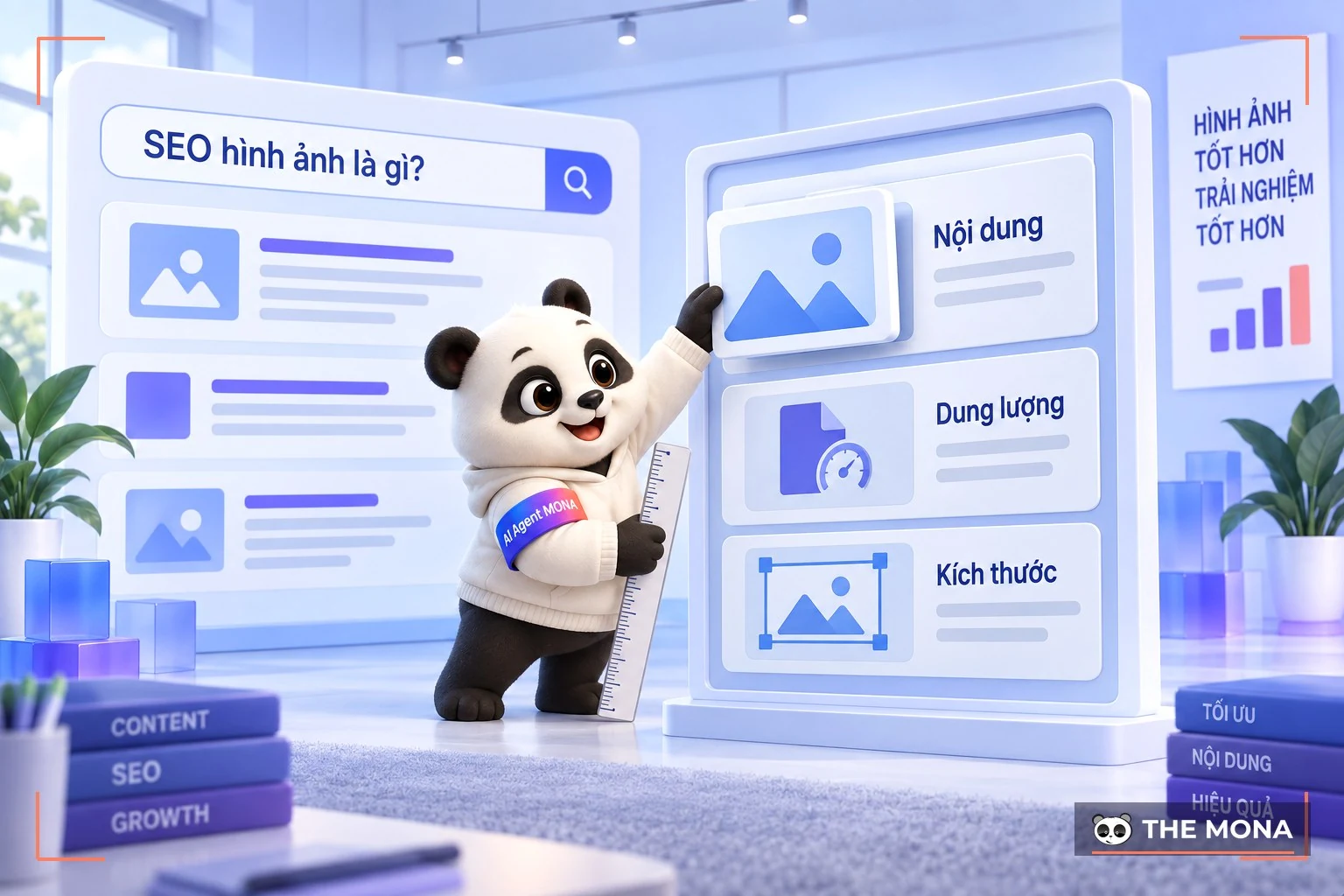
When images are properly optimized SEO, meeting standards for file size, quality, visual appeal and so on, search engines can more easily understand the content and context of an image, and users interact more and stay longer on your site.
In short, image SEO not only improves content quality for users but also contributes to the success of your overall SEO strategy, helping your site rank higher and attract more visits.
As MONA mentioned above, image SEO not only lifts your site's search rankings but also gives users a better experience. Here MONA breaks down how important image optimization is for SEO site and for users:

Google favors content with well-optimized images, which improves the effectiveness of SEO Onpage. When the images on your site are optimized, Googlebot can crawl and index them faster, improving your page's ranking on search results pages (SERP).
Standard SEO image optimization also gives you more chances to reach potential customers and lowers advertising costs in a fiercely competitive market. When people search for a product, service or business, relevant, well-optimized images appear and catch their eye. That creates organic traffic for your site, which Google also rewards.
Image SEO also increases time on site and lowers the bounce rate, thanks to beautiful, sharp, clearly captioned images.
Images are key to catching users' attention and being remembered. With good image SEO, users get a clearer, more visual understanding through vivid illustrations, so they quickly grasp the information and value your website offers.
For example, images shoot a corporate profile hay personal portrait photography posted on SEO-optimized pages help page speed and leave a good impression on users. That makes them want to come back, which grows your traffic. Optimized images also help the site display better on mobile devices, giving users a smoother, friendlier experience.
To optimize images for SEO on Google effectively, pay attention to many factors, such as naming image files, using ALT tags, and choosing suitable image sizes and formats. So let's go through the 17 effective image SEO techniques below with MONA:

Images on a website should represent a specific story or piece of content, since they have a stronger emotional impact than text. To make sure images give users real value, take the time to find or design illustrations that fit the topic, rather than using product photos unrelated to the content. Images that are funny, unusual or dramatic especially attract and hold readers, making your image SEO more effective.
Original images you create and design yourself tend to be more creative and informative than the images that are everywhere online, and users rate them higher.
Original images also keep you clear of copyright violations. Image copyright lawsuits are still uncommon in Vietnam, but that does not mean you can use other people's images freely. For websites registered under DMCA, using images without permission can lead to complaints and legal trouble.
So for effective, sustainable image SEO, always prefer original images, especially for the products you sell, to stay clear of copyright violations. For example, take the photos yourself or invest in hiring product photography, which respects intellectual property and also raises the credibility and quality of the content on your site.
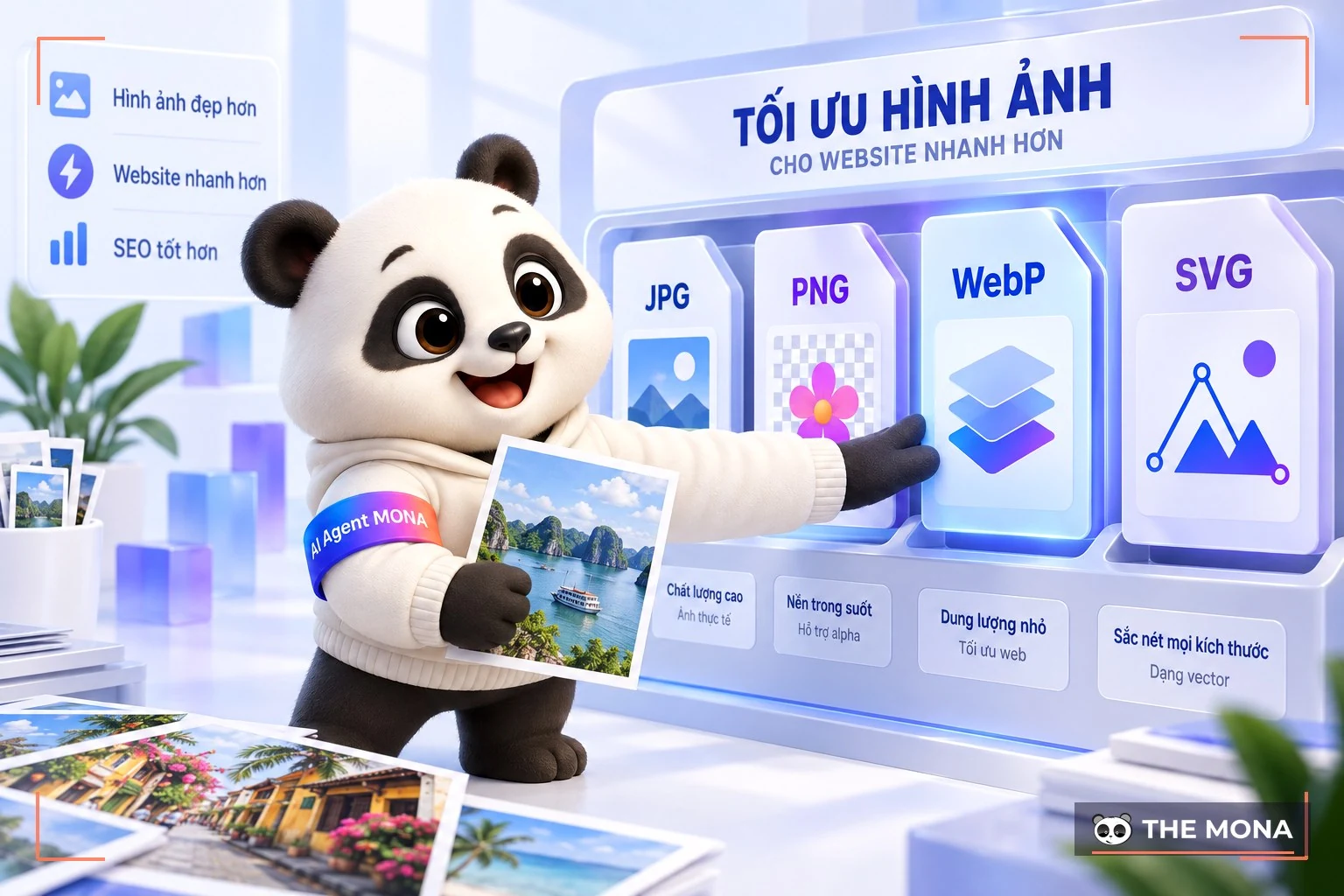
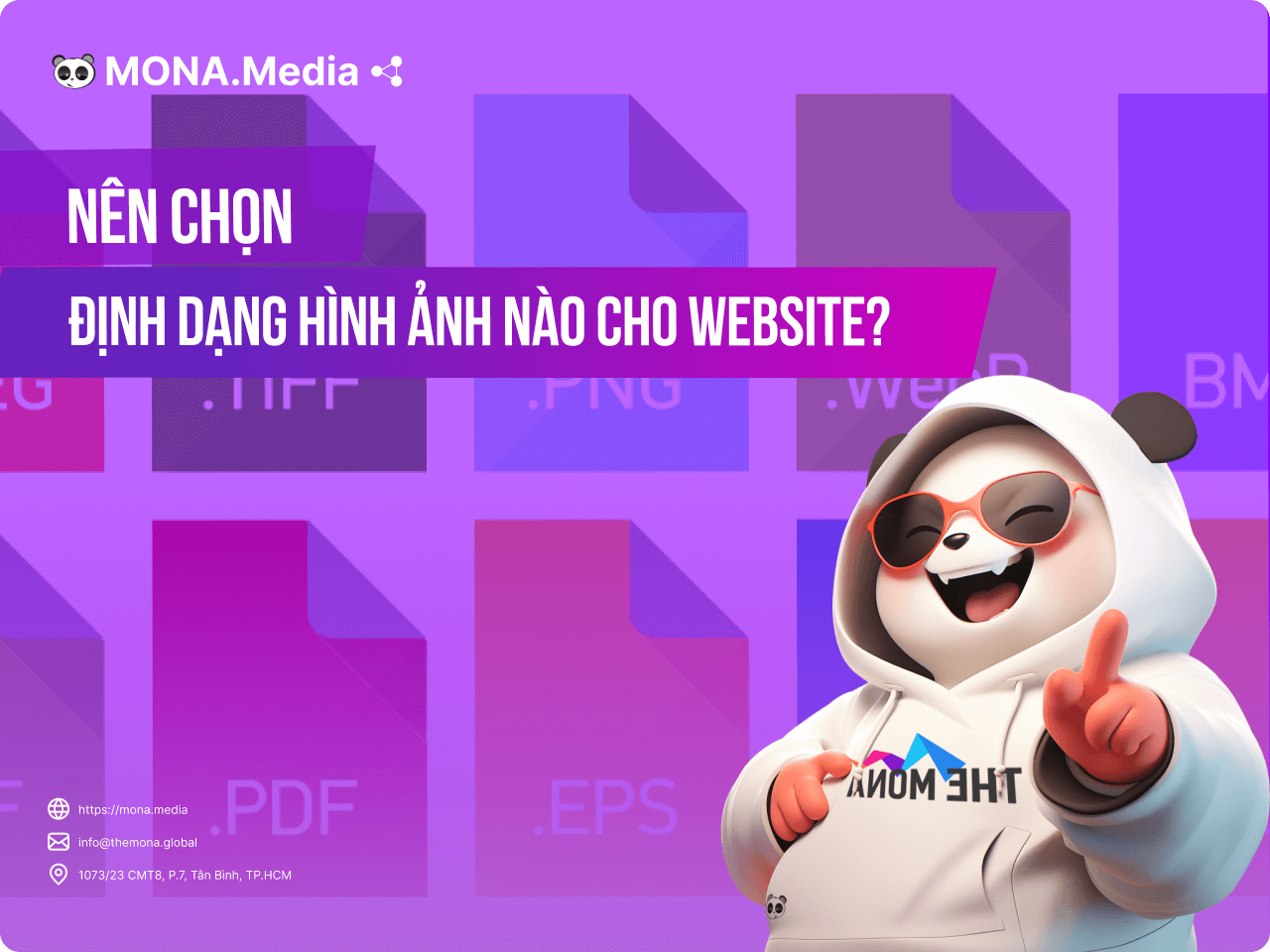
Choosing the right image format is an important part of image SEO, optimizing performance and improving your site overall. Google recommends image formats such as BMP, GIF, JPEG, PNG, WebP and SVG. Among them, JPG and PNG are the two most widely used today:
WebP is also well regarded for its small file size and good quality, though it is less common than the two formats above. Depending on your use, choose the image format that best optimizes your website, builds credibility and a professional look, and so reaches customers and brings in quality traffic.
-> Read more: Which image format is best for a website?
Images should be sized to fit your website layout. For news or guide articles, image width should be between 500px and 700px. For product or project images, a larger size of between 800px and 1,000px is appropriate.
In most cases a few simple steps handle this part of Google image SEO, such as:

One key part of image SEO is reducing image file size to speed up loading. The lighter the image, the faster the page loads and the higher the site can rank.
Some tools that reduce image file size effectively:
Responsive images means optimizing images at suitable sizes so users have a good experience on different devices. It improves display quality and contributes to image SEO. Picture it this way: when a user visits from a desktop computer, the site should serve a large version of the image. From a tablet, it needs a medium-sized version. And on a mobile phone, the site should serve a small image.
Mobile SEO techniques deserve SEOers' attention, because a large number of users now visit websites on mobile phones. If your site is not yet responsive, you will likely lose a lot of organic traffic from mobile users. Getting this right raises the user experience score and supports image SEO more effectively.
If you use WordPress 4.4 or later, don't worry: WordPress generates srcset for you automatically. Automatic WordPress image SEO provides these sizes for every uploaded image:
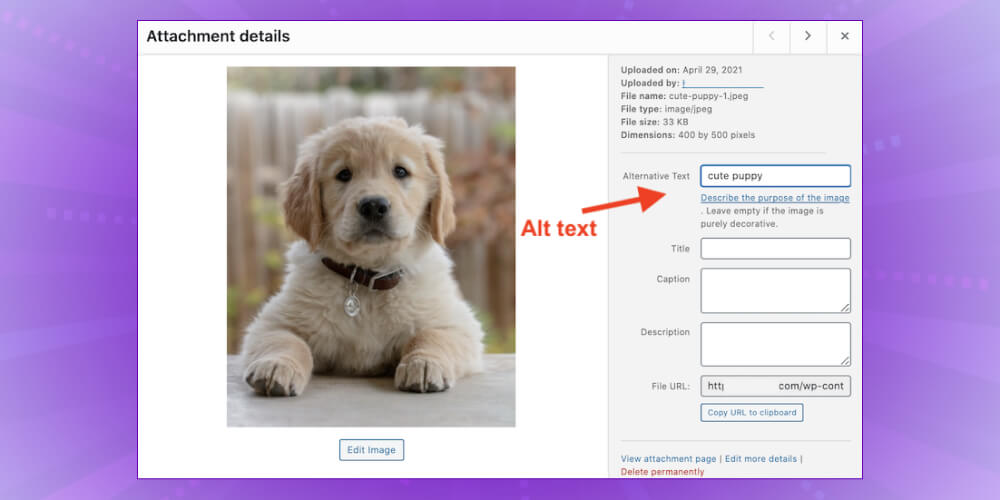
ALT text not only improves accessibility for users but is also an important part of image SEO strategy. When an image can't be displayed or fails to load, the ALT text takes its place so users still understand what the image is about. For Googlebot, ALT text provides the information it needs to index and rank the image in search results.
To optimize ALT text for image SEO, keep the following in mind:
A well-optimized image title helps Google understand the image better and also improves its chances of appearing in image search results.
To get an SEO-friendly image title, follow the rules below:
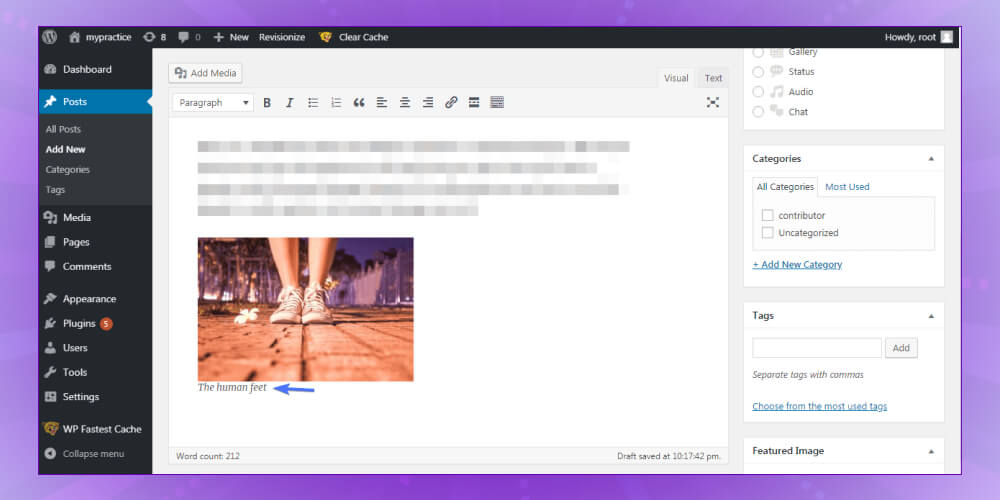
Captions usually sit under each image and help readers grasp what it shows at a glance. Optimizing captions is an important step in image SEO, because people tend to read captions when they skim an article.
SEO experts Neil Patel have confirmed that image captions are read 300% more on average than the main body text. This shows that good captions can increase reader engagement.
To optimize captions, write short, tight lines that relate directly to the image. Don't stuff in keywords. Use them naturally, so the caption adds useful information for the reader and also helps Google understand your image better.
An accurate, detailed description explains what the image shows as fully as possible. Although it gets less attention than other factors, the image description should not be skipped in optimization, because it helps Googlebot decide whether the image suits what users are looking for.
Google experts have also said that, as of now, Googlebot still cannot fully work out exactly what an image shows. That makes the image description important in image SEO, and it supports the process more effectively.
To describe images well, use relevant keywords and write clear, specific descriptions that match the content and context of the image.
When an image is uploaded to a website, the system usually generates a link for it automatically. That link is often not user-friendly and contains no keywords, which makes optimization harder.
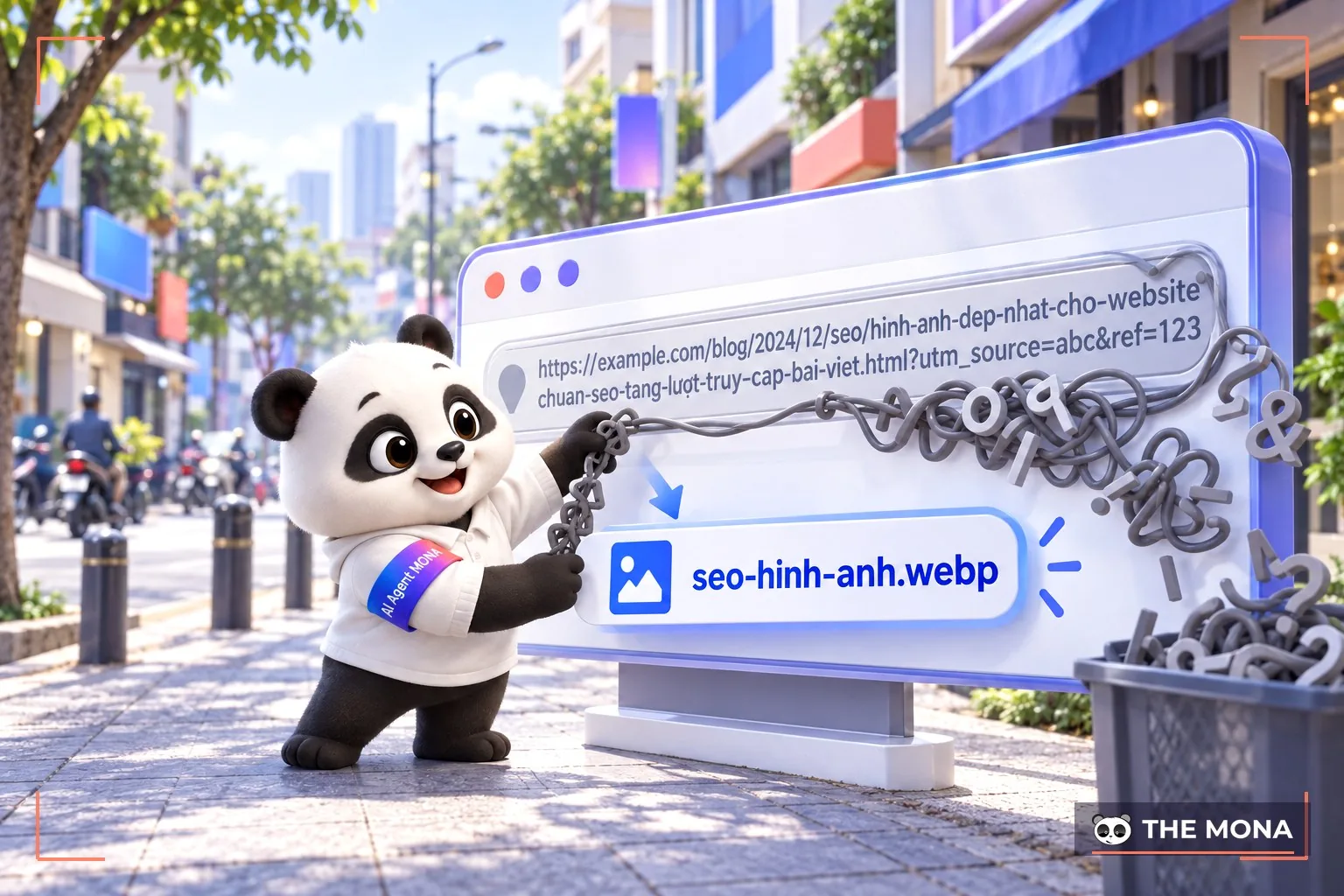
To improve this, follow a few simple steps:
To get the most from images in your content, spread a reasonable number of them across each post. Google recommends that an article of about 1,000 words should have at least 3 images. That many keeps readers from getting bored. That said, it depends on the content: a how-to article may need more images than an ordinary blog post.
You should also avoid adding too many images, since that can slow the page down. If you do need many images, optimize their dimensions and file size to keep pages fast, which improves user experience and supports SEO.
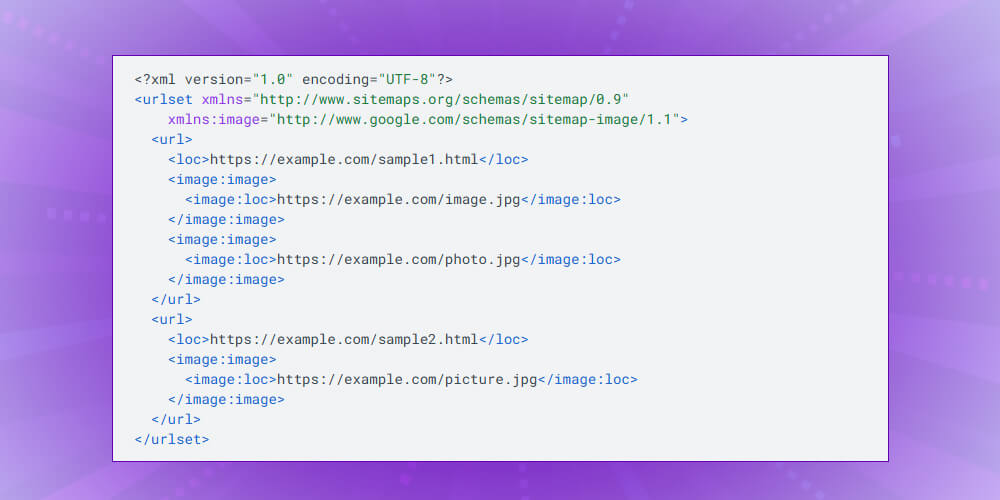
Sitemaps helps your website's content get indexed quickly and makes your images easier to find. If you have many images, a separate image sitemap improves their chances of showing up in image search results.
There are two ways to create an image sitemap: you can create a standalone sitemap or add images to your existing XML sitemap. If you use WordPress with the Yoast SEO plugin, images are added to the XML sitemap automatically with no extra steps.
Giving search engines this detail not only helps your images get indexed but also improves their chances of appearing in image search, which strengthens your website's image SEO. Below is an example of a basic XML sitemap, and the same sitemap after images are added:
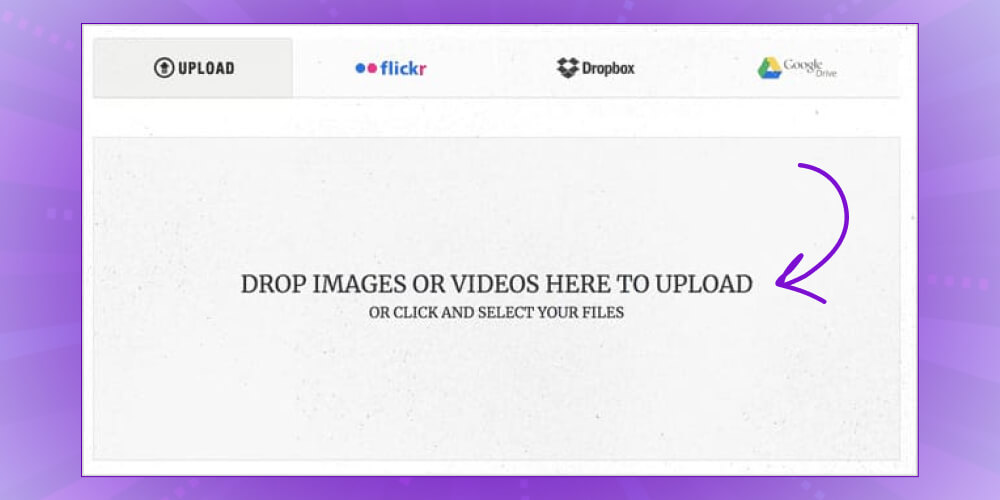
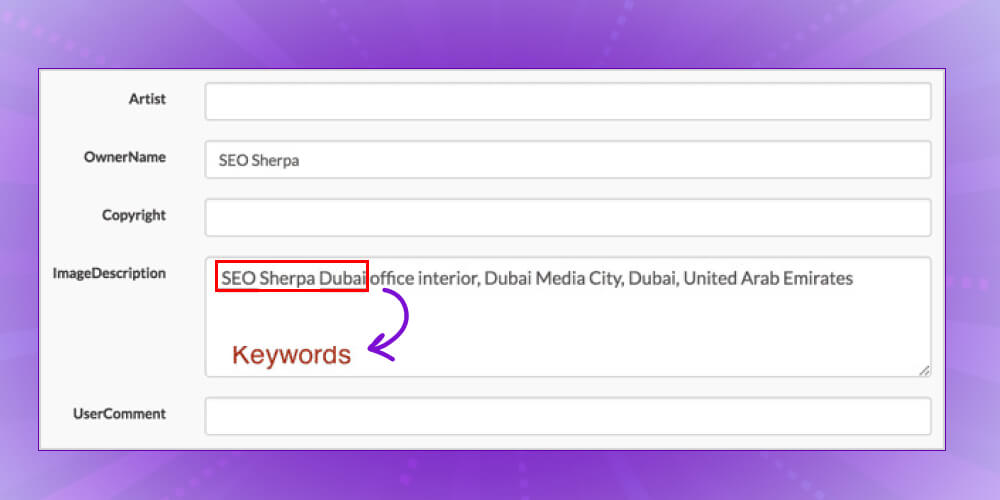
EXIF data (Exchangeable Image File Format) holds information about an image, including the camera, location and other tags. When doing image SEO, optimizing EXIF data is important for improving how well the image performs and how easily it is found.
Specifically, there are two things you should do with EXIF data:
If you use WordPress, you can optimize EXIF data with the steps below:
Using structured data (structured data) not only optimizes the images on your site but also lets them appear in Google's “featured snippets”. This can make your search result more attractive, thanks to details such as rating scores, number of reviewers and illustrative images.
When Schema Markup is applied correctly, your images can appear in rich snippets, which leave a stronger impression on users.
Example: When someone searches for a recipe, an image with details such as cooking time, ingredients and a rating score makes your result stand out from pages with no images.
Nothing guarantees Google will always show your images in search results, but applying Schema Markup correctly raises the odds. To check your code, you can use Google's tools to make sure everything is set up properly.
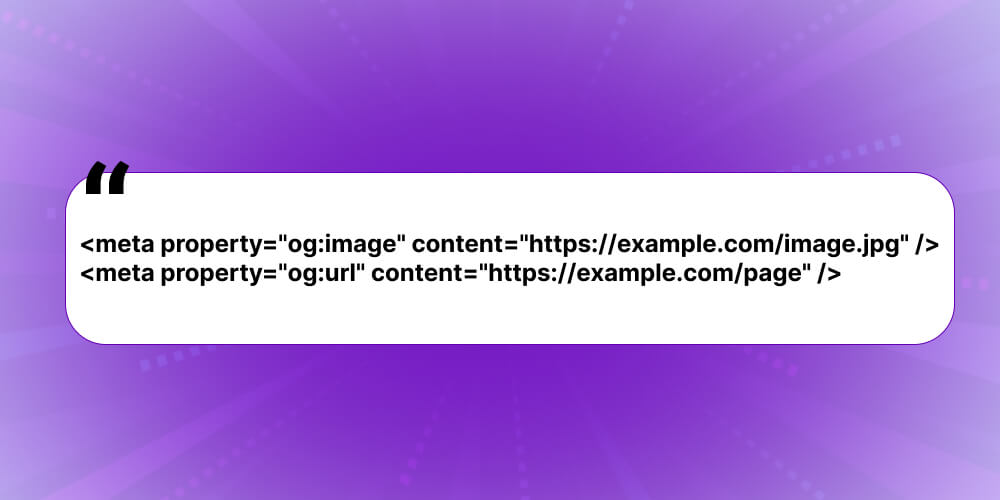
Facebook, for instance, uses Open Graph to bring content from websites into the social network. When you share a URL from your website on Facebook, a preview appears with a thumbnail image, a title and a short description. To show that image, you need to add tags to the <head> section of your page, like this:
Besides Facebook, you can also use Twitter Cards to control how your content looks on Twitter. Twitter is less popular than Facebook in Vietnam, but these tags still help increase engagement and attract users. Together they strengthen your image SEO across social platforms.
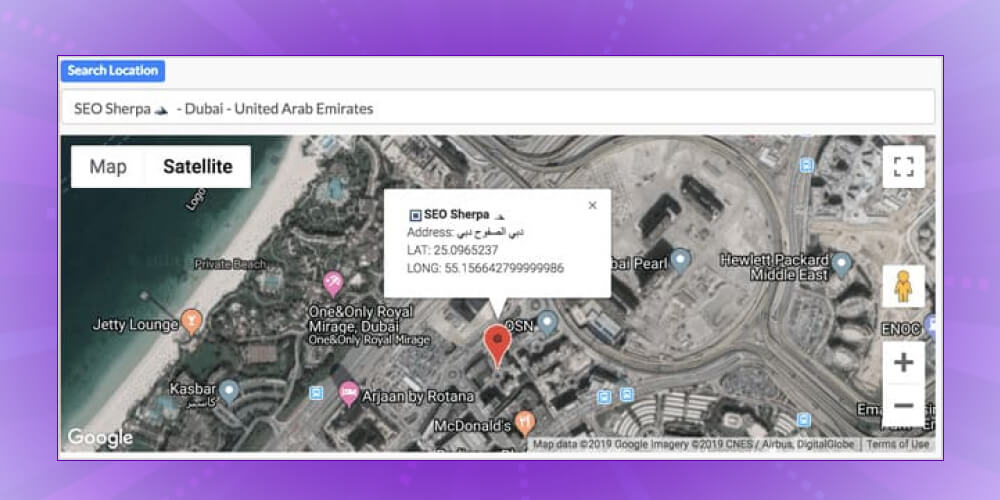
Geotagging an image simply means marking the geographic location where a photo was taken, using longitude and latitude to pin down the exact coordinates. When users search for content tied to a specific place, geotagged images are more likely to show up in the results, similar to local SEO, where places close to the user are shown first.
To check whether a photo already has a geotag, right-click the image, choose Properties and look in the Details tab for GPS information. To help with geotagging, you can use websites such as Lar.vn, geoimgr.com and Geotag.online. These tools make it easy to locate your images and improve your image SEO.
If you aren't tech-savvy and find image SEO difficult, don't worry. MONA, with its professional image SEO service , can handle it for you. MONA is the choice of many businesses that now hold top Google positions in their fields, thanks to strong technical skills and full-scope SEO quote reasonable price.
Proud to be a leading provider of SEO services a leading position in Vietnam. MONA Media's team are experienced specialists who have successfully delivered more than 300 SEO projects for many businesses across different industries, from small shops to large groups. SEO company MONA always puts its clients' interests first and is committed to strong results and quality.
Your website will not only rank higher on Google but also see a clear rise in purchase conversion rate:
More than 12,000 clients in Vietnam and abroad have trusted MONA's SEO services, which shows the reputation and value MONA delivers. CONTACT US Work with MONA Media through HOTLINE 1900 636 648 for advice and a detailed quote. Let MONA support you in reaching the top of Google and growing your business online.
Optimizing images for SEO (image SEO) plays an important role in improving a website's ranking on search engines. To become an expert in this area, you need the right tools.
Below are some popular tools, both offline and online, to help you do image SEO effectively:
To keep image optimization uninterrupted and doable anywhere, offline tools are the choice of many SEOers. Common programs include:
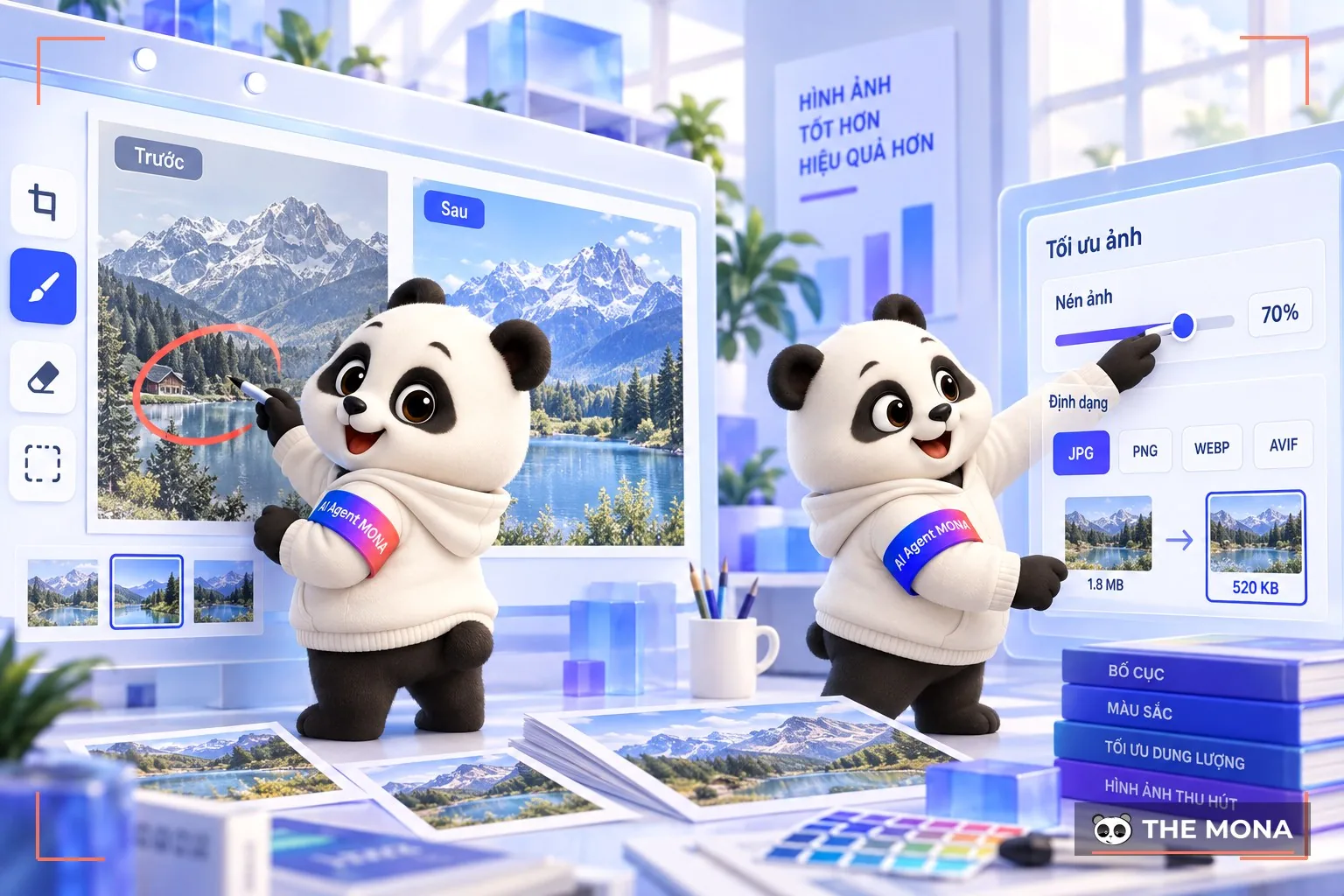
That said, offline tools often can't meet users' more demanding needs. MONA has therefore put together a few online image optimization tools to speed up your work:
To make image SEO work better, you should regularly monitor image search traffic to your website. If you publish infographics or illustrations with your content, analyze the insights and look at it from the viewer's side: do people find your content through those images?
For more detail on this data, you can use Google Search Console and follow the steps below:
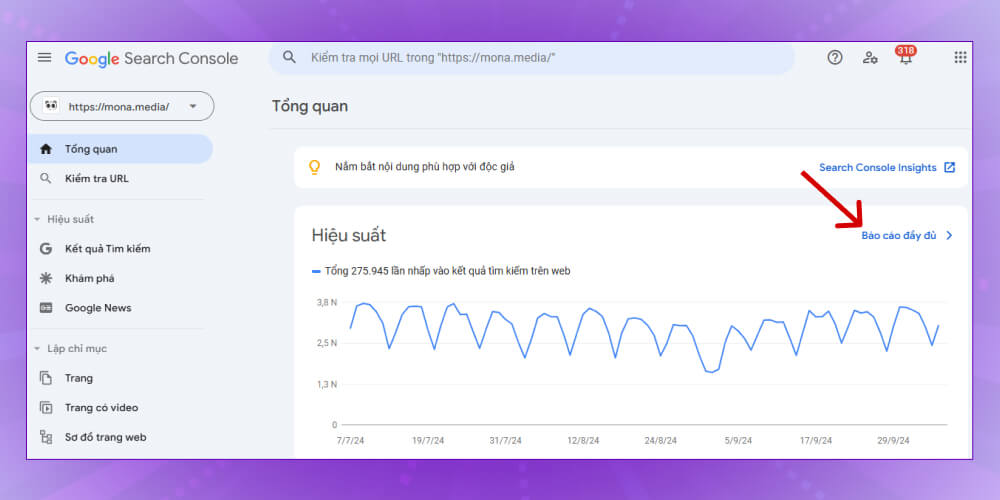
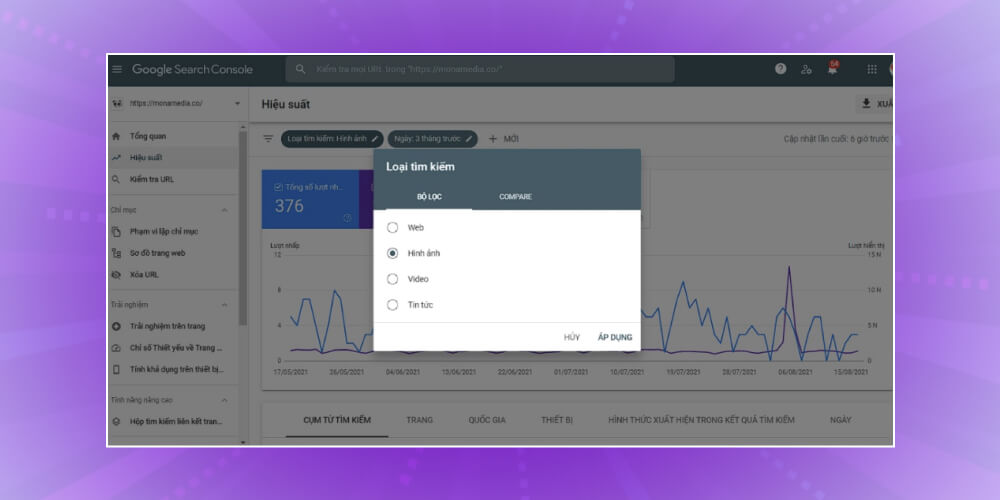
Keep in mind that users are usually drawn to an image before they read the text next to it. An attractive image closely tied to the topic leaves a strong impression and inspires people to share your content. In short, image SEO is not complicated. Spend a little time optimizing your images and your website will be more competitive in the eyes of search engines.
In conclusion, Image SEO is an important part of website optimization. It improves user experience and site metrics and raises your ranking on search engines. Investing in image SEO is not just about making your site look better. It is a long-term strategy for better search performance and happier users. We hope today's article from MONA has given you a good overview so you can do image SEO properly for your own website.

CEO & Founder · The MONA
Founder of The MONA, who built a services company of 200+ staff with 14,000+ projects delivered. Khánh Hùng shares how he thinks about building systems that run themselves, automating a business, and the real lessons from delivering projects at MONA.
 1,6K
1,6K




Professional website
design services
Own a website with a beautiful, 100% exclusive design and a lifetime warranty, with the ability
to expand features flexibly as your business grows, starting today!








 MONA will never sell your information or send you spam
MONA will never sell your information or send you spam
MONA will never sell your information or send you spam


 MONA will never sell your information or send you spam