
 MONA OS 2.0
 Partner with MONA


 Tự động hoá doanh nghiệp
 Cẩm nang SEO
 Digital Marketing
 Kinh nghiệm thiết kế website
 Hạ Tầng Server
 Giáo dục


 VI
 EN

















Message us on
Zalo Official


 ProductsNew

 ProductsProducts
 Mới ra mắtKHA AI 2027App tự edit video, tự đăng mọi mạng xã hội, 2 phút mỗi ngày










 Website designLooks good and wins customers over.
SEO servicesBrings in customers searching for exactly what you sell.
 Tư vấn digital marketingKéo khách từ nhiều kênh, đo bằng số thật.
Corporate video productionVideos introducing your company, factory and team.
 NewAI video productionCompany story films made with AI.
 Custom software developmentCRM, ERP and HRM built for your business.
 Viết AI Agent theo yêu cầuĐặt riêng một trợ lý AI cho đúng việc của mình.
 Tư vấn chuyển đổi AIĐưa AI vào vận hành của cả công ty.
NewMONA LMSManagement for centers and schools.
MONA SkillHubInternal training for company staff.
 NHTQ systemEnd-to-end China–Vietnam shipping operations.
MONA JMSManagement for gold, diamond and pawn shops.
 MONA E-LearningA website with every feature you need to sell courses.
 How to sell online courses (course)More than 30 free lessons on selling courses on autopilot.
 MONA Cloudmonacloud.vnServers to get your apps and websites running.
 MONA Basemonabase.vnPostgres database, sign-in and file storage.
 MONA Mailmonamail.vnSend OTP, order and invoice emails from your software.
 MONA Paymonapay.vnAccept bank transfers via VietQR and notify your software when the money arrives.
 MONA eInvoiceComing soonIssue e-invoices that meet tax standards.
Gấu CườiTrả lời khách 24/7 trên web, Fanpage, Zalo và thu lead cho sale.
 Gấu TeleSalesGọi điện tư vấn, chăm khách như tổng đài viên thật.
Dê CườiTư vấn và chốt đơn cho shop ngay trong khung chat.
Gấu WebmasterNhắn nhóm Zalo là website được sửa xong.
 Gấu Pháp ChếSoạn hợp đồng, rà điều khoản trong vài phút.
 Gấu Báo GiáLên báo giá đúng mẫu và gửi khách ngay.
 AI chăm sóc khách hàngTheo dõi và giữ chân khách hàng cũ.
 Gấu Tuyển DụngLọc hồ sơ, hẹn lịch, phỏng vấn ứng viên.
 Mới ra mắt
KHA AI 2027
Xây kênh chuyên gia 2 phút mỗi ngày
Quay bằng điện thoại, AI tự edit video, tự đăng lên 16 nền tảng và tự trả lời bình luận, tin nhắn.
940.268lượt xem trên kênh CEO MONA sau 43 ngày
 Anh Khánh HùngCEO MONA đang dùng mỗi ngày
Xem app làm được gì
 AI
Gấu Cười MONA ĐANG TỰ XÀITrả lời khách 24/7 trên website, Zalo OA, Messenger và thu lead về cho sale.
Dê CườiChốt đơn bán lẻ và sàn: Shopee, TikTok Shop, web. Chăm cả khách sỉ, đại lý.
Gấu WebmasterCập nhật nội dung, tối ưu SEO website mỗi ngày.
Gấu TeleSalesGọi điện tư vấn, chăm khách như tổng đài viên thật.
Gấu Tuyển DụngLọc hồ sơ, hẹn lịch, phỏng vấn ứng viên tự động.
AI chăm sóc khách hàngGiữ khách cũ, cứu lead đã rớt cho phòng kinh doanh.
Gấu Pháp ChếSoạn hợp đồng, rà điều khoản trong vài phút.
Gấu Báo GiáLên báo giá đúng mẫu, gửi khách ngay khi có yêu cầu.
 Chuyển đổi AI toàn phầnGiải pháp tổng cho doanh nghiệp, 3 lớp triển khai.
 Viết AI Agent theo yêu cầuĐặt riêng một con AI gánh đúng nghiệp vụ của bạn.
 Custom softwareCRM, ERP and HRM with built-in AI automation.
 SEO & AEO thời đại AIĐược Google lẫn AI trích dẫn, không chỉ xếp hạng.
 Kiến thức AI cho doanh nghiệpBài phân tích, hướng dẫn ứng dụng AI vào vận hành.
 Free AI courses
 AI tools at work
App mới · KHA AI 2027
Xây kênh 2 phút mỗi ngày
AI tự edit video, tự đăng mọi mạng xã hội
Free consultation, 8am–10pm every day

29 January, 2026

Time to First Byte is one of the foundational metrics that decide whether a website responds fast or slow from the very first second a user visits. If TTFB is high, no matter how nice the design or how good the content, the website still feels slow, which directly hurts SEO and user experience. In this article, MONA Media will help you understand what Time to First Byte is, how to measure it accurately and the most effective ways to optimize it for a lasting speed boost in 2026.
What is Time to First Byte? Time to First Byte (TTFB) is the time from when a user's browser sends a request to the website to when it receives the first byte of data from the server.
The TTFB metric shows whether a website responds fast or slow at the very first step, and it directly reflects server performance and how the system handles requests. TTFB is usually measured in milliseconds (ms), and the lower the TTFB, the better the website's response speed.
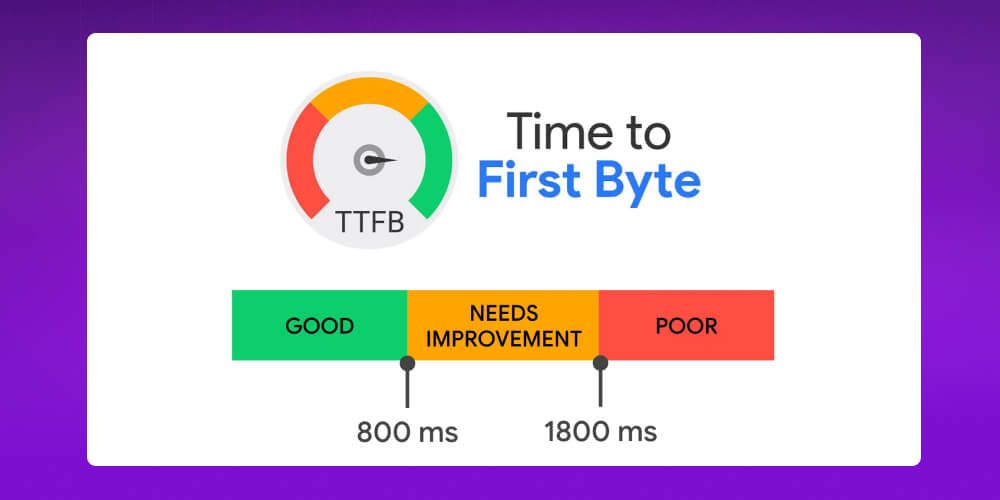
The Time to First Byte process runs from the moment a user types a URL or clicks a link until the server starts sending data back to the browser. First, the browser performs a DNS lookup to find the server address, then sets up a connection and sends the HTTP request.
When the server receives the request, the system handles backend tasks such as running code, querying the database and preparing the content, and only then sends the first byte of data back to the user. The total time of this whole chain is TTFB.
When evaluating website speed, Time to First Byte (TTFB), First Contentful Paint (FCP) and Largest Contentful Paint (LCP) are three metrics usually analyzed together, but each reflects a different stage of page loading.
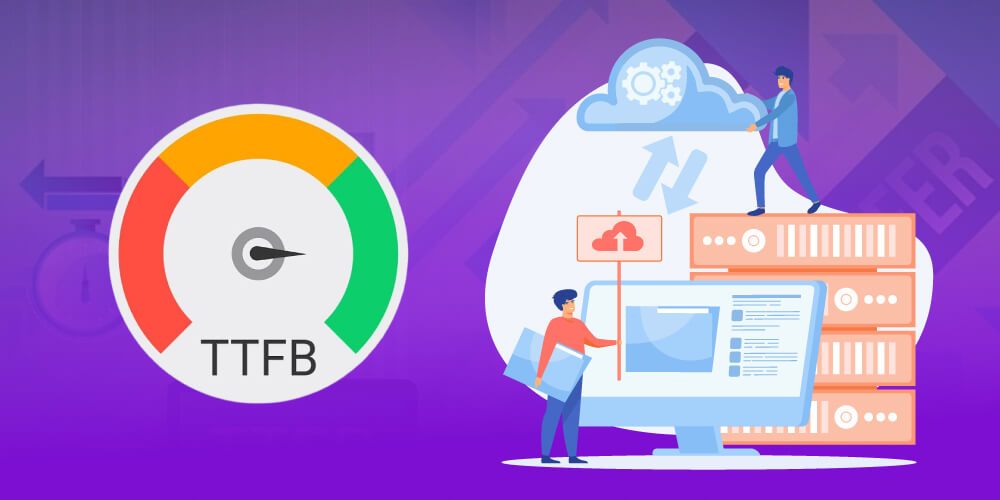
Understanding what each metric does helps you optimize Time to First Byte and improve website performance as a whole.
Example: A website with a Time to First Byte under 200ms shows a fast server response, but if heavy CSS/JS makes the browser take a long time to process, FCP can still be over 2 seconds, which gives a poor user experience even though TTFB is good.
Knowing what Time to First Byte is is not enough. What matters more is seeing why the TTFB metric has such a big effect on website performance and business results. TTFB reflects not only server response speed but also directly affects user experience, Core Web Vitals, SEO and even revenue. Here are the reasons TTFB is a metric you can't ignore when optimizing website speed.
Time to First Byte is the first response signal users feel when they visit a website. A low TTFB makes the page respond fast and feel smooth and professional. On the other hand, if TTFB is high (over 800ms), users lose patience and leave early, which raises the bounce rate.

Although it is not part of the Core Web Vitals Time to First Byte directly affects FCP and especially LCP. A slow TTFB stretches the whole content display process, which makes these metrics hard to pass. When you optimize Time to First Byte, FCP and LCP can show earlier, helping your website meet Google's experience criteria better.
The Time to First Byte metric reflects server response speed, a factor Google uses to judge website quality. A fast-responding server helps Googlebot crawl more efficiently and pick up content updates better. On the other hand, a high TTFB can waste crawl budget and indirectly affect a structured full-scope.
A website that responds fast from the first byte keeps users around and raises the chance they complete actions like buying or signing up. Even a small improvement in Time to First Byte can make a clear difference in conversion rate, especially for sales and service websites.
Once you understand what Time to First Byte is, the next question many people ask is what TTFB value counts as good for a website. In practice, the ideal TTFB depends on the server infrastructure and the type of website, but Google and many technical teams have set fairly clear thresholds you can use to compare and optimize.
|
TTFB value |
Reviews |
Assessment |
|
Under 200ms (0.2s) |
Very good / Excellent |
The ideal level. It shows the server responds extremely fast, a good base for SEO and user experience |
|
200ms – 500ms (0.2s – 0.5s) |
Acceptable / Average |
The website still runs steadily, but you can optimize further if you want to improve Core Web Vitals |
|
Over 600ms (0.6s) |
Needs improvement |
A sign that the server or backend is starting to have problems, so consider optimizing early |
|
Over 800ms (0.8s) |
Poor |
User experience is clearly affected, and the website is easily rated low on performance |
|
Over 1800ms (1.8s) |
Very poor |
Frustrates users, causes a high bounce rate and seriously hurts SEO |
To optimize Time to First Byte effectively, you first need to measure the time to the first byte accurately with reliable tools. Today there are many free tools that check this metric with high reliability, from basic to in-depth analysis, suitable for both beginners and technicians.

Here are accurate and popular tools for measuring Time to First Byte:
≫ Read now: How to check your website speed simple, accurate and easy to do
Time to first byte (TTFB) is one of the key metrics that reflect server response speed. When it is too high, the website loads slowly from the very first step, directly affecting user experience and SEO. To optimize Time to First Byte effectively, you first need to understand the 8 root causes behind it:
Time to First Byte (TTFB) reflects the server's initial response speed when a user visits a website. The lower the TTFB, the faster the website and the higher Google rates it. Here is a checklist of 12 ways to optimize Time to First Byte that have worked well in practice.
Hosting is the foundation that directly affects Time to First Byte. Upgrading from shared hosting to a VPS or dedicated server gives your website its own resources, so other sites can't affect it. It is also better to choose hosting with NVMe SSD drives to speed up data access.

The farther the server is from visitors, the higher the latency. If your customers are mainly in Vietnam, placing the server in the country shortens response time and clearly improves the TTFB metric.
A slow DNS response stretches the time to first byte no matter how fast the server is. Use high-quality, stable DNS that supports Anycast to cut domain lookup time.

Cache means the server doesn't have to process every request from scratch. When you turn on page cache, object cache or opcode cache, the server can return data almost instantly, which cuts Time to First Byte sharply.
A bloated database or poorly optimized queries are the “hidden culprit” behind high TTFB. Clearing out junk data, creating sensible indexes and limiting unnecessary queries helps the server respond faster.
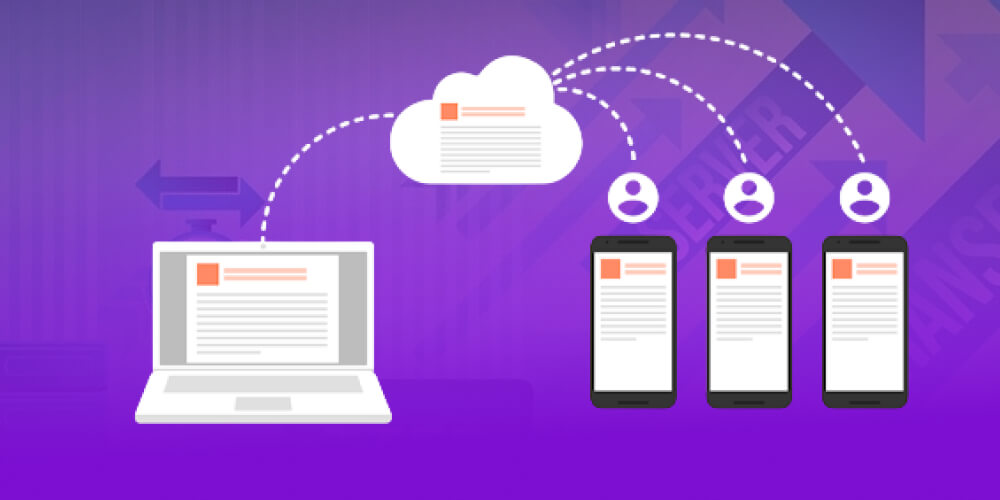
Every plugin or script adds more backend processing load. Removing unnecessary plugins and limiting extra scripts cuts request processing time, which improves the time to first byte.
The leaner the backend code, the lighter the server's load. Tidying up processing logic, reducing repeated queries and updating to a newer PHP version keeps the TTFB metric steady and much lower.
A CDN delivers content from the server closest to the user, which reduces physical latency and takes load off the origin server. Configured correctly, a CDN can improve Time to First Byte noticeably, especially for websites with multi-country traffic.
HTTP/2 and HTTP/3 handle multiple requests over one connection, which cuts waiting time and improves transfer performance. It is a small technical factor, but it has a positive effect on the TTFB metric.
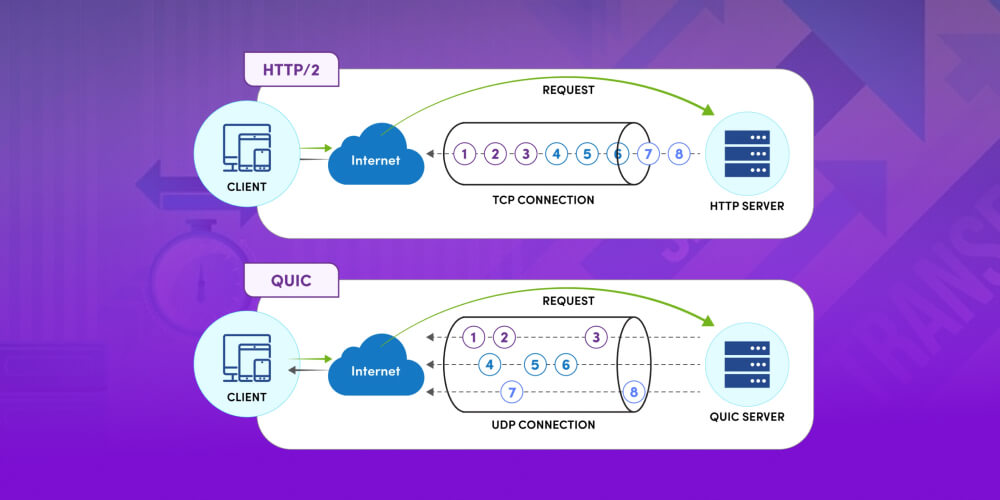
If the SSL handshake drags on, it adds to the initial response time. Using an optimized SSL certificate, supporting newer TLS and configuring HTTPS to standard reduces the time to first byte.
Although it doesn't directly affect TTFB, lightweight content lets the server process the page faster. Compressing images, using WebP and cutting unnecessary resources indirectly support Time to First Byte optimization.

Every redirect or external script call adds another waiting round. Limiting redirects and controlling third-party resources keeps the TTFB metric steadier and easier to manage.
By now you understand what Time to First Byte is, how to measure TTFB accurately and why this metric directly affects website speed and SEO performance. Analyzing and optimizing Time to First Byte not only makes your website respond faster but also builds a solid base for better user experience and search rankings. We hope what MONA Media shared helps you apply TTFB optimization solutions effectively and get ready for the increasingly strict speed requirements of 2026.

CEO & Founder · The MONA
Founder of The MONA, who built a services company of 60+ staff with 14,000+ projects delivered. Khánh Hùng shares how he thinks about building systems that run themselves, automating a business, and the real lessons from delivering projects at MONA.
 1,5K




Professional website
design services
Own a website with a beautiful, 100% exclusive design and a lifetime warranty, with the ability
to expand features flexibly as your business grows, starting today!






 MONA will never sell your information or send you spam


 MONA will never sell your information or send you spam
