
 MONA OS 2.0
 Partner with MONA


 Tự động hoá doanh nghiệp
 Cẩm nang SEO
 Digital Marketing
 Kinh nghiệm thiết kế website
 Hạ Tầng Server
 Giáo dục


 VI
 EN















Message us on
Zalo Official


 ProductsNew

 ProductsProducts
 Mới ra mắtKHA AI 2027App tự edit video, tự đăng mọi mạng xã hội, 2 phút mỗi ngày










 Website designLooks good and wins customers over.
SEO servicesBrings in customers searching for exactly what you sell.
 Tư vấn digital marketingKéo khách từ nhiều kênh, đo bằng số thật.
Corporate video productionVideos introducing your company, factory and team.
 NewAI video productionCompany story films made with AI.
 Custom software developmentCRM, ERP and HRM built for your business.
 Viết AI Agent theo yêu cầuĐặt riêng một trợ lý AI cho đúng việc của mình.
 Tư vấn chuyển đổi AIĐưa AI vào vận hành của cả công ty.
NewMONA LMSManagement for centers and schools.
MONA SkillHubInternal training for company staff.
 NHTQ systemEnd-to-end China–Vietnam shipping operations.
MONA JMSManagement for gold, diamond and pawn shops.
 MONA E-LearningA website with every feature you need to sell courses.
 How to sell online courses (course)More than 30 free lessons on selling courses on autopilot.
 MONA Cloudmonacloud.vnServers to get your apps and websites running.
 MONA Basemonabase.vnPostgres database, sign-in and file storage.
 MONA Mailmonamail.vnSend OTP, order and invoice emails from your software.
 MONA Paymonapay.vnAccept bank transfers via VietQR and notify your software when the money arrives.
 MONA eInvoiceComing soonIssue e-invoices that meet tax standards.
Gấu CườiTrả lời khách 24/7 trên web, Fanpage, Zalo và thu lead cho sale.
 Gấu TeleSalesGọi điện tư vấn, chăm khách như tổng đài viên thật.
Dê CườiTư vấn và chốt đơn cho shop ngay trong khung chat.
Gấu WebmasterNhắn nhóm Zalo là website được sửa xong.
 Gấu Pháp ChếSoạn hợp đồng, rà điều khoản trong vài phút.
 Gấu Báo GiáLên báo giá đúng mẫu và gửi khách ngay.
 AI chăm sóc khách hàngTheo dõi và giữ chân khách hàng cũ.
 Gấu Tuyển DụngLọc hồ sơ, hẹn lịch, phỏng vấn ứng viên.
 Mới ra mắt
KHA AI 2027
Xây kênh chuyên gia 2 phút mỗi ngày
Quay bằng điện thoại, AI tự edit video, tự đăng lên 16 nền tảng và tự trả lời bình luận, tin nhắn.
904.044lượt xem trên kênh CEO MONA sau 38 ngày
 Anh Khánh HùngCEO MONA đang dùng mỗi ngày
Xem app làm được gì
 AI
Gấu Cười MONA ĐANG TỰ XÀITrả lời khách 24/7 trên website, Zalo OA, Messenger và thu lead về cho sale.
Dê CườiChốt đơn bán lẻ và sàn: Shopee, TikTok Shop, web. Chăm cả khách sỉ, đại lý.
Gấu WebmasterCập nhật nội dung, tối ưu SEO website mỗi ngày.
Gấu TeleSalesGọi điện tư vấn, chăm khách như tổng đài viên thật.
Gấu Tuyển DụngLọc hồ sơ, hẹn lịch, phỏng vấn ứng viên tự động.
AI chăm sóc khách hàngGiữ khách cũ, cứu lead đã rớt cho phòng kinh doanh.
Gấu Pháp ChếSoạn hợp đồng, rà điều khoản trong vài phút.
Gấu Báo GiáLên báo giá đúng mẫu, gửi khách ngay khi có yêu cầu.
 Chuyển đổi AI toàn phầnGiải pháp tổng cho doanh nghiệp, 3 lớp triển khai.
 Viết AI Agent theo yêu cầuĐặt riêng một con AI gánh đúng nghiệp vụ của bạn.
 Custom softwareCRM, ERP and HRM with built-in AI automation.
 SEO & AEO thời đại AIĐược Google lẫn AI trích dẫn, không chỉ xếp hạng.
 Kiến thức AI cho doanh nghiệpBài phân tích, hướng dẫn ứng dụng AI vào vận hành.
 Free AI courses
 AI tools at work
App mới · KHA AI 2027
Xây kênh 2 phút mỗi ngày
AI tự edit video, tự đăng mọi mạng xã hội
Free consultation, 8am–10pm every day

14 November, 2022

The lesson plan is a term widely used by people in education. Teachers prepare it before they teach so that the lesson flows smoothly and no information is missed. Today the lesson plan has improved as teachers use technology to prepare it. The article below shares some tips for designing slide-based lesson plans for beginners. Let’s Mona Media read on for the details!
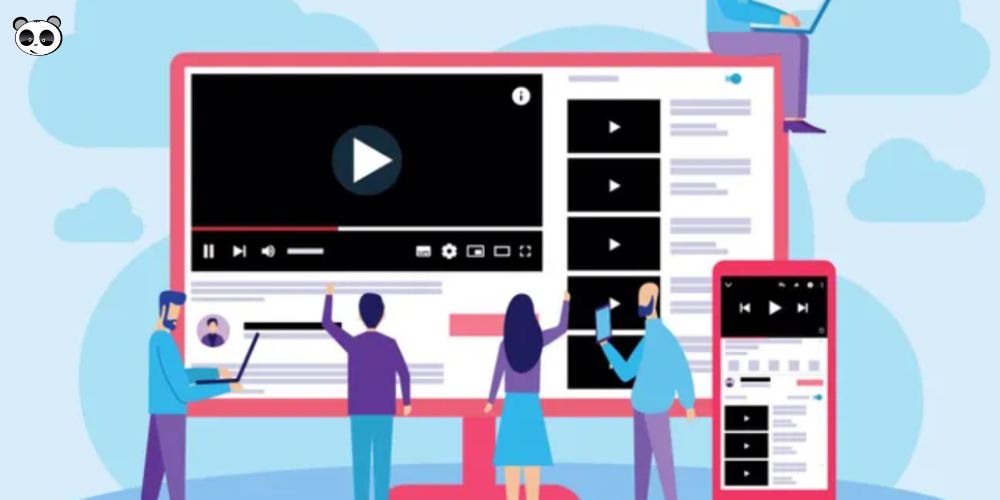
To answer this question, we first need to understand what a lesson plan is. A lesson plan is the teacher's outline of a lesson, prepared before going to class. A lesson plan usually records the topic, the educational aims, the content of the lesson, the teaching methods and techniques for teacher and students, and the testing and assessment work. You can also prepare in advance the tools and equipment that support the lesson.
The content of a lesson plan can follow these 4 questions:
So we can understand the meaning of a slide-based lesson plan (electronic lesson plan), simply put, instead of writing on paper, teachers use information technology and applications to prepare it.
Bringing slide-based lesson plans into education and training brings many benefits to both teachers and students and improves teaching quality compared with traditional lesson plans.
A slide-based lesson plan is not just text. It also has sound and vivid, realistic images, so students can take in the lesson better and stay interested because they see things visually and hear them too. As a result, students understand the lesson more deeply and remember it longer.
Electronic lesson plan is naturally saved as a digital file and can be backed up to a USB drive or CD, so copying data is easy. There are even simpler ways, such as uploading to a drive or copying to another disk on the computer. Documents are hard to lose over time, and teachers can review their plans or send them to students quickly.
Thanks to computer applications, teachers save time and effort when preparing lessons. Compared with the traditional lesson plan teachers can create more lively, engaging lessons with images, videos and direct links, so students can take in all the information visually. With slide-based lesson plan all data is stored as digital files on the computer and can be carried around easily and quickly.
Teachers do not need to write out multiple copies or rush to prepare lessons in class. They can spend more time on lesson ideas and on how best to get each piece of content across to students.

The first step in designing a complete electronic lesson plan is to define the teaching and learning goals. Depending on the student group, the plan is written to match specific knowledge or requirements.
Defining goals clearly helps teachers do their job well and get information to students in the best way through e-learning lesson plan design. To do this, first read the textbook for the material you will teach carefully. You should also consult additional materials so it is easier to define each lesson's goals and the knowledge and skills needed.
To have thorough, accurate materials, the resources for building your lesson plan E-Learning need to come from reliable sources such as the internet, teaching software or materials you create yourself. The content must be high quality, accurate and up to date. Collecting all the data in detail and organizing it into a library and folders makes your classroom teaching smoother and better.
Designing the materials must follow pedagogical principles: cover the basic knowledge fully and meet the lesson's goals from knowledge through skills. You also need to follow all the steps of the teaching task. Build good interaction between teacher and students, set up a system of questions related to the lesson, and create positive interaction that avoids putting pressure on students during the lesson. This makes for a complete, professional and standard teaching process for students.
At this step, we need to choose the language and presentation software to build the most suitable electronic lesson plan . Today there is a lot of excellent software, and you can choose from options such as PowerPoint, Adobe Presenter, iSpring, and others. Among them, the tool Adobe Presenter with integration with PowerPoint is rated highly supportive and is widely used and user-friendly.
You can develop lessons by inserting video and audio recordings, and editing videos and sound files, thanks to the software integration that ensures the content comes across. Digitizing and syncing electronic lessons works very well, and that in turn makes teaching deliver better results, as required.

After finishing building the e-learning lesson plan the last step before the process ends is to run the lesson as a trial and note what needs changing and adjusting to fit best. During the trial, evaluate objectively and review the details and any errors that may come up, so you can fix or add to them in time to improve the lesson and raise teaching quality.
Using electronic lesson plans for teaching is growing in general schools. Each lesson and each slide serves a different purpose. Whether a presentation is effective and persuades the audience depends a great deal on the slides you design. Skills for designing e-lesson plans that are creative and lively will keep students more engaged during class. Keep a few principles in mind when designing an electronic lecture:
The content of each slide needs complete preparation so nothing is missing or excessive as you deliver it. A PowerPoint lesson plan should also link back to the textbook and to what you have researched beforehand, staying accurate and polished so the content doesn't ramble and the main points don't get lost. The wording should suit a classroom setting and be as easy to understand and convey as possible.
Use color sensibly in an e-lesson plan. If the background and text colors don't pair well, the slides look glaring, hurt the look of the lesson and break students' concentration.
Font size on slides also needs to be balanced: not so small that the information is hard to read, and not so large that the slide can't carry enough content and the text gets broken up. Distinguish the main heading, subheading and body text so readers can tell them apart easily.
Effects can make a presentation livelier, but avoid using too many, since they add noise and strain the eyes.
The content should be presented carefully, without looking unattractive or inaccurate. Images must fit the content in proportion, so don't choose distorted or blurry ones. The size of elements on a slide should also let viewers see clearly and take in as much information as possible.
Adding images to a slide makes it livelier and less boring. However, don't insert animated images that only decorate, since they clutter the content, or images that carry nothing related to the lesson, since they confuse the reader.

Slides should be designed to be flexible and easy to operate so the lesson isn't interrupted while teaching. Lay out each slide logically so content appears in a sequence that's easy to follow, and add notes below for more detailed information so you can explain things well and leave nothing out.
To keep a lecture or presentation from getting dull, the speaker needs to interact with the slides. As you speak, interact with the presentation and point to the key items so the audience can follow more easily. That makes the presentation engaging and memorable.
We hope the tips and feedback from Mona Media on how to design a slide-based lesson plan will give you useful information and help you finish your lesson plans and lectures well. You can use digital lesson planning software to make drafting faster and more effective.

CEO & Founder · The MONA
Founder of The MONA, who built a services company of 60+ staff with 14,000+ projects delivered. Khánh Hùng shares how he thinks about building systems that run themselves, automating a business, and the real lessons from delivering projects at MONA.
 1,5K




Professional website
design services
Own a website with a beautiful, 100% exclusive design and a lifetime warranty, with the ability
to expand features flexibly as your business grows, starting today!






 MONA will never sell your information or send you spam


 MONA will never sell your information or send you spam
