
 MONA OS 2.0
 Partner with MONA


 Tự động hoá doanh nghiệp
 Cẩm nang SEO
 Digital Marketing
 Kinh nghiệm thiết kế website
 Hạ Tầng Server
 Giáo dục


 VI
 EN














Message us on
Zalo Official


 ProductsNew

 ProductsProducts
 Mới ra mắtKHA AI 2027App tự edit video, tự đăng mọi mạng xã hội, 2 phút mỗi ngày










 Website designLooks good and wins customers over.
SEO servicesBrings in customers searching for exactly what you sell.
 Tư vấn digital marketingKéo khách từ nhiều kênh, đo bằng số thật.
Corporate video productionVideos introducing your company, factory and team.
 NewAI video productionCompany story films made with AI.
 Custom software developmentCRM, ERP and HRM built for your business.
 Viết AI Agent theo yêu cầuĐặt riêng một trợ lý AI cho đúng việc của mình.
 Tư vấn chuyển đổi AIĐưa AI vào vận hành của cả công ty.
NewMONA LMSManagement for centers and schools.
MONA SkillHubInternal training for company staff.
 NHTQ systemEnd-to-end China–Vietnam shipping operations.
MONA JMSManagement for gold, diamond and pawn shops.
 MONA E-LearningA website with every feature you need to sell courses.
 How to sell online courses (course)More than 30 free lessons on selling courses on autopilot.
 MONA Cloudmonacloud.vnServers to get your apps and websites running.
 MONA Basemonabase.vnPostgres database, sign-in and file storage.
 MONA Mailmonamail.vnSend OTP, order and invoice emails from your software.
 MONA Paymonapay.vnAccept bank transfers via VietQR and notify your software when the money arrives.
 MONA eInvoiceComing soonIssue e-invoices that meet tax standards.
Gấu CườiTrả lời khách 24/7 trên web, Fanpage, Zalo và thu lead cho sale.
 Gấu TeleSalesGọi điện tư vấn, chăm khách như tổng đài viên thật.
Dê CườiTư vấn và chốt đơn cho shop ngay trong khung chat.
Gấu WebmasterNhắn nhóm Zalo là website được sửa xong.
 Gấu Pháp ChếSoạn hợp đồng, rà điều khoản trong vài phút.
 Gấu Báo GiáLên báo giá đúng mẫu và gửi khách ngay.
 AI chăm sóc khách hàngTheo dõi và giữ chân khách hàng cũ.
 Gấu Tuyển DụngLọc hồ sơ, hẹn lịch, phỏng vấn ứng viên.
 Mới ra mắt
KHA AI 2027
Xây kênh chuyên gia 2 phút mỗi ngày
Quay bằng điện thoại, AI tự edit video, tự đăng lên 16 nền tảng và tự trả lời bình luận, tin nhắn.
890.855lượt xem trên kênh CEO MONA sau 36 ngày
 Anh Khánh HùngCEO MONA đang dùng mỗi ngày
Xem app làm được gì
 AI
Gấu Cười MONA ĐANG TỰ XÀITrả lời khách 24/7 trên website, Zalo OA, Messenger và thu lead về cho sale.
Dê CườiChốt đơn bán lẻ và sàn: Shopee, TikTok Shop, web. Chăm cả khách sỉ, đại lý.
Gấu WebmasterCập nhật nội dung, tối ưu SEO website mỗi ngày.
Gấu TeleSalesGọi điện tư vấn, chăm khách như tổng đài viên thật.
Gấu Tuyển DụngLọc hồ sơ, hẹn lịch, phỏng vấn ứng viên tự động.
AI chăm sóc khách hàngGiữ khách cũ, cứu lead đã rớt cho phòng kinh doanh.
Gấu Pháp ChếSoạn hợp đồng, rà điều khoản trong vài phút.
Gấu Báo GiáLên báo giá đúng mẫu, gửi khách ngay khi có yêu cầu.
 Chuyển đổi AI toàn phầnGiải pháp tổng cho doanh nghiệp, 3 lớp triển khai.
 Viết AI Agent theo yêu cầuĐặt riêng một con AI gánh đúng nghiệp vụ của bạn.
 Custom softwareCRM, ERP and HRM with built-in AI automation.
 SEO & AEO thời đại AIĐược Google lẫn AI trích dẫn, không chỉ xếp hạng.
 Kiến thức AI cho doanh nghiệpBài phân tích, hướng dẫn ứng dụng AI vào vận hành.
 Free AI courses
 AI tools at work
App mới · KHA AI 2027
Xây kênh 2 phút mỗi ngày
AI tự edit video, tự đăng mọi mạng xã hội
Free consultation, 8am–10pm every day

15 June, 2026

Many business owners and marketing teams are looking for ways to harness AI to boost performance. Claude, with its stronger language handling, is a worthwhile tool. We at MONA understand that starting with a new technology can leave you uncertain. That's why we designed a Claude learning roadmap for beginners in just 7 days, focused on the core skills you can apply to work right away, from optimizing website content to managing ad campaigns. Together, we'll explore how to turn Claude into a capable assistant.

Spending one week learning Claude is a smart investment. You'll see content creation capacity rise noticeably. Your market analysis ability also gets an upgrade. This is an essential skill for every business owner and marketing team.
We know you're always looking for tools that optimize your work. Claude is an AI assistant that can free up time and resources. It helps you focus on core strategy. Very effective.
For the first two days, focus on getting comfortable with Claude. It's very simple. Start by signing up for an account and exploring the chat interface. This is the basic foundation.
We recommend trying simple prompts. Ask Claude to summarize a long article. Or brainstorm a few headline ideas. This helps you understand how Claude handles information. Mastering the basic rules is very important.
Focus on giving clear context. Claude needs to know what you want. Try role-playing. For example, ask Claude to act as a marketing expert. Then ask your questions. This is an effective way to get used to it.

By day three, we'll go deeper into building prompt templates. This is the secret to getting Claude to produce high-quality content. You need to move past plain one-line prompts.
Learn how to structure advanced prompts. Use elements like “role”, “context”, and “desired output format”. A clear formula. Very effective. For example, you can create a template for writing SEO-friendly blog posts. Or for an engaging email newsletter.
Building these prompt templates saves you a lot of time. It keeps every output consistent. You only need to change a few small details. Claude will automatically produce suitable content. This is a valuable skill.

In the last 4 days, you'll apply Claude to specialized tasks. The goal is to solve practical business problems. Clear results. Immediate impact.
Use Claude to create a complete content campaign. From idea to short video scripts and social media posts. You can also ask Claude to analyzing competitors. Find the latest market trends. Quickly summarize complex reports. Optimize customer replies.
We at MONA also use Claude alongside many other AI tools internally. We use it to boost productivity for our web development, SEO, and marketing teams. This lets staff focus on higher-value work. Give it a try. Integrate Claude into your current workflow.
For Claude to become a capable assistant, giving instructions the right way is the key factor. The role assignment technique, also called “role-playing”, helps us get the most out of Claude. We guide Claude to take on the persona of a specific expert, and in return get much deeper, more context-aware responses.
This is completely different from ordinary prompting. Instead of just making a request, you give Claude a professional “persona”. The output is higher quality, no longer generic answers.

For Claude to role-play effectively, we need to follow a clear prompt formula. It has three main parts that help Claude understand its position and task. We'll make Claude a true expert in the field you want.
First, define a specific role for Claude. Next, state the task Claude needs to carry out. Finally, specify the format or goal you want for the result. This formula helps Claude stay focused and respond accurately.

MONA has applied this technique to turn Claude into an effective internal SEO assistant. You can use the following example to see its power. Together, we'll look at how Claude helps build a content strategy.
Say you want Claude to suggest SEO-optimized article ideas for a e-commerce websites. We will assign a role, give the task and specify the output format.
Sample prompt:
You are an SEO expert with 8 years of experience optimizing content for e-commerce websites. Your task is to analyze the keyword "premium men's sneakers" and suggest 5 unique, engaging, SEO-optimized blog post titles. Each title must contain the main keyword or a variation of it naturally. Present the results as a list, with a short description (under 30 words) of the main content of each post.What to expect from Claude:
This technique saves your team research time. It also keeps the content closely aligned with your SEO goals. MONA regularly uses Claude to create prompt templates for content campaigns.

When using Claude, we sometimes make mistakes in assigning roles. This can lead Claude to give responses you did not want. You need to spot and fix these mistakes to get the best performance.
These mistakes usually come from a lack of clarity or expectations that are too high. We have put together the common mistakes and how to solve them. Let's go through them one by one.
1. Assigning a role that is too generic:
2. A task that is unclear or too complex:
3. Missing context or necessary information:
4. Not specifying the output format:

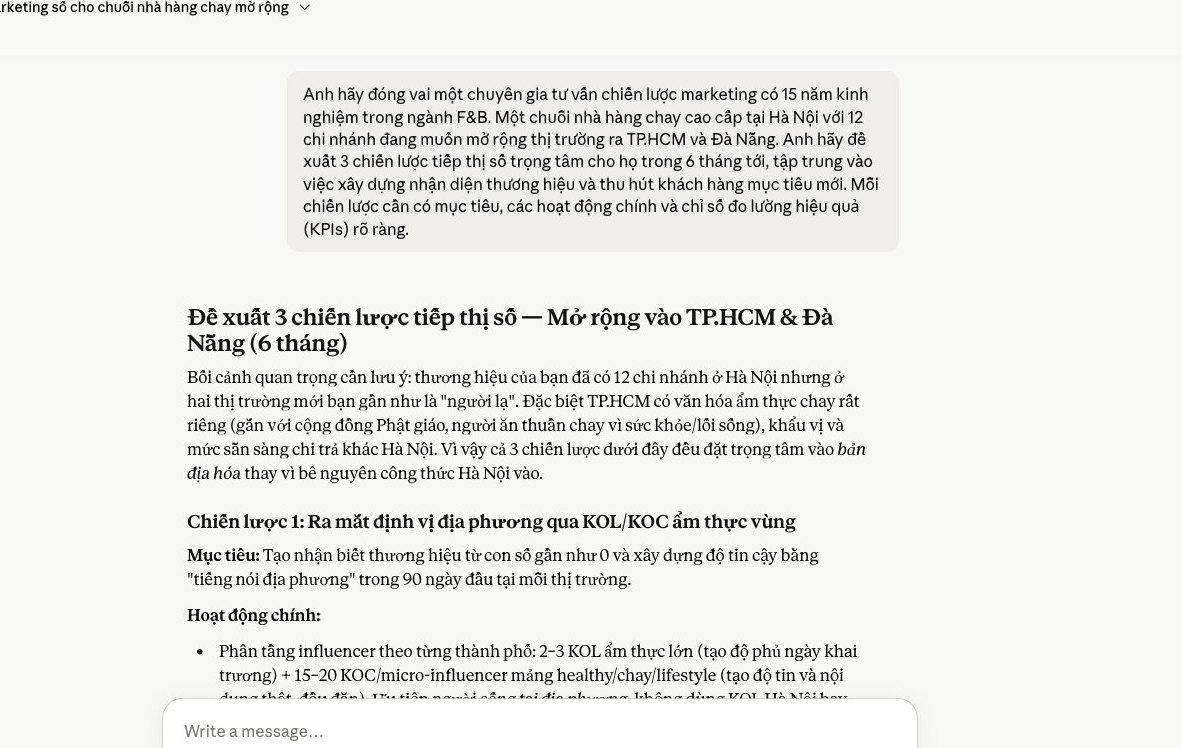
No matter how powerful Claude is, the first draft usually needs improvement. We need a process, even for content the AI itself produced. You can turn Claude into an editing assistant. This work provides a cross-check and raises quality. This is how to refine any draft, from marketing articles to sales scripts.
We at MONA use this method. It shortens content review time and makes output quality more reliable. It is an effective process.
The first step is to give Claude the draft to check. At the same time, you must set clear evaluation criteria. The more detailed the criteria, the more accurate the feedback. This is very important.
You can ask Claude to check grammar and spelling mistakes, or to check that the ideas flow logically. Make sure the tone fits your brand. Also look at how persuasive the call to action is.
For SEO content, remind Claude to check keyword density and review the heading structure. The feedback must be useful. This is the secret to high-quality feedback.
After receiving Claude's feedback, we need to analyze it carefully. Claude will point out the weak spots. It also suggests edits. You should read each comment and decide which suggestions are worth taking.
For example, Claude may point out wordy sentences or paragraphs that do not connect. It also helps spot wording that does not fit. Sometimes it even suggests better phrasing. Your own judgment is what matters.
We have found Claude especially effective at catching logic errors. It helps keep the message consistent. It works like a second pair of eyes, and an even more objective one.
The final step is to apply Claude's suggestions to the draft. Edit each part following the guidance. Then give the edited draft back to Claude and ask it to review again. This process is a loop.
This is an iterative process. It refines the content so we reach the highest quality. Claude learns from each round of edits and gradually understands your requirements better. It works very well.
We can repeat this step many times, until the draft meets the standard. MONA has used this approach to optimize many sales scripts, and landing pages for ad campaigns. The results are very positive. The content is sharper, and conversion rates improve noticeably.
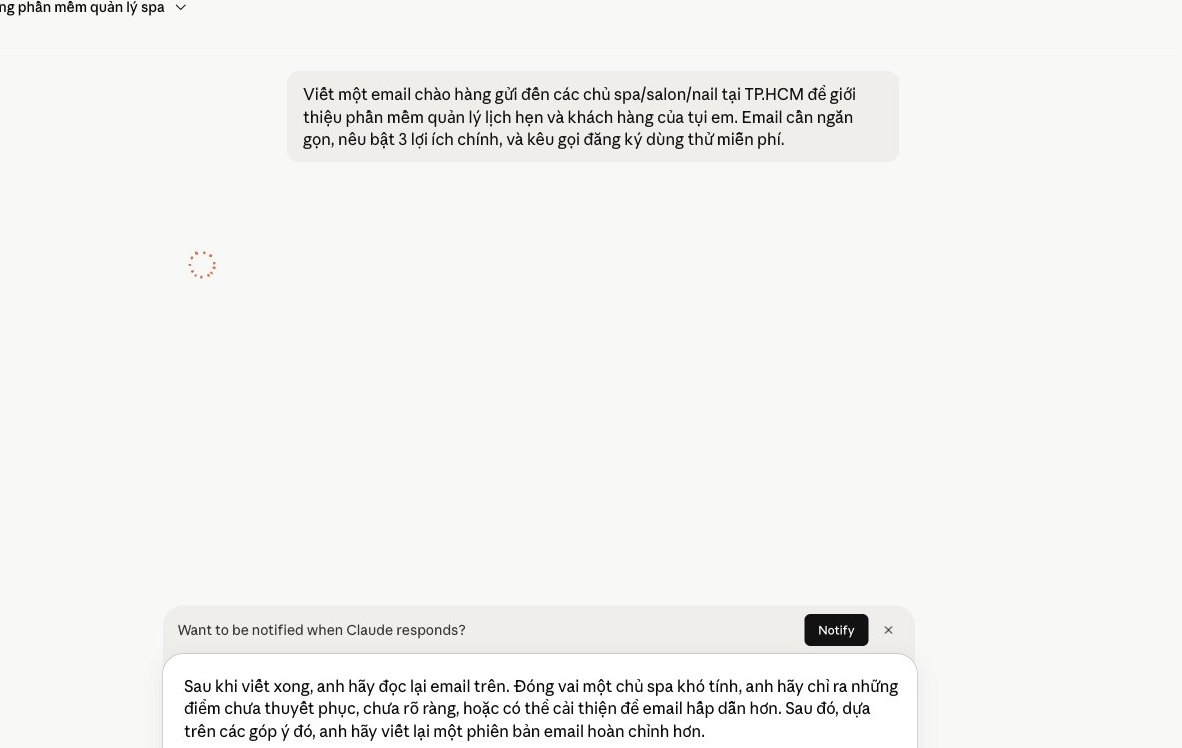
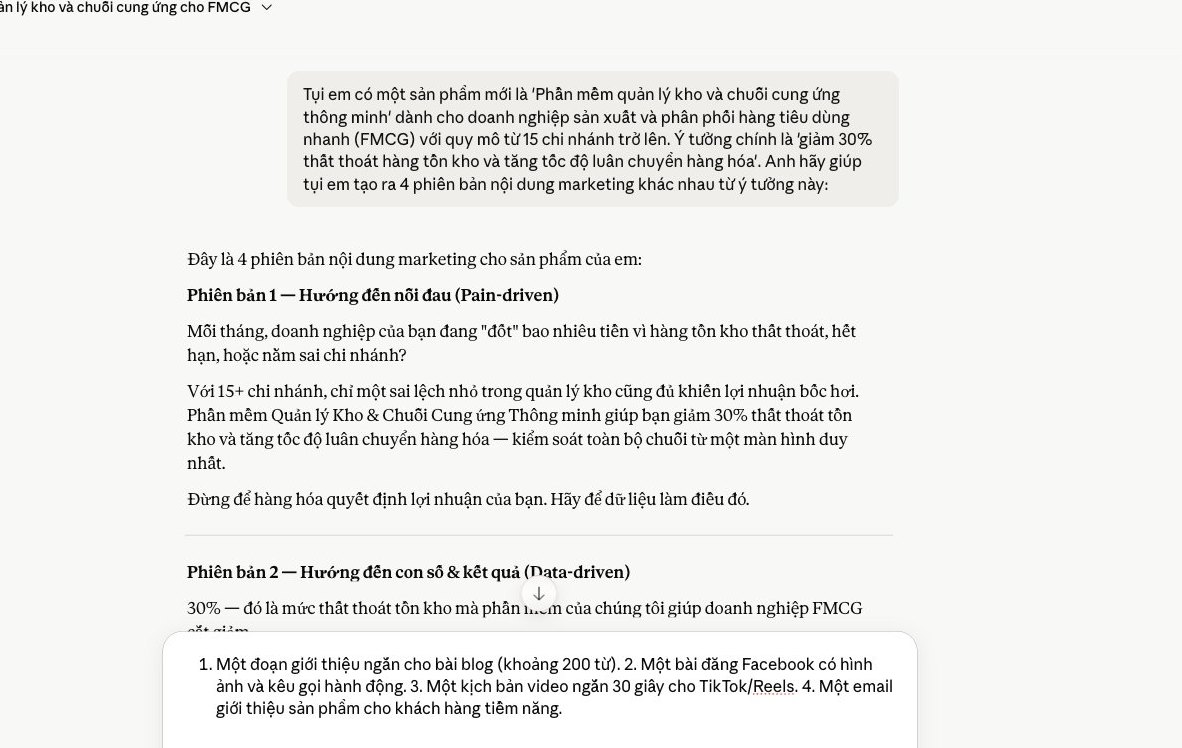
We all know that maintaining marketing content across many channels takes a lot of time and effort. A good idea often stays in just one format. You need to optimize this. Claude is a capable assistant. We will share the recipe: a way to turn one original idea into five different versions of content in a flash. You will see clear results and a big gain in productivity.

You want your content to spread. One original idea needs many formats. Claude makes this easy. First, give Claude a main prompt about the topic, and make it very specific. Claude will gather the basic information. Then use that result as the input for the next prompts and ask Claude to convert the format. From one detailed blog post, you can ask Claude to draft a short video script, a social media post, or a marketing email. The process is fast and saves a lot of time. Every version keeps the core spirit of the idea. This is the core technique, and it works very well.

Brand voice is key. It builds recognition. A common mistake is content on different channels that sounds inconsistent, which lowers professionalism. Claude can help you stay consistent. Start by giving Claude examples of your existing brand content and ask it to analyze the style. From that, Claude will "learn" it. Then, in each content prompt, just attach a short description of the tone you want. For example, "professional, friendly and slightly humorous". Claude will adjust. This makes sure every article and every script carries your brand's stamp. Very effective.

Creating is one thing. Managing is another. With how fast Claude produces content, you will end up with a large pile of ideas. That calls for a sensible organization. Otherwise the content library becomes messy and hard to reuse. We recommend setting up a simple system. Use clearly named folders. Tag each idea, for example "blog", "social media", "email", or even by topic or by specific campaign. This makes it easy to search and to reuse content when needed, and avoids recreating content you already have. It raises your work efficiency. You can look at project management tools or simply use Google Drive or Notion. What matters is consistency. Keep the habit.
Market data pours in every day, and that is a challenge. You face a stack of reports and long research documents. Reading and summarizing them by hand takes a lot of time. Claude helps us solve this efficiently.
This AI tool is excellent at "compressing" information. You will pull out the key points fast. Business decisions become timely and based on accurate data.
Claude has a limit on input length. With extremely long documents, we cannot upload everything at once. The solution is the "break down and combine" strategy.
You split a large document into smaller parts. Then upload each part to Claude and ask it to summarize each one. Next, combine those summaries.
Finally, give the combined summaries to Claude and ask for an overall assessment. This is an effective way to handle texts of hundreds of pages.
A summary alone is not enough. You need information you can act on. Claude can do that.
When you hand over a document, give clear instructions. Ask Claude not just to summarize but to pull out the key points. We need specific action suggestions.
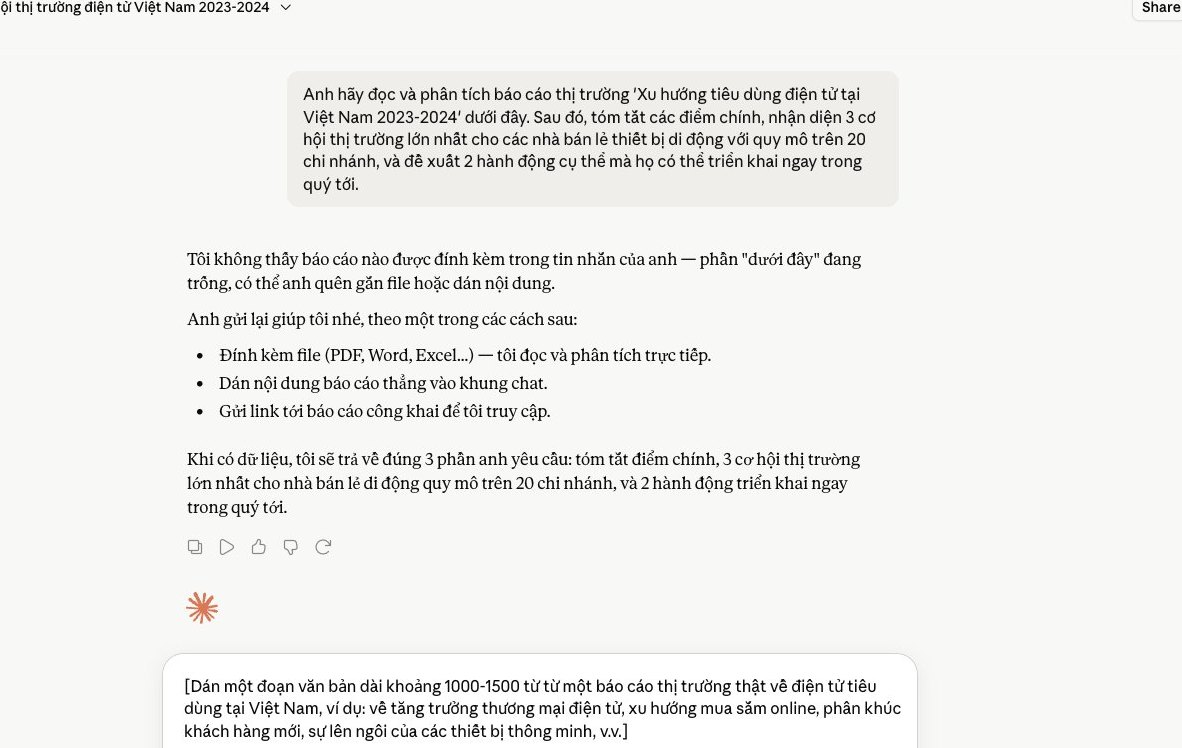
For example, you can type: “Summarize this report. List the three biggest market opportunities. Suggest two action steps for a mid-sized business. Focus on digital marketing channels.” This prompt steers Claude toward results that fit your business needs.
This saves you a lot of time. It turns data into a plan.
To make sound decisions, we often have to consult several sources. Claude is a capable helper.
You can give Claude several different reports, for example a sales report and a customer survey report. Ask Claude to find what they have in common.
Claude can spot contradictions. It also points out unique perspectives. Try this prompt: “Compare these two reports. Find 5 important points in common. List 3 main differences. Suggest a marketing strategy based on this synthesis.”
The result is a complete picture. You will have a solid base for making decisions faster.
”

Claude is a powerful tool. You can use it for many tasks. However, every tool has its limits, and Claude is no exception.
It is a personal assistant tool. We use Claude for one-off tasks. As a business grows, its needs get more complex, and a dedicated system becomes necessary.
Claude alone cannot handle it all. We need Claude to access internal data. That data is scattered. It may sit in a CRM, an ERP, or Excel files. Claude has a hard time syncing them.
Each employee uses Claude on their own, and the data fed into Claude differs. This fragments information. We struggle to get the big picture, which lowers overall performance.
MONA understands this problem well. We have developed custom software. This system connects every data source, so an internal AI has all the information it needs. Everything runs more smoothly.
Information security is a priority. You are always concerned about your data. Using Claude means sending data outside, and the information may not be fully under your control.
This carries a big risk. Customer data and business strategy need to be protected. We cannot trade safety for convenience. Safety comes first. This is a basic principle.
MONA builds standalone software solutions. They run on your own servers. All data stays private. The system follows the highest security standards. You can feel completely at ease.
Claude helps solve individual jobs. It writes content and summarizes reports. But these are separate tasks. An automation chain needs more than that. We need seamlessness.
Automation is a closed-loop process, from data collection to the final report. Every step must be tightly connected. Claude cannot do this on its own. It is only a small piece.
MONA provides an end-to-end solution. We design custom modules. Together they form a complete automation chain. For example, spa management software with built-in AI, or a delivery management system that optimizes routes. We can automate the entire operating process. MONA also has over 10 years of experience, with . We have served 14,000+ projects and reached an 85% customer retention rate. This is our commitment to quality.
We can use Claude to suggest ideas. But for real-world rollout, a dedicated software system is the key. MONA will work alongside you.

CEO & Founder · The MONA
Founder of The MONA, who built a services company of 60+ staff with 14,000+ projects delivered. Khánh Hùng shares how he thinks about building systems that run themselves, automating a business, and the real lessons from delivering projects at MONA.
 405




Professional website
design services
Own a website with a beautiful, 100% exclusive design and a lifetime warranty, with the ability
to expand features flexibly as your business grows, starting today!






 MONA will never sell your information or send you spam


 MONA will never sell your information or send you spam
