
 MONA OS 2.0
 Partner with MONA


 Tự động hoá doanh nghiệp
 Cẩm nang SEO
 Digital Marketing
 Kinh nghiệm thiết kế website
 Hạ Tầng Server
 Giáo dục


 VI
 EN













Message us on
Zalo Official


 ProductsNew

 ProductsProducts
 Mới ra mắtKHA AI 2027App tự edit video, tự đăng mọi mạng xã hội, 2 phút mỗi ngày










 Website designLooks good and wins customers over.
SEO servicesBrings in customers searching for exactly what you sell.
 Tư vấn digital marketingKéo khách từ nhiều kênh, đo bằng số thật.
Corporate video productionVideos introducing your company, factory and team.
 NewAI video productionCompany story films made with AI.
 Custom software developmentCRM, ERP and HRM built for your business.
 Viết AI Agent theo yêu cầuĐặt riêng một trợ lý AI cho đúng việc của mình.
 Tư vấn chuyển đổi AIĐưa AI vào vận hành của cả công ty.
NewMONA LMSManagement for centers and schools.
MONA SkillHubInternal training for company staff.
 NHTQ systemEnd-to-end China–Vietnam shipping operations.
MONA JMSManagement for gold, diamond and pawn shops.
 MONA E-LearningA website with every feature you need to sell courses.
 How to sell online courses (course)More than 30 free lessons on selling courses on autopilot.
 MONA Cloudmonacloud.vnServers to get your apps and websites running.
 MONA Basemonabase.vnPostgres database, sign-in and file storage.
 MONA Mailmonamail.vnSend OTP, order and invoice emails from your software.
 MONA Paymonapay.vnAccept bank transfers via VietQR and notify your software when the money arrives.
 MONA eInvoiceComing soonIssue e-invoices that meet tax standards.
Gấu CườiTrả lời khách 24/7 trên web, Fanpage, Zalo và thu lead cho sale.
 Gấu TeleSalesGọi điện tư vấn, chăm khách như tổng đài viên thật.
Dê CườiTư vấn và chốt đơn cho shop ngay trong khung chat.
Gấu WebmasterNhắn nhóm Zalo là website được sửa xong.
 Gấu Pháp ChếSoạn hợp đồng, rà điều khoản trong vài phút.
 Gấu Báo GiáLên báo giá đúng mẫu và gửi khách ngay.
 AI chăm sóc khách hàngTheo dõi và giữ chân khách hàng cũ.
 Gấu Tuyển DụngLọc hồ sơ, hẹn lịch, phỏng vấn ứng viên.
 Mới ra mắt
KHA AI 2027
Xây kênh chuyên gia 2 phút mỗi ngày
Quay bằng điện thoại, AI tự edit video, tự đăng lên 16 nền tảng và tự trả lời bình luận, tin nhắn.
946.012lượt xem trên kênh CEO MONA sau 47 ngày
 Anh Khánh HùngCEO MONA đang dùng mỗi ngày
Xem app làm được gì
 AI
Gấu Cười MONA ĐANG TỰ XÀITrả lời khách 24/7 trên website, Zalo OA, Messenger và thu lead về cho sale.
Dê CườiChốt đơn bán lẻ và sàn: Shopee, TikTok Shop, web. Chăm cả khách sỉ, đại lý.
Gấu WebmasterCập nhật nội dung, tối ưu SEO website mỗi ngày.
Gấu TeleSalesGọi điện tư vấn, chăm khách như tổng đài viên thật.
Gấu Tuyển DụngLọc hồ sơ, hẹn lịch, phỏng vấn ứng viên tự động.
AI chăm sóc khách hàngGiữ khách cũ, cứu lead đã rớt cho phòng kinh doanh.
Gấu Pháp ChếSoạn hợp đồng, rà điều khoản trong vài phút.
Gấu Báo GiáLên báo giá đúng mẫu, gửi khách ngay khi có yêu cầu.
 Chuyển đổi AI toàn phầnGiải pháp tổng cho doanh nghiệp, 3 lớp triển khai.
 Viết AI Agent theo yêu cầuĐặt riêng một con AI gánh đúng nghiệp vụ của bạn.
 Custom softwareCRM, ERP and HRM with built-in AI automation.
 SEO & AEO thời đại AIĐược Google lẫn AI trích dẫn, không chỉ xếp hạng.
 Kiến thức AI cho doanh nghiệpBài phân tích, hướng dẫn ứng dụng AI vào vận hành.
 Free AI courses
 AI tools at work
App mới · KHA AI 2027
Xây kênh 2 phút mỗi ngày
AI tự edit video, tự đăng mọi mạng xã hội
Free consultation, 8am–10pm every day

14 June, 2026

Ideogram is becoming a powerful tool for running and managing a business. By streamlining workflows, it helps you save time and improve productivity. In this article, we will show you how to use Ideogram to get the best possible results.

Ideogram delivers the ability to streamline your workflow for your business. This tool cuts the time and effort needed to create professional content.
With Ideogram, a business can create high-quality images and graphics in minutes. This saves your marketing team time while keeping your communications content at a high standard.
Ideogram helps create content and supports your team to work more effectively. Instead of spending time producing images, staff can focus on other important tasks.
The tool also lets you share content quickly within your team. Everyone stays informed and works together more smoothly.
MONA believes that adopting Ideogram will bring many benefits to your business. However, the tool only works well when combined with a custom software system. To automate your workflows, a business needs the right software, and MONA can provide it.


Automating your workflows reduces time spent and improves productivity. With Ideogram, you can do this easily.
Here are three steps to streamline your workflow.
First, identify which processes can be automated. Focus on the most repetitive and time-consuming tasks. This saves you time and resources.
Once you have identified the processes, set up Ideogram. Create suitable modules to automate each step. Ideogram links tasks together and makes your work more efficient.
Finally, evaluate the automated process. Track the results and look for possible improvements. This helps you optimize your process even further.
Using Ideogram can be convenient. However, for full automation, a business should develop custom software built by MONA. MONA is committed to providing a solution for your workflow as well.


Ideogram helps businesses create engaging, effective marketing content. Below are the specific steps for applying Ideogram to your campaign.
Defining your target audience is a key step. You need to understand exactly who you want to reach. This shapes content that fits and engages them best.
With Ideogram, you can quickly come up with engaging content ideas. Use its features to brainstorm and develop topics. This saves time and makes your communications more effective.
After creating the content, refine it so it stays consistent with your brand voice. This ensures your message is always delivered clearly and with impact.
Ideogram is a convenient tool, but it has limits. To automate and keep your data flowing smoothly, a business needs custom software developed by MONA. MONA provides an optimal solution for using AI internally and for training customers.
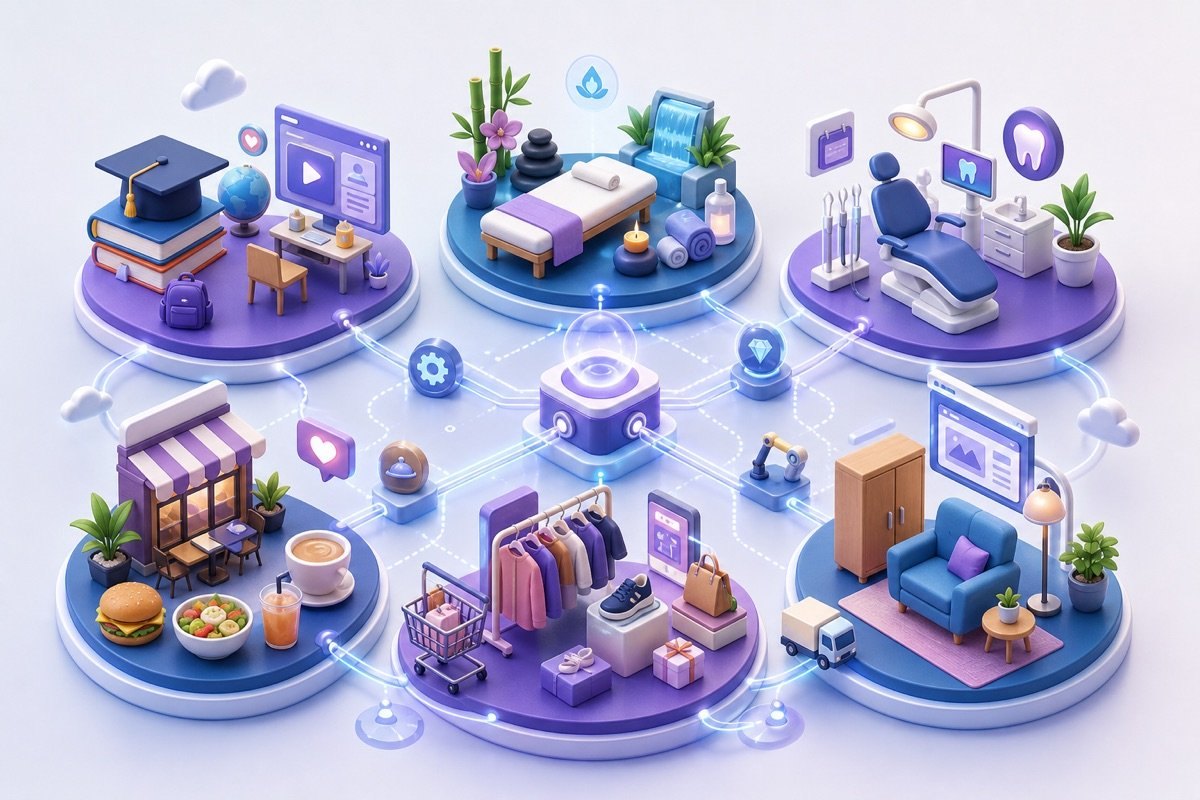
Ideogram is a useful tool for optimizing business decisions. Using Ideogram will help your business analyze data more effectively. From there, you can grasp information quickly and accurately.
First, decide what data you need to collect. It might include customer information, sales figures and market trends. Collecting it accurately gives you a clear picture of how the business is doing.
Once the data is collected, enter it into Ideogram. The tool helps you analyze and visualize the data vividly. You can easily spot trends and the strengths and weaknesses of your business.
With the analysis results in hand, draw the key conclusions. They become the basis for accurate, timely business decisions. Acting on them right away boosts your business's productivity.
Although Ideogram is powerful, using it alone may not be enough to automate the whole process. For better optimization and data security, a business needs custom software developed by MONA. Together, we can build a more complete and effective system for your business.

Connection between employees is a key factor in work performance. Optimizing internal communication makes it easy for everyone to share information and ideas.
Ideogram is a useful tool for boosting this engagement. We will show you how to use Ideogram effectively in three simple steps.
First, set up a dedicated communication channel with Ideogram. This makes it easy for everyone to access information and talk in real time.
Just create a group in Ideogram and invite all your staff. This gives everyone a chance to join and connect quickly.
Encourage your staff to use Ideogram regularly to share ideas. A friendly atmosphere helps people feel more comfortable speaking up.
Give concrete examples of how to use Ideogram to share creative ideas and proposals. This helps everyone get used to the tool and boosts creativity at work.
After a while, evaluate how effective communication through Ideogram has been. Collecting feedback from staff helps you identify the strengths and weaknesses of your communication process.
Based on that feedback, we can optimize how you use Ideogram. Continuous improvement keeps internal communication effective and valuable for your business.
Ideogram can support communication, but it is not the whole solution. At this point, a business needs custom software to keep data seamless and secure. MONA is ready to help you build the right software for your business.

Every business has its own specific needs. When off-the-shelf tools do not cover enough, it is time to consider custom software.
Ideogram is a powerful tool, but it is not always a perfect fit for every need. Its capabilities may fall short when a business needs a specific feature that is not available.
At this stage, a business needs to assess its current processes. If those processes are hard to streamline, consider a custom software solution.
MONA will work alongside your business through this process. We will help plan and develop the software, making sure it is feasible and effective. Close collaboration leads to the best-fitting product.

You can roll out Ideogram yourself when your team only needs help with ideas, content creation and sharing within a small group. When Ideogram has to pull operational data, set permissions across several departments, produce scheduled reports or record who approved what, we can build custom management software that connects the tool to your company's actual workflow.
Call 1900 636 648, we will review your data flow and access permissions before scoping any features. Once the flow is clear, we build.
Further reading on the same topic:

CEO & Founder · The MONA
Founder of The MONA, who built a services company of 60+ staff with 14,000+ projects delivered. Khánh Hùng shares how he thinks about building systems that run themselves, automating a business, and the real lessons from delivering projects at MONA.
 391




Professional website
design services
Own a website with a beautiful, 100% exclusive design and a lifetime warranty, with the ability
to expand features flexibly as your business grows, starting today!






 MONA will never sell your information or send you spam


 MONA will never sell your information or send you spam
