
 MONA OS 2.0


 Tự động hoá doanh nghiệp
 Cẩm nang SEO
 Digital Marketing
 Kinh nghiệm thiết kế website
 Hạ Tầng Server
 Giáo dục


 VI
VI
 EN
EN













Message us on
Zalo Official


 ProductsNew

 ProductsProducts
 Mới ra mắtKHA AI 2027App tự edit video, tự đăng mọi mạng xã hội, 2 phút mỗi ngày










 Website designLooks good and wins customers over.
SEO servicesBrings in customers searching for exactly what you sell.
Website designLooks good and wins customers over.
SEO servicesBrings in customers searching for exactly what you sell.
 Tư vấn digital marketingKéo khách từ nhiều kênh, đo bằng số thật.
Corporate video productionVideos introducing your company, factory and team.
Tư vấn digital marketingKéo khách từ nhiều kênh, đo bằng số thật.
Corporate video productionVideos introducing your company, factory and team.
 NewAI video productionCompany story films made with AI.
 Custom software developmentCRM, ERP and HRM built for your business.
 Viết AI Agent theo yêu cầuĐặt riêng một trợ lý AI cho đúng việc của mình.
 Tư vấn chuyển đổi AIĐưa AI vào vận hành của cả công ty.
NewMONA LMSManagement for centers and schools.
MONA SkillHubInternal training for company staff.
Tư vấn chuyển đổi AIĐưa AI vào vận hành của cả công ty.
NewMONA LMSManagement for centers and schools.
MONA SkillHubInternal training for company staff.
 NHTQ systemEnd-to-end China–Vietnam shipping operations.
MONA JMSManagement for gold, diamond and pawn shops.
NHTQ systemEnd-to-end China–Vietnam shipping operations.
MONA JMSManagement for gold, diamond and pawn shops.
 MONA E-LearningA website with every feature you need to sell courses.
 How to sell online courses (course)More than 30 free lessons on selling courses on autopilot.
 MONA Cloudmonacloud.vnServers to get your apps and websites running.
 MONA Basemonabase.vnPostgres database, sign-in and file storage.
 MONA Mailmonamail.vnSend OTP, order and invoice emails from your software.
 MONA Paymonapay.vnAccept bank transfers via VietQR and notify your software when the money arrives.
 MONA eInvoiceComing soonIssue e-invoices that meet tax standards.
Gấu CườiTrả lời khách 24/7 trên web, Fanpage, Zalo và thu lead cho sale.
MONA eInvoiceComing soonIssue e-invoices that meet tax standards.
Gấu CườiTrả lời khách 24/7 trên web, Fanpage, Zalo và thu lead cho sale.
 Gấu TeleSalesGọi điện tư vấn, chăm khách như tổng đài viên thật.
Dê CườiTư vấn và chốt đơn cho shop ngay trong khung chat.
Gấu WebmasterNhắn nhóm Zalo là website được sửa xong.
Gấu TeleSalesGọi điện tư vấn, chăm khách như tổng đài viên thật.
Dê CườiTư vấn và chốt đơn cho shop ngay trong khung chat.
Gấu WebmasterNhắn nhóm Zalo là website được sửa xong.
 Gấu Pháp ChếSoạn hợp đồng, rà điều khoản trong vài phút.
 Gấu Báo GiáLên báo giá đúng mẫu và gửi khách ngay.
 AI chăm sóc khách hàngTheo dõi và giữ chân khách hàng cũ.
 Gấu Tuyển DụngLọc hồ sơ, hẹn lịch, phỏng vấn ứng viên.
 Mới ra mắt
KHA AI 2027
Xây kênh chuyên gia 2 phút mỗi ngày
Quay bằng điện thoại, AI tự edit video, tự đăng lên 16 nền tảng và tự trả lời bình luận, tin nhắn.
310.136lượt xem trên kênh CEO MONA sau 17 ngày
Mới ra mắt
KHA AI 2027
Xây kênh chuyên gia 2 phút mỗi ngày
Quay bằng điện thoại, AI tự edit video, tự đăng lên 16 nền tảng và tự trả lời bình luận, tin nhắn.
310.136lượt xem trên kênh CEO MONA sau 17 ngày
 Anh Khánh HùngCEO MONA đang dùng mỗi ngày
Xem app làm được gì
Anh Khánh HùngCEO MONA đang dùng mỗi ngày
Xem app làm được gì
 AI
Gấu Cười MONA ĐANG TỰ XÀITrả lời khách 24/7 trên website, Zalo OA, Messenger và thu lead về cho sale.
Dê CườiChốt đơn bán lẻ và sàn: Shopee, TikTok Shop, web. Chăm cả khách sỉ, đại lý.
Gấu WebmasterCập nhật nội dung, tối ưu SEO website mỗi ngày.
Gấu TeleSalesGọi điện tư vấn, chăm khách như tổng đài viên thật.
Gấu Tuyển DụngLọc hồ sơ, hẹn lịch, phỏng vấn ứng viên tự động.
AI chăm sóc khách hàngGiữ khách cũ, cứu lead đã rớt cho phòng kinh doanh.
Gấu Pháp ChếSoạn hợp đồng, rà điều khoản trong vài phút.
Gấu Báo GiáLên báo giá đúng mẫu, gửi khách ngay khi có yêu cầu.
AI
Gấu Cười MONA ĐANG TỰ XÀITrả lời khách 24/7 trên website, Zalo OA, Messenger và thu lead về cho sale.
Dê CườiChốt đơn bán lẻ và sàn: Shopee, TikTok Shop, web. Chăm cả khách sỉ, đại lý.
Gấu WebmasterCập nhật nội dung, tối ưu SEO website mỗi ngày.
Gấu TeleSalesGọi điện tư vấn, chăm khách như tổng đài viên thật.
Gấu Tuyển DụngLọc hồ sơ, hẹn lịch, phỏng vấn ứng viên tự động.
AI chăm sóc khách hàngGiữ khách cũ, cứu lead đã rớt cho phòng kinh doanh.
Gấu Pháp ChếSoạn hợp đồng, rà điều khoản trong vài phút.
Gấu Báo GiáLên báo giá đúng mẫu, gửi khách ngay khi có yêu cầu.
 Chuyển đổi AI toàn phầnGiải pháp tổng cho doanh nghiệp, 3 lớp triển khai.
 Viết AI Agent theo yêu cầuĐặt riêng một con AI gánh đúng nghiệp vụ của bạn.
 Custom softwareCRM, ERP and HRM with built-in AI automation.
 SEO & AEO thời đại AIĐược Google lẫn AI trích dẫn, không chỉ xếp hạng.
 Kiến thức AI cho doanh nghiệpBài phân tích, hướng dẫn ứng dụng AI vào vận hành.
 Free AI courses
 AI tools at work
App mới · KHA AI 2027
Xây kênh 2 phút mỗi ngày
AI tự edit video, tự đăng mọi mạng xã hội
Free consultation, 8am–10pm every day
AI tools at work
App mới · KHA AI 2027
Xây kênh 2 phút mỗi ngày
AI tự edit video, tự đăng mọi mạng xã hội
Free consultation, 8am–10pm every day

18 March, 2023

For businesses today, a website is no longer an “option” but a must-have if you want to grow your brand and build a lasting business. But to win customers' trust and widen your reach, the first thing to do is to register and verify your business online. Google My Business is the “key” to doing that. Let's MONA Media look at the benefits and how to register on Google Business to bring your brand closer to customers.
After verification: you should review ownership, hours, NAP and contact channels in the guide to managing my business so your profile doesn't just exist but works properly.
Since its launch, Google has become the most popular search engine in people's internet habits, with 3.5 billion searches a day. Beyond search, Google offers many useful features for users in general and businesses in particular, especially for pushing marketing forward.
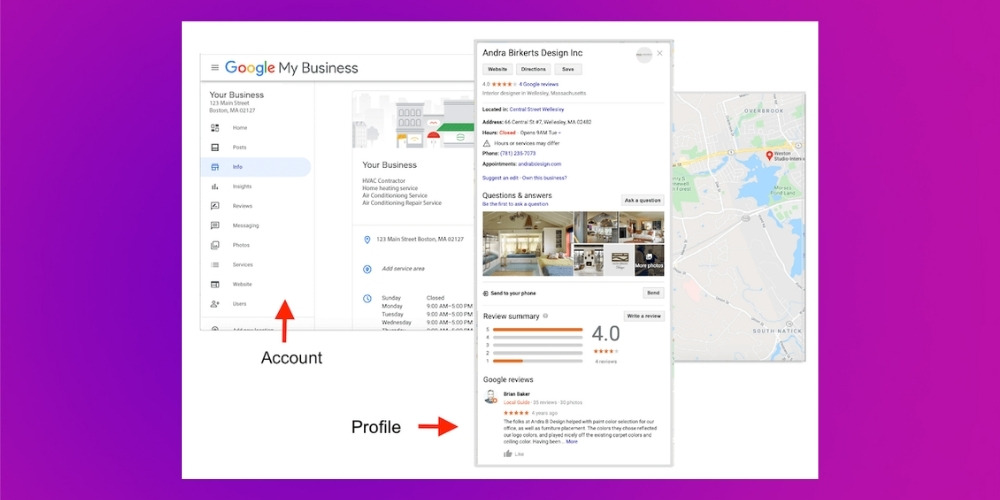
Among them, Google Business is a free, easy-to-use tool for businesses and organizations. It helps you manage your online presence on Google, including Google Search, Google Maps. Once you've completed verification and edited your business information, customers can find your business on Google more easily. Introducing your business to customers also becomes much simpler.
See more:
Google My Business is the core platform that gets a business onto Google Maps. To make the most of it, you need a proper SEO strategy Google Maps strategy. MONA Media offers dịch vụ SEO Google Maps A comprehensive service with a fast, professional optimization process, from optimizing your business name, description and photos to technical factors such as category, local citations and review management.

With a structured process and a local SEO personalized strategy, we help your business show up on Google Maps faster, in line with Google's rules and safely. Our Google Maps SEO pricing is set to suit businesses of every size and need, so every dong of your budget delivers value.
According to Google (December 2014), businesses that have verified their information on Google Business are seen by consumers as more than twice as reputable as businesses that haven't.
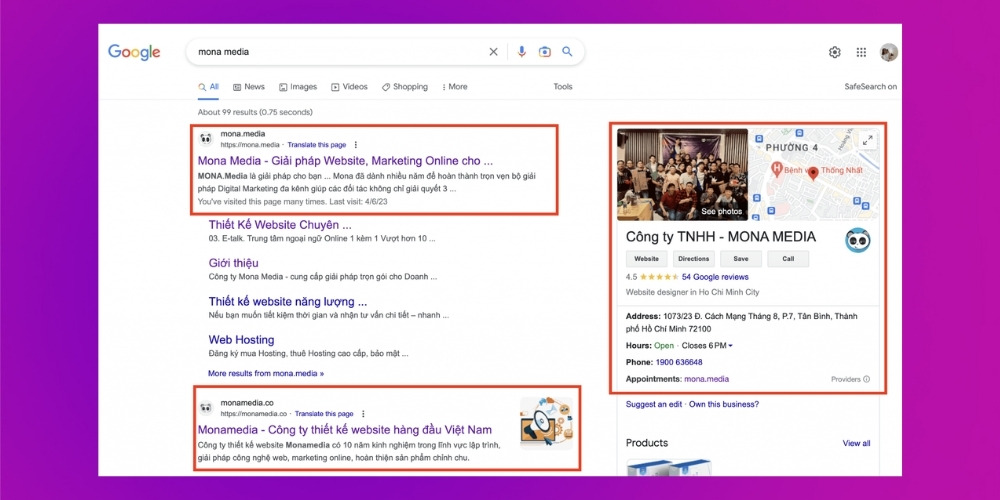
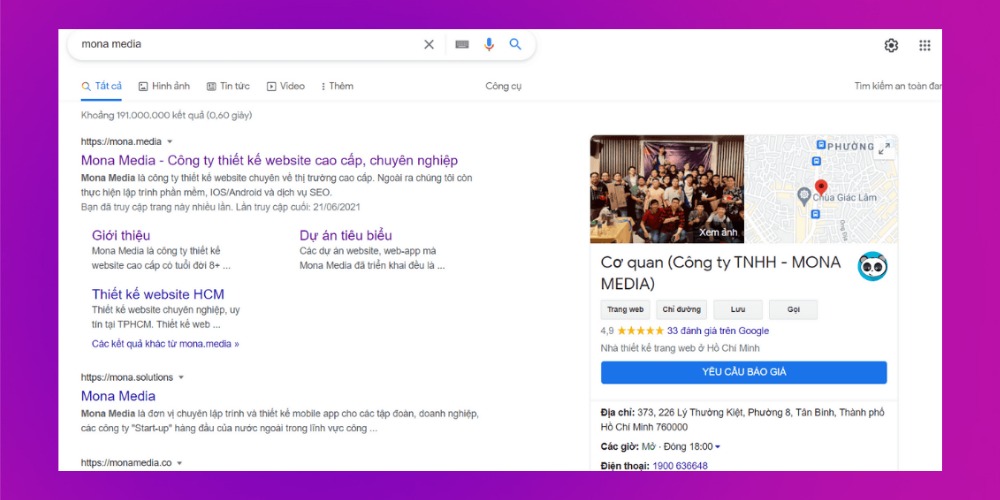
The MONA Media brand on Google Search and Google Maps
When people can easily find you on Google, they see you as more transparent, trustworthy and professional. With Google Business you can also control what's shown, from your address and opening hours to photos, products and services.
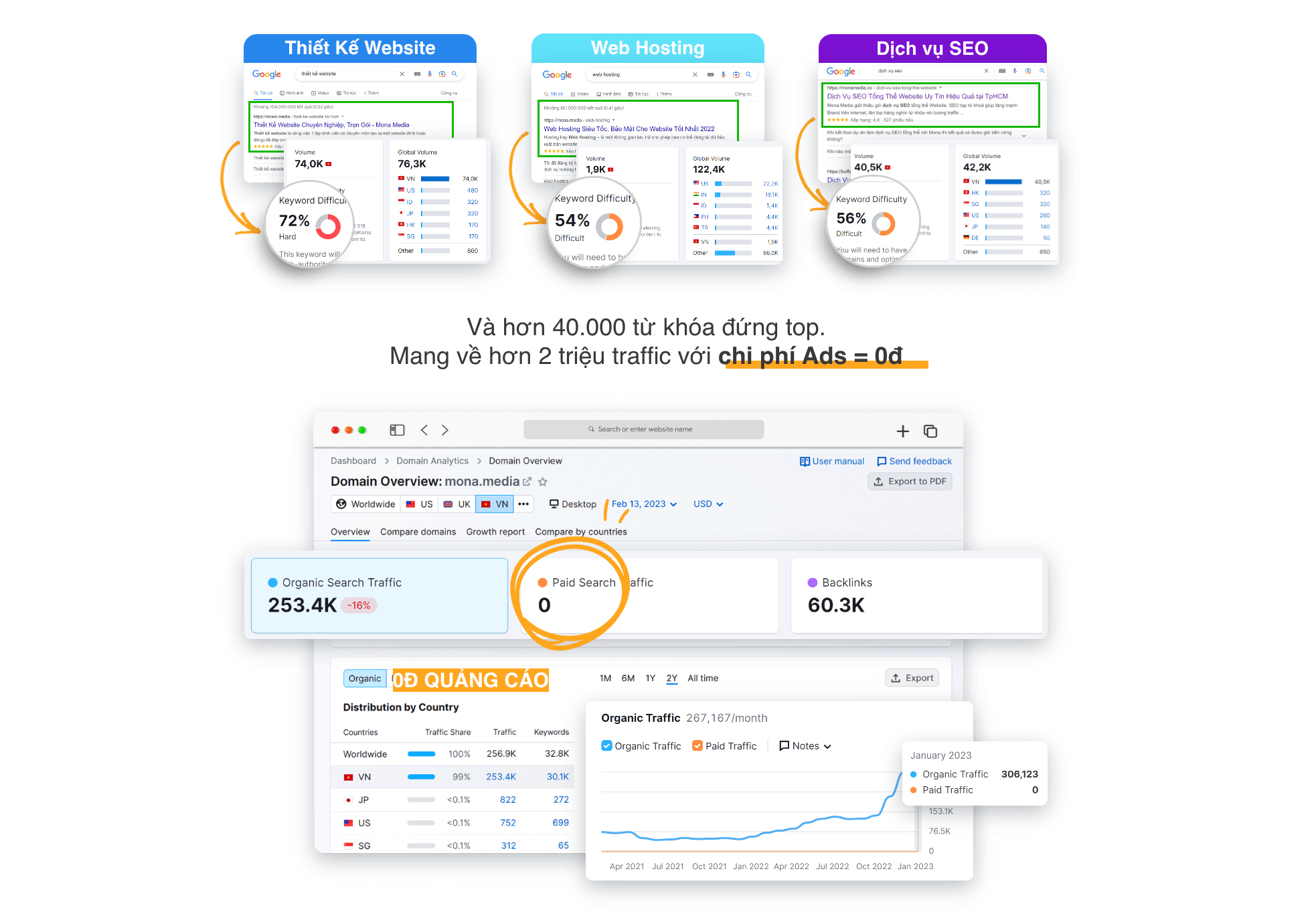
MONA Media itself MONA Media is a prime example of registering and optimizing Google Business successfully. We took keywords in 3 hard fields to the top of Google at no cost. That success shows the capability and the sustainable SEO strategy MONA applies to its own brand before using it for clients.

Once you give Google My Business accurate information, your business gets a specific spot and shows up like a signboard on the digital map, which customers can find quickly on their devices.
Besides the address, the listing shows other basics such as phone number, contact details and photos you've given Google,… It's a simple thing, but it has a strong effect on customers' feelings and trust.
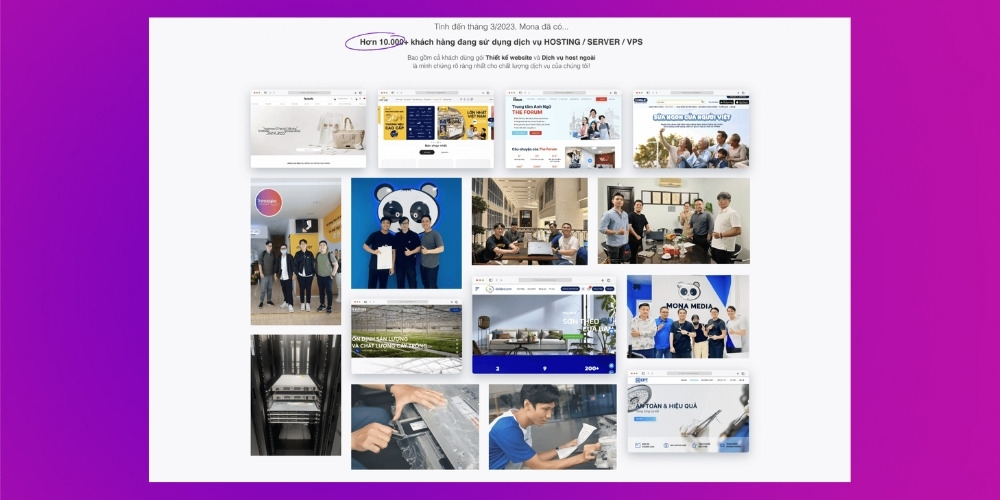
Businesses that trust and work with MONA
Customers can also read reviews written directly by people who have used your products or services, as Google allows them to be shown. The more positive reviews, the higher your brand's credibility, so businesses should encourage customers to leave good reviews after using a product. If a competitor plays dirty, posting photos and negative comments that hurt your image, you can still take control and have them removed.
Once you provide the information and photos so Google can create a fixed address on Google My Business, it shows up first whenever a customer searches for your business. Customers can then see the basics (opening hours, how to contact you, what kind of business you are,…) and decide whether to use your service or buy your product.
So businesses should invest in the information and photos on Google My Business to reach potential customers more easily.
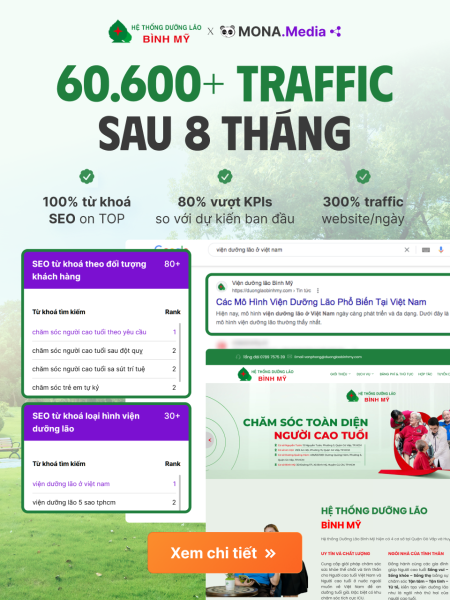
The Viện dưỡng lão Bình Mỹ (Bình Mỹ nursing home) is a good example of registering Google Business and optimizing it successfully. With MONA's help, the brand ranks first on Google Search and in the top 3 of Google Maps for the keyword “Viện dưỡng lão” (nursing home). The right strategy helped Bình Mỹ Nursing Home reach more customers, draw quality traffic and open up sustainable revenue growth.
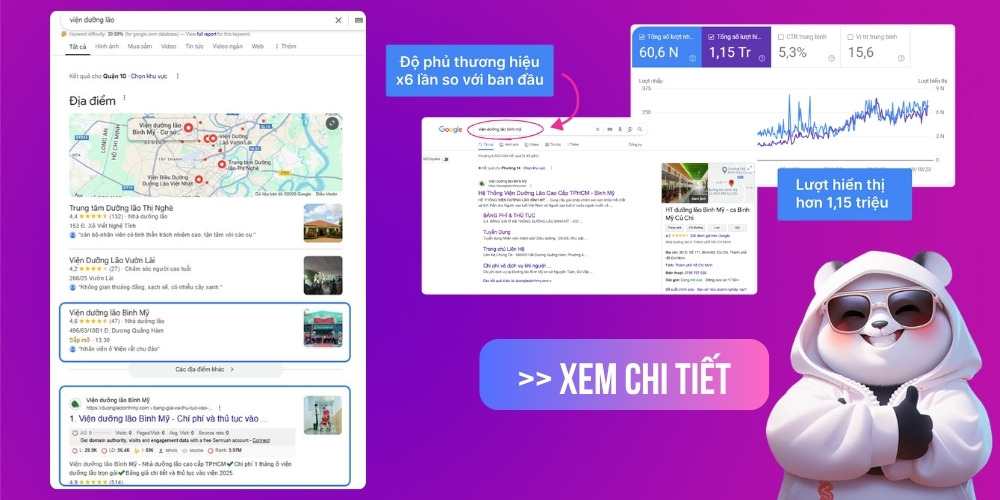
Google Business can also show how many customers visited your address or called your business. Knowing this helps you understand your potential customers better, so you can shape business and advertising campaigns that fit and get the best results.
Before you register and verify, prepare a few pieces of information to shorten the initial registration and finish as fast as possible.
Information to prepare:
Example: How many years the company has been operating, what it specializes in…
Example: Logo, exterior, interior, people, staff, signage, products…
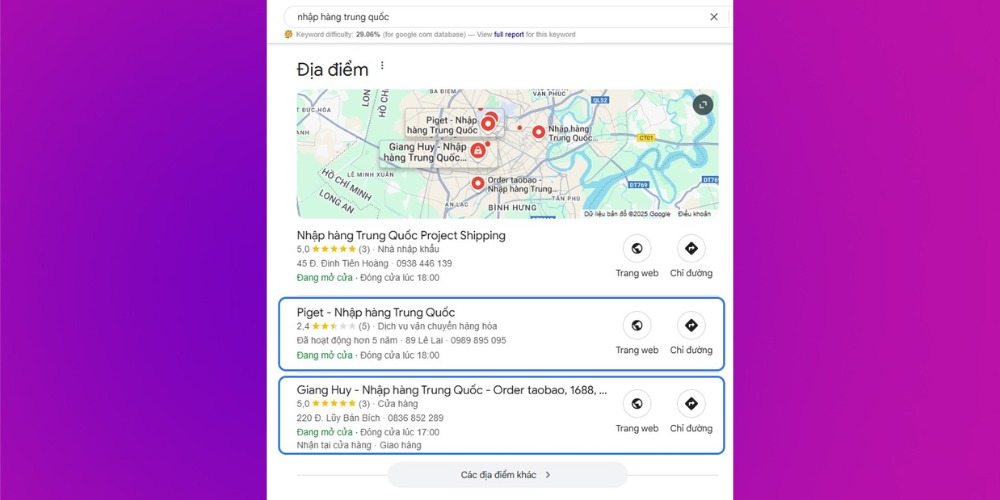
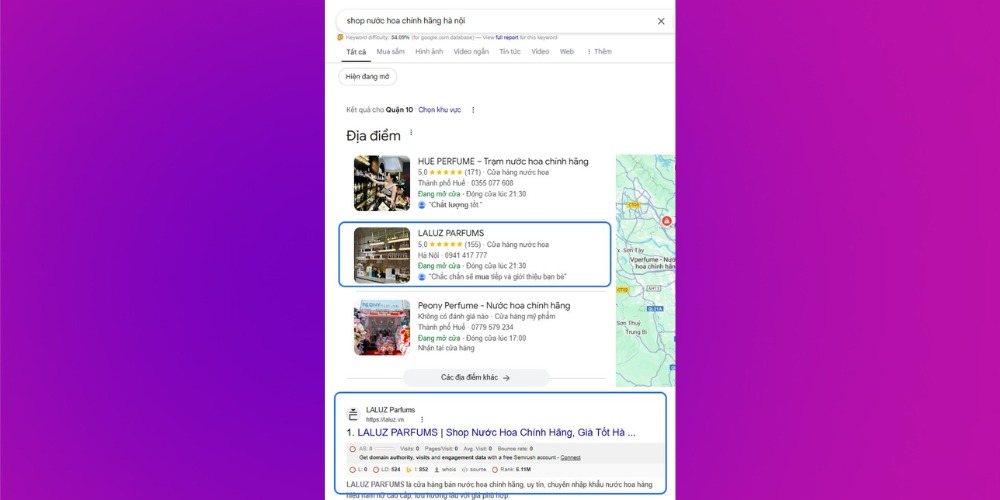
If you want your business profile approved quickly and shown prominently on Google Maps, let MONA help you optimize from A to Z. Many MONA Media clients have verified their Google Business accounts and reached the top of Google Maps, drawing hundreds of visits and calls each month. Examples:
Piget, Giang Huy (Chinese import sourcing):
LALUZ Parfums (genuine perfume):
Kim Thành (motorbike parts):
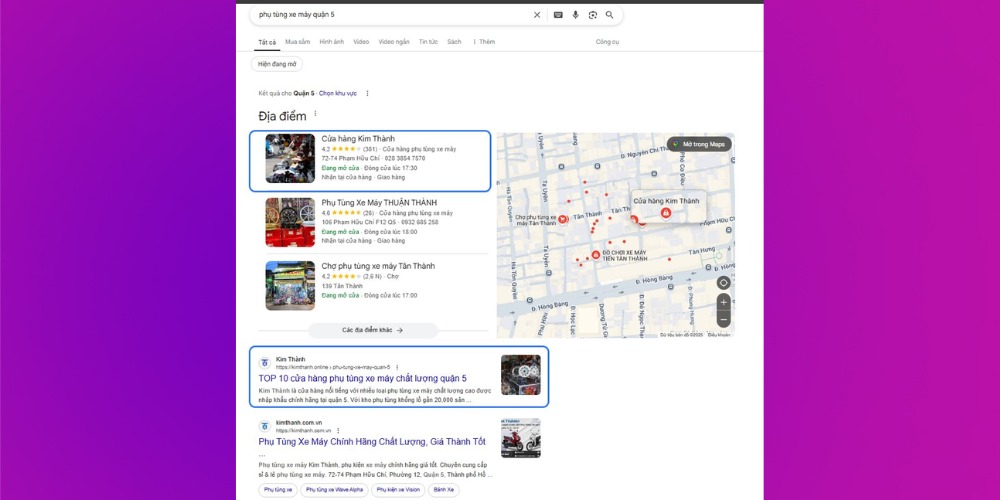
If you want your business displayed properly, prominently and effectively like these, let MONA Media work with you today. We'll handle registration, verification and full Google Maps optimization, so your business stands out and reaches the right target customers.
If you'd rather do it yourself, use the Google Business registration guide below:
Watch the video below to register your Google Business page, or follow the illustrated steps below
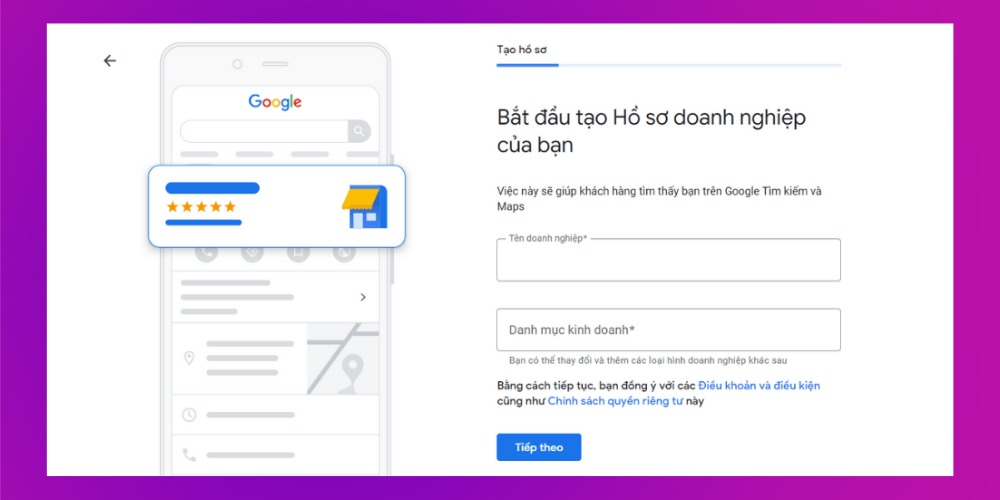
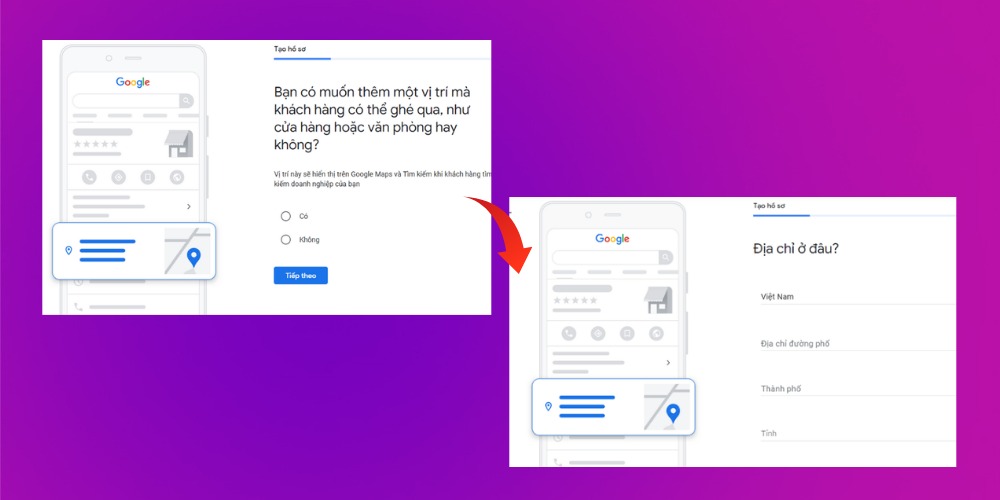
At this step, Google Business asks “Do you want to add a location customers can visit, such as a store or office?”. This is the location shown on Google Maps and Google Search when customers look up your business. If you agree, click Yes, and if you want to skip this step, click No.
After clicking Yes, an address form appears. Just fill in the address and click Next, then set the location shown on Google Maps to finish this step. Google may ask if you have other addresses. Click Yes if your business has more addresses (branches) to add, otherwise click No.
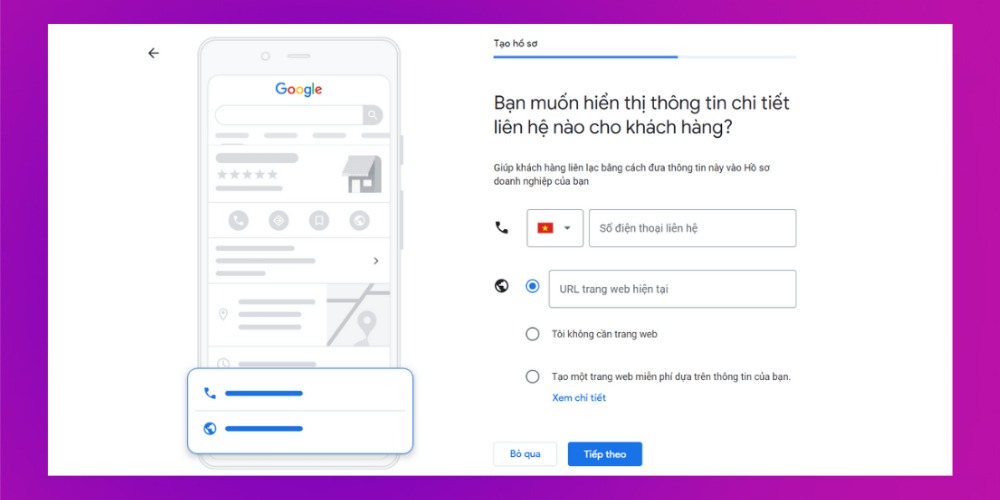
After you finish verification at this step, Google sends a verification letter to the business address you registered. Delivery usually takes 2 – 4 weeks depending on the country to receive the letter with the PIN from Google.
Note: If If you haven't received the letter from Google after 14 days, it's most often because, in the “Postal code” field, people enter 100000 for Hanoi and 700000 for Ho Chi Minh City, so the letter may have arrived at a post office that isn't the one nearest you, and you haven't received Google's verification.
To fix this, visit: https://www.geopostcodes.com/Vietnam to get the correct postal code, then go to the business registration page and change the postal code so the letter can be delivered to you.
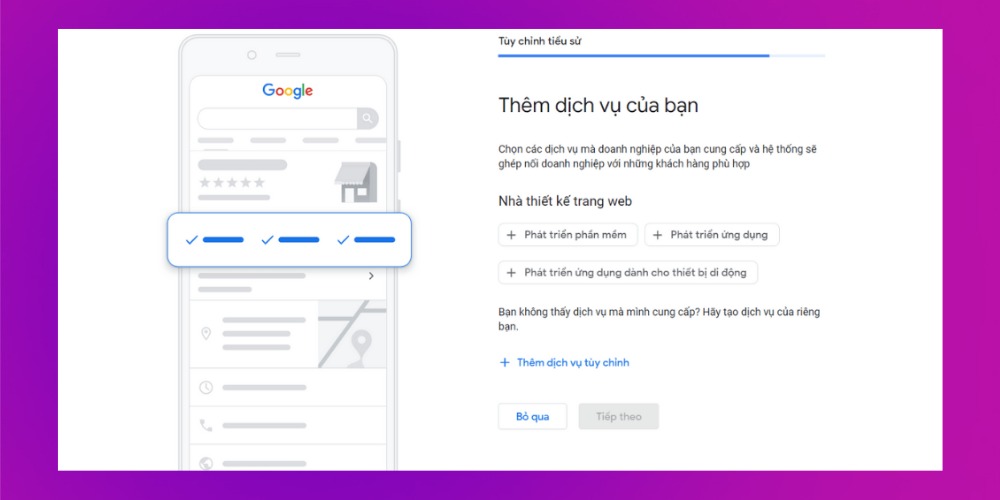
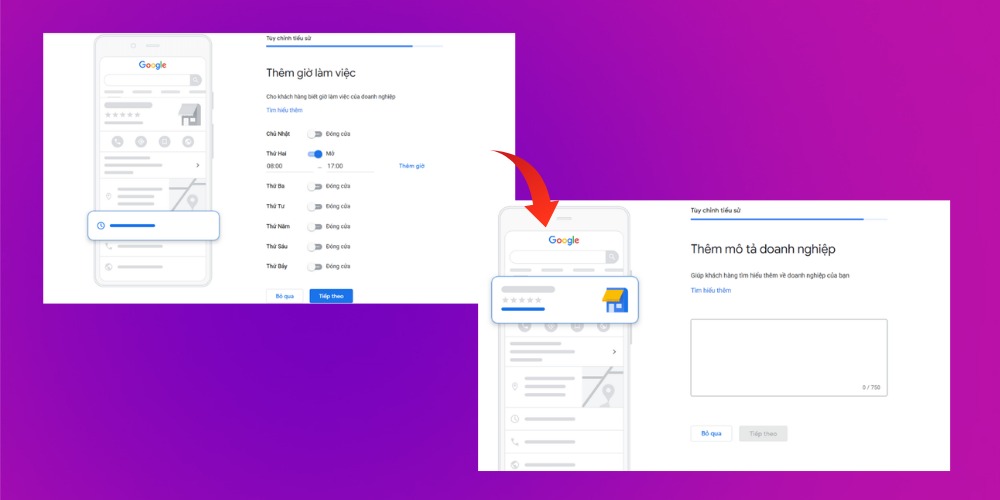
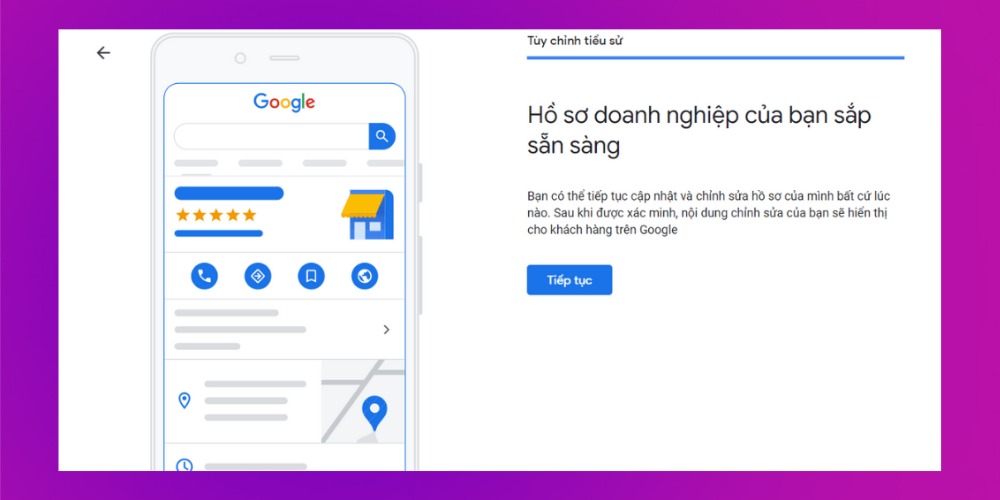
Once you've finished providing verification information, you can add more, such as photos and ads,… in the main interface of Google My Business. Below is the result of a successful Google Business registration. Your business will appear when people search on Google.
See more:
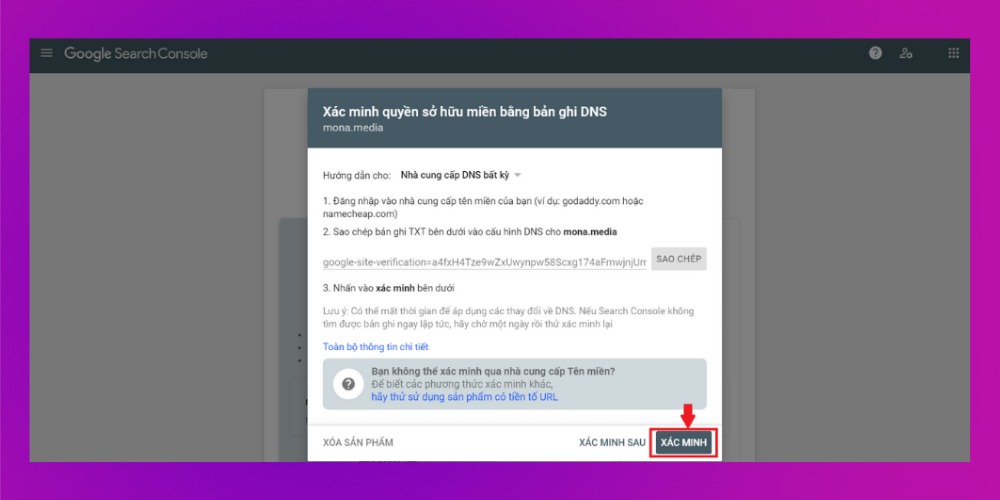
- Verify domain ownership with Google Search Console
- Sitemap – what it is, and how to create and submit a sitemap to Google
As you can see, registering Google Business is a small step with big value for your business's digital presence. With a few simple steps, you help customers find you more easily, which raises your reach and revenue. If you've never done it, or want to make sure your Google Maps profile meets SEO standards and appears quickly, MONA Media is ready to help from registration and verification to Google Business optimization.
Please contact us via:

CEO & Founder · The MONA
Founder of The MONA, who built a services company of 200+ staff with 14,000+ projects delivered. Khánh Hùng shares how he thinks about building systems that run themselves, automating a business, and the real lessons from delivering projects at MONA.
 1,6K
1,6K



Professional website
design services
Own a website with a beautiful, 100% exclusive design and a lifetime warranty, with the ability
to expand features flexibly as your business grows, starting today!



NHẬN TƯ VẤN SEO MIỄN PHÍ !








 MONA will never sell your information or send you spam
MONA will never sell your information or send you spam
MONA will never sell your information or send you spam


 MONA will never sell your information or send you spam