
 MONA OS 2.0
 Partner with MONA


 Tự động hoá doanh nghiệp
 Cẩm nang SEO
 Digital Marketing
 Kinh nghiệm thiết kế website
 Hạ Tầng Server
 Giáo dục

 VI
VI
 EN
EN














Message us on
Zalo Official


 ProductsNew

 ProductsProducts
 Mới ra mắtKHA AI 2027App tự edit video, tự đăng mọi mạng xã hội, 2 phút mỗi ngày










 Website designLooks good and wins customers over.
SEO servicesBrings in customers searching for exactly what you sell.
Website designLooks good and wins customers over.
SEO servicesBrings in customers searching for exactly what you sell.
 Tư vấn digital marketingKéo khách từ nhiều kênh, đo bằng số thật.
Corporate video productionVideos introducing your company, factory and team.
Tư vấn digital marketingKéo khách từ nhiều kênh, đo bằng số thật.
Corporate video productionVideos introducing your company, factory and team.
 NewAI video productionCompany story films made with AI.
 Custom software developmentCRM, ERP and HRM built for your business.
 Viết AI Agent theo yêu cầuĐặt riêng một trợ lý AI cho đúng việc của mình.
 Tư vấn chuyển đổi AIĐưa AI vào vận hành của cả công ty.
NewMONA LMSManagement for centers and schools.
MONA SkillHubInternal training for company staff.
Tư vấn chuyển đổi AIĐưa AI vào vận hành của cả công ty.
NewMONA LMSManagement for centers and schools.
MONA SkillHubInternal training for company staff.
 NHTQ systemEnd-to-end China–Vietnam shipping operations.
MONA JMSManagement for gold, diamond and pawn shops.
NHTQ systemEnd-to-end China–Vietnam shipping operations.
MONA JMSManagement for gold, diamond and pawn shops.
 MONA E-LearningA website with every feature you need to sell courses.
 How to sell online courses (course)More than 30 free lessons on selling courses on autopilot.
 MONA Cloudmonacloud.vnServers to get your apps and websites running.
 MONA Basemonabase.vnPostgres database, sign-in and file storage.
 MONA Mailmonamail.vnSend OTP, order and invoice emails from your software.
 MONA Paymonapay.vnAccept bank transfers via VietQR and notify your software when the money arrives.
 MONA eInvoiceComing soonIssue e-invoices that meet tax standards.
Gấu CườiTrả lời khách 24/7 trên web, Fanpage, Zalo và thu lead cho sale.
MONA eInvoiceComing soonIssue e-invoices that meet tax standards.
Gấu CườiTrả lời khách 24/7 trên web, Fanpage, Zalo và thu lead cho sale.
 Gấu TeleSalesGọi điện tư vấn, chăm khách như tổng đài viên thật.
Dê CườiTư vấn và chốt đơn cho shop ngay trong khung chat.
Gấu WebmasterNhắn nhóm Zalo là website được sửa xong.
Gấu TeleSalesGọi điện tư vấn, chăm khách như tổng đài viên thật.
Dê CườiTư vấn và chốt đơn cho shop ngay trong khung chat.
Gấu WebmasterNhắn nhóm Zalo là website được sửa xong.
 Gấu Pháp ChếSoạn hợp đồng, rà điều khoản trong vài phút.
 Gấu Báo GiáLên báo giá đúng mẫu và gửi khách ngay.
 AI chăm sóc khách hàngTheo dõi và giữ chân khách hàng cũ.
 Gấu Tuyển DụngLọc hồ sơ, hẹn lịch, phỏng vấn ứng viên.
 Mới ra mắt
KHA AI 2027
Xây kênh chuyên gia 2 phút mỗi ngày
Quay bằng điện thoại, AI tự edit video, tự đăng lên 16 nền tảng và tự trả lời bình luận, tin nhắn.
604.340lượt xem trên kênh CEO MONA sau 25 ngày
Mới ra mắt
KHA AI 2027
Xây kênh chuyên gia 2 phút mỗi ngày
Quay bằng điện thoại, AI tự edit video, tự đăng lên 16 nền tảng và tự trả lời bình luận, tin nhắn.
604.340lượt xem trên kênh CEO MONA sau 25 ngày
 Anh Khánh HùngCEO MONA đang dùng mỗi ngày
Xem app làm được gì
Anh Khánh HùngCEO MONA đang dùng mỗi ngày
Xem app làm được gì
 AI
Gấu Cười MONA ĐANG TỰ XÀITrả lời khách 24/7 trên website, Zalo OA, Messenger và thu lead về cho sale.
Dê CườiChốt đơn bán lẻ và sàn: Shopee, TikTok Shop, web. Chăm cả khách sỉ, đại lý.
Gấu WebmasterCập nhật nội dung, tối ưu SEO website mỗi ngày.
Gấu TeleSalesGọi điện tư vấn, chăm khách như tổng đài viên thật.
Gấu Tuyển DụngLọc hồ sơ, hẹn lịch, phỏng vấn ứng viên tự động.
AI chăm sóc khách hàngGiữ khách cũ, cứu lead đã rớt cho phòng kinh doanh.
Gấu Pháp ChếSoạn hợp đồng, rà điều khoản trong vài phút.
Gấu Báo GiáLên báo giá đúng mẫu, gửi khách ngay khi có yêu cầu.
AI
Gấu Cười MONA ĐANG TỰ XÀITrả lời khách 24/7 trên website, Zalo OA, Messenger và thu lead về cho sale.
Dê CườiChốt đơn bán lẻ và sàn: Shopee, TikTok Shop, web. Chăm cả khách sỉ, đại lý.
Gấu WebmasterCập nhật nội dung, tối ưu SEO website mỗi ngày.
Gấu TeleSalesGọi điện tư vấn, chăm khách như tổng đài viên thật.
Gấu Tuyển DụngLọc hồ sơ, hẹn lịch, phỏng vấn ứng viên tự động.
AI chăm sóc khách hàngGiữ khách cũ, cứu lead đã rớt cho phòng kinh doanh.
Gấu Pháp ChếSoạn hợp đồng, rà điều khoản trong vài phút.
Gấu Báo GiáLên báo giá đúng mẫu, gửi khách ngay khi có yêu cầu.
 Chuyển đổi AI toàn phầnGiải pháp tổng cho doanh nghiệp, 3 lớp triển khai.
 Viết AI Agent theo yêu cầuĐặt riêng một con AI gánh đúng nghiệp vụ của bạn.
 Custom softwareCRM, ERP and HRM with built-in AI automation.
 SEO & AEO thời đại AIĐược Google lẫn AI trích dẫn, không chỉ xếp hạng.
 Kiến thức AI cho doanh nghiệpBài phân tích, hướng dẫn ứng dụng AI vào vận hành.
 Free AI courses
 AI tools at work
App mới · KHA AI 2027
Xây kênh 2 phút mỗi ngày
AI tự edit video, tự đăng mọi mạng xã hội
Free consultation, 8am–10pm every day
AI tools at work
App mới · KHA AI 2027
Xây kênh 2 phút mỗi ngày
AI tự edit video, tự đăng mọi mạng xã hội
Free consultation, 8am–10pm every day

08 June, 2023
A reviewer opens 30 applications in about 90 minutes, and most are closed before they finish scrolling the first page. They close in a few seconds. We know because we sit in both chairs: whenever MONA hires a designer or developer, we are the ones opening each application, and the rest of the time we build portfolio websites for clients. A portfolio is a curated collection of the standout projects you've done, with context, your role and the results, so viewers can check your ability themselves instead of taking your word for it. This article covers how a portfolio differs from a CV, which projects to pick, how to write a case study, whether to build your own website or use Behance, and the mistakes we see again and again from the reviewer's chair.
A portfolio is a body of proof of your ability: a set of selected projects, each stating what the brief was, which part you did, what you decided and what results were measured. It answers the question every buyer and every recruiter is quietly asking: if I give this person the work, what do I get back?
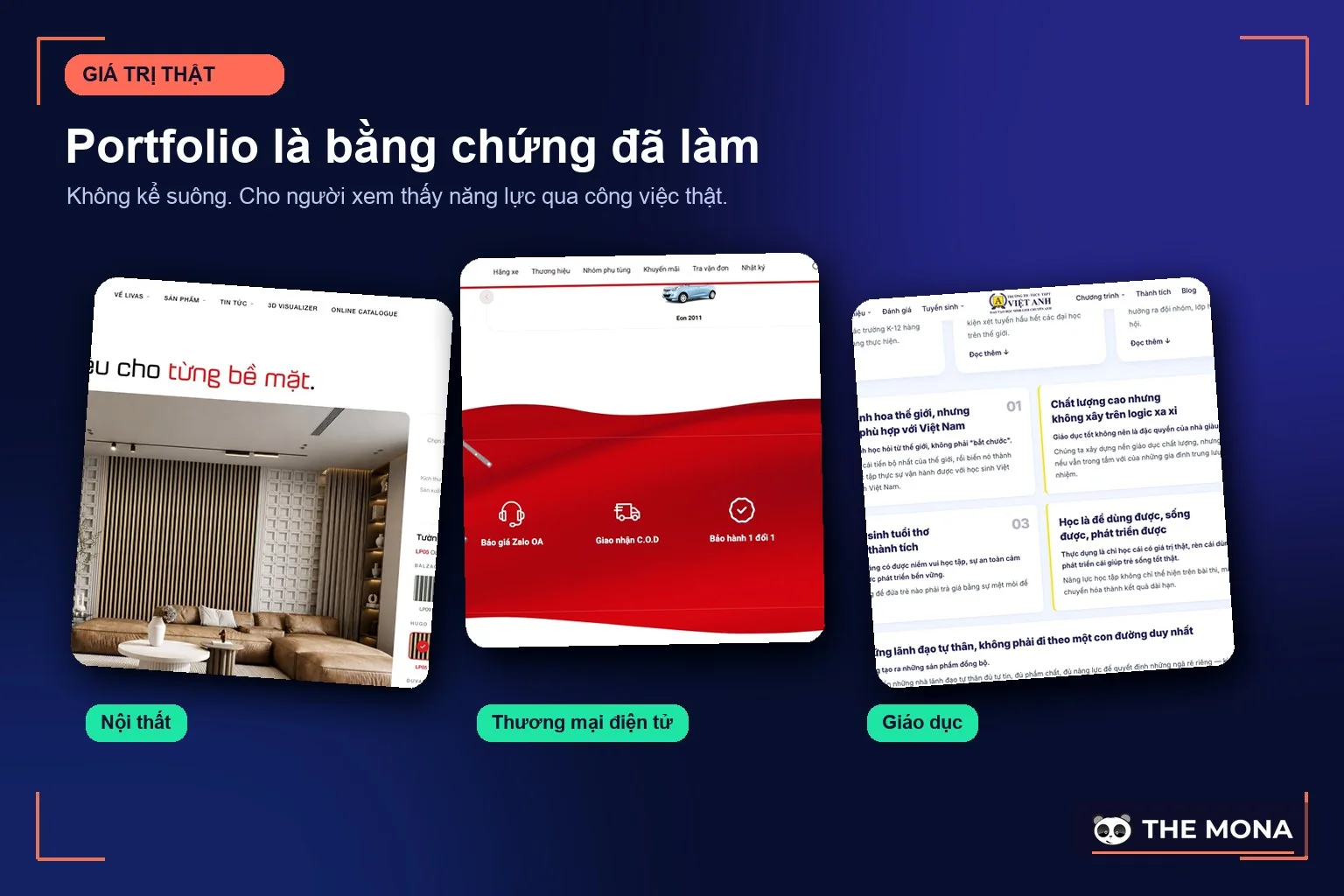
Selection is the heart of it. A portfolio is not an album of everything you've ever made. Gather 20 projects with no context or results and viewers see a pile of images, while 3 projects told properly can open a meeting. We have reviewed design applicants for years and the pattern barely changes: viewers decide very fast on the first project, and the rest only confirm that first impression. Put your strongest project first. Don't save it for later.
And a portfolio isn't only for creatives. A writer has published pieces with traffic figures, an ad buyer has campaigns with cost per order, and a company has a capability statement with case study. Any trade that sells skill needs proof.
These four documents often get sent to the wrong place, and the wrong one costs you points from the first screening:
| Document | Answers the question | Use it when |
|---|---|---|
| CV | Who you are, what you studied, where and how long you've worked | Applying for a job, first screening |
| Portfolio | What you can do, and where's the proof | Capability review, pitching services |
| Company profile | What the company has: team, capabilities, past clients | Pitching for a bid, first meeting with a partner |
| This quote | How much this work costs | After both sides understand each other |
A simple rule: when applying for a job, the CV goes first with the portfolio linked at the very top, because screeners open one page and spend around 30 seconds per application. When pitching services, the portfolio goes first and the quote after, because nobody wants to see the price from someone they don't yet trust. For a company bidding on a tender, the profile opens, and portfolio projects from the same industry sit in the middle as the heaviest part. Sending a quote with your materials in the very first message is the fastest way to be compared on price instead of ability. It's that simple.
Before polishing anything, answer these two questions, because each viewer needs a different kind of proof:
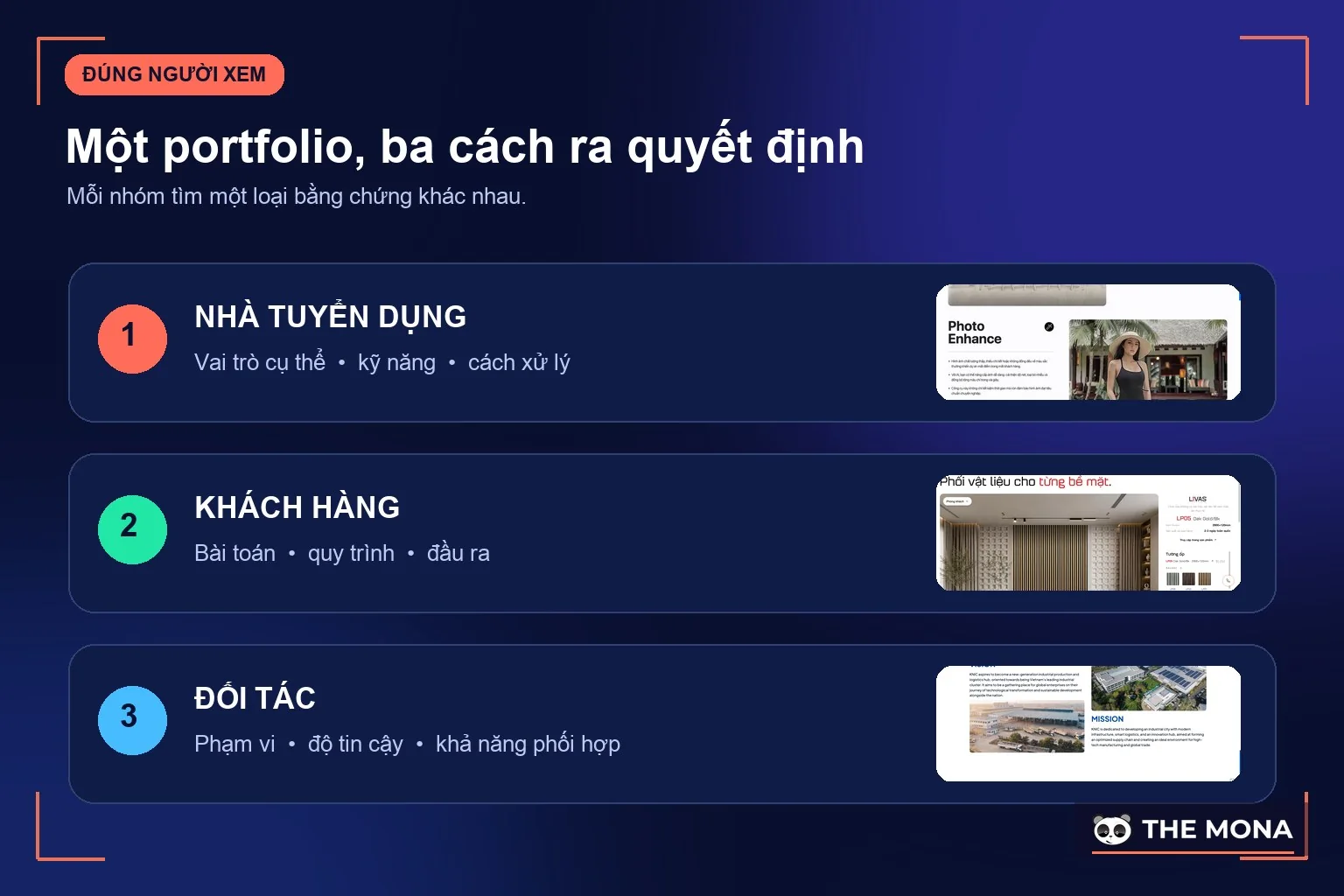
From there, decide the one action you want viewers to take: book a call, send a message or download the full file. Each portfolio page should have just one main action. If every page carries 3 different calls to action, viewers click none of them, which is the same principle as a your sales landing page. One button is enough.
Six parts, and if one is missing, that part fails:
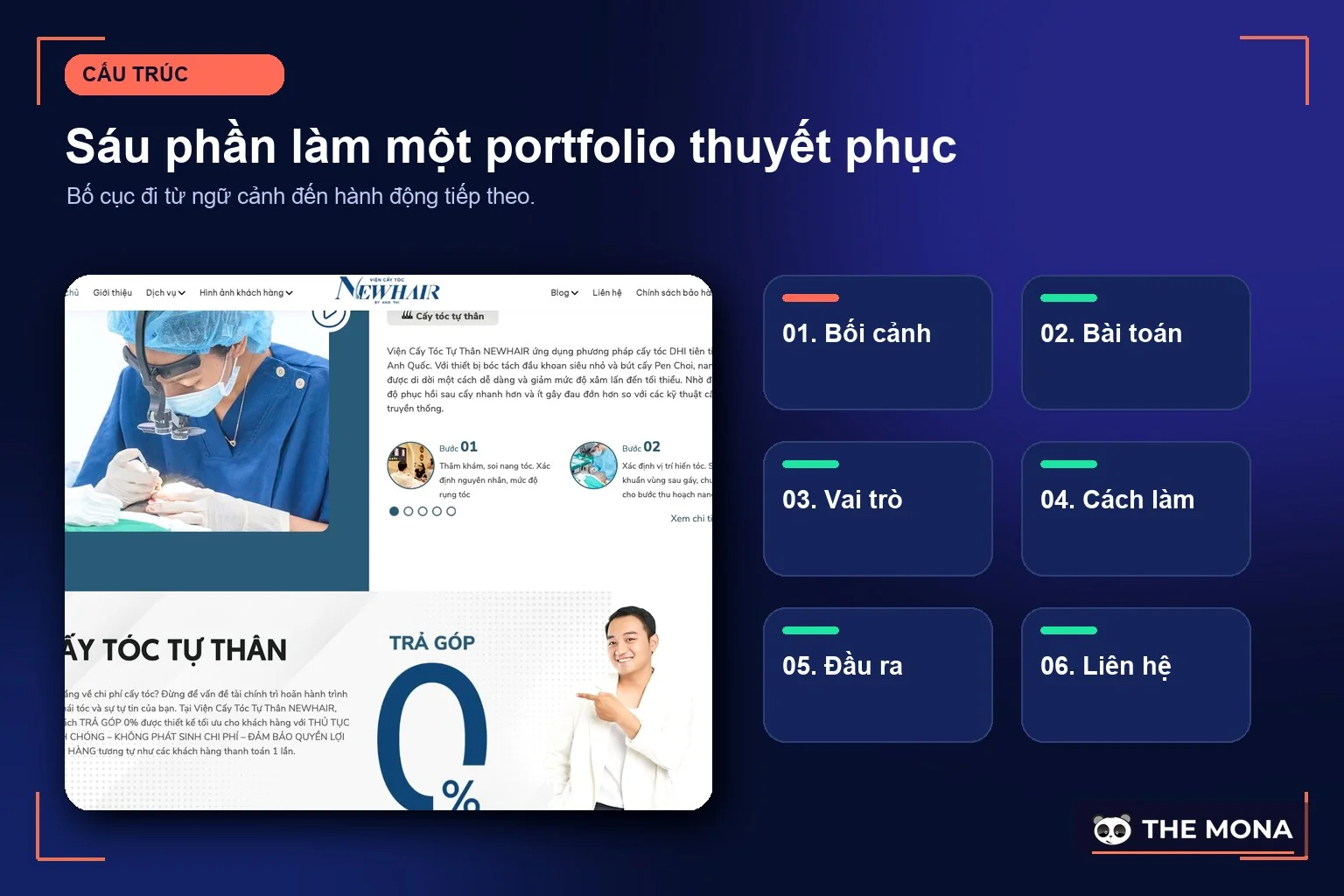
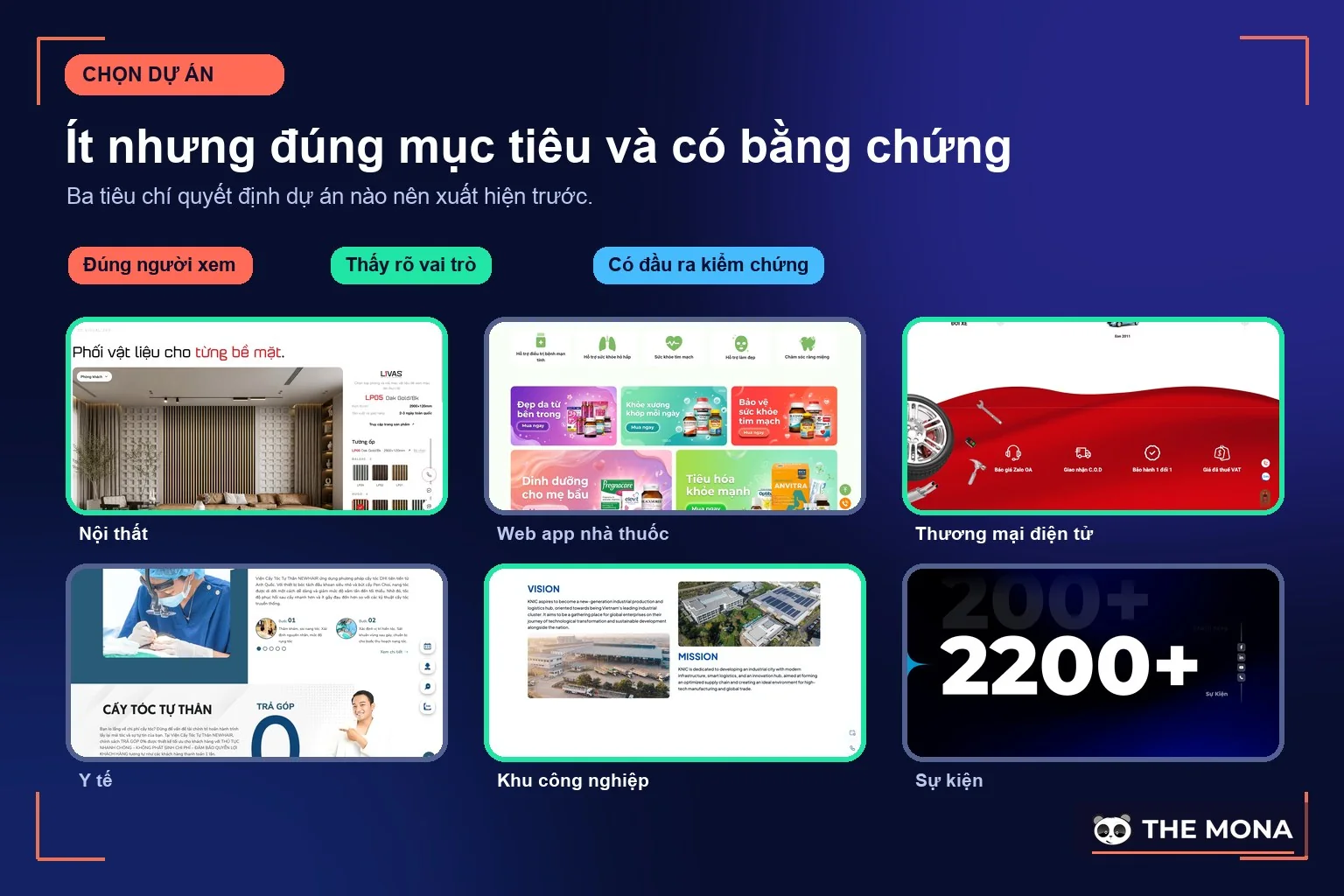
When choosing projects, quality beats quantity: 3 projects pointing the way you want your next work to go, rather than 10 projects spread across every kind of job. Viewers assume you want more of whatever is in the portfolio. If a project is confidential, tell the process with anonymized figures, or swap in a self-initiated project, as long as it is clearly labeled. Consider dropping projects older than 3 years, unless they are still your best. Three is enough.
This is the difference between a portfolio that gets a callback and one that gets skimmed. A 4-part framework for each project:
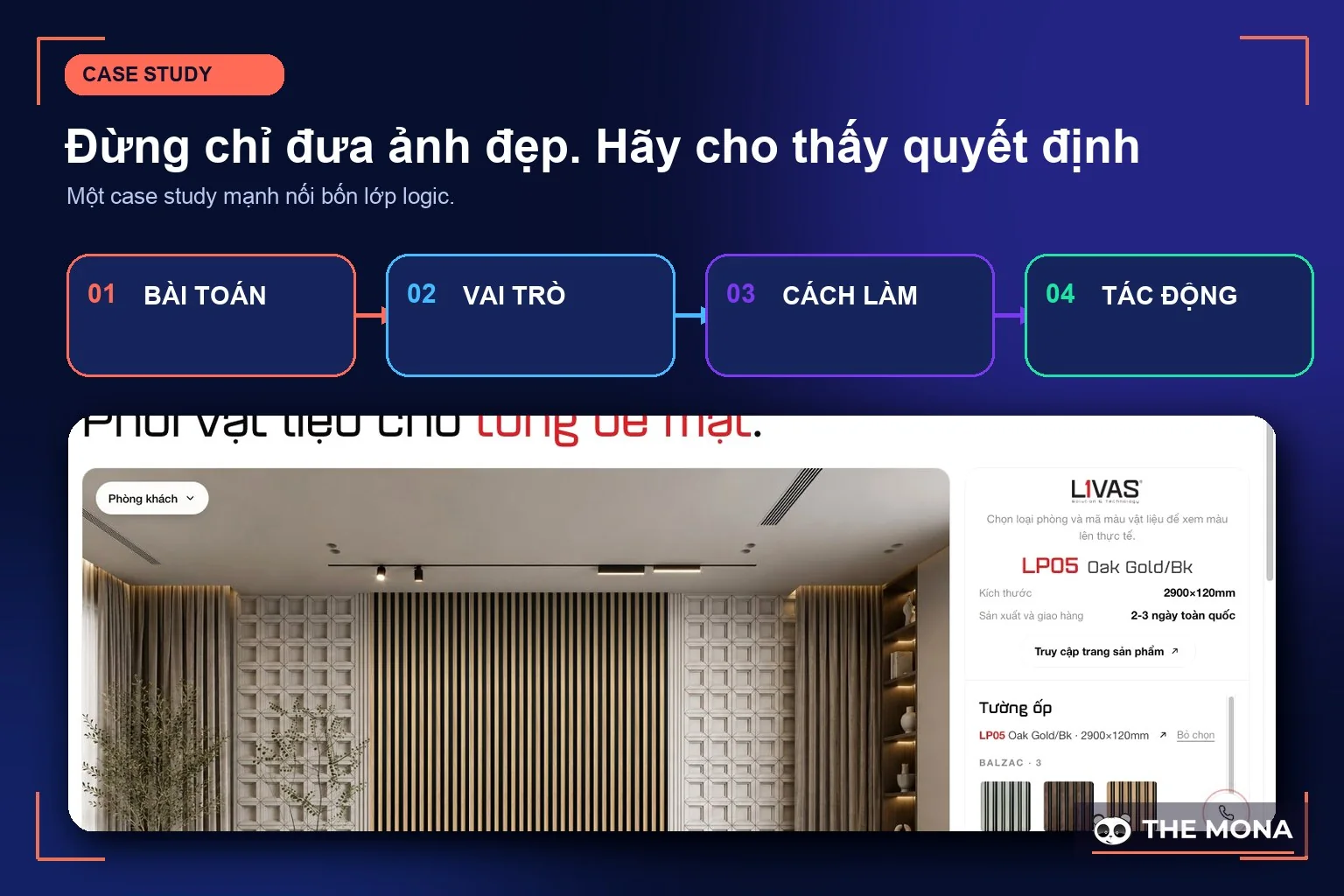
A tip from the reviewer's side: “traffic up 40% after 3 months, measured in Google Analytics” is far more believable than “the project was a huge success”, because it has a unit, a time frame and a tool to check it. A case study without a single number tells viewers the results had nothing to say. Small numbers are still numbers. Honest beats polished every time.
We've squeezed the nine steps of theory into 5 evenings of about 2 hours each, around 10 hours in total, so anyone with a job can follow it. No time off needed.
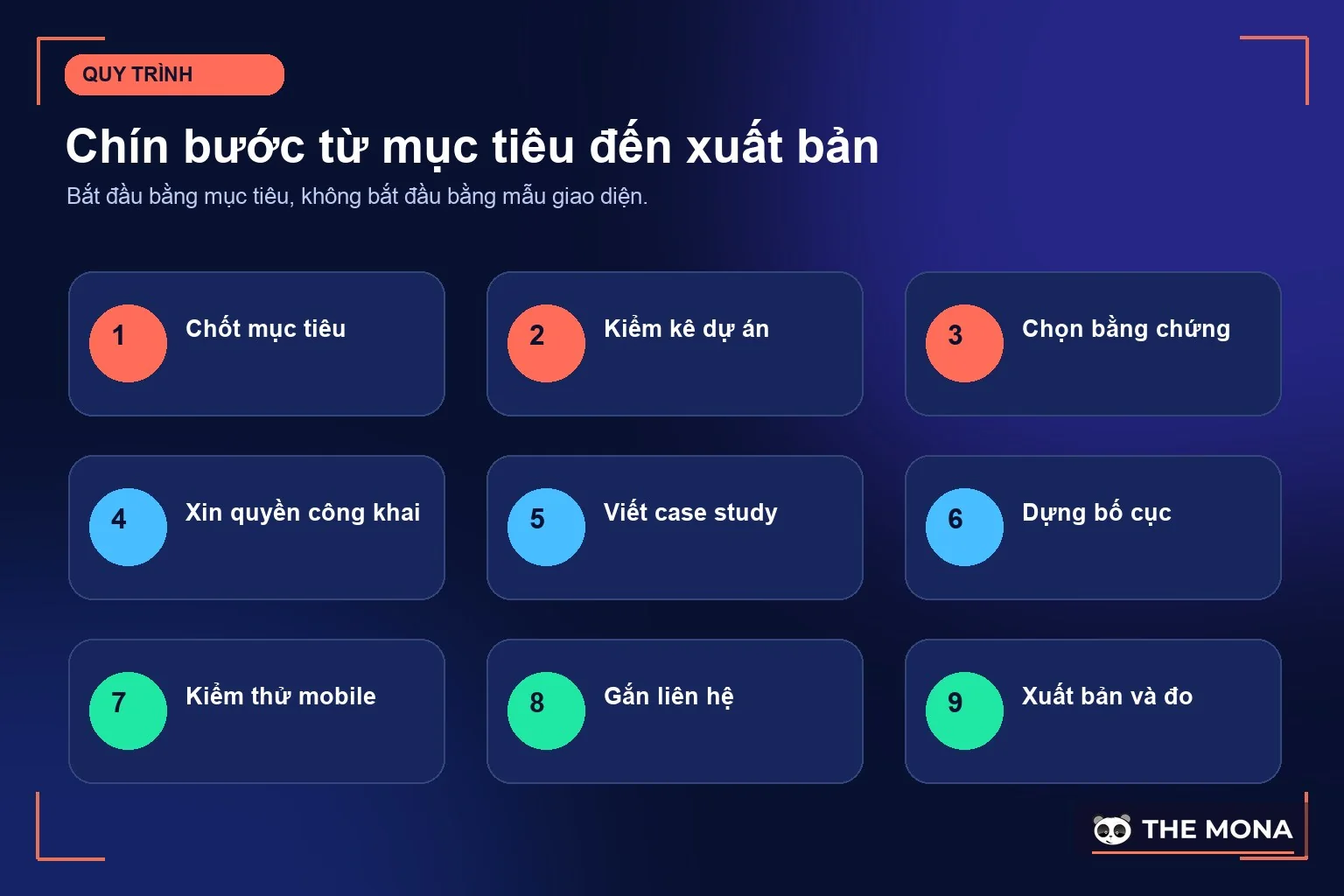
The sticking point is usually evening 2: sitting in front of an old project and not remembering the numbers. So from now on, whenever you finish a project, write down its result right away, even one line. A good portfolio is kept up all year, not thrown together the week you need a job. And if you want to treat this as a serious long-term tool for winning clients, read our article on personal branding to connect your portfolio into a bigger system, or message us via contact page and tell us what you do, and we'll suggest a portfolio layout that suits your trade, free of charge.
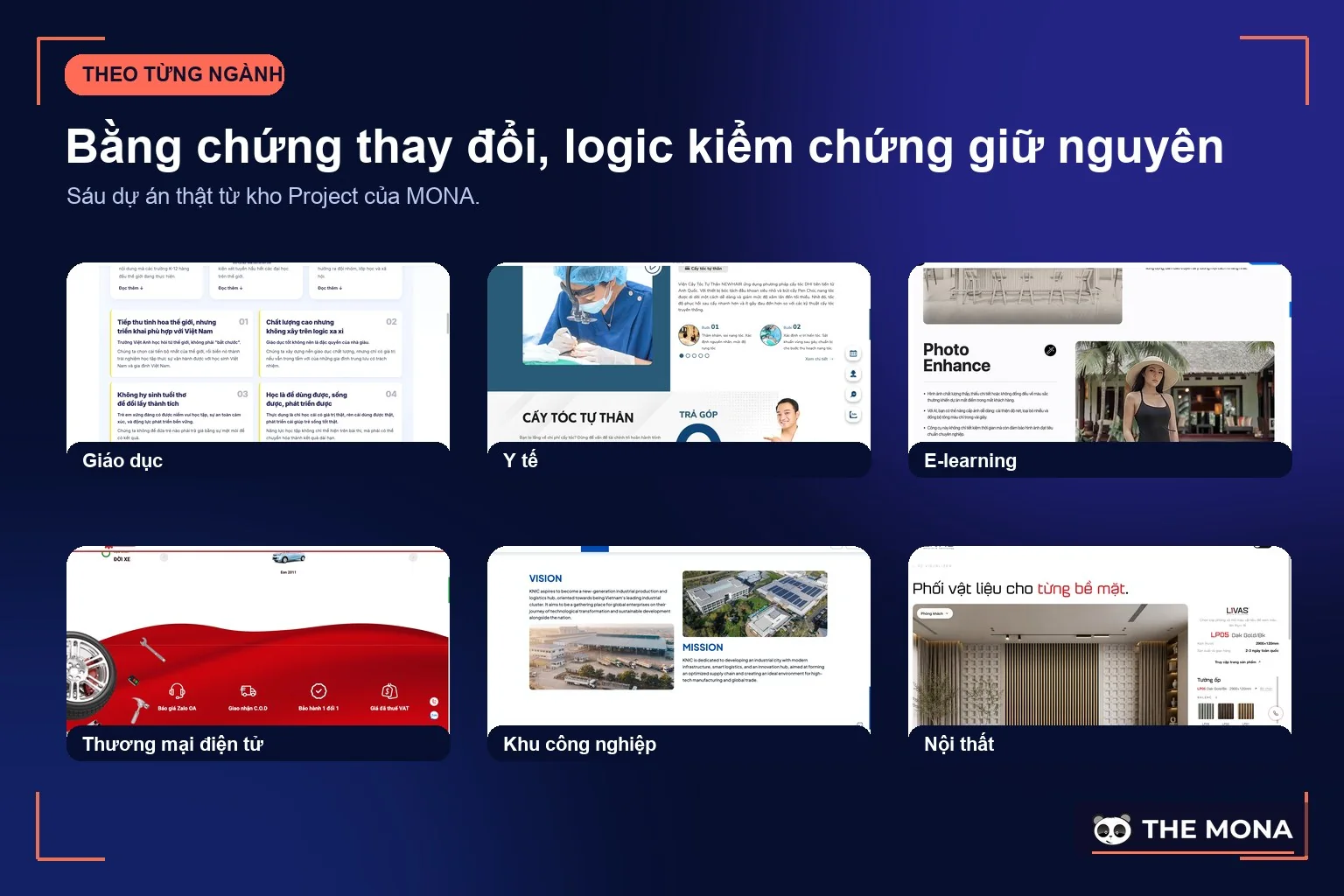
A common mistake is copying the designer's portfolio no matter the trade. Each field has something buyers want to check:
Costs and difficulty differ widely, so choose by stage, not by trend:
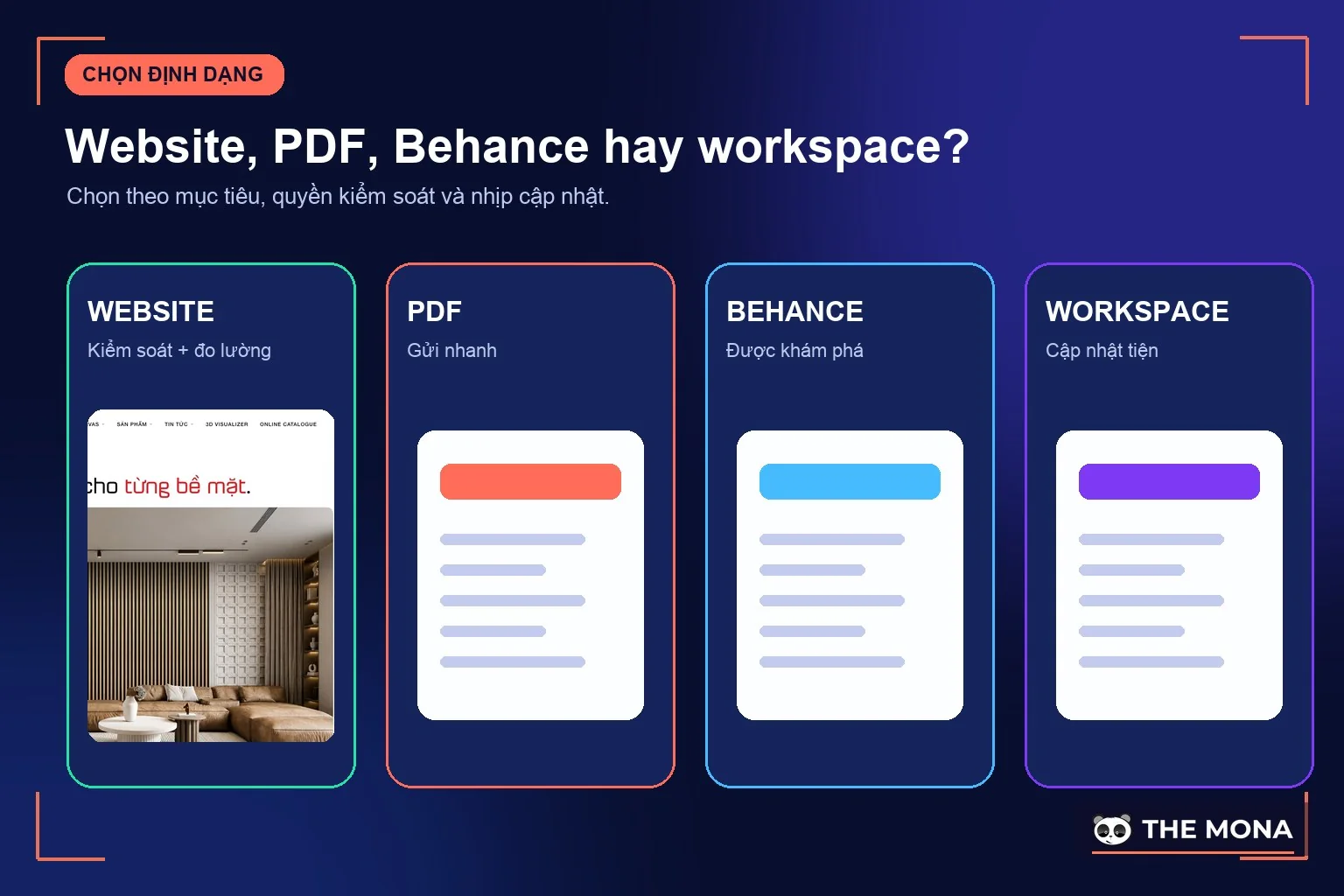
| Format | Cost | Best for | Downsides |
|---|---|---|---|
| Behance, Dribbble | Free | Creatives just starting out who need a community | Sits next to thousands of other portfolios, hard to keep viewers on your own work |
| Free | Sending with a bid, printing for in-person meetings | Every edit means resending, and you can't see who looked at what | |
| Notion, GitHub Pages | Free | Tech people who need quick updates | Templates look alike, hard to leave your own mark |
| Own website | A .com domain runs about 400,000 VND a year, .vn about 700,000 VND, plus hosting | Long-term professionals, studios, companies | Takes effort to build at first, and you have to keep feeding it content |
When three things are true: you plan to earn your living from this trade for more than 2 more years, you have at least 5 projects worth showing, and you want clients to find you on Google instead of sending your file around. An own website is the only option in the table above that you fully control: your domain, your visitor data, your accumulated search rankings. If the basic concepts are unfamiliar, read about what a domain is and what a website is first, and we cover the build at the end of this article. If you don't meet all three conditions yet, stick with Behance and PDF, and don't spend money early. Not yet means wait.
These are the mistakes we run into again and again when reviewing applications and receiving service pitches at MONA, ordered by how annoying they are:
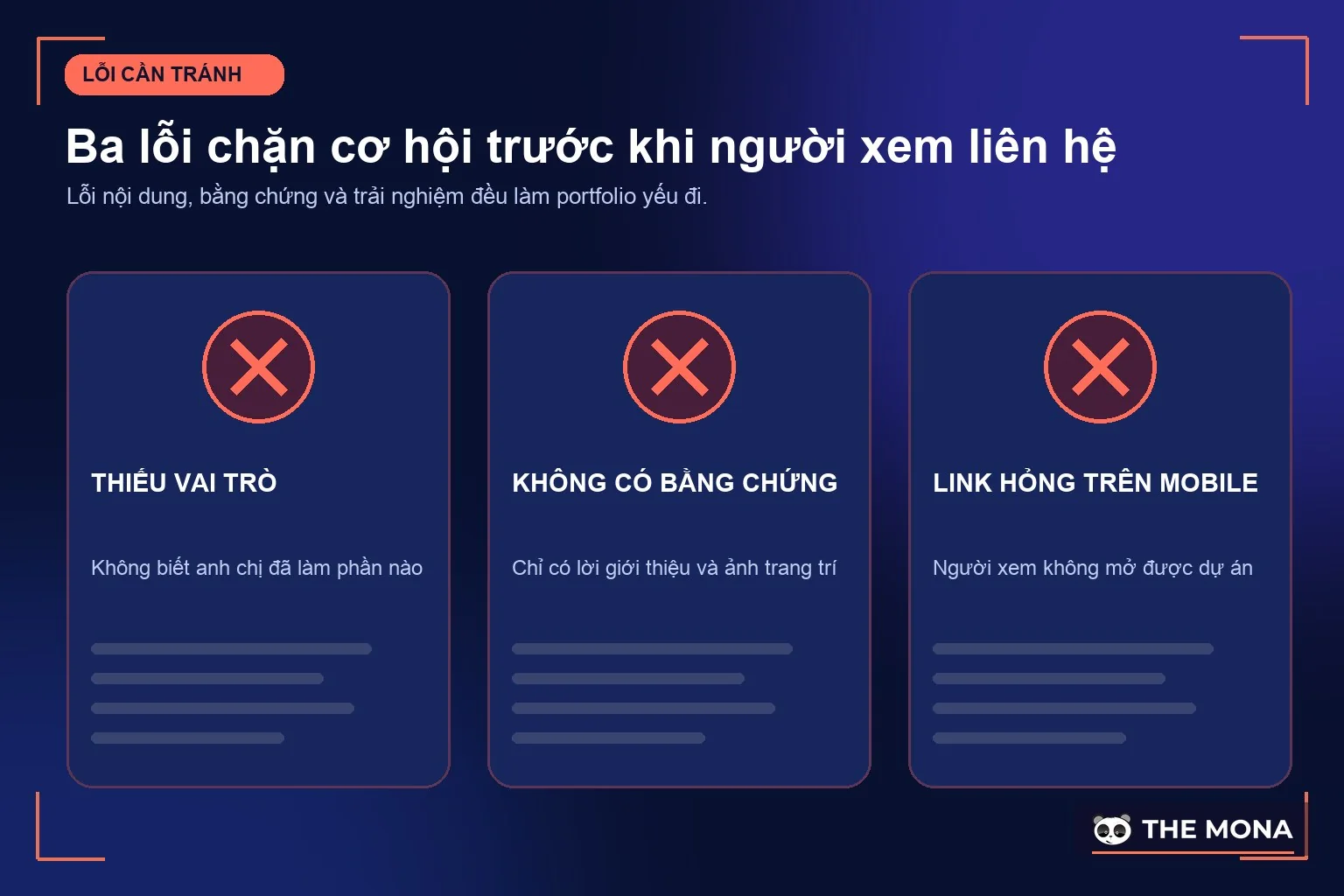
Notice that none of these mistakes is about talent. They're all about care: compress files under 10MB, open every link once, proofread. That's under 2 hours in total. You can fix it tonight. You don't need to get any better.
If your old portfolio only exists as a PDF and you want to edit the content, use MONA's free PDF to Word converter before you edit.
Sending your portfolio isn't the end. Three numbers are worth tracking: replies per application sent, how long viewers stay on the page if you use a website, and the first question people ask when they call back. That first question is the most valuable signal: if they ask “which part did you do in this project?”, your role isn't clear enough; if they ask “how much?” right away, your portfolio is attracting the wrong clients. Every 3 months, open your portfolio for about 30 minutes: replace the weakest project with a better new one, update the figures and check that every link still works. The first question is gold.
If you work as a freelancer, hear a real perspective on the trade in the video below, which covers both the freedom and the responsibility that few people talk about. A portfolio is only one piece of the trust system of a freelancer:
You can do everything in this article yourself: it takes 5 evenings and costs nothing for a first version on Behance or Notion. Just do it. With a proper set of case studies in hand, you'll already be ahead of most portfolios out there.
But once your trade is established and clients start finding you, the free portfolio becomes a jacket that's too tight: no domain of your own, no way to see who viewed what, no way to climb Google when clients type your trade's name. That's when a portfolio website of your own is worth paying for, with your own identity and brand story This part is our trade: MONA has built websites since 2016, with more than 14,000 projects delivered, including many capability-statement websites for professionals and studios. Call 1900 636 648, tell us what you do and how many projects you have, and we'll tell you straight whether to stay on Behance or build your own site, with a cost range from website design to domain, hosting so you can work it out yourself. A good portfolio deserves a place clients can find.

CEO & Founder · The MONA
Founder of The MONA, who built a services company of 200+ staff with 14,000+ projects delivered. Khánh Hùng shares how he thinks about building systems that run themselves, automating a business, and the real lessons from delivering projects at MONA.
 1,7K
1,7K




Professional website
design services
Own a website with a beautiful, 100% exclusive design and a lifetime warranty, with the ability
to expand features flexibly as your business grows, starting today!



NHẬN TƯ VẤN SEO MIỄN PHÍ !








 MONA will never sell your information or send you spam
MONA will never sell your information or send you spam
MONA will never sell your information or send you spam


 MONA will never sell your information or send you spam