
 MONA OS 2.0
 Partner with MONA


 Tự động hoá doanh nghiệp
 Cẩm nang SEO
 Digital Marketing
 Kinh nghiệm thiết kế website
 Hạ Tầng Server
 Giáo dục


 VI
 EN





Message us on
Zalo Official


 ProductsNew

 ProductsProducts
 Mới ra mắtKHA AI 2027App tự edit video, tự đăng mọi mạng xã hội, 2 phút mỗi ngày







 Website designLooks good and wins customers over.
SEO servicesBrings in customers searching for exactly what you sell.
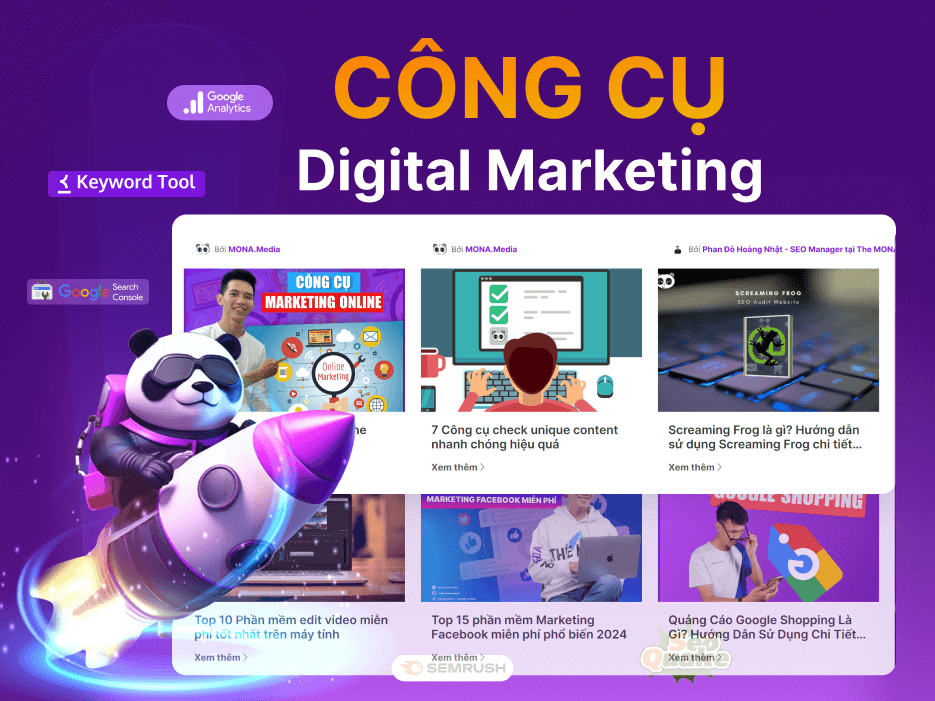 Tư vấn digital marketingKéo khách từ nhiều kênh, đo bằng số thật.
Corporate video productionVideos introducing your company, factory and team.
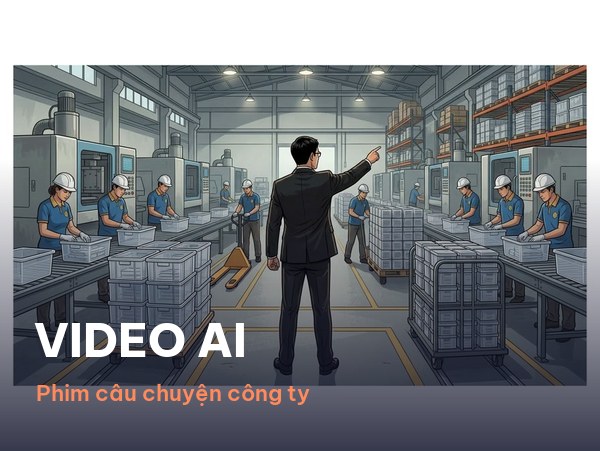 NewAI video productionCompany story films made with AI.
 Custom software developmentCRM, ERP and HRM built for your business.
 Viết AI Agent theo yêu cầuĐặt riêng một trợ lý AI cho đúng việc của mình.
 Tư vấn chuyển đổi AIĐưa AI vào vận hành của cả công ty.
NewMONA LMSManagement for centers and schools.
MONA SkillHubInternal training for company staff.
 NHTQ systemEnd-to-end China–Vietnam shipping operations.
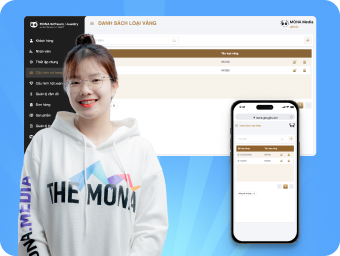
MONA JMSManagement for gold, diamond and pawn shops.
 MONA E-LearningA website with every feature you need to sell courses.
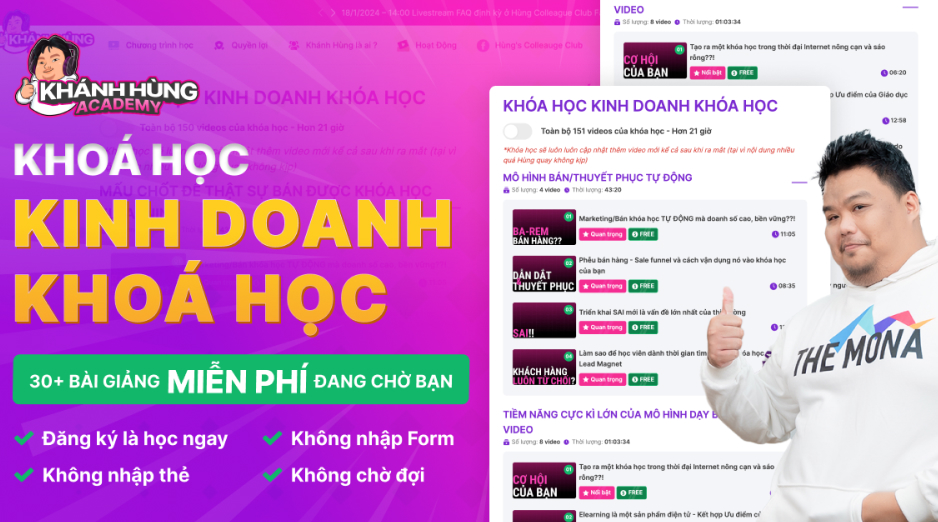 How to sell online courses (course)More than 30 free lessons on selling courses on autopilot.
 MONA Cloudmonacloud.vnServers to get your apps and websites running.
 MONA Basemonabase.vnPostgres database, sign-in and file storage.
 MONA Mailmonamail.vnSend OTP, order and invoice emails from your software.
 MONA Paymonapay.vnAccept bank transfers via VietQR and notify your software when the money arrives.
 MONA eInvoiceComing soonIssue e-invoices that meet tax standards.
Gấu CườiTrả lời khách 24/7 trên web, Fanpage, Zalo và thu lead cho sale.
 Gấu TeleSalesGọi điện tư vấn, chăm khách như tổng đài viên thật.
Dê CườiTư vấn và chốt đơn cho shop ngay trong khung chat.
Gấu WebmasterNhắn nhóm Zalo là website được sửa xong.
 Gấu Pháp ChếSoạn hợp đồng, rà điều khoản trong vài phút.
 Gấu Báo GiáLên báo giá đúng mẫu và gửi khách ngay.
 AI chăm sóc khách hàngTheo dõi và giữ chân khách hàng cũ.
 Gấu Tuyển DụngLọc hồ sơ, hẹn lịch, phỏng vấn ứng viên.
 Mới ra mắt
KHA AI 2027
Xây kênh chuyên gia 2 phút mỗi ngày
Quay bằng điện thoại, AI tự edit video, tự đăng lên 16 nền tảng và tự trả lời bình luận, tin nhắn.
949.765lượt xem trên kênh CEO MONA sau 48 ngày
 Anh Khánh HùngCEO MONA đang dùng mỗi ngày
Xem app làm được gì
 AI
Gấu Cười MONA ĐANG TỰ XÀITrả lời khách 24/7 trên website, Zalo OA, Messenger và thu lead về cho sale.
Dê CườiChốt đơn bán lẻ và sàn: Shopee, TikTok Shop, web. Chăm cả khách sỉ, đại lý.
Gấu WebmasterCập nhật nội dung, tối ưu SEO website mỗi ngày.
Gấu TeleSalesGọi điện tư vấn, chăm khách như tổng đài viên thật.
Gấu Tuyển DụngLọc hồ sơ, hẹn lịch, phỏng vấn ứng viên tự động.
AI chăm sóc khách hàngGiữ khách cũ, cứu lead đã rớt cho phòng kinh doanh.
Gấu Pháp ChếSoạn hợp đồng, rà điều khoản trong vài phút.
Gấu Báo GiáLên báo giá đúng mẫu, gửi khách ngay khi có yêu cầu.
 Chuyển đổi AI toàn phầnGiải pháp tổng cho doanh nghiệp, 3 lớp triển khai.
 Viết AI Agent theo yêu cầuĐặt riêng một con AI gánh đúng nghiệp vụ của bạn.
 Custom softwareCRM, ERP and HRM with built-in AI automation.
 SEO & AEO thời đại AIĐược Google lẫn AI trích dẫn, không chỉ xếp hạng.
 Kiến thức AI cho doanh nghiệpBài phân tích, hướng dẫn ứng dụng AI vào vận hành.
 Free AI courses
 AI tools at work
App mới · KHA AI 2027
Xây kênh 2 phút mỗi ngày
AI tự edit video, tự đăng mọi mạng xã hội
Free consultation, 8am–10pm every day

14 June, 2026
Free Freepik AI is a tool many business owners and marketing teams are looking at to create images quickly. We all want to make the most of technology without a large upfront investment. We understand this and want to share hands-on tips so you can use the free version of Freepik AI as effectively as possible, producing quality designs that attract customers and raise your productivity. This article goes straight to the key steps and tips.
The free version of Freepik AI helps you create high-quality images quickly. We don't need deep design skills. The tool directly speeds up your marketing process, especially when you need ad images or social media content.
We will go straight to the valuable features. Freepik AI helps a lot with marketing activities. It saves your marketing team a significant amount of time, so they can focus on the overall strategy.
This tool is a capable assistant. It handles basic image requests. You will see clear results. MONA also often uses similar tools in its internal process.
To start using Freepik AI, just go to the Freepik homepage. Direct link to Freepik AI will take you to the tool. No Premium account needed. No complicated installation.
A marketing director at a 18-branch retail chain in southern Vietnam constantly faces urgent image needs. Every time a sudden promotion comes up, they have to wait for the design team. That process eats up a lot of time. With Freepik AI, you just enter a product description and pick a style. Within a few dozen seconds, the image appears.
This lets marketing campaigns respond faster. You can take advantage of market events right away. The marketing team can even create illustrations for blog posts or email newsletters themselves without waiting. The process is very intuitive. You will get used to it easily.
MONA also applies AI tools in a similar way. They help our content team create illustrations quickly. Work flows much more smoothly. This is especially useful for projects that need high speed. You will see the difference.
The Freepik AI interface is simple and easy to use. You only need to pay attention to three main areas. First is the “prompt” input box. This is where you describe your image idea. For example: “a chocolate cake decorated with fresh strawberries, on a wooden table, warm lighting.”
Second is the style settings area. Here, you choose AI options such as “realistic photo,” “illustration” and “digital art.” You can also adjust the aspect ratio. These choices have a big effect on the result. A fashion company with 22 stores in Hanoi regularly needs new product images. They use Freepik AI to create test visuals. This helps them picture the product before shooting real photos.
Finally, there is the “Generate” button. After entering a description and choosing a style, you press this button. The tool will produce 4 to 6 different images. You can pick the one you like best. Then download it for free. The process is quick and anyone can do it. Understanding these three areas helps you optimize your results.
MONA EduCenter has also brought courses on graphic design and AI into an LMS system. We teach learners to get the most out of free AI tools. This helps businesses build their teams' capabilities. You can become more self-reliant in creating visual content.
Many business owners and marketing teams spend hours on trial and error with AI image tools. They keep getting results they are not happy with. We have distilled a 3-layer prompt formula. It is a technique practitioners use to get the results they expect. This formula helps you control Freepik AI's output tightly. You will create images that match your brand requirements and marketing purpose precisely.
Instead of writing long, confusing prompts, we break the request down. Each layer focuses on one aspect. This ensures the final image conveys the right message. You will save a lot of time and resources.
The first layer is the foundation for every image. You need to clearly describe the main subject and the setting around it. This is where you lay the first brick.
A bubble tea chain with 18 branches wants ad images for a new product. They need a brown sugar pearl milk tea. The setting should be a modern bar with warm lighting. The main subject is the milk tea. The setting is the bar. Being clear from the start helps the AI get its bearings. Freepik AI will understand what you mean.
Example prompt for this layer: “A brown sugar pearl milk tea on the counter of a modern café.” Focus on being specific. The image will match your request more closely.
Once you have the subject and setting, you need to add “soul” to the image. The second layer focuses on visual style and the emotion you want to convey. The image has to leave an impression.
If you run a premium fashion brand, the image needs to radiate luxury. The style could be minimalist with neutral colors. The emotion to convey is refinement and class. By contrast, a children's toy store needs bright, playful images. Kids love that.
Example prompt combining layers 1 and 2: “A brown sugar pearl milk tea on the counter of a modern café, professional studio photo style, soft lighting, warm colors, pastel tones, creating a relaxed and appetizing feel.” Adding emotional detail makes the image more vivid.
The last layer is refinement. You add small details and tie the image to a specific marketing purpose. Purpose is the key. This helps Freepik AI produce the most optimized image for your campaign.
A software company wants an image for a blog post about “process automation”. They need an image with digital elements. The purpose is to illustrate seamlessness and reduced workload. Details like charts and connection lines will fit well. Or a restaurant chain needs an image for a promotion. The image should make the food stand out. Adding water droplets on the glass will whet customers' appetites.
Example prompt combining all 3 layers: “A brown sugar pearl milk tea on the counter of a modern café, professional studio photo style, soft lighting, warm colors, pastel tones, creating a relaxed and appetizing feel. Add glistening pearls and a rich layer of milk cream on top. Close-up focused on the milk tea, to be used as an ad banner.” Small details make a big difference.
Apply this formula to a concrete situation. Say we want to create a banner for MONA's website design service. The goal is to attract businesses that want a professional website.
Step 1: Layer 1, subject and setting. We need a computer screen showing a good-looking website interface. The setting is a modern office. There could be a software developer at work. Starting prompt: “A large computer screen displaying a modern website interface, in a professional office workspace.”
Step 2: Layer 2, style and emotion. The banner should radiate trust and technology. The style should be minimalist and modern. Blue and white colors. A professional, effective feel. The prompt expands: “A large computer screen displaying a modern website interface, in a professional office workspace, minimalist design style, predominantly blue and white tones, natural lighting, creating a feeling of trust and high technology.”
Step 3: Layer 3, details and purpose. To promote the SEO and website design service, we need to add related symbols. An SEO icon and data connection lines. The screen should show a clear layout. Final prompt: “A large computer screen displaying a modern website interface, in a professional office workspace, minimalist design style, predominantly blue and white tones, natural lighting, creating a feeling of trust and high technology. On the screen are an SEO icon, data connection lines and a clear website layout. Close-up of the screen, to be used as an ad banner for a website design service.”
This 3-layer approach gives you easy control. Freepik AI will understand your intent correctly. Image quality will improve noticeably.
Many people only use Freepik AI to generate images from text, but the tool hides far more powerful capabilities. We have explored and successfully applied these features to turn raw, even poor-quality photos into professional design assets. This is how MONA optimizes its internal image resources for marketing campaigns without paying for expensive stock photos. You can do it too.
This saves a business a significant amount of budget. It eases the load on the design team. It raises image quality on your website and communication channels. With just a few steps, you get high-quality images right away.
One of the most useful features of Freepik AI is automatic background removal. You don't need Photoshop. Freepik AI's algorithm recognizes the main subject accurately. It separates the background quickly.
To do it, upload your image to Freepik AI. Choose the “Remove background” option. The tool then removes the backdrop automatically. You can replace it with another color or a new image. This saves a lot of time.
For example, an online fashion chain with 15 branches needs to photograph hundreds of new products every month. Instead of hiring a studio or a professional photographer to remove the background from each shot, their marketing team just takes simple product photos. Then they use Freepik AI to remove the backgrounds. The product images look more professional. They are ready to post on the sales website and e-commerce platforms. This saves the chain tens of millions of VND every month.
You often run into old photos or phone photos at low resolution. These images can't be used for print or large screens. Freepik AI offers a solution. The tool helps increase image resolution.
Freepik AI's “Upscale image” feature uses AI to analyze and add detail. The result is a sharper image. Image quality improves noticeably. The image can be enlarged without breaking up. This is a big plus.
We once helped a 20-branch restaurant chain redo its menu and ad banners. Many long-ago food photos had very low resolution. Reshooting everything would be costly and time-consuming. Their design team used Freepik AI to upscale these photos. The upscaled images were good enough to print on an A3 menu. They also look great on advertising screens. This helps the chain keep its brand consistent. They also saved the cost of new photography.
Bitmap images (such as JPEG and PNG) are limited when enlarged. They get blurry. Vector images (such as SVG and EPS), by contrast, can be enlarged at will. Image quality stays the same. Freepik AI can help you convert between these formats.
The bitmap-to-vector feature in Freepik AI lets you turn logos, icons or simple drawings into vector format. That gives you maximum flexibility when editing. You can change colors, size or details without worrying about quality loss.
A logistics company with 30 trucks needed to print its logo on the vehicles. The original logo existed only as a small JPEG file. Enlarged, it came out blurry and jagged. The marketing team used Freepik AI to convert the JPEG into a vector. Then they easily adjusted the size and colors. The logo printed sharply on every vehicle size. As a result, the brand was better recognized. They didn't have to pay to redesign the logo from scratch.
MONA also applies this method regularly. Especially when doing logo design or branding materials for customers. We make sure every image asset is always at the highest quality. We train customers to use these tools. You will master AI tools.
Creating beautiful images with Freepik AI is only the start. For those images to really deliver, we need a process that integrates seamlessly into the business's marketing ecosystem. We share a step-by-step process that helps you sync Freepik AI assets into your website, social media and email marketing in about 15 minutes.
These are hands-on steps MONA has applied internally and taught to customers. This process helps optimize image performance across every communication channel.
Images need to be optimized separately for each channel so they display well and load fast. Each platform has different requirements for size and file format.
You should know these specs so you can export from Freepik AI accurately. For example, Facebook uses square 1080x1080px images, and Instagram Stories needs 1080x1920px. Websites usually prefer WebP for faster page loads.
When exporting from Freepik AI, choose the resize option. Then save the image in the right format. We usually recommend JPG for ordinary product photos. PNG suits images with transparent backgrounds. WebP is a good choice for website performance.
A fashion chain with 18 branches in Hanoi and Da Nang applied this approach. They used Freepik AI to create ad images for a new collection. The images were then optimized separately for Facebook, Instagram and landing pages. As a result, the images display sharply and more appealingly on every channel.
Managing image assets systematically saves search time. You avoid lost files. Create a logical folder structure for easy access.
We suggest using cloud storage such as Google Drive or Dropbox. You can organize folders by campaign, product or date. For example, a “Summer 2024 Campaign” folder containing subfolders “Facebook images,” “Instagram images,” “Email images.”
Naming files clearly, with relevant keywords, is also important. For example, instead of “image01.jpg,” use “ao-thun-nam-mau-xanh-chien-dich-he-2024.jpg.” This lets staff search without opening each image.
A real estate company with a portfolio of more than 10 large projects struggled to manage its images. After applying this process, they can find the 2023 rendering of project X in seconds. This noticeably improves the marketing team's productivity.
Once optimized and organized, the last step is integrating the images into your main communication channels. This process needs care to protect performance.
For email marketing, use a platform like Mailchimp or GetResponse. Upload the optimized images to the platform's library. Insert them where you want in the email draft. Always send a test first to make sure the images look right on both desktop and mobile. Avoid heavy images that slow down email loading.
For websites, upload images to a content management system (CMS) such as WordPress or Shopify. Then insert them into posts, product pages or banners. Most important of all, fill in the Alt text for every image. Alt text supports SEO and helps users when an image fails to load. It also improves the experience for visually impaired users.
MONA EduCenter, with over 40,000 learners and 760 PRO courses, regularly creates new course images with Freepik AI. These images are built into the website MONA Academy and promotional email campaigns. Thanks to a standardized process, the team can update content easily and keep the brand imagery consistent and professional.
Freepik AI and other free artificial intelligence tools are proving their value for one-off design tasks. But we want to be clear: these tools still have limits when you need full automation, centralized data management, or enterprise-grade information security.
For complex, large-scale processes, you need a custom software solution to get the performance and control you want. MONA believes this is a necessary step for any business aiming for sustainable growth in 2026.
Standalone AI tools like Freepik deliver instant convenience, but they can't solve centralized data management or information security for a larger business. Every time your design team uses Freepik AI to create an image, it's an isolated task. There's no central repository to store, categorize and manage these design assets.
Picture a marketing team of 12 people, each using Freepik AI to make images for different campaigns. Even though it's fast, keeping colors, fonts and logo placement on brand becomes a real challenge. The result is serious inconsistency across your website, social channels and other media materials. You can learn more about how MONA optimizes websites for businesses here: SEO-standard website design.
On top of that, free AI tools usually lack deep integration with CRM, ERP or marketing automation platforms. That means every step of moving assets, from creating an image to publishing content, has to be done by hand. This takes time and carries a risk of data errors. Security is also a concern when you upload sensitive company documents for AI to process.
To get past the limits of standalone tools, a business needs to invest in custom automation software that is deeply integrated into its operations and existing data systems. A dedicated software solution centralizes digital asset management and lets you build complex automated workflows.
Take a retail chain with 35 stores and 40 billion VND in annual revenue. It needs to produce thousands of product images and promotional banners every month for its website and social media. If it relies only on standalone AI tools, the design team will never keep up the speed and consistency required. This is where MONA's automation software solution pays off.
We can build a system that automatically generates product images from set templates, integrated directly with inventory data and promotion information. Every image follows the brand identity, updates in real time, and needs no constant manual intervention. MONA has deep experience building sales management software and automation systems for Vietnamese businesses.
MONA provides custom software solutions and works alongside you to build a complete digital ecosystem. We know AI tools like Freepik are very useful for everyday tasks, and we use them in our own internal processes, even training clients to get the most out of them.
But MONA sees the real value in connecting those pieces into a larger system. Since 2016, with a team behind 14,000+ projects, MONA has helped many businesses complete their digital transformation. Our contract retention rate is 85%, proof of the trust our clients place in us and the results our solutions deliver.
Together we can build a digital asset management (DAM) platform with built-in AI that automatically tags, categorizes and optimizes images. You get a seamless workflow from ideation and AI-assisted design to automatic publishing on your website and media channels. That lets your team focus on strategy instead of repetitive tasks. You can also explore MONA's marketing and sales automation solutions.

CEO & Founder · The MONA
Founder of The MONA, who built a services company of 60+ staff with 14,000+ projects delivered. Khánh Hùng shares how he thinks about building systems that run themselves, automating a business, and the real lessons from delivering projects at MONA.
 259



Professional website
design services
Own a website with a beautiful, 100% exclusive design and a lifetime warranty, with the ability
to expand features flexibly as your business grows, starting today!






 MONA will never sell your information or send you spam


 MONA will never sell your information or send you spam
