
 MONA OS 2.0


 Tự động hoá doanh nghiệp
 Cẩm nang SEO
 Digital Marketing
 Kinh nghiệm thiết kế website
 Hạ Tầng Server
 Giáo dục


 VI
VI
 EN
EN










Message us on
Zalo Official


 ProductsNew

 ProductsProducts
 Mới ra mắtKHA AI 2027App tự edit video, tự đăng mọi mạng xã hội, 2 phút mỗi ngày










 Website designLooks good and wins customers over.
SEO servicesBrings in customers searching for exactly what you sell.
Website designLooks good and wins customers over.
SEO servicesBrings in customers searching for exactly what you sell.
 Tư vấn digital marketingKéo khách từ nhiều kênh, đo bằng số thật.
Corporate video productionVideos introducing your company, factory and team.
Tư vấn digital marketingKéo khách từ nhiều kênh, đo bằng số thật.
Corporate video productionVideos introducing your company, factory and team.
 NewAI video productionCompany story films made with AI.
 Custom software developmentCRM, ERP and HRM built for your business.
 Viết AI Agent theo yêu cầuĐặt riêng một trợ lý AI cho đúng việc của mình.
 Tư vấn chuyển đổi AIĐưa AI vào vận hành của cả công ty.
NewMONA LMSManagement for centers and schools.
MONA SkillHubInternal training for company staff.
Tư vấn chuyển đổi AIĐưa AI vào vận hành của cả công ty.
NewMONA LMSManagement for centers and schools.
MONA SkillHubInternal training for company staff.
 NHTQ systemEnd-to-end China–Vietnam shipping operations.
MONA JMSManagement for gold, diamond and pawn shops.
NHTQ systemEnd-to-end China–Vietnam shipping operations.
MONA JMSManagement for gold, diamond and pawn shops.
 MONA E-LearningA website with every feature you need to sell courses.
 How to sell online courses (course)More than 30 free lessons on selling courses on autopilot.
 MONA Cloudmonacloud.vnServers to get your apps and websites running.
 MONA Basemonabase.vnPostgres database, sign-in and file storage.
 MONA Mailmonamail.vnSend OTP, order and invoice emails from your software.
 MONA Paymonapay.vnAccept bank transfers via VietQR and notify your software when the money arrives.
 MONA eInvoiceComing soonIssue e-invoices that meet tax standards.
Gấu CườiTrả lời khách 24/7 trên web, Fanpage, Zalo và thu lead cho sale.
MONA eInvoiceComing soonIssue e-invoices that meet tax standards.
Gấu CườiTrả lời khách 24/7 trên web, Fanpage, Zalo và thu lead cho sale.
 Gấu TeleSalesGọi điện tư vấn, chăm khách như tổng đài viên thật.
Dê CườiTư vấn và chốt đơn cho shop ngay trong khung chat.
Gấu WebmasterNhắn nhóm Zalo là website được sửa xong.
Gấu TeleSalesGọi điện tư vấn, chăm khách như tổng đài viên thật.
Dê CườiTư vấn và chốt đơn cho shop ngay trong khung chat.
Gấu WebmasterNhắn nhóm Zalo là website được sửa xong.
 Gấu Pháp ChếSoạn hợp đồng, rà điều khoản trong vài phút.
 Gấu Báo GiáLên báo giá đúng mẫu và gửi khách ngay.
 AI chăm sóc khách hàngTheo dõi và giữ chân khách hàng cũ.
 Gấu Tuyển DụngLọc hồ sơ, hẹn lịch, phỏng vấn ứng viên.
 Mới ra mắt
KHA AI 2027
Xây kênh chuyên gia 2 phút mỗi ngày
Quay bằng điện thoại, AI tự edit video, tự đăng lên 16 nền tảng và tự trả lời bình luận, tin nhắn.
310.136lượt xem trên kênh CEO MONA sau 17 ngày
Mới ra mắt
KHA AI 2027
Xây kênh chuyên gia 2 phút mỗi ngày
Quay bằng điện thoại, AI tự edit video, tự đăng lên 16 nền tảng và tự trả lời bình luận, tin nhắn.
310.136lượt xem trên kênh CEO MONA sau 17 ngày
 Anh Khánh HùngCEO MONA đang dùng mỗi ngày
Xem app làm được gì
Anh Khánh HùngCEO MONA đang dùng mỗi ngày
Xem app làm được gì
 AI
Gấu Cười MONA ĐANG TỰ XÀITrả lời khách 24/7 trên website, Zalo OA, Messenger và thu lead về cho sale.
Dê CườiChốt đơn bán lẻ và sàn: Shopee, TikTok Shop, web. Chăm cả khách sỉ, đại lý.
Gấu WebmasterCập nhật nội dung, tối ưu SEO website mỗi ngày.
Gấu TeleSalesGọi điện tư vấn, chăm khách như tổng đài viên thật.
Gấu Tuyển DụngLọc hồ sơ, hẹn lịch, phỏng vấn ứng viên tự động.
AI chăm sóc khách hàngGiữ khách cũ, cứu lead đã rớt cho phòng kinh doanh.
Gấu Pháp ChếSoạn hợp đồng, rà điều khoản trong vài phút.
Gấu Báo GiáLên báo giá đúng mẫu, gửi khách ngay khi có yêu cầu.
AI
Gấu Cười MONA ĐANG TỰ XÀITrả lời khách 24/7 trên website, Zalo OA, Messenger và thu lead về cho sale.
Dê CườiChốt đơn bán lẻ và sàn: Shopee, TikTok Shop, web. Chăm cả khách sỉ, đại lý.
Gấu WebmasterCập nhật nội dung, tối ưu SEO website mỗi ngày.
Gấu TeleSalesGọi điện tư vấn, chăm khách như tổng đài viên thật.
Gấu Tuyển DụngLọc hồ sơ, hẹn lịch, phỏng vấn ứng viên tự động.
AI chăm sóc khách hàngGiữ khách cũ, cứu lead đã rớt cho phòng kinh doanh.
Gấu Pháp ChếSoạn hợp đồng, rà điều khoản trong vài phút.
Gấu Báo GiáLên báo giá đúng mẫu, gửi khách ngay khi có yêu cầu.
 Chuyển đổi AI toàn phầnGiải pháp tổng cho doanh nghiệp, 3 lớp triển khai.
 Viết AI Agent theo yêu cầuĐặt riêng một con AI gánh đúng nghiệp vụ của bạn.
 Custom softwareCRM, ERP and HRM with built-in AI automation.
 SEO & AEO thời đại AIĐược Google lẫn AI trích dẫn, không chỉ xếp hạng.
 Kiến thức AI cho doanh nghiệpBài phân tích, hướng dẫn ứng dụng AI vào vận hành.
 Free AI courses
 AI tools at work
App mới · KHA AI 2027
Xây kênh 2 phút mỗi ngày
AI tự edit video, tự đăng mọi mạng xã hội
Free consultation, 8am–10pm every day
AI tools at work
App mới · KHA AI 2027
Xây kênh 2 phút mỗi ngày
AI tự edit video, tự đăng mọi mạng xã hội
Free consultation, 8am–10pm every day

18 March, 2023

In today's technology age, connecting people online is not hard, and there are many formats and tools for it. Among them, Webinar is regarded as an effective form of online connection that gives users many benefits. In the article below, let's MONA Media look at what a Webinar is and the benefits it brings.
A webinar is simply an online seminar. It runs on a web platform, and an internet connection is needed to connect many people. Webinars have no geographic limits, and can connect people in different places around the world at the same time.
With a webinar, you can share information with other attendees through PowerPoint slides, text, video and other kinds of data.
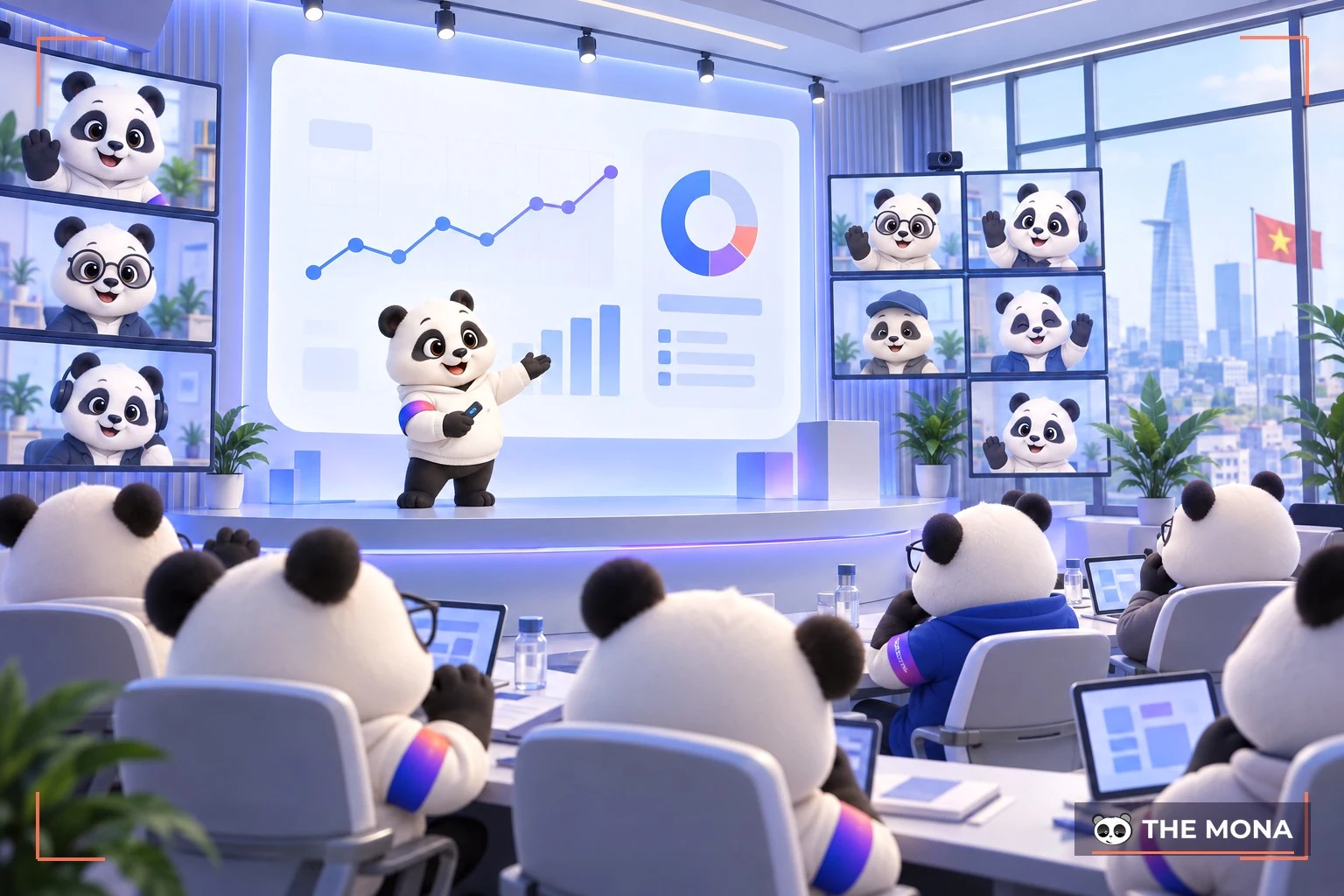
In marketing and business, a webinar means even more. It is regarded as a necessary and very powerful marketing tactic. The connection a webinar creates is the one between your business and your customers. A webinar can also be a tool for online training.
It also suits your business for managing meetings and training staff without everyone having to be in one place. That is why the tool is becoming more popular, especially among people working in international settings and multinational companies.
Webinars come with many standout features, but not everyone knows them. Take a look at the features below:
In talks and presentations, there are times when you can't give the meeting your full attention. This feature lets you record the discussion on the Webinar.
It also lets a business save the webinar and replay it later without repeating the content again.
In workshop or online meetings, showing slides is essential. It helps the presenter sum up what they want to say. To meet this need, Webinar offers screen sharing and presenting so your presentation goes smoothly.
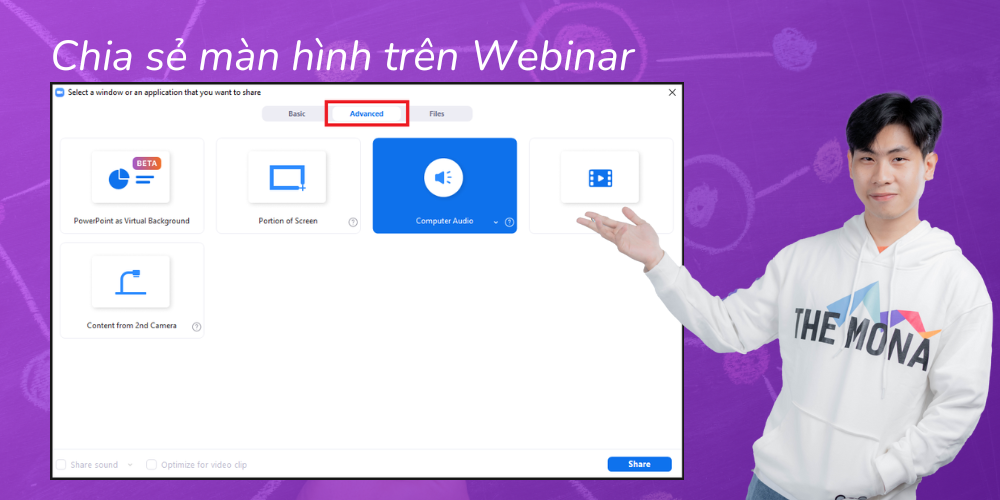
Webinars let the audience and the presenter interact more easily.
In meetings or discussions, you can use this feature to annotate or mark important items in the presentation. That way you can remember the parts that didn't meet your needs, or the points you have questions about and want the presenter to explain again.
This feature lets the presenter run a poll with workshop (discussion) participants. It is also a way to get interaction and keep the audience interested throughout the webinar.
That covers the basics of Webinars. Here is a list of the most common ways they are used:
In most cases, a Webinar is used as a brand's marketing strategy or part of a business. It isn't made only for large corporations or companies. Even small startups and private businesses can see good results from it.
Requiring registration for a Webinar helps you grow your email list, and mentioning your products and services at the end generates interest and attracts attendees to follow up later.
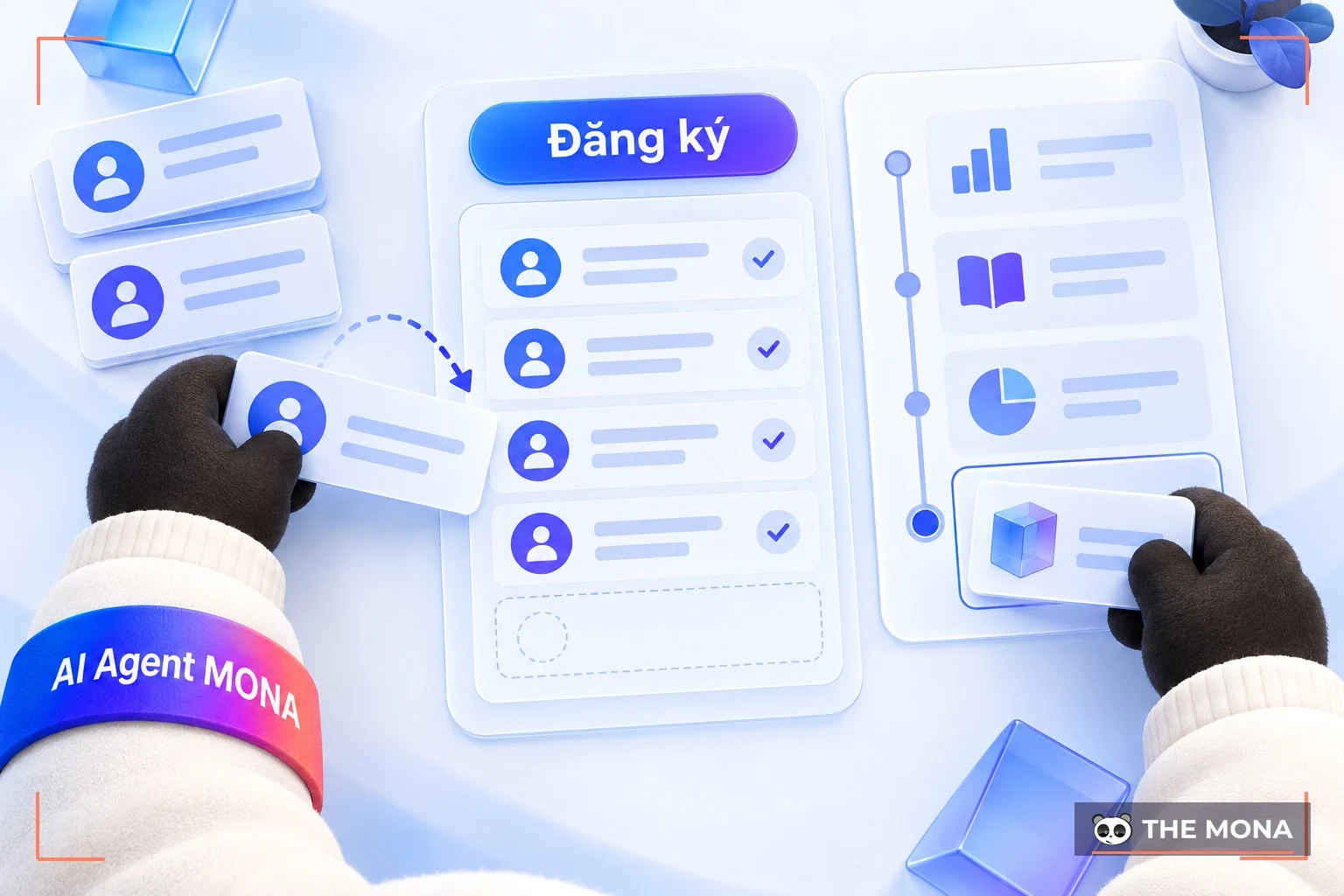
The end of a Webinar often includes a sales pitch. In practice, many businesses run a Webinar to build a customer email list of their own. In this case, every attendee has to register for the Webinar with their email address.
An alternative is to use social platforms such as Instagram Live, YouTube Live and Facebook Live to host a free Webinar. Encourage people to join with their friends so they don't miss it.
The main goal is to build your own expertise and your relationship with your target audience by offering value rather than focusing only on selling. Once you've connected with them, you can invite them to become email subscribers and build the relationship from there.
Another way to use a Webinar is a live Q&A to answer customers' questions about your products or services. This kind of Webinar works well for products you own, whether physical or digital.
Beyond answering questions about your products, you can also show what you offer. This kind of Webinar moves customers from the trial stage to the paying stage.
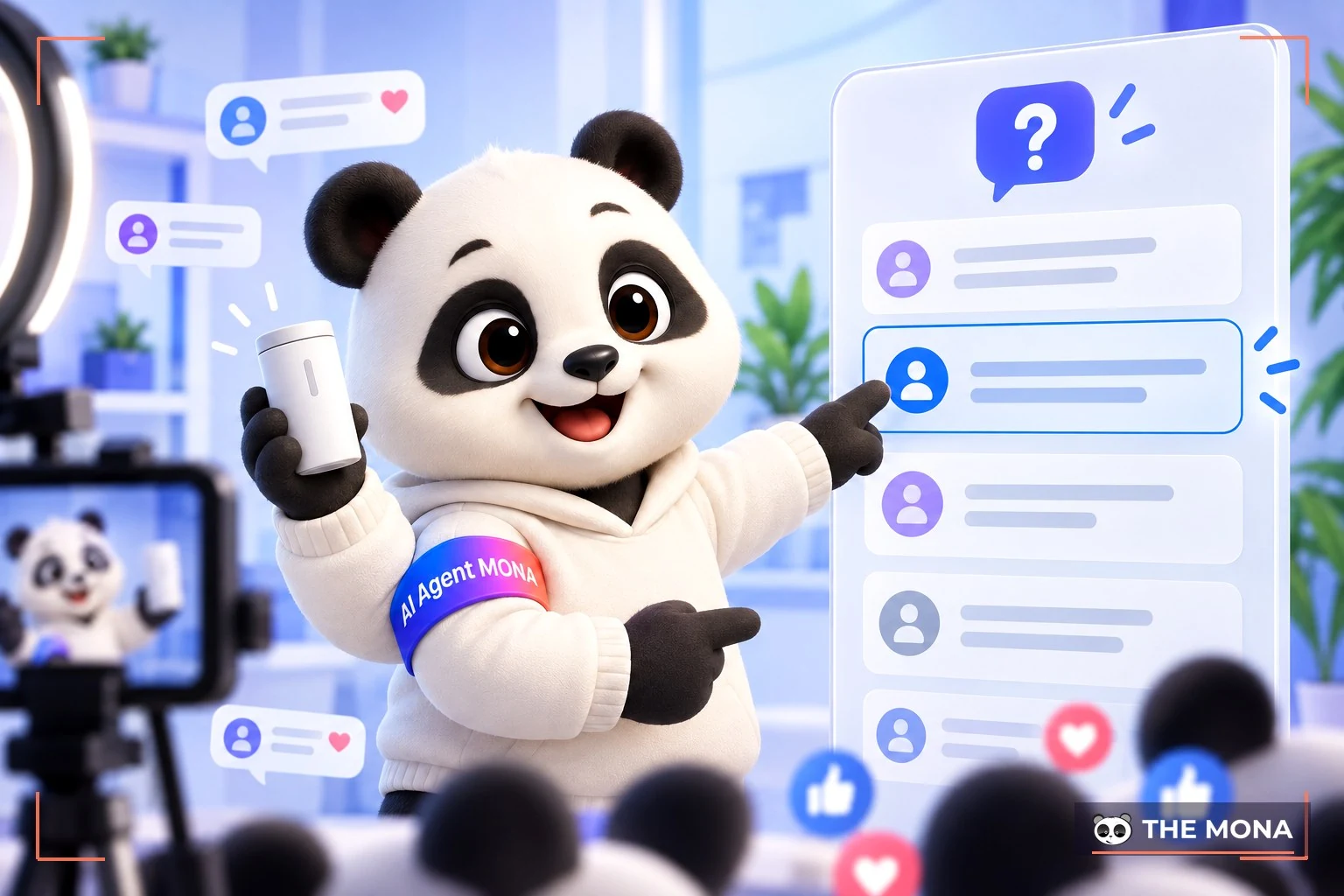
You can also use this kind of Webinar to cross-sell other products. Show users the next steps to take part. Once the audience feels connected by the end, they will not only buy but also influence others, such as family and friends.
If you have a remote team, a Webinar is the best way to train them. Teach through your company's standard operating procedures and update them on the latest changes easily.
Since a Webinar can be recorded, you don't need to worry about absent members. Simply send them a recording of the Webinar.
You can also use a Webinar to run interviews and interact with participants. Give your customers more value by bringing in experts and interacting with those who registered for the Webinar.
Software companies can gain a lot from using Webinars to train their customers. Done live or pre-recorded, it helps remove confusion. A Webinar helps people learn new software and get familiar with it.
A Webinar is a type of seminar that makes things easier for both organizers and attendees. First, it is very simple to organize and join. Nobody has to be in one place. People can meet over an internet connection and receive all the information. Here are some of the benefits Webinars bring users.
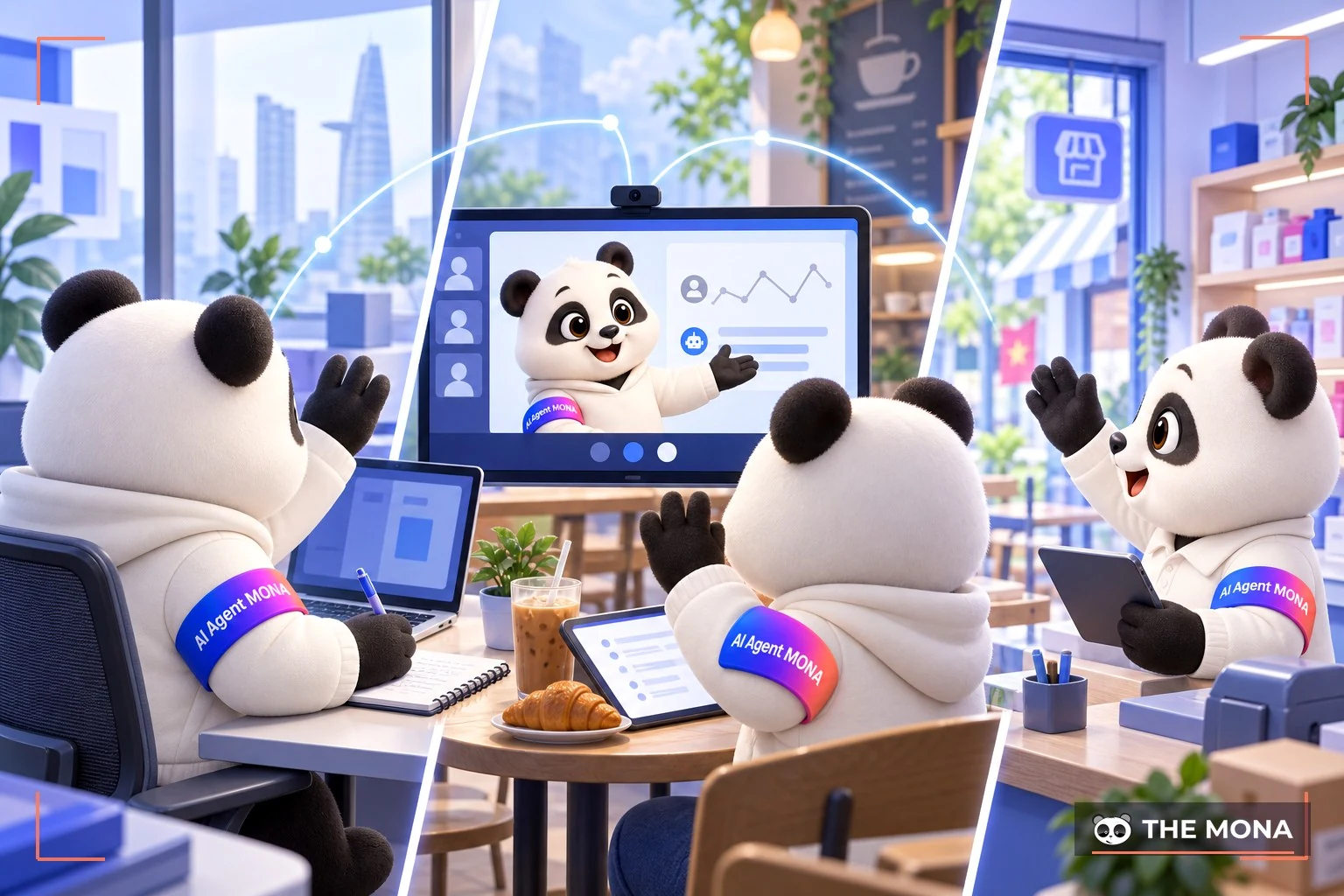
A Webinar does not limit how many people join your seminar. Anyone invited can join as long as they have an internet connection. With this kind of seminar, distance is no longer a concern. Like livestream, a webinar is held online.
Attendees can be in different places, even different countries. Webinars help businesses create open spaces, useful for organizations that want to connect with many people in many places without meeting in person.
A Webinar lets the organizer share content from their device's screen. It is also the main way to deliver information and knowledge to the audience: slides, videos, text, images, or anything else you want attendees to see.
You can also share video from your webcam, so attendees see you, not just information on your computer screen.
Not only the organizer: Webinar attendees can also interact with each other. Everyone is connected, so they can interact freely without barriers.
This not only builds understanding but also lets businesses gather opinions and feedback from customers, so they can improve and give them a better experience.
Members can also ask questions about the seminar during a Webinar, and organizers can use them to poll attendees' opinions.
After a seminar ends, all of its content is saved. Organizers can use it to collect information and make the seminar more appealing. They can also publish the seminar for others to watch, so the Webinar isn't forgotten once it ends.
Online seminars today fall into two main fields: marketing, which introduces products and brands to customers, and education, which is online teaching.
Online marketing has become more popular since the Covid pandemic.
Seeing this benefit, many businesses now hold online sessions on Webinar to present their upcoming products. These sessions attract more attention from users and from investors.
In online presentations, businesses can easily gather viewers' opinions, and the content delivered to viewers can be more creative.
Webinars also let businesses save a large part of their marketing budget when introducing new products. That money can then go to many other tasks.
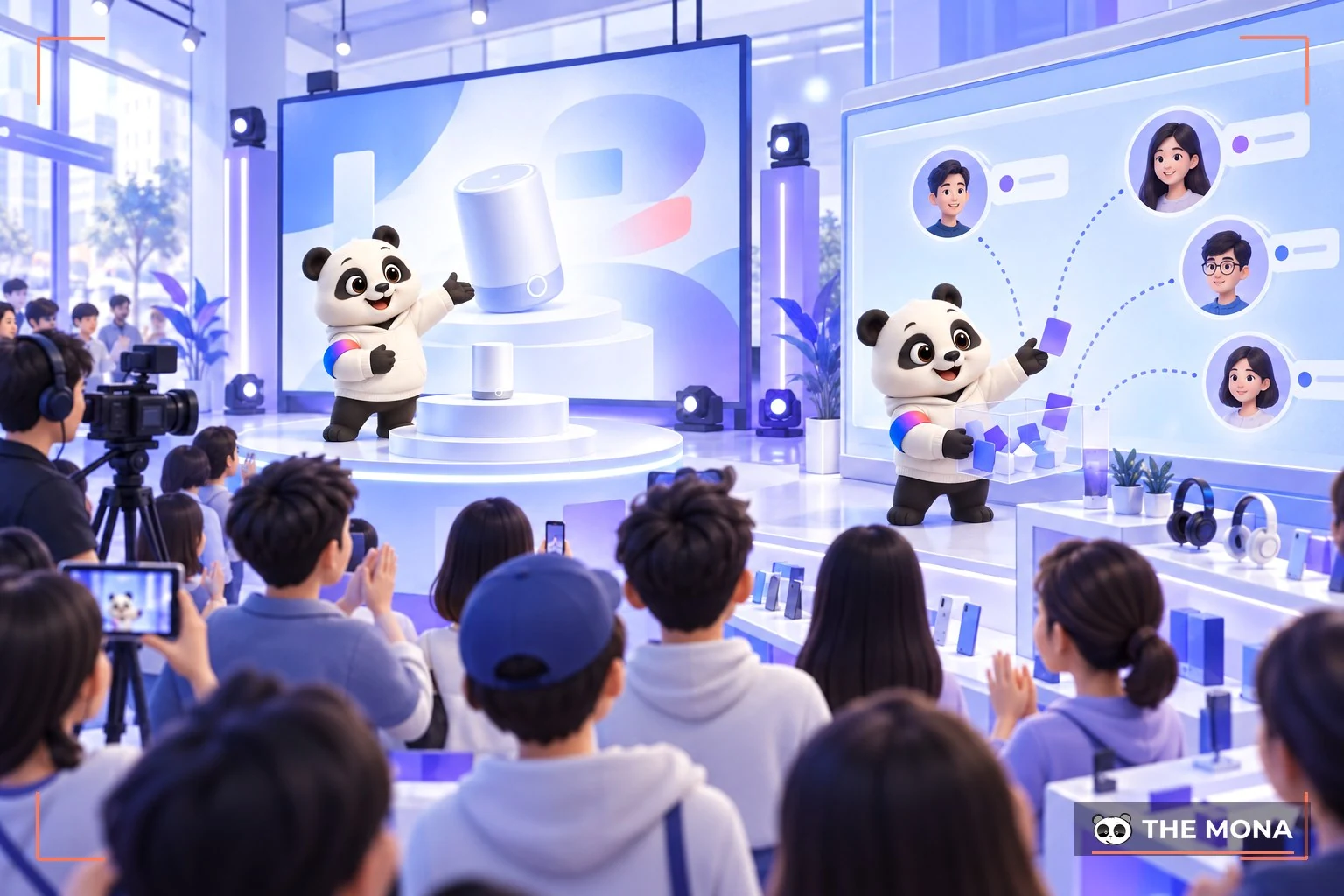
Webinars are proving important in education. They let teachers train students without anyone having to go to a specific place.
Students only need a Webinar to learn from anywhere. The software is also simple to run, and lecturers or instructors can pre-record and replay a topic without repeating it many times.
Webinars also noticeably cut the cost of renting venues or preparing classrooms. Students save on travel.
Businesses also use webinars to train staff and update their knowledge. In a world where technology keeps advancing, webinars help businesses keep up with the trend.
To use these features on Zoom Webinar, you need to meet the following conditions:
Attendees of a discussion or meeting only need a Zoom Webinar Rooms or CRC (H.323 and SIP) device to join.
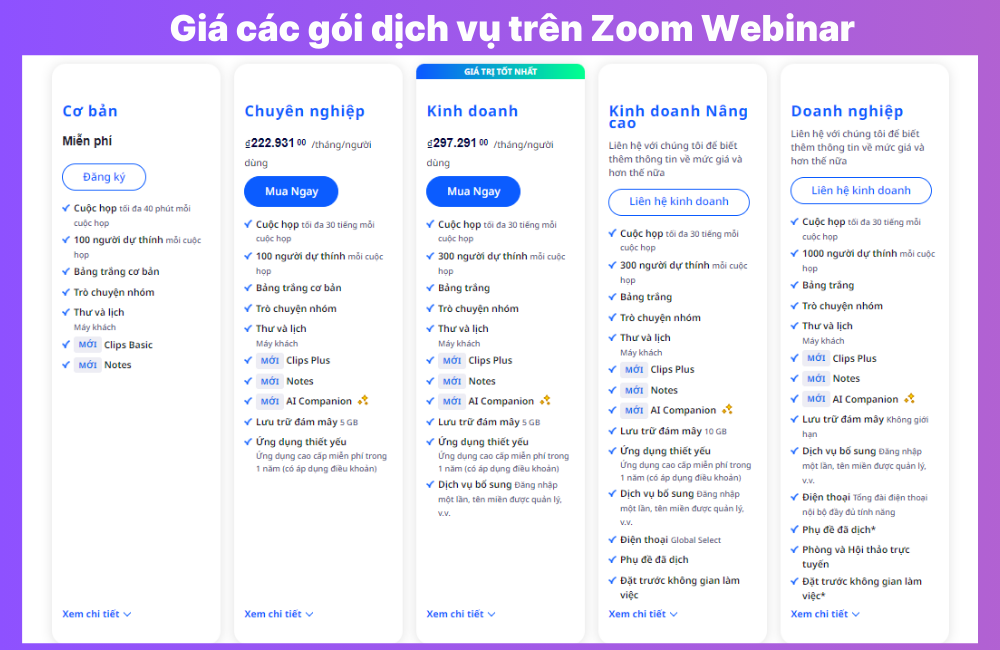
+ Step 1: Sign in to your account at zoom.us/webinar
+ Step 2: On the toolbar, click Webinars
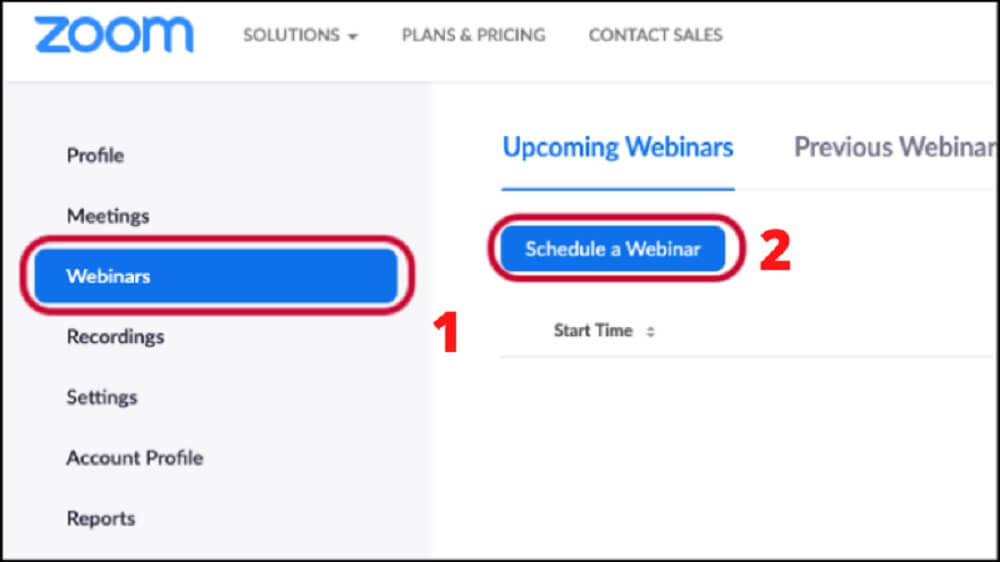
Click Webinars, then Schedule A Webinar to schedule the seminar
+ Step 3: Next, click Schedule A Webinar on the screen
The required settings* appear:
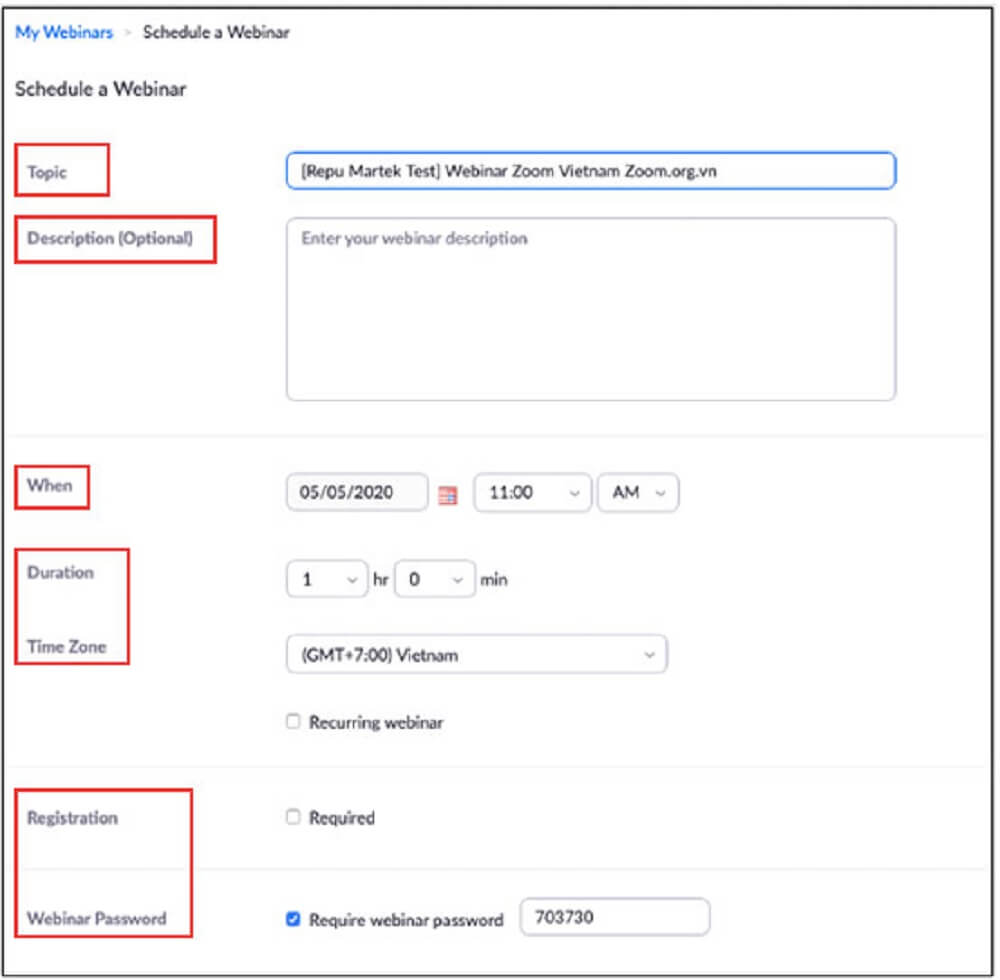
Information to fill in when scheduling a webinar
Some additional features:
+ Step 4: Click Schedule
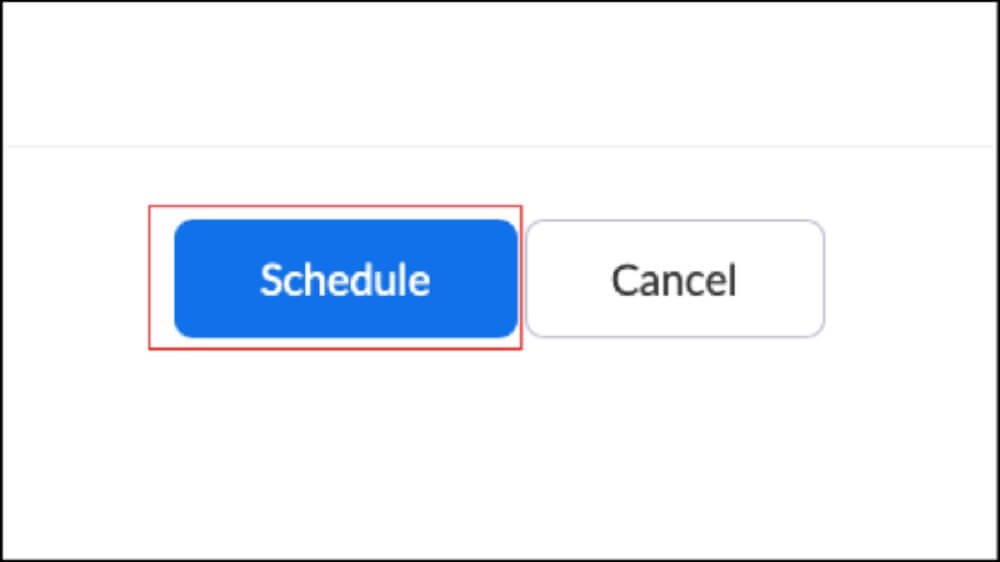
Click Schedule to finish
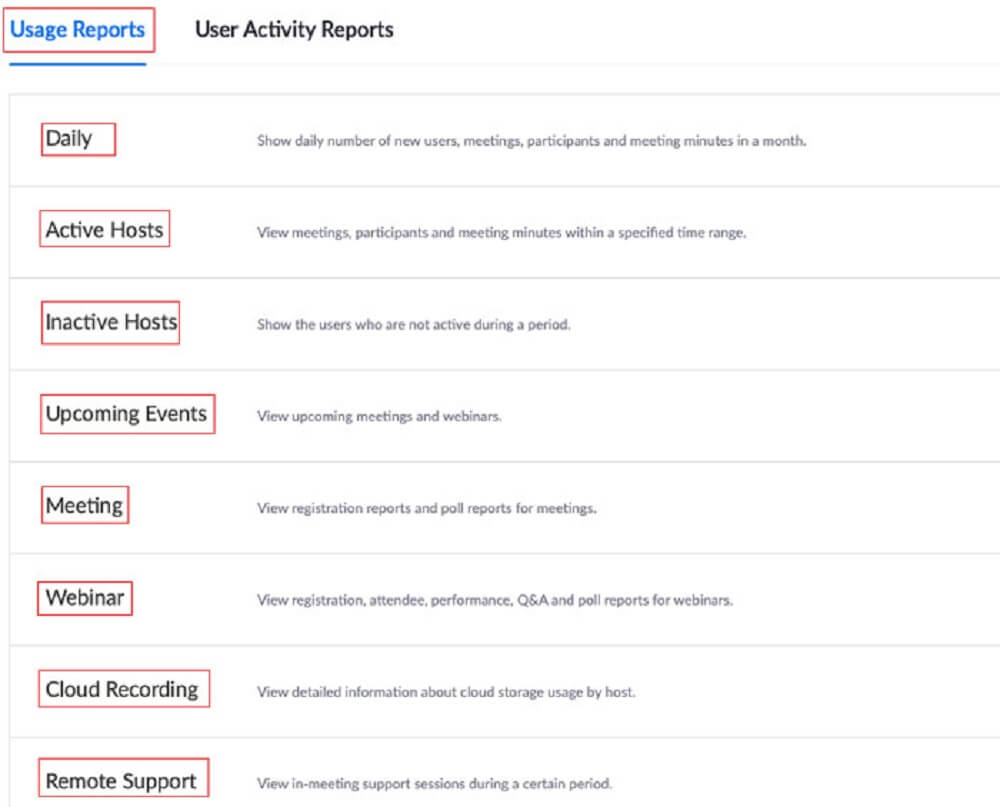
View the results report after the webinar
Researching What a webinar is and the benefits it brings show that a webinar is a genuinely useful way to connect with your audience. It is also a chance for a business to gather information from its customers. That is why webinars have become a trend that any business or organization should have in marketing strategy in the market.

CEO & Founder · The MONA
Founder of The MONA, who built a services company of 200+ staff with 14,000+ projects delivered. Khánh Hùng shares how he thinks about building systems that run themselves, automating a business, and the real lessons from delivering projects at MONA.
 1,5K
1,5K




Professional website
design services
Own a website with a beautiful, 100% exclusive design and a lifetime warranty, with the ability
to expand features flexibly as your business grows, starting today!








 MONA will never sell your information or send you spam
MONA will never sell your information or send you spam
MONA will never sell your information or send you spam


 MONA will never sell your information or send you spam