
 MONA OS 2.0
 Partner with MONA


 Tự động hoá doanh nghiệp
 Cẩm nang SEO
 Digital Marketing
 Kinh nghiệm thiết kế website
 Hạ Tầng Server
 Giáo dục

 VI
VI
 EN
EN














Message us on
Zalo Official


 ProductsNew

 ProductsProducts
 Mới ra mắtKHA AI 2027App tự edit video, tự đăng mọi mạng xã hội, 2 phút mỗi ngày










 Website designLooks good and wins customers over.
SEO servicesBrings in customers searching for exactly what you sell.
Website designLooks good and wins customers over.
SEO servicesBrings in customers searching for exactly what you sell.
 Tư vấn digital marketingKéo khách từ nhiều kênh, đo bằng số thật.
Corporate video productionVideos introducing your company, factory and team.
Tư vấn digital marketingKéo khách từ nhiều kênh, đo bằng số thật.
Corporate video productionVideos introducing your company, factory and team.
 NewAI video productionCompany story films made with AI.
 Custom software developmentCRM, ERP and HRM built for your business.
 Viết AI Agent theo yêu cầuĐặt riêng một trợ lý AI cho đúng việc của mình.
 Tư vấn chuyển đổi AIĐưa AI vào vận hành của cả công ty.
NewMONA LMSManagement for centers and schools.
MONA SkillHubInternal training for company staff.
Tư vấn chuyển đổi AIĐưa AI vào vận hành của cả công ty.
NewMONA LMSManagement for centers and schools.
MONA SkillHubInternal training for company staff.
 NHTQ systemEnd-to-end China–Vietnam shipping operations.
MONA JMSManagement for gold, diamond and pawn shops.
NHTQ systemEnd-to-end China–Vietnam shipping operations.
MONA JMSManagement for gold, diamond and pawn shops.
 MONA E-LearningA website with every feature you need to sell courses.
 How to sell online courses (course)More than 30 free lessons on selling courses on autopilot.
 MONA Cloudmonacloud.vnServers to get your apps and websites running.
 MONA Basemonabase.vnPostgres database, sign-in and file storage.
 MONA Mailmonamail.vnSend OTP, order and invoice emails from your software.
 MONA Paymonapay.vnAccept bank transfers via VietQR and notify your software when the money arrives.
 MONA eInvoiceComing soonIssue e-invoices that meet tax standards.
Gấu CườiTrả lời khách 24/7 trên web, Fanpage, Zalo và thu lead cho sale.
MONA eInvoiceComing soonIssue e-invoices that meet tax standards.
Gấu CườiTrả lời khách 24/7 trên web, Fanpage, Zalo và thu lead cho sale.
 Gấu TeleSalesGọi điện tư vấn, chăm khách như tổng đài viên thật.
Dê CườiTư vấn và chốt đơn cho shop ngay trong khung chat.
Gấu WebmasterNhắn nhóm Zalo là website được sửa xong.
Gấu TeleSalesGọi điện tư vấn, chăm khách như tổng đài viên thật.
Dê CườiTư vấn và chốt đơn cho shop ngay trong khung chat.
Gấu WebmasterNhắn nhóm Zalo là website được sửa xong.
 Gấu Pháp ChếSoạn hợp đồng, rà điều khoản trong vài phút.
 Gấu Báo GiáLên báo giá đúng mẫu và gửi khách ngay.
 AI chăm sóc khách hàngTheo dõi và giữ chân khách hàng cũ.
 Gấu Tuyển DụngLọc hồ sơ, hẹn lịch, phỏng vấn ứng viên.
 Mới ra mắt
KHA AI 2027
Xây kênh chuyên gia 2 phút mỗi ngày
Quay bằng điện thoại, AI tự edit video, tự đăng lên 16 nền tảng và tự trả lời bình luận, tin nhắn.
681.585lượt xem trên kênh CEO MONA sau 25 ngày
Mới ra mắt
KHA AI 2027
Xây kênh chuyên gia 2 phút mỗi ngày
Quay bằng điện thoại, AI tự edit video, tự đăng lên 16 nền tảng và tự trả lời bình luận, tin nhắn.
681.585lượt xem trên kênh CEO MONA sau 25 ngày
 Anh Khánh HùngCEO MONA đang dùng mỗi ngày
Xem app làm được gì
Anh Khánh HùngCEO MONA đang dùng mỗi ngày
Xem app làm được gì
 AI
Gấu Cười MONA ĐANG TỰ XÀITrả lời khách 24/7 trên website, Zalo OA, Messenger và thu lead về cho sale.
Dê CườiChốt đơn bán lẻ và sàn: Shopee, TikTok Shop, web. Chăm cả khách sỉ, đại lý.
Gấu WebmasterCập nhật nội dung, tối ưu SEO website mỗi ngày.
Gấu TeleSalesGọi điện tư vấn, chăm khách như tổng đài viên thật.
Gấu Tuyển DụngLọc hồ sơ, hẹn lịch, phỏng vấn ứng viên tự động.
AI chăm sóc khách hàngGiữ khách cũ, cứu lead đã rớt cho phòng kinh doanh.
Gấu Pháp ChếSoạn hợp đồng, rà điều khoản trong vài phút.
Gấu Báo GiáLên báo giá đúng mẫu, gửi khách ngay khi có yêu cầu.
AI
Gấu Cười MONA ĐANG TỰ XÀITrả lời khách 24/7 trên website, Zalo OA, Messenger và thu lead về cho sale.
Dê CườiChốt đơn bán lẻ và sàn: Shopee, TikTok Shop, web. Chăm cả khách sỉ, đại lý.
Gấu WebmasterCập nhật nội dung, tối ưu SEO website mỗi ngày.
Gấu TeleSalesGọi điện tư vấn, chăm khách như tổng đài viên thật.
Gấu Tuyển DụngLọc hồ sơ, hẹn lịch, phỏng vấn ứng viên tự động.
AI chăm sóc khách hàngGiữ khách cũ, cứu lead đã rớt cho phòng kinh doanh.
Gấu Pháp ChếSoạn hợp đồng, rà điều khoản trong vài phút.
Gấu Báo GiáLên báo giá đúng mẫu, gửi khách ngay khi có yêu cầu.
 Chuyển đổi AI toàn phầnGiải pháp tổng cho doanh nghiệp, 3 lớp triển khai.
 Viết AI Agent theo yêu cầuĐặt riêng một con AI gánh đúng nghiệp vụ của bạn.
 Custom softwareCRM, ERP and HRM with built-in AI automation.
 SEO & AEO thời đại AIĐược Google lẫn AI trích dẫn, không chỉ xếp hạng.
 Kiến thức AI cho doanh nghiệpBài phân tích, hướng dẫn ứng dụng AI vào vận hành.
 Free AI courses
 AI tools at work
App mới · KHA AI 2027
Xây kênh 2 phút mỗi ngày
AI tự edit video, tự đăng mọi mạng xã hội
Free consultation, 8am–10pm every day
AI tools at work
App mới · KHA AI 2027
Xây kênh 2 phút mỗi ngày
AI tự edit video, tự đăng mọi mạng xã hội
Free consultation, 8am–10pm every day

18 March, 2023
Bit and byte are two technical terms in computing, and they are the two most basic units for measuring information on a computer. But do you really know what they mean and how to use them? This article gives you what you need to know about What is a bit? What is a byte? and how to use them, as well as how they differ.
Bit is short for Binary digIT and is written with a lowercase b. A bit is the smallest unit of information in a computer. Bits are usually represented as binary numbers, strings made up of 1s and 0s. In programming, these units can represent the flow of information, and the result is one of two answers: yes or no, true or false, and so on.
A bit is also the smallest unit used to store information and measure the storage capacity of computer memory such as USB drives, hard drives and RAM.
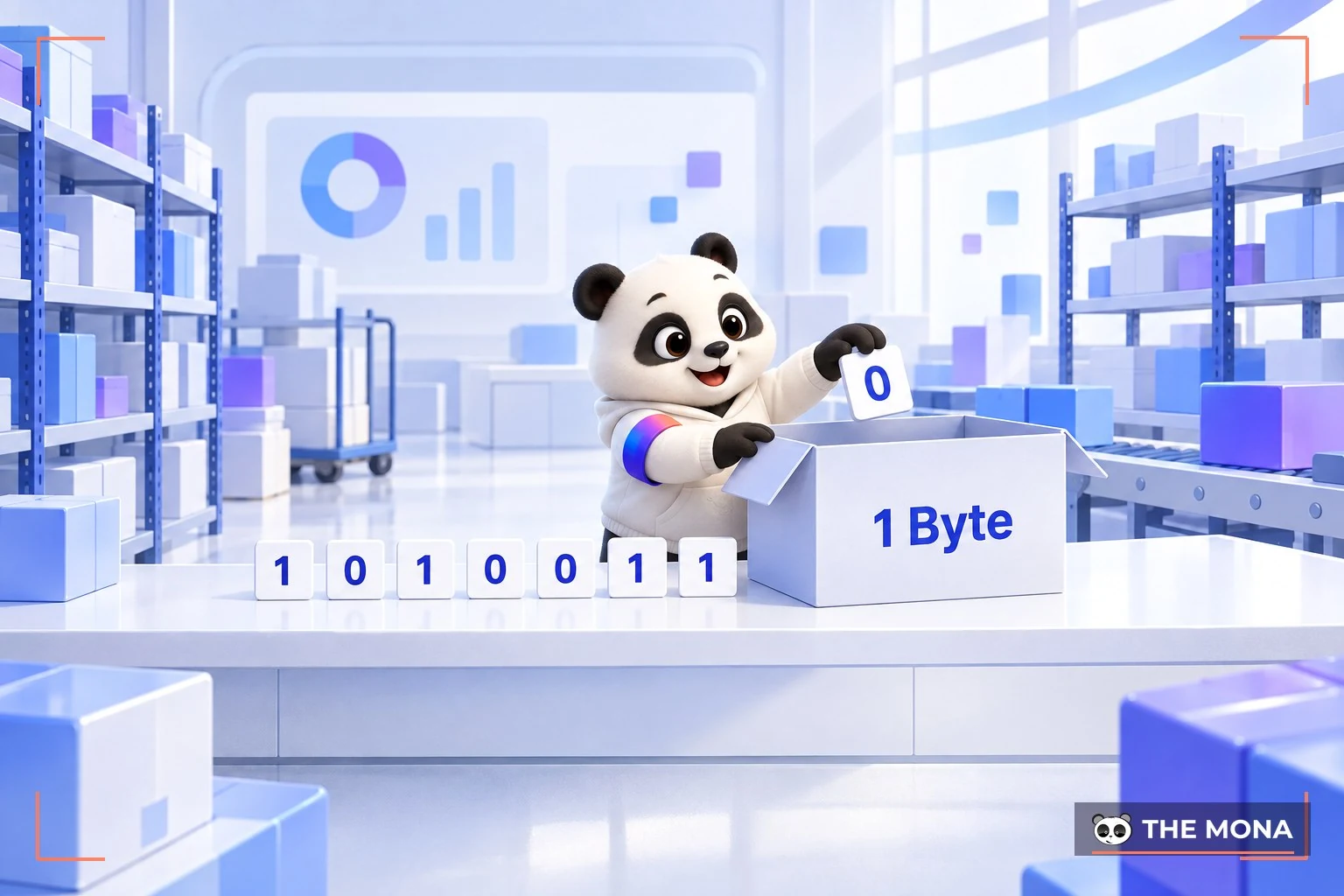
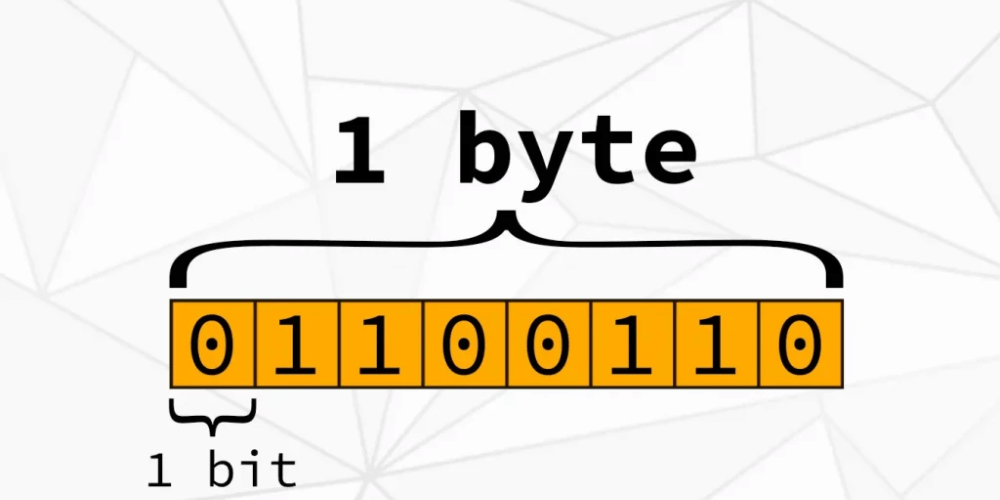
A byte is written with an uppercase B and is a unit for storing information in a computer. A fixed run of consecutive bits is called a byte. Today, 1 byte can represent 256 different values.
By convention: 1 byte = 8 bits (1B = 8b). One byte is roughly one written character, so a word takes about 10 bytes and a short sentence about 100 bytes. Because the number of bytes grows so large, larger units were introduced, and all of them convert back to bytes by a fixed rule.
By definition, when you want to measure the speed of data transmission or the volume carried over telecom units, you use bits. When you store information and want to show the current capacity of a device, you use bytes.
Converting between bits and bytes is simple arithmetic. The calculation method and a few other commonly used units are shown below.
Since 1 byte = 8 bits (1B = 8b), to get the number of bits from bytes, multiply the byte value by 8. Conversely, to get bytes from bits, divide the number of bits by 8.
To make the two units easier to use, prefixes are added before byte, such as mega (M), peta (P), exa (E), giga (G), tera (T), zetta (Z) and yotta (Y). This is the naming used in the binary system. The conversion is 1KB = 1024 bytes, and each unit is exactly 1024 times the one before it. This gives the following table:
| Unit | Symbol | Equivalent value |
| Byte | B | 8 b |
| Kilobyte | KB | 1024 B |
| Megabyte | MB | 1024 KB |
| Gigabyte | GB | 1024 MB |
| Terabyte | TB | 1024 GB |
| Petabyte | PB | 1024 TB |
| Exabyte | EB | 1024 PB |
| Zetabyte | ZB | 1024 EB |
| YottaByte | YB | 1024 ZB |
| BrontoByte | BB | 1024 YB |
To get bytes, just raise 1024 to the right power. For example, to find how many bytes are in 1MB, calculate 1024 x 1024. So 1 MB = 1024 KB = 1,048,576 bytes. Or: 1 GB = 1024 MB = 1,048,576 KB = 1,073,741,824 bytes. The same applies to the larger units.
The most basic difference between bits and bytes is how they are used. Bits measure transmission speed, while bytes express storage capacity. A byte is larger than a bit. In IT work, the byte is normally the base unit.
Bits and bytes are not very different, and you can switch between them. But writing values in bits is long-winded, so people rarely use them for that.
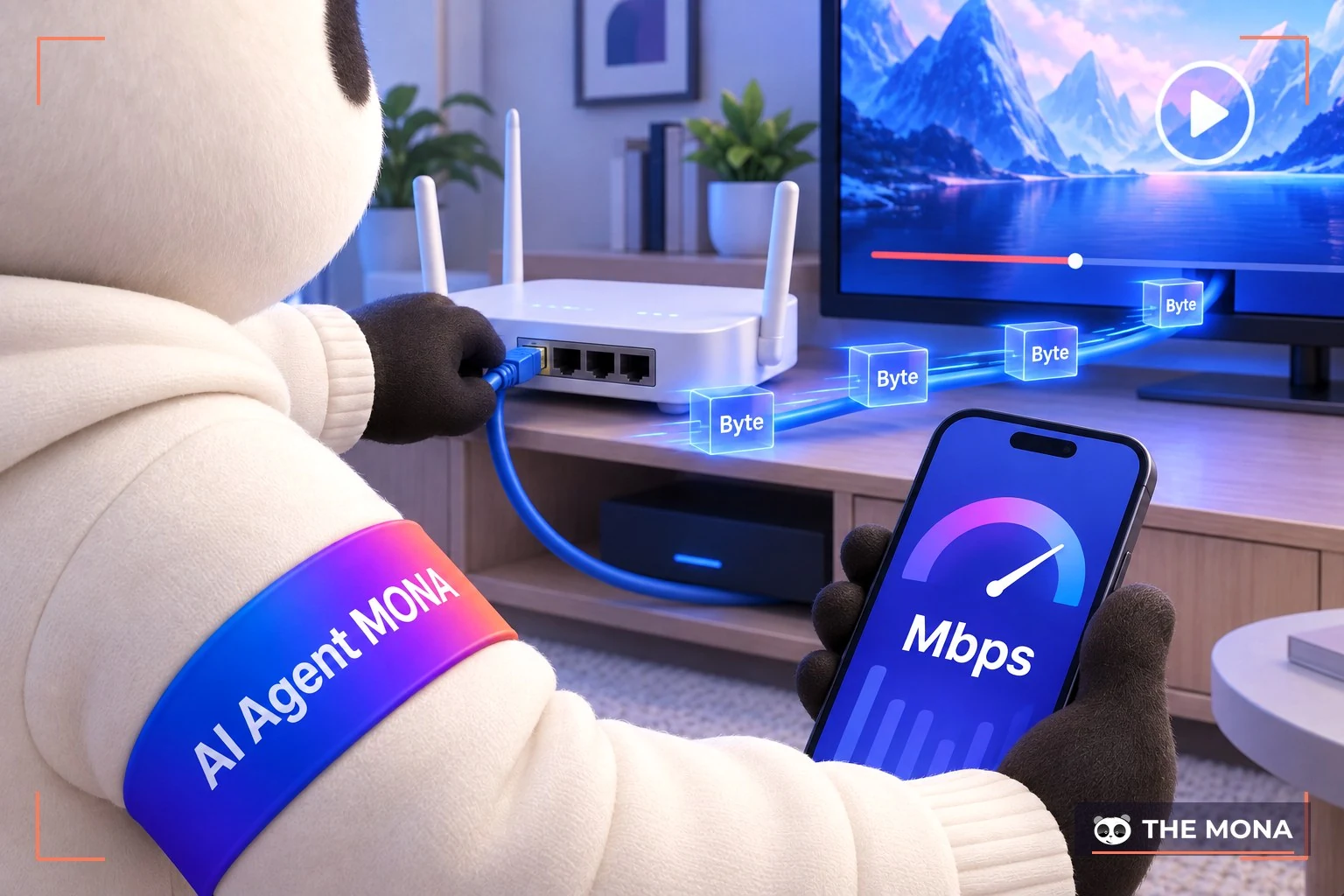
Anyone who knows computers needs to understand these two concepts. In a computer system they work like the machine's own language and are tied to the binary system. Let's MONA Media look at how bits and bytes apply to data transmission in computers.
Data transfer rate is the amount of data sent per unit of time. The concept dates from 2001 and the arrival of SATA, which has kept developing strongly across several generations.
Today, the units for measuring transmission speed are megabits per second (Mbps or Mb/s) and megabytes per second (MBps or MB/s). Like bits and bytes, the two are used in different cases. Mbps is used for home Internet connections, while MBps is used for the transfer speeds shown in Internet tools like Download and Update.
Under the SATA standard, the transfer speed per second is expressed in MBps, with real-world values of 192 and 768MB/s. These are the speeds of generations 1.0 and 3.0, calculated from actual use. PCI Express uses an encoding and binary calculation method similar to SATA.
Bits and bytes are also used to show the capacity of a computer's hard drive. To see these units, open the settings on your computer, right-click My Computer, then choose Manage and Disk Management in turn.
The screen will then show these values:
These values appear in units such as byte, kilobyte, megabyte, gigabyte and terabyte. Why do Disk 0 and Capacity show different values? Simply because part of Disk 0's space is reserved for the computer's operating system. OS files and flash drives are not counted in the drive's capacity, so Disk 0 and Capacity differ by a certain amount.
Bits and bytes are two important units of measurement when you want to learn about computer language. This article has answered your questions about What is a bit? What is a byte? when to use bits and how bits differ from bytes. We hope the information helps!
Learn more about computer programming languages: Javascript, Java, C++, C#, PHP, Python, …

CEO & Founder · The MONA
Founder of The MONA, who built a services company of 200+ staff with 14,000+ projects delivered. Khánh Hùng shares how he thinks about building systems that run themselves, automating a business, and the real lessons from delivering projects at MONA.
 1,6K
1,6K




Professional website
design services
Own a website with a beautiful, 100% exclusive design and a lifetime warranty, with the ability
to expand features flexibly as your business grows, starting today!








 MONA will never sell your information or send you spam
MONA will never sell your information or send you spam
MONA will never sell your information or send you spam


 MONA will never sell your information or send you spam