
 MONA OS 2.0
 Partner with MONA


 Tự động hoá doanh nghiệp
 Cẩm nang SEO
 Digital Marketing
 Kinh nghiệm thiết kế website
 Hạ Tầng Server
 Giáo dục


 VI
 EN

















Message us on
Zalo Official


 ProductsNew

 ProductsProducts
 Mới ra mắtKHA AI 2027App tự edit video, tự đăng mọi mạng xã hội, 2 phút mỗi ngày










 Website designLooks good and wins customers over.
SEO servicesBrings in customers searching for exactly what you sell.
 Tư vấn digital marketingKéo khách từ nhiều kênh, đo bằng số thật.
Corporate video productionVideos introducing your company, factory and team.
 NewAI video productionCompany story films made with AI.
 Custom software developmentCRM, ERP and HRM built for your business.
 Viết AI Agent theo yêu cầuĐặt riêng một trợ lý AI cho đúng việc của mình.
 Tư vấn chuyển đổi AIĐưa AI vào vận hành của cả công ty.
NewMONA LMSManagement for centers and schools.
MONA SkillHubInternal training for company staff.
 NHTQ systemEnd-to-end China–Vietnam shipping operations.
MONA JMSManagement for gold, diamond and pawn shops.
 MONA E-LearningA website with every feature you need to sell courses.
 How to sell online courses (course)More than 30 free lessons on selling courses on autopilot.
 MONA Cloudmonacloud.vnServers to get your apps and websites running.
 MONA Basemonabase.vnPostgres database, sign-in and file storage.
 MONA Mailmonamail.vnSend OTP, order and invoice emails from your software.
 MONA Paymonapay.vnAccept bank transfers via VietQR and notify your software when the money arrives.
 MONA eInvoiceComing soonIssue e-invoices that meet tax standards.
Gấu CườiTrả lời khách 24/7 trên web, Fanpage, Zalo và thu lead cho sale.
 Gấu TeleSalesGọi điện tư vấn, chăm khách như tổng đài viên thật.
Dê CườiTư vấn và chốt đơn cho shop ngay trong khung chat.
Gấu WebmasterNhắn nhóm Zalo là website được sửa xong.
 Gấu Pháp ChếSoạn hợp đồng, rà điều khoản trong vài phút.
 Gấu Báo GiáLên báo giá đúng mẫu và gửi khách ngay.
 AI chăm sóc khách hàngTheo dõi và giữ chân khách hàng cũ.
 Gấu Tuyển DụngLọc hồ sơ, hẹn lịch, phỏng vấn ứng viên.
 Mới ra mắt
KHA AI 2027
Xây kênh chuyên gia 2 phút mỗi ngày
Quay bằng điện thoại, AI tự edit video, tự đăng lên 16 nền tảng và tự trả lời bình luận, tin nhắn.
835.295lượt xem trên kênh CEO MONA sau 27 ngày
 Anh Khánh HùngCEO MONA đang dùng mỗi ngày
Xem app làm được gì
 AI
Gấu Cười MONA ĐANG TỰ XÀITrả lời khách 24/7 trên website, Zalo OA, Messenger và thu lead về cho sale.
Dê CườiChốt đơn bán lẻ và sàn: Shopee, TikTok Shop, web. Chăm cả khách sỉ, đại lý.
Gấu WebmasterCập nhật nội dung, tối ưu SEO website mỗi ngày.
Gấu TeleSalesGọi điện tư vấn, chăm khách như tổng đài viên thật.
Gấu Tuyển DụngLọc hồ sơ, hẹn lịch, phỏng vấn ứng viên tự động.
AI chăm sóc khách hàngGiữ khách cũ, cứu lead đã rớt cho phòng kinh doanh.
Gấu Pháp ChếSoạn hợp đồng, rà điều khoản trong vài phút.
Gấu Báo GiáLên báo giá đúng mẫu, gửi khách ngay khi có yêu cầu.
 Chuyển đổi AI toàn phầnGiải pháp tổng cho doanh nghiệp, 3 lớp triển khai.
 Viết AI Agent theo yêu cầuĐặt riêng một con AI gánh đúng nghiệp vụ của bạn.
 Custom softwareCRM, ERP and HRM with built-in AI automation.
 SEO & AEO thời đại AIĐược Google lẫn AI trích dẫn, không chỉ xếp hạng.
 Kiến thức AI cho doanh nghiệpBài phân tích, hướng dẫn ứng dụng AI vào vận hành.
 Free AI courses
 AI tools at work
App mới · KHA AI 2027
Xây kênh 2 phút mỗi ngày
AI tự edit video, tự đăng mọi mạng xã hội
Free consultation, 8am–10pm every day

11 June, 2025

When managing a website, you have surely heard the term “Time on Site", but do you really understand What is Time on Site? And does it affect SEO performance?. It is the metric for the average time users stay on your website in each session. A website with a high time on site usually has useful content, sensible navigation and a smooth user experience, the key factors that help improve SEO rankings on search engines. So how do you increase the time users spend on your website? Find out with MONA Media Let's explore it in more depth in the article below.
Time on Site (TOS) is the average total time users stay on your website in one session, from the moment they open the first page until they leave. It is not only a number that reflects user behavior, but also a sign of content quality and the overall experience on the site. A high TOS shows that your website is engaging, useful and able to keep readers, an important factor in improving SEO marketing in search results.
Time on Page is the metric for the average time users spend on one specific page of a website. Unlike Time on Site, every page a user visits has its own Time on Page. This metric helps you understand how engaging and useful each page is, so you can optimize content to increase interaction and improve the user experience.

Think of it this way:
Both metrics are very useful for analyzing content quality and user experience on a website, but each serves a different analytical goal.
Overview comparison of Time on Site and Time on Page
|
Criterion |
Time on Site (TOS) |
Time on Page |
|
Measurement scope |
Counts the whole journey within the site (multi-page) |
Counts only the time on each individual page |
|
Analytical purpose |
Evaluates the overall experience and appeal of the site |
Evaluates the content quality of each specific page |
|
How it is calculated |
From entering the first page → the last page → end of session |
From entering the page → visiting the next page or leaving the site |
|
Effect if the visit bounces |
If the user views only 1 page (a bounce), TOS = 0 seconds |
If the user views only 1 page, Time on Page can still have a value |
|
Meaning for SEO |
Shows the website's overall pull and its ability to keep users |
Shows the content quality and engagement of each specific page |
Google Analytics calculates the average time users spend on a website by taking the time of the last interaction in a session and subtracting the time of the first interaction in that session.
The formula is as follows:
Time on Site = Time of last interaction – Time of first interaction
Where:
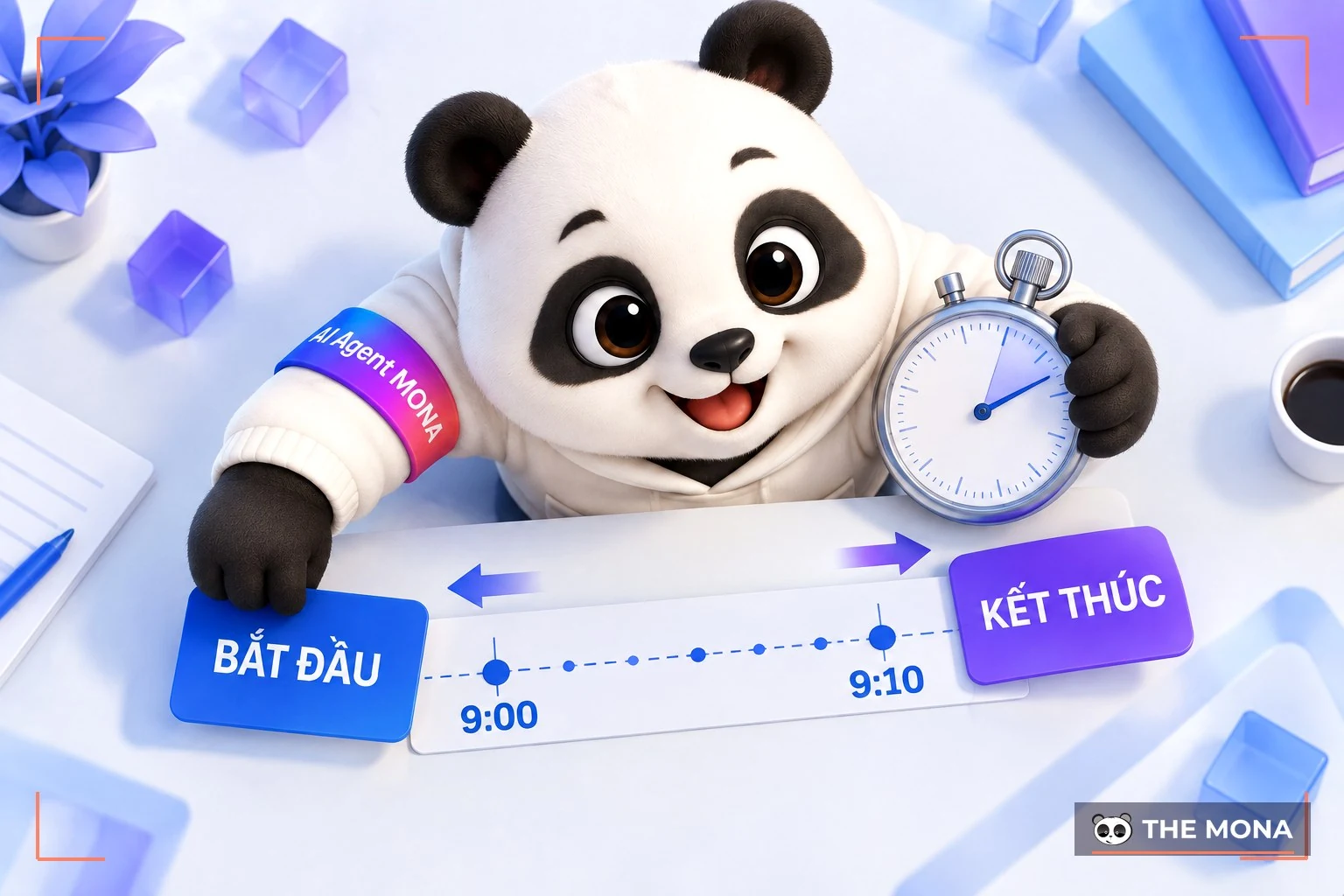
For example, a user visits the website at 9:00, views the homepage → clicks to a post at 9:05 → then leaves the site at 9:10. Time on Site = 9:10 – 9:00 = 10 minutes.
However, if a user views only one page and leaves without any further interaction, Google Analytics records time on site = 0 seconds.
When evaluating a website's performance, many people ask How much time on site is good?. But there is no single number that applies to every type of website, because the ideal time depends on the industry, the type of content and the specific goals of each site.
Even so, you can use the benchmarks below to guide and assess your website's performance and then choose a more suitable strategy:

With the benchmarks above, you can see that TOS not only reflects user behavior but is also a key factor in judging how well your retention strategy works. Time on site also reflects other values such as:
Time on Site is one of the important signals Google uses to judge your website's quality. If a website has a low TOS for a long time, it gradually loses points with Google, rankings fall, and winning back credibility takes more time and costs far more than optimizing properly from the start.

Explore the case study MONA x Áo Bóng Đá, one of the projects where the MONA team researched a full-scope SEO strategy based on the website's condition from the start, registered the website with Google to speed up recognition, optimized each quality post and built coherent content links across the whole site. Thanks to a structured SEO strategy focused on user experience, within just 3 months the Áo Bóng Đá website went well beyond its initial targets, improving rankings and also keeping customers better, which clearly raised its conversion rate.
If you also want to improve your SEO performance and build a website with a smooth experience that keeps users longer, reach out contact to MONA Media for more detailed advice on SEO services and to receive website SEO price list detailed plan.
The higher the time on page, the more engaging your website is and the longer it holds users, which is good for the user experience and also helps improve full-scope SEOperformance. So how do you raise this metric sustainably? Here are a few tips to improve time on site.
To increase time on site, you need to understand what users do when they visit your website, such as which page they come from, what they view and where they leave. Instead of looking only at overall numbers, tracking the customer journey helps you find why they leave your website in a split second.
For example, if many people leave right at the product page, it may be because of missing images or incomplete information. Conversely, if they move through many pages, your content and navigation are working well.

Google Analytics a useful tool that supports you in analyzing user behavior in the Behavior Flow report. This report visualizes the user journey on your website, so you can make accurate optimization decisions such as:
There is no denying the key role of quality content in attracting and keeping users on a website. Useful content meets users' needs and answers their questions, and it also builds credibility and trust and improves the overall experience, which extends the time they stay on the page.
Over SEO strategy, content is one of the core factors Google relies on to judge website quality. Useful, original posts that match search intent help you improve rankings in search results. In contrast, low-quality, copied or over-optimized content can get a website penalized by algorithms such as Google Penguin.
So investing in quality, SEO-ready content is an essential strategy, not only to attract users but also to build a sustainable, credible and effective website over the long term.
A simple but effective way to keep users on your website longer is to open external links in a new tab. When you set the target=”_blank” attribute on links that leave the page, they open in a separate tab, which keeps the current session.

This not only raises time on site but also improves the user experience, since they can return to the main content at any time without losing their place. Time on site is also an indirect factor affecting SEO rankings. When users stay longer, Google rates your experience and content quality more highly.
One way to keep users on your website longer is to optimize internal links. Internal links help users discover related content easily and keep them on the page longer, which raises time on site naturally. Most importantly, build a logical, selective internal link system and avoid overusing or stuffing in links that are not needed.
For example, place links to posts on the same topic or useful content right inside the text being read, so users keep clicking to learn more without leaving the website.
A well-designed 404 page helps users understand they have followed a broken link, and also points them to other useful content on the website. This lowers the bounce rate, adds to time on site and improves the user experience.

Instead of leaving the 404 page as a plain white screen with a dry error line, design it to be professional, clear and friendly, with elements such as:
A 404 page is a chance to keep users, so invest in designing one that improves the user experience and supports SEO.
Adding comments to a landing page not only increases interaction but is also an effective way to extend how long users stay on the page. When users read and join the discussion, they spend more time on the page and feel more connected to and interested in your content.
A comment section with an active discussion also forms a small community around your content, which adds to credibility and improves the overall experience.
Combining multimedia such as images, video and infographics in your content not only makes the website more lively but is also an effective way to keep users on the page longer.

Quality images, engaging video and clear infographics draw attention, help readers understand and keep them interested in the content. When users watch video right on the page, they stay longer, which raises time on site naturally.
No matter how engaging the content is, a website struggles to keep users if it loads slowly. Page loading speed is an important factor in keeping users longer, which raises time on site.
When a website loads fast, users reach the content easily, interact more and are less likely to leave. Conversely, if they have to wait too long, they leave and go to another site, which lowers the conversion rate and hurts SEO.
So optimize images, use caching and check speed regularly with tools such as Google PageSpeed Insights. A smooth website not only keeps users better but is also rated higher by Google in search results.
A call to action is one of the most effective ways to improve time on site, because it guides users to a next step on your website instead of leaving early. A clear, appealing CTA that fits the content makes it easier for users to engage, for example “See related articles”, “Download the free guide”, “Subscribe to our newsletter”, or “Explore new products”.

Place CTAs where they are easy to see, near the main content or at the end of a post, so users can keep exploring other pages or join other activities on your website. Combining CTAs with internal links and multimedia also increases engagement and keeps users on the site longer, which improves time on site.
To increase the time users spend on a page, you need to make your content easier to read. A clear, easy-to-follow, well-organized article keeps readers interested and gives them a reason to explore more of your content, which raises your time on site.
Here are some ways to make your content easier and more engaging to read:
Better readability helps users understand and enjoy your content, and it is also an important step toward keeping them on the page longer.
That is everything MONA Media wanted to share with you. We hope this gives you clearer direction for improving how long users stay on your website. If you have any questions about time on site, contact MONA and we will answer quickly.

CEO & Founder · The MONA
Founder of The MONA, who built a services company of 200+ staff with 14,000+ projects delivered. Khánh Hùng shares how he thinks about building systems that run themselves, automating a business, and the real lessons from delivering projects at MONA.
 1,5K




Professional website
design services
Own a website with a beautiful, 100% exclusive design and a lifetime warranty, with the ability
to expand features flexibly as your business grows, starting today!



NHẬN TƯ VẤN SEO MIỄN PHÍ !






 MONA will never sell your information or send you spam


 MONA will never sell your information or send you spam
