
 MONA OS 2.0
 Partner with MONA


 Tự động hoá doanh nghiệp
 Cẩm nang SEO
 Digital Marketing
 Kinh nghiệm thiết kế website
 Hạ Tầng Server
 Giáo dục


 VI
 EN














Message us on
Zalo Official


 ProductsNew

 ProductsProducts
 Mới ra mắtKHA AI 2027App tự edit video, tự đăng mọi mạng xã hội, 2 phút mỗi ngày










 Website designLooks good and wins customers over.
SEO servicesBrings in customers searching for exactly what you sell.
 Tư vấn digital marketingKéo khách từ nhiều kênh, đo bằng số thật.
Corporate video productionVideos introducing your company, factory and team.
 NewAI video productionCompany story films made with AI.
 Custom software developmentCRM, ERP and HRM built for your business.
 Viết AI Agent theo yêu cầuĐặt riêng một trợ lý AI cho đúng việc của mình.
 Tư vấn chuyển đổi AIĐưa AI vào vận hành của cả công ty.
NewMONA LMSManagement for centers and schools.
MONA SkillHubInternal training for company staff.
 NHTQ systemEnd-to-end China–Vietnam shipping operations.
MONA JMSManagement for gold, diamond and pawn shops.
 MONA E-LearningA website with every feature you need to sell courses.
 How to sell online courses (course)More than 30 free lessons on selling courses on autopilot.
 MONA Cloudmonacloud.vnServers to get your apps and websites running.
 MONA Basemonabase.vnPostgres database, sign-in and file storage.
 MONA Mailmonamail.vnSend OTP, order and invoice emails from your software.
 MONA Paymonapay.vnAccept bank transfers via VietQR and notify your software when the money arrives.
 MONA eInvoiceComing soonIssue e-invoices that meet tax standards.
Gấu CườiTrả lời khách 24/7 trên web, Fanpage, Zalo và thu lead cho sale.
 Gấu TeleSalesGọi điện tư vấn, chăm khách như tổng đài viên thật.
Dê CườiTư vấn và chốt đơn cho shop ngay trong khung chat.
Gấu WebmasterNhắn nhóm Zalo là website được sửa xong.
 Gấu Pháp ChếSoạn hợp đồng, rà điều khoản trong vài phút.
 Gấu Báo GiáLên báo giá đúng mẫu và gửi khách ngay.
 AI chăm sóc khách hàngTheo dõi và giữ chân khách hàng cũ.
 Gấu Tuyển DụngLọc hồ sơ, hẹn lịch, phỏng vấn ứng viên.
 Mới ra mắt
KHA AI 2027
Xây kênh chuyên gia 2 phút mỗi ngày
Quay bằng điện thoại, AI tự edit video, tự đăng lên 16 nền tảng và tự trả lời bình luận, tin nhắn.
907.194lượt xem trên kênh CEO MONA sau 38 ngày
 Anh Khánh HùngCEO MONA đang dùng mỗi ngày
Xem app làm được gì
 AI
Gấu Cười MONA ĐANG TỰ XÀITrả lời khách 24/7 trên website, Zalo OA, Messenger và thu lead về cho sale.
Dê CườiChốt đơn bán lẻ và sàn: Shopee, TikTok Shop, web. Chăm cả khách sỉ, đại lý.
Gấu WebmasterCập nhật nội dung, tối ưu SEO website mỗi ngày.
Gấu TeleSalesGọi điện tư vấn, chăm khách như tổng đài viên thật.
Gấu Tuyển DụngLọc hồ sơ, hẹn lịch, phỏng vấn ứng viên tự động.
AI chăm sóc khách hàngGiữ khách cũ, cứu lead đã rớt cho phòng kinh doanh.
Gấu Pháp ChếSoạn hợp đồng, rà điều khoản trong vài phút.
Gấu Báo GiáLên báo giá đúng mẫu, gửi khách ngay khi có yêu cầu.
 Chuyển đổi AI toàn phầnGiải pháp tổng cho doanh nghiệp, 3 lớp triển khai.
 Viết AI Agent theo yêu cầuĐặt riêng một con AI gánh đúng nghiệp vụ của bạn.
 Custom softwareCRM, ERP and HRM with built-in AI automation.
 SEO & AEO thời đại AIĐược Google lẫn AI trích dẫn, không chỉ xếp hạng.
 Kiến thức AI cho doanh nghiệpBài phân tích, hướng dẫn ứng dụng AI vào vận hành.
 Free AI courses
 AI tools at work
App mới · KHA AI 2027
Xây kênh 2 phút mỗi ngày
AI tự edit video, tự đăng mọi mạng xã hội
Free consultation, 8am–10pm every day

15 June, 2026

A real Perplexity review shows this tool suits you well if you need to find information fast, with cited sources, and cut manual reading time. But in a business, Perplexity still has a clear ceiling: data stays scattered, staff use it unevenly, results need a person to verify, and it doesn't connect on its own to your CRM, website, or sales process. MONA uses Perplexity as an internal research aid and to train customers, and doesn't treat it as a replacement for custom software.

Perplexity is strong at three things: sourced search, fast summaries and cross-checking information. Treat Perplexity as a research assistant, not as the one who makes the final call.
The common mistake is handing over the whole job. An answer with sources still needs a person to check the context, the update date and the relevance.
MONA uses Perplexity internally to check sources, gather ideas and prepare customer training material. We don't use it in place of strategic thinking, company data or custom operating software.
| Version | Best used for | Fits marketing | Fits sales | Fits operations |
|---|---|---|---|---|
| Free | Quick lookups, reading sources, gathering first ideas | Finding article topics, checking trends content | Preparing industry background before a call | Summarizing public documents, checking terminology |
| Pro | Deeper search, stronger models, more rounds of processing | Comparing competitors, gathering sources for articles SEO | Analyzing target accounts, preparing talking points | Checking regulations, writing summaries for the team |
| Don't hand over entirely | Legal, financial and medical conclusions, internal data | Writing the final brand message | Closing commercial commitments with customers | Making decisions in place of a review process |
Perplexity shouldn't be used as a tool that writes everything for you. It fits better when you need to find sources fast and read several viewpoints.
The safe way to use it is to split work into three clear groups. Lookup to get sources, verification to compare, synthesis to pull out the main points.
In the MONA team, we usually use Perplexity before writing a document or outlining content. The decision still goes to the specialist in charge for review.
The free version is enough for light lookups. Pro fits better when you need deeper search, many rounds and more varied sources.
The key difference isn't about whether you "have AI it or not". It's about how heavily you use it and how much checking your real work needs.
MONA usually advises customers to start with a small process. Once the team is used to checking sources, upgrading creates clearer value.
Searching by hand on Google easily breaks your team's pace because of all the open tabs. Perplexity gathers the answer and the sources on one screen.
This doesn't replace reading skills. It just helps us move faster at the first step of filtering information.
For example, the marketing team can ask Perplexity to gather sources for an article about website design. Then the writer picks the angle that fits real customers.
This is how MONA uses AI tools internally. We see it as a speed-up step, not as a replacement for expertise.
Perplexity gives sources, but a source doesn't turn into a correct conclusion by itself. An old source, one from the wrong industry or one missing context can still lead the team to a wrong decision.
Put guardrails around anything that affects money, reputation and commitments to customers. The closer it is to a business decision, the more it needs a person to check it.
Perplexity's ceiling is that it's still a standalone tool. Your staff work better by hand, but data doesn't flow by itself between the website, CRM, ERP and reports.
When a business needs real automation, MONA usually advises building custom software. Perplexity helps with lookup, while a custom system keeps data connected and under control.


Perplexity answers in generic terms when the request is too broad. The result usually has sources, but lacks industry context and an output format you can use right away.
Pay attention to how you assign the task. Don't just ask a short question. Make Perplexity go through 3 layers: role, source scope, output format.
Here is a framework you can use right away. We use this approach internally at MONA when researching SEO, content, markets and customer training operations.
Perplexity needs to know who it is supporting. A request without a role usually gets a summary-style answer that is readable but hard to act on.
Give it a role close to the real job. For example: SEO specialist, head of content, sales manager, operations lead, or a CEO checking a market.
The clearer the role, the more accurate the viewpoint. Here is the difference.
MONA usually adds one sentence about the business context. It keeps Perplexity from drifting into foreign examples or theory that is too broad.
Perplexity is strong at finding sources. But if the sources are too broad, the answer gets watered down.
Lock the scope from the start. Lock the market, the time range and the type of source. This cuts noise noticeably.
Don't let the tool guess. Set guardrails.
This layer matters especially when you use Perplexity for SEO. An article built on weak sources throws the whole strategy off.
At MONA, we usually ask Perplexity to split sources into 2 groups. One group is for pulling facts. One group is for reference on viewpoints.
A good answer can still be useless if the output is hard to work with. Decide the return format before you hit send.
A table makes quick comparison easy. A checklist makes it easy to assign work. An action outline lets the team execute without translating the ideas again.
Don't accept long prose. It takes a lot of work to process.
An output structure we often use has 5 parts. A short context, a facts table, the main takeaway, actions to take and further sources to read.
This approach turns Perplexity into a disciplined research assistant. It's no longer just a place to ask a quick question and walk away.
You can copy the templates below and swap in your industry, market and goal. Each one covers all 3 layers.
It works very well for SEO.
Content needs a clear point of view.
Sales needs language close to the market.
Operations needs output that turns into tasks.
MONA uses Perplexity as a fast research layer, not as the place for final decisions. We still verify sources, review context and move the suitable parts into the working process.
MONA started in 2016 and now has .000+ projects. Those numbers make us more careful with AI tools in real work.
Perplexity helps you research faster, but it still has a ceiling. When data is scattered, staff work by hand and the process isn't connected to a system, a standalone tool can't replace custom software.
For businesses that need CRM, ERP or deeper data automation, MONA usually builds custom software to connect processes, permissions and security. Perplexity then acts as a research assistant, not the operating core.
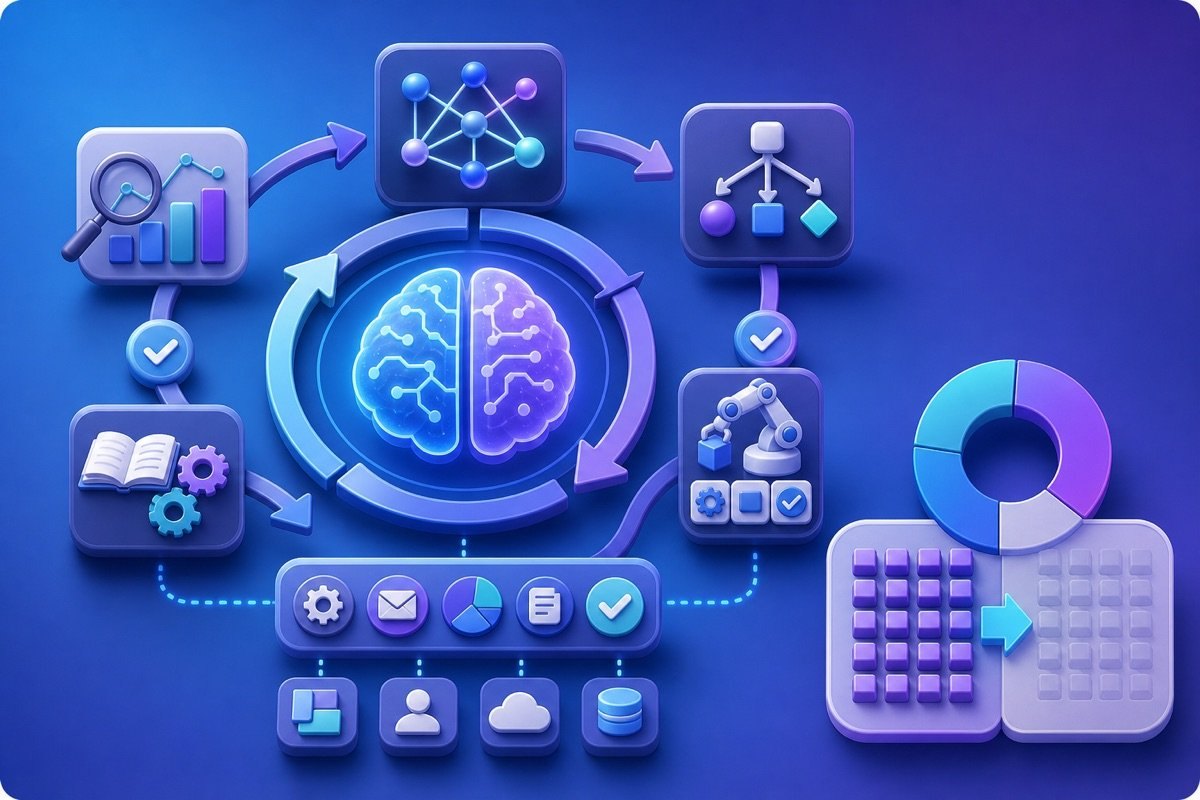

Perplexity easily rambles if you leave the search mode on default. Turning on Focus before you ask helps the tool understand the scope you need.
Do this step first. We treat Focus as an input filter, not as interface decoration. The clearer your question is about which sources to use, the easier the result is to use for websites, SEO and marketing.
In the team, MONA uses this when reviewing markets, competitors and reference material for projects. The goal is to cut noise early, before editing it into usable content.
Web fits when you want to see what the market is saying right now. This mode usually pulls articles, news sites, company pages, forums and public content.
Use Web for jobs that need quick updates. For example, you can check what competitors are writing on their blogs, which keyword groups they target, or how they describe their services.
Example prompt: "Find recent articles about website design for spas in Vietnam, prioritizing sources with recent publication dates". This keeps Perplexity from pulling sources that are too old.
Don't ask too broadly. A line like "analyze the spa market" usually gives a generic answer. Add the industry, region, type of source and reading goal.
Academic fits when you need a more serious base of data. This mode prioritizes research papers, academic reports and well-structured documents.
Use Academic when the content needs high reliability. For example, an SEO article with a section on user behavior, search trends or how well a marketing model works.
The prompt should state the type of document. For example: "Find research or reports on how website speed affects buying behavior, prioritizing sources with a clear methodology".
Read the sources carefully. Academic doesn't mean every result is right for the Vietnamese market. You still need to check the research context before putting it into an article.
Writing fits the step of turning raw material into a draft. This mode helps when you already have sources, notes or an outline that needs rewriting coherently.
This is an editing step. We don't use Writing to find new facts. MONA usually uses it to gather ideas, change the tone, shorten long paragraphs and standardize structure.
Example prompt: "Rewrite the notes below as a draft service page, professional tone, short sentences, no new figures". This keeps the content safer.
Block made-up facts from the start. Add the line "only use information in the document" if you are handling reports, pricing policies or sensitive content.
A citation is the cited source that comes with an answer. It's where you check what Perplexity is relying on, instead of only reading the summary.
Read the source before you trust it. A result with many citations can still be weak if they're all copied blogs, sales pages or articles with no update date.
A small tip is to ask Perplexity to classify its citations. You can ask: "Split the sources above into research sources, press sources, company sources and personal opinion sources".
This is very handy. It helps the content team know which sources to use as evidence and which are only for sensing the market's tone.
Perplexity supports fast research, but it still has a ceiling when each job is done by hand. For websites, SEO and marketing that need connected data, MONA usually combines AI tools with internal processes and custom software to cut repetitive work.

Asking Perplexity once and copying the result usually makes content thin. The thread of context breaks, the sources aren't deep enough and the blind spots stay exactly where they were.
The right way is to treat Follow-up as a chain of digging deeper. Keep the topic fixed, push Perplexity through one layer at a time, then pull out the actions.
MONA uses this approach when researching SEO, markets, competitors and content ideas. No rambling questions. No jumping between topics.
The first round should only ask Perplexity to lay the groundwork. The goal is to have the problem framework, the key terms and sources worth reading.
You can enter:
Don't rush to use this passage as final content. It's only the first map.
Once you have the overview, Follow-up should make Perplexity classify. This keeps you from carrying too many equal ideas.
The next prompt should state the role clearly:
At this point, Perplexity usually starts to be more useful. It answers and also sets priorities.
Research content easily goes wrong by sounding reasonable too early. Make the tool point out its own weak parts.
MONA usually uses this prompt:
This step is well worth doing. It cuts the habit of instantly believing a smooth-sounding answer.
A serious tool review or SEO article needs an opposing viewpoint. If you only take supportive sources, the content easily becomes a one-sided summary.
Keep going with Follow-up:
This is the part that makes the difference. An article with verification stands stronger than one that only gathers information.
The last round shouldn't ask for an article right away. Make Perplexity turn the research into specific tasks.
A Follow-up template we often use:
The result should be a list you can assign. For example: update the SEO outline, add sources, write the warning section, recheck terminology.
By this point, Perplexity is no longer a standalone Q&A tool. It becomes a research assistant with a thread.
At MONA, we use Perplexity as an internal research support layer and for customer training. Even so, a standalone tool still has a ceiling.
When a business needs connected data, clear permissions and processes that run automatically, Perplexity doesn't replace custom software. That's when MONA designs a CRM, ERP or automation system around how the business actually runs.

Scattered research sources make the whole team lose the thread fast. One person reads industry reports, another looks at competitors, and when it's time to combine them, links and context are missing.
A neater way is to gather your lookups in Perplexity into Collections. Then use Pages to turn the filtered material into an internal document that's easy to share.
MONA uses this approach when compiling material for SEO, websites, marketing and internal training. We don't see Perplexity as a system that replaces people, but as a lookup layer that cuts repeated work.
A Collection is where you gather lookups on the same topic. Create them by work goal, not by the mood of each day.
Easy examples:
The steps are simple:
Don't use generic names like "Marketing" or "Research". Names that are too broad make the material swell and hard to reread after a few weeks.
Use the formula: goal, market, time. For example "Vietnam SEO bulletin June" or "Dermatology clinic competitors HCMC".
Perplexity is strong because its answers usually come with sources. But if you only read and then close the tab, the value drifts away.
Save the answers you can reuse. Each time you save, add a short note so others understand why that passage is worth reading.
Keep the method simple:
A note only needs one line. For example "Use for the competitor comparison" or "Can go into the internal bulletin".
Short is enough.
At MONA, we usually separate what's "worth reading" from what's "read to know". This way the SEO and content teams don't have to review the whole lookup history.
Once a Collection has enough sources, Pages lets you package it into a document that's easier to read. This is the step that turns lookups into an internal asset.
Pages fits content that needs to be shared quickly:
The steps:
Write the opening of a Page in internal language. Don't let the document be a dry pile of links.
An easy structure has context, key points, reference sources and next actions. A document like that reads faster and is easier to assign work from.
Collections and Pages are only useful when the whole team names things the same way. If everyone names them differently, the research library becomes a new place to get lost searching.
MONA usually recommends a short, clear naming rule with a date. The formula is easy enough to remember for the marketing, sales and operations teams.
Examples of short names:
The description should be standard too. State who the document is for, what scope it covers and which sources need rechecking.
15 minutes is a reasonable mark for a compact internal summary. You only hit it when the Collection is clean and the Pages have a structure first.
Perplexity speeds up lookups, but it still has a ceiling. When data sits scattered across individual accounts, a business still struggles to control its process, permissions and security.
For larger systems, MONA usually builds custom software to connect data, CRM, ERP and operations automation. Perplexity is then a supporting tool, not the core of the system.

Perplexity is well worth using when you need to find information fast, check sources, gather ideas and grasp the market context. Its strength is research speed, not running core data operations.
This is an important boundary. A standalone tool helps an individual work faster, but it doesn't create a connected system for the whole business on its own.
You can use Perplexity for jobs that need lookup, synthesis and cross-checking. The marketing, sales, content and management teams all benefit clearly at the research layer.
Used for the right jobs, it's very handy. Used beyond its role, it's risky.
At MONA, we also use AI tools internally for research, summaries and preparing documents. The goal is to cut manual work, not to replace the responsible person's review.
Perplexity has sources, but having sources doesn't mean the conclusion is right for your business. Official documents still need someone to approve them.
Don't rush. Check again.
We usually advise customers to use AI as a research support layer. Anything going onto the website, SEO, ads or sales process still has to go through editing.
When every department uses its own tool, data starts to fragment. Managers see more reports, but trust in the numbers gets lower.
That is the real ceiling. It's not the user's fault.
For businesses already doing websites, SEO and marketing properly, the bottleneck usually isn't a lack of tools. The bottleneck is data that doesn't connect.
Perplexity fits research, quick learning and widening your view. CRM, ERP and automation are system problems.
The two layers are different. Keep them separate.
MONA builds software to your own needs when a business needs a real system, not just one more tool. We have experience since 2016, with .000+ projects using services in the MONA ecosystem.
In short, a real-world Perplexity review should be fair. The tool is strong for daily research, but it has to stop at core data, permissions, security and cross-department automation.
When you want to turn research into revenue, the website, SEO, CRM, ERP and automation need to go together. That's when MONA can work alongside you with custom software, website design and a marketing system tied to real operations.

You can use Perplexity yourself to find public sources, compare information and prepare outlines. When research results need to flow on their own into a knowledge base, a CRM or a content approval process with permissions, we build a custom integrated system; call 1900 636 648 to see which data should be connected.
Clear sources first, then use the results.

CEO & Founder · The MONA
Founder of The MONA, who built a services company of 60+ staff with 14,000+ projects delivered. Khánh Hùng shares how he thinks about building systems that run themselves, automating a business, and the real lessons from delivering projects at MONA.
 263




Professional website
design services
Own a website with a beautiful, 100% exclusive design and a lifetime warranty, with the ability
to expand features flexibly as your business grows, starting today!






 MONA will never sell your information or send you spam


 MONA will never sell your information or send you spam
