
 MONA OS 2.0
 Partner with MONA


 Tự động hoá doanh nghiệp
 Cẩm nang SEO
 Digital Marketing
 Kinh nghiệm thiết kế website
 Hạ Tầng Server
 Giáo dục


 VI
 EN












Message us on
Zalo Official


 ProductsNew

 ProductsProducts
 Mới ra mắtKHA AI 2027App tự edit video, tự đăng mọi mạng xã hội, 2 phút mỗi ngày









 Website designLooks good and wins customers over.
SEO servicesBrings in customers searching for exactly what you sell.
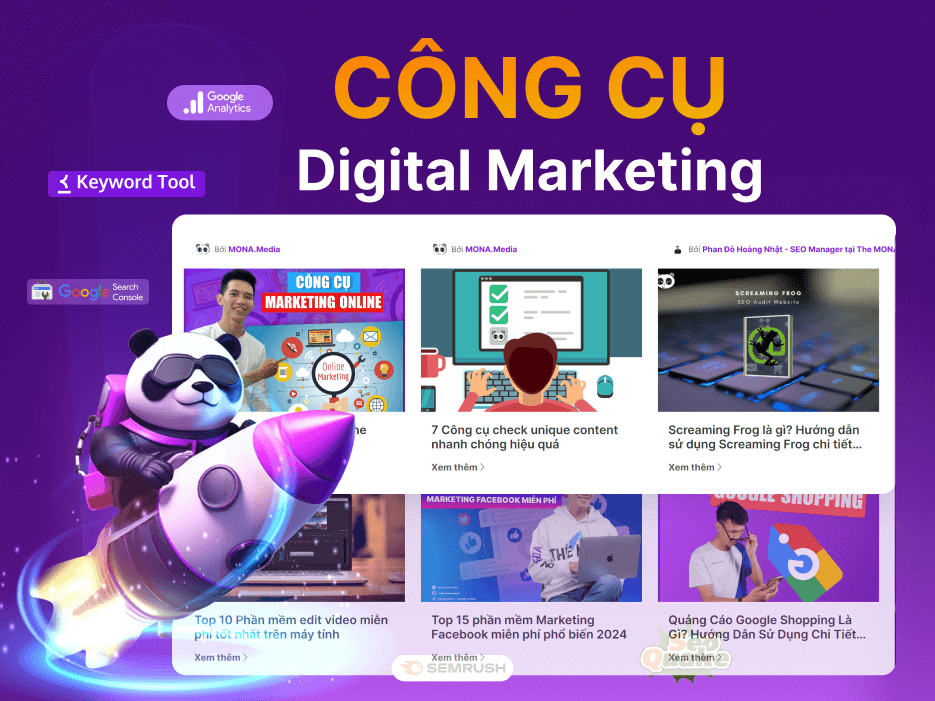 Tư vấn digital marketingKéo khách từ nhiều kênh, đo bằng số thật.
Corporate video productionVideos introducing your company, factory and team.
 NewAI video productionCompany story films made with AI.
 Custom software developmentCRM, ERP and HRM built for your business.
 Viết AI Agent theo yêu cầuĐặt riêng một trợ lý AI cho đúng việc của mình.
 Tư vấn chuyển đổi AIĐưa AI vào vận hành của cả công ty.
NewMONA LMSManagement for centers and schools.
MONA SkillHubInternal training for company staff.
 NHTQ systemEnd-to-end China–Vietnam shipping operations.
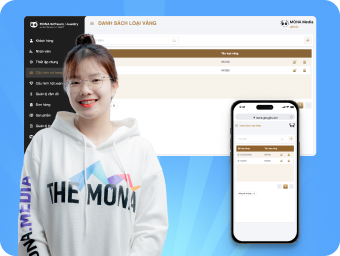
MONA JMSManagement for gold, diamond and pawn shops.
 MONA E-LearningA website with every feature you need to sell courses.
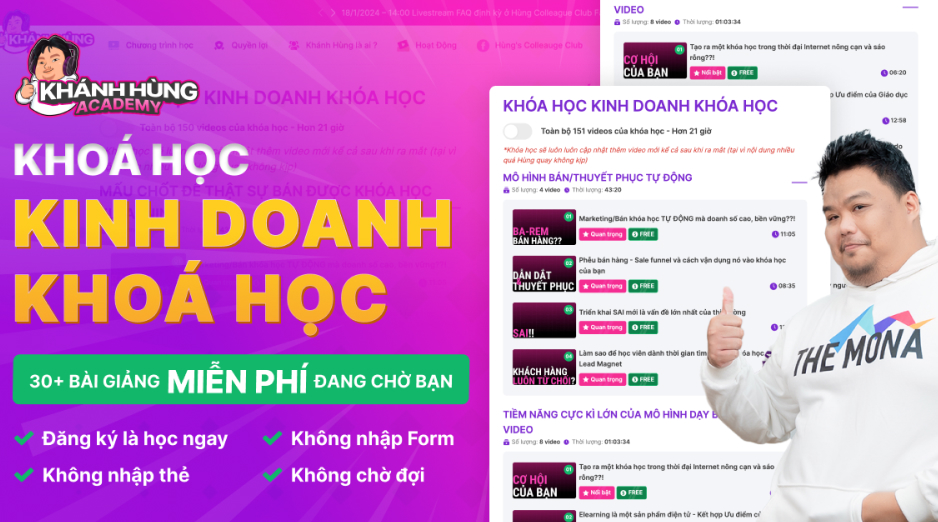 How to sell online courses (course)More than 30 free lessons on selling courses on autopilot.
 MONA Cloudmonacloud.vnServers to get your apps and websites running.
 MONA Basemonabase.vnPostgres database, sign-in and file storage.
 MONA Mailmonamail.vnSend OTP, order and invoice emails from your software.
 MONA Paymonapay.vnAccept bank transfers via VietQR and notify your software when the money arrives.
 MONA eInvoiceComing soonIssue e-invoices that meet tax standards.
Gấu CườiTrả lời khách 24/7 trên web, Fanpage, Zalo và thu lead cho sale.
 Gấu TeleSalesGọi điện tư vấn, chăm khách như tổng đài viên thật.
Dê CườiTư vấn và chốt đơn cho shop ngay trong khung chat.
Gấu WebmasterNhắn nhóm Zalo là website được sửa xong.
 Gấu Pháp ChếSoạn hợp đồng, rà điều khoản trong vài phút.
 Gấu Báo GiáLên báo giá đúng mẫu và gửi khách ngay.
 AI chăm sóc khách hàngTheo dõi và giữ chân khách hàng cũ.
 Gấu Tuyển DụngLọc hồ sơ, hẹn lịch, phỏng vấn ứng viên.
 Mới ra mắt
KHA AI 2027
Xây kênh chuyên gia 2 phút mỗi ngày
Quay bằng điện thoại, AI tự edit video, tự đăng lên 16 nền tảng và tự trả lời bình luận, tin nhắn.
956.223lượt xem trên kênh CEO MONA sau 52 ngày
 Anh Khánh HùngCEO MONA đang dùng mỗi ngày
Xem app làm được gì
 AI
Gấu Cười MONA ĐANG TỰ XÀITrả lời khách 24/7 trên website, Zalo OA, Messenger và thu lead về cho sale.
Dê CườiChốt đơn bán lẻ và sàn: Shopee, TikTok Shop, web. Chăm cả khách sỉ, đại lý.
Gấu WebmasterCập nhật nội dung, tối ưu SEO website mỗi ngày.
Gấu TeleSalesGọi điện tư vấn, chăm khách như tổng đài viên thật.
Gấu Tuyển DụngLọc hồ sơ, hẹn lịch, phỏng vấn ứng viên tự động.
AI chăm sóc khách hàngGiữ khách cũ, cứu lead đã rớt cho phòng kinh doanh.
Gấu Pháp ChếSoạn hợp đồng, rà điều khoản trong vài phút.
Gấu Báo GiáLên báo giá đúng mẫu, gửi khách ngay khi có yêu cầu.
 Chuyển đổi AI toàn phầnGiải pháp tổng cho doanh nghiệp, 3 lớp triển khai.
 Viết AI Agent theo yêu cầuĐặt riêng một con AI gánh đúng nghiệp vụ của bạn.
 Custom softwareCRM, ERP and HRM with built-in AI automation.
 SEO & AEO thời đại AIĐược Google lẫn AI trích dẫn, không chỉ xếp hạng.
 Kiến thức AI cho doanh nghiệpBài phân tích, hướng dẫn ứng dụng AI vào vận hành.
 Free AI courses
 AI tools at work
App mới · KHA AI 2027
Xây kênh 2 phút mỗi ngày
AI tự edit video, tự đăng mọi mạng xã hội
Free consultation, 8am–10pm every day

13 June, 2026

Hello business owners and marketing teams, mastering AI tools like Gemini is becoming a key competitive advantage. In 2026, Gemini is not just an ordinary chatbot but a capable assistant if we know how to use it properly. We at MONA understand that you need hands-on guidance, not empty theory, to apply right away at work. This article shares tips to get the most out of Gemini in 2026, helping you turn AI into a better productivity booster, from creating high-quality content to automating repetitive daily tasks.
Google's Gemini platform brings real power to our daily work. Activating and setting it up correctly is the first step to turning Gemini into a capable assistant that streamlines every process.
We know a business owner's time is precious. So we need to master these basic steps to start automating effectively.
To get the most out of Gemini, you need to set up your account and get familiar with the interface. This is the foundation for every later interaction to go smoothly and effectively.
We'll go through it step by step in detail.
Step 1: Visit and sign in. Open a web browser and go to gemini.google.com. Then sign in with your personal Google account or an existing business account.
Step 2: Accept the terms of service. When you sign in for the first time, Gemini will ask you to read and agree to the terms of use. Review them carefully to make sure you understand your rights and obligations, then click “I agree”.
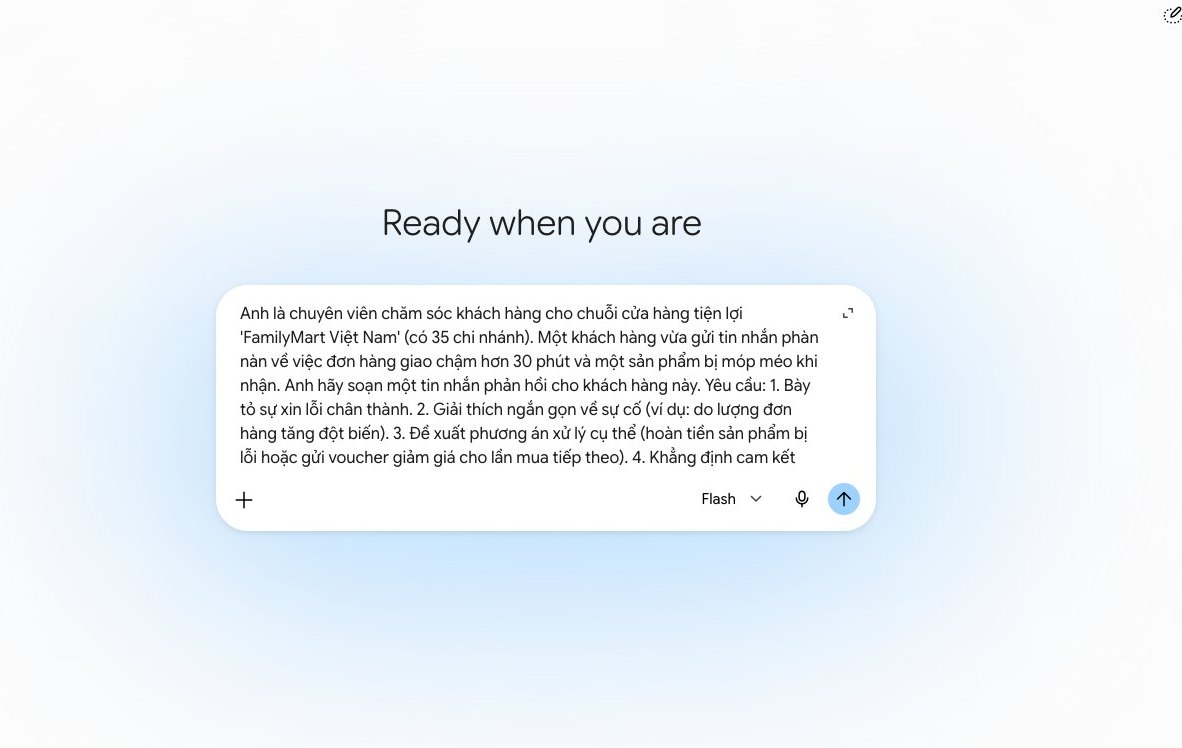
Step 3: Explore the main interface. After signing in, you'll see Gemini's chat interface. The center area is where we enter commands (prompts), and on the left is the history of past conversations. This is our main workspace.
Step 4: Start a new conversation. To create a new conversation, just click the “New chat” icon or the plus (+) sign at the top left. This helps us keep separate tasks organized and manage information easily.
Adjusting a few small settings makes a big difference to Gemini's output quality. We've noticed many businesses skip this step, which leads to results they didn't expect. To maximize returns, we need to fine-tune the language and working context.
Set the display language. You can change Gemini's interface language to suit your preference. Go to “Settings” (the gear icon), find “Language” and choose “Vietnamese” or any other language you want to use. A familiar interface helps us work faster.
Set a default context. Gemini can remember the context of a conversation. However, we can set some background information up front so Gemini better understands our role or business field. You can start a conversation with a command that summarizes your business. For example: “I am the owner of a company that provides website design services in Ho Chi Minh City.” This helps Gemini answer closer to your specific needs.
Activate Extensions. Gemini integrates with other Google services such as Google Workspace and YouTube. In settings, you can turn on these “Extensions”. That way, Gemini can access email, calendar, documents or search for video information. This feature helps us use internal and public data more seamlessly. We often use these extensions to quickly pull together information from Google Drive when we need to run an SEO analysis for a new project.
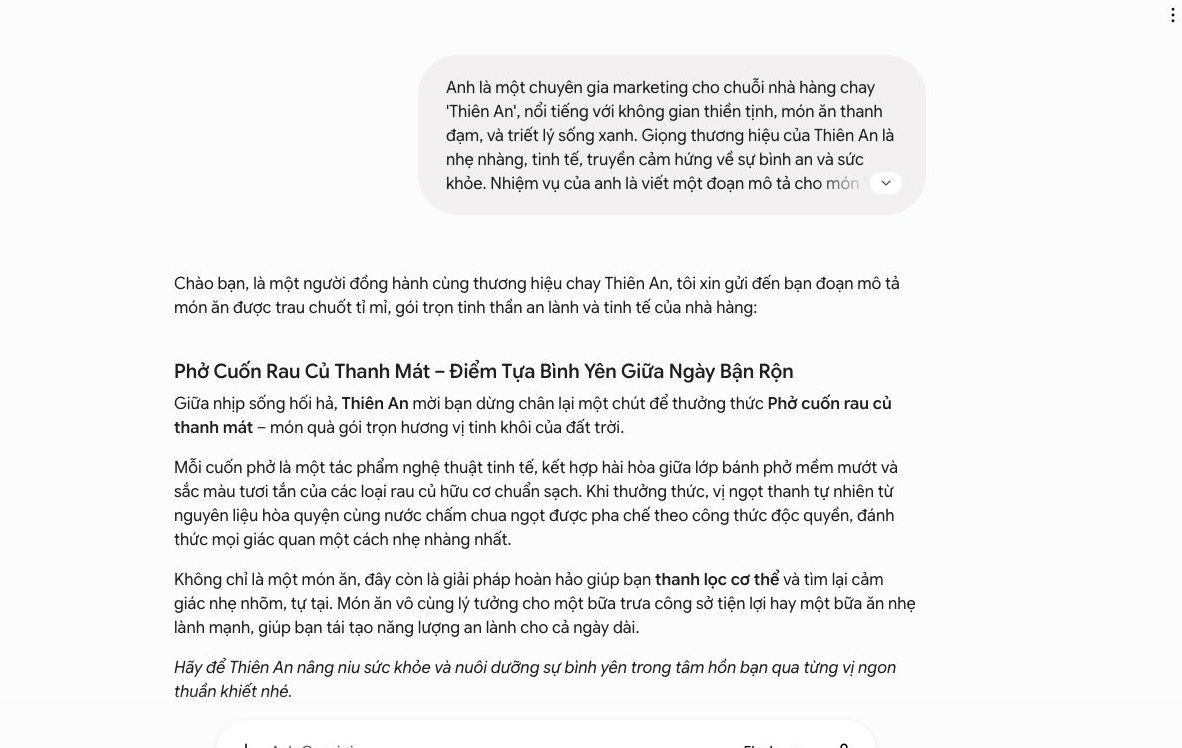
You're using Gemini to create content, but the output often lacks personality. Posts can be generic and inconsistent with your brand identity. We understand this frustration, and tweaking the output again takes a lot of time.
To fix this, MONA distilled a 4-layer prompt formula. This method helps Gemini understand deeply and respond in your business's own tone. You'll get solid content from the very first try.
The first step is to assign Gemini a clear role. Treat the AI like a member of your team. A specific role helps the AI orient itself better.
For example, you can command: “You are a content marketing expert for a B2B software company.” Or “You are a customer service rep for a premium restaurant chain.” This narrows the AI's viewpoint. It also helps the AI choose which information to respond with.
Next, state the goal of the request clearly. The goal must be specific and measurable. Do you want to create a Facebook post, an advertising email or product descriptions? Each goal calls for a different approach. Being specific keeps the AI focused on the result you want.
This is the most important layer for Gemini to express your brand identity. correctly. Tone and style can't be generic. You need to describe them in detail.
Think about specific traits: friendly, professional, humorous, formal, approachable or inspiring. List the key adjectives. For example: “The tone must be friendly, slightly witty, but still professional.” Or “Use formal wording that stresses credibility and prestige.”
You can also specify what to avoid. For example: “Don't use jargon that is hard to understand.” “Avoid exclamatory words.” You can even give examples of words your brand often uses. This helps the AI learn quickly.
MONA helps businesses shape a solid brand voice. We build this into website design and SEOstrategy. This keeps things consistent across every channel.
An effective prompt always comes with full context. You need to provide the background. Who is the target audience? What event is happening? What is the purpose of this content?
For example: “Write a Facebook post for a 30% discount campaign on product A. The audience is women aged 25-45 who love natural beauty.” The more detail, the better Gemini understands. This keeps the AI from going off topic.
You should also provide real examples. It could be a sample paragraph or an email that worked before. Put it straight into the prompt. Gemini can analyze and learn from these examples. It will imitate the style, sentence structure and word choice. This is a very effective tip. Our spa management software applies the same principle.
The last layer is to state the output format clearly. What form do you want Gemini to return? A bullet list? A table? A short paragraph? Or a complete blog post structure?
This saves you editing time. For example: “List the 5 main benefits of product B as bullet points.” Or “Write an advertising email with a headline, main body and a clear call to action.”
If needed, you can ask Gemini to use basic HTML structure. Or JSON format for data. This is especially useful when automating processes. We often use this to feed AI results into business management software. It keeps data seamless and ready to use.
Social media content is essential for attracting customers. However, constantly producing new, unique posts that fit multiple platforms takes a lot of time. We have to find ways to streamline this process.
We share a 4-step process using Gemini. You can create up to 30 posts in just one hour. Each post still carries its own mark, without repeating or going bland.
The first step is to identify the big topics. Break them down into content clusters. For example, the topic “Summer skin care” can have clusters like “sun protection”, “after-sun moisturizing”, “hydrating masks”.
Each cluster will contain several smaller posts. This makes the content rich and varied. Gemini helps you do this extremely efficiently.
Just feed Gemini a general topic. Then ask it to suggest 5-7 sub-topic clusters. Next, ask Gemini to list 3-5 post ideas for each cluster.
A good command looks like this: “I need content ideas for a fanpage about [industry/service name]. Suggest 5 main topic clusters. For each cluster, list 3 specific post ideas.”
Clear categorization builds a solid foundation. You can keep your content consistent. At the same time, it stays creative.
Once you have the idea list, we move to the drafting stage. Gemini is a capable helper. It helps you sketch content very fast.
Give Gemini each post idea. Include specific requirements, such as tone, length and required keywords.
Specifically, try this command: “Write a draft post about [specific post idea] for Facebook. Friendly tone, about 150 words. Include keywords like [keyword 1], [keyword 2]. Call to action: [buy/sign up/visit the website].”
Repeat the process with the other ideas. Gemini will quickly produce a batch of rough drafts. The time saved is significant.
The goal here is to get the structure and core information. We'll edit and personalize afterward.
The Gemini draft is just a start. To keep the content from feeling “robotic”, you need to add your own mark. This is the most important step for standing out.
Go through each draft. Add personal stories and real experience. You can insert internal numbers. Or your brand's unique viewpoints.
Use Gemini to create variations. You can ask: “Rewrite this post in a funnier tone.” Or “Add an open question to boost engagement.”
This gives every post more soul. It clearly shows brand voice of yours. Readers feel the authenticity. They connect more easily.
Never publish raw AI content. Always review. Always personalize.
Each social platform has its own traits. Headlines and descriptions need to be optimized for each one. This directly affects post performance.
Facebook favors images and long stories. Instagram focuses on beautiful photos and hashtags. Zalo calls for brevity and directness. LinkedIn needs professional content that shares knowledge.
You can ask Gemini: “Optimize this headline and description for Facebook, Instagram and LinkedIn. Mind the character limits and style of each platform.”
Gemini will adjust the length. It also suggests fitting hashtags. It even changes the call to action. This makes sure the post performs at its best everywhere it appears.
Don't forget to double-check. Make sure everything is polished before publishing.

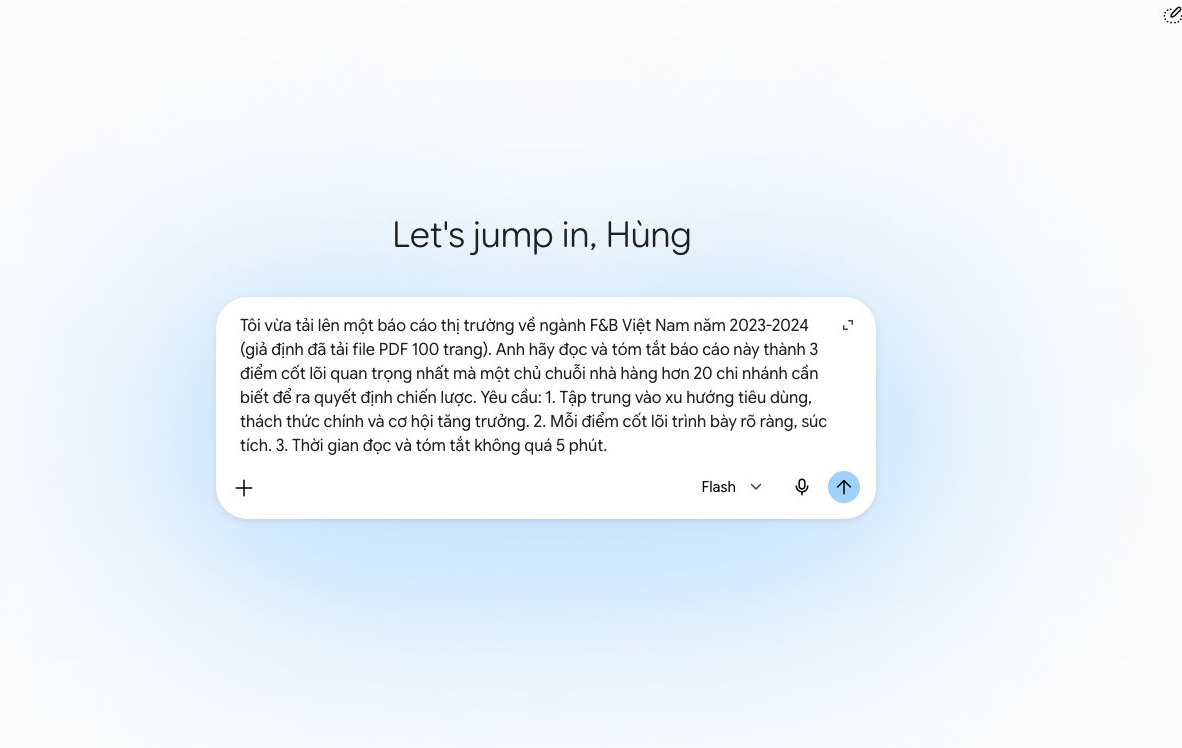
Every day, you manage a lot of data. Reports pour in that need careful reading and analysis. This is a big challenge. Our time is precious.
Don't let a mountain of information slow you down. Gemini will help you get through it. This tool processes things fast. You'll get an overview. In just a few minutes.
To start, just upload your document straight to Gemini. Common formats like PDF, DOCX and TXT are all accepted. This is the first step.
Then, give a very detailed summary request. What should the AI focus on? How many words should the summary be? The clearer the request, the more accurate the result.
For example, you can enter: “Summarize the Q1 business report in 300 words. Highlight the key growth figures and the remaining challenges.” This helps Gemini understand correctly. The result will be better.
Gemini doesn't just summarize. It can also extract the key numbers. Just ask specifically. Think of metrics like return on investment (ROI) or earnings before interest and taxes (EBIT).
For example, you can ask: “List the 5 most important financial metrics in this report. Include revenue, costs, gross profit, profit margin and operating cash flow.” Gemini will compile them. The data will be clear.
This helps you quickly grasp the financial picture. No need to read line by line. It saves a lot of time.
Gemini's strength is its ability to analyze. After summarizing and extracting figures, you can ask it to spot trends. From there it can offer specific action suggestions.
You can ask: “Based on the figures above, what is the market's growth trend? Suggest 3 strategic actions to improve sales next quarter.” Gemini will offer a viewpoint. Valuable suggestions.
This turns a dry report into a clear strategy. You'll have a solid foundation. Decisions will be more effective.
Handling customer messages every day is a heavy burden. It eats up many working hours for your team. We need a more efficient approach. Gemini can change how you interact. It significantly shortens the time spent drafting replies. The goal is to cut up to 60% of the effort for this work.
Applying Gemini the right way frees up your staff. The team gets more time for complex requests. This improves overall service quality. At the same time, it keeps every communication consistent.
A reply template library is the foundation. It makes sure all information is accurate. Use Gemini to create answers for common situations. Gemini will help produce several natural-sounding versions. This avoids a robotic feel.
Give Gemini the scenarios. For example, about delivery policy or promotions. This tool will suggest fitting reply templates. The team just picks and edits quickly. Big time savings.
For best results, integration is necessary. You can connect Gemini to your communication channels. Zalo, Slack and Messenger are popular choices. This creates a seamless process.
Gemini will analyze incoming messages. It suggests replies right in the interface you already know. Staff don't need to switch apps. Work efficiency rises noticeably. Everything stays in sync, anytime, anywhere.
Not every message needs a human. You can set up automatic rules. Gemini will help identify these situations. The system will recognize keywords. Then it automatically sends an approved reply.
For example, messages asking about working hours. Or questions about branch addresses. Gemini can handle them instantly. This lightens the team's workload. Customers get information quickly.
Automation doesn't mean ignoring it. Regular review is very important. You need to evaluate the quality of Gemini's replies. Collect feedback from customers and the team. Small tweaks bring big results.
Analyze the replies that fell short. Improve the prompts so Gemini learns. We'll gradually perfect the system. This process keeps service quality on target. There's always room to improve.
You've seen that Gemini brings many conveniences. Other AI tools do too. They help staff handle personal tasks faster. But for a business at scale, this efficiency has a ceiling. We came to see this over many years working with business owners.
Scattered tools only solve local problems. They can't replace a unified system. This is a point we need to weigh carefully.
One employee uses Gemini to create marketing content. Another uses it for recruiting. The data from these activities sits scattered. It isn't linked automatically.
Compiling reports becomes complicated. You spend a lot of time on manual tasks. Errors creep in easily. Many businesses are facing this challenge.
We all see how exhausting that is. This is a big barrier.
When staff enter customer information. They put internal strategy into public AI tools. The risk of data leaks is very high.
You can't control it tightly. Sensitive information can leak. Information security is vital for every business. We have to make it a priority.
Your business is growing. The number of branches and staff rises fast. Managing dozens of Gemini accounts or other tools gets very complicated. They create a heavy burden.
Optimizing processes becomes nearly impossible. Time and effort costs soar. An overall solution is needed. Seamlessness is the key factor.
When personal tools hit the ceiling, that's when a business needs a different solution. MONA specializes in building custom automation software. We develop self-contained modules. The software is tailored to your operating process.
MONA integrates internal AI into this solution. Your data stays in sync. Information security is maximized. This is a solid foundation for unlimited growth. We have over 10 years of experience, since 2016.
MONA has a team . We've supported over 14,000+ projects nationwide. Our client retention rate reaches 85%. A custom software solution will raise overall work capacity. It helps cut operating costs significantly.
Want to learn more about automation software for your business? Contact MONA here. Let's take your business further together.

CEO & Founder · The MONA
Founder of The MONA, who built a services company of 60+ staff with 14,000+ projects delivered. Khánh Hùng shares how he thinks about building systems that run themselves, automating a business, and the real lessons from delivering projects at MONA.
 368




Professional website
design services
Own a website with a beautiful, 100% exclusive design and a lifetime warranty, with the ability
to expand features flexibly as your business grows, starting today!






 MONA will never sell your information or send you spam


 MONA will never sell your information or send you spam
