
 MONA OS 2.0
 Partner with MONA


 Tự động hoá doanh nghiệp
 Cẩm nang SEO
 Digital Marketing
 Kinh nghiệm thiết kế website
 Hạ Tầng Server
 Giáo dục


 VI
 EN










Message us on
Zalo Official


 ProductsNew

 ProductsProducts
 Mới ra mắtKHA AI 2027App tự edit video, tự đăng mọi mạng xã hội, 2 phút mỗi ngày










 Website designLooks good and wins customers over.
SEO servicesBrings in customers searching for exactly what you sell.
 Tư vấn digital marketingKéo khách từ nhiều kênh, đo bằng số thật.
Corporate video productionVideos introducing your company, factory and team.
 NewAI video productionCompany story films made with AI.
 Custom software developmentCRM, ERP and HRM built for your business.
 Viết AI Agent theo yêu cầuĐặt riêng một trợ lý AI cho đúng việc của mình.
 Tư vấn chuyển đổi AIĐưa AI vào vận hành của cả công ty.
NewMONA LMSManagement for centers and schools.
MONA SkillHubInternal training for company staff.
 NHTQ systemEnd-to-end China–Vietnam shipping operations.
MONA JMSManagement for gold, diamond and pawn shops.
 MONA E-LearningA website with every feature you need to sell courses.
 How to sell online courses (course)More than 30 free lessons on selling courses on autopilot.
 MONA Cloudmonacloud.vnServers to get your apps and websites running.
 MONA Basemonabase.vnPostgres database, sign-in and file storage.
 MONA Mailmonamail.vnSend OTP, order and invoice emails from your software.
 MONA Paymonapay.vnAccept bank transfers via VietQR and notify your software when the money arrives.
 MONA eInvoiceComing soonIssue e-invoices that meet tax standards.
Gấu CườiTrả lời khách 24/7 trên web, Fanpage, Zalo và thu lead cho sale.
 Gấu TeleSalesGọi điện tư vấn, chăm khách như tổng đài viên thật.
Dê CườiTư vấn và chốt đơn cho shop ngay trong khung chat.
Gấu WebmasterNhắn nhóm Zalo là website được sửa xong.
 Gấu Pháp ChếSoạn hợp đồng, rà điều khoản trong vài phút.
 Gấu Báo GiáLên báo giá đúng mẫu và gửi khách ngay.
 AI chăm sóc khách hàngTheo dõi và giữ chân khách hàng cũ.
 Gấu Tuyển DụngLọc hồ sơ, hẹn lịch, phỏng vấn ứng viên.
 Mới ra mắt
KHA AI 2027
Xây kênh chuyên gia 2 phút mỗi ngày
Quay bằng điện thoại, AI tự edit video, tự đăng lên 16 nền tảng và tự trả lời bình luận, tin nhắn.
858.575lượt xem trên kênh CEO MONA sau 30 ngày
 Anh Khánh HùngCEO MONA đang dùng mỗi ngày
Xem app làm được gì
 AI
Gấu Cười MONA ĐANG TỰ XÀITrả lời khách 24/7 trên website, Zalo OA, Messenger và thu lead về cho sale.
Dê CườiChốt đơn bán lẻ và sàn: Shopee, TikTok Shop, web. Chăm cả khách sỉ, đại lý.
Gấu WebmasterCập nhật nội dung, tối ưu SEO website mỗi ngày.
Gấu TeleSalesGọi điện tư vấn, chăm khách như tổng đài viên thật.
Gấu Tuyển DụngLọc hồ sơ, hẹn lịch, phỏng vấn ứng viên tự động.
AI chăm sóc khách hàngGiữ khách cũ, cứu lead đã rớt cho phòng kinh doanh.
Gấu Pháp ChếSoạn hợp đồng, rà điều khoản trong vài phút.
Gấu Báo GiáLên báo giá đúng mẫu, gửi khách ngay khi có yêu cầu.
 Chuyển đổi AI toàn phầnGiải pháp tổng cho doanh nghiệp, 3 lớp triển khai.
 Viết AI Agent theo yêu cầuĐặt riêng một con AI gánh đúng nghiệp vụ của bạn.
 Custom softwareCRM, ERP and HRM with built-in AI automation.
 SEO & AEO thời đại AIĐược Google lẫn AI trích dẫn, không chỉ xếp hạng.
 Kiến thức AI cho doanh nghiệpBài phân tích, hướng dẫn ứng dụng AI vào vận hành.
 Free AI courses
 AI tools at work
App mới · KHA AI 2027
Xây kênh 2 phút mỗi ngày
AI tự edit video, tự đăng mọi mạng xã hội
Free consultation, 8am–10pm every day

03 December, 2025

SEO Google Maps is the key to making a business more visible when users search for services “near me”. But to reach the top and stay stable, you need to understand how to optimize your profile, build local signals and improve user experience. In this article, MONA Media will guide you through ranking Google Maps SEO at the top sustainably and reaching the right audience in your target area.
Lay the groundwork first: the guide for my business helps fix data, duplicate profiles and contact channels before you push local rankings.
Google Maps SEO is the process of optimizing your whole business profile on Google Business Profile so your business stands out in local search. When a user searches for a product or service “near me”, Google prioritizes the places with the best relevance, prominence and location match. This builds trust that yours is the closest choice and the best rated by the community, which raises the share of customers who visit your store in person.

For businesses
Google Maps SEO gives a clear competitive edge in the local customer's search journey:

For SEOers
Optimizing Google Maps SEO helps SEOers reach their overall marketing goals. When the business location ranks higher, the whole SEO website campaign also benefits from more trust, traffic and conversions. This is an important part of the local SEO strategy that any professional SEOer needs to carry out.
For customers
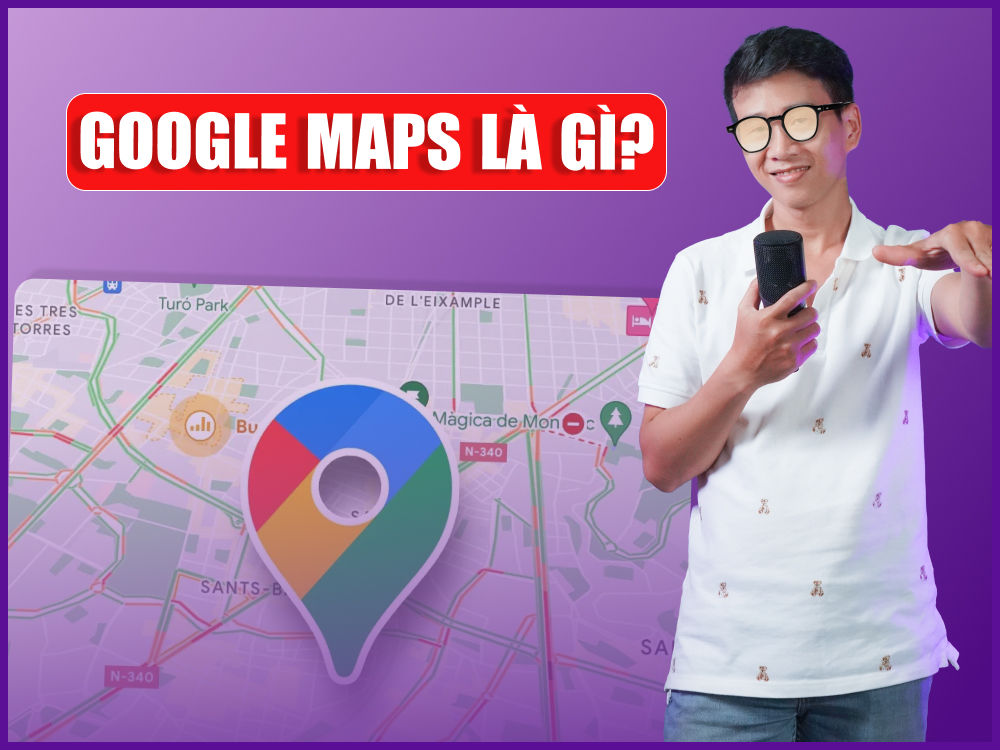
Google Maps is not just for looks, folks. It strongly affects your website's entity and credibility. In this video Huy shares how to use Business Profile to support SEO and reach customers for free. Watch it now!
Google has its own way of recognizing and returning the best search results for users on Maps.

To do Google Maps SEO sustainably, you need to understand how Google evaluates and picks the best place for each query. So what are the key factors for Google Maps SEO?
Doing Google Maps SEO the right way will help a business gain credibility and stand out when users search for an address, service or brand. Below, MONA walks you through the steps of Google Maps SEO so you can optimize your business profile and hold your ranking sustainably. You can also read our checklist on avoiding mistakes when applying AI for a more detailed picture.
First, sign in to Google Maps, enter your business address, then choose "Add a missing place" and fill in details such as business name, hotline, address, category, opening hours, and so on.

Next, verify the listing through Google My Business or by choosing "Claim this business" and submitting the request. Once Google approves it, keep completing the profile with your business name, ZIP code, website link, service area, a short description of your services, and what sets you apart.
You may also like: a guide to register on Google Business in detail for businesses
Image optimization is an important part of Google Maps SEO. It builds trust and sends good signals to Google. Here is how to do it well at this step:
Based on the experience SEO by MONA, you should prepare about 20 to 30 sharp photos, real shots of your office, services, team, or projects in jpg format. Do not use images downloaded from the Internet, because Google can spot them easily and they weaken your Google Maps SEO. To optimize Image SEO, name your image files with related keywords so Google understands the content and topic you want to show.
*Note: Do not upload more than 20 images at a time, and keep the total size under 10MB. If your images are png, convert them to jpg with a suitable converter to meet Google Maps SEO standards.

GeoTag means embedding your business's longitude and latitude directly into the image data. When these images are posted online, Google keeps recognizing the same geographic location. That consistency raises your business's credibility and supports a steady, lasting climb to the top in Google Maps SEO.
So how do you add a geotag? You can use geotag.online to add coordinates to your photos with these steps:
One of the effective ways to reach the top of Google Maps is to keep your business information (NAP) consistent across many social platforms. Google crawls constantly and rewards businesses that show up consistently across multiple trusted sources.

Prepare a core set of information to post on every social platform:
When optimizing Google Maps SEO, many businesses stuff keywords into the business name to boost rankings, for example "ABC – SEO services in Ho Chi Minh City". However, this risks being flagged as spam by Google and getting the profile permanently suspended.
For a safe and lasting result, use only your exact business name as the title. Keeping your real name makes it easier for Google to verify your brand and gives the next Google Maps SEO steps a stable base.
A good category lets you optimize for hundreds, even thousands, of local keywords at once. It tells Google what field your business belongs to, so Google can serve results that match local searches.

You can follow this Google Maps SEO guide from SEO company MONA to choose the right categories:
If Backlink help build website credibility, while citations confirm your business information across many sources. Done right, both make your Google My Business profile stronger and lift your ranking faster. Our checklist on avoiding mistakes when using AI is a useful extra read.
A citation is a set of NAP information: business name, address, phone number, and website URL. In a Google Maps SEO strategy, citations act as "verification signals" that make Google trust your location is real and reliable. The more quality citation sources you have, the stronger your Google Maps profile and the higher it ranks.
The most important thing is NAP consistency. A small detail like abbreviating "Road" to "Rd" or changing a room number is enough for Google to treat your information as inconsistent, which drops your ranking in local results.
So audit your citations carefully by doing the following:

This process can take time, but the fewer inconsistencies in your citations, the sturdier your Google Maps profile becomes and the easier it is to reach the top. If you have a large number of citations, you can use tools like Yext or Moz Local to sync them quickly and accurately.
Schema Markup is a type of structured data that helps Google read your website content more easily. When you add NAP to Schema, you send Google a clear, accurate signal about your business address.
This is an advanced step, but very useful in a Google Maps SEO guide, especially if you want to build long-term trust and strengthen your business's relevance in local search.
While doing Google Maps SEO, you will likely run into errors that stop your business profile from being approved or displayed properly. MONA walks you through how to handle each case in detail, so you do not lose much time and still keep your local Google Maps SEO working.
This is quite a common error in Google Maps SEO. It usually comes from picking the wrong spot on the map or leaving out required information. You can fix it with these steps:

When you look into what Google Maps SEO is, or follow optimization guides, you will see many people stuff keywords into the business name to "score quick points". However, this gets the profile rejected immediately.
Google has very clear rules about business names:

The best fix is to use the name exactly as on your business registration and put the services in the category section. This makes the profile easier to approve and helps your Google Maps SEO.
Even if you set up Maps SEO correctly, the profile can still run into the errors below after some time:
Location disabled
This is the most "annoying" error because the recovery rate is low. The usual cause is a violation of Google's policies, or a warning you received and did not handle in time.
In this case, go to the support section in Google Business Profile, fill in all the requested information, then wait patiently for a reply from the Google team.
Location "Suspended"
A suspended location happens when the profile is reported or the information quality falls short. In most cases, the business has to submit an appeal through the support form.

Location asked to "Review information"
This is not a serious error, since Google only wants to confirm your business information. Just correct the details accurately and check your listing regularly in case a competitor deliberately edits your information.
Location "Verification required again"
When you change your business category or address, Google asks you to verify again to make sure the data is accurate. So prepare real photos and supporting documents to make verification go faster.

Doing address SEO on Google Maps is not too complicated, but keeping a profile accurate, stable, and ranking for the long term takes a solid process, an understanding of the algorithm, and hands-on experience. If your business needs a partner from A to Z that optimizes the whole profile and gets your location to the top under proper Google Maps SEO standards, MONA Media is a reliable choice.
With over 10 years of hands-on SEO experience, we deliver dịch vụ SEO Google Maps in-depth and effective work that helps businesses reach the right customers in their target area, raise conversion rates, and strengthen their brand reputation on Google.
Benefits of using the Google Maps SEO service at MONA Media:
Besides SEO services, MONA Media also provides Google Maps review services, Google Maps verification service, so your business profile is fully complete before a Google Maps SEO campaign starts. If you want quick advice, a clear solution, and a transparent quote, call MONA now at HOTLINE 1900 636 648 or click the button below for free support.

SEO Google Maps is an important platform for reaching the nearest customers, fastest and most accurately. When you build a Google Maps profile that follows SEO standards, provides enough trust signals, and keeps running continuously, your ranking rises naturally and holds for a long time. Start with MONA today so you do not lose the chance to reach customers in an area your competitors are already making the most of.
Learn more about Google Maps SEO

CEO & Founder · The MONA
Founder of The MONA, who built a services company of 200+ staff with 14,000+ projects delivered. Khánh Hùng shares how he thinks about building systems that run themselves, automating a business, and the real lessons from delivering projects at MONA.
 1,5K




Professional website
design services
Own a website with a beautiful, 100% exclusive design and a lifetime warranty, with the ability
to expand features flexibly as your business grows, starting today!



NHẬN TƯ VẤN SEO MIỄN PHÍ !






 MONA will never sell your information or send you spam


 MONA will never sell your information or send you spam
