
 MONA OS 2.0
 Hợp tác với MONA


 Tự động hoá doanh nghiệp
 Cẩm nang SEO
 Digital Marketing
 Kinh nghiệm thiết kế website
 Hạ Tầng Server
 Giáo dục


 VI
 EN
















Message us on
Zalo Official


 ProductsNew

 ProductsProducts
 Mới ra mắtKHA AI 2027App tự edit video, tự đăng mọi mạng xã hội, 2 phút mỗi ngày










 Thiết kế websiteVừa đẹp vừa thuyết phục được khách.
Dịch vụ SEOKéo về khách đang tìm đúng thứ anh chị bán.
 Tư vấn digital marketingKéo khách từ nhiều kênh, đo bằng số thật.
Quay video doanh nghiệpVideo giới thiệu công ty, nhà xưởng, đội ngũ.
 MớiDựng video AIDựng phim câu chuyện công ty bằng AI.
 Custom software developmentCRM, ERP and HRM built for your business.
 Viết AI Agent theo yêu cầuĐặt riêng một trợ lý AI cho đúng việc của mình.
 Tư vấn chuyển đổi AIĐưa AI vào vận hành của cả công ty.
NewMONA LMSManagement for centers and schools.
MONA SkillHubInternal training for company staff.
 NHTQ systemEnd-to-end China–Vietnam shipping operations.
MONA JMSManagement for gold, diamond and pawn shops.
 MONA E-LearningA website with every feature you need to sell courses.
 How to sell online courses (course)More than 30 free lessons on selling courses on autopilot.
 MONA Cloudmonacloud.vnServers to get your apps and websites running.
 MONA Basemonabase.vnPostgres database, sign-in and file storage.
 MONA Mailmonamail.vnSend OTP, order and invoice emails from your software.
 MONA Paymonapay.vnAccept bank transfers via VietQR and notify your software when the money arrives.
 MONA eInvoiceComing soonIssue e-invoices that meet tax standards.
Gấu CườiTrả lời khách 24/7 trên web, Fanpage, Zalo và thu lead cho sale.
 Gấu TeleSalesGọi điện tư vấn, chăm khách như tổng đài viên thật.
Dê CườiTư vấn và chốt đơn cho shop ngay trong khung chat.
Gấu WebmasterNhắn nhóm Zalo là website được sửa xong.
 Gấu Pháp ChếSoạn hợp đồng, rà điều khoản trong vài phút.
 Gấu Báo GiáLên báo giá đúng mẫu và gửi khách ngay.
 AI chăm sóc khách hàngTheo dõi và giữ chân khách hàng cũ.
 Gấu Tuyển DụngLọc hồ sơ, hẹn lịch, phỏng vấn ứng viên.
 Mới ra mắt
KHA AI 2027
Xây kênh chuyên gia 2 phút mỗi ngày
Quay bằng điện thoại, AI tự edit video, tự đăng lên 16 nền tảng và tự trả lời bình luận, tin nhắn.
861.860lượt xem trên kênh CEO MONA sau 31 ngày
 Anh Khánh HùngCEO MONA đang dùng mỗi ngày
Xem app làm được gì
 AI
Gấu Cười MONA ĐANG TỰ XÀITrả lời khách 24/7 trên website, Zalo OA, Messenger và thu lead về cho sale.
Dê CườiChốt đơn bán lẻ và sàn: Shopee, TikTok Shop, web. Chăm cả khách sỉ, đại lý.
Gấu WebmasterCập nhật nội dung, tối ưu SEO website mỗi ngày.
Gấu TeleSalesGọi điện tư vấn, chăm khách như tổng đài viên thật.
Gấu Tuyển DụngLọc hồ sơ, hẹn lịch, phỏng vấn ứng viên tự động.
AI chăm sóc khách hàngGiữ khách cũ, cứu lead đã rớt cho phòng kinh doanh.
Gấu Pháp ChếSoạn hợp đồng, rà điều khoản trong vài phút.
Gấu Báo GiáLên báo giá đúng mẫu, gửi khách ngay khi có yêu cầu.
 Chuyển đổi AI toàn phầnGiải pháp tổng cho doanh nghiệp, 3 lớp triển khai.
 Viết AI Agent theo yêu cầuĐặt riêng một con AI gánh đúng nghiệp vụ của bạn.
 Custom softwareCRM, ERP and HRM with built-in AI automation.
 SEO & AEO thời đại AIĐược Google lẫn AI trích dẫn, không chỉ xếp hạng.
 Kiến thức AI cho doanh nghiệpBài phân tích, hướng dẫn ứng dụng AI vào vận hành.
 Free AI courses
 AI tools at work
App mới · KHA AI 2027
Xây kênh 2 phút mỗi ngày
AI tự edit video, tự đăng mọi mạng xã hội
Free consultation, 8am–10pm every day

15 June, 2026

Comparing free and paid Gemini helps you know exactly when the free version is enough and when to upgrade to work faster and more reliably. Many business owners, marketers, and office staff use Gemini to write content, summarize documents, analyze spreadsheets, and brainstorm ad ideas. The catch is that upgrading too early wastes money, while upgrading too late bottlenecks the work. MONA goes straight to the comparison table, the situations worth paying for, and how to use Gemini in real work.
Upgrading Gemini shouldn't rest on a feeling. Just match your real needs against the table below.
Don't upgrade in a rush. MONA usually has its internal team and clients check 5 groups of tasks before verdict using the paid version.
| Need | Free version | Paid version | Signs to upgrade | Notes for checking in your account |
|---|---|---|---|---|
| Content writing | Good for drafts, headline suggestions, and short edits. | Better when you write regularly, need a steady voice, and handle many versions. | The marketing team has to edit too much before posting. | Check the model limits, answer quality, and chat history. |
| Document analysis | Good for summarizing short passages and simple text. | Better when you need to read long documents, many files, and many layers of information. | Gemini misses points, gives vague answers, or loses the thread on long documents. | Check file upload ability, file size, and Drive access permissions. |
| Deep research | Good for quick questions, outlines, and gathering first ideas. | Better when you need to combine many sources and compare in a structured way. | Staff have to open many tabs and stitch results together by hand. | Check the research feature, source citation, and access scope. |
| Image generation | Good for testing simple visual ideas. | Better when you need many variants, steadier quality, and frequent use. | The content team needs regular illustrations for articles and social posts. | Check whether the image generation feature is available in your Vietnam account. |
| Working with Google Workspace | Good for using Gemini on its own, outside the main workflow. | Better when you need help in Gmail, Docs, Sheets, Drive, or Meet. | Staff are copying data back and forth between several Google apps. | Check your Google Workspace plan, admin permissions, and the bundled Gemini features. |
By this table, the free version is far from useless. It's enough for many personal tasks, especially when speed is all you need.
What matters is frequency. Once Gemini becomes a daily work tool, the paid version starts to be worth considering.
The free version suits light, short tasks that don't need deep links into internal data. You can use it right away to cut down the time spent thinking up drafts.
This group is enough.
MONA often uses the free version for first-step guidance with clients new to Gemini. The goal is to help the team learn to give clear instructions without depending on any one tool.
This is very practical. A clear prompt usually produces a draft that is far easier to edit than a vague request.
The paid version fits better once the work has volume, data, and repeating requirements. At that point, it's no longer about trying it for fun.
The team has real work to do.
We usually advise you to upgrade when cost manual editing costs more than the tool fee. That's a clearer sign than any ad.
Gemini still has a ceiling. A standalone tool makes each staff member faster, but it doesn't turn itself into an operations system with connected data.
The your business need a real CRM, ERP, or workflow automation, MONA designs custom software. AI is just one part of the system, not the whole story.

The longer the file, the more likely free Gemini summarizes from the opening and skips the later layers of information. In marketing, sales, or operations documents, one missing point can skew a decision.
You don't need to upgrade just because the paid version looks more attractive. A firmer approach is to test the same real document on both versions, then compare results against clear criteria.
MONA often uses this side-by-side test when guiding internal teams and clients to use Gemini at work. It lets us see the tool's real limits instead of buying on gut feeling.
Don't test with an overly clean sample document. Pick a file that puts real pressure on your daily work.
The closer the document is to real work, the more valuable the comparison. You should use a file with many sections, many conditions, and many small decisions.
Keep the same file for both Gemini versions. Don't edit the content midway, because we're comparing processing ability, not input data.
The same prompt lets you see the difference more clearly. If each version gets a different instruction, the results are hard to judge fairly.
You can use this template:
This prompt pushes Gemini beyond a surface summary. It forces the tool to understand context, spot risks, and name the work to be done.
This is where limits show up easily. The free version can usually still answer, but it may cut off in the later sections or group ideas too broadly.
Don't just look at whether the answer is long or short. A long answer can still miss important points.
You should score on 3 simple criteria:
MONA often uses this scoring when testing AI tools internally. It's short enough for staff to use, yet still catches missed points.
You should save screenshots of both answers. When you review them with your team, evidence is clearer than personal feeling.
Upgrading is worth considering when the free version skips risk clauses, low-margin product groups, or operational bottlenecks. Those are errors that can lead to wrong work.
If the free version is just less polished in its writing, you don't need to rush into paying. The difference worth paying for is keeping enough context and supporting decisions.
For MONA, Gemini is handy for reading files, summarizing, quick analysis, and training staff to use AI the right way.
But a standalone tool still has a ceiling. When data needs to flow between CRM, website, SEO, sales, and operations, a business needs custom software built by MONA to control workflow and security better.

Many marketing teams use free Gemini to write fast, then mistake it for market research. The two jobs are clearly different.
Fast writing needs speed. Research needs structure, clear sources, points to verify, and the ability to turn data into a real action plan.
At MONA, we separate these two needs when using Gemini internally and when training clients. The free version serves light work, while Deep Research fits when you need a firmer data foundation.
Free Gemini is enough when you need to build a content frame within the day. It suits jobs that don't need careful citation.
The clearest examples are blog outlines, ad headlines, product descriptions, emails to past customers, and short social posts.
Don't mix the two jobs.
This helps the marketing team move faster at the starting step. It doesn't replace checking the market, competitors, and source accuracy.
Deep Research is worth considering when you need a sourced, structured summary with a trail you can review. That's what sets it apart from the free version.
For market research, you can ask Gemini to gather industry trends, search behavior, competitor content, and gaps in communication.
The prompt should be clear.
We often use this to shorten the material-gathering step before planning SEO, content, or a messaging framework for a website.
The easy mistake with AI is dumping all sources into one basket. The report looks complete, but the reliability is uneven.
You should make Gemini classify sources from the start. That tells the marketing team which parts are usable and which are for reference only.
Separate the sources first.
MONA uses this principle when guiding clients to apply Gemini to marketing. AI helps filter and summarize, but the final decision still needs someone who knows the industry.
A research report only has value if it goes on to become concrete work. If it stops at a summary, the marketing team still has to translate it into tasks on their own.
You should ask Gemini to turn the report into a plan by work group. Each group needs a goal, the content to produce, an owner, and review criteria.
Lock it into tasks.
For website, SEO, and marketing projects, MONA usually advises clients to use Gemini to speed up research, not as the decision-maker for the whole strategy.
MONA started in 2016 and now has .000+ projects. We see Gemini as a good support tool once the process is clear.
In short, Deep Research is worth upgrading for when you need a sourced report with cross-checking. If you only need a short draft, the free version is enough for many daily tasks.
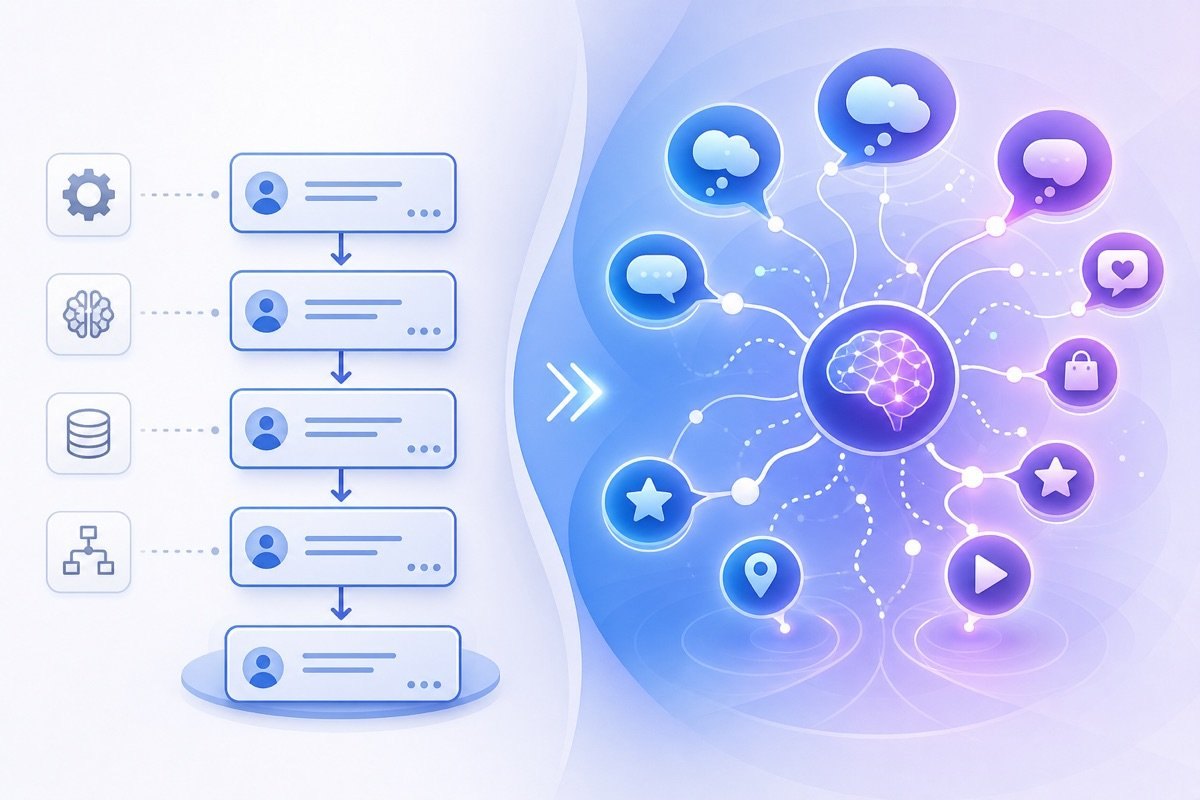
A lot of Gemini content comes out bland because you ask once and use it right away. The model doesn't yet know your customers, product, posting channel, or the sentences that must not be written.
MONA usually guides marketing teams through 3 clear rounds. Round one loads context, round two writes the draft, round three self-reviews and rewrites.
Don't open Gemini and type “write a sales post” right away. That prompt leads to generic content that looks like many samples already out there.
Start with a fixed context block. This block helps Gemini understand who the company is talking to and which lines it must not cross.
A sample prompt you can use:
“Remember the following context before writing. Our customers are [customer description]. The product is [product description]. The writing voice should be [voice description]. Absolutely avoid [list of banned items]. Just confirm you understand, don't write content.”
The same sales idea needs a different rhythm on each channel. A website post needs clear structure, Facebook needs to be quick and close, email needs to be tight, Zalo needs to be direct.
Once Gemini confirms it understands the context, then you ask for the draft. At this point the prompt must state the channel, goal, and output format.
A sample prompt for round two:
“Based on the saved context, write a draft for the [channel name] channel. The goal is [goal]. Length about [length]. Keep the voice [writing voice]. Avoid [banned items].”
The first draft is usually not ready to use right away. Gemini may get the main idea right but be loose in tone, short on evidence, or use sentences that are too generic.
MONA often adds a self-scoring round. This round turns Gemini into a content reviewer before you read the final version.
A sample prompt for round three:
“Score the draft above on 4 criteria: context fit, right voice, clarity, safety. Write a short note for each criterion. Then rewrite a better version based on those notes.”
This doesn't turn Gemini into the writer replacing your whole marketing team. It helps us cut bland posts and keep output more consistent when many people use it.
The big problem with using Gemini in a company isn't having one person who's good at prompts. It's that everyone asks differently, so the content drifts off voice day by day.
MONA usually collects the prompts that have worked into shared templates. Each template has a clear name, a clear purpose, and the parts to fill in placed in square brackets.
We also apply this when training internally and guiding clients to use AI tools at work. A good prompt needs to come with a proper usage process.
While the work is still scattered, Gemini makes you noticeably faster at the task level. When a business needs seamless data, permissions, and real automation, a standalone tool hits its ceiling.
That's when MONA usually advises building custom software, CRM, ERP, or automation chains around the real operating process. Gemini stays useful, but only custom software keeps data, access rights, and the workflow closed-loop.

The paid version starts to be worth considering when much of your work already sits in Gmail, Docs, and Sheets. At that point the value comes from working right on the data you already use.
The point is easy to see. If staff still copy emails back and forth, paste content into another tab, then summarize by hand, time leaks away in every small task.
It wears people out fast.
We usually guide MONA's internal team and clients to check by one simple principle. A paid tool is only worth it when it cuts repeated steps in exactly the place you work every day.
You should check access before doing a deeper comparison. Many personal Google accounts have a standalone Gemini, but not necessarily Gemini inside Gmail, Docs, or Sheets.
Do this step first.
If these buttons don't appear, your account may not have been granted access. If your business uses Workspace, access also depends on the admin's configuration.
Don't guess.
MONA usually asks the operations team to take a screenshot of each step when training clients on AI tools. That helps tell account errors, access errors, and operation errors apart.
Gmail is where Gemini pays off fastest if you handle a lot of back-and-forth with customers, partners, or colleagues. Long email threads make it easy to miss points, especially when many people reply.
This is where the rhythm often gets lost.
You can use Gemini to summarize the email first, then ask for reply suggestions. Break it into steps to avoid answers that are too generic.
A practical prompt you can use: “Summarize this email thread into key points, items to handle, and a suggested polite reply to the customer.”
Keep a human voice.
We don't advise sending Gemini's reply word for word. MONA usually uses Gemini as a fast drafter, while the person in charge keeps the final say.
Google Docs fits content-related work. For example, service introductions, sales scripts, training materials, product descriptions, or internal announcements.
A common mistake is using Gemini to rewrite everything. It's fast but easily loses brand voice and key points.
Work through it layer by layer.
A useful prompt: “Restructure this document into clear sections, shorten long sentences, keep a professional tone, and don't add new information.”
This line is very important.
The “don't add new information” part reduces the risk of Gemini making things up. In internal training, MONA always reminds teams to use AI tools for editing, summarizing, and standardizing before asking them to create new content.
Sheets is where you need to be more careful. Gemini can help read simple tables, suggest formulas, and summarize basic data, but it shouldn't replace a financial reviewer.
Don't hand it all over.
You can use Gemini for light operations tables such as customer lists, content plans, follow-up schedules, task boards, or simple sales reports. For accounting figures, cash flow, and profit, verify by hand.
A safe prompt: “Read this table and summarize the notable points, based only on the existing data, without speculating beyond the table.”
The limits must be clear.
For MONA, Gemini in Sheets fits cutting down the effort of reading and sorting data at the start. When a business needs seamless data across sales, marketing, customer care, and operations, a standalone tool hits its ceiling.
That's when custom software solves the root problem. MONA usually builds CRM, ERP, and automation systems around the business's real workflow, while Gemini is just a support layer in daily work.

Many of you upgrade Gemini because a new feature looks attractive, but real use never touches it. What costs time is usually usage limits, context limits, and having to switch to another tool.
Don't guess. Record it. MONA usually guides marketing and operations teams to measure upgrade need with a short usage log, rather than deciding by the appeal of a new tool.
You should pick 7 normal working days, not an unusually quiet or peak week. The goal is to see how often you use Gemini in your real operating rhythm.
Each time, the person in charge only needs to note the task, the goal, the time, and the result. Short is enough. Don't turn measuring into another admin chore.
We usually advise logging it in a simple table. The key columns are date, user, task type, result, issue encountered, and impact on schedule.
A limit worth upgrading for isn't just the “out of messages” notice. It also shows up when you have to split a request, repeat the context, or abandon the work in progress.
This is easy to overlook. The marketing team still finishes the job but loses its train of thought. The operations team still gets results but has to patch them with manual steps.
Just write it down plainly. No need for fancy color coding. After 7 days, you'll see which limits are merely annoying and which ones really slow the work.
Not every limit is worth upgrading for. A personal task delayed a few minutes is different from a customer reply delayed at peak hours.
MONA usually splits the Gemini log into 3 groups. This helps you avoid upgrading over one urgent moment, while not ignoring a bottleneck that keeps repeating.
The third group needs a closer look. When limits slow customer replies, the cost isn't only staff time.
It touches the buying experience. It touches cash flow. It also throws the sales team off rhythm when real demand is coming from the market.
A reasonable upgrade point appears when limits repeat in the same type of work. That might be writing content, processing data, summarizing documents, or supporting customer care.
You should look at the repeating pattern, not at the mood of one busy day. One urgent moment isn't enough basis. Repeated interruptions are what's worth paying for.
We use this when training clients to apply Gemini to marketing and operations. Before talking about the paid version, MONA always wants you to see whether the tool is creating real value.
Gemini is handy for personal work and standalone tasks. But it still has a ceiling when data is scattered, the process depends on manual steps, and each staff member uses it differently.
When a business needs seamless data, clear permissions, and more durable automation, custom software is the foundation to build. MONA can use AI as one part of the system, but the focus remains software that serves cash flow.

Gemini is very handy. You can use the free or paid version to work faster, piece by piece. But it's still a standalone tool if it sits outside company data.
This is the real ceiling. One staff member who uses Gemini well can write faster, read faster, and think faster. But a business can't be managed through scattered chat threads.
Gemini suits tasks that need individual speed. You can use it to draft articles, summarize documents, analyze ad ideas, or write email content.
This is worth using. Marketing, sales, content, and operations teams can all save manual effort. Gemini helps us cut repetitive work during the day.
Gemini shouldn't become the place that holds the company's live data. Customer data, orders, inventory, customer care schedules, and management reports need to sit in a system with permissions.
A common mistake is staff copying data into a standalone tool. It's quick at first but hard to control later. Data gets fragmented.
You're not wrong to use Gemini to speed things up. The issue is the boundary of use. A standalone tool supports people, while your own system holds the operational backbone.
The practical way is to gather repeating work first. Write down the steps staff do every day, then separate what Gemini can support from what needs custom software.
That makes it clearer. Drafting is for Gemini to support. Storing data, moving statuses, permissions, and reporting belong in a CRM, ERP, or custom automation software.
This is a part to slow down on. Rush it and the company ends up with many tools but no shared system. Staff still have to stitch data together by hand.
MONA also uses Gemini and other AI tools internally. We use them for research, content drafts, document summaries, requirements analysis, and training support.
But we don't see a standalone tool as an operations system. In client projects, MONA clearly separates what to do with AI, what needs custom software, and what needs connected data.
MONA started in 2016, with , 14,000+ projects, and an 85% retention rate. These numbers help us see one thing clearly: businesses need fast tools, but they need durable systems even more.
Both free and paid Gemini are worth using if you use them in the right role. Tools make individuals faster. Custom software makes the company run seamlessly.


CEO & Founder · The MONA
Founder of The MONA, who built a services company of 200+ staff with 14,000+ projects delivered. Khánh Hùng shares how he thinks about building systems that run themselves, automating a business, and the real lessons from delivering projects at MONA.
 315




Professional website
design services
Own a website with a beautiful, 100% exclusive design and a lifetime warranty, with the ability
to expand features flexibly as your business grows, starting today!






 MONA will never sell your information or send you spam


 MONA will never sell your information or send you spam
