
 MONA OS 2.0


 Tự động hoá doanh nghiệp
 Cẩm nang SEO
 Digital Marketing
 Kinh nghiệm thiết kế website
 Hạ Tầng Server
 Giáo dục


 VI
VI
 EN
EN












Message us on
Zalo Official


 ProductsNew

 ProductsProducts
 Mới ra mắtKHA AI 2027App tự edit video, tự đăng mọi mạng xã hội, 2 phút mỗi ngày










 Website designLooks good and wins customers over.
SEO servicesBrings in customers searching for exactly what you sell.
Website designLooks good and wins customers over.
SEO servicesBrings in customers searching for exactly what you sell.
 Tư vấn digital marketingKéo khách từ nhiều kênh, đo bằng số thật.
Corporate video productionVideos introducing your company, factory and team.
Tư vấn digital marketingKéo khách từ nhiều kênh, đo bằng số thật.
Corporate video productionVideos introducing your company, factory and team.
 NewAI video productionCompany story films made with AI.
 Custom software developmentCRM, ERP and HRM built for your business.
 Viết AI Agent theo yêu cầuĐặt riêng một trợ lý AI cho đúng việc của mình.
 Tư vấn chuyển đổi AIĐưa AI vào vận hành của cả công ty.
NewMONA LMSManagement for centers and schools.
MONA SkillHubInternal training for company staff.
Tư vấn chuyển đổi AIĐưa AI vào vận hành của cả công ty.
NewMONA LMSManagement for centers and schools.
MONA SkillHubInternal training for company staff.
 NHTQ systemEnd-to-end China–Vietnam shipping operations.
MONA JMSManagement for gold, diamond and pawn shops.
NHTQ systemEnd-to-end China–Vietnam shipping operations.
MONA JMSManagement for gold, diamond and pawn shops.
 MONA E-LearningA website with every feature you need to sell courses.
 How to sell online courses (course)More than 30 free lessons on selling courses on autopilot.
 MONA Cloudmonacloud.vnServers to get your apps and websites running.
 MONA Basemonabase.vnPostgres database, sign-in and file storage.
 MONA Mailmonamail.vnSend OTP, order and invoice emails from your software.
 MONA Paymonapay.vnAccept bank transfers via VietQR and notify your software when the money arrives.
 MONA eInvoiceComing soonIssue e-invoices that meet tax standards.
Gấu CườiTrả lời khách 24/7 trên web, Fanpage, Zalo và thu lead cho sale.
MONA eInvoiceComing soonIssue e-invoices that meet tax standards.
Gấu CườiTrả lời khách 24/7 trên web, Fanpage, Zalo và thu lead cho sale.
 Gấu TeleSalesGọi điện tư vấn, chăm khách như tổng đài viên thật.
Dê CườiTư vấn và chốt đơn cho shop ngay trong khung chat.
Gấu WebmasterNhắn nhóm Zalo là website được sửa xong.
Gấu TeleSalesGọi điện tư vấn, chăm khách như tổng đài viên thật.
Dê CườiTư vấn và chốt đơn cho shop ngay trong khung chat.
Gấu WebmasterNhắn nhóm Zalo là website được sửa xong.
 Gấu Pháp ChếSoạn hợp đồng, rà điều khoản trong vài phút.
 Gấu Báo GiáLên báo giá đúng mẫu và gửi khách ngay.
 AI chăm sóc khách hàngTheo dõi và giữ chân khách hàng cũ.
 Gấu Tuyển DụngLọc hồ sơ, hẹn lịch, phỏng vấn ứng viên.
 Mới ra mắt
KHA AI 2027
Xây kênh chuyên gia 2 phút mỗi ngày
Quay bằng điện thoại, AI tự edit video, tự đăng lên 16 nền tảng và tự trả lời bình luận, tin nhắn.
315.732lượt xem trên kênh CEO MONA sau 18 ngày
Mới ra mắt
KHA AI 2027
Xây kênh chuyên gia 2 phút mỗi ngày
Quay bằng điện thoại, AI tự edit video, tự đăng lên 16 nền tảng và tự trả lời bình luận, tin nhắn.
315.732lượt xem trên kênh CEO MONA sau 18 ngày
 Anh Khánh HùngCEO MONA đang dùng mỗi ngày
Xem app làm được gì
Anh Khánh HùngCEO MONA đang dùng mỗi ngày
Xem app làm được gì
 AI
Gấu Cười MONA ĐANG TỰ XÀITrả lời khách 24/7 trên website, Zalo OA, Messenger và thu lead về cho sale.
Dê CườiChốt đơn bán lẻ và sàn: Shopee, TikTok Shop, web. Chăm cả khách sỉ, đại lý.
Gấu WebmasterCập nhật nội dung, tối ưu SEO website mỗi ngày.
Gấu TeleSalesGọi điện tư vấn, chăm khách như tổng đài viên thật.
Gấu Tuyển DụngLọc hồ sơ, hẹn lịch, phỏng vấn ứng viên tự động.
AI chăm sóc khách hàngGiữ khách cũ, cứu lead đã rớt cho phòng kinh doanh.
Gấu Pháp ChếSoạn hợp đồng, rà điều khoản trong vài phút.
Gấu Báo GiáLên báo giá đúng mẫu, gửi khách ngay khi có yêu cầu.
AI
Gấu Cười MONA ĐANG TỰ XÀITrả lời khách 24/7 trên website, Zalo OA, Messenger và thu lead về cho sale.
Dê CườiChốt đơn bán lẻ và sàn: Shopee, TikTok Shop, web. Chăm cả khách sỉ, đại lý.
Gấu WebmasterCập nhật nội dung, tối ưu SEO website mỗi ngày.
Gấu TeleSalesGọi điện tư vấn, chăm khách như tổng đài viên thật.
Gấu Tuyển DụngLọc hồ sơ, hẹn lịch, phỏng vấn ứng viên tự động.
AI chăm sóc khách hàngGiữ khách cũ, cứu lead đã rớt cho phòng kinh doanh.
Gấu Pháp ChếSoạn hợp đồng, rà điều khoản trong vài phút.
Gấu Báo GiáLên báo giá đúng mẫu, gửi khách ngay khi có yêu cầu.
 Chuyển đổi AI toàn phầnGiải pháp tổng cho doanh nghiệp, 3 lớp triển khai.
 Viết AI Agent theo yêu cầuĐặt riêng một con AI gánh đúng nghiệp vụ của bạn.
 Custom softwareCRM, ERP and HRM with built-in AI automation.
 SEO & AEO thời đại AIĐược Google lẫn AI trích dẫn, không chỉ xếp hạng.
 Kiến thức AI cho doanh nghiệpBài phân tích, hướng dẫn ứng dụng AI vào vận hành.
 Free AI courses
 AI tools at work
App mới · KHA AI 2027
Xây kênh 2 phút mỗi ngày
AI tự edit video, tự đăng mọi mạng xã hội
Free consultation, 8am–10pm every day
AI tools at work
App mới · KHA AI 2027
Xây kênh 2 phút mỗi ngày
AI tự edit video, tự đăng mọi mạng xã hội
Free consultation, 8am–10pm every day

18 March, 2023

If you work in information technology or electronics, or are simply looking into data conversion work, you have almost certainly come across the term Encode. It refers to the process of encoding, and it helps a great deal in information processing. To better understand what Encode is, read the details in the article below from Mona Media.
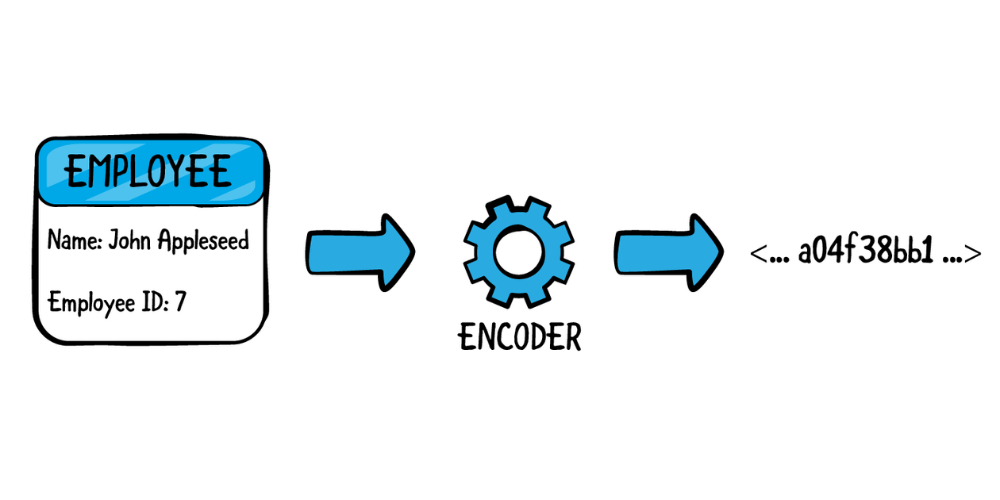
Encode is the process of encoding, also called converting data from one form to another, to meet what is needed when processing information. As a noun, encoding usually refers to data that has already been encoded, such as audio, characters, images or video. The Encode process includes these steps:
To save space, encoding is often used to store multimedia files on disks. Some basic formats of data after encoding are Wave converted to MP3 (about 1/10 the size of the original Wave) and MPEG compressed into digital video (DV) files (components of disk space).
-> Learn more now: What is Decode? What is the difference between encoding and decoding?
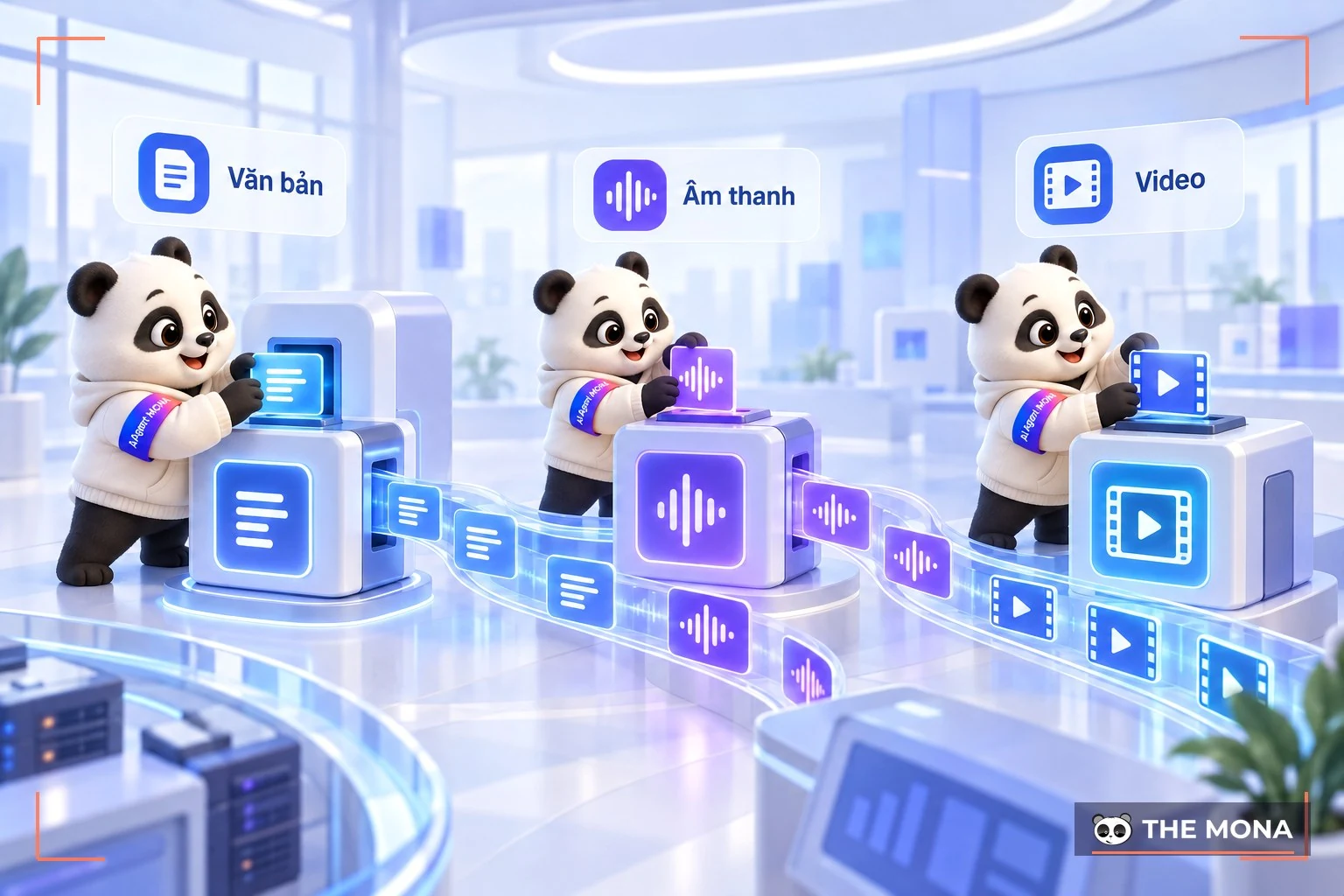
Encode currently comes in 3 common types: audio encoding, character encoding and image encoding.
Have you ever wondered how a computer can read and display the characters you type? It is thanks to the character encoding process of Encode in information technology. To show a character on screen, the computer's memory must hold an encoded format of that character. Computer memory usually stores data as bytes or bits. When you type text, each character takes a specific byte in memory to be converted.
The Unicode encoding model assigns each character in each language a code, with a shared concept called a Code Point. Unicode is used like the ASCII standard, giving each character a code point. Compared with other encoding models, Unicode's first 256 code points are the same as ASCII. So it is not surprising that a browser or software can encode the characters of living languages simply and quickly.
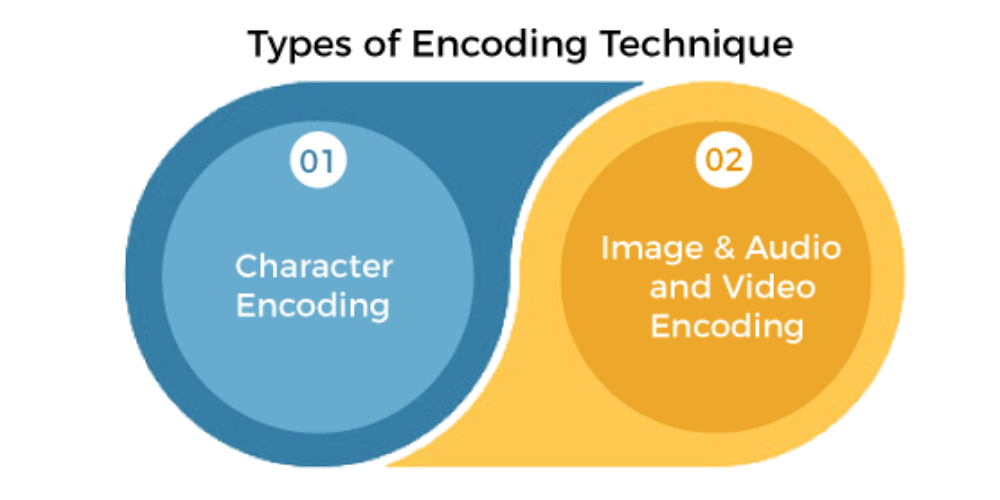
In electronics, Encode is the process of converting video file formats, also called video transcoding. The videos we watch on computers and phones have all been converted from the original video so viewers can watch them in many formats.
This solves the problem of devices that only support certain video formats. In electronics, video exists in many forms and carries specific variables, such as MOV containers. Different devices and browsers have different specifications and depend on different variables.
There are many ways to encode video digitally, but the best approach is to avoid encoding altogether by recording video in the required format. For example, if you record in AVI and then convert to MPEG, the encoding adds nothing. Save video as MPEG as soon as you capture it, so you keep high quality and don't need to re-encode.
If encoding cannot be avoided, go from a high-quality source to a lower-quality one to avoid degrading the result. It's usually best to start from a compressed format so uploads to other platforms are fast and cause fewer problems. The last step is editing and encoding the video on certain disk settings.
Some people wonder whether to encode video in the cloud. In practice, encoding in-house has a clear advantage: you get more control over the whole workflow. Compared with a third-party cloud video encoding service, it is also more convenient. Managing all video encoding in-house also lets you handle large video files that need a lot of bandwidth.
Editing and moving video through a cloud encoding system takes quite a lot of time, so you end up working on a poor-quality cloud. In-house encoding has limits too: setting up and maintaining the encoding software needs a large server cluster. That means you need real IT specialists to handle these tasks.
Processing also slows down a lot when encoding large numbers of videos. The cost of setting up, maintaining and developing an encoding system is higher than using a third party's cloud video encoding service. In-house encoding helps you avoid unnecessary tasks, but only when your bandwidth needs are ordinary. There are real risks if you encode too many videos and bandwidth cannot keep up.
In essence, if a video's current format and target format differ, you need encoding to convert it to a suitable format to meet exact specifications. The only challenge with cloud encoding is handling large video files.
This article has covered the basics of Encode. We hope it helps you answer what Encode is and understand the term better.
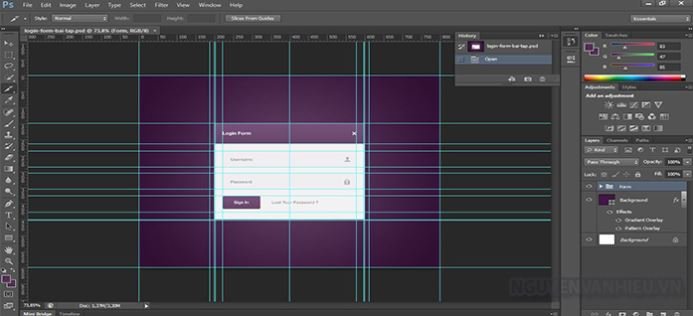
See more: HTML/CSS slicing service from Photoshop PSD files

CEO & Founder · The MONA
Founder of The MONA, who built a services company of 200+ staff with 14,000+ projects delivered. Khánh Hùng shares how he thinks about building systems that run themselves, automating a business, and the real lessons from delivering projects at MONA.
 1,5K
1,5K




Professional website
design services
Own a website with a beautiful, 100% exclusive design and a lifetime warranty, with the ability
to expand features flexibly as your business grows, starting today!








 MONA will never sell your information or send you spam
MONA will never sell your information or send you spam
MONA will never sell your information or send you spam


 MONA will never sell your information or send you spam