
 MONA OS 2.0
 Partner with MONA


 Tự động hoá doanh nghiệp
 Cẩm nang SEO
 Digital Marketing
 Kinh nghiệm thiết kế website
 Hạ Tầng Server
 Giáo dục

 VI
VI
 EN
EN













Message us on
Zalo Official


 ProductsNew

 ProductsProducts
 Mới ra mắtKHA AI 2027App tự edit video, tự đăng mọi mạng xã hội, 2 phút mỗi ngày










 Website designLooks good and wins customers over.
SEO servicesBrings in customers searching for exactly what you sell.
Website designLooks good and wins customers over.
SEO servicesBrings in customers searching for exactly what you sell.
 Tư vấn digital marketingKéo khách từ nhiều kênh, đo bằng số thật.
Corporate video productionVideos introducing your company, factory and team.
Tư vấn digital marketingKéo khách từ nhiều kênh, đo bằng số thật.
Corporate video productionVideos introducing your company, factory and team.
 NewAI video productionCompany story films made with AI.
 Custom software developmentCRM, ERP and HRM built for your business.
 Viết AI Agent theo yêu cầuĐặt riêng một trợ lý AI cho đúng việc của mình.
 Tư vấn chuyển đổi AIĐưa AI vào vận hành của cả công ty.
NewMONA LMSManagement for centers and schools.
MONA SkillHubInternal training for company staff.
Tư vấn chuyển đổi AIĐưa AI vào vận hành của cả công ty.
NewMONA LMSManagement for centers and schools.
MONA SkillHubInternal training for company staff.
 NHTQ systemEnd-to-end China–Vietnam shipping operations.
MONA JMSManagement for gold, diamond and pawn shops.
NHTQ systemEnd-to-end China–Vietnam shipping operations.
MONA JMSManagement for gold, diamond and pawn shops.
 MONA E-LearningA website with every feature you need to sell courses.
 How to sell online courses (course)More than 30 free lessons on selling courses on autopilot.
 MONA Cloudmonacloud.vnServers to get your apps and websites running.
 MONA Basemonabase.vnPostgres database, sign-in and file storage.
 MONA Mailmonamail.vnSend OTP, order and invoice emails from your software.
 MONA Paymonapay.vnAccept bank transfers via VietQR and notify your software when the money arrives.
 MONA eInvoiceComing soonIssue e-invoices that meet tax standards.
Gấu CườiTrả lời khách 24/7 trên web, Fanpage, Zalo và thu lead cho sale.
MONA eInvoiceComing soonIssue e-invoices that meet tax standards.
Gấu CườiTrả lời khách 24/7 trên web, Fanpage, Zalo và thu lead cho sale.
 Gấu TeleSalesGọi điện tư vấn, chăm khách như tổng đài viên thật.
Dê CườiTư vấn và chốt đơn cho shop ngay trong khung chat.
Gấu WebmasterNhắn nhóm Zalo là website được sửa xong.
Gấu TeleSalesGọi điện tư vấn, chăm khách như tổng đài viên thật.
Dê CườiTư vấn và chốt đơn cho shop ngay trong khung chat.
Gấu WebmasterNhắn nhóm Zalo là website được sửa xong.
 Gấu Pháp ChếSoạn hợp đồng, rà điều khoản trong vài phút.
 Gấu Báo GiáLên báo giá đúng mẫu và gửi khách ngay.
 AI chăm sóc khách hàngTheo dõi và giữ chân khách hàng cũ.
 Gấu Tuyển DụngLọc hồ sơ, hẹn lịch, phỏng vấn ứng viên.
 Mới ra mắt
KHA AI 2027
Xây kênh chuyên gia 2 phút mỗi ngày
Quay bằng điện thoại, AI tự edit video, tự đăng lên 16 nền tảng và tự trả lời bình luận, tin nhắn.
698.316lượt xem trên kênh CEO MONA sau 25 ngày
Mới ra mắt
KHA AI 2027
Xây kênh chuyên gia 2 phút mỗi ngày
Quay bằng điện thoại, AI tự edit video, tự đăng lên 16 nền tảng và tự trả lời bình luận, tin nhắn.
698.316lượt xem trên kênh CEO MONA sau 25 ngày
 Anh Khánh HùngCEO MONA đang dùng mỗi ngày
Xem app làm được gì
Anh Khánh HùngCEO MONA đang dùng mỗi ngày
Xem app làm được gì
 AI
Gấu Cười MONA ĐANG TỰ XÀITrả lời khách 24/7 trên website, Zalo OA, Messenger và thu lead về cho sale.
Dê CườiChốt đơn bán lẻ và sàn: Shopee, TikTok Shop, web. Chăm cả khách sỉ, đại lý.
Gấu WebmasterCập nhật nội dung, tối ưu SEO website mỗi ngày.
Gấu TeleSalesGọi điện tư vấn, chăm khách như tổng đài viên thật.
Gấu Tuyển DụngLọc hồ sơ, hẹn lịch, phỏng vấn ứng viên tự động.
AI chăm sóc khách hàngGiữ khách cũ, cứu lead đã rớt cho phòng kinh doanh.
Gấu Pháp ChếSoạn hợp đồng, rà điều khoản trong vài phút.
Gấu Báo GiáLên báo giá đúng mẫu, gửi khách ngay khi có yêu cầu.
AI
Gấu Cười MONA ĐANG TỰ XÀITrả lời khách 24/7 trên website, Zalo OA, Messenger và thu lead về cho sale.
Dê CườiChốt đơn bán lẻ và sàn: Shopee, TikTok Shop, web. Chăm cả khách sỉ, đại lý.
Gấu WebmasterCập nhật nội dung, tối ưu SEO website mỗi ngày.
Gấu TeleSalesGọi điện tư vấn, chăm khách như tổng đài viên thật.
Gấu Tuyển DụngLọc hồ sơ, hẹn lịch, phỏng vấn ứng viên tự động.
AI chăm sóc khách hàngGiữ khách cũ, cứu lead đã rớt cho phòng kinh doanh.
Gấu Pháp ChếSoạn hợp đồng, rà điều khoản trong vài phút.
Gấu Báo GiáLên báo giá đúng mẫu, gửi khách ngay khi có yêu cầu.
 Chuyển đổi AI toàn phầnGiải pháp tổng cho doanh nghiệp, 3 lớp triển khai.
 Viết AI Agent theo yêu cầuĐặt riêng một con AI gánh đúng nghiệp vụ của bạn.
 Custom softwareCRM, ERP and HRM with built-in AI automation.
 SEO & AEO thời đại AIĐược Google lẫn AI trích dẫn, không chỉ xếp hạng.
 Kiến thức AI cho doanh nghiệpBài phân tích, hướng dẫn ứng dụng AI vào vận hành.
 Free AI courses
 AI tools at work
App mới · KHA AI 2027
Xây kênh 2 phút mỗi ngày
AI tự edit video, tự đăng mọi mạng xã hội
Free consultation, 8am–10pm every day
AI tools at work
App mới · KHA AI 2027
Xây kênh 2 phút mỗi ngày
AI tự edit video, tự đăng mọi mạng xã hội
Free consultation, 8am–10pm every day

18 March, 2023
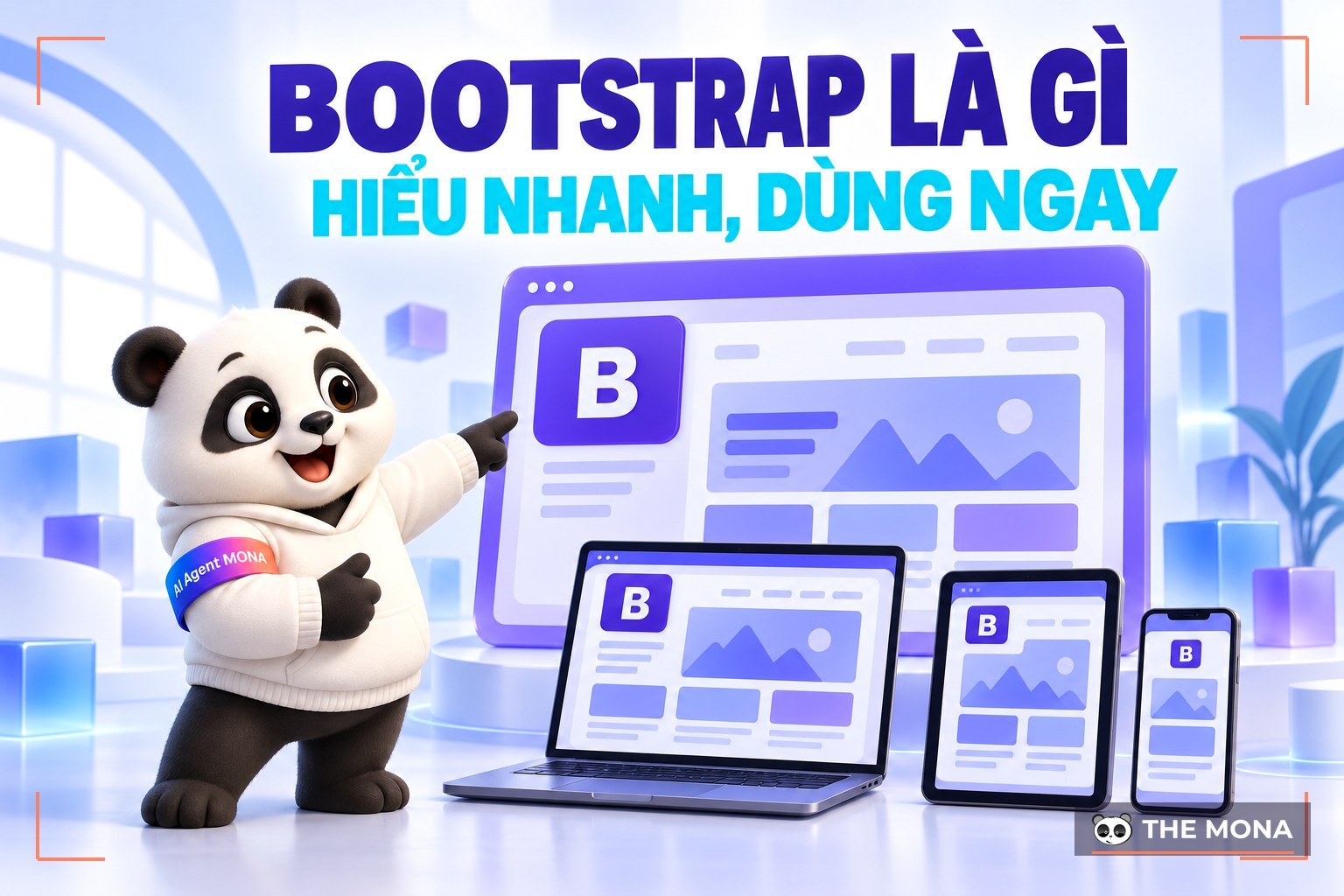
If you have ever designed a website or used any web design serviceplatforms, you have surely heard the term "Bootstrap" more than once. And for an expert in software design or web design, Bootstrap is a very familiar word. When a developer says they will build your website on "Bootstrap technology", you may still not picture what that means, or how it works and how to use it. So let's find out what Bootstrap is and how to use it Bootstrap in the article below from us.
Put simply, Bootstrap is the HTML, CSS and JavaScript framework most widely used to build responsive, mobile-first websites. If you want to have a a fully responsive websitethat works in every browser and on mobile devices, this technology is certainly an ideal ingredient not to be missed.
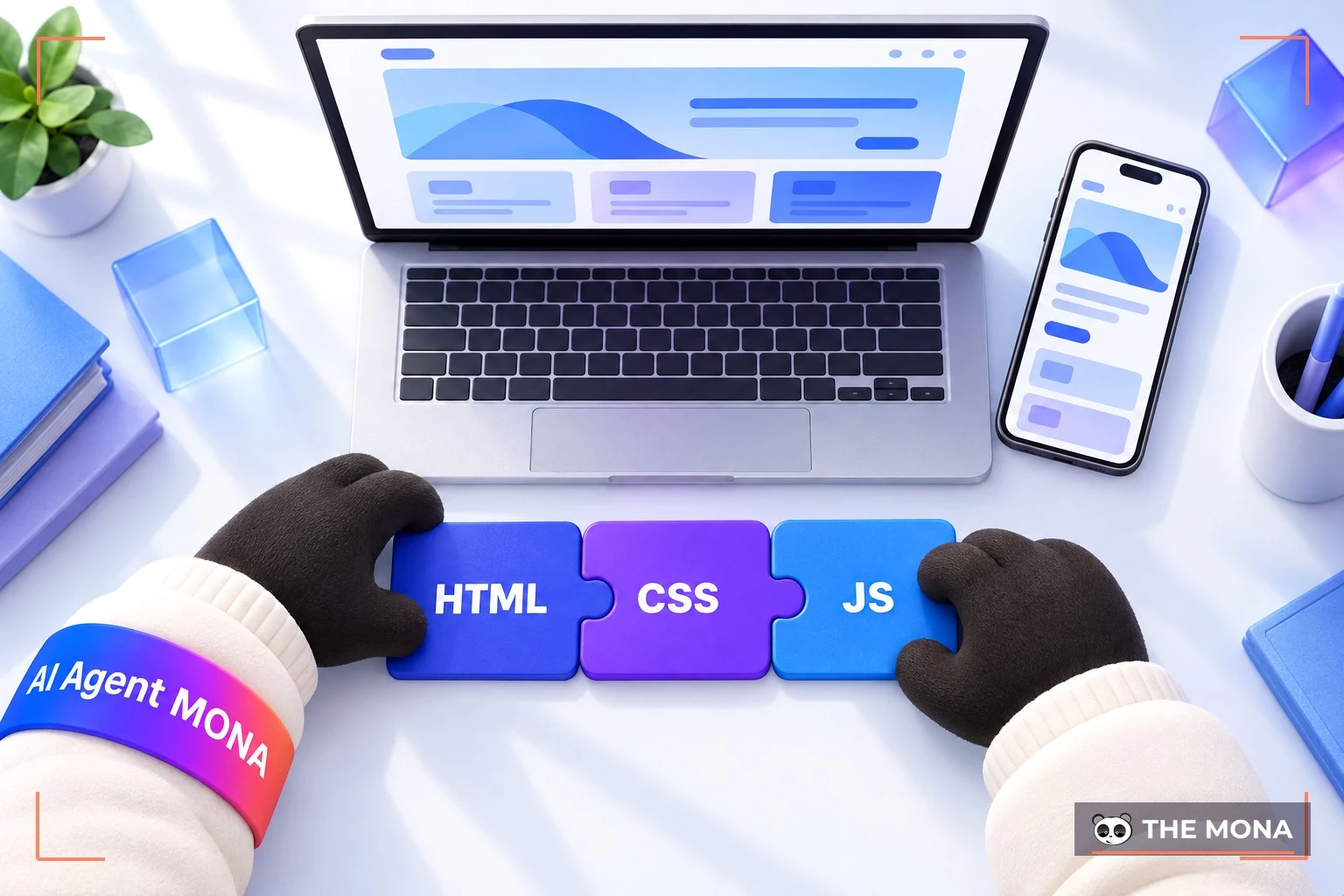
Bootstrap includes ready-made CSS + HTML code for typography, grids, forms, tables, buttons, navigation and many other components, all gathered in one website. This saves designers from repeatedly writing the same CSS classes and HTML snippets when building a website. It may sound odd, but the styling of Bootstrap's HTML elements is quite elegant and simple. Examples include shadows on inputs, CSS for warning messages, highlighted table rows, tabs, pagination and more.
With technology advancing so fast, there are now many website design tools giving users more choice. Even so, Bootstrap still holds the upper hand and its own place thanks to these strengths:
Bootstrap works in line with the trend of open-source platforms HTML, CSS and JavaScript. Users need basic knowledge of these three languages to use Bootstrap well. The code is fairly simple and easy to change and customize.
Because it is built from open-source code, Bootstrap is highly flexible. This is an advantage, since users can easily change properties and elements to suit their needs. The Bootstrap CDN also saves some space, because you don't have to download the source code to your computer.
Bootstrap has been researched and tested on many kinds of devices, and it is the "pet project" of some of the world's top programmers. Choosing Bootstrap for your website design is a sound decision, because you are using a good tool to build high-quality products.

Another plus for Bootstrap is its high compatibility with every browser platform. Thanks to the Less and Sass preprocessors and the Grid System, Bootstrap supports responsive design by default. It also puts mobile first, which any user will appreciate given how the phone has become an inseparable companion for people around the world.
Bootstrap also has some smart features, such as automatically adjusting the website's display size to the browser window. This suits laptop screens, desktops and even tablets.
Bootstrap contains JavaScript, CSS and fonts font files that have been compiled and compressed. It is also designed as modules, so it integrates easily with most open-source platforms such as WordPress, Joomla, Magento and others. Bootstrap brings many outstanding functions.
Bootstrap brings together syntax for specific functions, which only appears when the framework includes different file types. These are the 3 main files that manage the site's functions and the user interface.
CSS functions are not limited to text styles. They can also format other parts of a web page, such as tables and image layouts.
CSS has many declarations and selectors, and remembering them all can take a while.
Bootstrap.css is a CSS framework that manages and arranges a web page's layout. HTML handles the content and structure of the site, so both need to exist together to carry out a given action.
CSS lets you create a consistent look across as many web pages as you like. You can say goodbye to sitting for hours adjusting something like border width by hand.
With CSS, all you need to do is point your web pages to the CSS file, and any change you need can be made in that file alone.
This file is the core of Bootstrap. It holds the JavaScript files responsible for the site's interactivity. To cut the time spent writing JavaScript over and over, developers came up with jQuery. jQuery is a popular, open-source, cross-platform JavaScript library that lets you add all kinds of functions to a web page as needed. Some typical examples of what jQuery can do:
In practice, Bootstrap's CSS properties and HTML elements work fine on their own. But it still needs jQuery to build a responsive design. Without it, you can only use the static parts of the CSS.
Some icons can be restyled with CSS, while others keep their default look. Choose the icons you think fit your website best.
On a web interface, icons always play an essential role. They are usually linked to specific data and actions in the user interface. Bootstrap uses Glyphicons to meet that need.
Bootstrap includes the Halflings set of Glyphicons, unlocked and free to use. The free version looks standard but is limited to a few essential functions.
If you want more stylish icons, Glyphicons also sells different premium sets, which of course look much better on a given website.
You can also download individual icons by theme for free from other sites such as Flaticon, Icons8 and GlyphSearch.
The Bootstrap home page is at: getbootstrap.com and the version used in Vietnam is at: getbootstrap.com.vn
Most reviews say Bootstrap 3 is the stable version, and the beta version is called Bootstrap 4. You can read more at: v4-alpha.getbootstrap.com
There are 2 ways to start using Bootstrap quickly: download it or use it through a CDN
Download: Click to download Bootstrap 3 at: bootstrap-3.1.1.zip and Bootstrap 4 at: bootstrap-4.0.0.zip
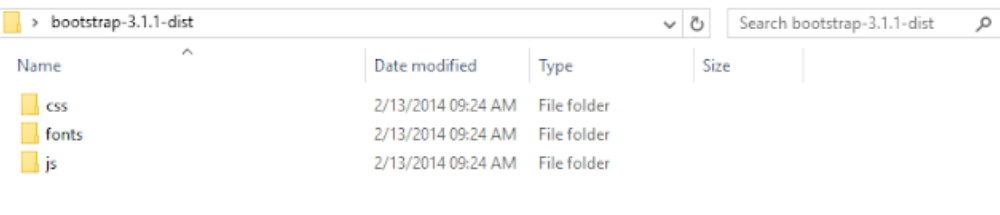
After unzipping, you will see 3 folders, css, fonts and js, as in the picture above. Bootstrap 4 has only 2 folders, css and js
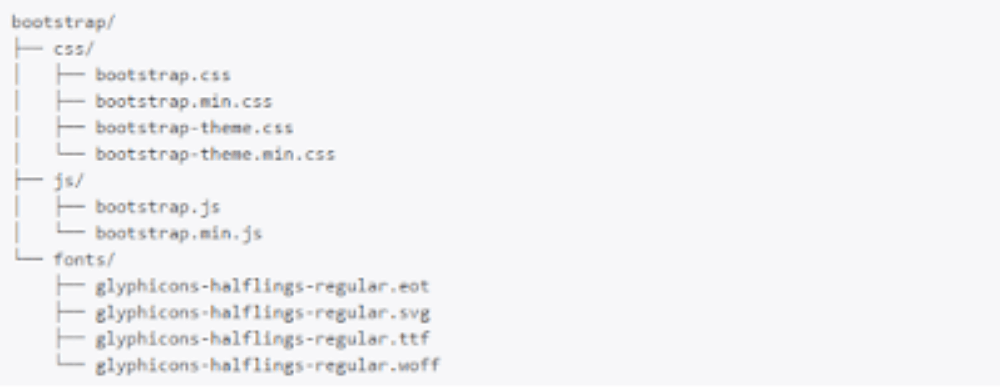
Inside each folder you will see the files shown above. To use them, you need to include these files in your HTML.
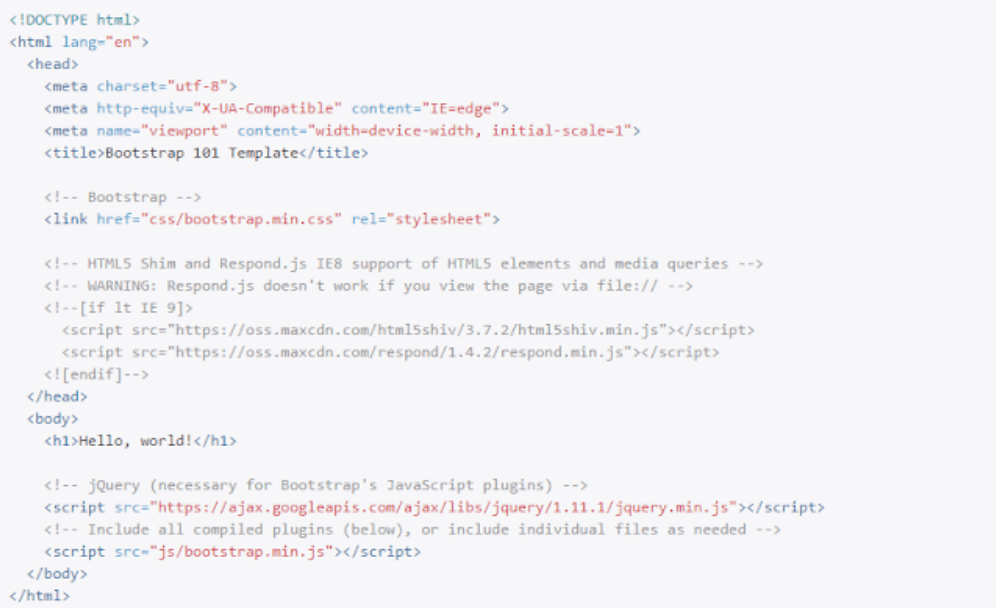
The template above is a basic one that already includes files such as bootstrap.min.css, bootstrap.min.js and the jQuery library.
Note: To use Bootstrap's JavaScript library, you must include jQuery first and place it above Bootstrap's JS. Also, if you use relative paths, check that they are correct.
This way is easier, because you don't download Bootstrap at all. You just include it through BootstrapCDN.
<!– Latest compiled and minified CSS –> <link rel=”stylesheet” href=”//netdna.bootstrapcdn.com/bootstrap/3.1.1/css/bootstrap.min.css”> <!– Optional theme –> <link rel=”stylesheet” href=”//netdna.bootstrapcdn.com/bootstrap/3.1.1/css/bootstrap-theme.min.css”> <!– Latest compiled and minified JavaScript –> <script src=”//netdna.bootstrapcdn.com/bootstrap/3.1.1/js/bootstrap.min.js”></script>
A CDN has more advantages than downloading and including the files as in the first method. The biggest one is that if a site you visited earlier used the same CDN, your page won't need to load those files again, which also makes your website load faster.
It works the same way for Bootstrap 4.
Bootstrap is a free front-end framework, so it is popular and widely used among front-end developers. Programmers can save a great deal of time by not writing code by hand.
This framework is also quite flexible and meets almost every front-end web development need. If you are a developer, especially a front-end one, or simply exploring web design and programming, now is the perfect time to add to your knowledge of Bootstrap through what this article has shared above.

CEO & Founder · The MONA
The founder of The MONA built a service company of 60+ staff with 14,000+ projects delivered. Khánh Hùng shares his thinking on building self-running systems, automating a business, and the real lessons behind MONA's projects.
 1,5K
1,5K




Professional website
design services
Own a website with a beautiful, 100% exclusive design and a lifetime warranty, with the ability
to expand features flexibly as your business grows, starting today!








 MONA will never sell your information or send you spam
MONA will never sell your information or send you spam
MONA will never sell your information or send you spam


 MONA will never sell your information or send you spam