
 MONA OS 2.0


 Tự động hoá doanh nghiệp
 Cẩm nang SEO
 Digital Marketing
 Kinh nghiệm thiết kế website
 Hạ Tầng Server
 Giáo dục


 VI
VI
 EN
EN








Message us on
Zalo Official


 ProductsNew

 ProductsProducts
 Mới ra mắtKHA AI 2027App tự edit video, tự đăng mọi mạng xã hội, 2 phút mỗi ngày










 Website designLooks good and wins customers over.
SEO servicesBrings in customers searching for exactly what you sell.
Website designLooks good and wins customers over.
SEO servicesBrings in customers searching for exactly what you sell.
 Tư vấn digital marketingKéo khách từ nhiều kênh, đo bằng số thật.
Corporate video productionVideos introducing your company, factory and team.
Tư vấn digital marketingKéo khách từ nhiều kênh, đo bằng số thật.
Corporate video productionVideos introducing your company, factory and team.
 NewAI video productionCompany story films made with AI.
 Custom software developmentCRM, ERP and HRM built for your business.
 Viết AI Agent theo yêu cầuĐặt riêng một trợ lý AI cho đúng việc của mình.
 Tư vấn chuyển đổi AIĐưa AI vào vận hành của cả công ty.
NewMONA LMSManagement for centers and schools.
MONA SkillHubInternal training for company staff.
Tư vấn chuyển đổi AIĐưa AI vào vận hành của cả công ty.
NewMONA LMSManagement for centers and schools.
MONA SkillHubInternal training for company staff.
 NHTQ systemEnd-to-end China–Vietnam shipping operations.
MONA JMSManagement for gold, diamond and pawn shops.
NHTQ systemEnd-to-end China–Vietnam shipping operations.
MONA JMSManagement for gold, diamond and pawn shops.
 MONA E-LearningA website with every feature you need to sell courses.
 How to sell online courses (course)More than 30 free lessons on selling courses on autopilot.
 MONA Cloudmonacloud.vnServers to get your apps and websites running.
 MONA Basemonabase.vnPostgres database, sign-in and file storage.
 MONA Mailmonamail.vnSend OTP, order and invoice emails from your software.
 MONA Paymonapay.vnAccept bank transfers via VietQR and notify your software when the money arrives.
 MONA eInvoiceComing soonIssue e-invoices that meet tax standards.
Gấu CườiTrả lời khách 24/7 trên web, Fanpage, Zalo và thu lead cho sale.
MONA eInvoiceComing soonIssue e-invoices that meet tax standards.
Gấu CườiTrả lời khách 24/7 trên web, Fanpage, Zalo và thu lead cho sale.
 Gấu TeleSalesGọi điện tư vấn, chăm khách như tổng đài viên thật.
Dê CườiTư vấn và chốt đơn cho shop ngay trong khung chat.
Gấu WebmasterNhắn nhóm Zalo là website được sửa xong.
Gấu TeleSalesGọi điện tư vấn, chăm khách như tổng đài viên thật.
Dê CườiTư vấn và chốt đơn cho shop ngay trong khung chat.
Gấu WebmasterNhắn nhóm Zalo là website được sửa xong.
 Gấu Pháp ChếSoạn hợp đồng, rà điều khoản trong vài phút.
 Gấu Báo GiáLên báo giá đúng mẫu và gửi khách ngay.
 AI chăm sóc khách hàngTheo dõi và giữ chân khách hàng cũ.
 Gấu Tuyển DụngLọc hồ sơ, hẹn lịch, phỏng vấn ứng viên.
 Mới ra mắt
KHA AI 2027
Xây kênh chuyên gia 2 phút mỗi ngày
Quay bằng điện thoại, AI tự edit video, tự đăng lên 16 nền tảng và tự trả lời bình luận, tin nhắn.
350.475lượt xem trên kênh CEO MONA sau 20 ngày
Mới ra mắt
KHA AI 2027
Xây kênh chuyên gia 2 phút mỗi ngày
Quay bằng điện thoại, AI tự edit video, tự đăng lên 16 nền tảng và tự trả lời bình luận, tin nhắn.
350.475lượt xem trên kênh CEO MONA sau 20 ngày
 Anh Khánh HùngCEO MONA đang dùng mỗi ngày
Xem app làm được gì
Anh Khánh HùngCEO MONA đang dùng mỗi ngày
Xem app làm được gì
 AI
Gấu Cười MONA ĐANG TỰ XÀITrả lời khách 24/7 trên website, Zalo OA, Messenger và thu lead về cho sale.
Dê CườiChốt đơn bán lẻ và sàn: Shopee, TikTok Shop, web. Chăm cả khách sỉ, đại lý.
Gấu WebmasterCập nhật nội dung, tối ưu SEO website mỗi ngày.
Gấu TeleSalesGọi điện tư vấn, chăm khách như tổng đài viên thật.
Gấu Tuyển DụngLọc hồ sơ, hẹn lịch, phỏng vấn ứng viên tự động.
AI chăm sóc khách hàngGiữ khách cũ, cứu lead đã rớt cho phòng kinh doanh.
Gấu Pháp ChếSoạn hợp đồng, rà điều khoản trong vài phút.
Gấu Báo GiáLên báo giá đúng mẫu, gửi khách ngay khi có yêu cầu.
AI
Gấu Cười MONA ĐANG TỰ XÀITrả lời khách 24/7 trên website, Zalo OA, Messenger và thu lead về cho sale.
Dê CườiChốt đơn bán lẻ và sàn: Shopee, TikTok Shop, web. Chăm cả khách sỉ, đại lý.
Gấu WebmasterCập nhật nội dung, tối ưu SEO website mỗi ngày.
Gấu TeleSalesGọi điện tư vấn, chăm khách như tổng đài viên thật.
Gấu Tuyển DụngLọc hồ sơ, hẹn lịch, phỏng vấn ứng viên tự động.
AI chăm sóc khách hàngGiữ khách cũ, cứu lead đã rớt cho phòng kinh doanh.
Gấu Pháp ChếSoạn hợp đồng, rà điều khoản trong vài phút.
Gấu Báo GiáLên báo giá đúng mẫu, gửi khách ngay khi có yêu cầu.
 Chuyển đổi AI toàn phầnGiải pháp tổng cho doanh nghiệp, 3 lớp triển khai.
 Viết AI Agent theo yêu cầuĐặt riêng một con AI gánh đúng nghiệp vụ của bạn.
 Custom softwareCRM, ERP and HRM with built-in AI automation.
 SEO & AEO thời đại AIĐược Google lẫn AI trích dẫn, không chỉ xếp hạng.
 Kiến thức AI cho doanh nghiệpBài phân tích, hướng dẫn ứng dụng AI vào vận hành.
 Free AI courses
 AI tools at work
App mới · KHA AI 2027
Xây kênh 2 phút mỗi ngày
AI tự edit video, tự đăng mọi mạng xã hội
Free consultation, 8am–10pm every day
AI tools at work
App mới · KHA AI 2027
Xây kênh 2 phút mỗi ngày
AI tự edit video, tự đăng mọi mạng xã hội
Free consultation, 8am–10pm every day

18 March, 2023
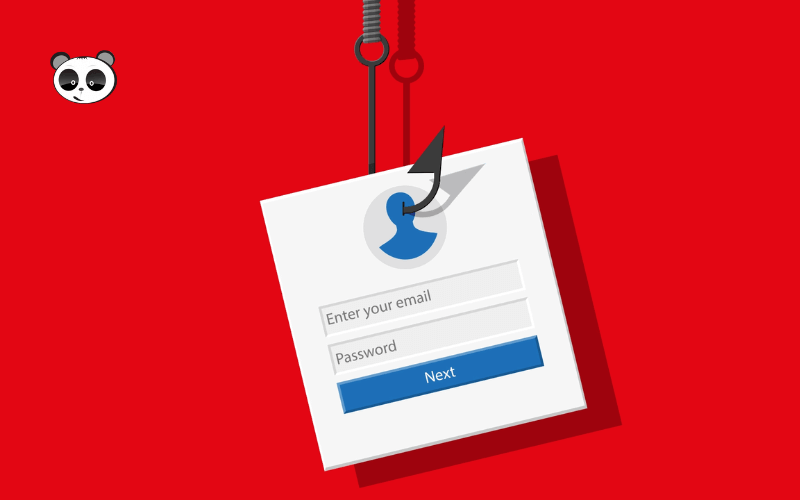
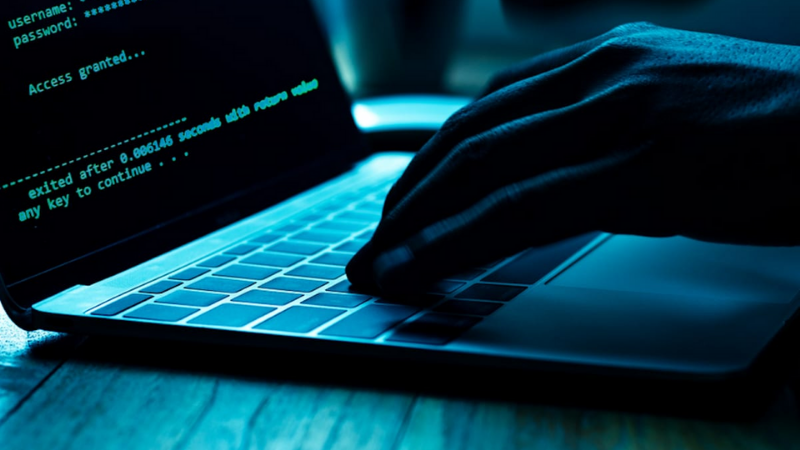
On today's internet there are many kinds of cyberattacks by black hat hackers who want to profit at their victims' expense. Phishing email is one of the most dangerous to watch for, because it targets the computer systems of businesses, organizations and individuals. Let's Mona Media find out more about the phishing email attack as well as how to recognize a scam email and avoid it as well as you can.
Phishing email (fake email) is a form of cyberattack by email that causes major damage and is especially dangerous to businesses and organizations. Hackers pose as some well-known, trusted company to scam people by email.
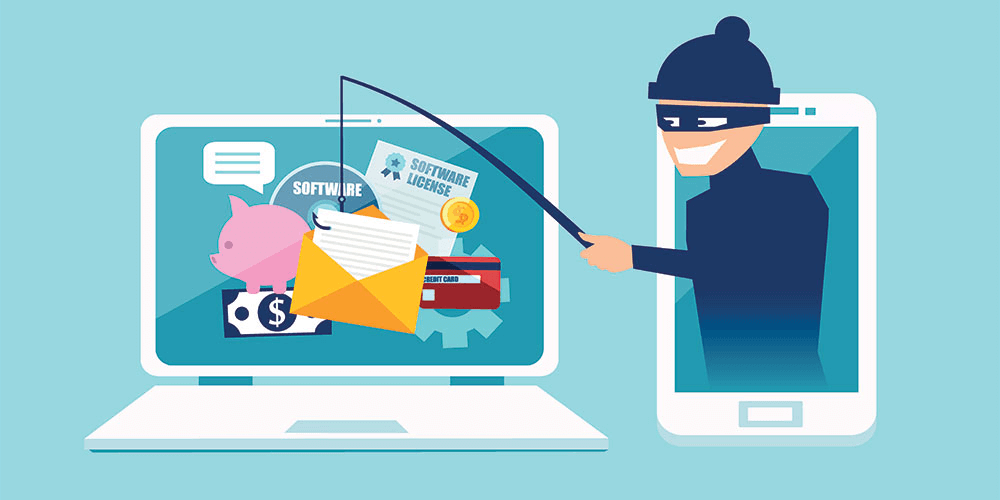
If you fall for it, your personal account details, business email and company network can all be breached, because you click on links containing malware that the hacker planted in the phishing email.
The content of a fake email is usually made to look almost identical to emails from trusted senders such as schools and banks. Inexperienced users believe the email really comes from a bank they do business with. Once they trust it, they readily hand over important personal information to the attacker: transaction passwords, credit card PINs, system login passwords and other sensitive details.
Phishing email comes in many types, with different methods and different targets. MONA Media introduces the 12 most common types of phishing email
This type of fake email targets businesses that sell products by order. People open these emails without much thought, because their inbox receives orders all the time.
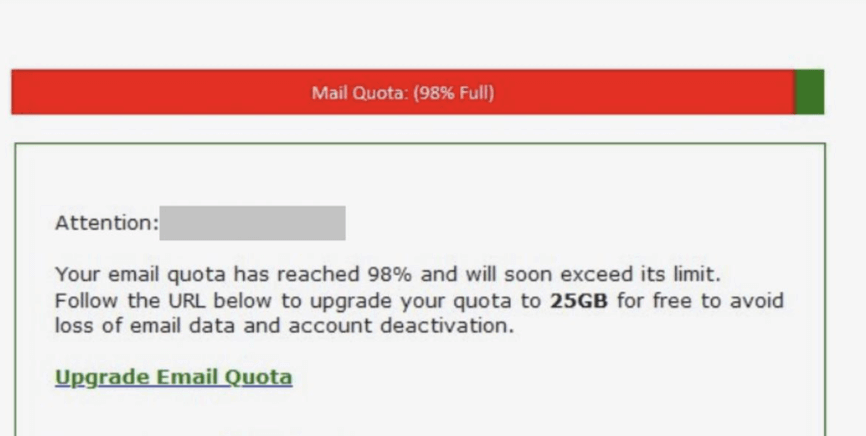
This is the most common form of phishing email. After you click a link to upgrade your mailbox storage, the malware the hacker planted in that link gets into the company's email system.
Usually you receive an email saying your billing address is incorrect. The email makes a request: "To fix this problem, please click the link and update your details following the instructions.".
If you have made payments like this a few times before, you are easy prey for the hacker. The link you click leads to a website that looks like the login pages you have used before.
If you get an email saying your account is being signed in to from somewhere else, and the email attaches link a request to verify ownership again and change to a new password, stay calm and do not rush to click the link, which is how you fall into the hacker's trap.
Fake emails posing as government agencies are made to look as real as possible. Their content is usually a warning, such as: your internet access will be revoked, or your downloaded files contain illegal files.
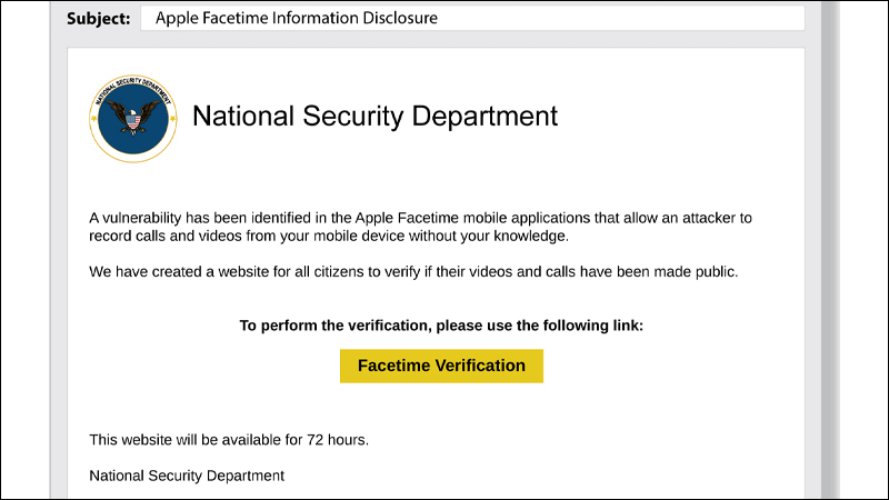
This type of fake email targets the accounting and finance departments of businesses, who easily fall for it and give important information to the scammer. Accounting staff often receive notices and emails from the tax office or about other tax matters.
You receive an email saying you have won a prize through a random draw or a purchase, which stirs up greed and lowers your guard. About 90% of prize emails are fake. Stay alert, do not click the link to claim the prize, and do not give out personal information, so you do not fall into the hackers' trap.
You use a company-domain email and suddenly receive a notice that your service payment is overdue. The email tells you to log in to the system immediately to save your important data. Of course, it includes a link to take you to the login page as fast as possible. Behind that link, though, is always a trap set by hackers to steal your information.
Posing as the victim is a common email scam. The scammers pretend to have placed an order with you but received no reply or product. They also warn that they will report you to the local authorities if you do not explain. The email attaches a link for you to leave a response to the buyer, and your account is compromised as soon as you log in through it.
This type is fairly common, with a link and a form asking you for the details needed to verify account ownership. Do not rush to give out information and fall into the scammers' trap.
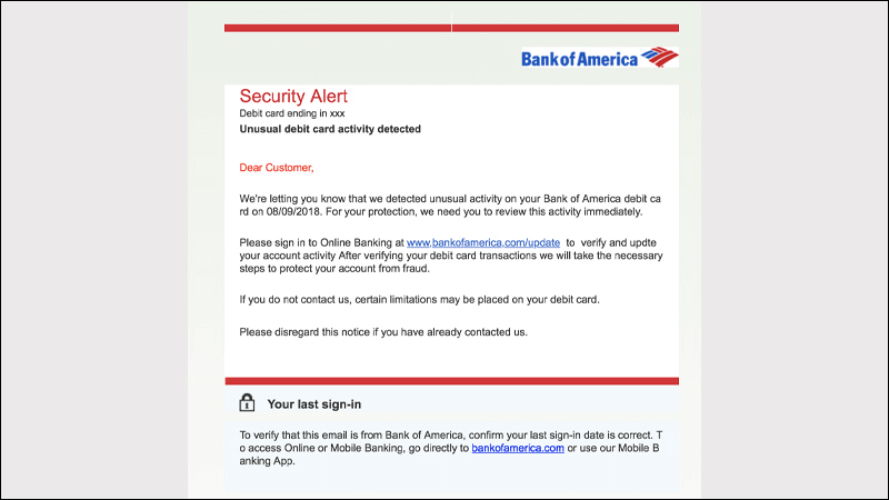
If you suddenly receive an email saying your business email system is undergoing a check-up and asking you to fill in a form to verify, you will lose all your email information if you follow the instructions in this phishing email.
Be careful with emails that carry the name of a relative, old acquaintance or former colleague and ask to borrow some money, promising to pay it back soon. To check whether this kind of email is real, ask the people connected to that relationship.
Most emails are filtered automatically, but in some exceptional cases you will see phishing emails show up in your Inbox. Below are ways to help you tell which emails are phishing.
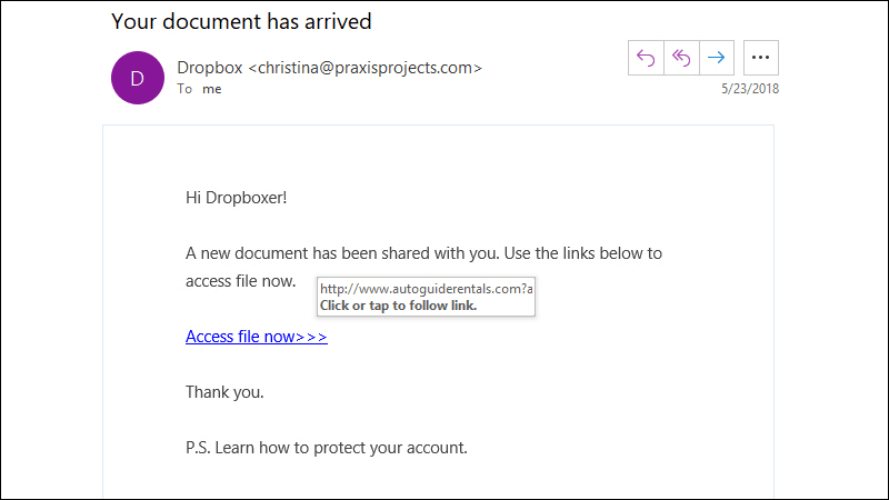
The most common email scam is a link with malware attached, urging users to click it. These files and links carry spyware, viruses and other malicious software. Such software steals information, corrupts files on your computer, or captures important personal data, bank passwords, email passwords and more.
A legitimate, trusted organization such as a bank or a real company will never require you to provide personal information by email. So never give out your personal information to any email that asks you to fill it in.
Phishing emails often use phrases that create a sense of rush and urgency so you lower your guard. This is a sophisticated scam tactic, so stay calm and be wary of lines that demand a quick response, such as "your account is being accessed without authorization from another place" or "your account has been locked for a violation"…
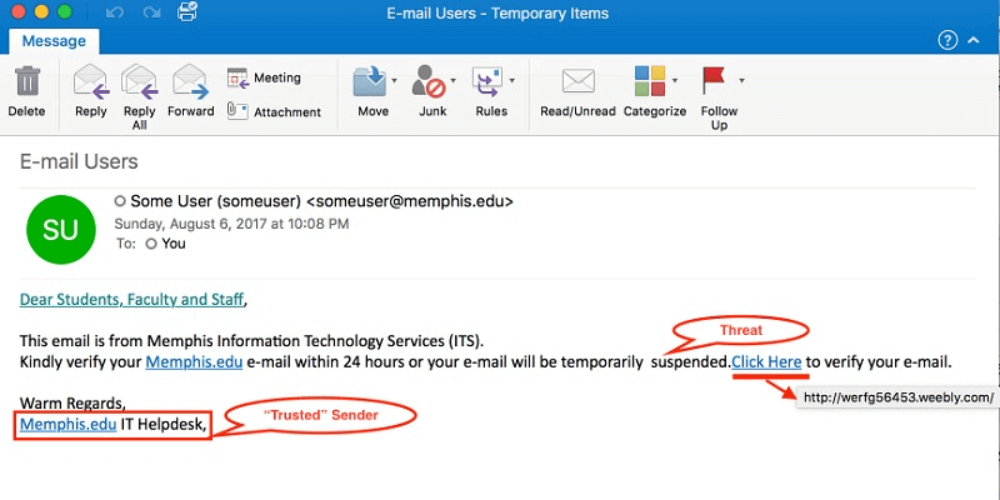
Phishing emails usually have no company signature or specific contact details, only vague ones or none. A legitimate business always includes full contact details in its emails.
See the solution: Email Marketing service most professional and trusted
Opening a phishing email does not usually do much harm, but if you click a link containing malware, it can have serious consequences: stolen data, a breach of your company's computer systems, or a break-in to your personal accounts that causes heavy financial losses. One wrong click can lead to consequences you did not expect, so always be careful with links.
Hackers who attack by email usually use their own tools to scan websites and collect users' email addresses. And if you post your email address publicly on the internet, people with bad intentions can find it easily.
Phishing email is a form of scam and cyberattack by email that is very dangerous for victims who fall for it. We hope the information MONA Media has shared helps you better understand what phishing email is and how to recognize and avoid a scam email.
You may also be interested in:

CEO & Founder · The MONA
Founder of The MONA, who built a services company of 200+ staff with 14,000+ projects delivered. Khánh Hùng shares how he thinks about building systems that run themselves, automating a business, and the real lessons from delivering projects at MONA.
 1,6K
1,6K




Professional website
design services
Own a website with a beautiful, 100% exclusive design and a lifetime warranty, with the ability
to expand features flexibly as your business grows, starting today!








 MONA will never sell your information or send you spam
MONA will never sell your information or send you spam
MONA will never sell your information or send you spam


 MONA will never sell your information or send you spam