
 MONA OS 2.0
 Partner with MONA


 Tự động hoá doanh nghiệp
 Cẩm nang SEO
 Digital Marketing
 Kinh nghiệm thiết kế website
 Hạ Tầng Server
 Giáo dục


 VI
 EN


















Message us on
Zalo Official


 ProductsNew

 ProductsProducts
 Mới ra mắtKHA AI 2027App tự edit video, tự đăng mọi mạng xã hội, 2 phút mỗi ngày










 Website designLooks good and wins customers over.
SEO servicesBrings in customers searching for exactly what you sell.
 Tư vấn digital marketingKéo khách từ nhiều kênh, đo bằng số thật.
Corporate video productionVideos introducing your company, factory and team.
 NewAI video productionCompany story films made with AI.
 Custom software developmentCRM, ERP and HRM built for your business.
 Viết AI Agent theo yêu cầuĐặt riêng một trợ lý AI cho đúng việc của mình.
 Tư vấn chuyển đổi AIĐưa AI vào vận hành của cả công ty.
NewMONA LMSManagement for centers and schools.
MONA SkillHubInternal training for company staff.
 NHTQ systemEnd-to-end China–Vietnam shipping operations.
MONA JMSManagement for gold, diamond and pawn shops.
 MONA E-LearningA website with every feature you need to sell courses.
 How to sell online courses (course)More than 30 free lessons on selling courses on autopilot.
 MONA Cloudmonacloud.vnServers to get your apps and websites running.
 MONA Basemonabase.vnPostgres database, sign-in and file storage.
 MONA Mailmonamail.vnSend OTP, order and invoice emails from your software.
 MONA Paymonapay.vnAccept bank transfers via VietQR and notify your software when the money arrives.
 MONA eInvoiceComing soonIssue e-invoices that meet tax standards.
Gấu CườiTrả lời khách 24/7 trên web, Fanpage, Zalo và thu lead cho sale.
 Gấu TeleSalesGọi điện tư vấn, chăm khách như tổng đài viên thật.
Dê CườiTư vấn và chốt đơn cho shop ngay trong khung chat.
Gấu WebmasterNhắn nhóm Zalo là website được sửa xong.
 Gấu Pháp ChếSoạn hợp đồng, rà điều khoản trong vài phút.
 Gấu Báo GiáLên báo giá đúng mẫu và gửi khách ngay.
 AI chăm sóc khách hàngTheo dõi và giữ chân khách hàng cũ.
 Gấu Tuyển DụngLọc hồ sơ, hẹn lịch, phỏng vấn ứng viên.
 Mới ra mắt
KHA AI 2027
Xây kênh chuyên gia 2 phút mỗi ngày
Quay bằng điện thoại, AI tự edit video, tự đăng lên 16 nền tảng và tự trả lời bình luận, tin nhắn.
858.575lượt xem trên kênh CEO MONA sau 30 ngày
 Anh Khánh HùngCEO MONA đang dùng mỗi ngày
Xem app làm được gì
 AI
Gấu Cười MONA ĐANG TỰ XÀITrả lời khách 24/7 trên website, Zalo OA, Messenger và thu lead về cho sale.
Dê CườiChốt đơn bán lẻ và sàn: Shopee, TikTok Shop, web. Chăm cả khách sỉ, đại lý.
Gấu WebmasterCập nhật nội dung, tối ưu SEO website mỗi ngày.
Gấu TeleSalesGọi điện tư vấn, chăm khách như tổng đài viên thật.
Gấu Tuyển DụngLọc hồ sơ, hẹn lịch, phỏng vấn ứng viên tự động.
AI chăm sóc khách hàngGiữ khách cũ, cứu lead đã rớt cho phòng kinh doanh.
Gấu Pháp ChếSoạn hợp đồng, rà điều khoản trong vài phút.
Gấu Báo GiáLên báo giá đúng mẫu, gửi khách ngay khi có yêu cầu.
 Chuyển đổi AI toàn phầnGiải pháp tổng cho doanh nghiệp, 3 lớp triển khai.
 Viết AI Agent theo yêu cầuĐặt riêng một con AI gánh đúng nghiệp vụ của bạn.
 Custom softwareCRM, ERP and HRM with built-in AI automation.
 SEO & AEO thời đại AIĐược Google lẫn AI trích dẫn, không chỉ xếp hạng.
 Kiến thức AI cho doanh nghiệpBài phân tích, hướng dẫn ứng dụng AI vào vận hành.
 Free AI courses
 AI tools at work
App mới · KHA AI 2027
Xây kênh 2 phút mỗi ngày
AI tự edit video, tự đăng mọi mạng xã hội
Free consultation, 8am–10pm every day

06 September, 2026

We often meet client websites that already have FAQ markup but Google still doesn't show the Q&A, and then the next schema check starts with hunting for more code to paste. Schema is structured data that describes page content for machines to read. A proper check looks at syntax, the conditions Google supports and the parts that are duplicated. Don't rush to paste more.
MONA adds Service, FAQPage, Organization and BreadcrumbList to client websites, and we have met both missing fields and duplicated organization blocks. That is why we wrote our own tool that reads the page before generating JSON-LD, the code format that holds structured data. This guide helps you check schema by the exact question you need to solve, from the Google report to what's missing on your website. With 2 Organization blocks sitting on 1 trang, generating more and pasting them in only makes the later review messier.
You open the service page, the Q&A has all its text, the FAQ code is still there, but searching on Google shows only the usual link and description. The wait of 8 months in this case easily makes you think the web developer missed a step. We understand that feeling.
Check the schema first. FAQPage and a Q&A showing in search results are two things that need separate checks. According to the milestone 8/2023 in Google Search Central's information, FAQ rich display is now limited to authoritative government or health websites.
After a schema check, if your service website is outside the supported group, waiting another 6 months or regenerating the Q&A block still doesn't answer why the FAQ doesn't appear.
At MONA, we have met FAQ with missing fields when adding it for clients, so a schema check still has to start from the real data on the page. But filling in every field doesn't create display rights beyond the conditions Google publishes. Read the section on what FAQ schema is to separate describing the Q&A from the expectation of getting more space on the search page.
For a schema check to mean something, state clearly whether you need to fix code or want search results with extra information. The two goals lead to different ways of reading the report, so MONA recommends keeping the Q&A that helps readers, checking its data, then stopping the re-pasting that only waits for Google to show it.
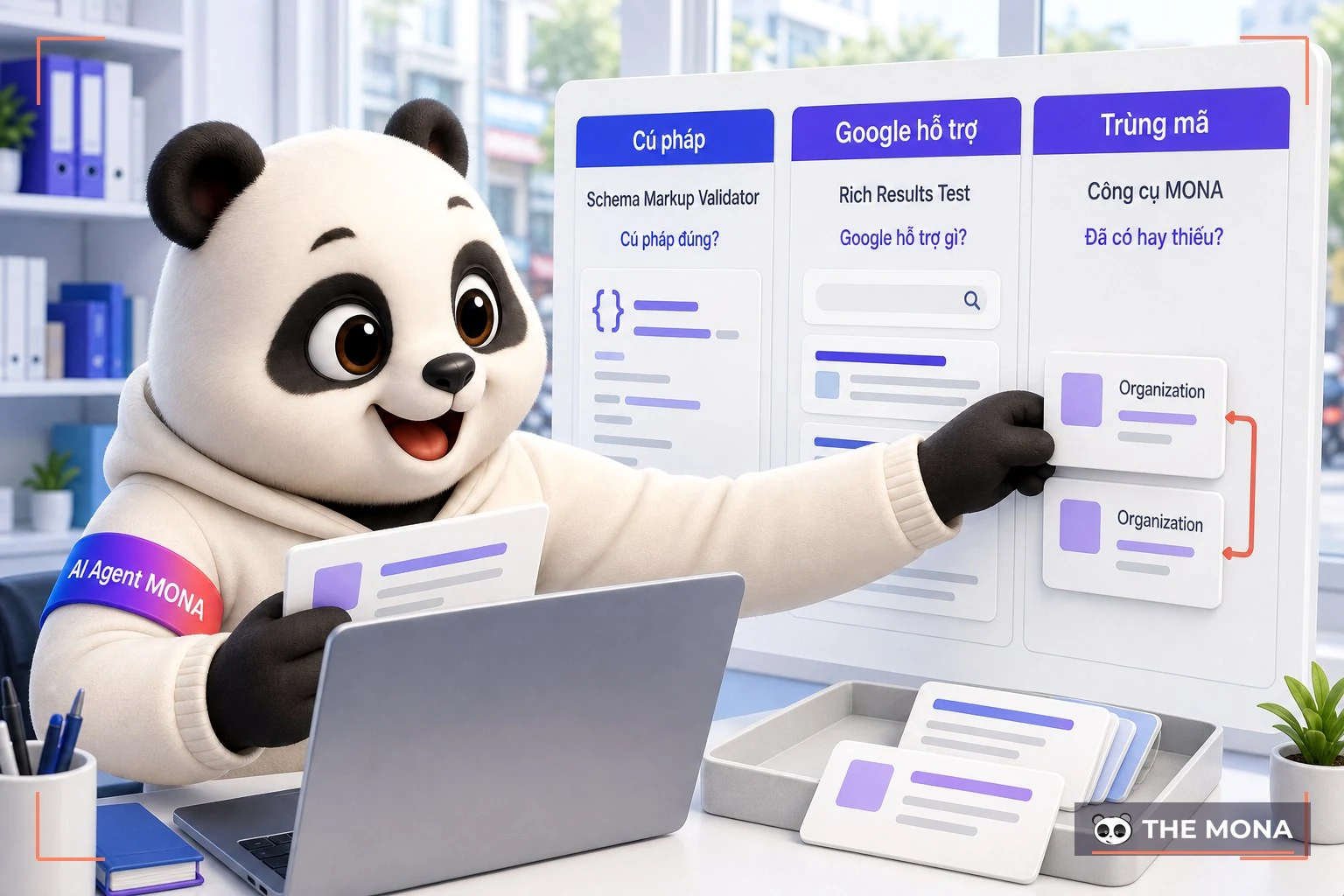
Paste the same address into several schema checking tools and one says it received the data, another doesn't give the kind of result you're waiting for, and the page still holds the old code. It's easy to think some tool is running wrong. We separate the reports first.
Rich Results Test answers about the data types Google supports for rich results. Schema Markup Validator checks syntax against schema.org. Reading the right scope helps you avoid overreaching conclusions. As for whether 2 Organization blocks describing the same organization on 1 trang need to be reviewed right away in the data that already exists.
| What you need to know | Tool to use | Limit of the conclusion |
|---|---|---|
| Does the data have errors under Google's criteria? | Google's Rich Results Test | Only looks at the types Google supports for rich results. |
| Is the syntax correct under schema.org? | Schema Markup Validator | Doesn't say Google will display it. |
| Which types does the page have, and which are missing? | MONA tool | Reads what exists, then generates JSON-LD for what's missing; it doesn't replace cross-checking. |
In the way we check schema for clients, the old Organization block must be counted in the new review, because a code generator doesn't know what you pasted in afterward unless it reads the page again.
If the terms are unfamiliar, read what schema is before comparing the reports one by one. When you check schema, note the address you used so you don't compare results from different pages. Re-check exactly the page you just fixed, and read both the syntax layer and the display support layer.
A schema check suits finding data errors, but don't leave the conclusion that the whole website meets SEO standards to it alone. Checking structured data is one specific part of the scope of reviewing a website against SEO criteria, so settle the question clearly before choosing a checker.
The schema check result page has just opened, you see both errors and warnings and want to send the whole screen to the web developer to handle. We need the page address and the detail section as well, because the general status alone doesn't tell us which field is stuck. Open the detail section.
Open Google Rich Results Test, use the address of the exact page you want to see in search results. For a schema check of a service page, take the service page's address. Don't use the homepage report to conclude for all child pages. We keep this principle when reviewing the Service and FAQPage already added for clients.
Enter the address, click run, and read the data type the tool detected before opening the message lines related to that type.
Mistake and warnings all need to be read under the criteria Google applies, not translated into a promise of higher rankings. Record the message text as is when handing over. The person fixing it needs to know which field the tool is talking about. Missing fields must be filled from the website's real data.
After the web developer fixes what was flagged, run the schema check on that address again and compare the before and after results, instead of generating a new block and assuming the job is finished.
In a schema check, you also need to know what the extension that creates rich data is managing, so you assign the fix to the right place. And featured snippets is a separate topic, so don't lump every kind of Google display into one conclusion. The Rich Results Test suits reading Google's criteria, but don't use it alone to confirm every schema.org type.
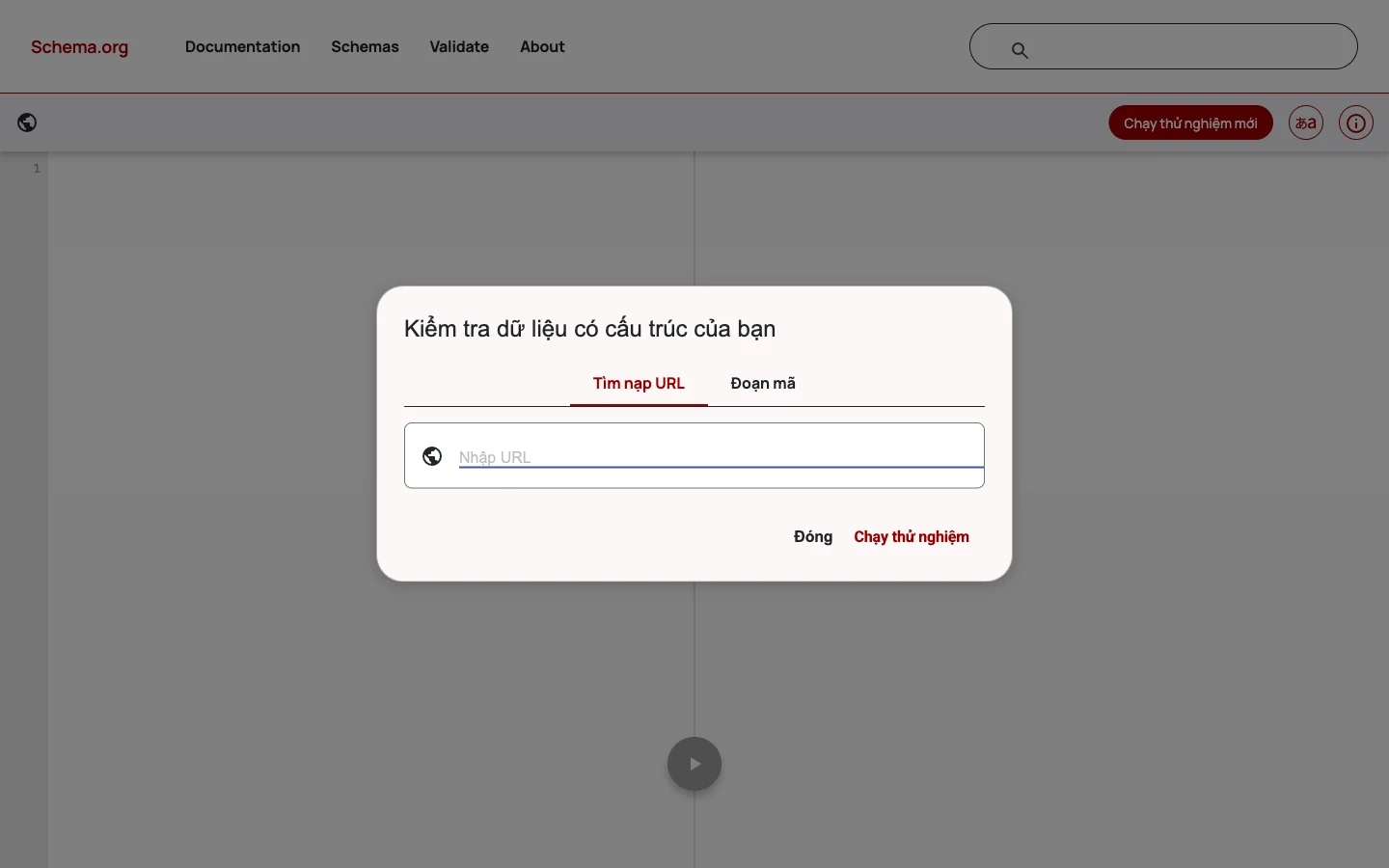
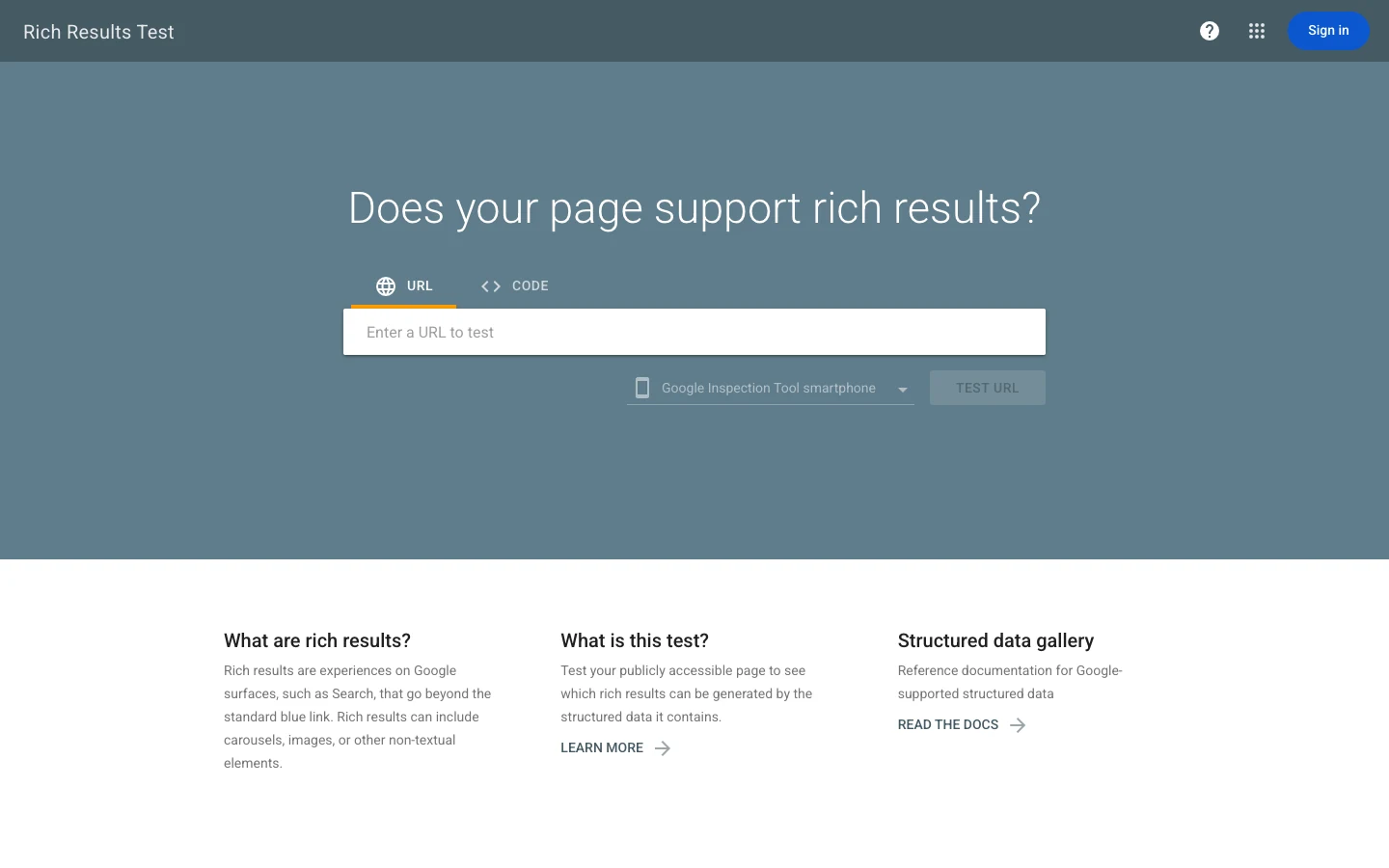
You just checked with Google but don't see the data type you need, while the web developer only has the block of code already on the page. We haven't asked to delete that block. Review the syntax first.
Schema Markup Validator suits checking data against schema.org, but don't leave predicting whether Google will show it to the tool. Keeping 1 trang during the comparison makes results easier to read. This checker has a different scope from Rich Results Test. The two tools aren't competing to do the same job.
Open the schema.org checker, put the address of the page you want to schema check into the tool and run it. Note the types it recognized and the syntax messages to compare with the Google report.
Because we add both Organization and Service to client websites, MONA needs an answer about the data structure even when the Google display question isn't settled by the report you have.
When a schema check shows the syntax passes, keep the conclusion at that level. If the page still has 2 Organization blocks, the syntax result still doesn't answer whether you are declaring the same organization twice. Generating more skips this problem. A schema check has to read what already exists, not only what the tool just generated.
See the scope of an SEO audit to know which tasks should follow the data check. For content organization, the heading structure on the page also needs to be read together with the code that describes it. MONA's conclusion after a schema check: keep correct syntax, and take display decisions back to the right Google criteria.
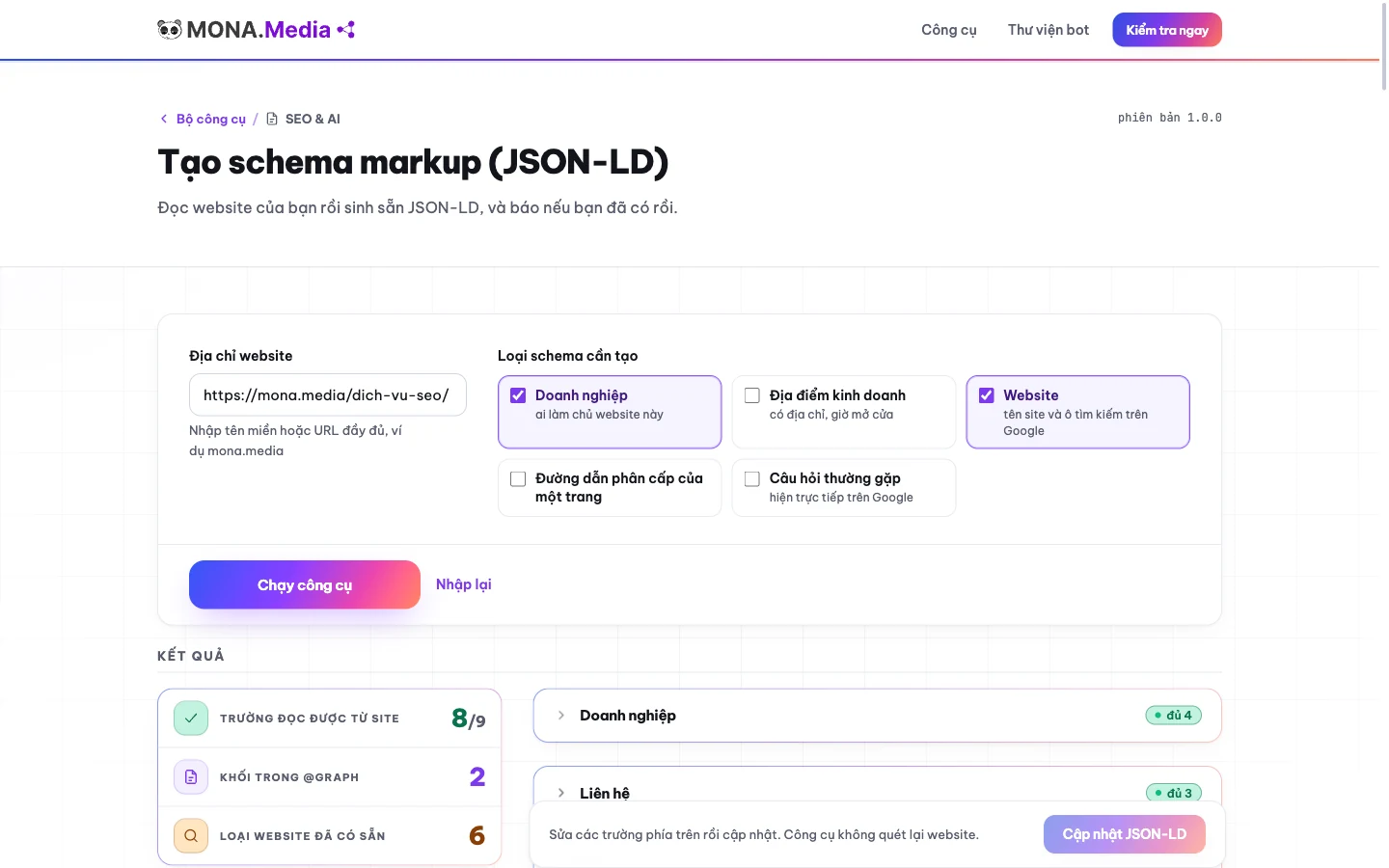
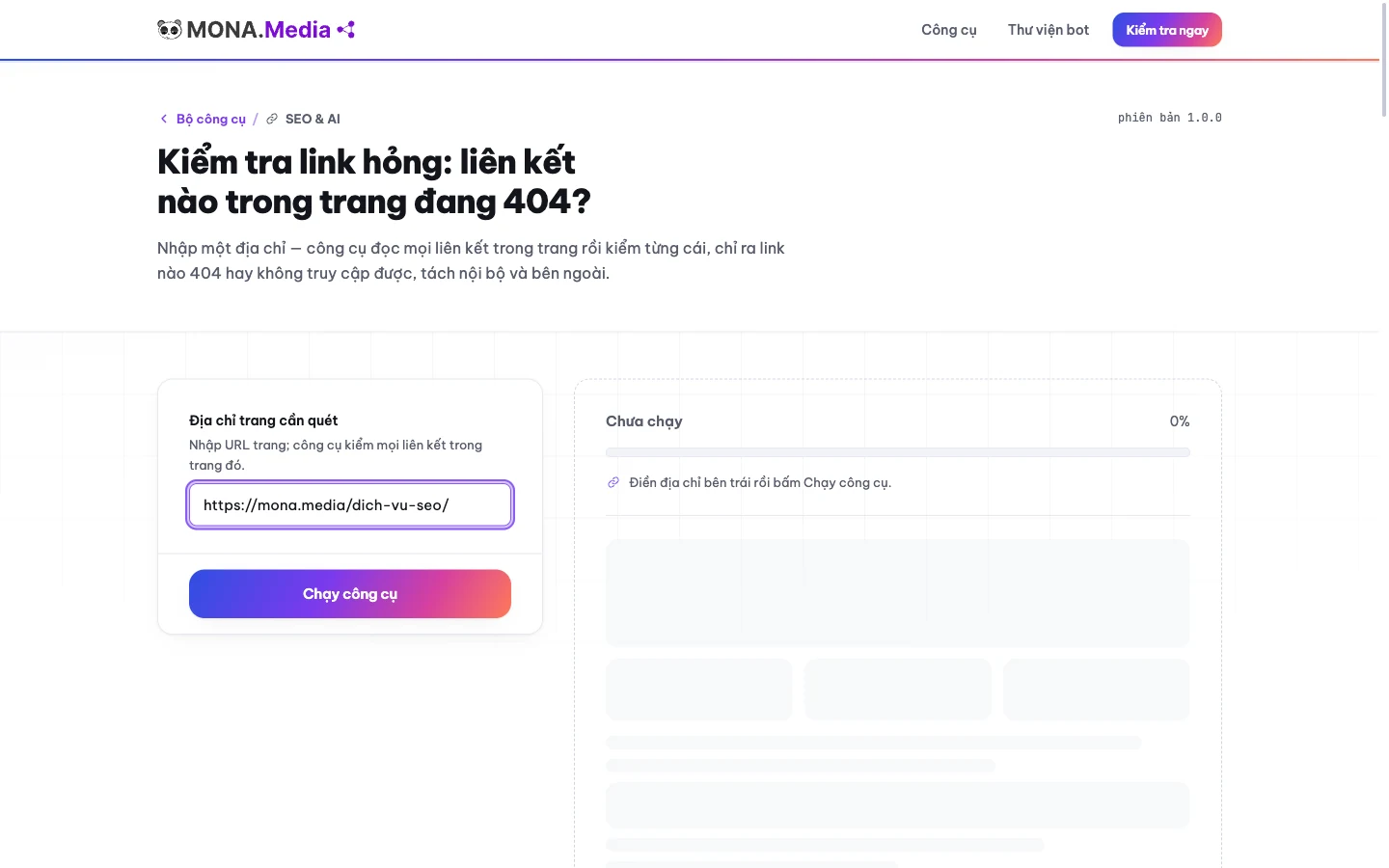
You are about to paste new code, but the schema checking tool says that type is already on the page. This is when we want users to stop and read the result, because MONA itself has met 2 Organization blocks pasted twice. Don't paste more in a hurry.
Open MONA's schema reading and generating tool, and paste in the website address to check. The tool reads the page from the address you provide. Use the page you plan to edit. A schema check starts from the real data there.
Read the section on existing schema types before taking new code, check whether the type you plan to add already appears, and only then decide which parts are really missing from the page.
We wrote the tool in this order after the snags we hit when adding schema for clients. A list that says what already exists helps avoid redundant steps. With 1 trang that already has Organization, don't click generate and paste it again just because the new block looks tidier. A schema check has to lead to a decision: keep, fix or add.
The next result is a JSON-LD block for the missing part. Compare the data in the block with the page content before handing it to the admin to put on the website.
We say plainly where our tool loses: to check against Google's display criteria, Rich Results Test does the job better. The MONA tool suits inspecting what exists and generating what's missing, but don't count on it to guarantee Google shows anything; see also SEO tools by task when you need a wider review.
Try check schema right on the address you just prepared. Paste it in, read the existing types and only then take the missing part. If the result shows the type you need already exists, stop pasting and check the old block first.
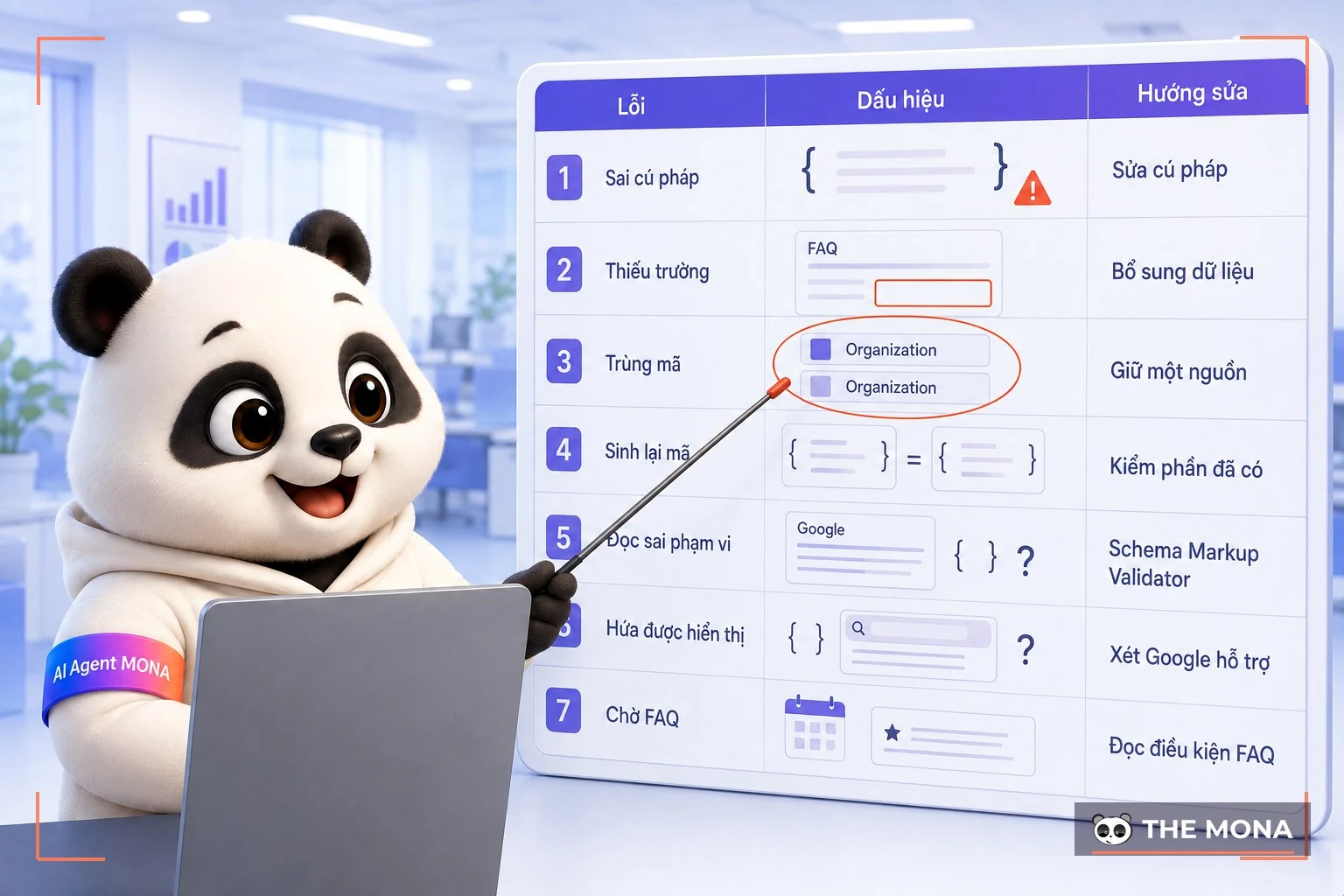
The schema check screen says it received the data but the page still doesn't get the result you want, and you open the code without knowing which line to start fixing from. We grouped the review into 7 errors and mix-ups below, from missing fields to reading a tool's scope wrongly. Find the right sign first.
Ca 2 Organization blocks on 1 trang is the reason MONA has the tool read existing data before generating new parts. A FAQ with missing fields needs the existing block fixed. These two signs call for different handling. Clicking regenerate for both easily makes you skip the cause.
| Mistake | Sign | How to fix |
|---|---|---|
| Incorrect syntax | The checker reports a problem in the data structure. | Read the reported location, fix the syntax and check again. |
| FAQ missing fields | The Q&A block is flagged as missing data. | Add the fields according to the message and the real content. |
| Duplicate Organization pasted | Several blocks declare the same organization on the page. | Review where the code is generated and keep the source of declaration you need. |
| Regenerating what already exists | The type you plan to add shows up in the page-reading results. | Check the current block before deciding to add more. |
| Treating the Google report as a list of every schema | Concluding the page has no data because Google did not pick up the type you were looking for. | Cross-check with the Schema Markup Validator. |
| Assuming that passing syntax means it will definitely show | Using the schema.org report to promise a Google result. | Check Google's support conditions separately. |
| Waiting for FAQ outside the supported group | The FAQ has markup, but search results do not show the Q&A. | Read the FAQ conditions before adding more markup. |
When you run a schema check on 1 trang, separate the code that is wrong from the expectation that is wrong, because adding data to a missing field and waiting for Google to support a display type are two different jobs.
After a schema check, if the person fixing it does not know where the markup comes from, put source tracing into the scope of an SEO error audit service. Address issues such as canonical tag also need to be looked at separately. A finished schema check must point to the specific parts to fix, so do not hand over just a screenshot of a report.
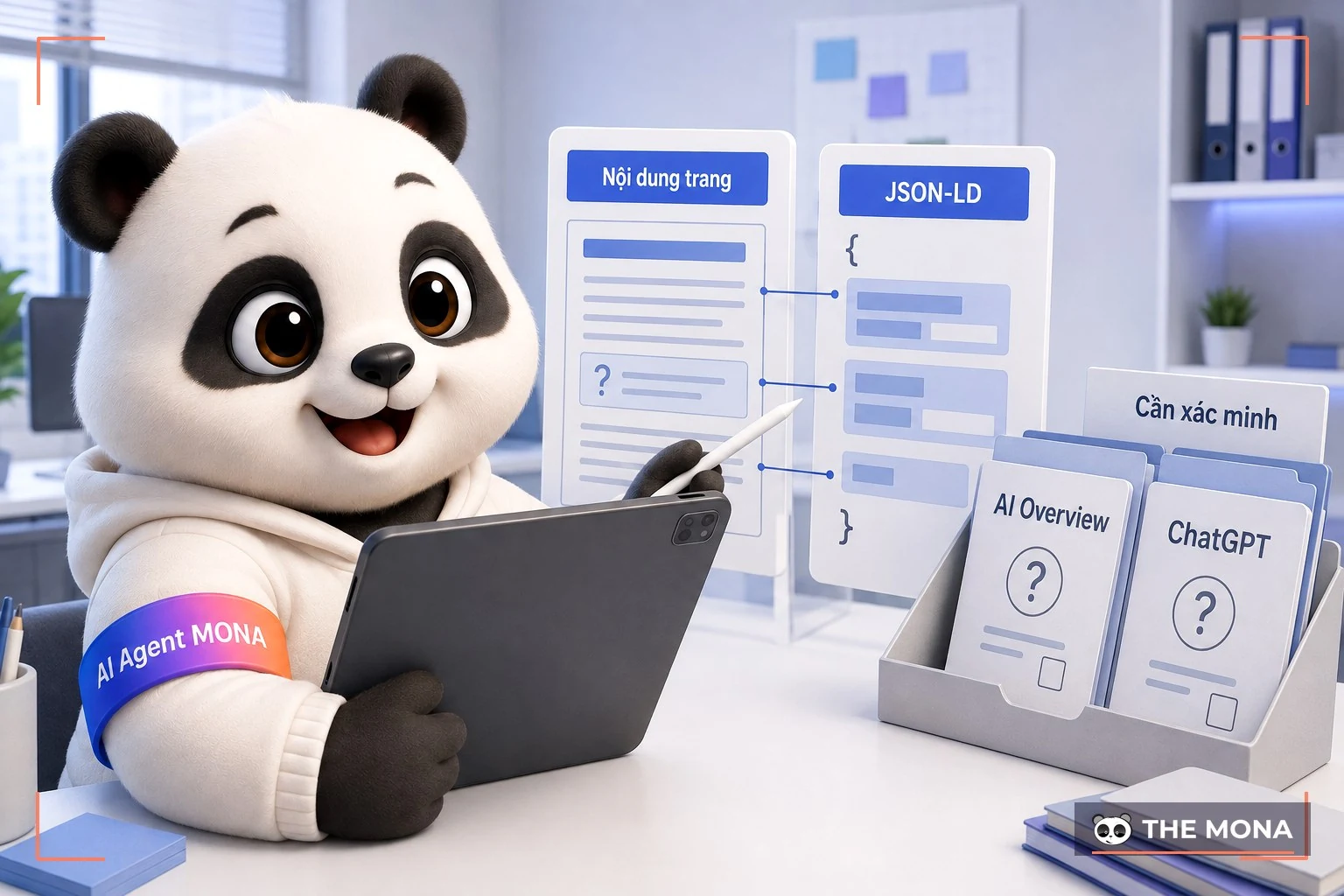
You see AI Overview answers right on Google, open ChatGPT again and get a different answer, then want to know whether the JSON-LD block you just added has been read. We understand the wish to measure the effort you put in. There is no evidence for that here.
MONA's position is to keep FAQPage is useful for organizing information so AI can read it, even when the page is not in the group that gets FAQ rich results on Google. That is the reason to implement clear data. It does not prove that any system has used the markup block of a specific page.
The 1 trang is being schema-checked, read the visible Q&A together with the data block that describes it, because the site owner needs to know which answers they are providing before asking whether AI has used them.
We add schema to client websites and built our own tool that reports the types already present; what this tool can do is read the page and generate what is missing. Clicking generate does not produce a report that AI has cited the website. Running the schema check again does not answer that question either. You need to separate technical evidence from the expectation of appearing.
The explanation of how AI Overview works helps you identify the right kind of result you are tracking. And when discussing optimizing content for AI answer engines, do not lump everything into one schema check. Content and the data that describes it have to be reviewed together.
MONA recommends checking the schema, keeping FAQ with real content, fixing missing fields, and removing duplicate blocks first. Any promise that ChatGPT or AI Overview will link back to your page needs its own evidence, so do not pay for a promise of appearing based only on generated JSON-LD.
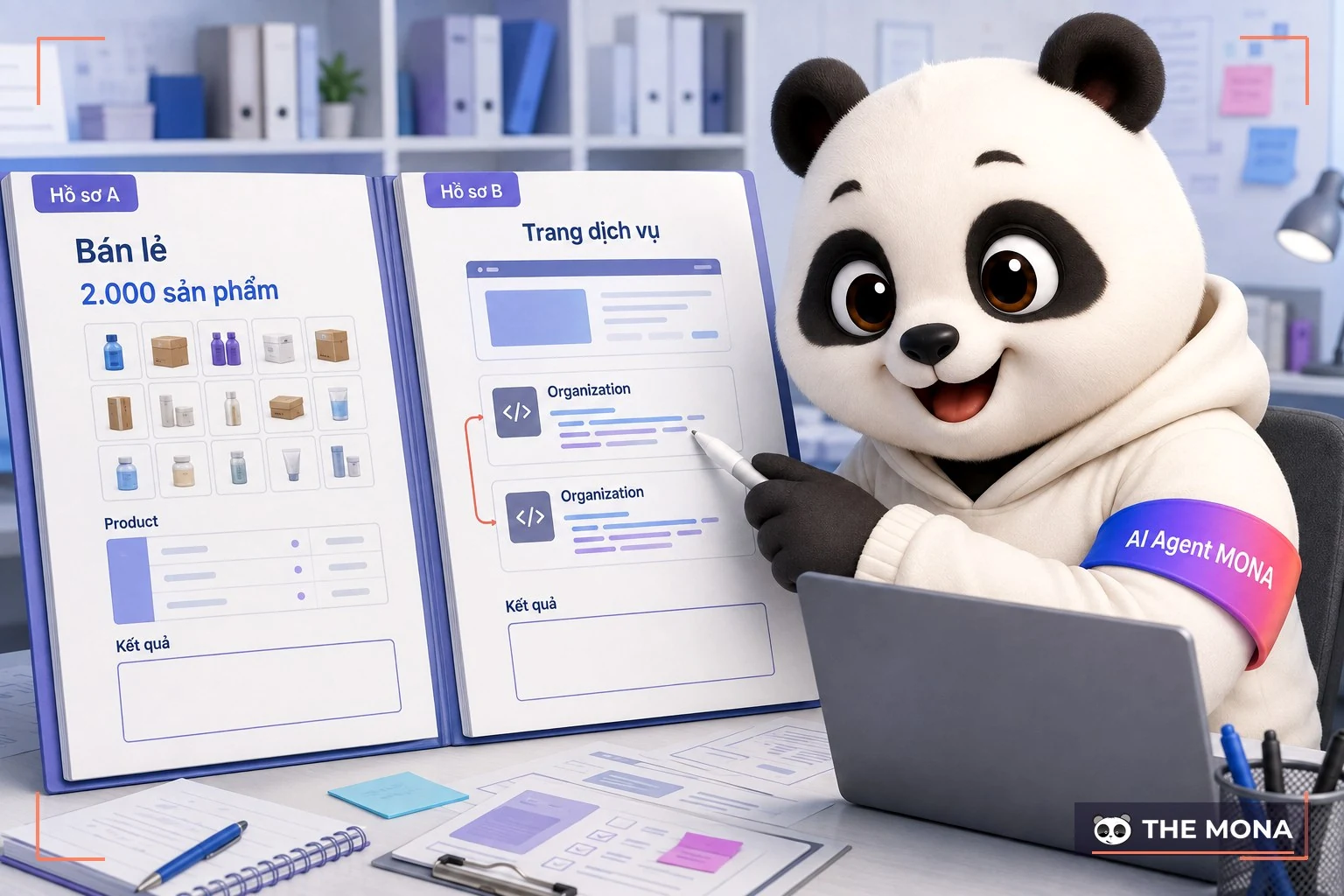
The retail case is a household goods chain with about 2,000 products on its website. We added Product markup to each product page, with price, availability and reviews. We ran the Rich Results Test on the first page, saw green, and everyone was happy. We did not stop there. We pulled in another 30 trang random pages to check, and a group of out-of-stock products turned out to be marked as in stock, because the template pulled data from an old field. One correct page does not mean the whole catalog is correct. We fixed the template in one place, rechecked 30 pages again, and only then signed off. Product pages got price-rich results after about 3 weeks, and we do not promise that to clients in advance because Google does not give a date.
The service case was the opposite: a consulting firm's about page had Organization markup twice, one block generated by the theme and one by the SEO plugin, with two different phone numbers. No tool flagged a syntax error, because each block is valid on its own. Only when the URL was pasted into the MONA tool did the existing types list show Organization ×2 that the problem became visible. We turned off the theme's block, kept the plugin's block, and updated the correct hotline number. It took ten minutes. The error had sat on the client's site for over a year without anyone knowing, because nobody thought to count the blocks before adding more.
Keep the report window next to the page you just fixed, because a few decisions are still unclear before you hand off the work. We grouped the answers by task, based on the limits of Rich Results Test, Schema Markup Validator and the MONA tool. Just go through them one by one.
To read errors the way Google does, use the Rich Results Test. To check syntax, use the Schema Markup Validator. Before adding markup, let the MONA tool read the existing types first. With 1 trang, use the same URL when you run each checker so you do not compare the wrong pages.
There is not enough basis to conclude that, because Google's Rich Results Test only checks types supported for rich results, while the question of what data the page has needs a broader look.
MONA still recommends keeping it when the Q&A is useful and the data is correct. The date 8/2023 in the document provided limits which sites get FAQ rich results. Do not use the waiting time as a reason to paste the markup again. The reason to keep FAQ for AI should be understood within the limits of the evidence described above.
The schema test result gives no timeline for when Google will show anything, so we do not use the 6 months in a waiting scenario as Google's processing schedule. Judge the conditions for each type instead of setting a date by gut feeling.
You need to look at what they describe. The list MONA implements includes Organization, LocalBusiness, Service, Product, Article, FAQPage, BreadcrumbList, HowTo, SoftwareApplication and VideoObject. Two blocks with the same type name are not enough to conclude duplication; read the data inside.
Yes. Compare the missing parts against the data you already have, then check again after the markup goes live on the page, because we built the tool to reduce duplicate pasting. The report from a markup generator still needs to be cross-checked with the right checker for its scope.
When the source of the duplicate markup or the scope of impact is unclear, put the schema check into a SEO audit for your website. If you need ongoing upkeep after handover, also read about website management support tools and decide who owns the data source before widening the fixes.
You reopen the service page that is waiting for Google to show the FAQ, see that the markup is still there, and are about to ask your web developer to paste it again. That waiting scene 6 months shows the way of reviewing needs to change. Read the report first.
MONA knows the effort is already in the Q&A, the data blocks and the times you compared search results, so we want the schema review to start from what you have already done.
Bring the things you have tried (page URL, FAQ content, the JSON-LD block you are using, tool reports). We will read them together in this order: syntax, Google support, and duplicate data. Clicking generate again does not solve the problem of blocks that 2 Organization blocks exist side by side. Waiting longer also will not put a site outside the supported group into FAQ rich results.
Set aside 1 session this week to identify the markup source and the scope to fix; this is a start date for the work, not a commitment to finish every website or a deadline for Google to display anything.
For the catalog of 2,000 products, the schema check scope needs to state which pages were reviewed. For a service page with duplicate Organization markup, you need to know which declaration source stays. The solution needs someone responsible for the data that is running. Look at the scope of SEO service team at MONA then call 1900 636 648, and bring the exact page and the report that is stuck so we can review it with you.
If the page is only missing something the tool has clearly identified, use the MONA tool to generate the missing schema and then cross-check the result. There is no need to hire more people just to paste markup. Hire MONA when you need to trace the source of errors and review a scope that goes beyond the schema check on 1 trang.

CEO & Founder · The MONA
Founder of The MONA, who built a services company of 200+ staff with 14,000+ projects delivered. Khánh Hùng shares how he thinks about building systems that run themselves, automating a business, and the real lessons from delivering projects at MONA.
 198




Professional website
design services
Own a website with a beautiful, 100% exclusive design and a lifetime warranty, with the ability
to expand features flexibly as your business grows, starting today!






 MONA will never sell your information or send you spam


 MONA will never sell your information or send you spam
